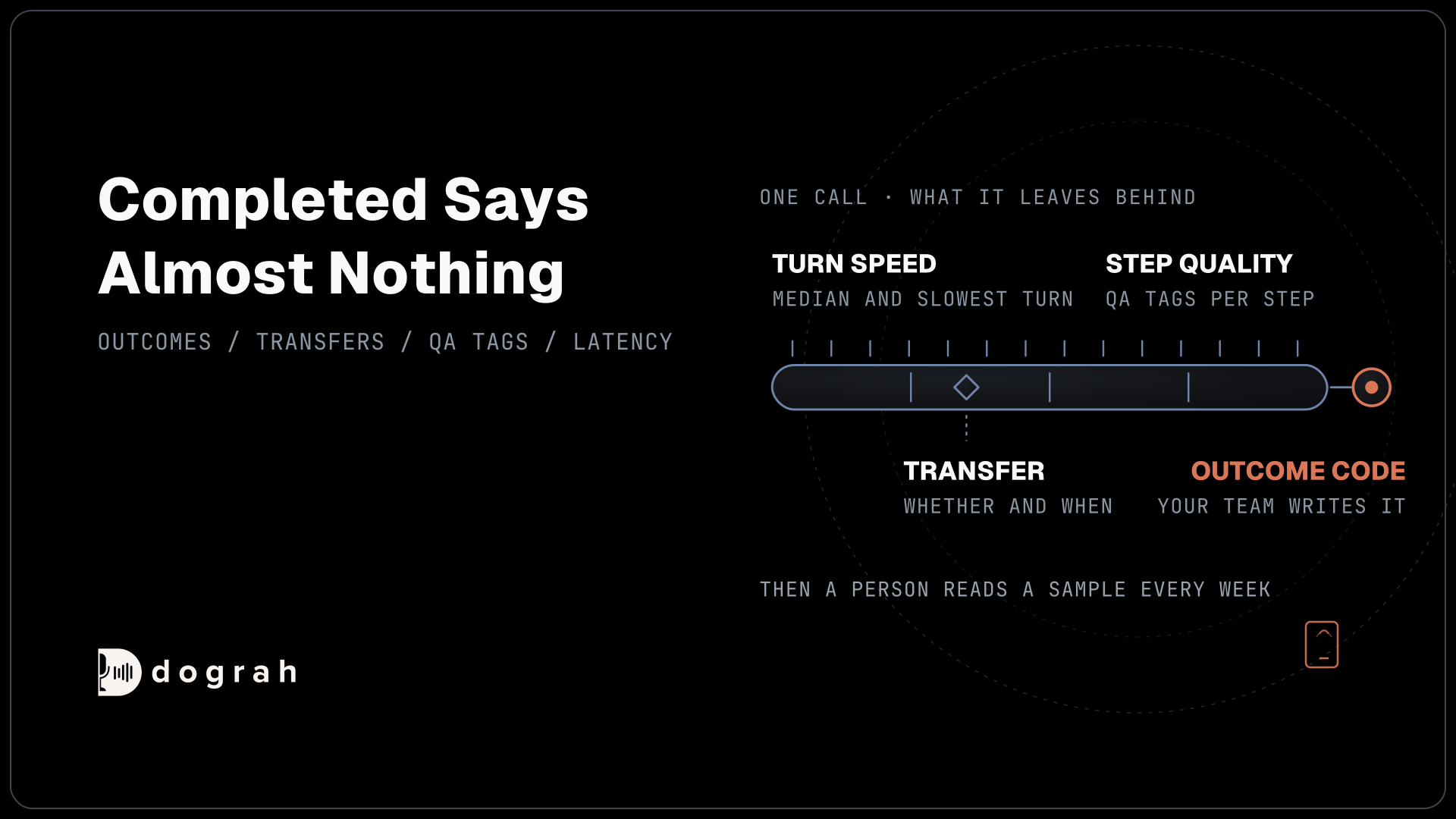

To measure voice-agent quality beyond call completion, track the outcome code each call ended with, whether and when a person took over, the QA tags and scores for each step, and the latency, interruptions and silence on each turn. Then have a person read a sample of flagged calls every week.
Key Takeaways
- A completed call only means the line closed, not that the caller got help.
- Define success as an outcome code your team writes, and time every transfer.
- Treat automated QA scores as a filter, and read a sample of flagged calls weekly.
A booked appointment and a caller who gave up halfway can both end up marked as completed. This guide sets out what to track in Dograh instead, from outcome codes and transfer timing to step-by-step QA scores and turn speed, plus a weekly routine and what changes as volume grows.
Why call completion says almost nothing
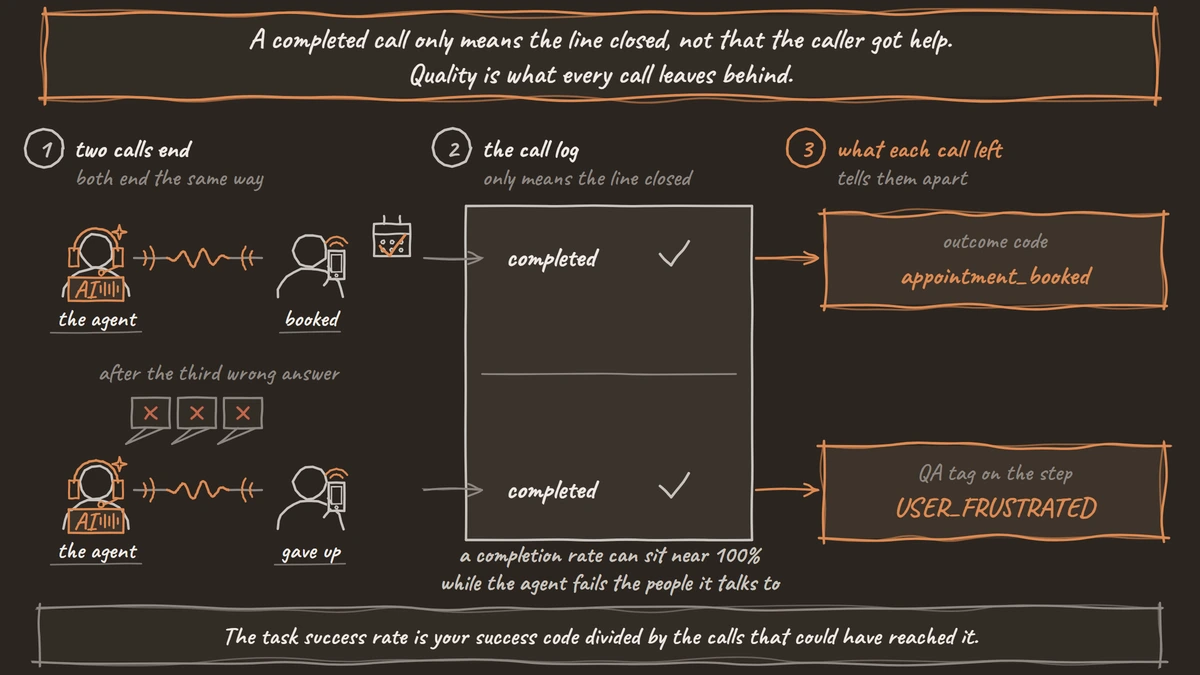
A call marked completed only tells you the phone line closed. A booked appointment and a caller who gave up after the third wrong answer both end the same way. So a completion rate can sit near 100% while the agent fails the people it talks to.
That matters more now, because the money is moving. Gartner's survey of 199 service and support leaders found AI spending up 38% while overall service budgets rose 2%. Its analyst named the challenge as making those investments produce measurable business value. A completion rate cannot carry that case, because it counts the calls that went badly too.
Quality is what every call leaves behind. Each call ends with an outcome. It either stays with the agent or reaches a person at some point. Each step of the conversation goes well or badly, and each turn is fast or slow. Every one of those can be counted on every call, without asking the caller anything.
The last part is a habit. Someone on the team reads a sample of the calls the numbers flag, every week. The sections below take each measure in turn, then show where it lives and how a weekly review uses it.
The outcome: did the caller get what they called for
Task success is an outcome code your team defines, such as appointment_booked or order_status_given. No platform knows what success means for your calls until you write it down, so start there.
In Dograh, outcome codes are call dispositions. They are off by default. Turn them on in the agent's Settings, under General, with "Extract call disposition at the end of the call". You start with codes such as qualified, not_interested, wrong_number, voicemail_detected, do_not_call and callback_requested, and you can add your own, up to 50. After the call, the model reads the conversation and picks exactly one code from your list. A code set by an end-call or transfer tool is kept as it is.
Write each code's description as something you could spot in the transcript. "Use when the caller agrees to a specific date and time" works. "Use when the call went well" does not, because two reviewers would disagree on it.
Then measure the rate over answered calls. A voicemail or a wrong number is not a failure of the agent, so leave those codes out of the bottom of the sum. The task success rate is your success code divided by the calls that could have reached it.
Extracted variables add the detail behind the code, such as the date that was booked. Treat them as the agent's record of what the caller said, since extraction is an AI step. The transcript and recording stay the exact record. Our post on how to extract structured data from calls into any CRM sets up both.
Post-call surveys have a place, but only as a check. Most callers leave before any survey question, and the ones who stay are not a fair sample of everyone. Use survey answers to test whether your outcome codes match how callers felt, and keep the outcome code as the number you track.
Transfers: count them, then time them
A transfer to a person is an outcome, and its timing tells you whether it was a good one. Callers want that door open. In Gartner's survey of 3,566 customers, 87% said it is essential for companies using generative AI to offer a way to reach a human agent. Gartner adds that customers forced through several failed AI exchanges before they reach a person are less likely to use the tool again.
So a low transfer rate is not the goal on its own. A transfer in the first turn or two usually means the caller wanted something the agent was never built for. That is a scope question, and the fix may be a new path in the flow or a clearer greeting. A transfer after several minutes is the worse pattern. The caller tried, the agent failed a few times, and the handover came late.
To see which pattern you have, open Agent Runs in Dograh and filter by your transfer's disposition code. Sort by Duration. Then open a few runs from each end. The Run Metrics card on each run shows Duration, User Turns, Bot Turns, Tool Calls and Nodes Visited, so you can see how far the call got before it moved to a person.
The Reports page also has a Transfer Dispositions card, labelled "Calls transferred (XFER)". It counts only calls whose outcome is exactly XFER. If your transfer outcome has another name, either rename it XFER or turn on Disposition mapping in Platform Settings and map it to XFER under "Configure mapping". Until then the card reads 0, while the disposition chart on the same page still lists every outcome.

Open Source Alternative to Vapi / Retell
Self-hosted voice agent platform — no per-minute fees
dograh-hq/dograh
Star on GitHub
Conversation quality, scored step by step
A call can end in the right outcome and still go badly in the middle. That is what post-call QA catches. Dograh's QA node reviews the transcript after each call ends. Out of the box it is enabled, uses the agent's own model, skips calls under 15 seconds and voicemail calls, and reviews every eligible call, since its Sample Rate starts at 100%.
It scores each step of the call on its own. Every step gets tags, a score from 1 to 10, a sentiment and a short summary, and all the tags are also listed together for the call. There is no single score for the whole call, and that helps, because a call with one bad step points you straight at that step.
Repeats show up through three of the default tags. HEARING_ISSUES and USER_NOT_UNDERSTANDING mark a caller who had to say things again or could not follow. ASSISTANT_IN_LOOP marks an agent repeating itself. DEAD_AIR, USER_FRUSTRATED and USER_REQUESTING_FEATURE are worth watching too. The reviewer also receives the call's duration, number of turns, average and longest latency, and the model's average time to first byte, so slow turns can feed into its reading.
Treat an automated score as a filter for what to read. In Testing the Testers, researchers checked three commercial voice-agent testing platforms against 21,600 human judgments. The best scored an F1 of 0.92, and the other two averaged 0.73. That is good enough to choose which calls a person reads, and not good enough to skip reading them. Once an agent is stable in production, we review a random 5-10% sample of calls.
Automated QA for voice agents shows how to set the node up and write your own checks. Teams that report quality per client should read our post on call QA and scoring in contact centers.
Speed, interruptions and silence
How a call feels comes down to turn timing. The bar for a natural conversation is under 800 ms from the moment the caller stops speaking to the moment the agent starts. The language model tends to get the blame, yet speech-to-text is more often what eats that budget.
Averages hide the problem. A caller who gets quick replies on most turns, then waits four seconds while one lookup runs, leaves unhappy from a call whose average looks fine. Watch the median turn and the slowest turn, per call and across calls.
Turn-taking is its own quality dimension, beyond raw speed. Full-Duplex-Bench, an academic benchmark, measures pause handling, backchanneling, turn-taking and interruption management with automatic metrics. A caller who keeps cutting the agent off is telling you its turns are too long. Long silences after the caller speaks usually mean a slow tool call or a stuck step.
In Dograh, each run's View Trace opens the call in Langfuse tracing, with the speech-to-text, model and voice time for each turn. Keep the Call Transcript's Reasoning Delay away from the 800 ms bar, because it times only part of the turn. Our post on how to read call traces walks through one trace layer by layer.
For many calls at once, the call events export writes one row per event. That includes a latency breakdown for each turn, every interruption, a warning when the agent stays silent after the caller finishes, and a closing summary row per call. Observability for voice AI covers which of these signals predict a bad call.
Where each number lives in Dograh
Every measure above already has a place in the product. This table maps them.
| What you measure | Where it shows in Dograh |
|---|---|
| Outcome and task success | The disposition on each run, the Disposition Distribution chart in Reports, the Disposition Code filter in Agent Runs |
| Transfers and their timing | The Transfer Dispositions card (XFER only), Agent Runs filtered by your transfer code and sorted by Duration |
| How far a call got | Run Metrics on each run: Duration, User Turns, Bot Turns, Tool Calls, Nodes Visited |
| Step quality and repeats | QA Results on each run, with tags, scores, sentiment and summaries per step |
| Turn speed, interruptions, silence | View Trace for one call, the call events export for many |
| Trends across weeks | Download Report in the agent's Settings or on a campaign, with a date range, and Download Filtered Results in Agent Runs |
Reports, under MANAGE in the sidebar, is a daily view. It shows one day at a time in your organization's time zone, for one agent or all of them. It has Total Workflow Runs, the transfer card, the top five dispositions plus Other, and a Call Duration Distribution in buckets from 0-10 seconds to over 180. Its Download CSV gives the phone number, disposition, duration and a link to each run.
For a week or a month, download a report with a date range. The CSV has one row per call with the disposition, the duration in seconds, one column for each extracted variable, the call tags, and links to the transcript and recording.
For timing data across many calls, set up the call events export to a BigQuery table. Charts and alerts then come from the tool your events land in. The ultimate guide to voice agent analytics walks through these screens as a weekly review.
Join the Dograh Community
Dograh is an OSS alternative to Vapi. Join our Slack community for queries, releases, best practices & community interactions.
A weekly routine that catches problems
One good test call proves very little, because the same prompt does not always produce the same answer. In research from Thinking Machines Lab, 1,000 runs of one prompt at temperature 0 gave 80 different completions. Quality only shows up as a pattern across many calls, which is why a weekly rhythm works better than spot checks.
Start the week by downloading last week's calls with a date range. Compare the task success rate, the transfer share and the share of very short calls with the week before. A jump in calls under 10 seconds often means a greeting problem, a wrong number list or voicemail being missed.
Next, read the QA-flagged calls in your sample, starting with the lowest step scores. Look for the same step or the same tag coming up again. One odd call is an anecdote. The same tag on the same step across many calls is a fix to make.
When a number moves, open a few of the runs behind it, then the trace for any call where the transcript does not explain the problem. Change one thing in the agent, and leave the rest alone so you can tell what worked. After a flow change, put the QA Sample Rate back to 100% for a week, then drop it again.
Reading the words behind the numbers is its own skill. Post-call analysis: turning transcripts into product insight shows how to go from tags and variables to script and product changes.
What changes when volume grows
More calls make every measure more reliable, and they also bring new failure modes. Two need watching from the first busy week.
The first is the phone line itself. Real callers mostly arrive as 8 kHz phone audio, against the 16 kHz of a browser demo, so speech-to-text often makes more mistakes on live calls. How much depends on the speech model and the phone path, so test it. In Agent Runs, filter by Type to keep web calls out of your phone numbers. Browser test calls flatter the results.
The second is provider limits. As calls stack up, speech and model providers hit their concurrency and rate limits. Turns get slower before calls start failing, so a rising slowest-turn number is often the first warning. For campaigns, Dograh's circuit breaker is on by default for a new campaign. It pauses the campaign when half the calls in a 120-second window fail, once at least five calls have finished.
Our pillar on how to test, monitor and scale AI voice agents covers the testing before launch. How to scale to thousands of simultaneous calls goes through each limit and how to raise it.
Each measurement above has its own deep dive:
- Observability for Voice AI: Metrics That Predict Call Quality
- Post-Call Analysis: Turning Transcripts Into Product Insight
- How to Scale to Thousands of Simultaneous Calls With Voice Agents
- The Ultimate Guide to Voice Agent Analytics: A Weekly Review
Glossary
- Call disposition
- The one outcome code a call ends with, picked from a list your team writes. A success code such as appointment_booked is how task success becomes a number you can count.
- Disposition mapping
- A Platform Settings option that renames Dograh's outcome codes to your own for reports, filters and webhooks. The Reports transfer card counts only the code XFER, so mapping your transfer outcome to XFER makes it count.
- End-to-end turn latency
- The time from the caller finishing a sentence to the agent starting to speak. Under 800 ms feels natural. The Reasoning Delay in a call transcript covers only part of it.
- Sample Rate (%)
- The share of eligible calls the QA node reviews. It starts at 100, and below that it picks calls at random, so set it to what your team can read.