
Voice AI for developers means building a phone agent on an orchestration layer that handles the audio and the phone line, while your code joins at three points. It starts calls through an API, answers the agent's tool calls during the call and receives results by webhook. Testing and a careful release decide whether it holds up.
Key Takeaways
- Your code joins a call at three points: before, during and after.
- Run every conversation leg several times, because one clean call proves little.
- Production runs the published version, so drafts change nothing until you publish.
This guide maps what a developer touches in a phone agent: the call pipeline, the API and webhooks, tools, testing, security and the release. For each part, we show the setup in our open-source AI voice agent platform, Dograh. You can self-host it or run it on Dograh Cloud.
What you build: a call flow on an orchestrator
A voice agent is a call flow that runs on an orchestration layer, with models plugged in underneath. The orchestrator takes the phone audio, decides when the caller has finished speaking, moves the call between steps and runs tools. The models turn speech into text, choose the next words and turn them back into speech.
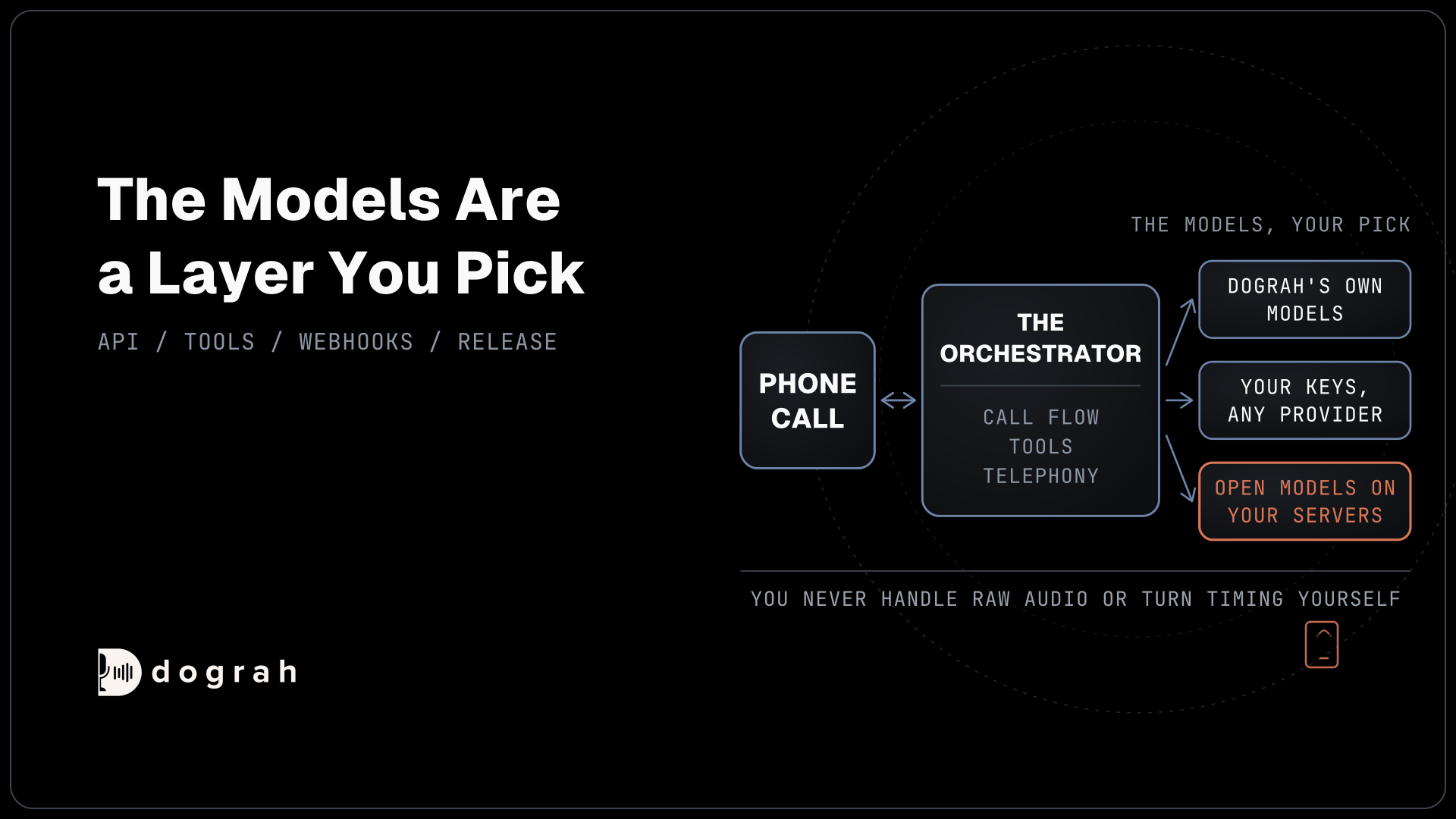
Dograh is the orchestration piece that runs the call flow, tools and telephony, while the speech and language models are a separate layer that you pick. You can use Dograh's own models, bring your own keys for any LLM, STT or TTS provider, or run open-weight models on your own servers. Only that last option keeps the audio inside your network. A key moves the contract to a provider, while the audio still travels to it.
The flow itself is a graph of nodes. A Start Call node holds the greeting. Agent nodes each handle one step with their own prompt and tools, and an End Call node closes the call. A Global node adds instructions to every step, and two more node types connect the call to your systems, an API Trigger to start it and a Webhook to report on it. Our post on how the voice AI pipeline works follows one turn of audio through each model.
Exact wording only holds where the platform plays fixed text: the greeting, a Transition Speech line or a pre-recorded clip. Inside a node, the model writes its own words. Dograh can also play recorded clips of a real voice and fall back to TTS when no clip fits, which keeps common lines fast and natural. For the click-by-click build of a first agent, see how to build an AI voice agent.
One call, three places your code joins in
Your code meets a call at three moments: before it starts, while it runs and after it ends. The orchestrator owns the audio stream in between, so you never handle raw audio or turn timing yourself.
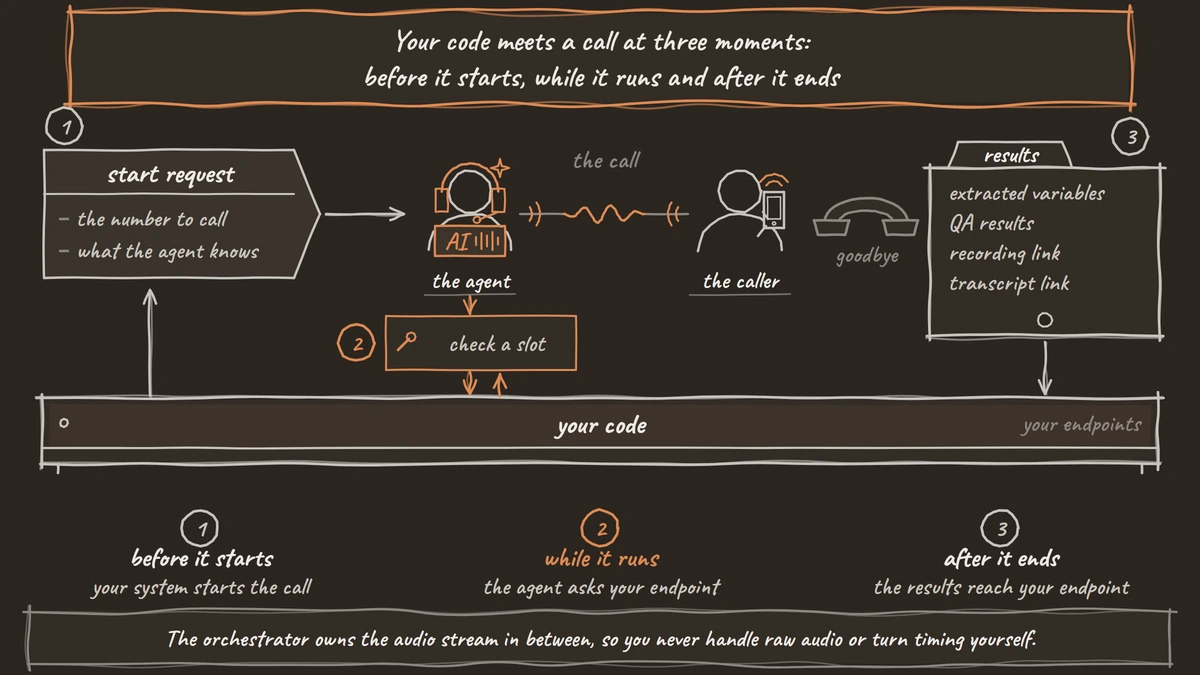
Before the call, your system starts outbound calls with the API Trigger. It sends a POST request with the number to call and an initial_context object, and the agent's prompts can read those values. Inbound calls work the other way round. Pre-Call Data Fetch, at the bottom of the Start Call node, asks your endpoint for fresh data using the caller's number and the dialled number, and the greeting waits for the answer. Our post on API triggers covers the request in full.
The request below names the number to call in phone_number, passes what the agent should know in initial_context, and carries your key in the X-API-Key header:
curl -X POST https://your-dograh-instance/api/v1/public/agent/{uuid} \
  -H "Content-Type: application/json" \
  -H "X-API-Key: dgr_your_key" \
  -d '{
    "phone_number": "+1415555XXXX",
    "initial_context": {
      "customer_name": "Jane",
      "order_id": "A-1042"
    }
  }'
What this does: It asks Dograh to place one call with the published agent, which already knows Jane's name and order. The reply carries a
workflow_run_id, which you store against order A-1042 so a retry on your side never dials Jane twice.
During the call, tools let the agent act. An HTTP API tool calls your endpoint to check a slot, look up an order or write a record. MCP tools reach an MCP server, Transfer Call hands the caller to a person, and End Call closes the line. Our walkthrough of how to add tool calls to a voice agent builds one end to end.
Slow lookups need words, or the caller hears dead air. A tool's Messages setting plays a typed line or a recorded clip as the tool starts, and you can add a later update that plays while the request is still running. HTTP API tools time out after 5 seconds by default and do not retry, so the prompt says what the agent tells the caller when a request fails.
After the call, a Webhook node sends the results to your endpoint: the variables the agent extracted, the call duration, QA results and links to the recording and transcript. A temporary failure, such as a timeout or a 5xx reply, is retried automatically up to 5 attempts. A wrong URL or credential is not retried. You can also fetch any call later with GET /api/v1/workflow/{workflow_id}/runs/{run_id}.
Some teams start from a raw media stream and write their own turn-taking. That suits research on audio itself. For a business phone agent, the three points above cover the work, and the hard real-time parts stay inside the orchestrator.
The developer surface: keys, API, SDKs and MCP
Every programmatic path starts with an API key. Create one under Developers in the sidebar. Keys start with dgr_ and are shown only once, so put yours in a secret manager straight away.
The REST API covers agents, runs, campaigns and phone setup. On top of it sit two official SDKs, dograh-sdk for Python and @dograh/sdk for TypeScript, generated from the same OpenAPI spec. Both read DOGRAH_API_KEY and DOGRAH_API_URL from the environment, and both can create or edit agents, place outbound calls and inspect runs.
The snippet below lists your agents in Python, with the key and the server address taken from DOGRAH_API_KEY and DOGRAH_API_URL:
from dograh_sdk import DograhClient

client = DograhClient()
for wf in client.list_workflows():
    print(wf.id, wf.name)
What this does: It prints the ID and name of every agent in your account. The run and version calls take those IDs, so this is a quick check that your key and URL point at the right install.
The Dograh MCP server lets a coding assistant such as Claude Code or Codex create and edit agents for you. A new agent made through MCP is published as version 1 straight away, so review it before it takes real calls. Edits to an existing agent save as drafts. The guide to MCP for voice agents shows how to improve an agent from its real calls this way.
Drafts and published versions keep your changes away from live callers. Every edit saves to a draft. Publish opens a Publish version form with an optional Version name and Change description, runs full validation, and then the new version takes production traffic. Version History lists every version, and you can compare any version with the one before it. We also cover a self-hosted voice agent platform with versioned releases, where campaigns stay pinned to a numbered version and Version History records each publish.
The API Trigger has two URLs to match. The production URL runs the published version, and the test URL runs the latest draft, falling back to the published version when no draft exists.

Open Source Alternative to Vapi / Retell
Self-hosted voice agent platform — no per-minute fees
dograh-hq/dograh
Star on GitHub
Seeing inside a call: traces, events and QA
Every call leaves enough behind to explain what went wrong. Connect Langfuse in Platform Settings, and each run page gets a View Trace link that opens the call's trace. It shows the speech-to-text, AI and voice time for each turn, the prompt the model saw and every tool call.
Traces stay private by default. The Make traces publicly viewable setting lets anyone with a trace link read transcripts, prompts and tool payloads, so leave it off unless you mean to share them.
For many calls at once, Platform Settings also has Call events, which exports per-call diagnostics to your own BigQuery table after each call. Each row is one event, such as a tool run, a silence warning, a stage latency or a pipeline error. The export carries no transcript text or audio.
QA closes the loop. A QA node scores each step of a call separately, with its own tags, a 1-10 score, sentiment and a summary, and it runs on editor test calls as well as live calls. The scores reach your systems in the Webhook payload, so you can track them by version.
Five call flows most teams build first
Most phone agents take one of five shapes: booking, reminder, intake, survey or transfer. Each one runs greet, verify, disclose. The agent greets the caller, confirms who they are with an approved check such as a date of birth or the last digits of an account number, and only then shares personal details. The caller's number can find their record, yet it is no proof of who is on the line.
Keep each node to one job. In a study of more than 200,000 simulated conversations, Laban and colleagues found that model performance in multi-turn conversations averaged 39% below single-turn, and most of that drop came from unreliable answers. Short nodes keep each step close to a single task. The voice AI cookbook lays out all five flows, step by step.
Join the Dograh Community
Dograh is an OSS alternative to Vapi. Join our Slack community for queries, releases, best practices & community interactions.
Proving an agent is ready with numbers
An agent is ready when it passes the same scenarios many times, and one clean call proves little. Language models vary even at temperature 0. Thinking Machines Lab got 80 distinct completions from 1,000 identical requests. Voice adds more spread, and the EVA-Bench study found that none of the 12 voice agent systems it tested scored above 0.5 on both task accuracy and caller experience.
In practice, write a fixed set of scenarios, run each leg several times and count the passes. Test Chat in the editor lets you rerun one agent turn, or edit it and rerun, without dialling again. Test values go in the Variables tab at the top of the editor, and setting direction to outbound tests the outbound path. Then compare per-step QA scores between versions. Our post on voice agent testing and evaluation sets out the scenario set, the pass rate per leg and the re-test after every change.
What callers will try, and what stops them
Some callers will try to talk the agent out of its rules. OWASP lists prompt injection as the top risk for LLM applications, in two forms. One is an instruction the caller says. The other is an instruction hidden in content the model reads, such as a CRM note or a tool response.
A prompt cannot promise what the model will never say, because the model can avoid a banned phrase and still say the banned meaning. Security comes from limiting what the agent can do. Give each node only the tools its step needs. Pass account IDs as Preset Parameters from the call's own data, so the model never takes them from what the caller says. Verify the caller before any detail, and keep API keys and traces private. Voice AI security for phone agents covers each threat and the safeguard that stops it.
Going live: phone lines, limits and backing out
Going live starts with a real phone call, because a browser test hides the hardest audio. A browser test runs at 16 kHz, the highest rate Dograh's pipeline uses, while most phone calls still reach the agent at 8 kHz. The size of that hit depends on the speech-to-text model and the phone path. NVIDIA's model card for Parakeet TDT 0.6B v2 reports a 6.05% average word error rate on 16 kHz audio and 6.32% on 8 kHz telephone audio, and on some setups we have seen errors up to three times higher over the phone. Click Phone Call in the editor header and test on the line you will use.
Then check the ceilings. Self-hosted Dograh runs 10 concurrent calls by default, set with DEFAULT_ORG_CONCURRENCY_LIMIT, and Dograh Cloud's Pay as you go plan includes 10, with more on request. Your phone provider and model providers set their own limits. Each campaign adds Max Concurrent Calls and a Circuit Breaker, which is on by default and pauses the campaign when half the calls in a 2-minute window fail.
Backing out is a version question. Production keeps running the published version while you edit a draft. Each publish lands in Version History, where older versions can be opened and compared, and you can point a campaign at one specific saved version. To back out, pause the campaign and publish the previous settings again. From test call to production turns all of this into a go-live checklist.
Run it yourself or on Dograh Cloud
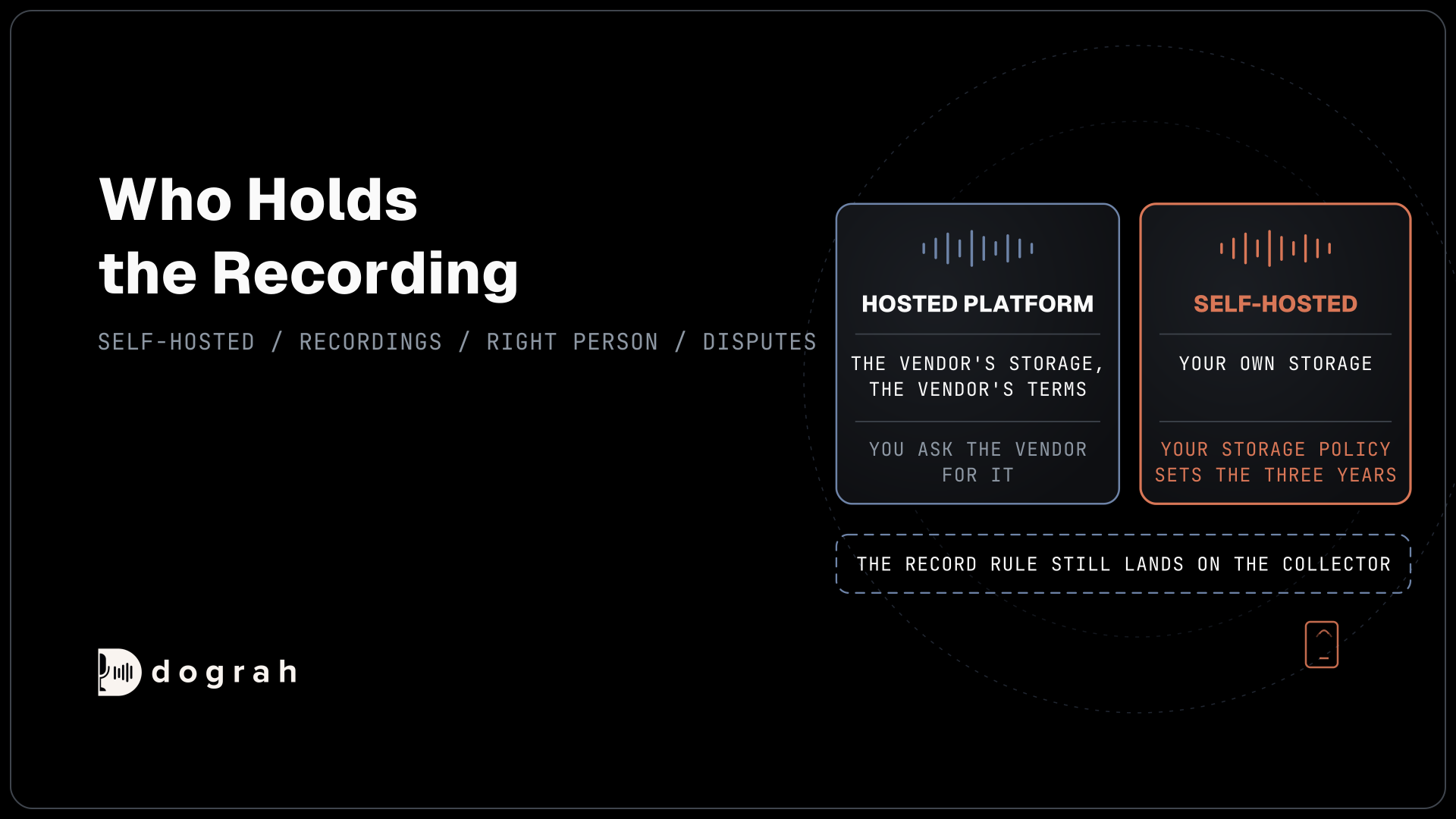
Where the platform runs decides where your call data lives. Self-hosting puts the orchestrator, the recordings and the transcripts on your servers, and the Docker guide gets an install running with one script. Pair it with open-weight models on the same servers, and the audio stays inside your network as well.
The code is open-source, so you can read exactly what runs on each call and change it. Self-hosted Dograh has no per-minute platform fee, but servers, model keys and phone minutes still cost money. Dograh Cloud charges a 1¢-a-minute platform fee. A self-hosted install also sends usage telemetry by default, which you switch off with ENABLE_TELEMETRY=false.
Start with the three integration points, because every later decision sits on them. Each part of this map has its own deep dive:
- The Voice AI Cookbook: Five Ready Call Flows for Common Use Cases
- Voice Agent Testing and Evaluation: How to Benchmark Before Launch
- Voice AI Security: Threats and Safeguards for Phone Agents
- Deploying an AI Voice Agent to Production, Step by Step
Glossary
- Orchestration layer
- The software that runs a call: it takes the phone audio, decides when the caller has finished, moves between steps and runs tools. The speech and language models sit in a separate layer underneath it.
- Published version
- The saved version of an agent that takes production calls. Edits go to a draft until you publish, and the API Trigger's test URL is the way to run that draft.
- Pre-Call Data Fetch
- A setting at the bottom of the Start Call node that asks your endpoint for fresh data once the call connects, using the caller's and the dialled number. The greeting waits for its answer.
- Prompt injection
- An attempt to change what a model does by putting instructions in what it reads, either in the caller's own words or hidden in a CRM note or tool response.