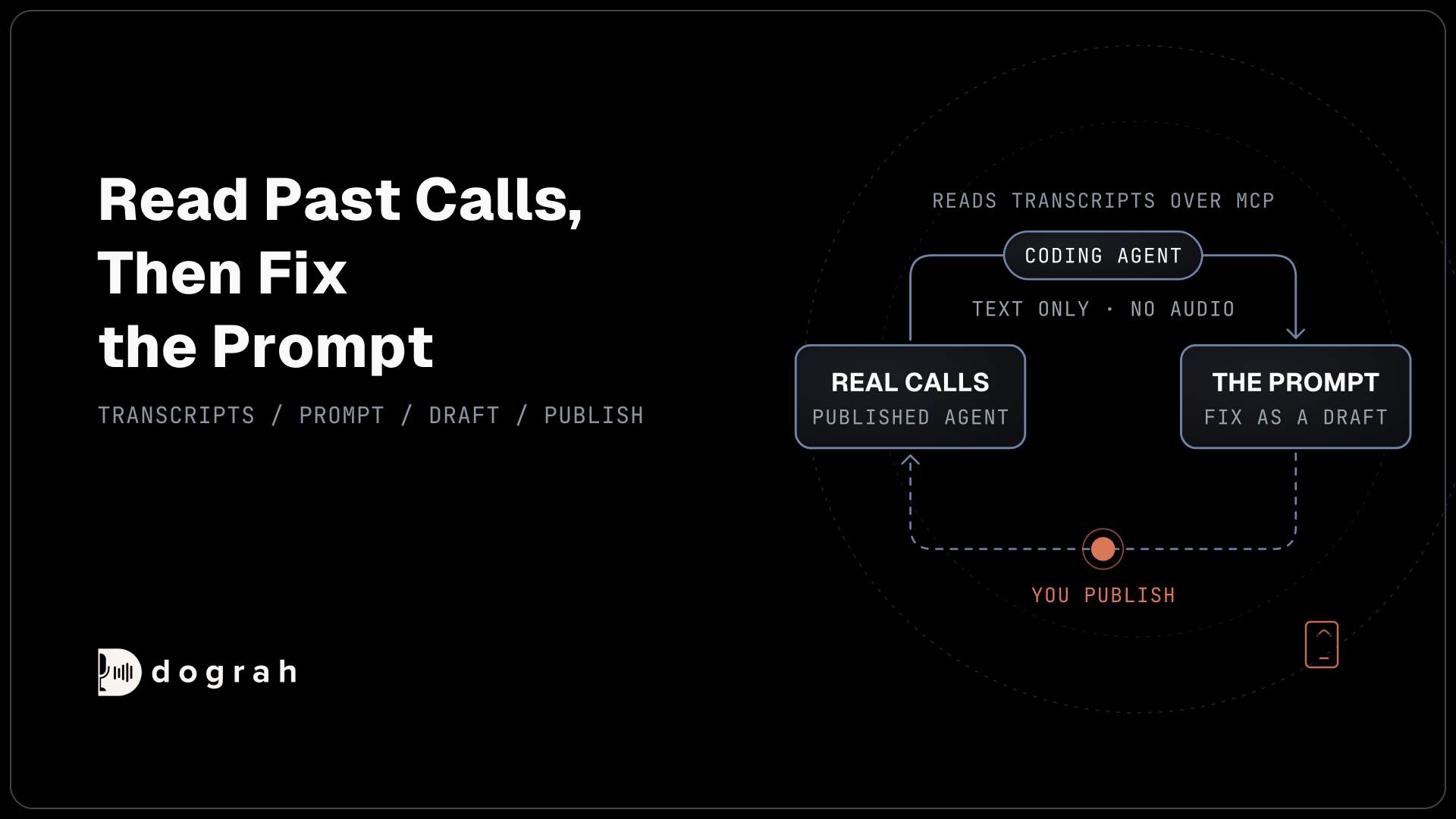

MCP (Model Context Protocol) connects a voice agent to other software in two directions. A coding agent such as Claude Code uses the voice platform's MCP server to read the agent's setup and its past call transcripts, then fixes the prompt. During a live call, the voice agent can also call tools on other systems' MCP servers.
Key Takeaways
- A coding agent reads past call transcripts and fixes the prompt where calls failed.
- Edits save as drafts, so the live agent keeps running until you publish.
- Dograh's MCP server shares transcripts and call details, never the call audio.
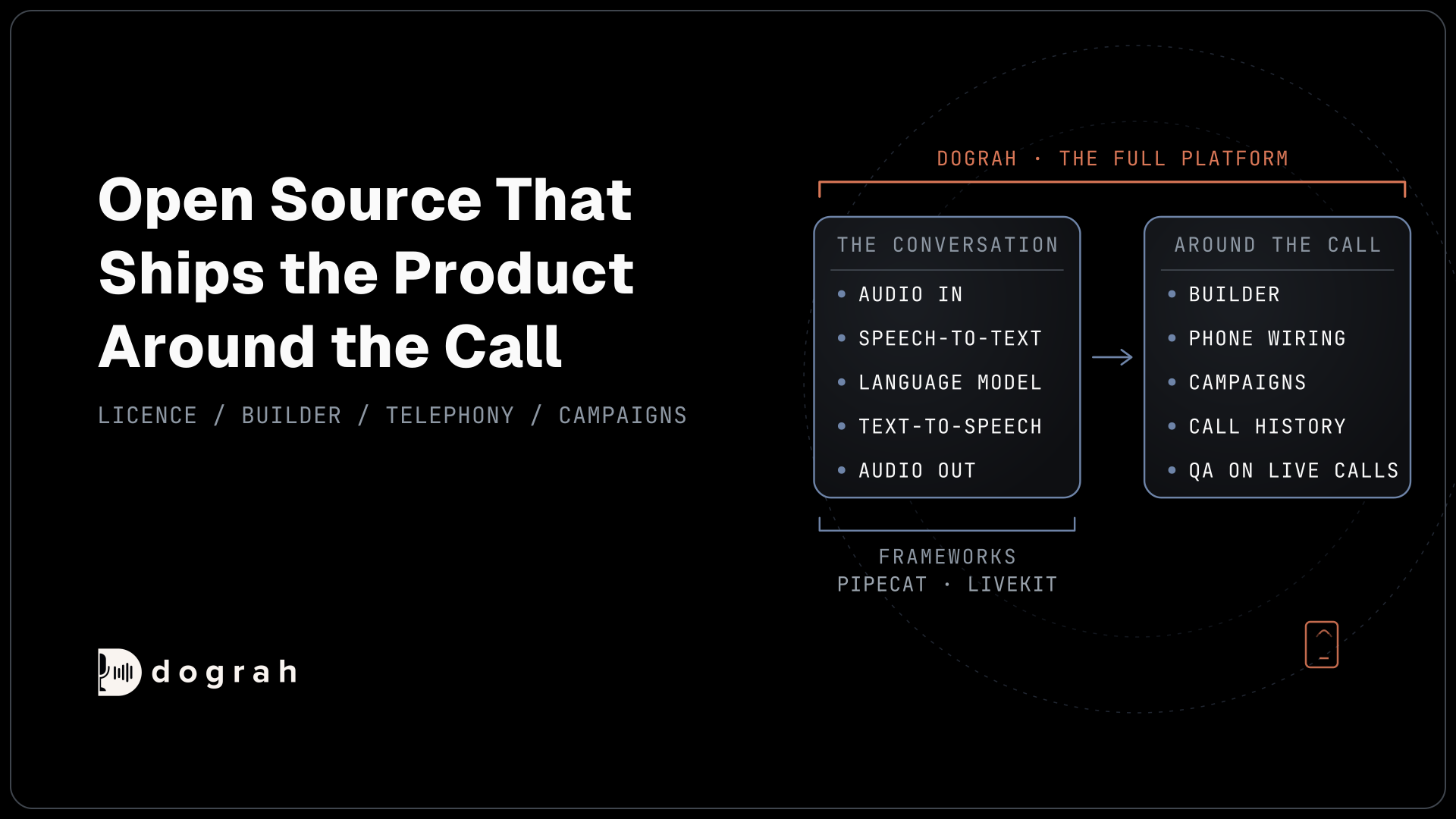
This guide starts with the transcript loop, then covers building an agent from a description, the checks on every save, tools and safety. We show each part in Dograh, the open-source AI voice agent platform we build, which you can self-host or run in the cloud.
MCP runs in two directions for a voice agent
MCP gives a voice agent two separate connections, and it helps to keep them apart from the start. The Model Context Protocol is an open standard that lets a language model read from another system and make changes in it through one shared format. Once a system offers MCP access, any AI client that speaks the protocol can use it, including chat agents and voice agents.
The first direction points inward. A coding agent such as Claude Code or Codex connects to the voice platform's MCP server and works on the voice agent itself, including its prompts, call flow, tools and the transcripts of its past calls. The second direction points outward. During a live call, the voice agent connects to someone else's MCP server, such as a booking system or an order database, and calls its tools.
Most of this guide covers the inward direction, because that is where teams save the most time. Anthropic, which created MCP, moved the protocol to the Linux Foundation's Agentic AI Foundation in December 2025, when it counted more than 97 million monthly SDK downloads and more than 10,000 active public MCP servers.
If the protocol itself is new to you, start with what MCP is and how it connects voice agents to your tools, which explains servers, clients and tools with a phone call as the example.
The loop: read past calls, then fix the prompt
The most useful job a coding agent can do for a voice agent is to read what happened on real calls and fix the prompt where those calls went wrong. A prompt written before launch is a guess. Callers phrase things you never planned for and ask about things the prompt never mentions. The transcripts show exactly where that happened.
With Dograh connected over MCP, you start the loop in plain words, for example: "Look at the latest calls for the reminder agent and tell me where callers got stuck." The coding agent lists that agent's recent calls, newest first, with each call's type, duration, outcome and date. It then pulls the speaker-labelled transcript of the calls that look wrong and finds the turn where the agent went off track. Finally it reads the agent's current prompt and proposes a change. We built a dedicated landing page for Dograh's open-source MCP server covering how a coding agent fixes prompts from real calls.
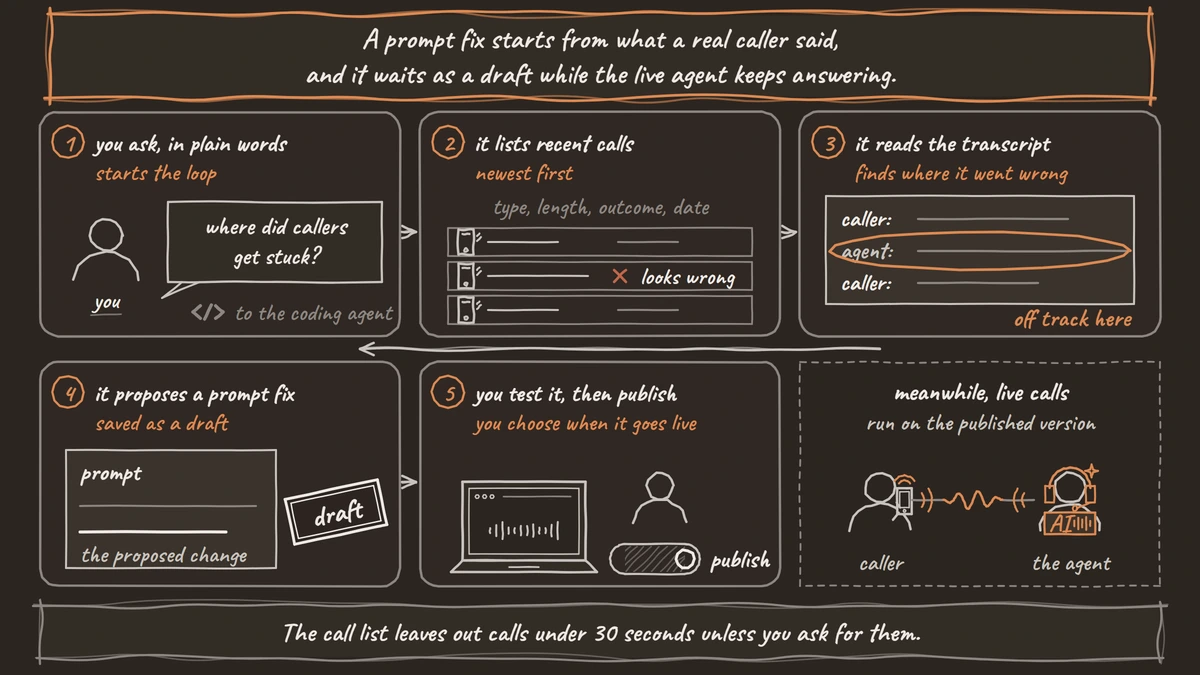
That change saves as a draft. The live agent keeps answering calls on the published version until you open Dograh and publish the draft yourself, so a bad fix never reaches callers by accident. You read the edit, test it in the editor, then publish.
Two details make the loop more accurate. First, the call list leaves out calls shorter than 30 seconds unless you ask for them. Callers who hang up during the greeting are often the ones worth studying, so ask the coding agent to include short calls when you look for early drop-offs. Second, the coding agent reads the newest draft of the prompt, while the transcripts come from calls the published version handled. Publish or discard any open draft before you ask it to judge transcripts against the prompt, or it may blame wording the callers never heard.
The loop finds the problem, but writing a good fix is its own skill. Our post on prompt and flow design patterns for reliable voice agents goes deeper on how to write one.
What a coding agent can see, and what it cannot
Through Dograh's MCP server, a coding agent sees the agent's prompts, call flow, tools and call transcripts, and it gets none of the audio. Knowing the edges of that view tells you which questions to ask it and which to answer yourself.
The agent itself comes back as code. Dograh returns the whole workflow as TypeScript written with its own SDK. Every step comes with its prompt, and every pathway with the condition that picks it. A coding agent reads that the way it reads any code file, so it can change one prompt or add a step without guessing at a screen.
Tools show up with their name, description, category and ID. That is enough for the coding agent to know that a step can look up an order or hand the call to a person. It does not see a tool's URL or its settings.
Calls show up as a list of call details, plus a transcript for each call you ask about. The transcript is text with each line marked by who said it. The MCP server never hands over the call recordings, so the coding agent works only from what was said, as text.
QA scores and call traces stay in the Dograh app too. For grading many calls at once, automated QA for voice agents runs inside Dograh, and reading call traces shows where the time went on a single call.

Open Source Alternative to Vapi / Retell
Self-hosted voice agent platform — no per-minute fees
dograh-hq/dograh
Star on GitHub
Build a whole agent from a plain description
A coding agent can build a complete voice agent in Dograh from a description in plain words, and it plans before it writes anything. Dograh's MCP server comes with instructions that every connected coding agent reads first. They tell it to ask about the job, draft a plan covering the persona, the steps, the pathways between them and the tools needed, then show you that plan and wait for your yes before it writes any code.
Say you ask for an agent that takes table bookings for a restaurant and hands large parties to a manager. The coding agent asks what it needs, such as the restaurant's name and how a booking reaches the reservation system. Then it shows the plan. Once you approve, it writes the agent and creates it in your workspace.
Know one fact before the first build. A brand-new agent created through MCP is published as version 1 straight away. Only later edits save as drafts. Test the new agent in the editor before you connect it to a phone number, so no caller reaches it before you have heard it yourself.
Our step-by-step post on spinning up a voice agent from Claude Code or Codex via MCP walks through one build, from the first description to a published agent.
Dograh checks every save and names the line to fix
Every time a coding agent creates or saves an agent, Dograh checks the code first and rejects anything broken with a precise reason. The checks cover the code's syntax, every field against that step's spec, the shape of the call flow (such as a missing start step or a step no pathway can reach) and tool names that clash. A failed save returns an error code and a message with the line and column, so the coding agent knows where to look. It fixes the code and sends the whole file again.
This matters because coding agents still get things wrong with confidence. In the Stack Overflow Developer Survey 2025, 46% of developers said they distrust the accuracy of AI tools, against 33% who trust it. A check that names the exact line turns that doubt into a quick fix, and a broken agent never gets saved.
Drafts are the second guard. An edit that passes every check still lands in a draft, and you decide when it goes live.
Join the Dograh Community
Dograh is an OSS alternative to Vapi. Join our Slack community for queries, releases, best practices & community interactions.
The prompting guide and docs search are built in
Dograh's MCP server carries its own voice-prompting guide, so the coding agent writes prompts meant to be spoken on a phone call. A model left to itself tends to write prompts for a chat window, with long answers and lists a caller cannot follow by ear.
The guide follows the build in stages. At the plan stage it shapes the questions the coding agent asks you. At the create stage it gives prompt guidance for each type of step, plus a shared set of guidelines for the global node that the coding agent copies in nearly word for word. After a save, the review stage lists what to check, such as two instructions that contradict each other or a step with no clear sign that it succeeded. Deeper topics cover turn-taking, tool calls, guardrails and how a call should end.
Docs search is the other built-in. When the coding agent needs to know how a step type works or how to set something up, it searches Dograh's documentation and reads the page instead of relying on what it remembers. Models trained on older material write confident code for features that have since changed, and reading the current page avoids that.
Creating tools from the coding agent
A coding agent can also create the tools a voice agent uses and attach them to the right step. Over MCP it can make six kinds of tools. They are an HTTP API tool that calls one of your endpoints, End Call, Transfer Call for handing the caller to a person, Transfer To Agent for handing the call to another Dograh agent, a Calculator, and an MCP Server tool that connects another MCP server.
Credentials stay with you. If a tool needs a token or password, you create the credential in the Dograh app, and the coding agent refers to it by its ID. It never sees or writes the secret.
Some work still happens in the app. The coding agent can create tools but cannot edit or delete an existing one over MCP. It cannot place a test call either, so testing stays in the editor and on a real phone call. Browser test calls cannot run Transfer Call, so test any transfer over a real phone line.
Giving a voice agent MCP tools during a call
The outward direction works through an MCP Server tool, which plugs another system's MCP server into a voice agent so the agent can use its tools mid-conversation. In Dograh you add it under Tools as an MCP Server tool with a name, a description of when to use it, the server's URL and a credential if the server needs one. Dograh connects, fetches the server's list of tools and stores it.
Two filters decide what the voice agent can actually call. The Tools Filter on the MCP Server tool allows only the remote tools you name. Then each step in the call flow picks, under its MCP tab, which of those functions it may use. A function has to pass both before the model on that step can call it. During the call, the model sees what each function does and what it needs, and never sees the credential behind it.
Plan for a slow or missing server. If Dograh cannot reach the server, the call carries on without those tools. An MCP tool cannot play a filler line on its own, so keep MCP tools to quick lookups, and tell the agent in the prompt to say a short line such as "let me check that" before it calls one. Where a recorded filler matters, an HTTP API tool can play a Custom Message before its request runs.
Our guide to integrating voice agents with your stack compares the HTTP API tool with the other ways to connect your systems. For the setup screen by screen, see how to add MCP support to a voice agent.
MCP servers on other voice platforms
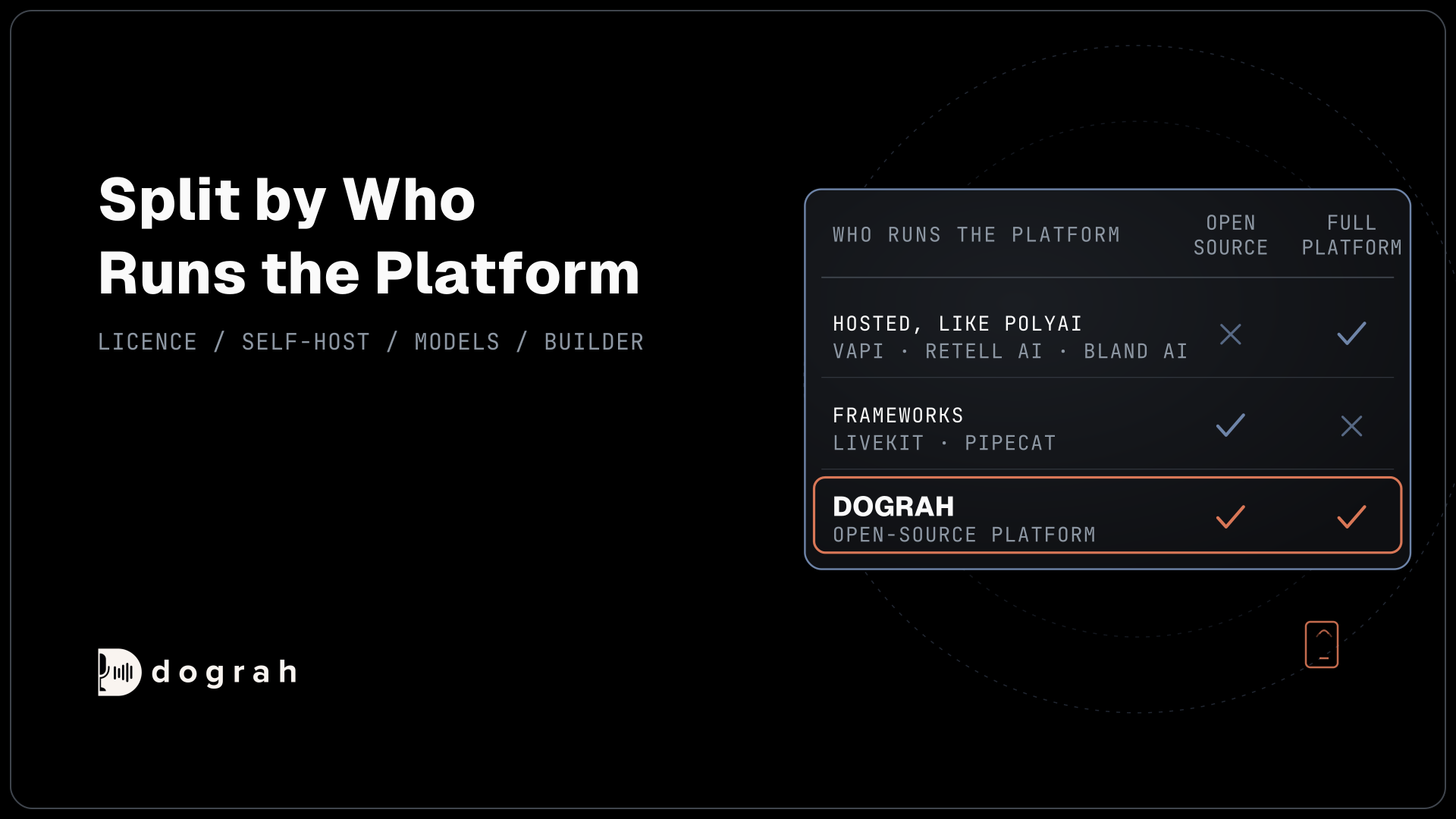
Dograh is one of several voice platforms with an MCP server, so the useful questions are what the server lets a coding agent do and where it runs. Vapi, PolyAI, Smallest AI and Sarvam also run MCP servers for their platforms.
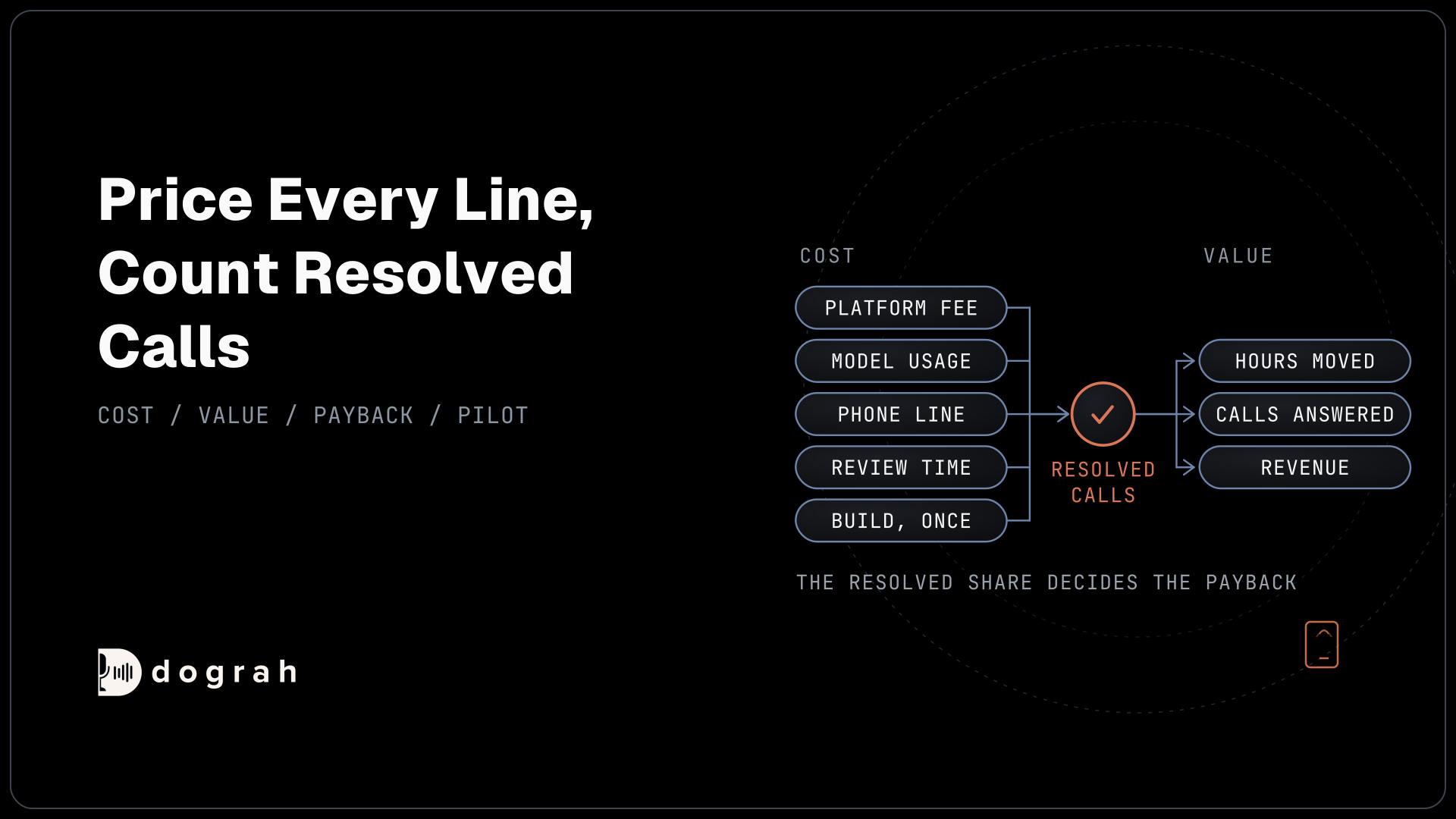
Our MCP server ships in the same BSD-2 open-source codebase as the rest of the platform, so a self-hosted install runs it at its own address with no extra setup. Self-hosted Dograh has no per-minute platform fee (servers, model keys and phone minutes still cost). Dograh Cloud has a 1¢-a-minute platform fee.
Beyond that, compare platforms on the sections above. Check whether a coding agent can read transcripts, whether every save is checked, whether edits wait as drafts, and whether the server teaches the coding agent how to write for voice.
Keep the API key and remote servers safe
An MCP connection is only as safe as the key behind it and the servers you let in. Dograh's MCP server accepts a Dograh API key, which you create under Developers in the sidebar. Keys start with dgr_ and are shown once. A key has no scopes. It opens the whole workspace it belongs to, including every agent and every transcript, so keep it in an environment variable and never in a config file you commit.
Long-lived keys are common across MCP. Astrix Security's study of more than 5,200 open-source MCP servers found that 53% rely on static API keys or personal access tokens, and only 8.5% use OAuth. Treat the Dograh key like a password, and replace it if it may have leaked.
Transcripts the coding agent reads go to whichever model runs that coding agent. If your calls carry personal or health details, check that the coding agent's model provider is one you are allowed to share that data with.
The outward direction carries its own risk. Invariant Labs showed in 2025 that an MCP server can hide instructions inside its tool descriptions, which the model reads and users never see, an attack it calls tool poisoning. Connect only servers you trust, and use both filters so each step sees only the tools it needs.
To start, follow the Dograh MCP server setup for your coding agent, ask it to list your agents, and run the transcript loop on one agent that already takes calls before you build a new one.
Each part of MCP for voice agents above has its own deep dive:
- What Is MCP and How It Connects Voice Agents to Your Tools
- Spinning Up a Voice Agent From Claude Code or Codex via MCP
- How to Add MCP Support to a Voice Agent, Step by Step
Glossary
- MCP server
- A program that offers tools and data to AI clients over the Model Context Protocol. Dograh runs one that coding agents connect to, and a Dograh voice agent can use other companies' MCP servers during a call.
- Speaker-labelled transcript
- The text of a call with each line marked by who said it, caller or agent. It is what a coding agent reads through Dograh's MCP server in place of the audio.
- Tools Filter
- The allowlist on a Dograh MCP Server tool: a comma-separated list of remote tool names the voice agent may use. Left empty, every tool on that server is offered, so each step's own selection becomes the only limit.
- Tool poisoning
- An attack where an MCP server hides instructions inside a tool's description. The model reads the description and may follow the instructions, while the person using the agent never sees them.