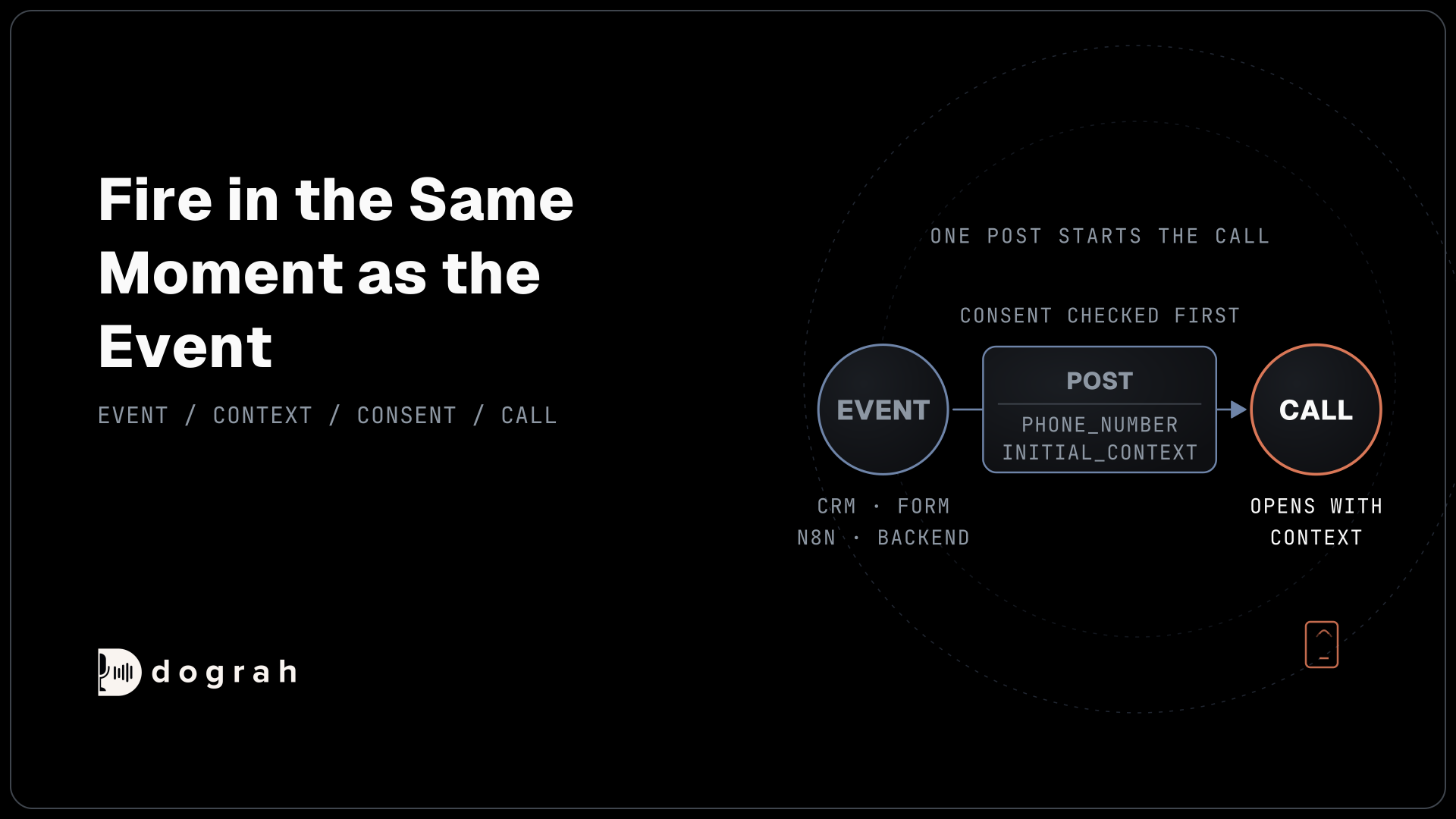

An API trigger lets any system you already use start a voice agent call. Your CRM, form tool, n8n workflow or backend sends one request with the phone number to call and a few details about the person. Dograh places the call, and the agent opens already knowing why it is calling.
Key Takeaways
- One POST with a phone number and initial_context starts the call.
- initial_context decides whether the agent opens with the caller's real reason.
- Check consent before the trigger fires, because inside the call is too late.
This post is part of our guide to Integrating Voice Agents With Your Stack: The Complete Guide. The guide covers three mechanisms, and this one is the first: starting a call from a system you already run.
What an API trigger sends and gets back
An API trigger is a URL on your agent that places a call whenever something POSTs to it.
You add an API Trigger node to the agent's workflow, and Dograh gives that node a unique UUID. The node's settings dialog shows two URLs, one for testing and one for production. The production URL only runs a published workflow. If you edit the agent and forget to publish, production keeps running the old version.
You also need an API key, created under Settings and then API Keys. Keys start with dg_ and are shown only once. The request below tells Dograh who to call, in phone_number, and what the agent should know before it says hello, in initial_context:
curl -X POST https://your-dograh-instance/api/v1/public/agent/{uuid} \
  -H "Content-Type: application/json" \
  -H "X-API-Key: dg_your_api_key" \
  -d '{
    "phone_number": "+1415555XXXX",
    "initial_context": {
      "customer_name": "Jane",
      "appointment_date": "March 15"
    }
  }'
What this does: It starts the call. Because the agent already knows Jane's name and her appointment date, its very first sentence can be the reason for calling.
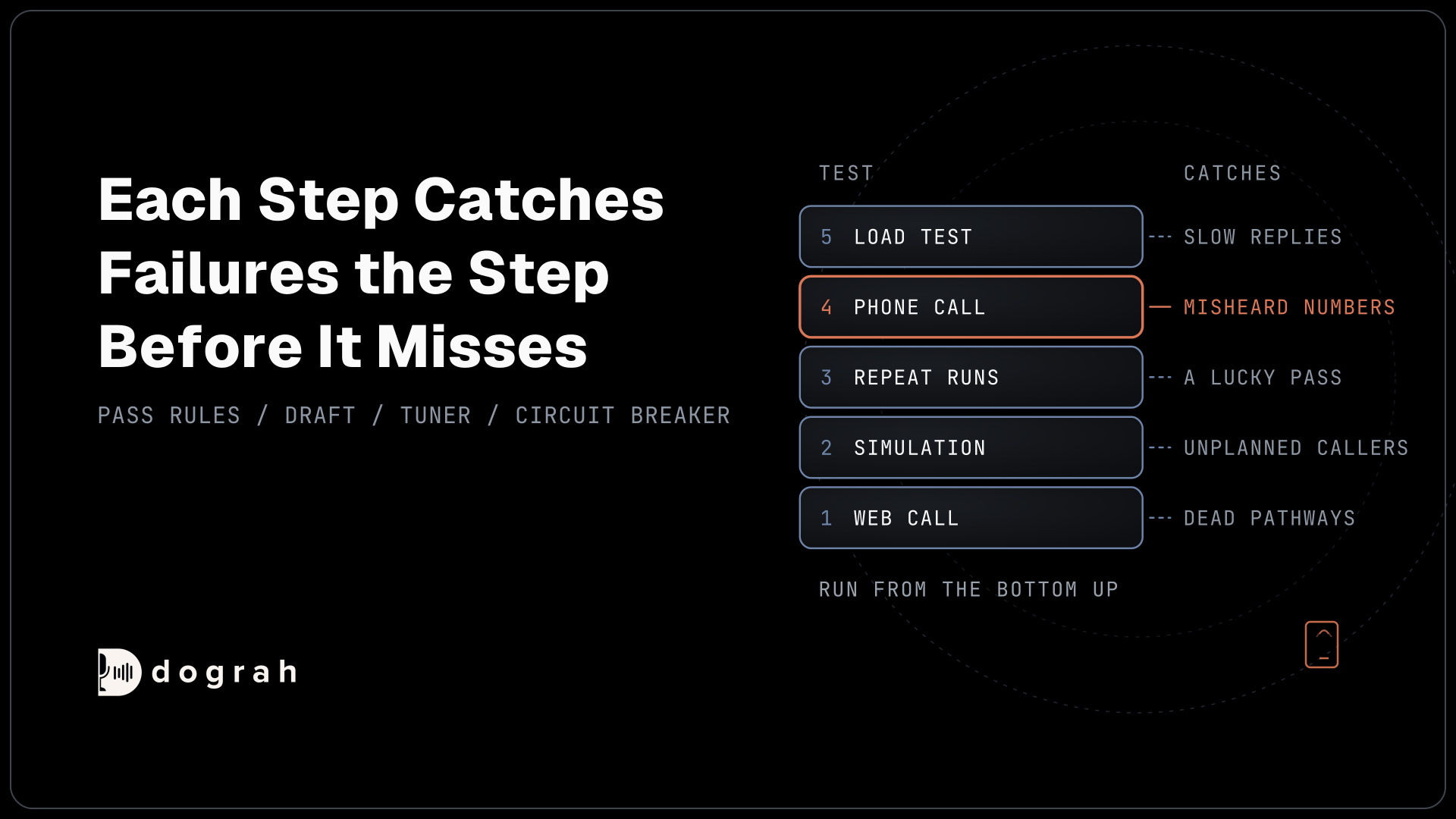
Only phone_number is required. The test URL is the same path with /test/ before the UUID. Calling a draft this way is step four of testing voice agents before you go live. Two optional integers, telephony_configuration_id and from_phone_number_id, pick the telephony setup and the number the call comes from. If the call starts, Dograh replies with a short confirmation and the call's unique number, workflow_run_id:
{
  "status": "initiated",
  "workflow_run_id": 12345,
  "workflow_run_name": "WR-API-7823"
}
What this does: It confirms the call is under way. Save the
workflow_run_id, because it is how you match this call to its result later.
Save workflow_run_id next to the record that caused the call. It reappears in the post-call payload, so it links each result to its event. If that post-call delivery fails, Dograh does not send it again by default. You can turn on automatic retries with the retry_config setting, and a check for runs whose result never arrived covers anything that still slips through.
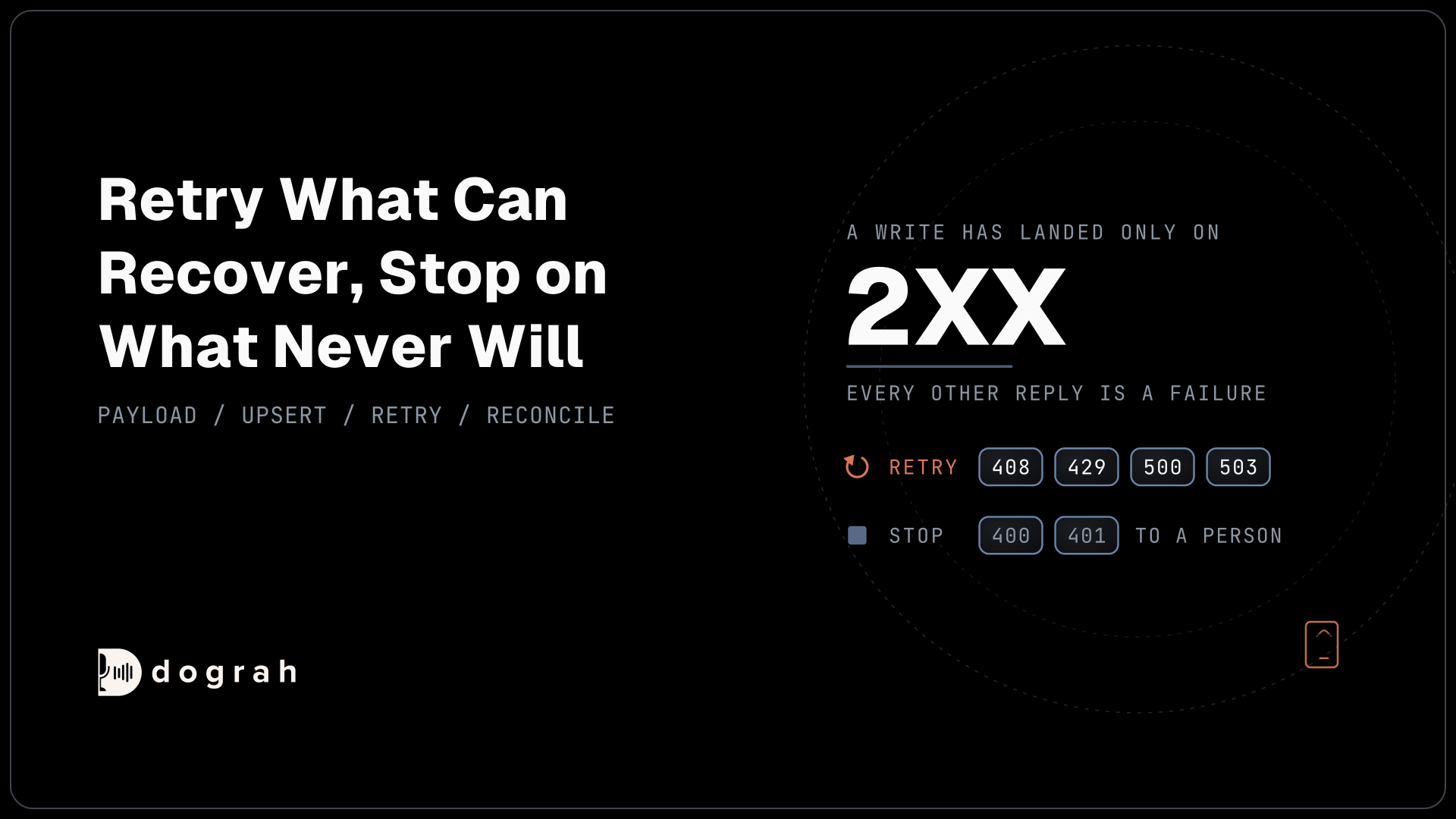
Failures come back as plain status codes:
| Status | Cause |
|---|---|
400 | Telephony provider not configured, or call failed to initiate |
401 | Missing or invalid API key |
403 | API key does not have access to this agent |
404 | Trigger not found or not active |
422 | The request body failed validation |
Alert on the 400. The others are setup mistakes, while a 400 can mean a real call never went out.
What to put in initial_context
initial_context is where a generic agent learns why it is calling this particular person.
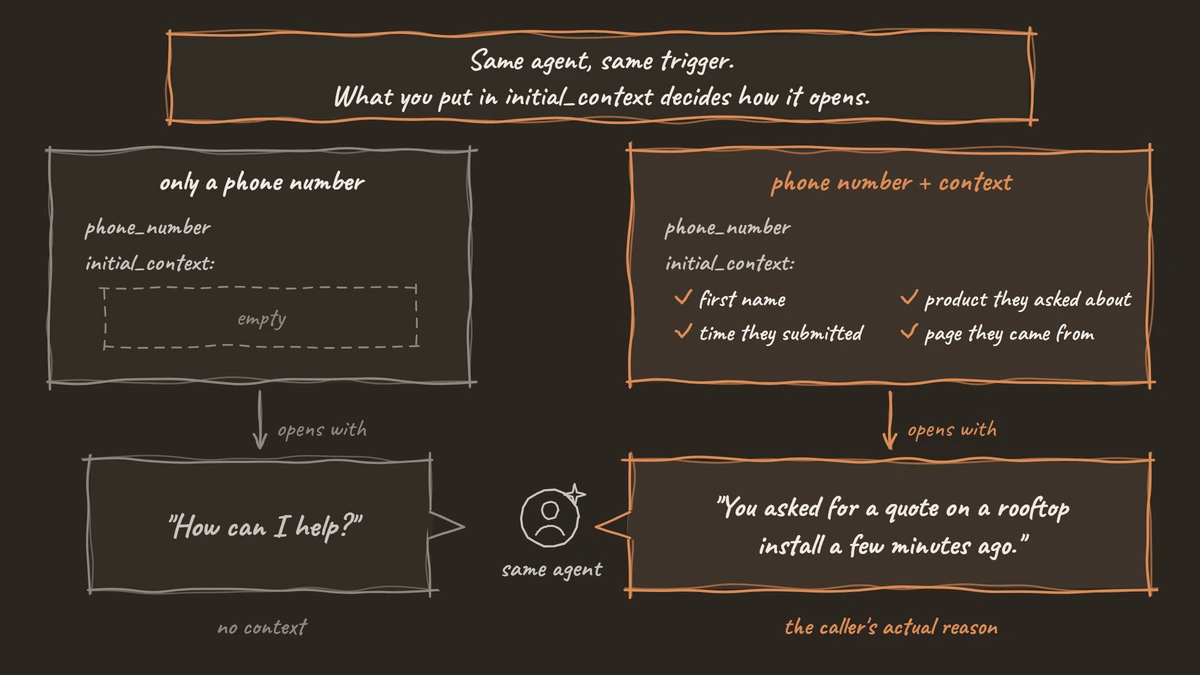
Every key you send becomes a template variable in the agent's prompts. customer_name turns into {{customer_name}}, and nested objects use dot notation, such as {{user.name}}. In our experience the trigger is the easy part: one POST with a phone number and initial_context. What you put in initial_context is the whole difference between an agent that opens with "How can I help?" and one that opens with the caller's actual reason.
Take a lead who filled in a quote form four minutes ago. A body with only a phone number gets you a cold call. Add the person's first name, the product they asked about, the time they submitted and the page they came from, and the agent can open with "You asked for a quote on a rooftop install a few minutes ago." Why that line matters is covered in what the first 15 seconds of an AI outbound call have to do.
When the opening must be exact, such as a line compliance approved, add a greeting_override inside initial_context with the exact words:
{
  "phone_number": "+1415555XXXX",
  "initial_context": {
    "greeting_override": {
      "type": "text",
      "text": "Hi, please confirm account {{account_id}}."
    }
  }
}
What this does: The agent says exactly this line first, with
{{account_id}}filled in from the same request, so the opening never changes from call to call.
The override also accepts "type": "audio" with a recording_id, which plays a recorded clip in place of generated speech. One more limit on the text type: it only works when the agent turns text into speech in a separate step, with a text-to-speech model. A speech-to-speech agent has no such step, so a text override goes unspoken there. Use the audio type instead when the agent runs speech-to-speech.
Two limits apply. First, prompts can only read what you send in initial_context. Anything the agent learns during the call is saved in gathered_context and reaches your systems through a webhook after the call. Second, send only what the call needs, because every field is personal data moving between systems. If that data must stay in-house, it helps to know that Dograh is the orchestration layer: it runs the workflow, the telephony, the tool calls and the call itself, while the AI models are a separate choice. Run Dograh on your own servers, and the call logic and these details never leave them. Pair it with open-weight models you host yourself, and the audio stays in-house too.

Open Source Alternative to Vapi / Retell
Self-hosted voice agent platform — no per-minute fees
dograh-hq/dograh
Star on GitHub
Which systems can fire the trigger
Anything that can send an HTTP POST with a custom header can start a call.
In a CRM, HubSpot workflows have a "Send a webhook" action on Data Hub Professional and Enterprise. It can POST chosen record properties and put an API key in a request header. Form tools usually go through a relay, and Webhooks by Zapier can send a custom JSON request with headers on its paid plans. In n8n, the HTTP Request node can import a curl command directly, so the example above pastes straight in. From your own backend, it is one HTTP call after the event commits.
Whichever sender you use, fire in the same moment as the event. Hiya's State of the Call 2026 survey, run by Censuswide with more than 12,000 consumers between December 2025 and January 2026, found that only 14% immediately answer a call from a number they don't recognise, so 86% do not. Instead, 41% wait to see if a voicemail follows and 28% reject the call outright. A call a minute after someone asked for it is one they half expect. Tomorrow, it comes from a stranger. Use from_phone_number_id to send it from a number the person has a reason to trust.
Also check what your sending system does when a request fails, because it may try again on its own. HubSpot, for example, keeps retrying a failed webhook for up to three days. That creates a risk. If the first request did start the call but timed out before the reply came back, the retry starts a second call to the same person, possibly days later. So guard against repeats on your side: save the returned workflow_run_id against the lead, and never fire the trigger again for a lead that already has one. What to do when nobody answers is covered in our guide to AI outbound calling that converts.
Check consent before the trigger fires
Check consent in the system that sends the POST, because once it goes out the call is happening.
In the US, 47 U.S.C. 227(b)(1)(A) makes it unlawful "to make any call (other than a call made for emergency purposes or made with the prior express consent of the called party) using any automatic telephone dialing system or an artificial or prerecorded voice" to a list of numbers that includes mobile phones. The FCC's declaratory ruling on AI voices (FCC 24-17) confirmed "that the TCPA's restrictions on the use of 'artificial or prerecorded voice' encompass current AI technologies that generate human voices."
Read together, an AI voice agent calling a US mobile number generally needs the person's prior express consent first, and marketing calls in most cases need that consent in writing. A phone number typed into a form is generally not permission on its own; what counts is usually what the form said they were agreeing to.
So make consent the gate in front of the trigger. Before the POST, look up a stored consent record for that number, showing the wording the person agreed to and when they agreed. Then confirm no opt-out has arrived since. If either check fails, do not fire. Asking for consent inside the call does not help, since the call has already been placed.
This is our reading as a voice AI team, and it is not legal advice. Rules shift with the purpose of the call and with state law, so confirm your own position with counsel before you connect a trigger to live leads.
Join the Dograh Community
Dograh is an OSS alternative to Vapi. Join our Slack community for queries, releases, best practices & community interactions.
Why a plain trigger beats a hand-built bridge
The common ways to start an AI call differ most in what you end up maintaining.
One is to build it yourself: your own endpoint takes a number and lead data, calls a telephony API and bridges the audio over WebSockets to a speech service. After launch you own the answering machine detection, the silence timers, the turn-taking and the outcome logging, and every one of those is code you maintain.
Another is a closed platform's CRM connector. It ties the trigger to one CRM and one vendor, and the lead data you pass goes through their cloud by design.
Then there is an open trigger on an agent you own. With Dograh the agent is a workflow you build visually, the trigger is the POST above, and any sender that speaks HTTP can use it with no named connector. Dograh is open source under BSD-2, so you can self-host it free or use the managed cloud with the same API.
That is why the host in every example here is your-dograh-instance, which stands for the address of the Dograh you use, whether it runs on your own server or in Dograh Cloud.
When the call ends, a Webhook node on the same agent sends the result to your CRM or workflow tool, which we cover in webhook-driven voice agents. Build the receiving side so it can cope with a delivery that never arrives. Start with one trigger on one event and four real fields in initial_context, with the consent check in front. You will hear the difference on the first call.
Glossary
- initial_context
- The optional object in an API trigger request whose keys become template variables in the agent's prompts, such as {{customer_name}}. It is the only per-call data the agent's prompts can read.
- Published workflow
- The version of an agent that the production trigger URL runs. Edits stay invisible to production callers until you publish them, while the test URL is for trying changes.
- Prior express consent
- The consent the TCPA requires before calls using an artificial or prerecorded voice, which the FCC has confirmed includes AI-generated voices. Marketing calls generally need it in writing.
- workflow_run_id
- The call's unique number, returned when the API Trigger starts a call. Store it with the event that caused the call, so a retry sees the call already exists instead of dialling twice.