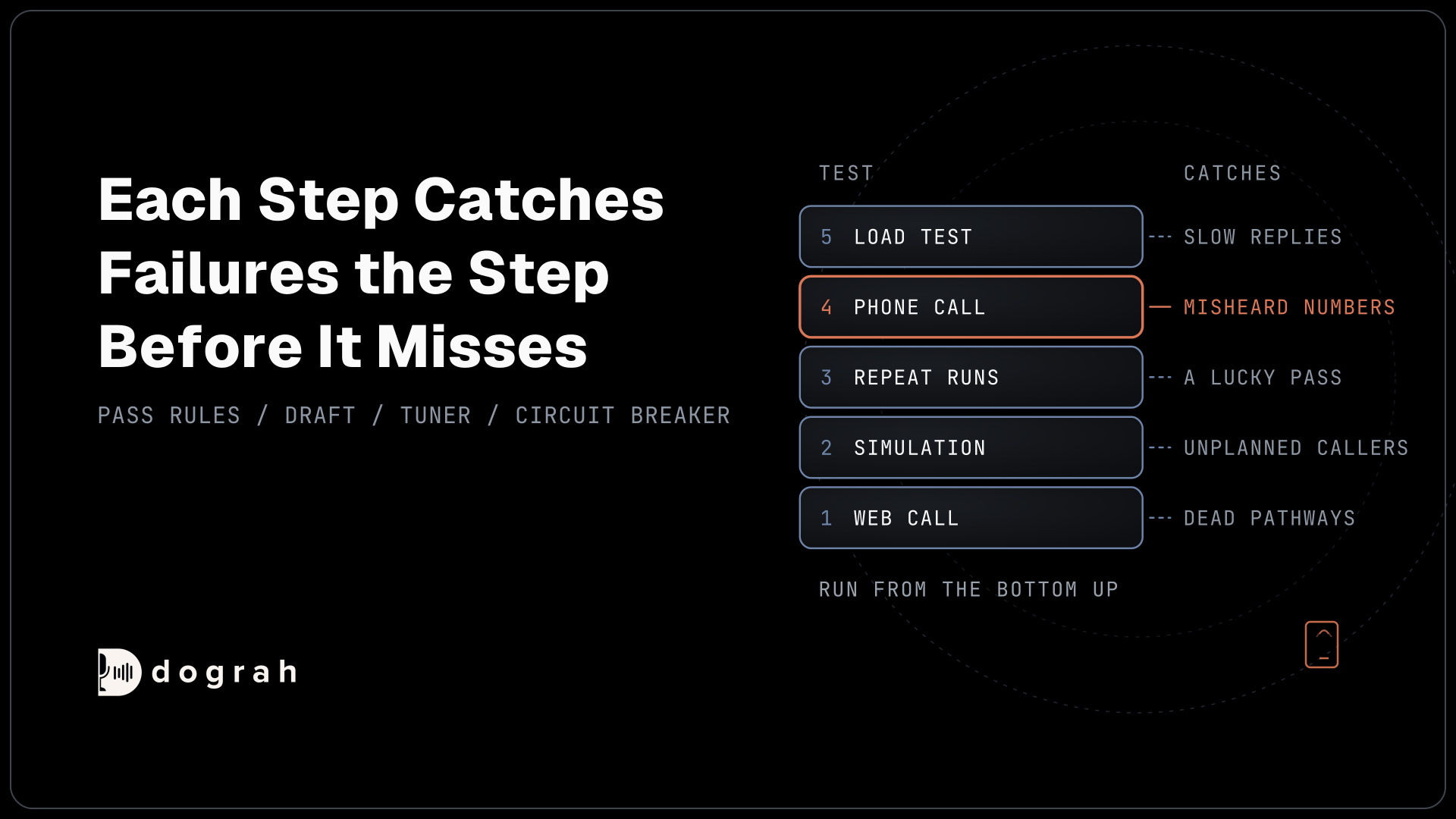

Test a voice agent in five steps before real callers reach it. Talk to it yourself in a web call, run simulated callers through a testing tool, repeat every leg of the conversation several times, call it over a real phone line, then run a small load test. Each step catches failures the step before it misses.
Key Takeaways
- A web call runs on browser audio, so it cannot replace a phone test.
- One clean run of a conversation leg proves little. Repeat it and count passes.
- Turn on the campaign circuit breaker before you raise call volume.
This post is part of our guide to testing, monitoring and scaling AI voice agents. The guide covers the whole loop, from testing before launch to scaling after it. This one covers the start: we build Dograh, an open-source voice agent platform, and these are the five tests we run, in order, before an agent takes its first real call.
What you need before you start
Get four things ready before the first test call, so each test has something to pass or fail against.
- An agent built in Dograh, saved as a draft, with every node and pathway in place.
- A written list of the calls it must handle and the ones it must refuse or transfer, taken from real call recordings or transcripts if you have them.
- Pass rules agreed in writing, such as "books the slot the caller asked for" or "transfers when the caller asks for a person".
- A phone number connected through a telephony provider for Step 4, plus a few teammates' numbers and an account with a testing tool such as Tuner for Step 2.
Writing the pass rules first matters more than it looks. Without them, every test result turns into a debate about whether the agent "sort of" did the right thing.
Step 1: Talk to the agent yourself in a web call
Open the agent editor and start a Web Call, then try to break the agent the way a real caller would.
A Web Call runs the same pipeline as a phone call, from speech recognition to the voice, but on audio from your browser microphone. You can also test in text with Test Chat. While you talk, you can watch the live transcript, and the editor marks each node change and tool call as it happens. Test Chat is quicker when you are fixing wording, because you type instead of talk.
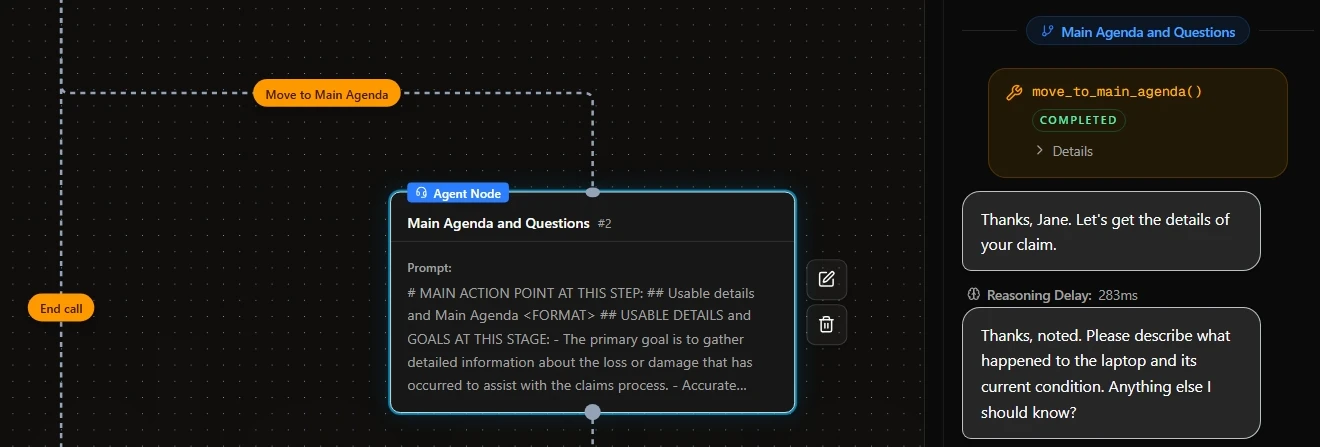
Fill in test data before you start. Values in Settings > Template Variables are passed into test calls from the editor, so you can fake the caller's name or account details that would normally arrive from telephony or an API call. Browser tests count as inbound calls by default. To test an outbound flow, set the direction variable to outbound.
Manual testing does not scale, and it should not try to. You will run perhaps a dozen calls here. What they catch cheaply is the large stuff: a wrong greeting, a pathway that never fires, a tool that returns an error, or a variable read out as raw text. Ask one person who has never read the prompt to call as well, because the builder always phrases things the way the prompt expects.
Keep one limit in mind. A web call runs at 16 kHz, the most Dograh's pipeline uses, and most phone lines do not. A clean web call tells you nothing about how the agent hears a caller on a phone. It also can't run telephony-only tools such as call transfer.
Check: every node in the flow was reached in at least one web call, and every tool call returned real data.
Step 2: Simulate callers with a testing tool
Next, let a testing tool call the agent with many generated callers, so you cover the scenarios one person cannot act out.
Dograh does not generate simulated callers on its own. It plugs into testing tools instead. With Tuner's Dograh integration, you add a Tuner node to the workflow with your Tuner agent ID, workspace ID and API key, then point a short SIP extension at the agent. Tuner then calls your agent over SIP (Session Initiation Protocol) as a caller following a generated scenario, and scores how the agent handled it. Roark is another tool built for the same job.
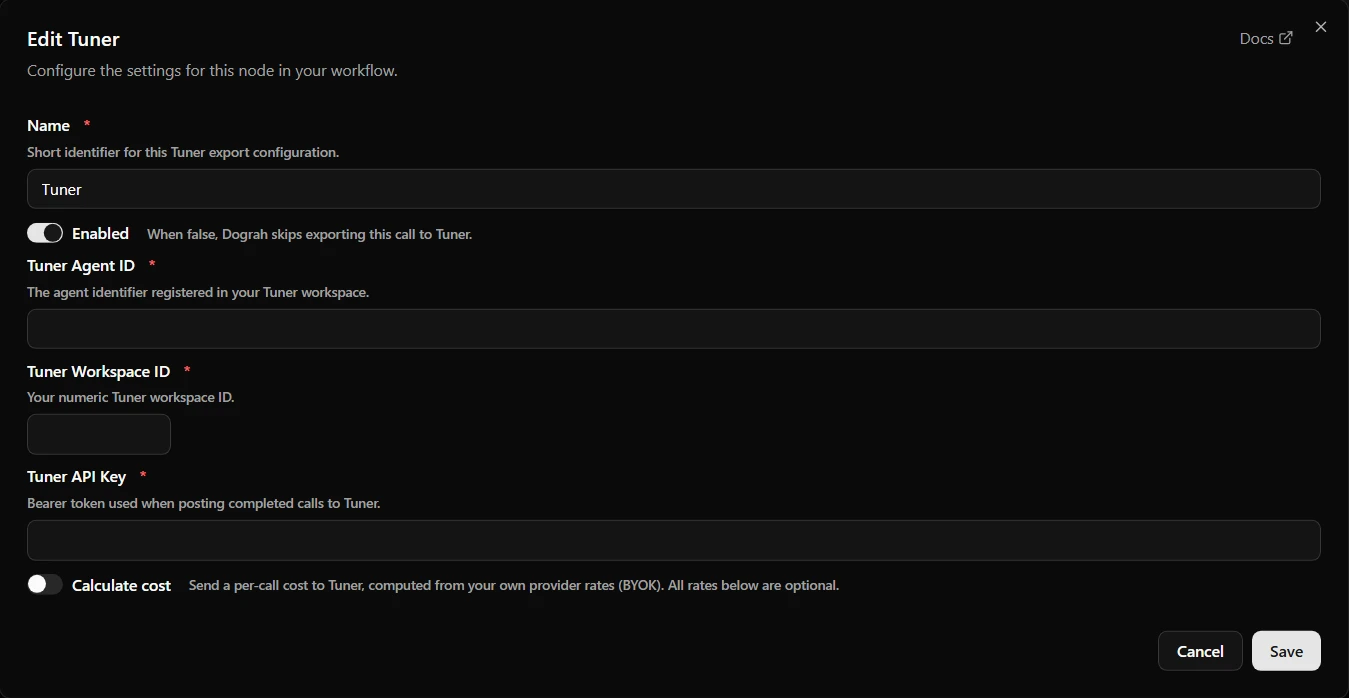
In Tuner, set the agent's Call Direction to Inbound, or simulated calls are filed as ordinary traffic instead of under their scenario.
Publish before you simulate. Inbound calls always run the published version of a workflow, never the draft, and if the Tuner node exists only in your draft, calls connect normally while nothing reaches Tuner and no error appears. As long as no real number routes to the agent yet, publishing it is safe.
Build the scenario set from your written list. Cover the main reason people call, each question the agent must refuse, interruptions mid-sentence, and callers who are impatient or confused. Tuner lets you set a caller's accent and how they interrupt.
Simulation scales where Step 1 cannot, but it does not replace Step 1. A scorer will not tell you that the agent sounds cold. The simulated caller also arrives over SIP, not through a mobile carrier and a handset, so it does not replace Step 4 either.
Check: every scenario appears in Tuner's Simulations table with a transcript and a score, and each failure has a named fix or a written decision to accept it.

Open Source Alternative to Vapi / Retell
Self-hosted voice agent platform — no per-minute fees
dograh-hq/dograh
Star on GitHub
Step 3: Run every leg of the conversation several times
Pick each leg of the call, meaning one node and the pathways out of it, and run it several times with the same input.
The language model can answer the same input differently from one run to the next. Thinking Machines Lab sent the same prompt 1,000 times with every setting fixed and got 80 different answers back. The cause was how busy the servers were, so the same agent can behave differently at a busy hour than in a quiet test, even if you host the model yourself.
To repeat one leg with the exact prompt the model received, connect Langfuse in Platform Settings, open that model call in Langfuse's playground and run it again, with tool responses mocked. Set the playground to the same model, provider and settings the agent used (the trace shows them), or the pass count measures a different model.
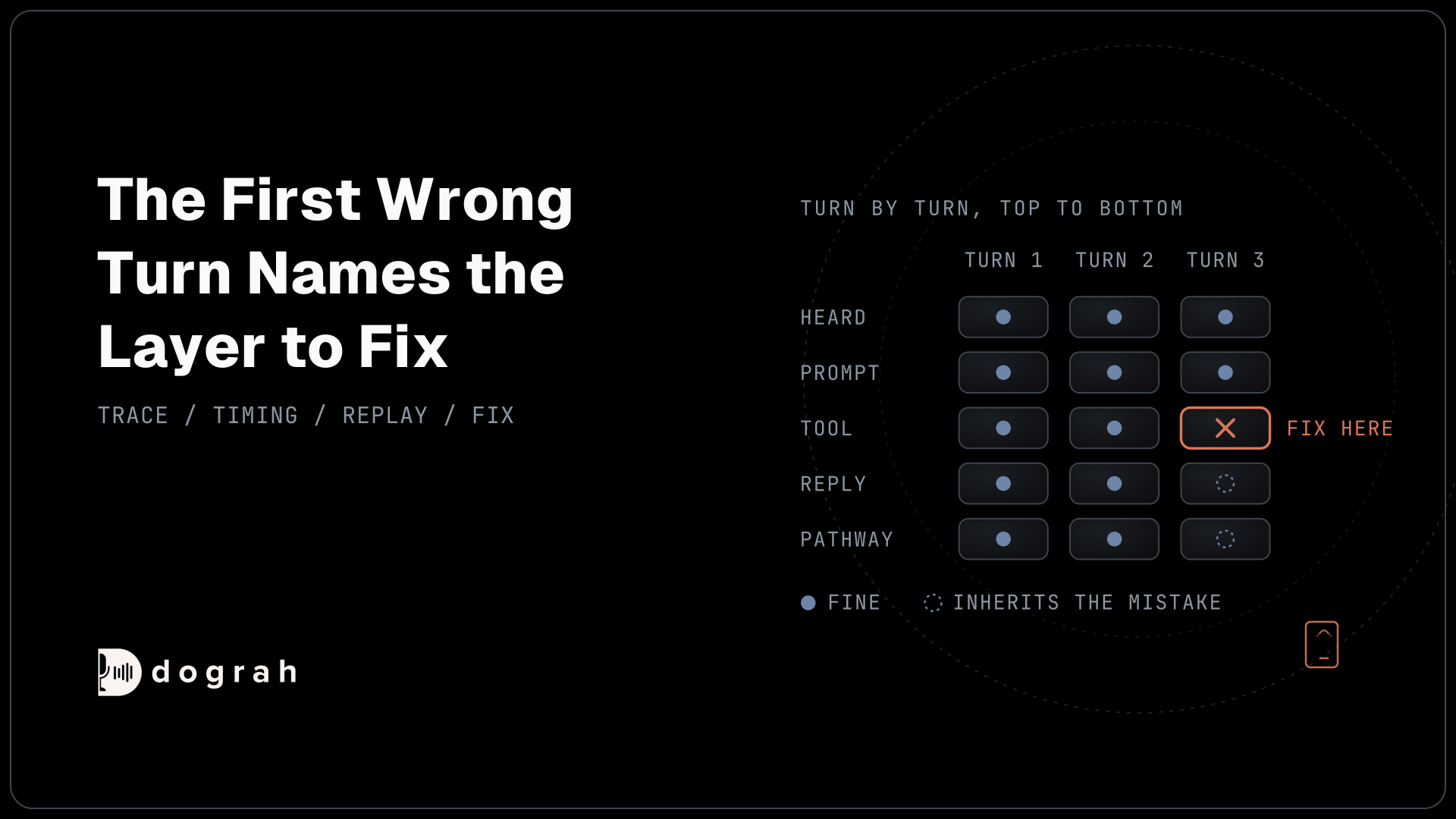
Score each leg as a pass rate over several runs. Run it five times. If it passes four of five, it fails often enough to matter, possibly as often as one call in five. Five runs can't tell you the exact rate. Even 5 of 5 doesn't prove a leg never fails, so run legs that carry a guarantee more times. When a leg fails, read its call trace to find which layer went wrong before you touch the prompt.
Check: every leg has a pass count written next to it, and any leg below your bar is fixed and run again before launch.
Step 4: Call the agent over a real phone line
Connect a real number and call the agent from real phones, because phone audio changes what the agent hears and how it sounds.
Most telephony audio is narrowband. Twilio, Plivo, Vobiz and Asterisk send 8 kHz audio into Dograh, and Vonage sends 16 kHz. A web call runs at 16 kHz, the most Dograh's pipeline uses. Narrowband phone audio (8 kHz plus the compression phone networks apply) sounds muffled, and speech recognition has less to work with.
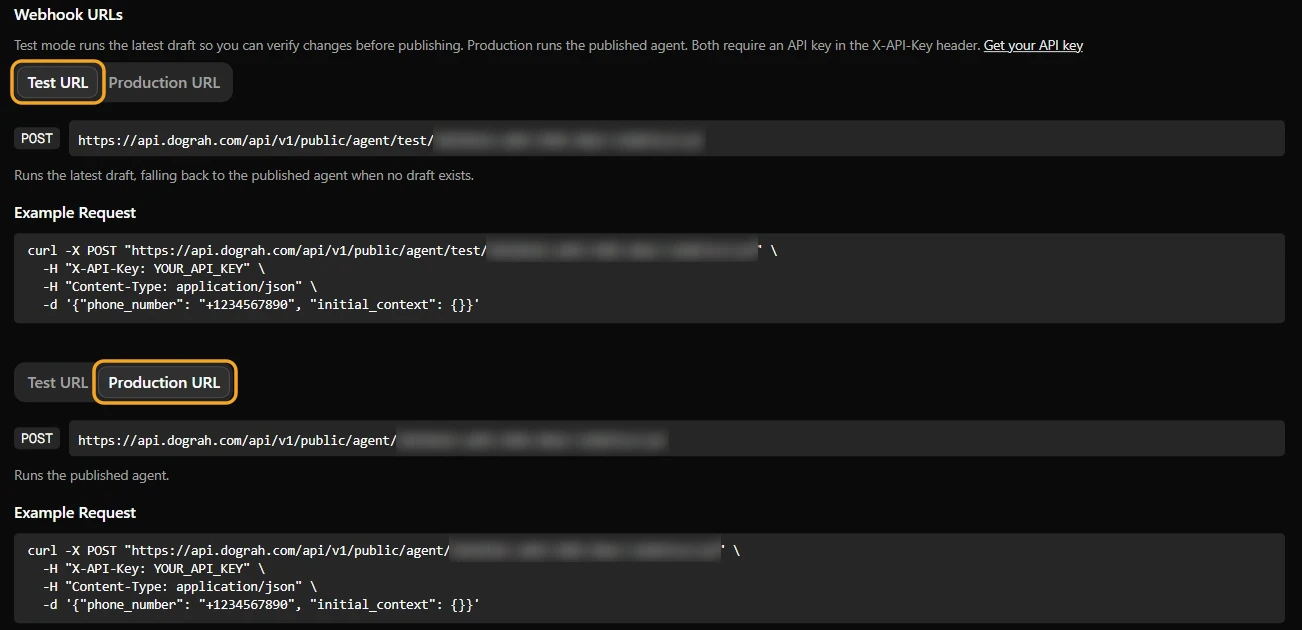
For inbound, call the number from a mobile on good signal, a mobile on weak signal, a landline and a speakerphone. Test every call transfer on these calls, because browser test calls can't run it. For outbound tests of a draft, call the test trigger URL. The test URL runs the latest draft, while the production URL runs only the published version. Editing a draft and then calling the production URL is a common pitfall: the change won't run until you publish. The request below sends a call to phone_number and passes the caller's details in initial_context:
curl -X POST https://your-dograh-instance/api/v1/public/agent/test/{uuid} \
  -H "Content-Type: application/json" \
  -H "X-API-Key: dg_your_api_key" \
  -d '{
    "phone_number": "+14155550100",
    "initial_context": {
      "customer_name": "Jane",
      "appointment_date": "March 15"
    }
  }'
What this does: It places a real outbound call to +14155550100 using your latest saved draft, with Jane's name and appointment date already loaded. The response returns a
workflow_run_id, so you can open that run's transcript and recording afterwards.
In our experience, the speech-to-text error rate over a phone call can be up to 3x higher than over a web call. That gap depends heavily on the speech model and the phone path, so test your own setup. Published tests show how wide the range is. The independent WildASR benchmark (March 2026) passed clean English speech through a simulated phone codec: Whisper Large V3 went from 4.2% to 4.8% word error rate and GPT-4o Transcribe from 2.8% to 2.9%, while Qwen2-Audio jumped from 5.8% to 48.3%.
Real phone paths can hurt more. In a 2026 vendor benchmark on five Indian languages, Caller Digital measured 7.4% word error rate on 16 kHz audio and 11.8% on a standard 8 kHz phone line. Long phone numbers came out fully right 92.8% of the time on 16 kHz audio but only 81.4% on the phone line. In the benchmark's Hindi listening test, premium neural voices lost 0.8 points of mean opinion score (MOS) on the phone line, against 0.2 for older voices, so the agent also sounds worse on the phone.
Mobile calls are often better than this. VoLTE (Voice over LTE) and 5G calling use wideband codecs (AMR-WB at 16 kHz, or EVS at up to 48 kHz) when both phones and both carriers support them. When the signal drops or the call reaches a landline, the call falls back to narrowband. Your telephony provider's stream may also be 8 kHz whatever the caller's phone sends.
On each call, read out a long account or phone number and spell a name. Then compare the run's transcript with what you actually said, and listen to the recording for how the voice sounds.
Check: on your worst path, usually a landline or weak signal, the transcript matches the numbers and names you said, and the voice on the recording still sounds acceptable.
Step 5: Run a small load test
Before full traffic, put a handful of calls through at once and watch whether replies slow down or providers start returning errors.
No independent 2025 or 2026 study gives load-test thresholds for voice agents, so this step gives a method and no thresholds. Create a campaign with a contacts list of your team's numbers or test lines. Start at a concurrency of 2, then raise it in steps toward your planned peak. Concurrency is capped by your telephony plan, and self-hosted Dograh limits each organisation to 10 concurrent calls by default (DEFAULT_ORG_CONCURRENCY_LIMIT).
At each step, open a few runs and check the reasoning delay the Call Transcript shows on every agent turn. If it climbs as concurrency climbs, a provider or your own server is the bottleneck, and it is eating into the sub-800ms budget for a whole turn. Watch the campaign's failed count too, and check your speech and language model providers' dashboards for rate-limit errors.
Turn on the circuit breaker for the campaign. It pauses a campaign when too many calls fail, which protects you from wasted spend and damage to your numbers' reputation. It only works once it is switched on, so check it before you scale. Its defaults are a 50% failure threshold over a 120-second window, with at least 5 calls in the window. A paused campaign lets in-flight calls finish and waits for you to resume it.
Check: at your planned peak concurrency, the reasoning delay per turn stays close to what you saw at concurrency 2, with no rate-limit errors from your providers.
Join the Dograh Community
Dograh is an OSS alternative to Vapi. Join our Slack community for queries, releases, best practices & community interactions.
The pre-launch checklist
Copy this table into your launch ticket and fill in the result column for each row.
| Test | What it catches | Pass rule |
|---|---|---|
| Web call walk-through | Dead pathways and broken tools | Every node reached, every tool returns real data |
| Test template variables | Raw {{placeholders}} spoken aloud | Every variable has a value; none heard on the call |
| Outbound direction | Outbound flow behaving like inbound | A web call with direction set to outbound follows the outbound flow |
| Simulated scenarios | Unplanned questions and difficult callers | Every scenario scored; each failure fixed or accepted in writing |
| Repeat runs per leg | A lucky single pass from a model that varies | Every leg meets your bar (for example 5 of 5), with extra runs for legs that carry a guarantee |
| Draft vs published | Testing an older version than you think | Drafts tested on the test URL; published before inbound and simulation tests |
| Real phone calls | Misheard numbers and names, a flat voice | Correct numbers and names on your worst phone path |
| Small load test | Slow replies and provider errors under load | Reasoning delay stable at peak; zero provider errors |
| Circuit breaker | A broken agent working through a whole contact list | Enabled on every campaign |
Before you ship it
Run the five steps in order, and run them again on any leg you change. Teams often rewrite parts of the flow in the first weeks after launch, because real callers ask things nobody planned for and talk to an agent differently than to a person. Every change is a new draft that needs the same tests.
After launch, the checking moves to live calls. Add a quality assurance (QA) node, run it on every call for the first weeks, then set its Sample Rate to 5-10%. The automated QA guide covers what those reviews catch and how to act on them. Start with the phone test if you only have time for one thing today. It is the one most teams skip.
Glossary
- Narrowband phone audio
- Phone audio sampled at 8 kHz and usually compressed on top, which drops the higher frequencies that help tell similar sounds apart. Landlines and many telephony streams still carry it, so speech recognition hears less than it would on a web call.
- Leg
- One node of the call flow and the pathways out of it, such as asking for a date or picking the next step. Run each leg several times, because the model can answer differently from one run to the next.
- Test trigger URL
- The Dograh API endpoint that starts a call on the latest saved draft of an agent. The production URL starts calls only on the published version, so draft changes need the test URL until you publish.
- Campaign circuit breaker
- A Dograh campaign setting that pauses dialing when the share of failed calls in a rolling window passes a threshold. It has to be enabled, and a paused campaign waits for someone to resume it.