
To get a phone number for an AI voice agent, rent one from Twilio, Telnyx or Plivo, forward or port a number you have, or route your own SIP trunk. Many countries ask for business documents first. In Dograh, which you can self-host or run on Dograh Cloud, you connect the carrier and point the number at your agent.
Key Takeaways
- Renting a carrier number is fastest, though many countries ask for business documents first.
- Forwarding lets the agent answer while your current number stays where it is.
- In Dograh, connect the carrier account, then set the number's Inbound workflow.
An AI voice agent needs a phone number before anyone can call it, and that number always comes from a carrier. We cover the four ways to get one and the paperwork countries ask for, then we talk about how to connect the number to an agent and test it.
Four ways to get a number for your agent
The quickest route is renting a new number from a carrier account such as Twilio, Telnyx, Plivo, Vonage, Vobiz or Exotel. You search by country and area code, pay a monthly fee, and the number is yours to point at an agent. Our post on Twilio number prices covers what local and toll-free numbers cost.
Which carrier to rent from depends mostly on where your callers are. Twilio, Telnyx, Plivo and Vonage sell numbers in many countries, while Vobiz and Exotel focus on India. If you already pay one of them for business calls, start there, since the account, the billing and any documents you filed are already in place.
If customers already know your number, you have two ways to keep it. Forwarding sends calls from your current line to a new carrier number on the agent, so nothing moves and you can switch back in minutes. Porting moves the number itself to a carrier, which takes longer and cannot be undone as easily. Our guide to porting a business number covers the steps and how to forward while a port runs. Not every carrier accepts ports. Vobiz does not take numbers in from other providers, and Plivo routes numbers it cannot port through forwarding or a direct SIP connection.
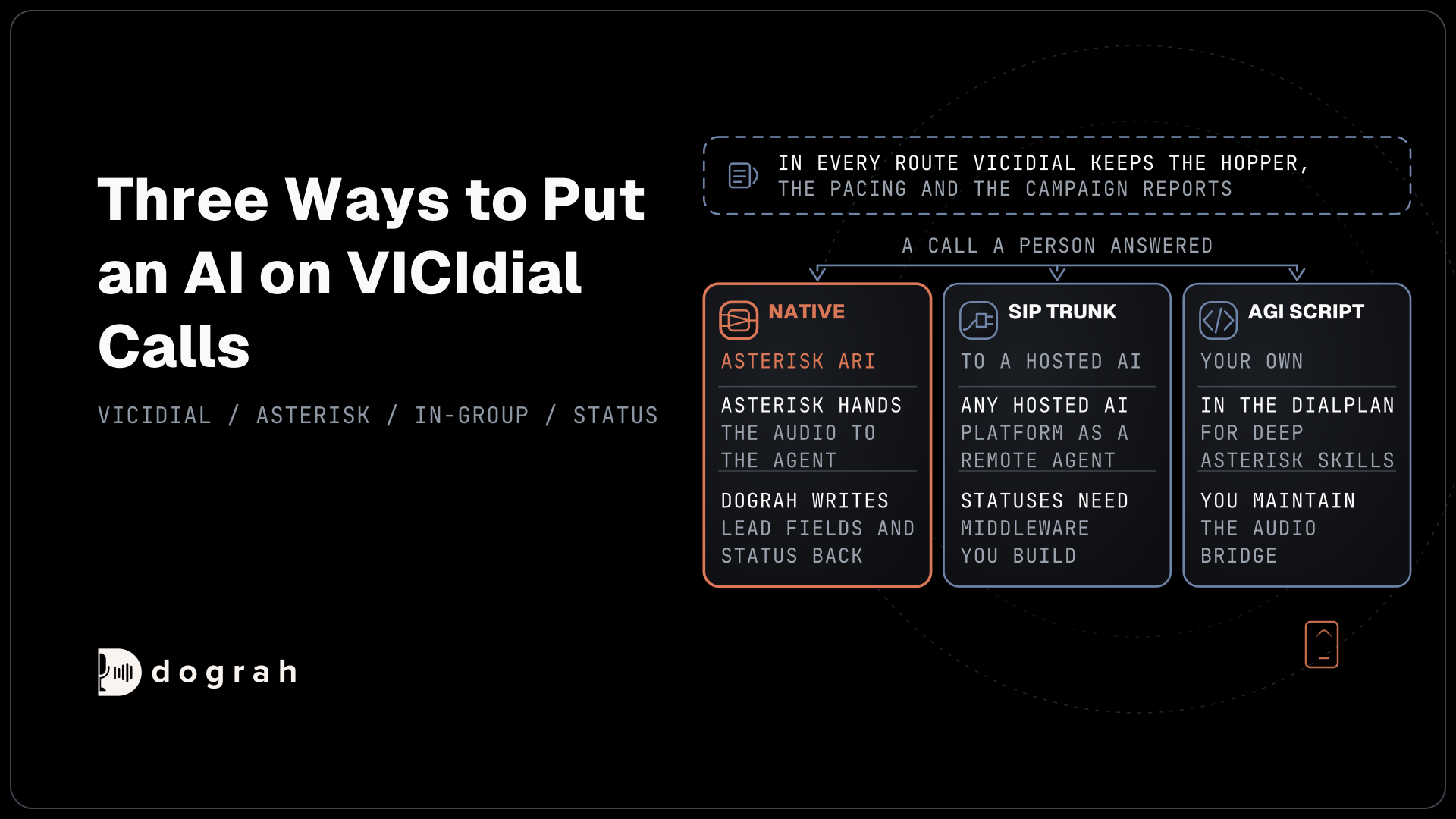
The fourth route suits teams with their own phone system. If your numbers live on a SIP trunk or an office PBX, the agent can answer through your own Cloudonix account, or through Asterisk ARI on a self-hosted install. Our Cloudonix setup guide walks through that connection.
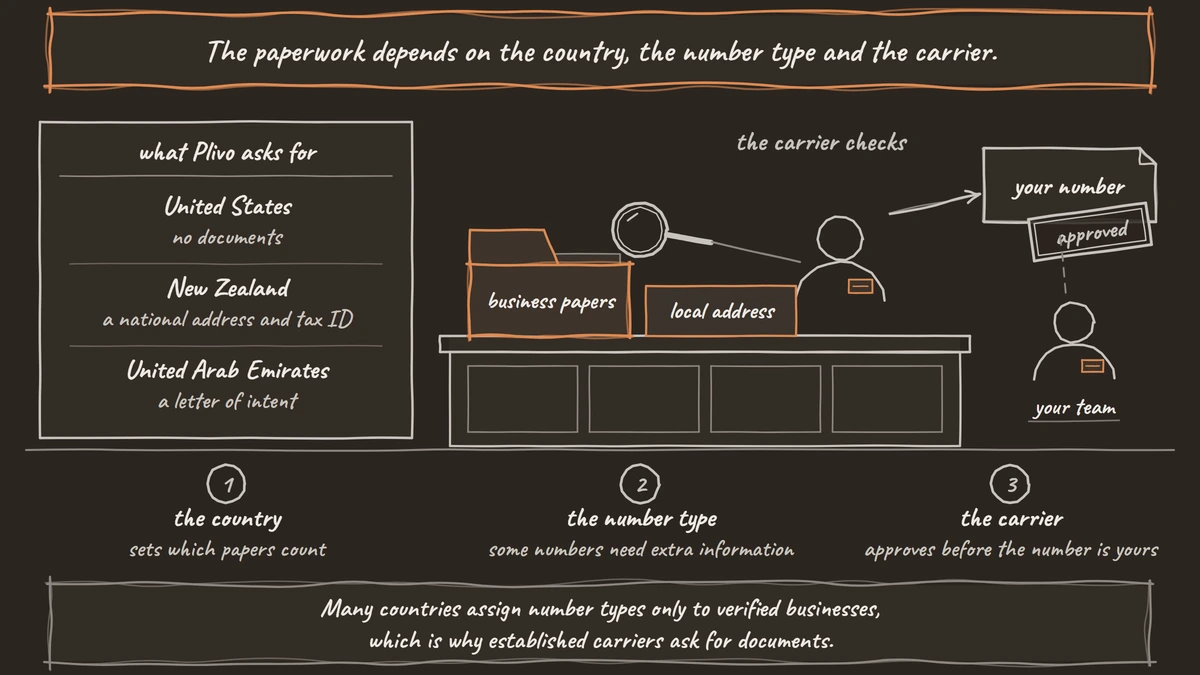
Some new number sellers advertise numbers with little or no identity check. That speed skips a step regulators care about. Many countries assign number types only to verified businesses, which is why established carriers ask for documents. A carrier that checks you is protecting the number you are about to print on your website.
Paperwork by country and number type
The paperwork depends on the country, the number type and the carrier. Plivo's number availability page is a good example of how much it varies.
| Country | Plivo plan | What Plivo asks for |
|---|---|---|
| United States | Pay as you go | No documents |
| India | Pay as you go | India documents, India-registered businesses only |
| Canada, United Kingdom, Australia | Enterprise, $1,000 a month minimum | No documents |
| New Zealand, Singapore | Enterprise | A national address and tax ID |
| United Arab Emirates, Saudi Arabia | Enterprise | A letter of intent |
| Brazil, Malaysia, Indonesia | Enterprise | Documents |
Other carriers set similar rules in their own words. Twilio's Germany rules give local and mobile numbers to businesses only, with a commercial register extract, trade license or tax letter. A local number needs an address inside the area its prefix covers, and no PO box. Twilio collects these documents in a Regulatory Bundle that goes for review before the number can be leased, so start that early.
Telnyx's regulatory requirements work the same way. Some numbers need extra information, every requirement has to be approved before the order completes, and requirement groups let you reuse one set of addresses and documents across orders.
India has the strictest setup. Indian numbers go to India-registered businesses after KYC, such as GST for companies, or Aadhaar and PAN for individuals on Vobiz. Promotional calls use the 140 series, and banking and insurance service calls use the 160 series. For Indian domestic calls, run Dograh on servers in India. Our post on India call rules covers consent and caller ID, and the rules change often, so confirm with counsel before a campaign goes live.

Open Source Alternative to Vapi / Retell
Self-hosted voice agent platform — no per-minute fees
dograh-hq/dograh
Star on GitHub
What you need before you start
The number lives on your own carrier account, and Dograh connects to that account to answer and place calls, so the line stays yours if you ever change platforms. Before the steps below, have three things ready.
First, a carrier account with at least one number already live on it. Second, that account's credentials, which you copy from the carrier's console. Third, an agent built in Dograh that you want callers to reach. If you are new to how carriers, SIP trunks and agents fit together, our explainer on telephony for voice AI covers the basics.
Step 1: Add the telephony configuration
Open Telephony in the sidebar to reach the Telephony configurations page, then click Add configuration. The Add telephony configuration dialog asks for a Name, a Provider and that provider's credentials, plus a switch called Set as default for outbound calls. Click Create, and the dialog notes that phone numbers are added after the configuration exists. The telephony overview lists every provider.
| Provider | Fields to paste |
|---|---|
| Twilio | Account SID, Auth Token |
| Telnyx | API Key, Call Control App ID, Webhook Public Key |
| Plivo | Auth ID, Auth Token, Application ID |
| Vonage | Application ID, Private Key, API Key, API Secret, Signature Secret |
| Vobiz | Account ID, Auth Token, Application ID |
| Exotel | Account SID, API Key, API Token, API Base URL |
| Cloudonix | Bearer Token, Domain Name, Application Name |
Asterisk ARI asks for the ARI Endpoint, ARI Username and ARI Password, and runs on a self-hosted install.
You can add more than one configuration, for example one carrier for Indian numbers and another for US numbers. The Set as default for outbound calls switch marks the one outbound calls start from unless you choose another, so turn it on for the carrier that holds most of your caller IDs.
Check: the new configuration appears on the Telephony configurations page with the provider you picked.
Step 2: Add the number and point it at your agent
Open the configuration and click Add phone number. The Address field takes the number in E.164 form, such as +1415555XXXX, or a SIP address or extension for a PBX. Fill in the Country as a two-letter code and a Label your team will recognize. Then pick your agent under Inbound workflow, leave Active on, and turn on Default caller ID for this configuration if this number should be the caller ID on test calls.
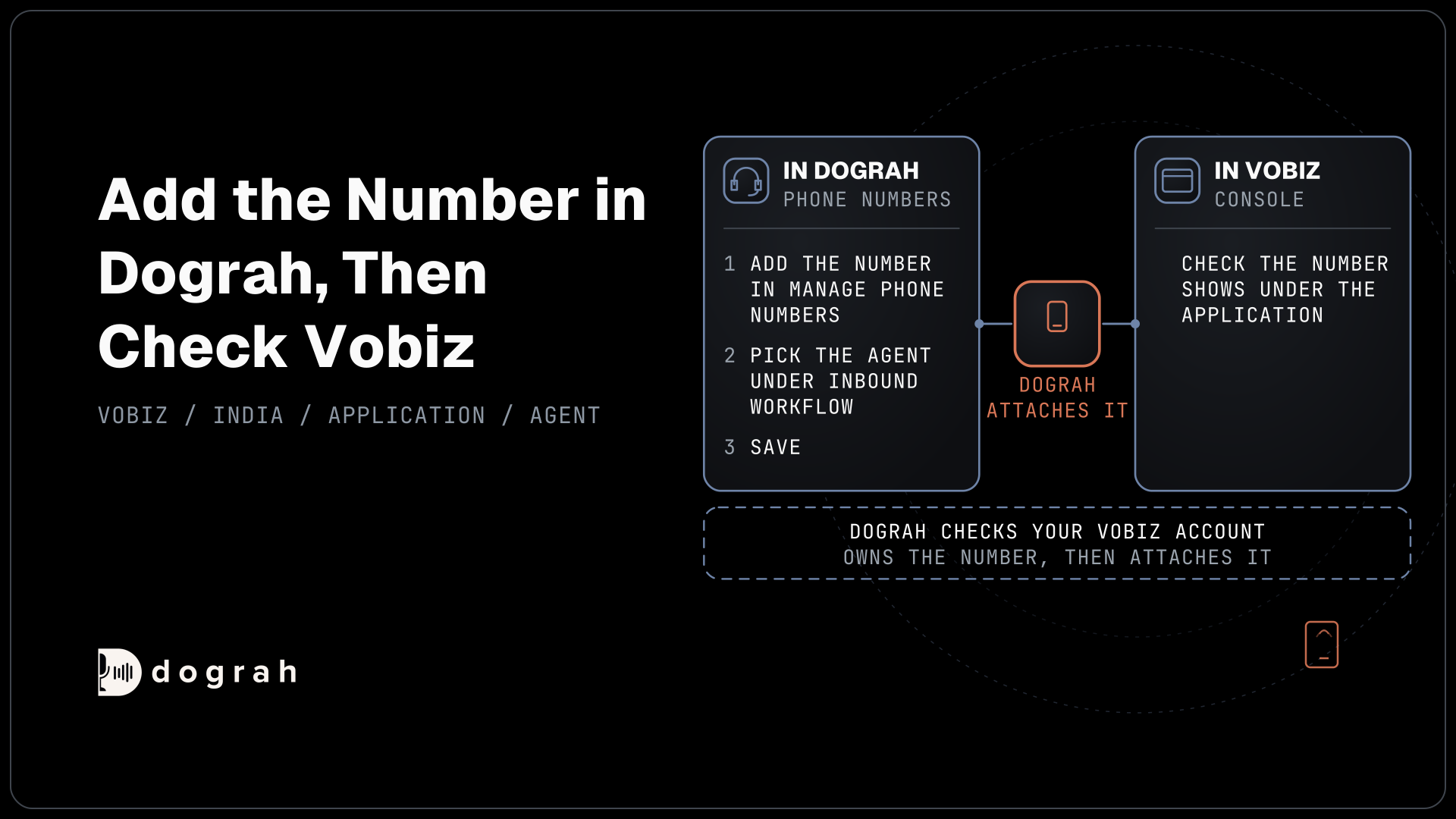
When you save, Dograh asks the carrier whether your account owns that number, so it has to be live there first. What happens next depends on the carrier. On Twilio and Vobiz, saving points the number at Dograh for you. On Plivo, Telnyx, Vonage and Cloudonix, the carrier application is updated, so link the number to that application in the carrier's console. Exotel numbers go through an Exotel call flow instead. The inbound calls guide covers each case.
Several numbers can point at the same agent, for example one per region or campaign. The number that was dialled reaches the agent with the call, so a pre-call lookup can greet each line differently.
Check: the number shows as Active with your agent as its Inbound workflow, and the carrier console shows it linked where that carrier needs it.
Step 3: Test a real call
Call the number from your own mobile and talk to the agent the way a customer would. For an outbound test, open the agent and click the Phone Call button in the editor header to place a test call. A freshly bought Vobiz number needs about two minutes to register before it can place calls, so wait a moment if the first try fails.
Listen for audio quality, since phone lines are narrower than a browser test. Most carriers send 8 kHz audio, while Vonage and WhatsApp send 16 kHz, so a voice that sounded crisp in the browser can sound flatter on a phone. Ask the agent something it should hand to a person, too, if your plan includes transfers.
Check: the call connects, the agent greets you, and the call appears with its transcript and recording in the agent's call history.
Join the Dograh Community
Dograh is an OSS alternative to Vapi. Join our Slack community for queries, releases, best practices & community interactions.
Before you send real callers to it
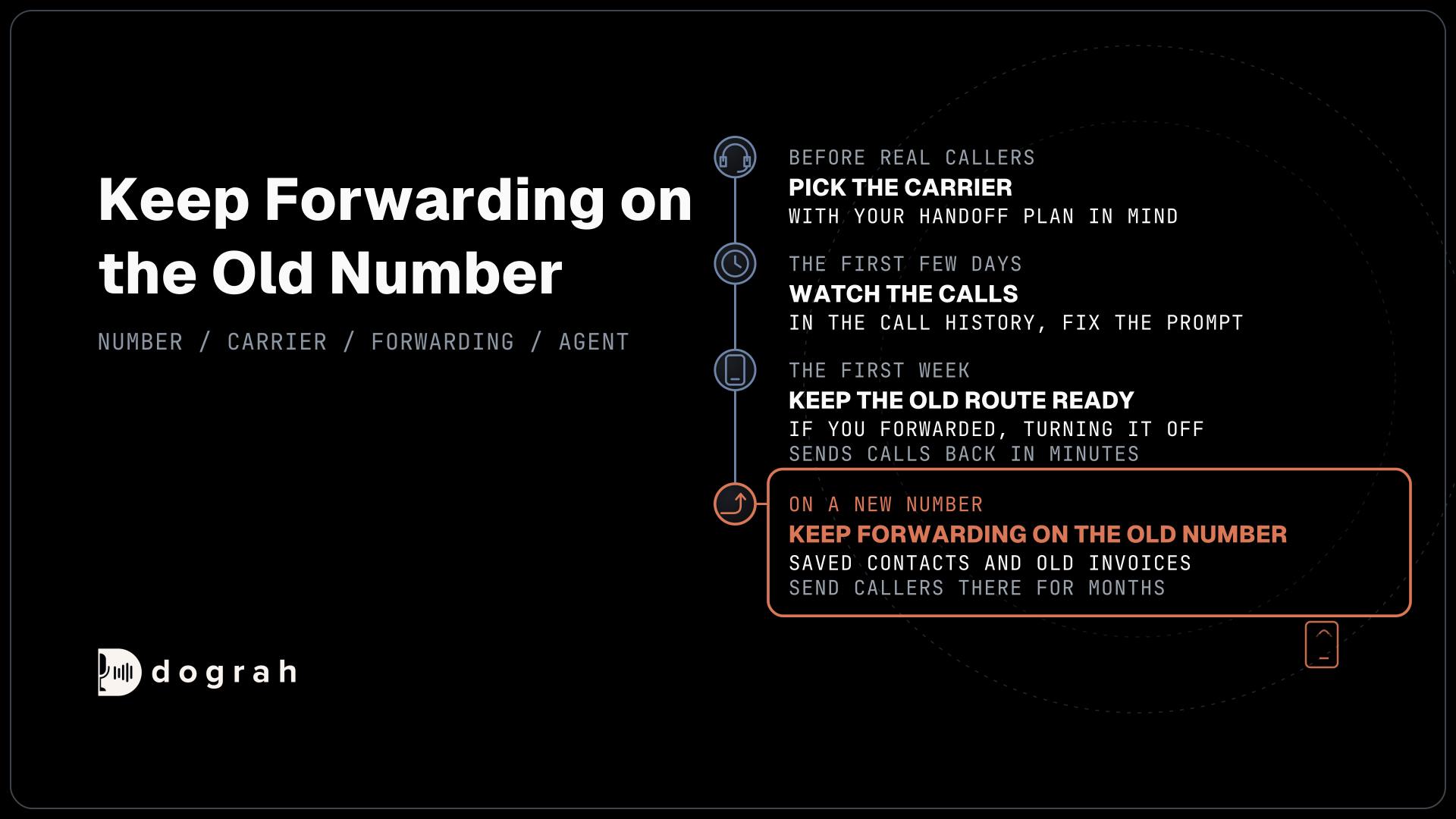
Pick the carrier with your handoff plan in mind. Transfer Call works on Twilio, Telnyx, Plivo, Cloudonix and Asterisk ARI, and Dograh calls the destination first and connects the caller only when someone answers. A busy line, a failed transfer or a ring with no answer hands the caller back to the agent, and the conversation goes on. On Exotel, Vobiz, Vonage and WhatsApp numbers, the agent books a callback request through an HTTP API tool when a caller needs a person.
Keep the old route ready for the first week. If you forwarded a number, turning forwarding off sends calls back to your team in minutes. Watch the first few days of calls in the call history and fix the prompt before you move more lines over.
If the agent answers on a new number, update it everywhere customers find you, such as your website, your map listings and printed material. Keep forwarding on the old number for a while too, since saved contacts and old invoices will keep sending callers there for months.
Where you run the agent sets the cost. You can self-host it with Docker Compose or use the hosted cloud. Running Dograh yourself means no per-minute platform fee. You still pay for servers, model keys and phone minutes, and your team looks after the database and upgrades. Support comes from the open-source community, and Enterprise adds custom SLAs. If you would rather not host it, Dograh Cloud runs it for a 1 cent a minute platform fee. Number rental and call minutes are billed by your carrier either way.
Glossary
- DID
- Direct inward dialing number, a phone number a carrier routes to your system over the internet. Most numbers rented for AI agents are DIDs.
- Regulatory bundle
- Twilio's package of identity documents and addresses for one country and number type. It is reviewed before the number can be leased.
- Porting
- Moving a phone number from one carrier to another so the new carrier owns it. Forwarding keeps the number where it is instead.
- E.164
- The international number format, a plus sign, country code and number with no spaces, such as +1415555XXXX. Dograh's Address field takes it.