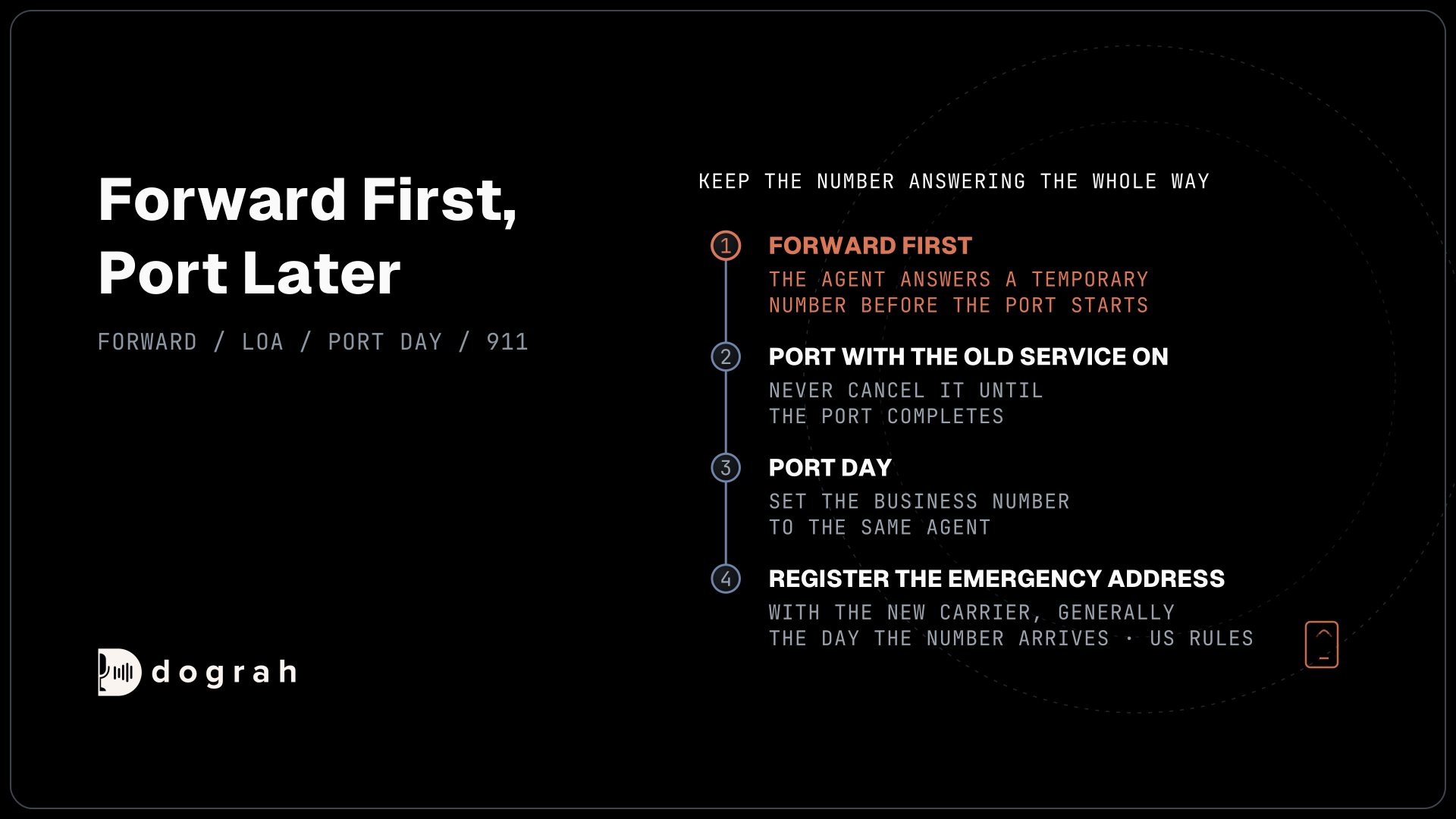

To port a business number to an AI voice agent without downtime, forward it to a temporary number the agent answers, port it with the old service on, then switch it to the agent and register its emergency address. Dograh, the open-source AI voice agent platform, runs the agent, and you can self-host it or run it on Dograh Cloud.
Key Takeaways
- Forward first, so callers reach the agent before the port starts.
- Never cancel the old service until the port completes.
- Register the emergency address with the new carrier on port day.
This post is part of our guide to SIP trunk providers, where moving carriers means moving numbers. Here we keep a business number answering the whole way by forwarding first, porting later, then switching the number to the agent and registering its emergency address, in that order.
What you need before you start
Porting moves a number from one carrier to another, and the losing carrier only lets it go when the account holder agrees. Gather the account holder's name, the account number and a recent bill from the current carrier before you start.
You also need an account with the destination carrier, one that connects to Dograh directly, such as Twilio, Telnyx or Plivo. If staff take handoffs from the agent, choose one where Transfer Call runs, which means Twilio, Telnyx, Plivo, a carrier trunk through Managed SIP or Asterisk ARI. The agent itself should be built and tested in the browser already.
The rules below are the US ones. In other countries, ask the new carrier how porting works there before you set dates. If you would rather keep the number where it is for good, see an AI receptionist on your own phone lines.
Check: you have the account details, a recent bill and a working account on the destination carrier.
Step 1: Forward the line to a temporary number
The agent goes live on a temporary number before the port begins, so callers are never left without an answer. Buy a number on the destination carrier. In Dograh, open Telephony in the sidebar, add a configuration for that carrier, click Add phone number and set the number's Inbound workflow to the agent, as the inbound calling setup shows.
Then ask the current carrier to forward the business line to the temporary number. Most carriers offer always-on forwarding and forwarding only when the line is busy or unanswered. Always-on hands every call to the agent. The other two let staff answer first.
Each forwarded call uses two call legs, the forward out on the old carrier and the inbound call on the new one. Ask both carriers how they bill each leg. Also check whether the caller's own number survives the forward, because Pre-Call Data Fetch looks records up by the caller's number. During this stage the number the agent sees as dialled, to_number, is the temporary number.
Check: call the business number from a mobile. The agent answers, and Dograh's call log shows your mobile as the caller.
Step 2: Submit the port with the old service on
With calls flowing, start the port on the destination carrier. Twilio's port-in process is typical. You upload a recent bill that shows the number is yours, submit a port-in request, and the current account holder signs an electronic Letter of Authorization (e-LOA) within 30 days. Once the current carrier accepts, the port gets a date, which you can still change.
The Federal Communications Commission's (FCC) number porting rules say a simple port, one line with no complex features, must finish within one business day unless you or the new carrier ask for longer. A port with many lines or special features can take longer, so leave room before any deadline.
Do not cancel the old service yet. Cancelling before the port completes can release the number, and then there is nothing to port. Our post on low-cost SIP trunk providers covers what else to check before you move.
Check: the destination carrier shows the port as submitted, with a port date.

Open Source Alternative to Vapi / Retell
Self-hosted voice agent platform — no per-minute fees
dograh-hq/dograh
Star on GitHub
Step 3: Switch the number on port day
On port day the business number moves into your new carrier account, and the forward stops with the old service. Add the number in Dograh as soon as it appears in the account. Dograh checks that your carrier account owns a number before it accepts it, so this step cannot happen earlier.
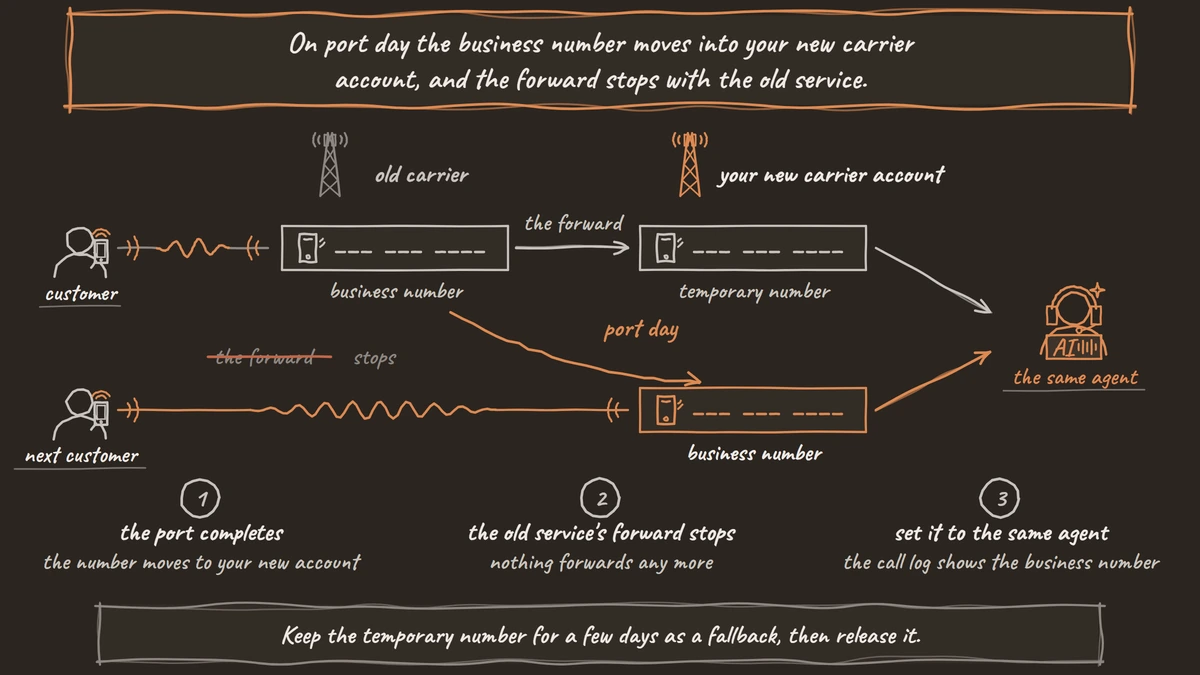
Click Add phone number, enter the business number and set its Inbound workflow to the same agent. On Twilio, saving the Inbound workflow switches the number to Dograh straight away. If the agent places calls too, mark the business number as the default caller ID, so outbound calls show it instead of the temporary number.
Check any logic that reads to_number. Before the port it was the temporary number, and after it, the business number, so a pre-call lookup or a branch keyed on one should accept both. Keep the temporary number for a few days as a fallback, then release it.
Check: call the business number from a mobile and a landline. The agent answers, and the call log shows the business number as the number dialled.
Step 4: Register the emergency address
A ported number needs its emergency address registered again with the new carrier. Under the FCC's 911 rules, an internet phone service must send every 911 call to the right emergency centre with the caller's number and location, and must tell customers plainly when 911 may not work.
The carrier can only do that with an address on file, and some charge for the gap. Twilio charges $75 for a 911 call from a number with no registered address. Your part, generally, is to register the business address on the number the day it arrives, and to confirm with counsel how the rules apply to your setup.
Check: the number shows a registered emergency address in the carrier's console.
Before you ship it
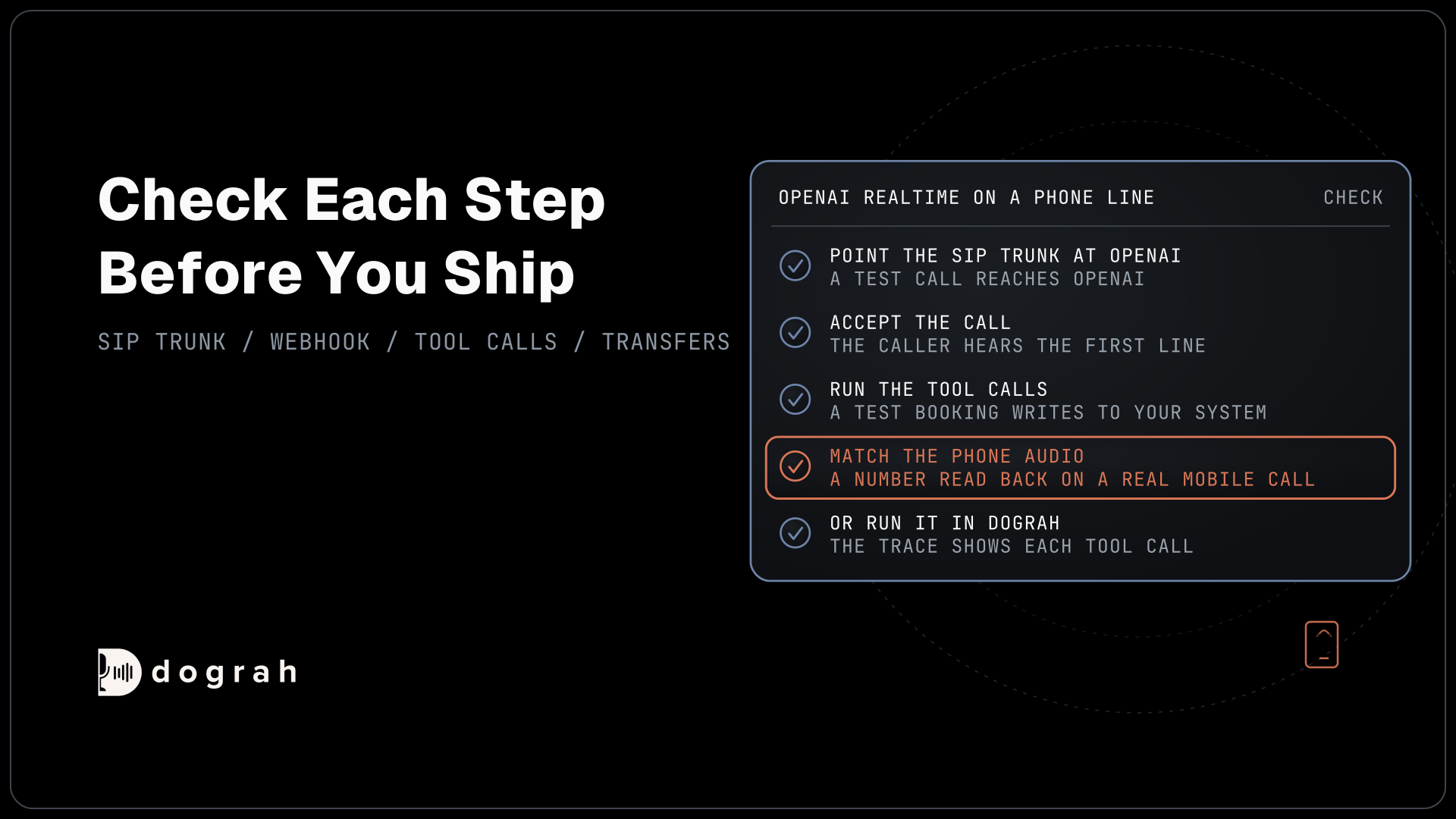
Test the moved number the way customers will use it. Call from a mobile and a landline, at busy and quiet times, and run one transfer to staff and one that nobody answers. Open each call's trace in Dograh to confirm what speech-to-text heard, and turn on QA for a sample of live calls in the first weeks.
The number is now on a carrier you chose, and the agent can move again later the same way. Self-hosted Dograh has no per-minute platform fee, but servers, model keys and phone minutes still cost money. Dograh Cloud charges a 1¢-a-minute platform fee.
If the number sits behind an office phone system, forwarding from that system is often simpler than porting. See our guides for 3CX and for Cisco, Avaya or Teams Phone.
Join the Dograh Community
Dograh is an OSS alternative to Vapi. Join our Slack community for queries, releases, best practices & community interactions.
Glossary
- Letter of Authorization (LOA)
- The signed request that lets a new carrier take a number from the old one. Twilio uses an electronic LOA that the current account holder must sign within 30 days.
- Simple port
- A US port of one line with no complex features. FCC rules require it to finish within one business day unless the customer or new carrier asks for longer.
- Temporary number
- A number bought on the destination carrier so the agent can answer forwarded calls while the business number is still being ported. It can be released once the port is done.
- Emergency address
- The registered location a carrier sends with a 911 call. A ported number needs it registered again with the new carrier, and Twilio charges $75 for a 911 call from a number without one.