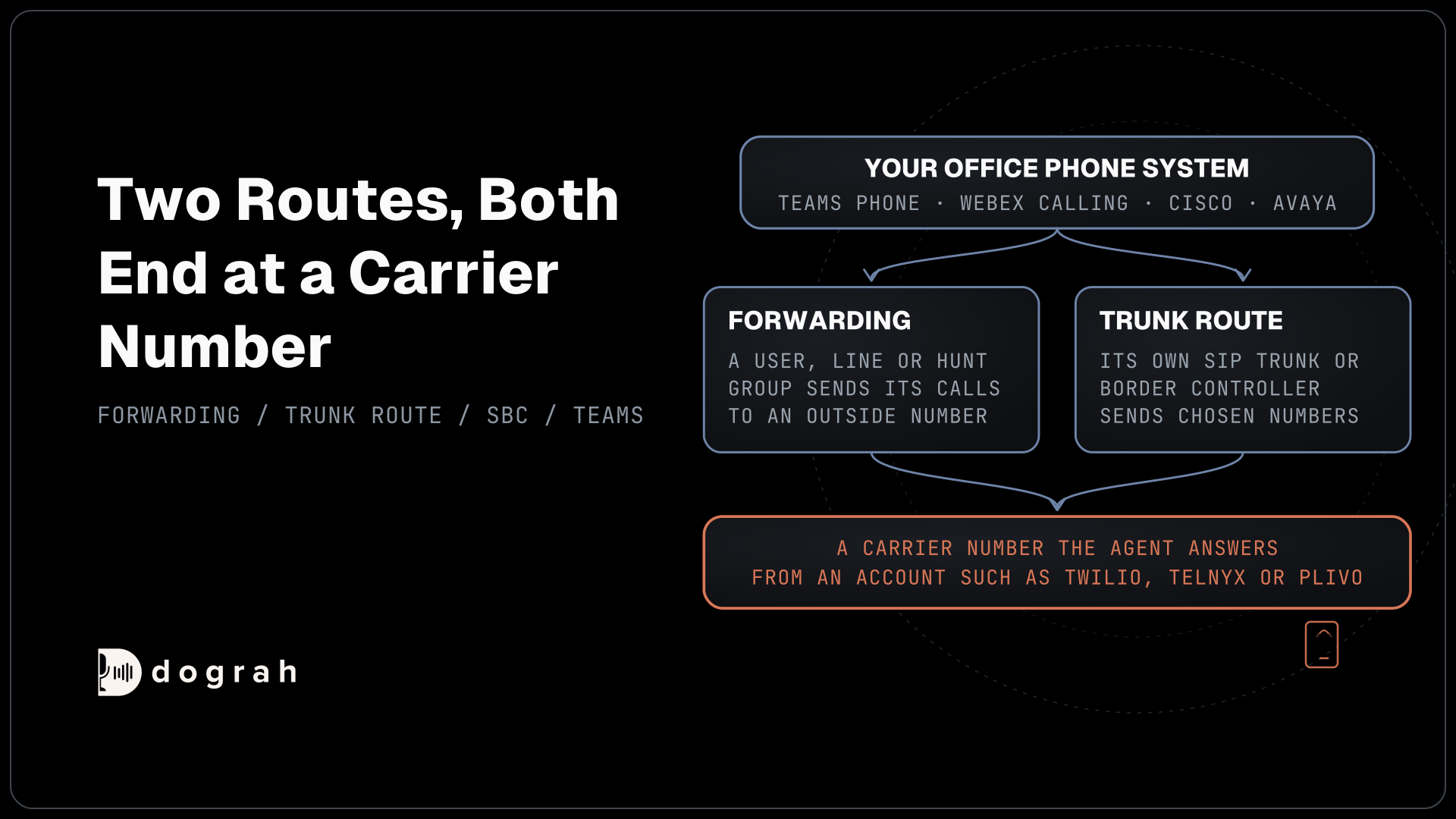

Cisco, Avaya and Teams Phone reach an AI voice agent by forwarding chosen calls, or routing them over a SIP trunk, to a carrier number the agent answers. On Teams, your PSTN option decides which route you have. Dograh, the open-source AI voice agent platform, answers that number, and you can self-host it or run it on Dograh Cloud.
Key Takeaways
- Your Teams PSTN option decides how calls can reach an agent.
- Webex Calling forwards to any external number from Control Hub.
- Callers get back to staff through Transfer Call to a DID.
This post is part of our guide to SIP trunk providers, where a phone system for staff and a trunk for the agent live side by side. Here we cover Teams Phone, Webex Calling and on-premises Cisco and Avaya systems, the route each takes to the agent and back.
Two routes from an office phone system
Every office system on this page reaches the agent in one of two ways, and both end at a carrier number the agent answers. The first is forwarding. A user, a line or a hunt group sends its calls to an outside number, either always or only when nobody answers. The second is a trunk route, where the phone system's own SIP trunk or border controller sends calls for chosen numbers on to a carrier.
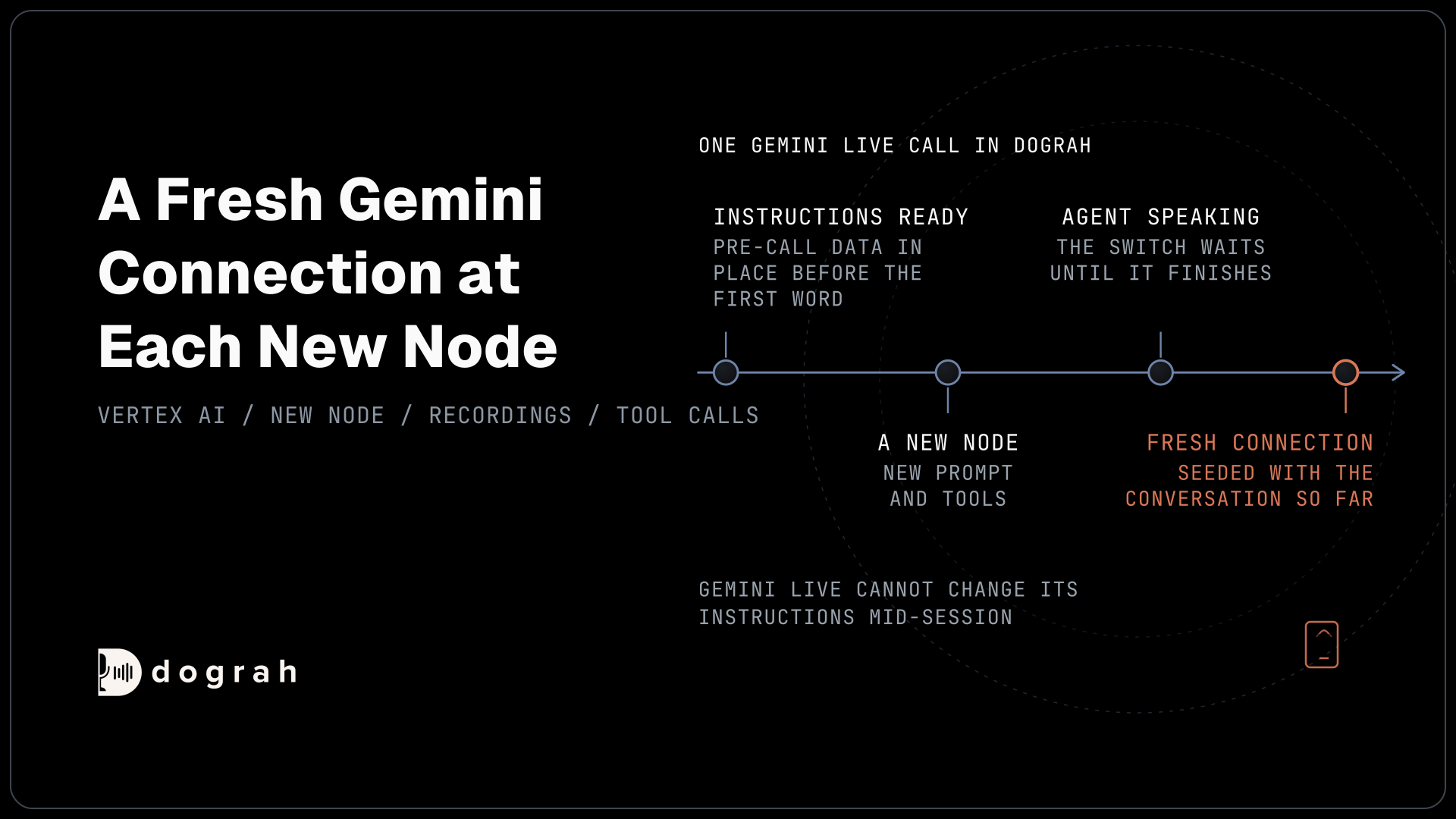
On the agent side, that carrier number comes from an account such as Twilio, Telnyx or Plivo, connected to Dograh with an Inbound workflow on the number, as the inbound calling setup shows. Dograh checks that your carrier account owns the number before it accepts it.
Two things follow from this design. A forwarded call has two legs, the forward out from your phone system and the inbound call on the agent's carrier, so ask both providers how they bill each leg. And whatever audio quality the office system uses inside, the leg to the carrier is ordinary phone audio, usually 8 kHz, as our post on phone audio quality explains.
Teams Phone: your PSTN option decides
Teams Phone reaches the public phone network in one of four ways, and the one your company bought decides what you can do. Microsoft's guide to Teams Phone PSTN options lists Calling Plan, where Microsoft is the operator, Operator Connect, where a certified operator runs the line, Teams Phone Mobile for mobile numbers, and Direct Routing. A tenant can mix them, and every user with phone calling needs a Teams Phone licence plus one of these options.
On any of them, a user with phone calling can forward calls. In Teams it sits under Settings and more, then Settings, then Calls, in "Call handling and forwarding", where you can send calls to a new number. Microsoft's page on Teams call forwarding notes that missing forwarding options usually mean the user lacks the right voice licence.
Direct Routing gives you more control. It uses "any PSTN operator" through a session border controller (SBC) that you, an integrator or a Direct Routing as a service provider install and manage. Microsoft's Direct Routing plan requires that SBC to be Microsoft-certified, talking to Teams over SIP with TLS on port 5061 and encrypted audio. With your own SBC in the path, it can send calls for chosen numbers to the agent's carrier while every other call stays in Teams.

Open Source Alternative to Vapi / Retell
Self-hosted voice agent platform — no per-minute fees
dograh-hq/dograh
Star on GitHub
Webex Calling forwarding in Control Hub
Webex Calling, Cisco's cloud calling service, forwards per user from the admin console. Webex's call forwarding guide puts it in Control Hub under Management, then Users, then the user's Calling tab, then Call handling and Call forwarding.
There are four choices, and each takes an internal or external number. Always sends every call. Busy sends calls when the line is in use. No answer sends calls after a set number of rings. Business continuity sends calls when the user is unreachable or the office loses its connection, which makes the agent a fallback when the building is down.
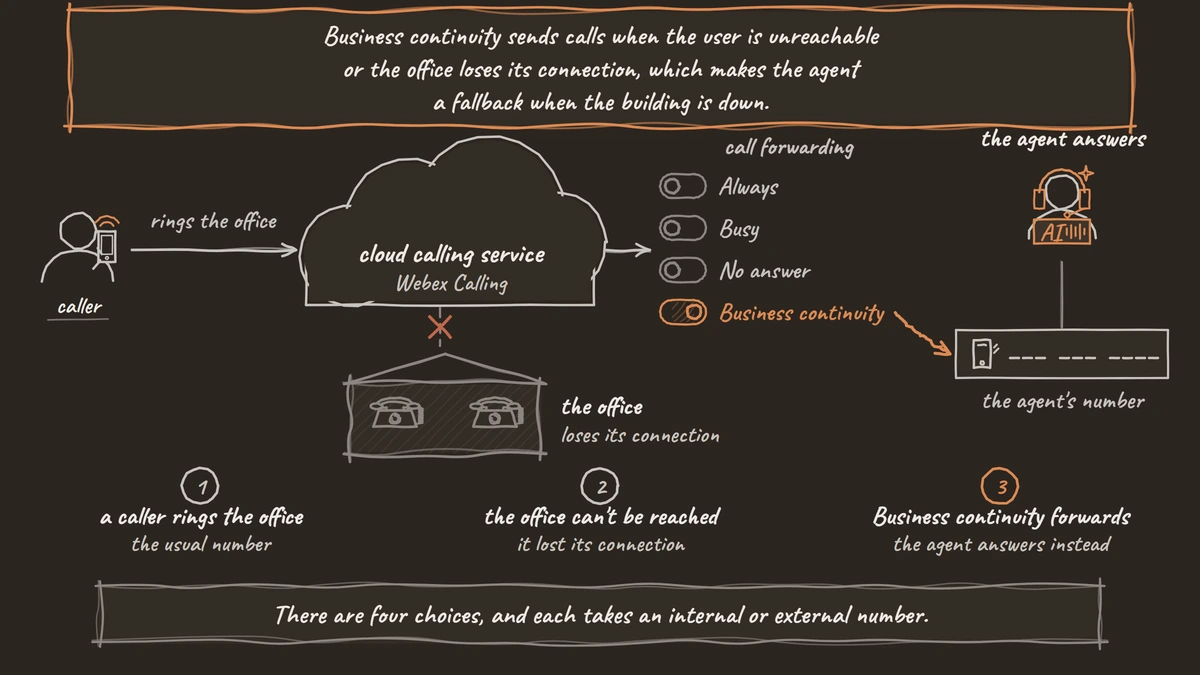
Webex also sells an AI receptionist of its own, and our comparison of built-in AI receptionists in phone systems covers it. A separate agent behind a forward suits teams that want their own models, recorded clips or full call traces.
On-premises Cisco and Avaya systems
Cisco Unified Communications Manager and Avaya systems run in your own building or data centre, and the same two routes apply. Your phone admin or partner can forward a line or hunt group to the agent's number, or add a route that sends calls for chosen numbers out over a SIP trunk to the agent's carrier. Menus differ by version, so treat this as a request to whoever runs the system, with the agent's number and the calls you want it to take.
Companies that keep phones on-premises often do so for the same reason they want call data kept in-house. Self-hosting fits here. Dograh can run on your own servers, with open speech and language models running there too, so the audio and transcripts stay inside your network. Bringing your own keys for hosted models is quicker to set up, but the audio then reaches those providers.
Getting callers back to staff
Most agents need a way to hand a caller to a person, and the office system's own numbers are the target. The Transfer Call tool dials a DID or a full extension number when the agent's carrier is Twilio, Telnyx, Plivo, a trunk through Managed SIP or Asterisk ARI.
While the caller hears hold music, Dograh dials the destination and connects the two once someone answers. Any no answer, busy line, failed call or timeout returns transfer_failed to the agent, and the call continues. The person who answers gets no summary by default, so have an HTTP API tool write the details to your own system before the transfer.
Each part bills on its own, with the office system's calling and the agent's carrier sitting beside the platform. Self-hosted Dograh has no per-minute platform fee, but servers, model keys and phone minutes still cost money. Dograh Cloud charges a 1¢-a-minute platform fee.
The same forward-and-transfer pattern works on 3CX, and our guide to adding an AI voice agent to 3CX walks through it screen by screen. Whichever system you run, test one forwarded call and one transfer from a real phone before callers reach the agent.
Join the Dograh Community
Dograh is an OSS alternative to Vapi. Join our Slack community for queries, releases, best practices & community interactions.
Glossary
- Direct Routing
- The Teams Phone option that connects Teams to any phone operator through your own session border controller. It is the only Teams option where you control the trunk, so it can send chosen numbers to an agent's carrier.
- Session border controller (SBC)
- A device or service that sits between a phone system and outside SIP trunks, handling security and routing. Microsoft supports Direct Routing only with SBCs it has certified.
- Operator Connect
- A Teams Phone option where a Microsoft-certified operator provides and runs the phone line. Calls can still be forwarded per user, but the trunk itself stays with the operator.
- Business continuity forwarding
- A Webex Calling setting that sends calls to another number when the user is unreachable or the office loses its connection, such as during a network outage.