
Scaffold Pipecat's quickstart with its CLI and talk to the bot in your browser. Then add Twilio's WebSocket transport at 8 kHz and point a TwiML Bin at an ngrok tunnel, so your number reaches the bot. Dograh, the open-source AI voice agent platform, runs on a Pipecat fork with campaigns and per-call QA, self-hosted or on Dograh Cloud.
Key Takeaways
- Run the quickstart in a browser first, so phone problems are the only new ones.
- Set both pipeline sample rates to 8000 so Twilio audio is never resampled.
- Pipecat's Twilio WebSocket route cannot transfer calls, so plan another route early.
This post is part of our guide to open-source voice AI frameworks, where Pipecat is the pipeline you can point at a browser or a phone carrier. Here we take a Pipecat bot from the quickstart to real inbound and outbound Twilio calls, then cover what Dograh adds for production.
What you need before you start
You need Python 3.11 or later and the uv package manager, plus API keys from Deepgram for speech-to-text, OpenAI for the language model and Cartesia for the voice. The current Pipecat release is 1.15.0. For the phone steps you also need a Twilio account with a voice-capable number and ngrok to expose your laptop to the internet.
Phone tests cost a little. In the US, Twilio charges $0.0085 a minute for inbound calls to a local number, plus $0.0044 a minute for Media Streams, the feature that streams the call's audio to your bot. As an example, a 5-minute inbound test call comes to 5 x $0.0085 plus 5 x $0.0044, about 6.5 cents in Twilio charges before your model bills.
Step 1: Scaffold the quickstart and talk to it
Start with Pipecat's own quickstart so you know the pipeline works before a phone is involved. The commands below install the CLI as a uv tool and create a project folder called pipecat-quickstart with pipecat init quickstart. The last line copies the example environment file you fill in next:
uv tool install "pipecat-ai[cli]"
pipecat init quickstart
cd pipecat-quickstart
cp .env.example .env
What this does: It gives you a runnable bot in
bot.pyplus the files to deploy it on Pipecat Cloud. The init step also writes an AGENTS.md and a CLAUDE.md, which matter later if a coding agent edits the bot.
Open .env and paste your three keys. Then install the dependencies with uv sync and start the bot with uv run bot.py. The Pipecat quickstart notes the first run can take about 20 seconds while models download. Open http://localhost:7860/client in your browser and click Connect.
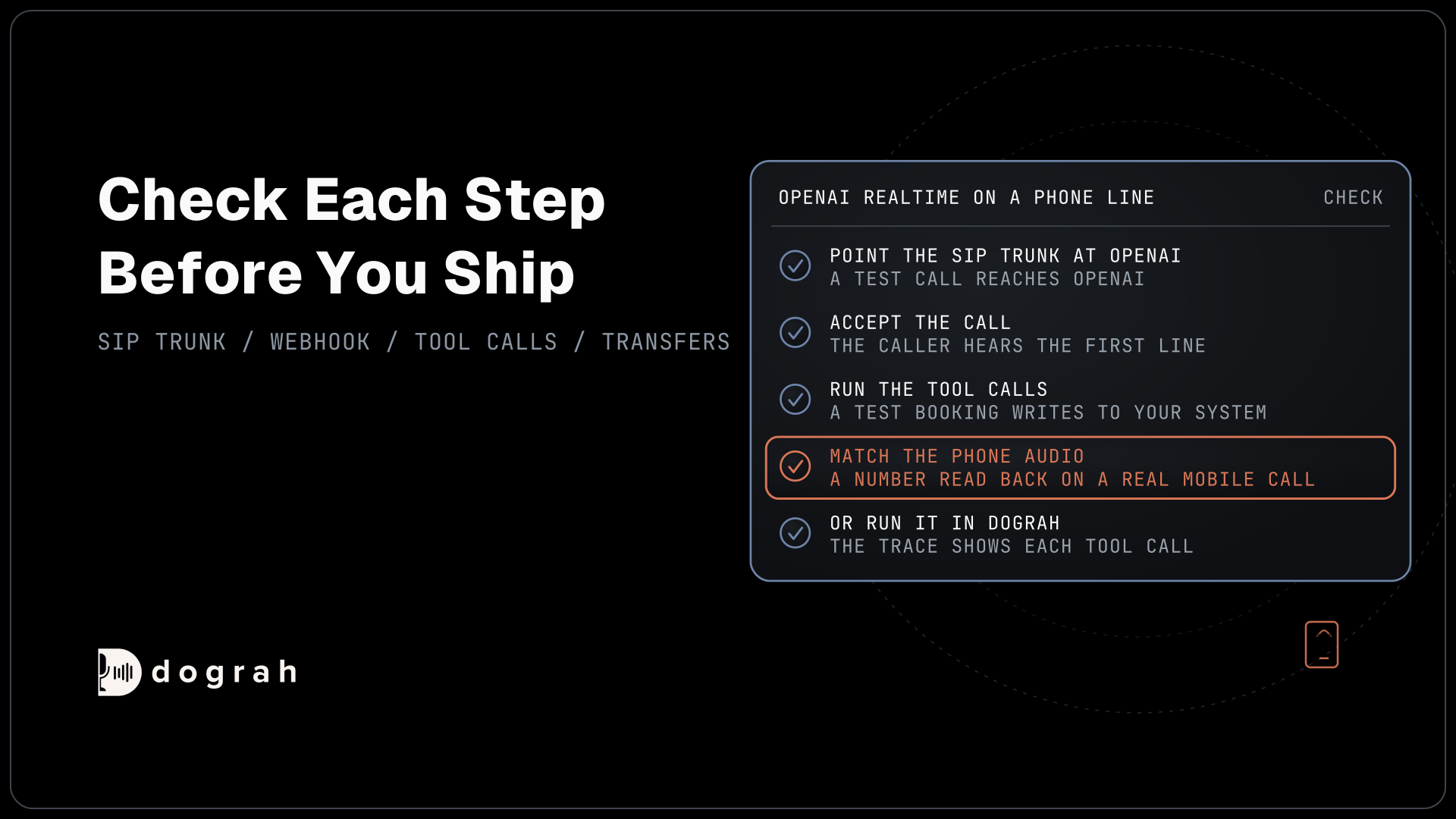
Check: the bot introduces itself, and it answers when you speak.
Step 2: Add Twilio's WebSocket transport at 8 kHz
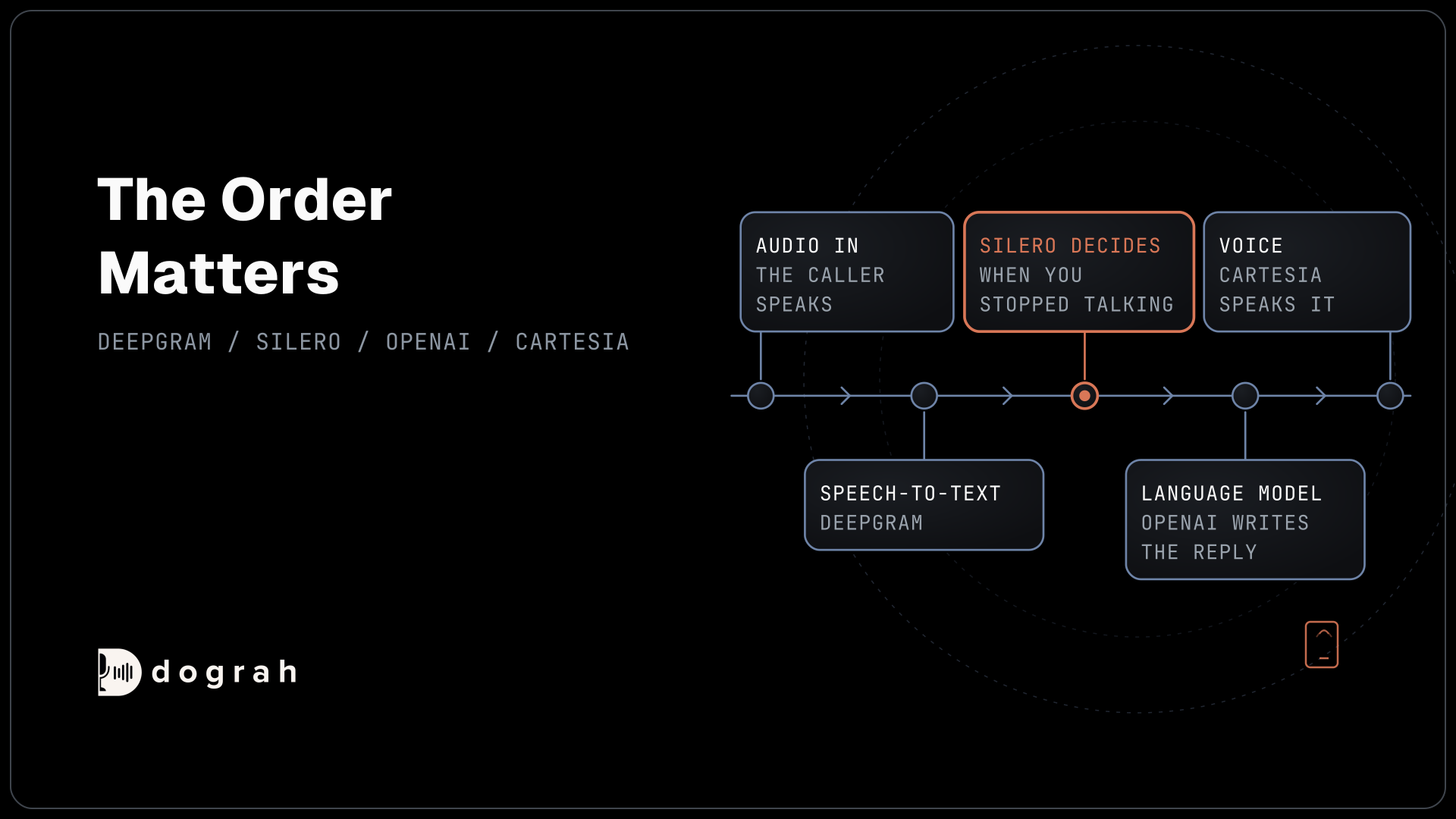
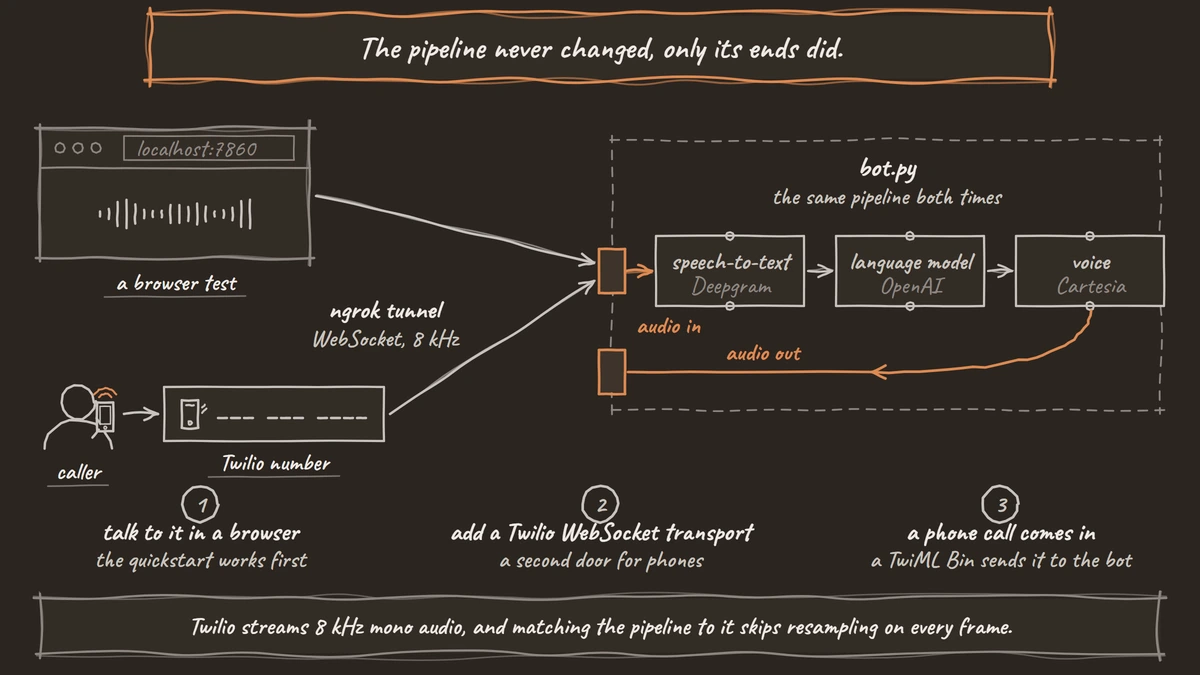
The pipeline in bot.py is the part you keep, and only its two ends change for a phone. Each processor in the list below passes frames to the next, so the order matters. Note transport.input() and transport.output() at the ends, and the user aggregator (user_aggregator), which uses Silero voice activity detection to decide when you stopped talking:
pipeline = Pipeline([
    transport.input(),     # audio in
    stt,                   # Deepgram speech-to-text
    user_aggregator,       # adds the caller's turn to the context
    llm,                   # OpenAI, gpt-4.1 unless OPENAI_MODEL is set
    tts,                   # Cartesia text-to-speech
    transport.output(),    # audio out
    assistant_aggregator,  # adds the bot's reply to the context
])
What this does: It turns the caller's speech into a spoken reply, step by step, while keeping both sides of the conversation in one context. Nothing here knows whether the audio came from a browser or a phone.
To reach a phone, add websocket to the pipecat-ai extras in pyproject.toml and run uv sync again. Put your TWILIO_ACCOUNT_SID and TWILIO_AUTH_TOKEN in .env. Then make two edits in bot.py: a "twilio" entry in transport_params, and 8000 for both sample rates in PipelineParams:
from pipecat.transports.websocket.fastapi import FastAPIWebsocketParams

transport_params = {
    # keep the "daily" and "webrtc" entries from the quickstart
    "twilio": lambda: FastAPIWebsocketParams(
        audio_in_enabled=True,
        audio_out_enabled=True,
    ),
}

worker = PipelineWorker(
    pipeline,
    params=PipelineParams(
        audio_in_sample_rate=8000,
        audio_out_sample_rate=8000,
        enable_metrics=True,
        enable_usage_metrics=True,
    ),
)
What this does: When Twilio connects, Pipecat's runner builds the Twilio transport with a
TwilioFrameSerializerfrom your two Twilio values. Twilio streams 8 kHz mono audio, and matching the pipeline to it skips resampling on every frame.
The serializer also ends the call when the pipeline ends, because auto_hang_up is on by default. The browser path now runs at 8 kHz too, which is a fair preview of what a caller hears.
Check: uv run bot.py still starts, and the browser call still works.

Open Source Alternative to Vapi / Retell
Self-hosted voice agent platform — no per-minute fees
dograh-hq/dograh
Star on GitHub
Step 3: Point a Twilio number at your bot
Twilio needs to know where to send the call's audio, and a TwiML Bin tells it. In the Twilio Console, open TwiML Bins, then My TwiML Bins, and create a new bin with your ngrok address in the url:
<?xml version="1.0" encoding="UTF-8"?>
<Response>
  <Connect>
    <Stream url="wss://your-url.ngrok.io/ws" />
  </Connect>
</Response>
What this does: When a call comes in,
<Connect><Stream>opens a WebSocket from Twilio to the/wspath on your bot and streams the caller's audio both ways.
Next, open Phone Numbers, then Manage, then Active Numbers, and pick your number. Under Voice Configuration, set "A call comes in" to TwiML Bin, choose your bin and save. In one terminal run ngrok http 7860. In a second terminal run uv run bot.py -t twilio, which tells Pipecat's runner to serve the Twilio route. Pipecat's Twilio WebSocket guide walks through the same screens.
Check: you call the number from your mobile phone and the bot answers with its greeting.
Step 4: Place an outbound call
An outbound call runs the same pipeline, and your own server starts it through Twilio's REST API. Pipecat's dial-out example uses a small FastAPI server. The part that places the call passes TwiML with a <Stream> to your bot and, optionally, <Parameter> values the bot can read:
twiml = f"""
<Response>
  <Connect>
    <Stream url="wss://your-server.com/ws">
      <Parameter name="customer_id" value="{customer_id}" />
    </Stream>
  </Connect>
</Response>
"""

call = twilio_client.calls.create(
    to="+1415555XXXX",
    from_=your_twilio_number,
    twiml=twiml,
)
What this does: Twilio rings
+1415555XXXXand, once it connects, opens the same WebSocket to your bot. The bot readscustomer_idfrom the call data, so its first line can be about that customer.
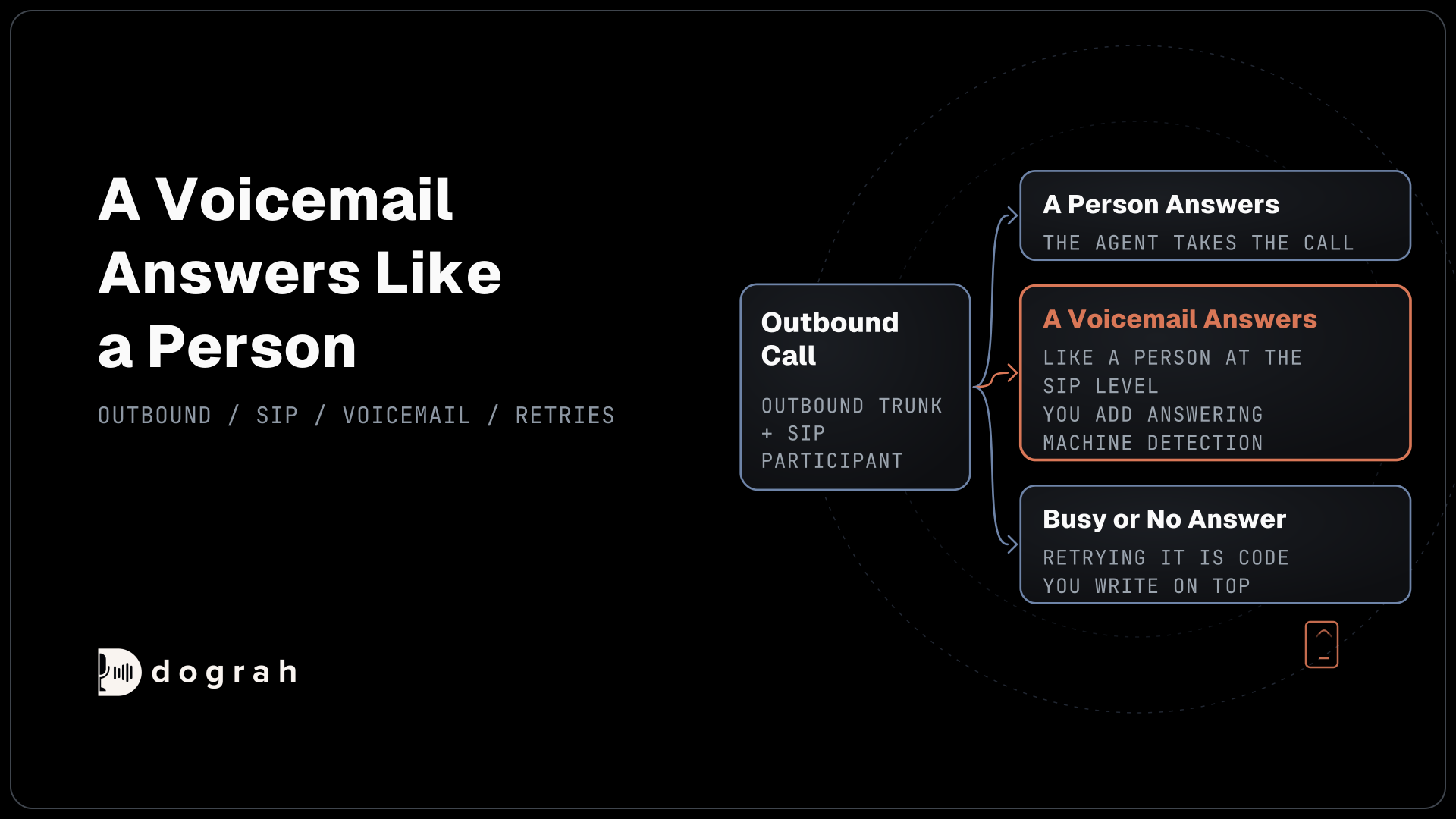
Check: your test phone rings, and the bot speaks when you answer.
What a production phone agent still needs
The bot you just built is a real phone agent, and the plumbing around it is still yours to build. Pipecat's telephony overview says its WebSocket integrations with Twilio, Telnyx, Plivo and Exotel have "No advanced call center features like transfers or reconnects". Handing a caller to a person means moving to Daily PSTN or a SIP connection.
Hosting is next. Your server must be reachable over public HTTPS and hold many WebSockets at once, or you deploy to Pipecat Cloud, which our post on Pipecat Cloud pricing prices out. Then come outbound lists with calling hours, and a log of every call with a review of how it went.
Dograh runs on a fork of Pipecat and ships those pieces. On a Twilio number, saving an inbound workflow points the number at the agent straight away, with no TwiML Bin or tunnel. Campaigns dial a CSV list in calling hours you set, and you set the retries (0 to 10) and the wait between them. Our Dograh vs Pipecat comparison lists what Pipecat leaves you to build next to what ships.
Every call keeps its transcript and recording, and View Trace opens the call in Langfuse with the timing of each turn, so a slow reply points to the part that caused it.
A QA node reviews each finished call and scores every step separately, with tags, a 1-10 score, sentiment and a summary. It runs on test calls from the editor too, so you can catch a weak step before callers reach it.
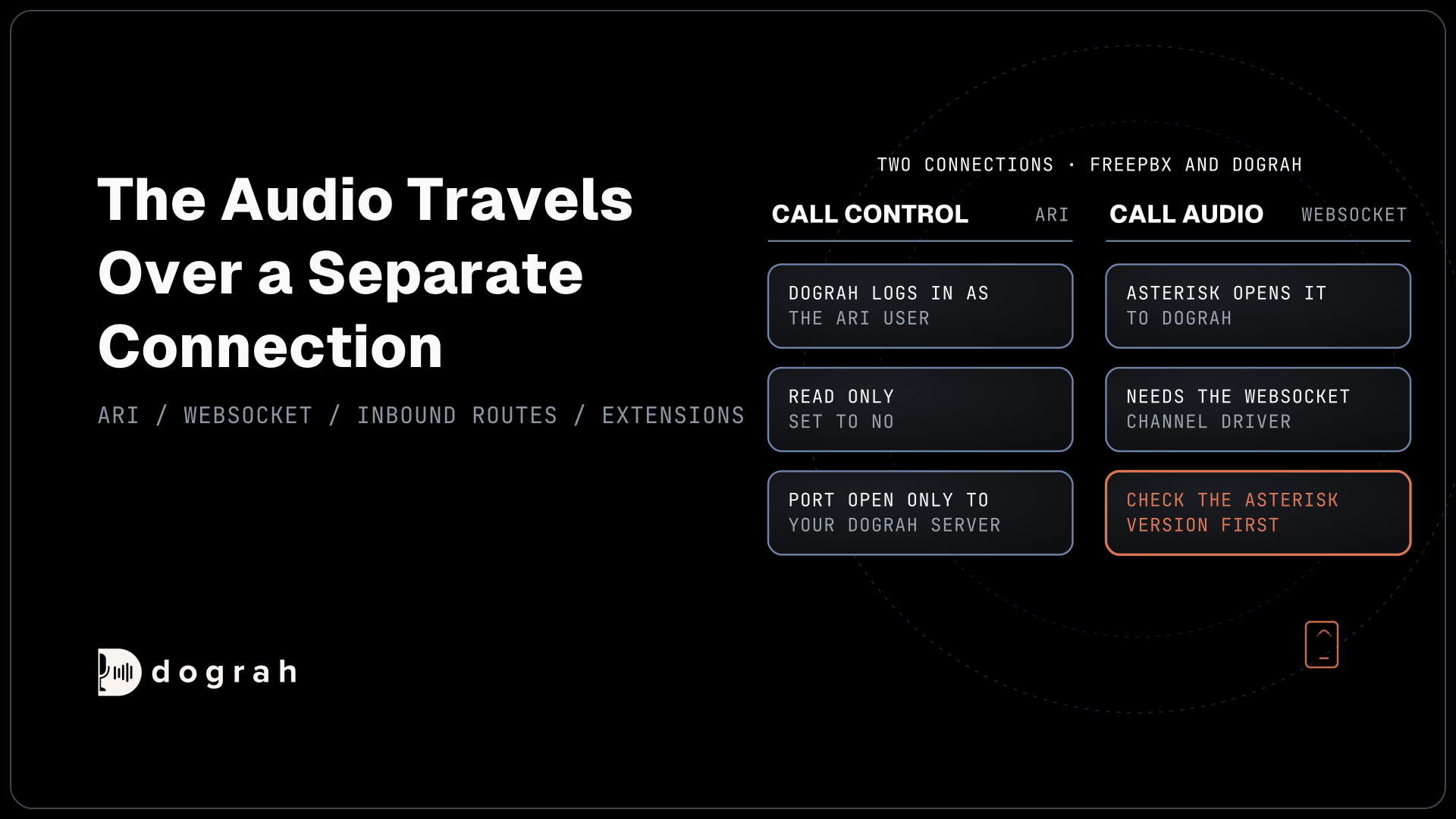
Transfer Call hands a caller to a person on Twilio, Telnyx, Plivo, Cloudonix and Asterisk ARI, with no change of route. Self-hosted Dograh has no per-minute platform fee, but servers, model keys and phone minutes still cost money. Dograh Cloud charges a 1¢-a-minute platform fee.
Join the Dograh Community
Dograh is an OSS alternative to Vapi. Join our Slack community for queries, releases, best practices & community interactions.
Before you ship it
Test over real phone calls before anyone else dials in. Most phone calls reach the agent as 8 kHz audio, while your first browser test in Step 1 ran at higher quality, so speech-to-text errors and timing feel different. Call from a mobile phone and from a landline if you can, and listen for clipped first words.
Keep your Twilio and model keys out of the repository, and mask phone numbers in logs you share. If a call ever needs to outlive the bot, for example after a transfer, set auto_hang_up to off and let your TwiML keep the call alive. Remember that Pipecat's WebSocket route has no transfers, so decide on Daily PSTN or SIP before you promise callers a person.
To recap, you scaffolded the quickstart, talked to it in a browser, gave it a Twilio WebSocket transport at 8 kHz, answered a call through a TwiML Bin and placed one through the REST API. The pipeline never changed, only its ends did.
Glossary
- TwiML Bin
- A small TwiML document Twilio hosts for you. Pointing a number's "A call comes in" setting at one tells Twilio what to do with each call, here to stream its audio to your bot.
- Media Streams
- Twilio's feature for streaming a live call's audio over a WebSocket. Twilio charges $0.0044 a minute for it in the US, on top of the call itself.
- Serializer
- Pipecat's adapter between a carrier's WebSocket messages and pipeline frames. The TwilioFrameSerializer needs the stream and call IDs plus your account credentials, and ends the call when the pipeline ends.
- User aggregator
- The processor that adds the caller's turns to the conversation context, paired with an assistant aggregator for the bot's replies. It also runs voice activity detection to decide when the caller has finished.