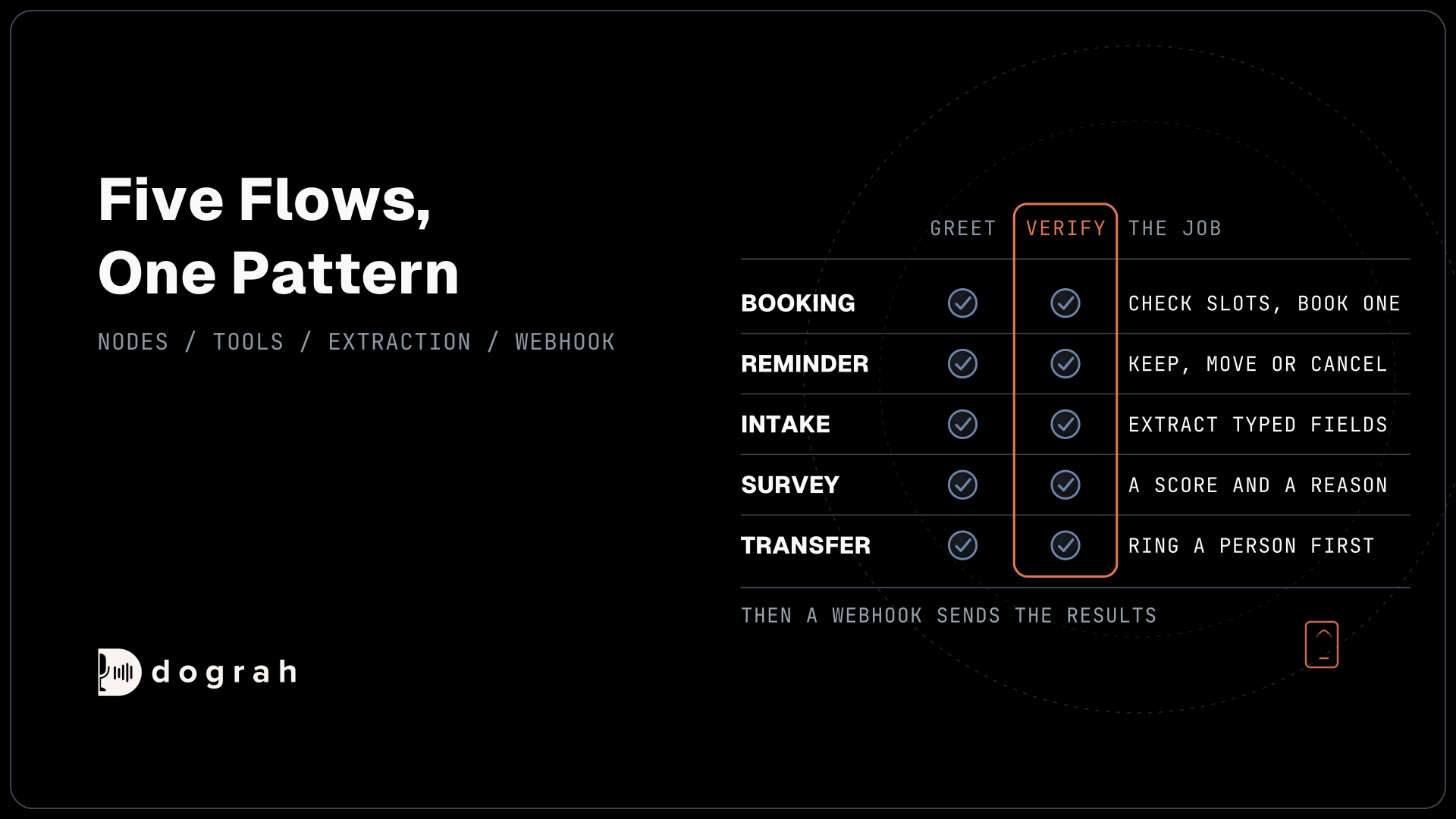

Five call flows cover most voice agents: booking, reminder, intake, survey and transfer. Each follows one pattern. A fixed greeting opens the call, the agent verifies the caller before sharing details, short nodes with only the tools they need do the task, and a webhook sends the results to your system after the call.
Key Takeaways
- Every flow verifies the caller before it names a booking, order or account.
- Each node does one job and gets only the tools that job needs.
- Fixed wording goes in the greeting, Transition Speech or a recording.
This post is part of our guide to voice AI for developers, where five call flows cover most phone agents. Here we build each one, step by step, in Dograh, the open-source AI voice agent platform we build. Every label and setting below was checked on the current release.
What you need before you start
Start with an agent in the editor and the endpoints your flow will call, such as a slot lookup and a booking endpoint. The reminder and transfer flows also need a phone number connected under Telephony.
Step 1: Set the rules every flow shares
Every recipe runs greet, verify, disclose. The agent greets the caller, confirms who they are with an approved check, such as a date of birth, and only then shares personal details. A phone number finds a record, but it does not prove who is calling.
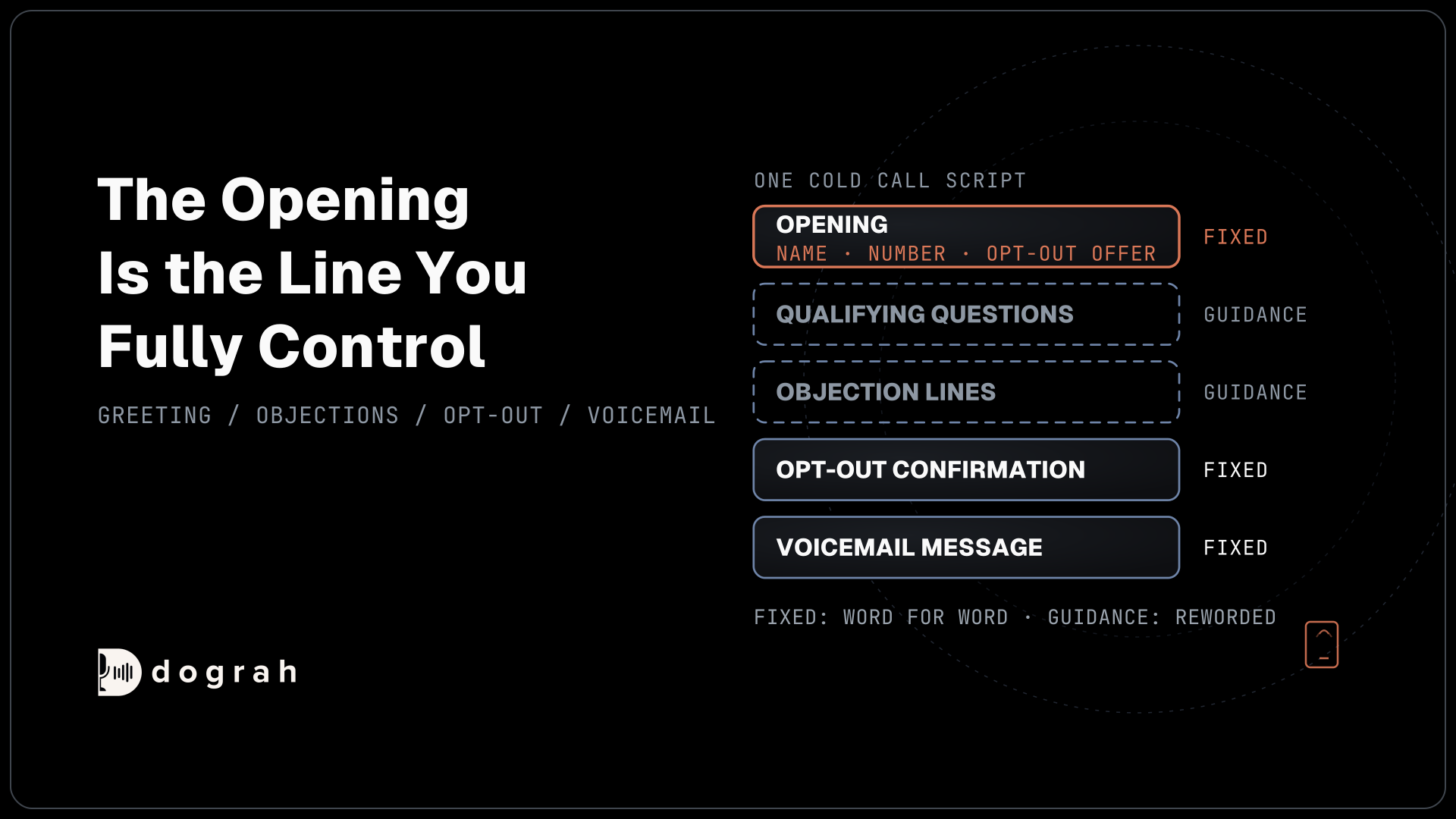
Exact wording only holds where Dograh plays fixed text: the Greeting Text on the Start Call node, a pathway's Transition Speech or a recording. Inside a node, the model writes its own words. If the greeting carries a notice that must play in full, switch off Allow Greeting Interruption, which is on by default. Give every variable a fallback, such as {{customer_name | there}}, or a missing value is spoken as nothing.
Keep each node to one job. Laban and colleagues ran more than 200,000 simulated conversations and found that average performance fell 39% when a task was spread over several turns instead of one. Our post on prompt and flow design patterns explains where each kind of wording belongs.
Check: the greeting names the business, and no node before the verify step mentions an account, booking or order.
Step 2: Build the booking flow
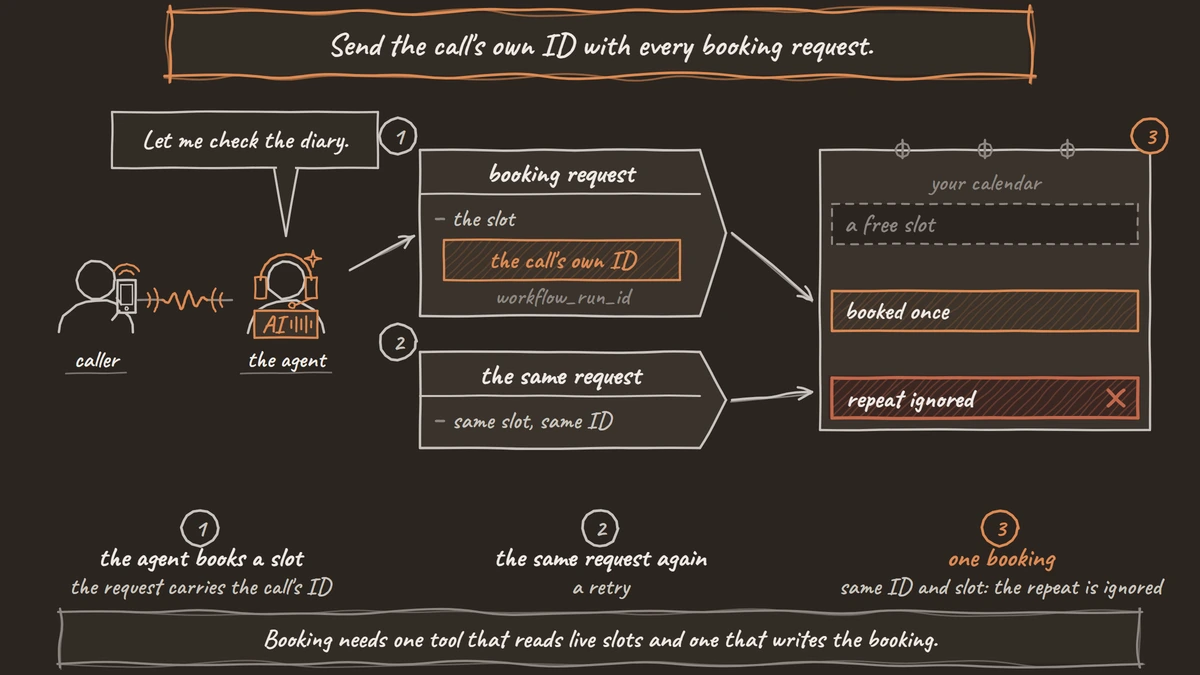
Booking needs one tool that reads live slots and one that writes the booking. Build it in this order:
- Start Call with a short Greeting Text. For inbound calls, set Pre-Call Data Fetch to Inbound calls only to load the caller's record first.
- A Verify node that asks for the approved check and confirms it through an HTTP API tool.
- A Book node with two HTTP API tools,
check_slots(GET) andbook_slot(POST). - An End Call node, then a Webhook node that sends the booking to your system.
Create the tools under Tools in the sidebar, as External HTTP API. On book_slot, add a Preset Parameter named workflow_run_id with the value {{initial_context.workflow_run_id}}. Your booking system uses that ID, with the slot, to ignore a repeated request, so a retry never books twice.
Slow lookups need words. The tool's Messages setting plays a line as the tool starts and a later update if the request is still running. The entries below hold one start line and one delayed line set by after_ms:
[
  { "event": "start", "type": "text", "text": "Let me check the diary." },
  { "event": "delayed", "after_ms": 3000, "type": "text", "text": "Still checking, one moment." }
]
What this does: The caller hears "Let me check the diary." as soon as
check_slotsstarts. If the lookup is still running after 3 seconds, the agent adds the second line.
HTTP API tools time out after 5 seconds by default and do not retry, so the prompt should say what to do when a lookup fails.
Check: a test booking appears once in your calendar, even when you repeat the request with the same workflow_run_id.

Open Source Alternative to Vapi / Retell
Self-hosted voice agent platform — no per-minute fees
dograh-hq/dograh
Star on GitHub
Step 3: Build the reminder flow
A reminder asks for one decision: keep, move or cancel. Run it as a campaign from a CSV with a phone_number column and one column per value the agent needs. The CSV can also replace the greeting for each contact through the greeting_override_type and greeting_override_text columns.
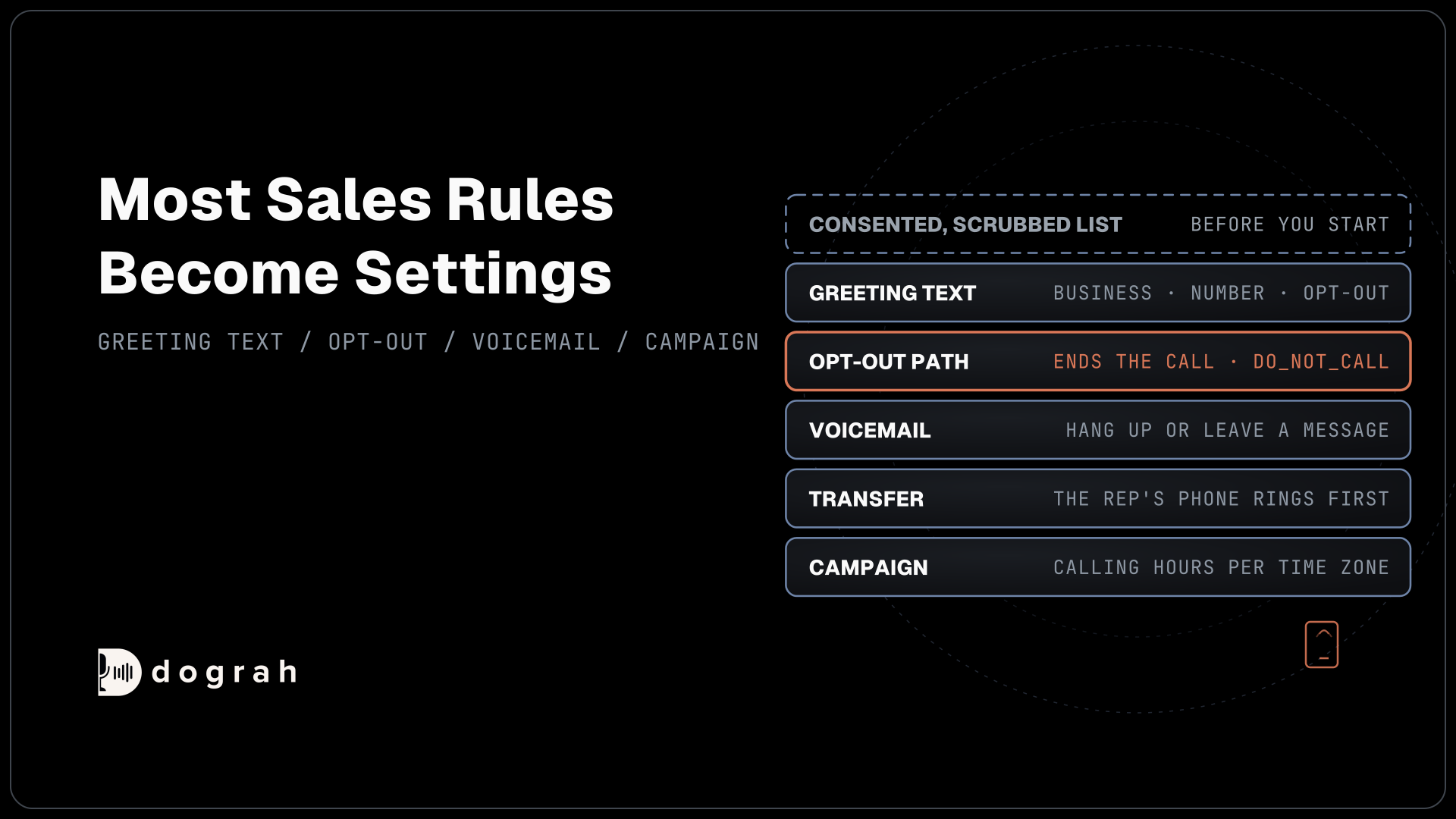
Set the calling hours under Time Slots, which use one time zone per campaign. You set the retries (0 to 10), the delay between them and whether to retry on a busy signal, no answer or voicemail.
Voicemail handling is off by default. To leave a message, open Voicemail & Screening in the agent's Settings tab, switch on Enable voicemail and screening handling, and change When voicemail is detected from Disconnect the call to Leave a message. Keep that message free of personal details. Our post on appointment reminders and confirmations covers the reminder call in full.
Check: a test contact in the CSV hears their own greeting, and a missed call retries at the delay you set.
Step 4: Build the intake flow
Intake depends on variable extraction. On each Agent node that gathers answers, switch on Enable Variable Extraction, write an Extraction Prompt, and add each field under Variables to Extract with a Variable Name in snake_case, a Type (String, Number or Boolean) and an Extraction Hint.
The transcript and recording stay the exact record. Attach Knowledge Base Documents to the node for common questions. Never collect documents on the call. An HTTP API tool can ask your own system to text the caller a secure upload link.
Add one safety rule to the prompt. If a caller describes an emergency, the agent tells them to get to safety and call 911. Our post on extracting call data into any CRM shows how the fields reach your system.
Check: the Webhook payload carries every field with the right type, and an empty answer arrives empty instead of guessed.
Step 5: Build the survey flow
A survey asks one scored question and one open question, and records both. Put each question in its own Agent node. Extract the score as a Number variable, such as nps_score, and the reason as a String.
If you tell callers they are speaking with an automated assistant, put that line in the Greeting Text and switch off Allow Greeting Interruption.
Add a QA node to catch leading questions. It scores each step of the call separately, with tags, a 1-10 score and a summary, and you can rewrite its System Prompt to flag any question that suggests an answer.
Check: the score arrives as a number between your scale's limits, and QA flags no leading question on ten test calls.
Join the Dograh Community
Dograh is an OSS alternative to Vapi. Join our Slack community for queries, releases, best practices & community interactions.
Step 6: Build the transfer flow
Add a Transfer Call tool and choose its Destination Source. Static / Template takes a fixed E.164 number, a SIP endpoint or a template such as {{initial_context.transfer_destination}}. Context Mapping and Dynamic HTTP Resolver pick one from call data or your endpoint.
Dograh rings the transfer number first, and the caller is joined only once someone picks up. On Twilio, it can play a short spoken introduction to both people before connecting them, using Play a transfer introduction to both parties, which is off by default. Transfer Call works on Twilio, Telnyx, Plivo, Cloudonix and Asterisk ARI.
The Transfer Timeout defaults to 30 seconds. If nobody answers, the caller stays with the agent, which takes a callback request and saves it through an HTTP API tool.
Check: on a real phone call, the transfer rings the destination, connects when answered, and an unanswered transfer ends in a saved callback request.
Before you ship it
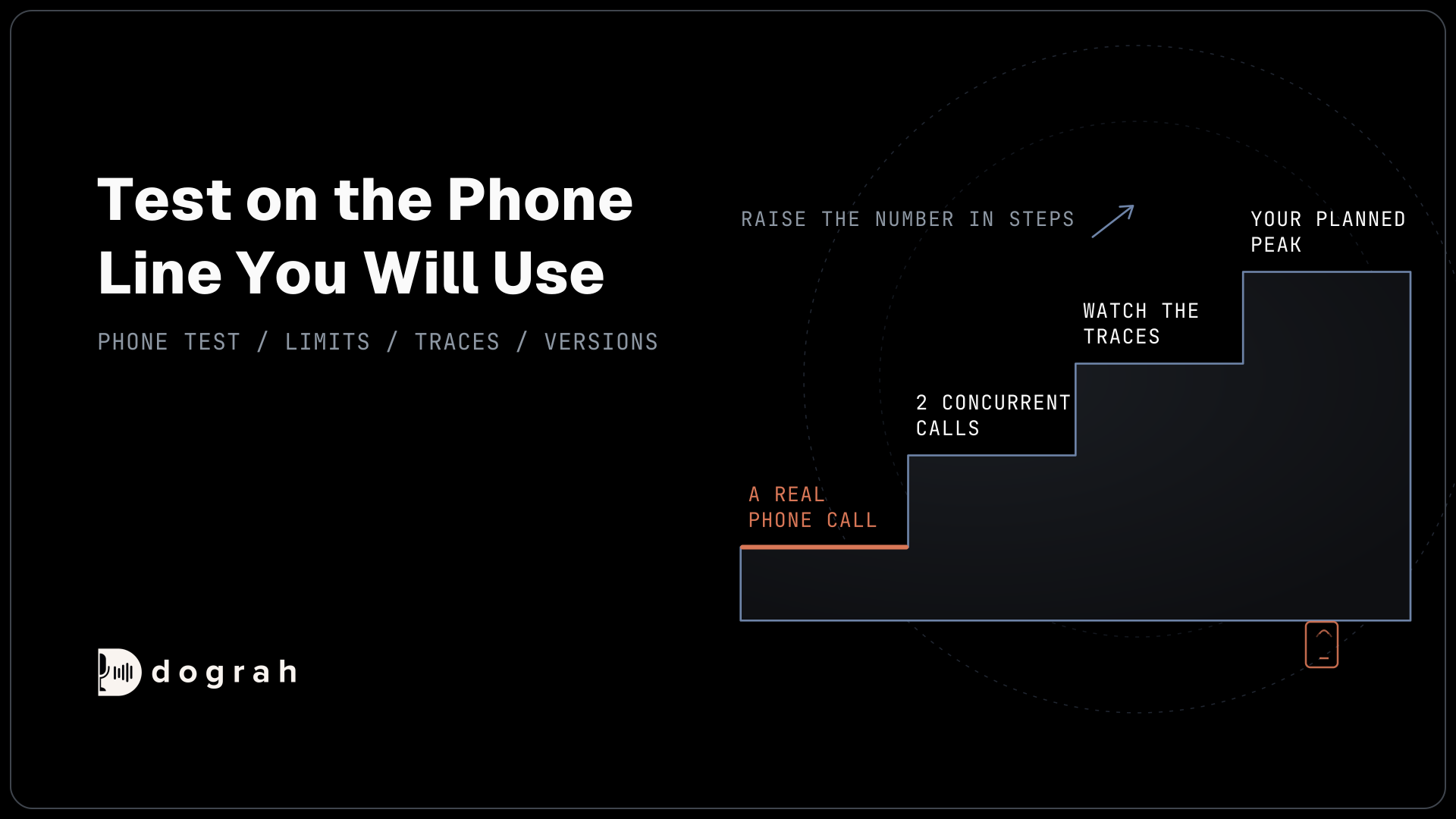
Run each flow on a real phone call before launch, because browser calls cannot transfer and phone audio is harder to hear. Repeat each leg several times and count the passes. Then confirm that verification comes before any detail and every node has only its own tools.
Glossary
- Greet, verify, disclose
- The order every flow follows: the agent greets the caller, confirms who they are with an approved check, and only then shares personal details. A phone number alone does not verify anyone.
- Preset Parameter
- A value an HTTP API tool always sends, set by you instead of the model. A workflow_run_id preset lets the receiving system ignore a repeated booking request from the same call.
- Variable extraction
- An AI step that records answers from the conversation as named, typed fields. The transcript and recording stay the exact record of what the caller said.
- Destination Source
- The Transfer Call setting that decides where a call goes: a fixed number or SIP endpoint, a mapping from call data, or an answer from your own endpoint.