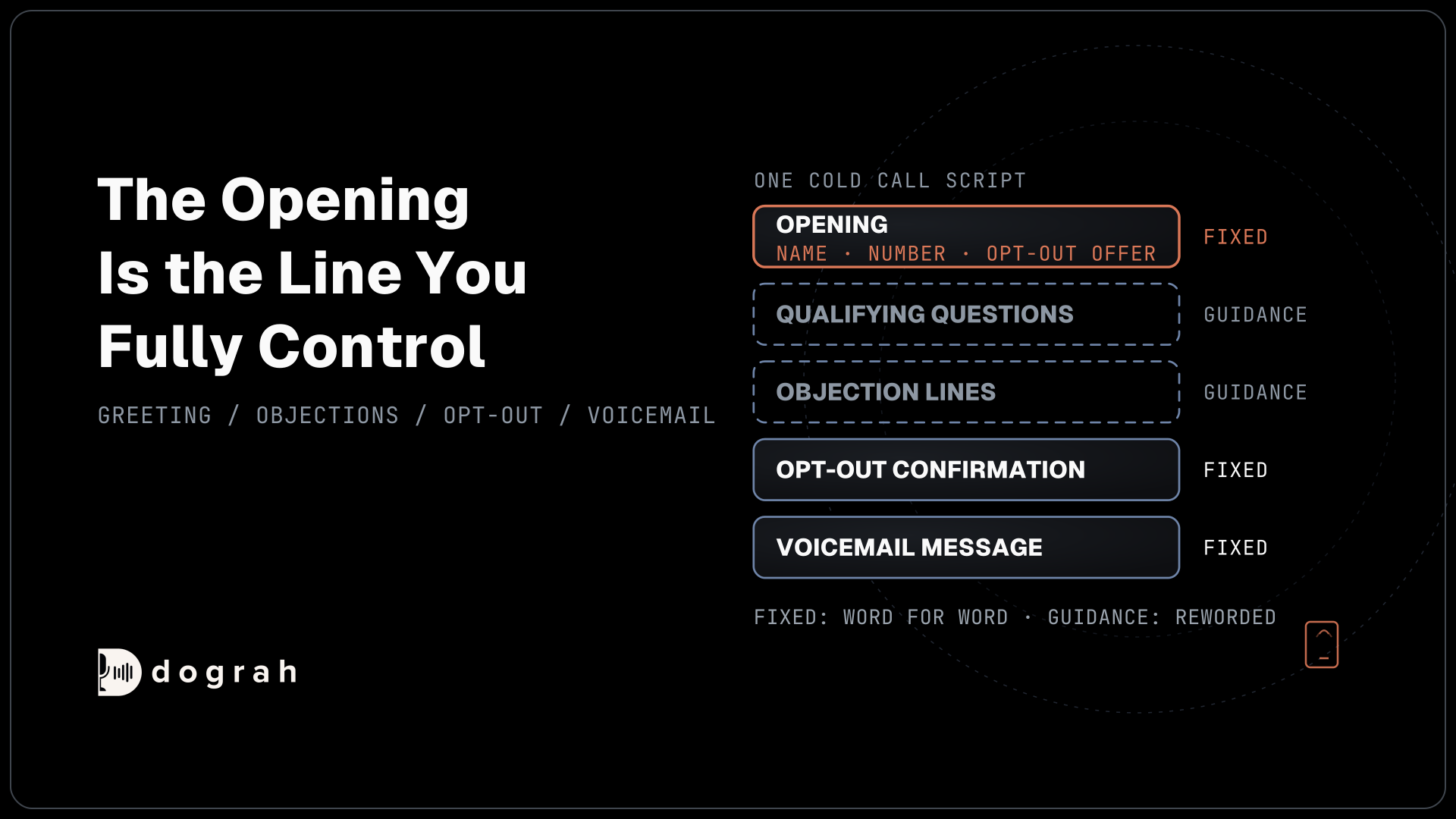

An AI cold call script has two kinds of line. Fixed lines, such as the greeting, the opt-out confirmation and the voicemail message, are spoken word for word. Prompt guidance, such as qualifying questions and objection replies, is turned into the agent's own words. Put your business name, number and opt-out offer in the fixed opening.
Key Takeaways
- Fixed lines play word for word. Prompt guidance is reworded each call.
- The opening names the business, gives a number and offers the opt-out.
- Answer "is this a robot?" honestly, every time.
Paste a salesperson's cold call script into a voice agent, and you lose track of which lines play word for word. We write each part for Dograh in order, from the opening and qualifying guidance to objections, the opt-out and the voicemail, with templates. It pairs with our guide to AI outbound sales calls.
What you need before you start
A script written for a rep does not paste straight into an agent, because an agent speaks two kinds of line. Fixed lines play exactly as typed, and they live in the Greeting Text, an edge's Transition Speech and the voicemail message. Everything else is prompt guidance, which the language model turns into its own words on each call. The templates below mark every line as one or the other.
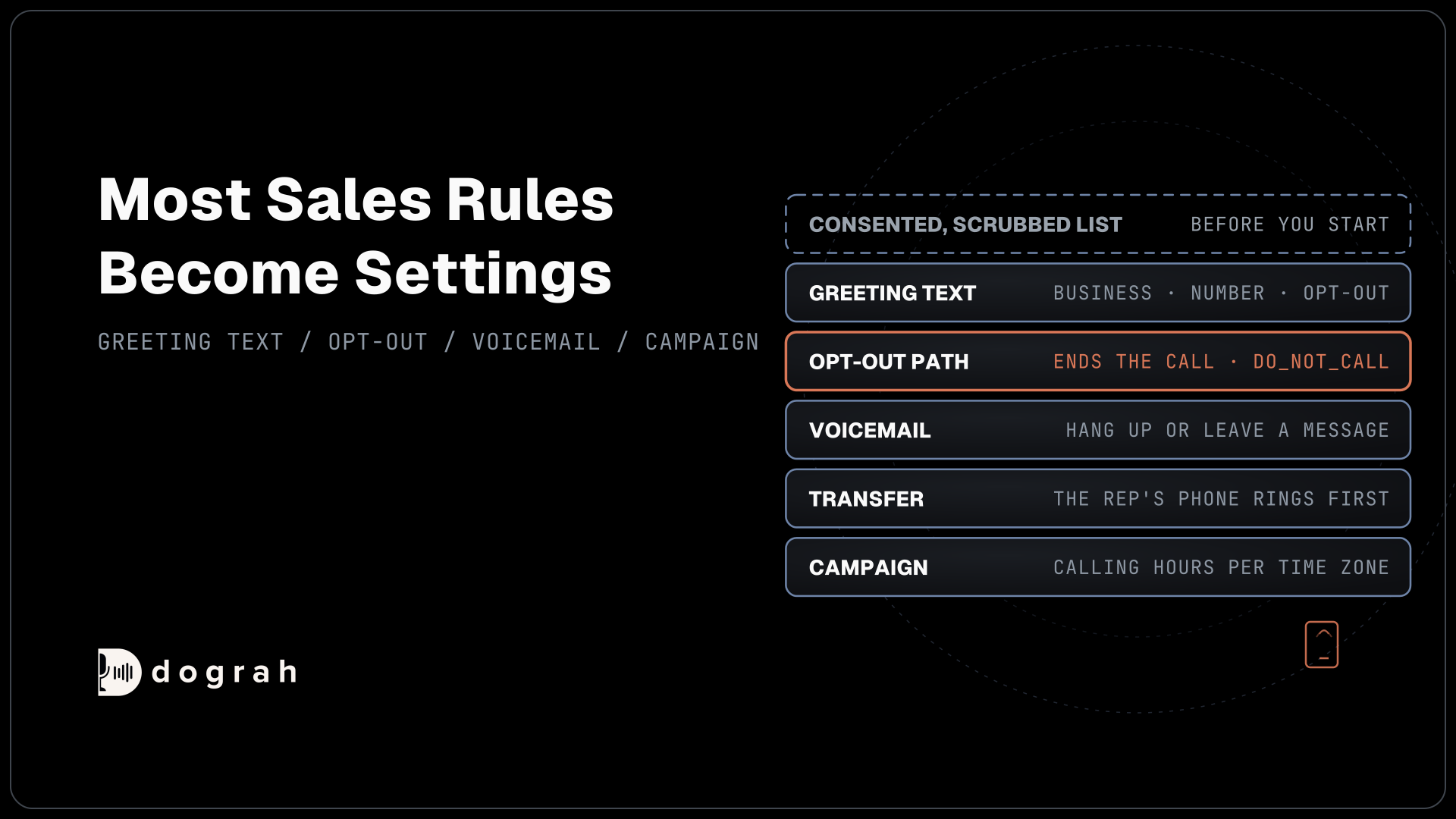
The script also needs a list the agent may call. Under the Telephone Consumer Protection Act (TCPA), the FCC's ruling on AI-generated voices treats an AI voice as an artificial voice. Every mobile or home number on the list therefore generally needs the prospect's prior express written consent, naming your business, before the agent dials it. Scrub the list against the national and your own do-not-call lists, and have counsel review your consent wording and these lines before launch.
Keep every line short. A prospect who did not expect the call gives a long sentence little patience.
Step 1: Write the opening as fixed text
The opening is the only part of the call you fully control, so it carries everything a sales call must say. The FCC's calling rules expect an artificial-voice call to name the business at the start and give a phone number. Add the reason for the call and the opt-out offer, and the prospect knows who is calling and how to stop it.
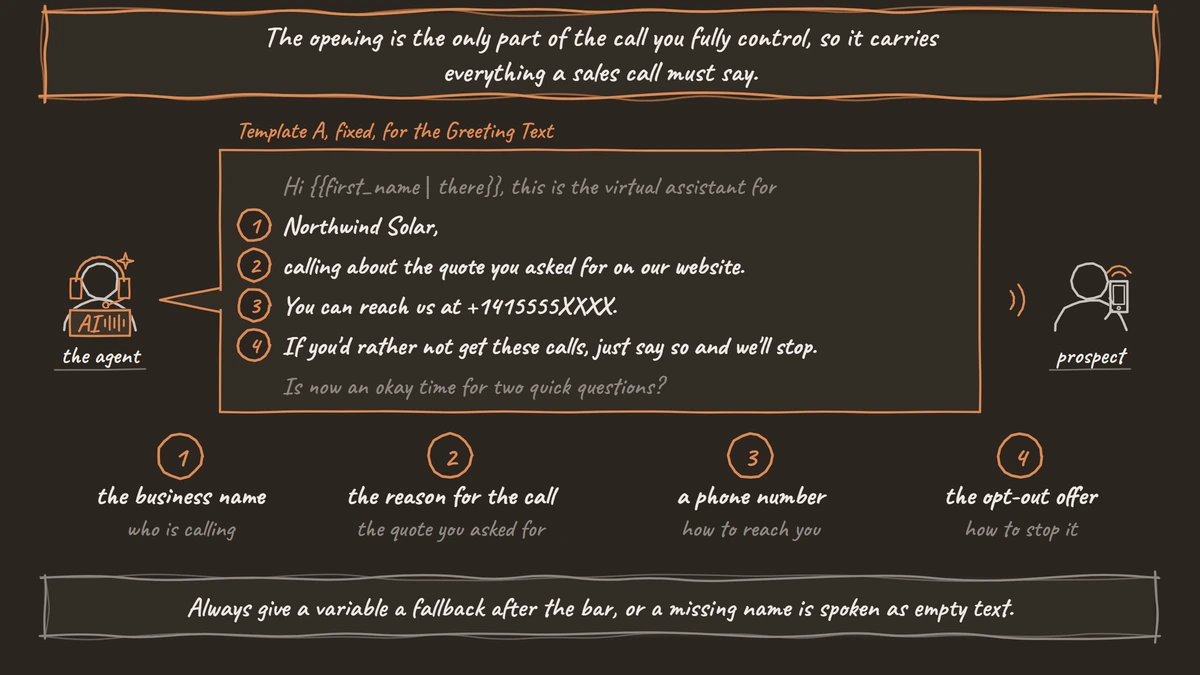
Template A, fixed, for the Greeting Text:
"Hi {{first_name | there}}, this is the virtual assistant for Northwind Solar, calling about the quote you asked for on our website. You can reach us at +1415555XXXX. If you'd rather not get these calls, just say so and we'll stop. Is now an okay time for two quick questions?"
Template B, fixed, with an AI disclosure:
"Hi {{first_name | there}}, I'm an automated assistant calling for Northwind Solar about the quote you asked for. Our number is +1415555XXXX. If you'd rather not hear from us, just say so and we'll stop. Do you have a minute?"
Use Template B where a law you're under requires the disclosure, and treat it as recommended otherwise. California's AB 2905 requires it for autodialed prerecorded calls, and Utah's S.B. 226 requires it whenever the person asks. Whether you choose to disclose or the law makes you, put that line in the Greeting Text right beside the business's name.
Always give a variable a fallback after the bar, or a missing name is spoken as empty text. Allow Greeting Interruption is on by default, so a prospect who speaks two words cuts in. Switch it off on the Start Call node when the greeting carries a notice that must play in full. Our post on the first 15 seconds of AI outbound calls explains why openings like these keep people listening.
Check: read Template A aloud at speaking pace. It should take under 20 seconds.
Step 2: Turn qualifying questions into prompt guidance
Qualifying lines are guidance, because the agent has to react to each answer. Write them in the Agent Node's prompt as instructions, with the questions in order and a rule for each answer. The block below gives the agent its goal, its questions and its rules:
Goal: find out whether the person still wants a solar quote and when.
Questions, one at a time, in this order:
1. Are you still looking at solar for your home?
2. Roughly when would you want panels installed?
3. Do you own the home?
Rules:
- Ask one question per turn and wait for the answer.
- Keep each reply under 25 words.
- If they say they rent, thank them and end the call politely.
- Never quote a price, a discount or a savings figure.
What this does: The agent asks three questions in its own words, in order, and stops early for renters. It never invents a price, because the rule forbids it.
Check: run a test call and give a vague answer, such as "maybe next year". The agent should ask a short follow-up, then move on.

Open Source Alternative to Vapi / Retell
Self-hosted voice agent platform — no per-minute fees
dograh-hq/dograh
Star on GitHub
Step 3: Give the agent its objection lines
Objection replies are guidance too. Give the agent one answer per objection and a limit, so it tries once and then respects the answer. The block below covers the four objections reps hear most, plus the question an AI agent hears that a rep never does:
Objections. Reply once, in your own words, then follow the person's lead.
- "Not interested": thank them, offer to stop calling, and end the call if they agree.
- "Send me something": say the team will send details, and record the request.
- "We already use someone": ask whether they are open to a second quote. If not, thank them and end.
- "Bad time": ask when to call back and record the time they give.
- "Is this a robot?": say yes, you are an automated assistant for Northwind Solar, and offer to stop if they prefer.
Never argue. Never ask the same question twice.
What this does: Each objection gets one polite reply and a clear next step. A question about whether the caller is a robot always gets an honest yes.
Record what the agent promises. "Send me something" and "call me back Tuesday" only help if they reach your CRM, so pair this block with an HTTP API tool that writes the request.
Check: in a test call, say "not interested". The agent should offer to stop once and end the call when you agree.
Step 4: Script the opt-out and the goodbye
An opt-out needs a fixed reply, so it sounds the same on every call and ends the call. Template C, fixed, goes in the Transition Speech of the edge that leads to the end of the call:
"Understood. We won't call you again. Goodbye."
Do not promise a removal date in this line. The FCC's rules give a business ten business days to honor the request, so the confirmation stays general. Once the prospect says stop, the agent writes that request to your system, and your system pulls the number before the next list goes out. Record it with the do_not_call call disposition.
For a normal ending, Template D can go in the Goodbye Message of the End Call tool:
"Thanks for your time. Have a good day."
Our tutorial on how to build an AI cold calling agent shows where each of these fields sits.
Check: say "take me off your list" in a test call. The agent plays Template C exactly and hangs up.
Join the Dograh Community
Dograh is an OSS alternative to Vapi. Join our Slack community for queries, releases, best practices & community interactions.
Step 5: Write the voicemail message
The voicemail message is fixed and plays only when voicemail handling is set to leave a message. It still names the business and gives a number, and it needs the same consent as the call. Template E:
"Hi, this is the virtual assistant for Northwind Solar, calling about the solar quote you asked for. You can call us back at +1415555XXXX. If you'd rather not hear from us, call that number and let us know. Thanks."
Keep it under 20 seconds and leave out personal details, since someone else may hear it. Voicemail handling is set per agent, so if retries on voicemail are on, every retry that reaches voicemail leaves the same message. To see how the agent decides whether a person or a machine picked up, read our post on how voicemail detection works.
Check: call your own mobile, let it go to voicemail, and listen to the full message.
Before you ship it
Read the whole script aloud as the prospect would hear it. Fixed lines should sound natural spoken, not written. Then run test calls that try each objection, a vague answer, the robot question and an opt-out phrased three different ways.
Keep the five templates in one document next to your consent wording, so a change to one is checked against the other. When you edit a line later, publish a new agent version and listen to the first few real calls.
Glossary
- Fixed line
- A line a voice agent speaks exactly as written, such as the Greeting Text, an edge's Transition Speech or a voicemail message. Use fixed lines for anything that must be said word for word.
- Prompt guidance
- Instructions in the agent's prompt that the language model turns into its own words on each call. Qualifying questions and objection replies work best this way.
- Transition Speech
- Fixed text or a recorded clip on an edge in a Dograh flow. It plays when the call moves along that edge, with the caller muted, so it suits an opt-out confirmation.
- Artificial voice
- Under the TCPA, a voice that is not a live person. The FCC treats AI-generated voices as artificial, so the consent rules for such calls apply to AI agents.