
Rolling out a voice agent across locations works best in waves. Pilot on one busy and one quiet site over real phone lines, set the checks each wave must pass, publish one tested version per wave and plan how every site switches back. Dograh, the open-source AI voice agent platform, supports this self-hosted or on Dograh Cloud.
Key Takeaways
- A pilot proves the script and handoffs, not the network's peak load.
- Each wave runs one published version, while new edits wait as drafts.
- A site goes back through its phone line, so plan that first.
This post is part of our guide to AI voice agents for franchises and multi-location businesses, which starts with two or three pilot sites. Here we cover what a pilot leaves unproven, the checks between waves, version control, each site's go-live test and its way back, all in Dograh.
What a pilot site can and cannot prove
A pilot proves the script works on real callers, but says little about the whole network. Two good sites show that the greeting, the site lookup and the handoff to staff behave on live calls. They do not show fifty sites at the Monday opening hour, or the one site with odd hours and its own price list.
The pilot is also where the agent should change most. Callers talk to an agent differently from how they talk to staff, and they ask things nobody planned for, so teams often rework the flow once real calls arrive. Leave room for that rather than treating the first version as final. Run every pilot call over the phone too, because most phone calls still reach the agent as 8 kHz audio while a browser test runs at 16 kHz, and speech-to-text that copes in the dashboard can mishear on a real line.
A large retailer took the same order. In Home Depot's 50-store pilot, the agents worked out why a customer was calling in fewer than 10 seconds, and the company plans to extend the system to all its US stores over the coming year. Before your own pilot starts, write down what it must show and who decides, as our post on running a voice AI pilot that survives procurement describes.
Checks every wave must pass
Each rollout wave adds more sites, first a few, then a region, then the rest, and each one starts only when the last one passes its checks. Write the checks before the wave begins, so nobody argues about them once results come in. A useful set is short. No reviewed call gives another site's details, transfers reach each site's staff line, the share of low QA scores is falling or steady, and a named owner at each site has signed off its hours and prices. Pick each wave's sites on purpose, adding a kind of site not yet covered, such as a new time zone, a forwarded old line or a staff line that is often busy.
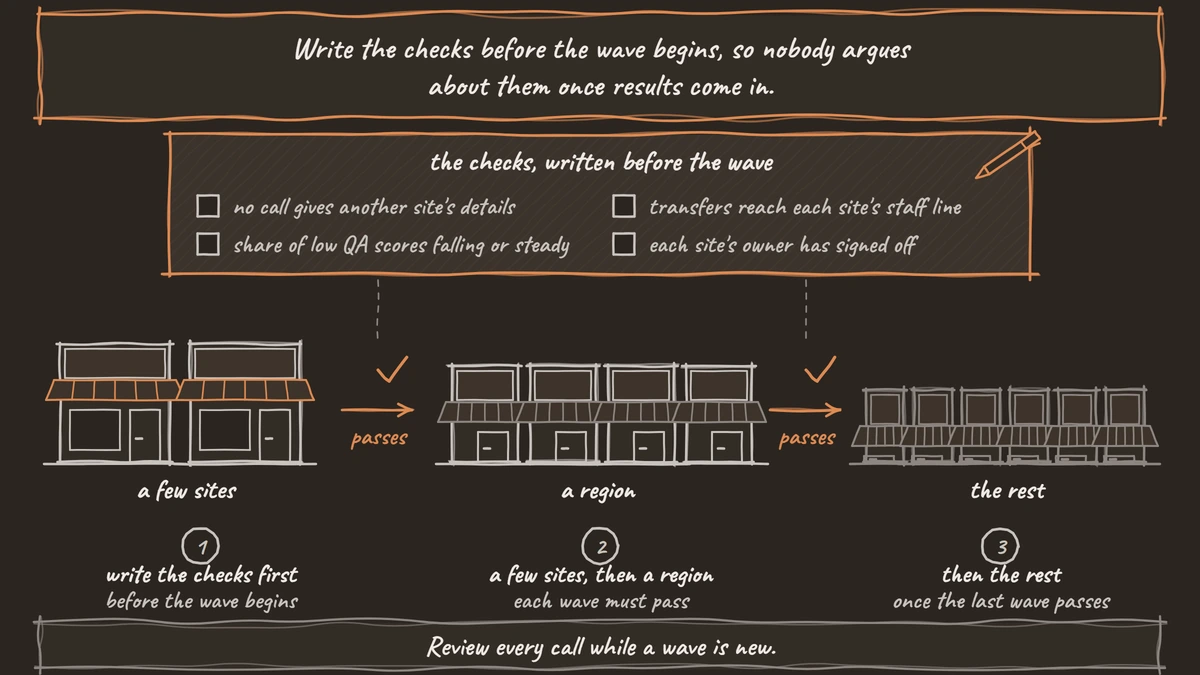
Review every call while a wave is new. The QA node starts with its Sample Rate (%) at 100, so each finished call gets a per-step review with tags and a 1 to 10 score. Once a wave is stable, drop to a random 5 to 10% of calls, and raise it back to 100 for a week after any prompt change. Our post on comparing call results across locations shows how to read those results site by site.
One published version for each wave
Every site on a shared agent answers with the published version, so version control is what keeps a wave stable. Edits in the agent editor save as a draft, and the published version keeps taking calls until someone chooses Publish version. Its notes go into Version History, so name each wave's version there, such as "Wave 2, Texas sites", and compare it with the version before when results move.
Fixes found during a wave wait for the next one. A fix that must ship mid-wave reaches every site on that agent at once, so test it on a real call first. A site that should keep the older behavior can point its number at a copy of the agent made with Duplicate Workflow, because each number's Inbound workflow setting picks its own agent.
Outbound calls allow a finer split. A campaign can send a share of its calls to a chosen agent and version, or to the latest published one, so a new version can take 20% of one location's reminder calls before it takes them all. The run export lists each call's Agent Definition ID, which tells you the version that handled it.
Franchisees in their own organizations get each new version as a file. Download Workflow saves the agent, and Upload Agent Definition loads it into their organization, where the owner tests and publishes it. Editing with the Agent Builder on a self-hosted install needs a Dograh Service Key, and without one the same edits are made on the Canvas.

Open Source Alternative to Vapi / Retell
Self-hosted voice agent platform — no per-minute fees
dograh-hq/dograh
Star on GitHub
The go-live check for each site
Every site gets its own short check on the day its calls move, even when the agent is the same everywhere. The table lists what to test, how to run it and what passing looks like.
| Check | How to run it | Passes when |
|---|---|---|
| Site details load | Browser test call with the site's number as called_number in the Variables tab | The agent names the right site, hours and services |
| Real phone line | Call the site's number from a mobile | The greeting plays in full and the agent hears the caller clearly |
| Transfer to staff | Ask for a person on a real phone call | Staff answer, or the agent stays with the caller and takes a callback request |
| After hours | Call outside the site's opening hours | The agent gives the hours and offers a callback |
| Safety line | Say you are in danger | The agent says to get to safety and call 911 (999 in the UK, 000 in Australia, 112 in the EU) |
| Owner sign-off | The site owner reads its loaded details | Hours, prices and staff numbers are current |
Transfers need the phone call, because browser test calls cannot run them. Our post on testing voice agents before you go live covers the tests that come before any site, such as running each leg several times.
Plan how each site goes back
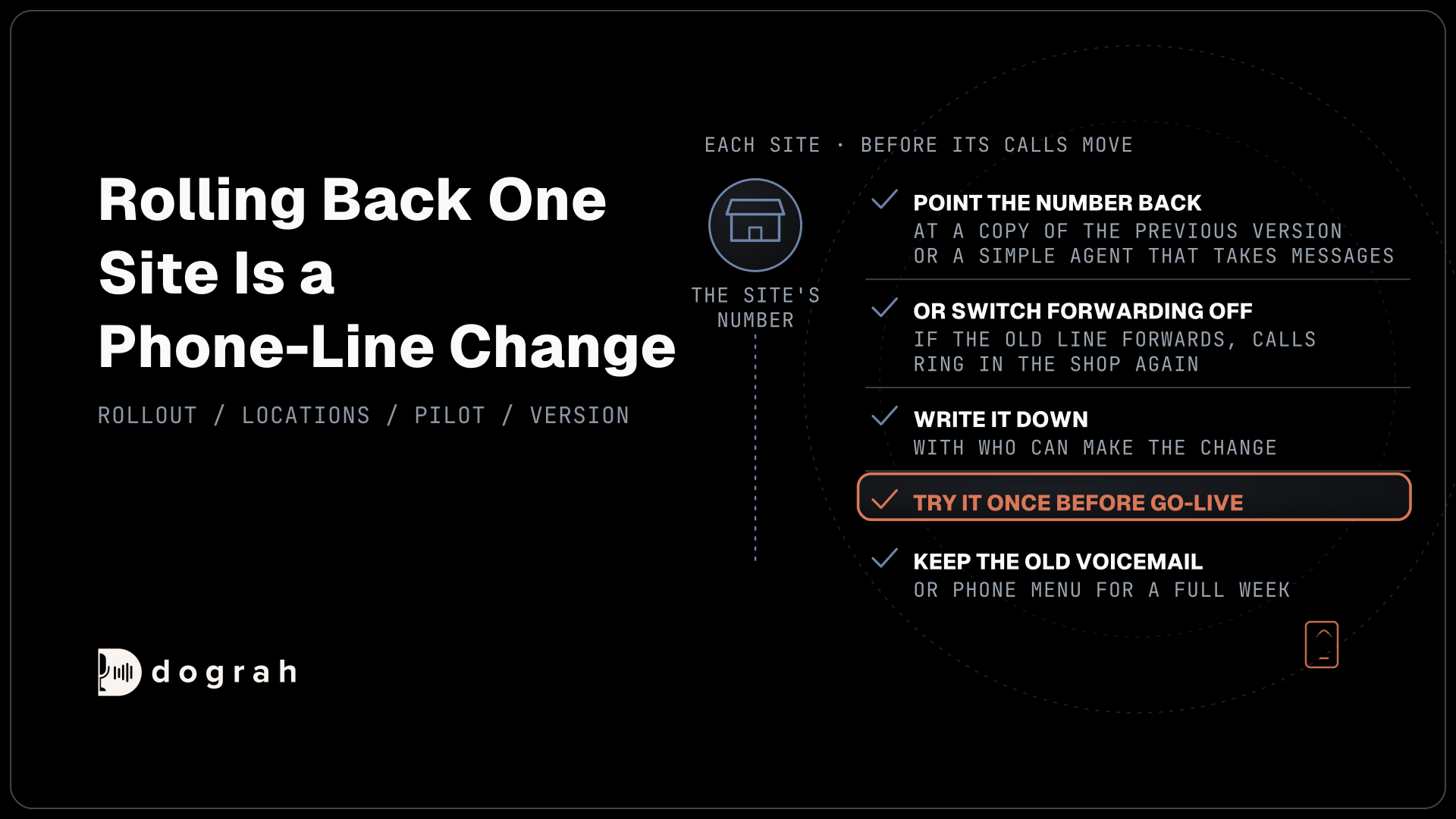
Write each site's way back before its calls move, because rolling back one site is a phone-line change. Each number's Inbound workflow setting picks its agent, so the quickest way back is pointing that number at another agent, such as a copy of the previous version or a simple agent that takes messages. A site that forwards its old line can instead switch forwarding off at its carrier, and calls ring in the shop again.
On a Twilio number, removing the agent leaves the number with no destination rather than restoring its old setting. So decide in advance where that site's calls go, write it down with the name of the person who can make the change, and try it once before go-live. Keep the site's old voicemail or phone menu in place until it has passed a full week.
Join the Dograh Community
Dograh is an OSS alternative to Vapi. Join our Slack community for queries, releases, best practices & community interactions.
Check the network peak before the last wave
Calls at once are counted per organization, so every site added to a shared agent draws on the same concurrency limit. A self-hosted install runs 10 simultaneous calls by default, raised with one environment setting, and your servers and carrier set the real ceiling. Dograh Cloud's pay-as-you-go plan includes 10, with more on request. Separate organizations per franchisee each get their own limit. Dograh on your own servers charges no per-minute platform fee, but the servers, model keys and phone minutes are still paid for. On Dograh Cloud, a 1¢-a-minute platform fee applies.
Work out the peak before the final wave. As an example, 40 sites that each average 1.5 calls at once in the Monday opening hour need about 40 x 1.5 = 60 lines at the same moment, six times the default. Raise the limit, then prove that the servers and carrier hold it, as our guide to load testing a voice agent through the real phone path shows step by step.
Self-hosting lets the franchisor keep a staging copy of the agent for trying each wave's version before it reaches a site. It also makes the server, the database and every upgrade the team's own work, with help from the community on Slack and GitHub and custom SLAs on an Enterprise plan.
Once the last wave passes, keep sampling calls and keep each site's way back on file, because new sites join long after the rollout ends.
Glossary
- Rollout wave
- A group of sites that move to the agent together, such as a few sites, then a region. Each wave starts only after the previous one passes its written checks.
- Published version
- The version of a Dograh agent that answers live calls. Edits save as a draft and reach callers only when someone publishes them, with notes kept in Version History.
- Inbound workflow
- The setting on each phone number that picks which agent answers it. Changing it moves one site's calls without touching any other site.
- Concurrency limit
- How many calls an organization can run at once. Self-hosted Dograh defaults to 10, raised with an environment setting, and Cloud pay as you go includes 10, with more on request.