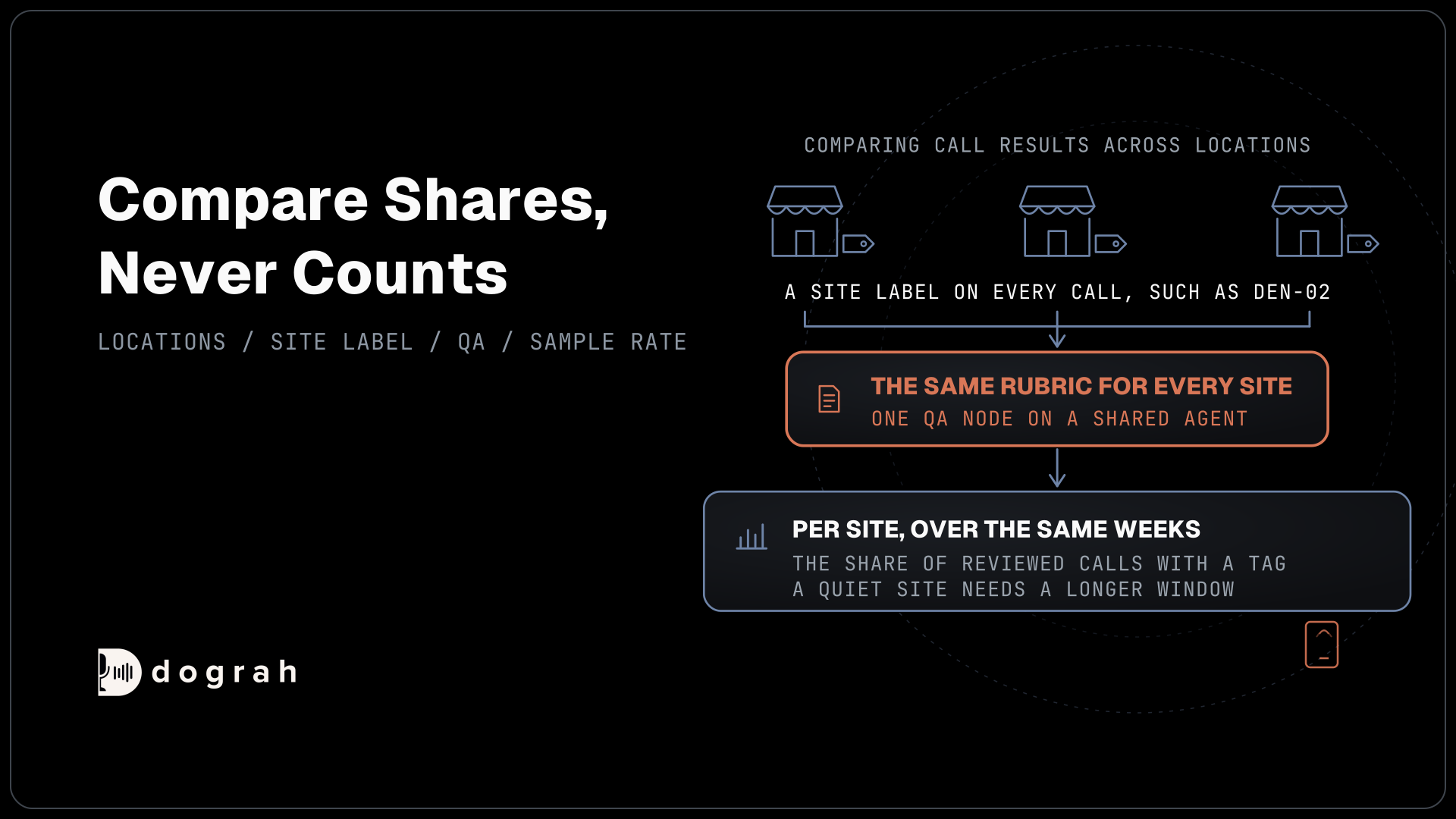

Comparing call results across locations needs a site label on every call, one QA rubric for every site and enough reviewed calls at each one. Pull results per site for the same period, compare shares rather than counts, and open traces to explain a gap. Dograh, the open-source AI voice agent platform, does this self-hosted or on Dograh Cloud.
Key Takeaways
- Put a location ID on every call before comparing any two sites.
- Compare shares over the same weeks, never raw call counts.
- A quiet site needs a longer window before its scores mean much.
This post is part of our guide to AI voice agents for franchises and multi-location businesses, where each pilot site gets a QA sample. Below, we label every call with its site, pull results per site, score every site the same way, size the samples and read traces in Dograh.
Give every call a site label
A comparison is only as good as the label on each call, so start there. When every location has its own number on a shared agent, the dialed number already names the site, and Dograh keeps it on each phone call as called_number. That works for filtering, but a phone number makes a poor label in a report, and it changes when a site ports its line or adds a second one.
A location ID is steadier. The site lookup that Pre-Call Data Fetch runs at the start of each call can return location_id in its initial_context, next to the hours and staff line it already loads. Every later step can read it, including the webhook that reports the finished call. If each site runs its own agent instead, the Agent ID is the label, and outbound campaigns run per location carry a Campaign ID.
Whichever label you pick, use the same one everywhere. "den-02" in the lookup and "Denver Colfax" in a spreadsheet will not join without a mapping table that someone has to keep up to date.
Pull results for one site at a time
Results leave Dograh per site in two ways, an export you filter by hand or a webhook that sends each call as it ends. For a quick look, open Agent Runs under Manage in the sidebar. Its filters include Called Number with partial matching, a Date Range of up to 90 days, Disposition, Agent ID and Campaign ID, and Download Filtered Results exports whatever the filters show.
The export has one row per call, with the run ID, the agent and its definition ID, the time, the disposition, the duration, each extracted variable, the call tags and links to the transcript and recording. The dialed number is a filter rather than a column, so filter one site, export, and repeat for the next. QA results sit on each call's Run Detail page, under QA Analysis.
For a running report, the Webhook node is cleaner. It runs after QA has finished, so one payload can carry the site, the outcome and the review together. The payload below sends one row per call to the franchisor's sheet or BI tool, with the site in location_id, the number that rang in dialed_number and the outcome in disposition:
{
  "call_id": "{{workflow_run_id}}",
  "location_id": "{{initial_context.location_id}}",
  "dialed_number": "{{initial_context.called_number}}",
  "disposition": "{{gathered_context.call_disposition}}",
  "duration": "{{cost_info.call_duration_seconds}}",
  "call_time": "{{call_time}}"
}
What this does: It sends every finished call to your own system with its site and outcome, so a weekly site report becomes a group-by on
location_idinstead of a pile of exports.
QA results can join the same payload as {{annotations.qa_xxx}} fields, named after the QA node. A temporary failure such as a timeout is retried automatically, up to 5 attempts. Leave the recording and transcript links out if franchisees keep their own recordings, as our post on who owns the voice agent and call data explains.

Open Source Alternative to Vapi / Retell
Self-hosted voice agent platform — no per-minute fees
dograh-hq/dograh
Star on GitHub
Score every site with the same rubric
Sites can be compared only when the same checks grade them. On a shared agent this comes built in, because one QA node and its System Prompt review calls from every site. If each site runs its own agent, copy the same QA prompt into each one and change them together, or a gap between two sites may only be a gap between two prompts.
The QA node scores each step of a call separately, with its own tags, a 1 to 10 score, sentiment and a short summary. There is no single score for the whole call, so a "site score" is a roll-up you define yourself. The plainest is the share of reviewed calls carrying a given tag, such as calls where the agent quoted the wrong hours, or the share of all calls that ended in a booking.
Keep sentiment out of rankings. A site that takes more complaint calls will look worse on sentiment even when the agent handled every call well, so read it beside the reason for the call, never as a grade. Our post on call QA and scoring per client shows how to write each check as a tag with a clear test.
Enough calls before you compare
A gap between two sites means little until each has enough reviewed calls behind it. Sample Rate (%) belongs to the QA node, so on a shared agent one rate covers every site, and below 100 it picks calls at random. A random 5 to 10% suits a busy network, but it leaves quiet sites with very few reviews.
Here is a worked example with our own numbers. At a 10% sample, a site taking 300 calls a month gets about 300 x 0.10 = 30 reviewed calls, while a site taking 60 gets about 60 x 0.10 = 6. One bad call then moves the quiet site's tag share by about 17 points, so its number swings from month to month through plain sampling error rather than any real change.
Two fixes help. Compare quiet sites over a quarter instead of a month, since Agent Runs exports up to 90 days at a time. Or raise the Sample Rate while the network is small, keeping in mind that each review is a language model call billed by whichever model grades it. We wait for about 30 reviewed calls per site before reading a gap, and we always compare the same weeks, since a holiday week changes what callers ask about.
Compare shares, never counts. A busy site will always have more flagged calls than a quiet one, and what matters is the share of its reviewed calls flagged, set against the same share at the other sites.
Join the Dograh Community
Dograh is an OSS alternative to Vapi. Join our Slack community for queries, releases, best practices & community interactions.
Read traces to explain a gap
Once a gap holds up over enough calls, the traces show why, and the cause is usually the site's setup rather than its callers. Open a few low-scoring calls from that site and click View Trace, which opens the call in Langfuse with the speech-to-text, AI and voice time for every turn.
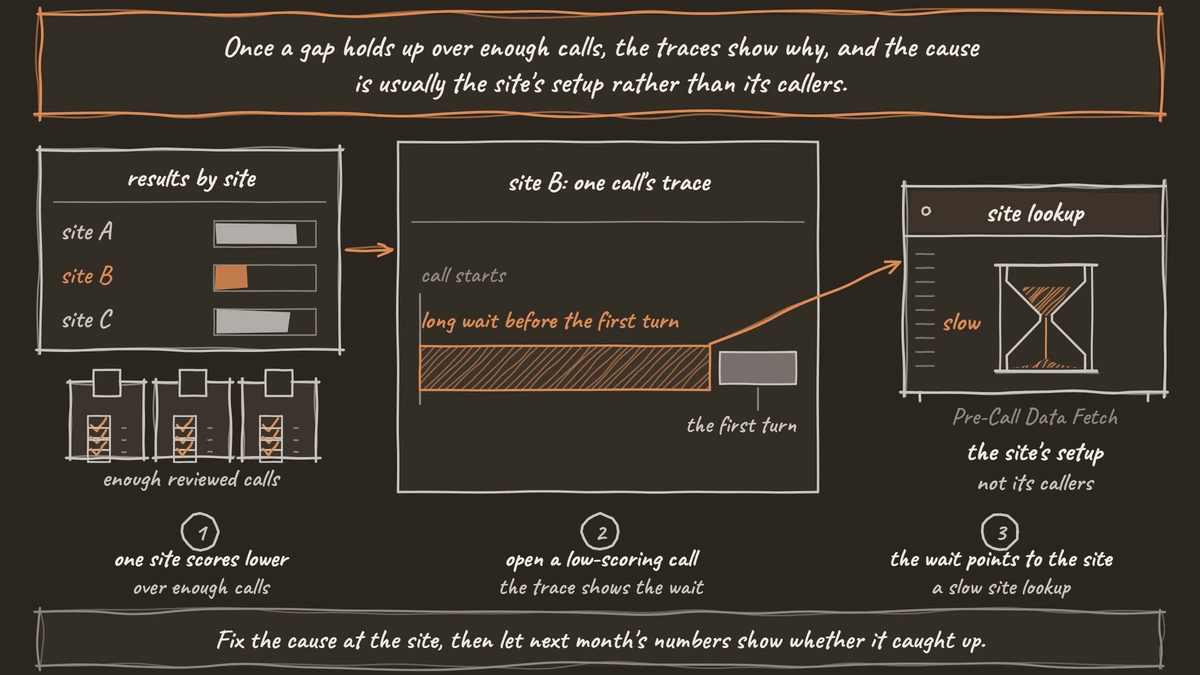
Three patterns come up often. A slow site lookup shows as a long wait before the first turn, because the greeting waits for Pre-Call Data Fetch to answer. Local street or product names the speech-to-text has never heard show as mishearings in the transcript turns, and adding them to the agent's Dictionary helps. Wrong details in the lookup show as the agent quoting another site's hours with complete confidence. Our walkthrough on reading call traces to debug a voice agent covers finding the failing layer turn by turn.
Fix the cause at the site, then let next month's numbers show whether it caught up. A ranking that changes nothing at the site is a report nobody needs.
Where call records and results live
Where the call records and QA results live is a hosting choice. Self-hosted, they sit in the franchisor's own database, and so does the work of running it, since the server, the database and the upgrades belong to the team, with help from the community on Slack and GitHub and custom SLAs on an Enterprise plan. Running Dograh yourself means no per-minute platform fee, though servers, model keys and phone minutes still cost money. Dograh Cloud adds a 1¢-a-minute platform fee.
Glossary
- Location ID
- A stable label for each site, such as den-02, returned by the site lookup at the start of every call. It lets exports and webhook reports group calls by site even when phone numbers change.
- Sample rate
- The QA node's Sample Rate (%) setting, the share of eligible calls it reviews. It starts at 100 and picks calls at random below that, with one rate for every site on the agent.
- Per-step review
- Dograh's QA grades each step of a call on its own, with tags, a 1 to 10 score, sentiment and a summary. There is no single score for the whole call, so site scores are roll-ups you define.
- Call trace
- The turn-by-turn record of one call, opened with View Trace in Langfuse, showing speech-to-text, AI and voice time for each turn. It explains why a call failed rather than how often.