
Load test a voice agent by placing calls through your real carrier and number, not a browser. Step up from a two-call baseline to just past your planned peak, recording setup success, turn latency and provider errors at each step. Dograh, the open-source AI voice agent platform, runs this test whether you self-host it or use Dograh Cloud.
Key Takeaways
- A browser load test never touches your carrier or the phone line's limits.
- Judge every step against a two-call baseline, not a fixed number.
- Hit the concurrency cap on purpose and listen to what callers hear.
This post is part of our guide to testing, monitoring and scaling AI voice agents, where scaling starts with a small load test over real telephony. Here we run that test step by step in Dograh: sizing it, choosing a call source, ramping, and hitting the concurrency cap on purpose.
What you need before you start
A web call runs from the browser straight to Dograh, so it never touches your carrier, the SIP signalling, the phone codec or your number's own limits. Those are the parts that change under load. A carrier queues outbound calls past its rate, a per-channel trunk turns away calls past the channels you bought, and the network has to carry the audio. Twilio's SIP trunking requirements size that at 100 kbps for each call at once, so 60 calls need about 6 Mbps each way.
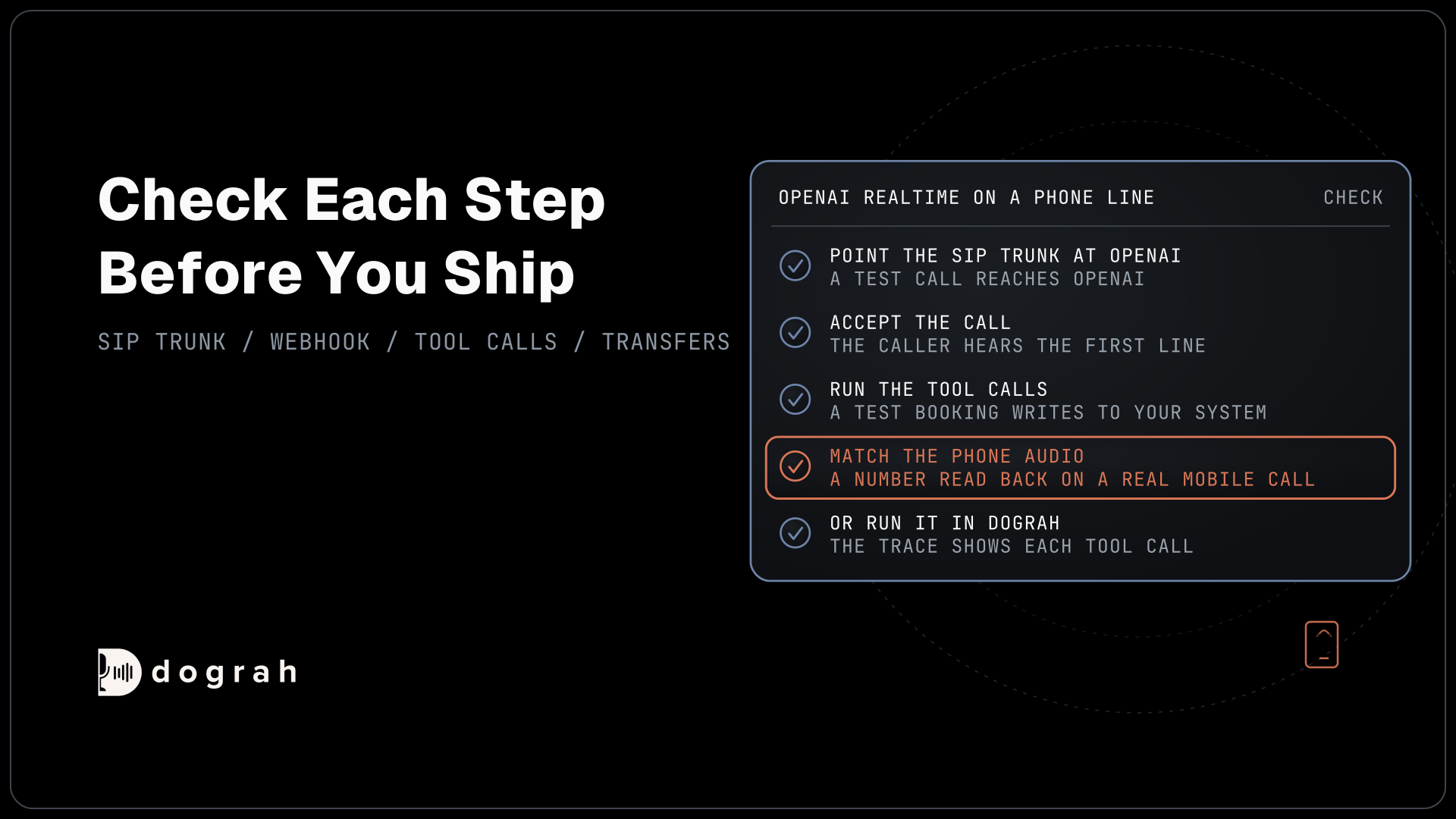
Before the first test call, have an agent that already passes a web call and one real phone call. You also need phone numbers you own to act as test lines, never real customers, and your carrier's limits written down: calls per second (CPS) for outbound and channels for inbound. Check your carrier's terms before a large test, since some restrict bulk test traffic.
Step 1: Size the test and raise the limits
Pick a target just above your planned peak, then plan the steps that lead to it. The formula for peak concurrency lives in our post on scaling to thousands of simultaneous calls. As an example, take a peak of 50 calls at once, each lasting about 4 minutes. The steps are 2, 5, 10, 25, 50 and 60 calls, so the last step sits 20% above peak.
Treat the step plan as a budget too, since every test call is billed like a real one. In the example, one round of 4-minute calls per step is 2 + 5 + 10 + 25 + 50 + 60 = 152 calls, or 608 minutes. Self-hosted Dograh has no per-minute platform fee, but servers, model keys and phone minutes still cost money. Dograh Cloud charges a 1¢-a-minute platform fee. The example adds $6.08 there, on top of carrier and model minutes.
Then raise every limit above 60 before you start, or the test measures the cap and nothing else. Self-hosted Dograh allows 10 calls at once per organisation by default, and you raise it with DEFAULT_ORG_CONCURRENCY_LIMIT. On Dograh Cloud, Pay as you go includes 10, and the team raises it on request. For many calls on your own servers, run several API workers as the scaling guide describes.
Check: your organisation limit, your carrier plan and your speech and model provider plans each allow at least 60 calls at once.
Step 2: Choose how test calls reach the agent
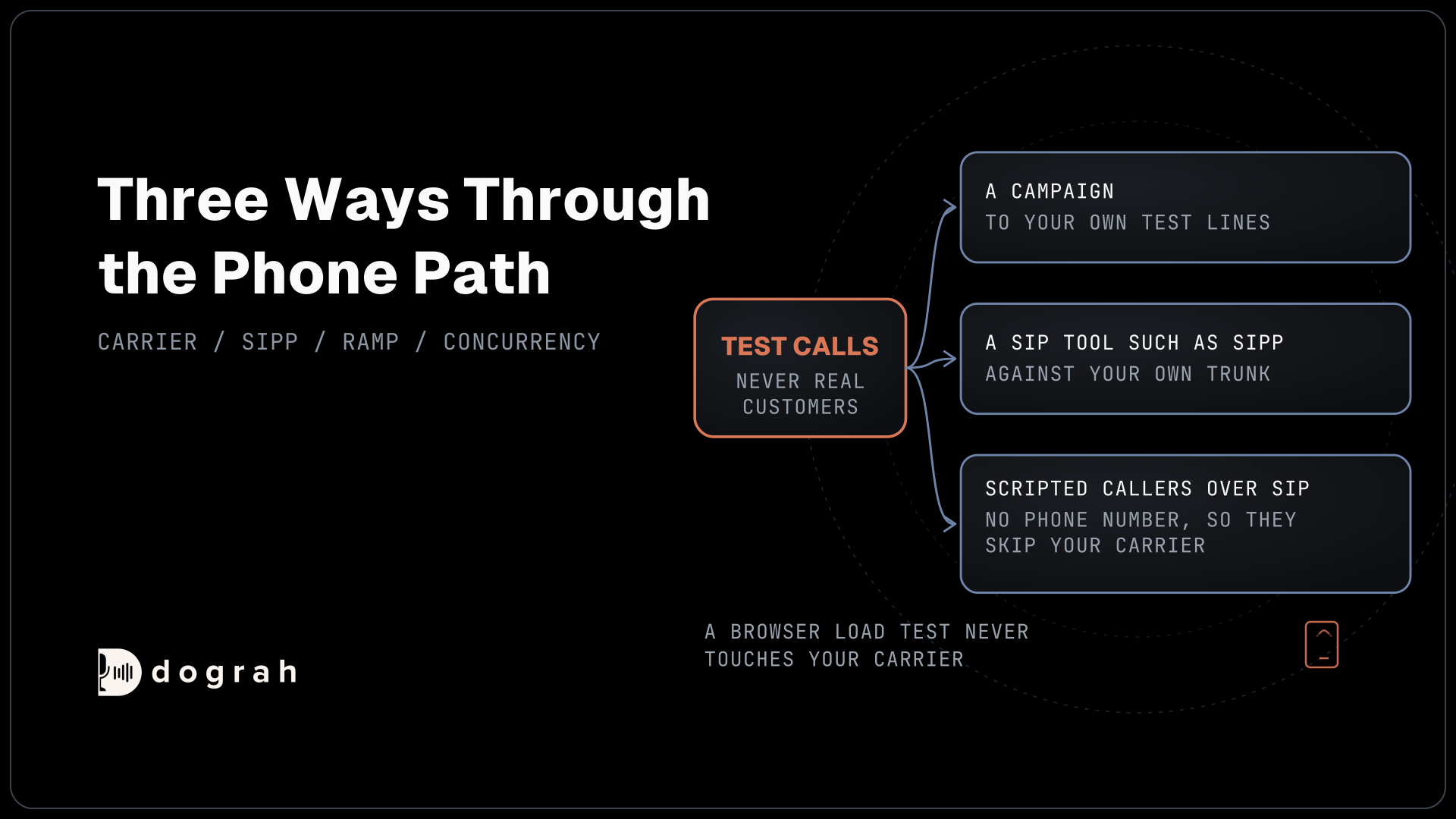
There are three ways to push calls through the phone path, and each one skips something different. For outbound, create a campaign whose contact list holds only your own test lines. Set Max Concurrent Calls to the step you are testing, and set Calls Started per Second to match your carrier.
That second setting shapes the ramp. Twilio's calls-per-second limit is one new API call a second by default, so starting the 60 calls of the last step takes about a minute. Inbound calls are not limited this way.
For inbound, dial your real number from many lines at once. SIPp, the open-source SIP traffic generator, can place scripted calls with audio against your own trunk, session border controller or Asterisk PBX. Point it only at systems you own, never at a carrier's network without its permission.
For scripted callers, Tuner simulations dial your agent over SIP on the Cloudonix SIP domain Dograh sets up for your organisation, play a generated caller scenario and score the result. They need no phone number, which also means they skip your carrier. Use them to see how the conversation copes under load, and the other two sources for carrier limits. Setup is in the Tuner integration guide, and simulations only ever run the published version of the agent.
Check: a single call from your chosen source connects, the agent greets it and the run appears under Agent Runs.

Open Source Alternative to Vapi / Retell
Self-hosted voice agent platform — no per-minute fees
dograh-hq/dograh
Star on GitHub
Step 3: Ramp in steps and record each one
Start with a baseline run of two calls and write down the numbers, since every later step is judged against them. Hold each step for at least one full round of calls before you move up.
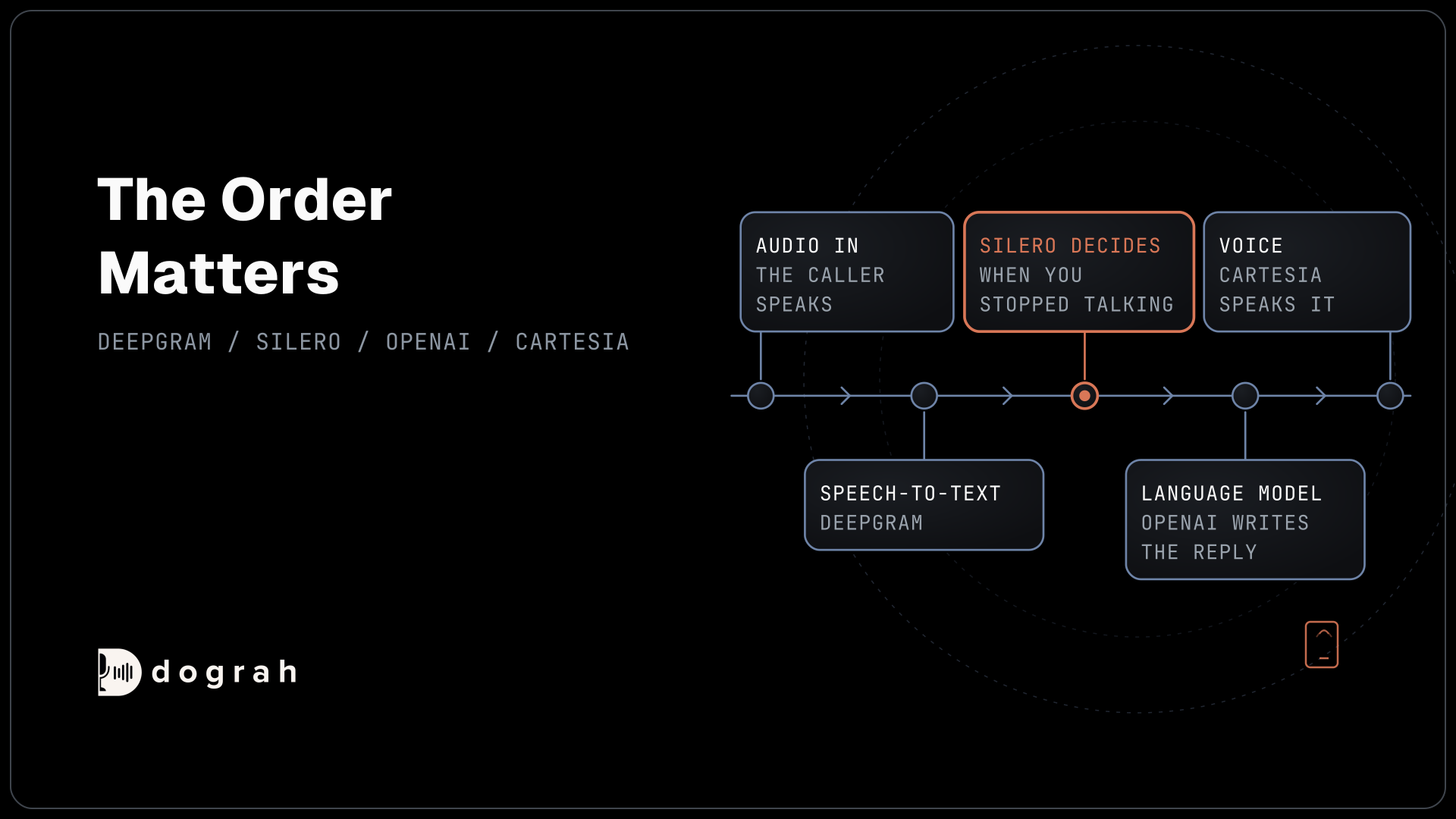
At each step, record the share of calls that connected, the turn latency and every error. Open a few runs per step and use View Trace, which shows the speech-to-text, AI and voice time of each turn, as covered in our guide on how to read call traces. The Call Transcript shows the reasoning delay per agent turn. Check your speech and model providers' dashboards for rate-limit errors, and note how each call ended.
Set the QA node's Sample Rate to 100% for the test, so built-in QA scores every test call. A step can keep latency flat and still go wrong in what the agent says.
Write the pass rule against the baseline, not as a fixed number. Hamming's load testing guide gives one example: p95 turn latency passes under 1.5 times the baseline and fails above 2 times, and call setup passes at 99% or more and fails below 97%. Turn on the campaign's Circuit Breaker as well, as our post on testing voice agents before you go live explains.
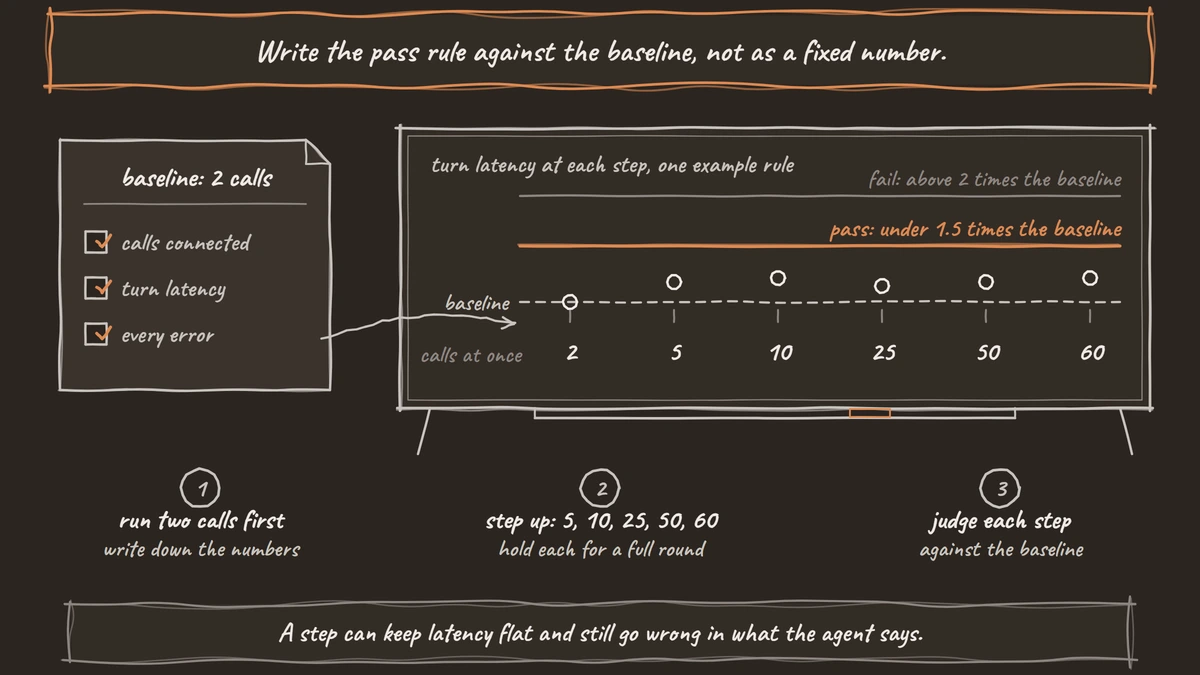
Check: at 60 calls, turn latency stays inside your pass rule, setup success holds and no provider returns rate-limit errors.
Step 4: Hit the cap on purpose
Go one call past your organisation's limit in a test window and listen, because each way a call arrives ends differently. A single call started through the API is refused with HTTP 429 and the message "Concurrent call limit reached". An inbound caller on a Twilio number hears a spoken message that the account has reached its concurrent call limit, and then the call ends. A campaign waits for a free line before it dials the next contact, and that wait does not use up one of the contact's retries.
Two timers also end calls under load, and both sit in Dograh's open code. If the agent sends no audio for 35 seconds, for example while a provider stalls, Dograh ends the call as a pipeline error. Max Call Duration ends any call at 300 seconds by default, and you can raise it to 1,200 in the agent's settings. Set it above your longest real call, or long test calls end early and look like failures.
Check: you heard the inbound message, saw the 429 and confirmed the limit sits above your planned peak with room for a burst.
Join the Dograh Community
Dograh is an OSS alternative to Vapi. Join our Slack community for queries, releases, best practices & community interactions.
Before you ship it
Ship when the 60-call step passes the same rule as the baseline. Every limit, from the organisation cap to your carrier and providers, should sit above that step. You should also have heard what a caller gets at the cap.
Then move real traffic over in shares, one call type first, as the pillar describes. Plan for the day a provider fails mid-campaign too, which our post on changing what your voice agent says during an outage covers.
Glossary
- Calls per second (CPS)
- How many new outbound calls a carrier or campaign starts each second. Twilio allows one by default for calls created through its API, so a 60-call step takes about a minute to start.
- Baseline run
- A short test with two calls at once that sets the numbers every later step is judged against. Pass rules written relative to it, such as under 1.5 times its turn latency, work for any stack.
- Concurrency cap
- The most calls an account allows at once. Self-hosted Dograh defaults to 10 per organisation, and a call over it is refused, while a campaign waits for a free line.
- SIPp
- An open-source SIP traffic generator that places scripted calls with audio. Teams point it at their own trunk, session border controller or PBX to test signalling and media under load.