
To build a voice agent for automotive dealerships in Dograh, make your booking endpoint ignore repeated requests, create an inbound agent, recognise the customer with Pre-Call Data Fetch, verify the owner before naming any vehicle, offer live slots through HTTP API tools, book with the call's workflow_run_id and send the call record back by webhook.
Key Takeaways
- Stop duplicate bookings in your own endpoint, keyed on the call's workflow_run_id.
- Verify the owner and load their vehicles in the same tool call.
- Test spelled-out characters and model names on a real phone line.
This post is part of our guide to AI voice agents for automotive and dealerships. The guide's section on inbound service booking explains why the slot has to come from live bay capacity and points here for the build. This tutorial builds that service-booking agent in Dograh, an open-source, self-hostable voice agent platform, starting on the dealer's side.
What you need before you start
You need a Dograh account, a Twilio phone number and three small endpoints in front of your dealer management system (DMS) or service scheduler. An endpoint is a web address your own system answers at. The first finds a customer by phone number. The second returns open service slots for a job and a vehicle. The third creates a booking and ignores a request it has already seen.
The DMS holds every record: the agent reads from it, writes each change back and keeps no data of its own. Dograh has no built-in DMS integration, so every connection here is an HTTP API tool calling your endpoints. To self-host, start from Dograh's GitHub.
If you have never built a Dograh agent, How to Build an AI Receptionist covers the editor basics. The rules for what a service agent may promise are in AI Voice Agents for Service Appointment Booking in Automotive.
A service call carries a name, a phone number, a vehicle identification number (VIN) and a home postcode. Self-hosting Dograh keeps the platform and its recordings on your servers, and the audio stays in-house only when the speech and language models run there too. Self-hosted Dograh has no per-minute platform fee, though servers, model keys and phone minutes still cost money. Dograh Cloud has a 1¢-a-minute platform fee.
Step 1: Make the booking endpoint ignore a repeated request
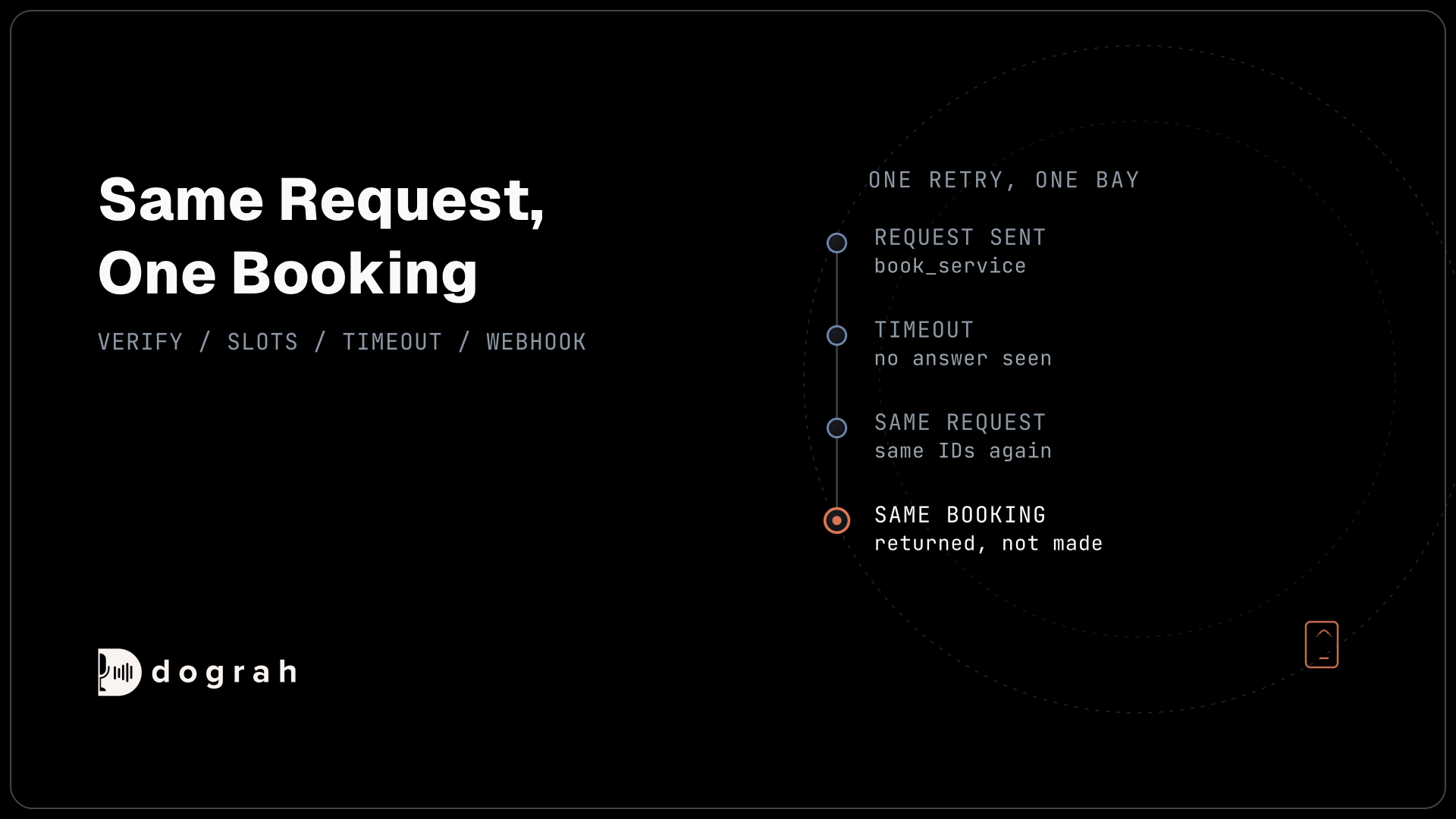
Start with the booking endpoint, because a double-booked bay is the costliest mistake this agent can make. A booking request can arrive twice, for example when the agent calls the tool again after a timeout that hid a booking which had already gone through.
The fix belongs in your endpoint. Every request from the agent will carry the call's workflow_run_id, a number Dograh gives each call, and the slot_id the customer chose. Treat that pair as the key. If you have seen it before, return the booking you already made. In the sketch below, find_by_key does that check and hold refuses a slot someone else has taken:
# POST /service-bookings
def create_booking(body):
    key = (body["workflow_run_id"], body["slot_id"])
    existing = bookings.find_by_key(key)
    if existing:
        return 200, existing                  # same call, same slot: return the first booking
    if not slots.hold(body["slot_id"]):
        return 409, {"error": "slot_taken"}   # another customer got there first
    booking = bookings.create(key=key, **body)
    return 201, booking
What this does: A second copy of the same request gets the first booking back, so the bay is booked once. A slot taken by another customer returns 409, which the agent receives as an error and answers by offering the next slot.
Store the key in your database, not in memory, so it still works after a restart or on a second server.
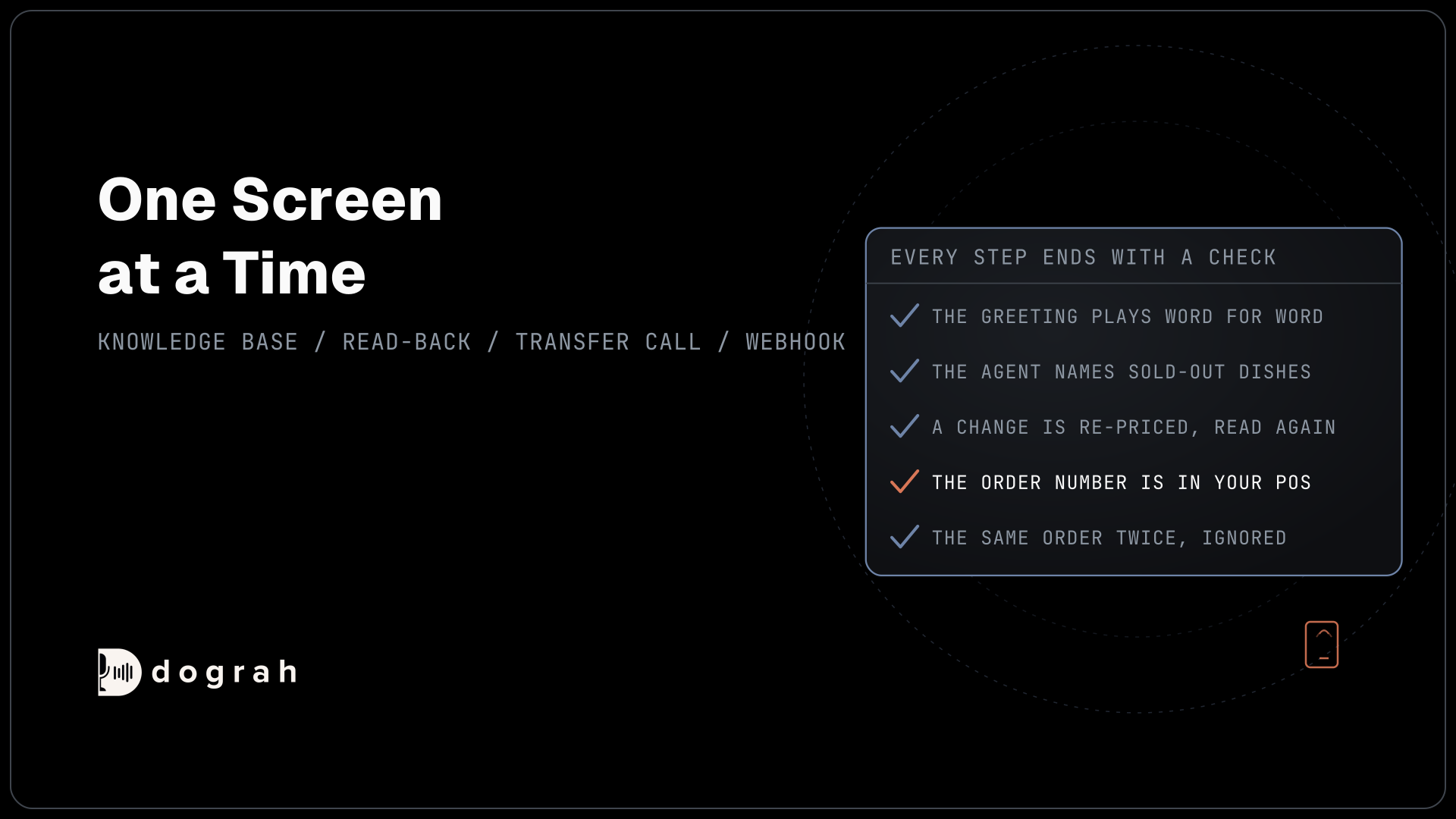
Check: send the same request body to the endpoint twice. You get one booking, and the second response returns the same booking ID.
Step 2: Create the service agent and write the greeting
Now build the agent. Open the Create Voice Agent form, set Call Type to Inbound, enter Service Appointment Booking as the Use Case, and describe the agent in Activity Description: "Book service visits for verified customers from live bay capacity, and send warranty, price and diagnosis questions to the service desk." Dograh generates a prompt from that description, which you then edit.
In the global prompt, write the hard rules in plain words. The agent books service visits only and names no vehicle or visit before the owner check passes. It never diagnoses a fault or quotes a price.
Then write the Greeting Text in the Start Call node, optional fixed text that Dograh speaks word for word. Name the dealership, add an automated-assistant line if you want one or your location requires it by law, and give the name a fallback so an unknown caller still hears a clean line: "Hi {{customer_first_name | there}}, you've reached the Northside Motors service line. I'm the automated booking assistant."
Check: on a web call with no test values set, you hear "Hi there" and nothing about any car.
Step 3: Recognise the customer with Pre-Call Data Fetch
Pre-Call Data Fetch asks your lookup endpoint who is calling as the call connects. Open the Start Call node and scroll to Pre-Call Data Fetch at the bottom. Set it to Inbound calls only, enter your lookup endpoint's Endpoint URL and, if it needs one, an Authentication credential. Dograh posts the caller's number in from_number and this call's workflow_run_id. The request times out after 10 seconds, and if it fails the call simply carries on without the extra context.
Your endpoint answers under initial_context. Return a customer_ref, the first name and how many vehicles are on file, and nothing about the cars themselves:
{
  "call_inbound": {
    "initial_context": {
      "customer_ref": "C-55812",
      "customer_first_name": "Dana",
      "vehicles_on_file": "2"
    }
  }
}
What this does: These values become variables the agent and its tools can use, such as
{{customer_first_name}}in the greeting. The agent knows a record exists and how many cars to ask about, but it holds no model, VIN or service history it could read out too early.
Web test calls have no phone numbers and no call direction, so Pre-Call Data Fetch set to Inbound calls only does not run on them. To test the greeting from the browser, open the Variables tab at the top of the agent editor, add the values your endpoint would return, such as customer_first_name and customer_ref, and save. The full request format is in the Pre-Call Data Fetch reference.
Check: on a phone call, your endpoint logs one request, and the greeting uses the first name it returned.

Open Source Alternative to Vapi / Retell
Self-hosted voice agent platform — no per-minute fees
dograh-hq/dograh
Star on GitHub
Step 4: Verify the owner and load their vehicles in one tool call
A phone number finds a customer record. It does not prove who is calling, since a partner or a fleet manager may be on the line. So the agent checks the caller before it names any vehicle, and the same check returns the vehicles.
Create an HTTP API tool named get_vehicles that posts to a verification endpoint you control. Give it a Preset Parameter customer_ref with the value {{initial_context.customer_ref}}, so the model never handles the reference. Add one parameter the agent fills from the conversation, check_value, described as "the last four characters of any VIN on file, or the postcode on file, as the caller said it".
Your endpoint compares the value with the record. On a match it returns verified true and a label for each vehicle, such as "2022 Toyota RAV4" with its vehicle_id; on no match, verified false and no vehicles. The expected VIN and postcode never enter the agent, so no prompt slip can read them out.
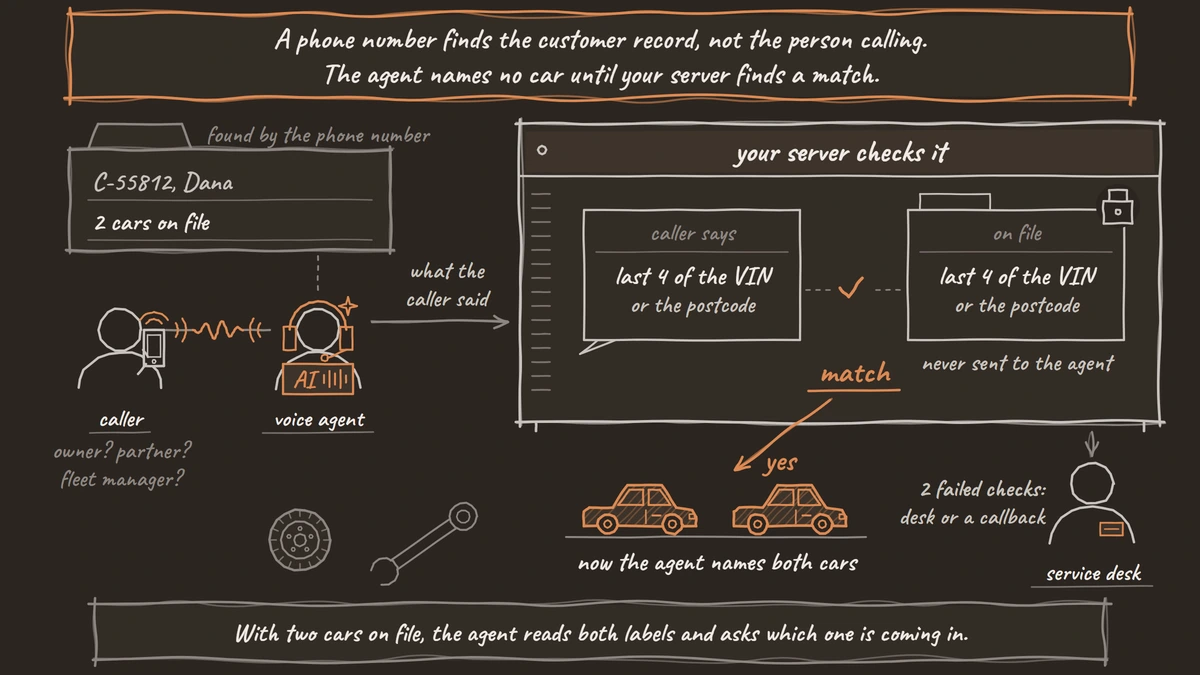
Put the tool on a verification node. The pathway from there to the booking node carries a written condition: get_vehicles returned verified true. Dograh's AI reads that condition and picks the pathway. After two failed checks, the agent offers the service desk or a callback. When there are two cars on file, the agent reads both labels and asks which one is coming in.
Check: ask to book before giving any check value. The agent asks for the VIN characters or the postcode and names no car until the tool says yes.
Step 5: Offer live slots for the job the customer describes
Slots depend on the job, because an oil change and a warning-light check take different bay time. Create a second HTTP API tool, get_service_slots, using GET, with parameters vehicle_id, job_type and preferred_date. Describe it as "List up to three open service slots for this vehicle and job near the preferred date." Your endpoint maps the job to bay time and returns only slots that fit.
The agent asks what the car needs and records the customer's words as they said them. "A grinding noise when I brake" becomes the concern, and the agent maps it to a job type such as inspection, never to a cause. It also asks for the current mileage and whether the customer will wait or drop the car off.
A scheduler can take a few seconds, so add tool Messages on this tool's page: a start announcement such as "Let me check the service schedule," and a delayed update at 3,000 ms, "Still looking, one moment." Text variants do not play on speech-to-speech models, so record the lines if you run one.
Check: ask for "an oil change next Tuesday". You hear the start line, then two or three real slots from your scheduler.
Step 6: Book the slot with the call's workflow_run_id
The booking tool is where Step 1 pays off. Create an HTTP API tool named book_service, using POST, and attach it to the booking node only. Add two Preset Parameters. The first is workflow_run_id, type number, value {{initial_context.workflow_run_id}}, required. Every call has that reserved value, and nothing passed in from outside can override it. The second is customer_ref from Step 3. Then add the parameters the agent fills: slot_id, vehicle_id, concern and wait_or_drop_off.
Dograh adds no idempotency header to tool calls itself, so the ID in the body is what your endpoint keys on. The body your endpoint receives looks like this, with the call's ID in workflow_run_id and the customer's own words in concern:
{
  "workflow_run_id": 3071,
  "customer_ref": "C-55812",
  "vehicle_id": "V-1182",
  "slot_id": "BAY2-2026-11-03T08:30",
  "concern": "grinding noise when I brake",
  "wait_or_drop_off": "drop-off"
}
What this does: It books one slot for one vehicle and ties the booking to this call. If the same body arrives again, your endpoint from Step 1 matches
workflow_run_idandslot_idand returns the first booking.
Before calling the tool, the agent reads back the car, the day, the time and the drop-off choice, and books only after a clear yes. Any 4xx or 5xx, timeout (5 seconds by default) or connection failure reaches the agent as status error, and the tool does not retry by itself. After a timeout, the agent can safely call book_service again, because a repeat cannot double-book. After a 409, it offers the next slot. Field details are in the HTTP API tool reference.
Check: make your endpoint sleep past the timeout once, so the agent retries. Your scheduler shows one booking for the call.
Step 7: Hand warranty, price and diagnosis questions to the service desk
Some questions belong to a service advisor, and the agent's job is to get the customer there with the details already written down. Add a pathway from the booking node for warranty coverage, repair prices or estimates, a diagnosis, or a car back for the same fault.
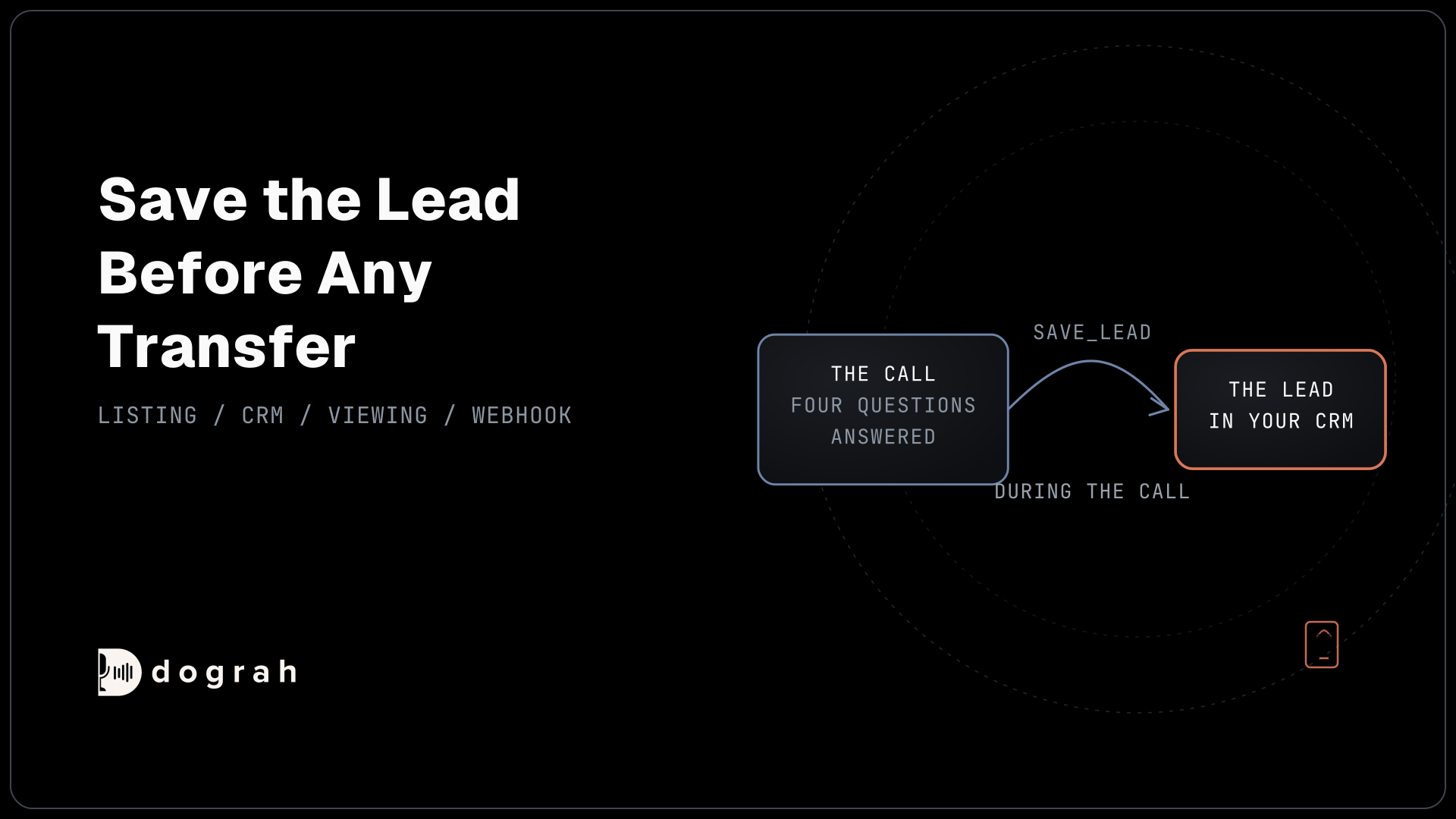
That pathway's node uses Transfer Call, which works on Twilio only and passes no summary. So attach an HTTP API tool, log_handoff, that writes the reason and the customer's words to your DMS first. The advisor sees them on screen as the call arrives. The transfer waits 30 seconds by default, settable from 5 to 120. If nobody answers, the agent is told, the customer stays on the call, and the agent records a callback request through the same tool.
Check: on a phone call, ask "Is this covered by my warranty?" A handoff record appears in your DMS before the advisor's phone rings.
Join the Dograh Community
Dograh is an OSS alternative to Vapi. Join our Slack community for queries, releases, best practices & community interactions.
Step 8: Send the call record to the DMS with a webhook
The booking already exists from Step 6. The webhook adds a note about the call itself.
On the End Call node, turn on Enable Variable Extraction and write the Extraction Prompt. Ask for outcome (booked, transferred or callback requested), mileage and concern, recorded as the customer said them. The AI fills them from the transcript and leaves a value empty rather than guessing. They land in gathered_context, which webhooks can read.
Then add a Webhook node. Its fields are Name, Enabled, HTTP Method, Endpoint URL, Authentication, Custom Headers and Payload Template. The payload below carries the same workflow_run_id the booking used, so your DMS can attach the call note to the right booking:
{
  "workflow_run_id": "{{workflow_run_id}}",
  "customer_ref": "{{initial_context.customer_ref}}",
  "outcome": "{{gathered_context.outcome}}",
  "mileage": "{{gathered_context.mileage}}",
  "concern": "{{gathered_context.concern}}",
  "recording_url": "{{recording_url}}",
  "transcript_url": "{{transcript_url}}"
}
What this does: After the call, Dograh fills the braces with this call's values and posts them to your endpoint. The service advisor opens the booking and finds the mileage and the concern in the customer's words, with links to the recording and transcript.
If your endpoint has a temporary problem, such as a timeout, a 5xx or a 429, Dograh retries automatically, up to 5 attempts. Key the call note on workflow_run_id too, so a retry updates the same note. The general pattern is in Webhook-Driven Voice Agents: Real-Time Data In and Out.
Check: one finished test call leaves one call note on the booking, with a working recording link.
Step 9: Test on a web call, then on a real phone line
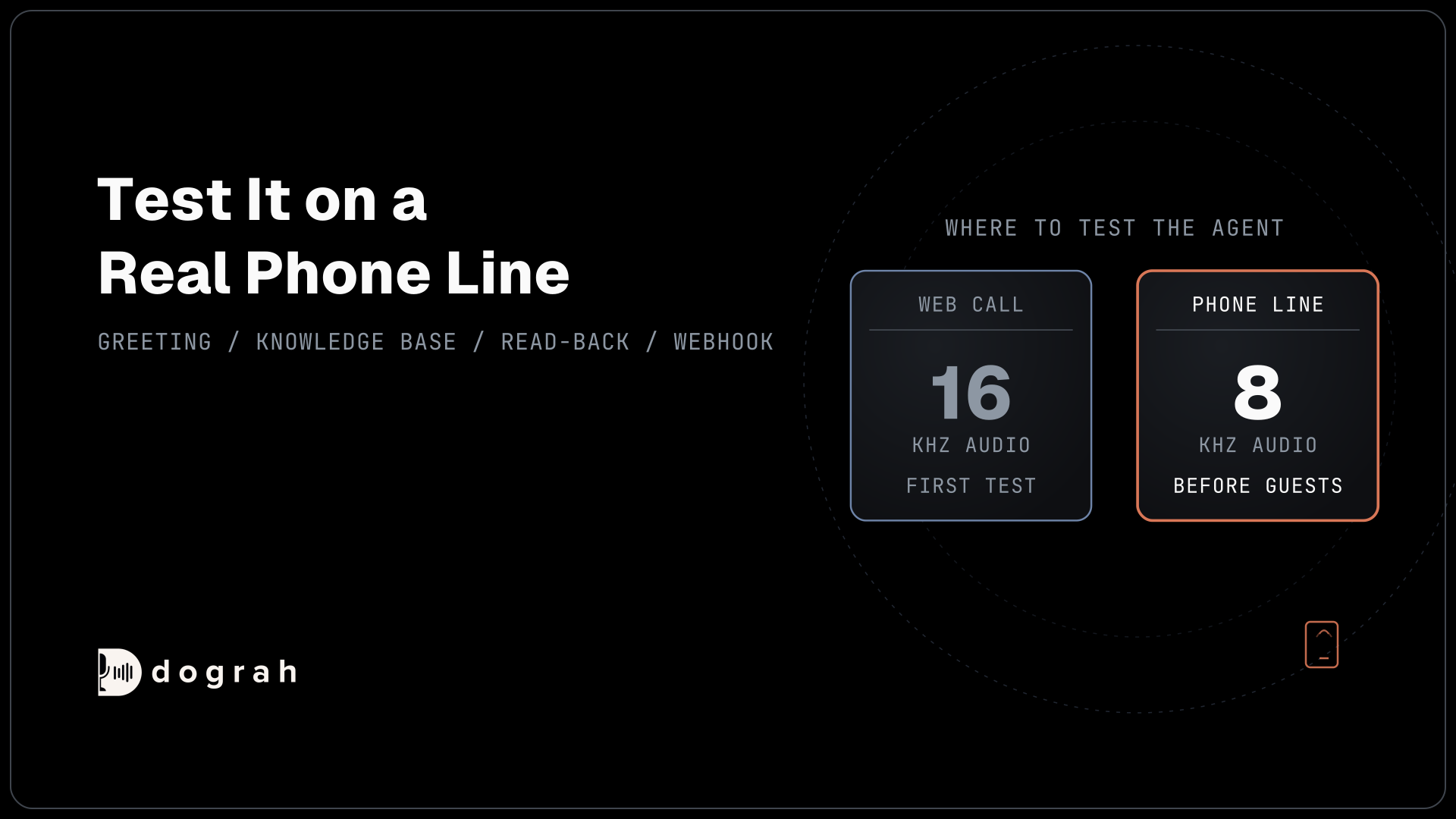
A web call runs at 16 kHz, the most Dograh's pipeline uses, and it cannot run telephony-only tools such as Transfer Call. Most phone calls still reach the agent as 8 kHz audio. How much that hurts depends on the speech-to-text model and the phone path, so measure it on your own line.
VIN characters, postcodes, mileage and model names are hard to hear, so say them several ways on real calls from a mobile and a landline. Add your model names and service terms to the Dictionary in the agent's Settings, as comma-separated Words, so speech-to-text listens for them. It works with Deepgram and Dograh speech-to-text, and the screen notes it may add cost depending on the provider. Run each leg several times, because AI replies vary, and open View Trace on each call to see which tool the AI called and how long each turn took. Testing Voice Agents Before You Go Live gives the tests in order.
Check: five phone calls in a row pass the owner check, book the slot you asked for and leave five bookings, never six.
Before you ship it
Add a QA node so a sample of live calls is scored step by step, and read every call that took the service-desk pathway. Then publish.
Start with routine single-job visits such as oil changes and tyre swaps. Let the agent book for a few weeks before it moves or cancels anything, and widen what it may do only as the transcripts earn it.
Glossary
- Preset Parameter
- A tool parameter Dograh fills from the call's own data, such as the call's workflow_run_id or the customer reference from Pre-Call Data Fetch, instead of from the conversation. The model never types the value, so it cannot change it.
- workflow_run_id
- The reserved number Dograh gives every call, available as initial_context.workflow_run_id. Sent with each booking, it lets the dealer's endpoint recognise a repeated request and return the first booking.
- Pre-Call Data Fetch
- The request Dograh sends to your endpoint when an inbound call connects, with the caller's number and the call's ID. What your endpoint returns becomes the call's initial context. It finds a likely customer; it never proves who is calling.
- Dealer management system (DMS)
- The dealership's core software for customers, vehicles, repair orders and service scheduling. In this build it holds every record: the agent reads from it and writes back to it through your endpoints.