
To build a voice agent for hotels in Dograh, create an inbound agent with the hotel's own greeting, load its FAQ document as a Knowledge Base, read live rooms and rates with a multi-field HTTP API tool, read the booking back before creating it, and have the hotel's own system send any payment link.
Key Takeaways
- Most callers are new, so the main path needs no guest record.
- Read five fields back before the booking tool runs.
- The hotel's own system sends the payment link. No card numbers on calls.
This post is part of our guide to AI voice agents for hotels and hospitality. The guide's section on building the agent and serving French-speaking guests points here for the build. This tutorial builds an inbound reservations agent in Dograh, an open-source, self-hostable voice agent platform, for the hotel's phone line and for callers the hotel has never met.
What you need before you start
You need a Dograh account, the hotel's FAQ document, a phone number and a few endpoints, meaning web addresses your own system answers at. They sit on your hotel booking API: one lists available rooms, one creates a booking, one finds a guest by phone number, and one asks the hotel's payment provider to send a payment link. Transfers to the front desk need a Twilio number.
What you'll build:
- An agent that answers hotel questions from the FAQ document.
- An availability tool that takes dates, guests and room type.
- A read-back of the booking before anything is written.
- A payment-link tool that calls the hotel's own system.
- A transfer to the front desk for groups and complaints.
The design rules for this call are in AI voice agents for hotel reservations. This post is the build. Self-hosted Dograh has no per-minute platform fee, though servers, model keys and phone minutes still cost money. Dograh Cloud has a 1¢-a-minute platform fee.
Step 1: Create the agent and write the greeting
Start with the Create Voice Agent form. Set Call Type to Inbound, enter Hotel Reservations as the Use Case, and describe the agent in Activity Description: "Answer questions about the hotel and book rooms from live availability for new and returning guests." Dograh generates a prompt from that description for you to edit.
Add the hotel's rules to the global prompt in plain words. The agent offers only rooms and prices a tool returned, and it never takes a card number. It never promises a refund, a waiver or an exception, because those decisions belong to staff.
Then write the Greeting Text in the Start Call node. This is optional fixed text that Dograh speaks word for word, so the hotel writes it and the model does not: "Thank you for calling the Harbour View Hotel. You're speaking with the hotel's automated assistant, and I can help with bookings and questions about your stay."
Keep guest names out of it. Greeting Text accepts variables with a fallback, such as {{guest_first_name | there}}, but it plays before anyone has been checked.
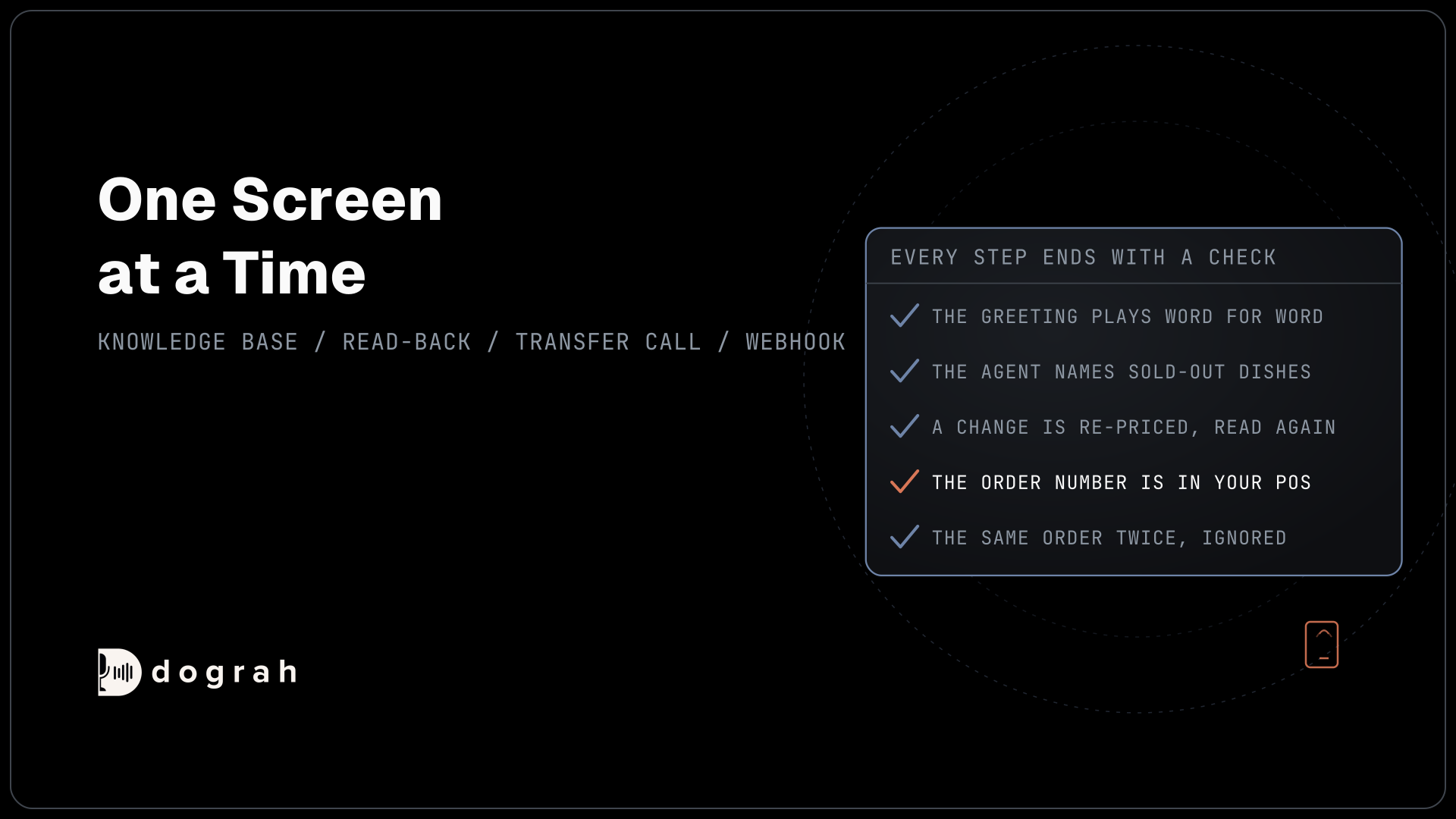
Check: on a web call, the greeting names the hotel, says it is automated if you wrote that in, and names no guest.
Step 2: Recognise a returning guest with Pre-Call Data Fetch
Pre-Call Data Fetch tells the agent whether the hotel has seen this number before. Open the Start Call node and scroll to Pre-Call Data Fetch at the bottom. Set it to Inbound calls only, enter the Endpoint URL of your guest lookup and add an Authentication credential if it needs one. Dograh posts the caller's number once the call connects. If your endpoint fails, the call goes on without it, so the main path must work with no record.
Your endpoint answers under initial_context. Return a reference and a flag, and nothing a stranger could use:
{
  "initial_context": {
    "guest_ref": "G-77104",
    "returning_guest": "true"
  }
}
What this does: The agent learns that a profile exists and can welcome the caller back in general terms. It holds no name, email or past stay, so it cannot read anything out to the wrong person.
Browser test calls have no phone numbers and no call direction, so Pre-Call Data Fetch set to Inbound calls only does not run on them. To test the returning-guest path from the browser, open the Variables tab at the top of the agent editor and add the values your endpoint would return, such as guest_ref and returning_guest.
A known number still proves nothing about who is holding the phone. A new booking needs no check, because the caller gives their own details. If the caller asks about a booking they already hold, the agent first asks for the confirmation number and the surname on the booking and sends both to a verify_booking tool, and your system answers yes or no. How to Build a Voice Agent for Healthcare walks through that verification pattern, and changes to an existing stay are covered in AI voice agents for cancellations and rescheduling in hotels.
Check: your endpoint logs one request per call, and an unknown number still reaches a normal booking.

Open Source Alternative to Vapi / Retell
Self-hosted voice agent platform — no per-minute fees
dograh-hq/dograh
Star on GitHub
Step 3: Answer hotel questions from a Knowledge Base
Many callers ask a question before they book. Collect the answers in one FAQ file: check-in and check-out times, parking, pets, breakfast hours and the way from the airport. The Knowledge Base accepts PDF, DOCX, DOC, TXT and JSON files up to 5 MB each.
Upload the file under Files in the left menu (the page is headed Knowledge Base Files), with the retrieval mode set to Full Document. The whole text goes to the agent on each lookup, which suits a short FAQ and needs no embedding key. Chunked Search, which does need one, is for long manuals. Then open the agent node's settings and select the file under Knowledge Base Documents. The agent searches only the documents attached to the node it is in.
Leave prices, availability and each rate's cancellation terms out of the file. They change daily and differ by rate, so they come from the booking API in the next step.
Check: ask "Can I bring my dog?" on a web call. The agent answers from the file, and asking for tonight's price sends it to the availability tool.
Step 4: Read live rooms and rates with a multi-field tool
A hotel stay has more moving parts than one appointment slot, so this tool takes several fields at once. Create an HTTP API tool named check_availability with the method GET. Give it five parameters: check_in and check_out as dates, adults and children as numbers, and room_type as an optional string. Write the description so the model knows when to call it: "Find available rooms and total prices for a stay, once the guest has given both dates and the number of adults and children."
Your booking API returns something like this, with the total price and the rate's terms for each room:
{
  "nights": 2,
  "rooms": [
    { "room_type_id": "DBL-STD", "name": "Standard Double", "max_guests": 3, "total_price": "312.00", "currency": "USD", "rate_code": "FLEX", "cancellation_terms": "Free cancellation until 48 hours before arrival" },
    { "room_type_id": "KNG-DLX", "name": "Deluxe King", "max_guests": 3, "total_price": "398.00", "currency": "USD", "rate_code": "FLEX", "cancellation_terms": "Free cancellation until 48 hours before arrival" }
  ]
}
What this does: It gives the agent two rooms that fit the party, each with a price for the whole stay and the terms that go with that rate. The agent offers these two and nothing else, and reads the terms out as written.
A lookup across several rate plans can take a few seconds. On the tool's own page, add a start announcement such as "Let me check those dates," and a delayed update at 2,500 ms: "Still looking, one moment." Text messages do not play on speech-to-speech models, so use recordings there.
Any 4xx or 5xx, timeout (5 seconds by default) or connection failure reaches the agent as status error, and the tool does not retry by itself. Write that case into the node prompt: the agent says the booking system is not answering and offers to take a callback request.
Check: a two-night search returns rooms and prices that match your booking engine, and a check-out date before check-in lands on the error path.
Step 5: Read the booking back, then create it
Nothing is written until the guest has heard every detail and said yes. Put the read-back in the node prompt as a fixed order of five fields: dates, room type, number of guests, the name on the booking and the total price. Ask the guest to spell the surname and the email address, and repeat both letter by letter, because names and emails are where phone audio fails most.
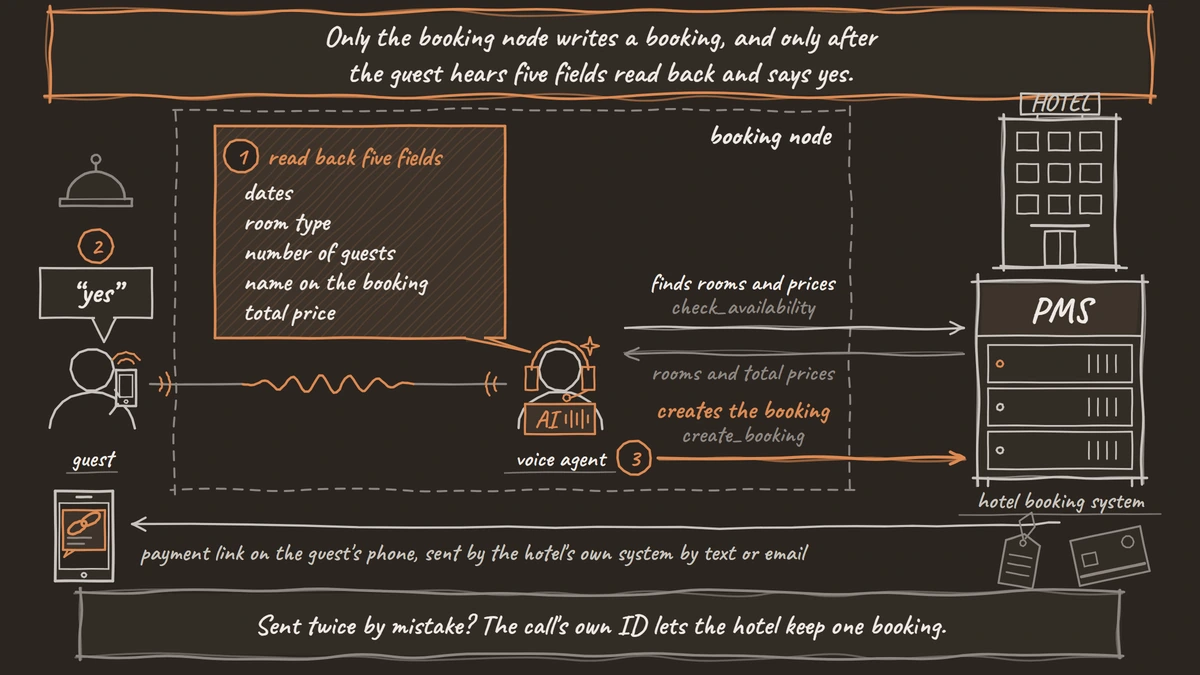
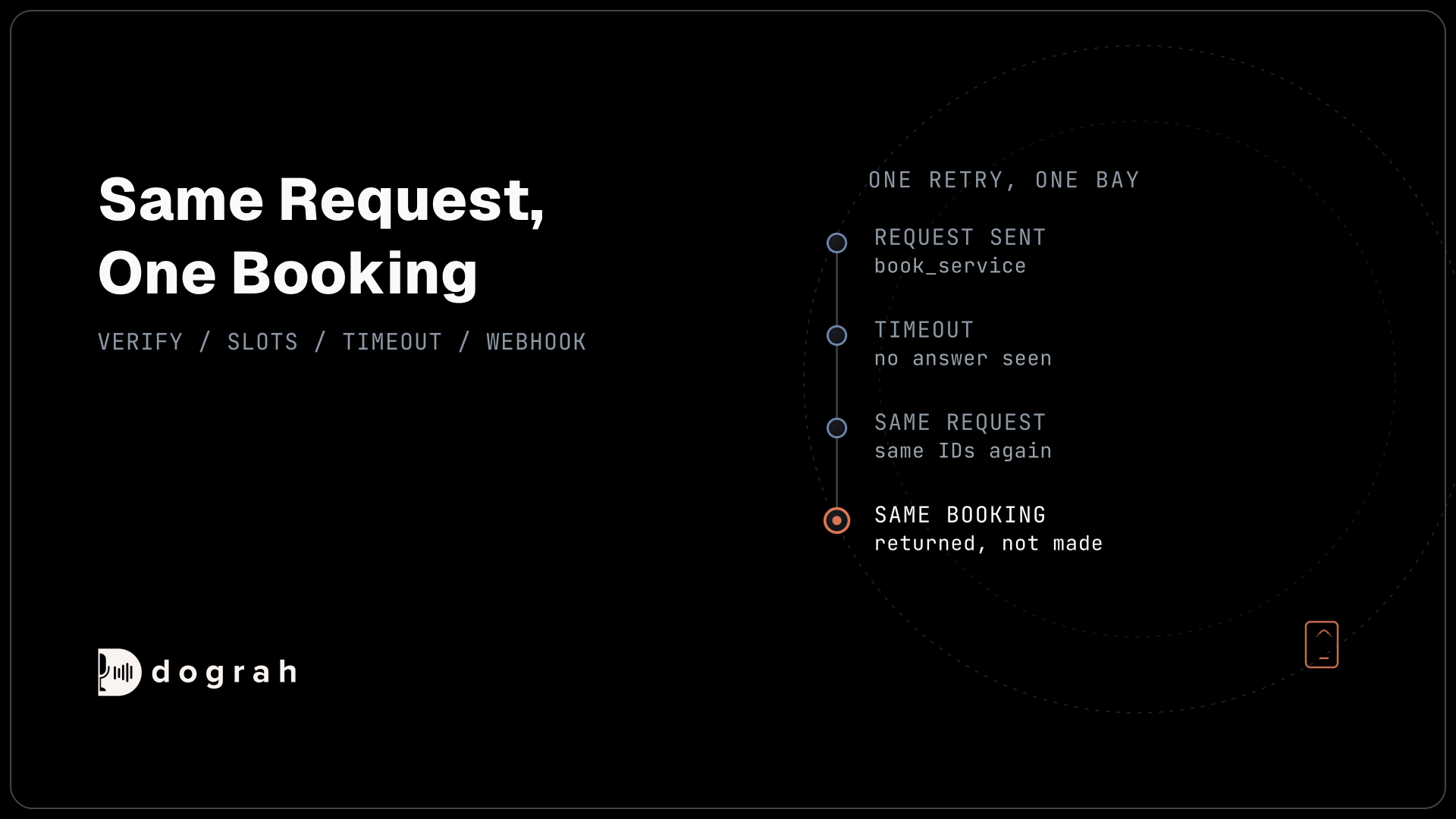
Then create a second tool, create_booking, with the method POST. Its parameters are the room and rate from Step 4, the dates, the party and the guest's name and email. Add a preset parameter named workflow_run_id with the value {{initial_context.workflow_run_id}}. Dograh fills it from the call, so the model never types it, and Dograh adds no idempotency header of its own. If the request arrives twice, your API sees the same ID and keeps one booking. Your API receives a body like this:
{
  "workflow_run_id": 4127,
  "room_type_id": "KNG-DLX",
  "rate_code": "FLEX",
  "check_in": "2026-11-13",
  "check_out": "2026-11-15",
  "adults": 2,
  "children": 1,
  "guest_last_name": "Okafor",
  "guest_email": "m.okafor@example.com"
}
What this does: It books the Deluxe King for two nights and ties the booking to this call through
workflow_run_id. Your API answers with a confirmation number, which the agent reads back one character at a time.
Some property management systems (PMS) only allow reads. In that case, point the tool at an endpoint that stores a booking request instead, name it create_booking_request, and have the agent say a member of staff will confirm the room by email.
Check: one test call creates exactly one booking, and sending the same call's request twice still leaves one.
Join the Dograh Community
Dograh is an OSS alternative to Vapi. Join our Slack community for queries, releases, best practices & community interactions.
Step 6: Let the hotel's system send the payment link
The agent never handles card details, so payment happens through the hotel's own system. The PCI Security Standards Council's guidance on telephone-based payment card data says: "Accepting spoken account data over the telephone puts personnel, the technology used, and the infrastructure to which that technology is connected into scope of PCI DSS." PCI DSS is the Payment Card Industry Data Security Standard, and for a voice agent its scope would generally take in the recording and every model that heard the number.
Dograh has no feature for taking customer payments on a call and no keypad tool, and it sends no texts itself. Instead, an HTTP API tool asks the hotel's own system to send a secure payment link by text or email. Create send_payment_link with the method POST, the parameters confirmation_number and channel (text or email), and the same workflow_run_id preset. Your endpoint passes the request to the messaging or payment provider the hotel already uses.
When the tool returns success, the agent tells the guest the hotel is sending the link, and gives the deadline for guaranteeing the booking exactly as your API returned it. A guest who prefers to pay at the front desk says so, and the agent records it.
Check: a test booking produces one link from the hotel's provider, and an offer to read out a card number gets a polite refusal.
Step 7: Hand groups and complaints to the front desk
Some calls need a person. Add a pathway out of the booking node for group bookings above your room limit, complaints, accessibility needs the FAQ does not cover, and anything the tools cannot answer.
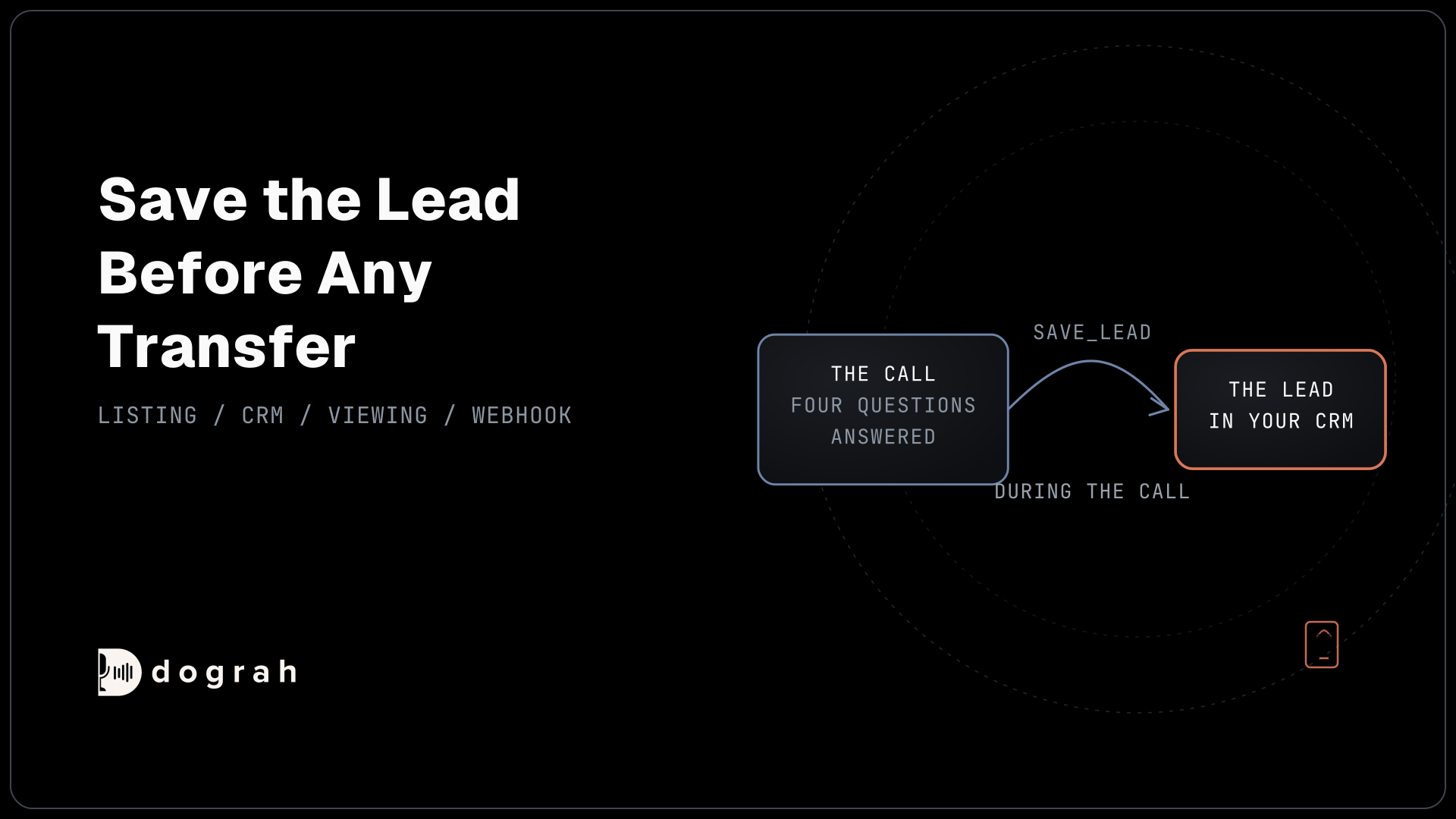
That node uses Transfer Call, which works on Twilio only and passes no summary. So before transferring, the agent calls a log_handover tool that writes the reason and the details gathered so far to the hotel's system, where the desk can read them. The transfer waits 30 seconds by default, settable from 5 to 120. If nobody answers, the agent is told, the guest stays on the call, and the agent writes a callback request through the same kind of tool.
Check: on a phone call, ask to book eight rooms for a wedding. The desk phone rings, and the handover note is already in your system.
Step 8: Send the call outcome to the PMS with a webhook
The webhook adds a record of the call to the booking. On the End Call node, turn on Enable Variable Extraction and write the Extraction Prompt, asking for the outcome (booked, request taken, transferred or question only) and any special request as the guest stated it. Then add a Webhook node. Its fields are Name, Enabled, HTTP Method, Endpoint URL, Authentication, Custom Headers and Payload Template. A short payload is enough:
{
  "call_id": "{{workflow_run_id}}",
  "guest_ref": "{{initial_context.guest_ref}}",
  "outcome": "{{gathered_context.outcome}}",
  "special_request": "{{gathered_context.special_request}}",
  "transcript_url": "{{transcript_url}}"
}
What this does: After the call, Dograh fills the braces with this call's values and posts the JSON to your PMS endpoint, so staff see the outcome and the special request next to the booking.
If your endpoint has a temporary failure, such as a timeout or a 5xx, Dograh retries automatically, up to 5 attempts.
Check: one finished test call adds one note to the guest's booking.
Step 9: Test on a web call, then on a real phone line
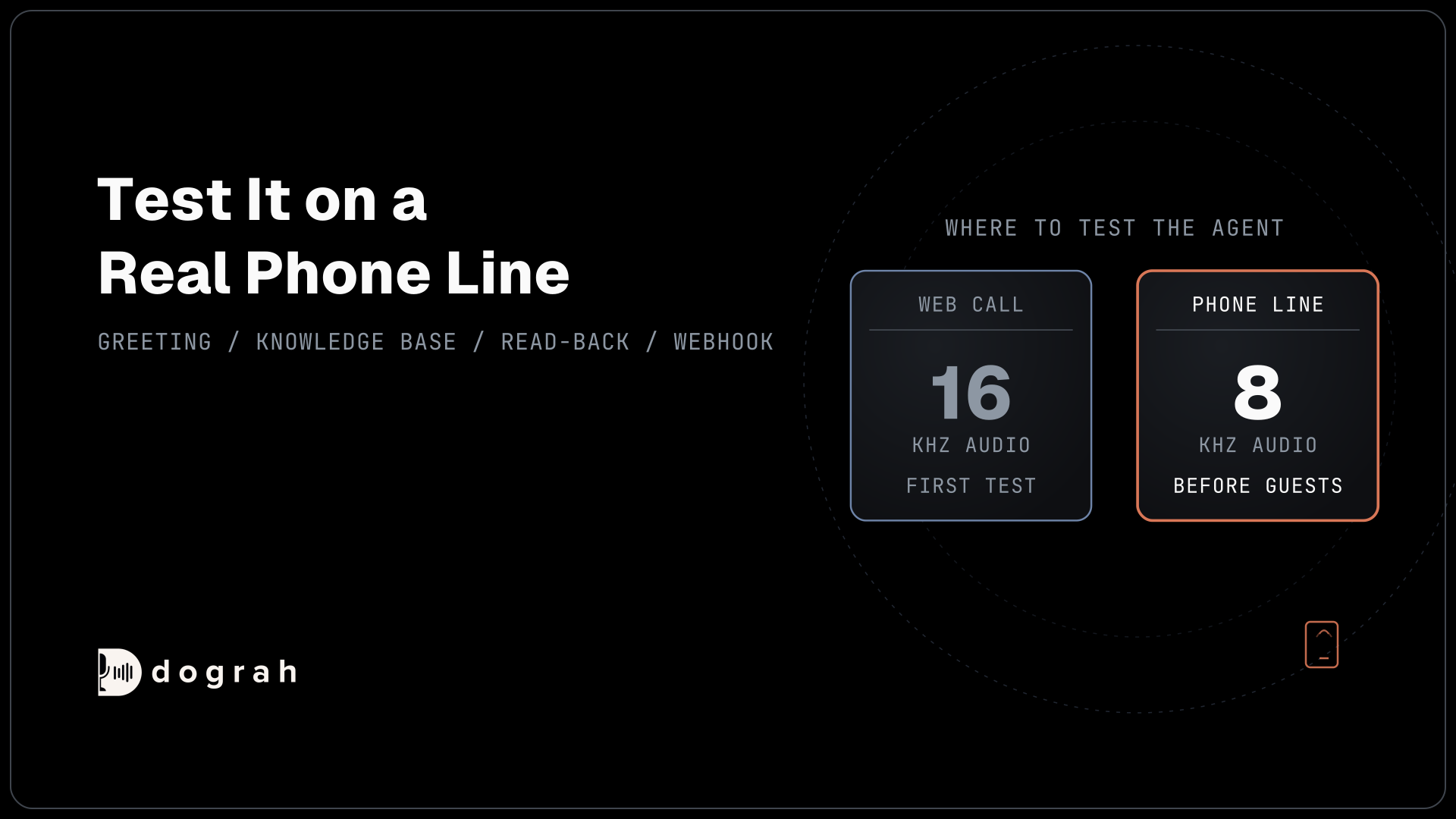
A web call runs at 16 kHz, the most Dograh's pipeline uses, and it cannot run telephony-only tools such as Transfer Call. Most phone calls still reach the agent as 8 kHz audio, where spelled names and email addresses get misheard more often. How much depends on the speech-to-text model and the phone path, so measure it on your own line.
Run each leg several times, because AI replies vary. Say dates in different ways, such as "the thirteenth to the fifteenth" and "Friday for two nights". Spell surnames with letters that sound alike, like M and N. For each phone call, open View Trace to see which tool the AI called and how long each turn took. Testing Voice Agents Before You Go Live gives the tests in order.
Check: five phone calls in a row book the room you asked for, spell the surname correctly and leave one booking each.
Before you ship it
Add a QA node so a random sample of live calls is scored step by step, and read every call that ended in a transfer or a callback request. Then publish.
Start with one line, such as the reservations number after the front desk closes, and widen the hours as the transcripts earn it. Every booking is still read from the PMS and written back to it.
Glossary
- Full Document
- A Knowledge Base retrieval mode that sends the whole document to the agent on every lookup. It needs no embedding key and suits a short hotel FAQ.
- Read-back
- The step where the agent repeats every booking field to the guest and waits for a clear yes before the booking tool runs. It catches misheard dates, names and prices before they reach the PMS.
- Preset parameter
- A tool value Dograh fills from the call's own data, such as workflow_run_id, rather than from the conversation. The model never types it, so the receiving system can rely on it to spot a repeated request.
- Booking request
- What the agent writes when the PMS only allows reads. Staff turn it into a booking and confirm it with the guest by email.