
AI customer service script templates cover order status, billing questions, complaints, escalation and the goodbye. Each one verifies the caller, takes answers from your systems and ends with a rule for when a person takes over. Dograh, the open-source AI voice agent platform, looks up the data and transfers calls, whether you host it yourself or use Dograh Cloud.
Key Takeaways
- Verify the caller before naming any order, amount or account detail.
- Every script needs one plain rule for when a person takes over.
- Dograh looks up order data before or during the call, then transfers when needed.
The worst thing a support agent can say is a policy it made up. Below we cover how the agent gets real order and account data, then five scripts for order status, billing, complaints, escalation and the goodbye. Then we talk about where each script goes in Dograh.
What you need before you start
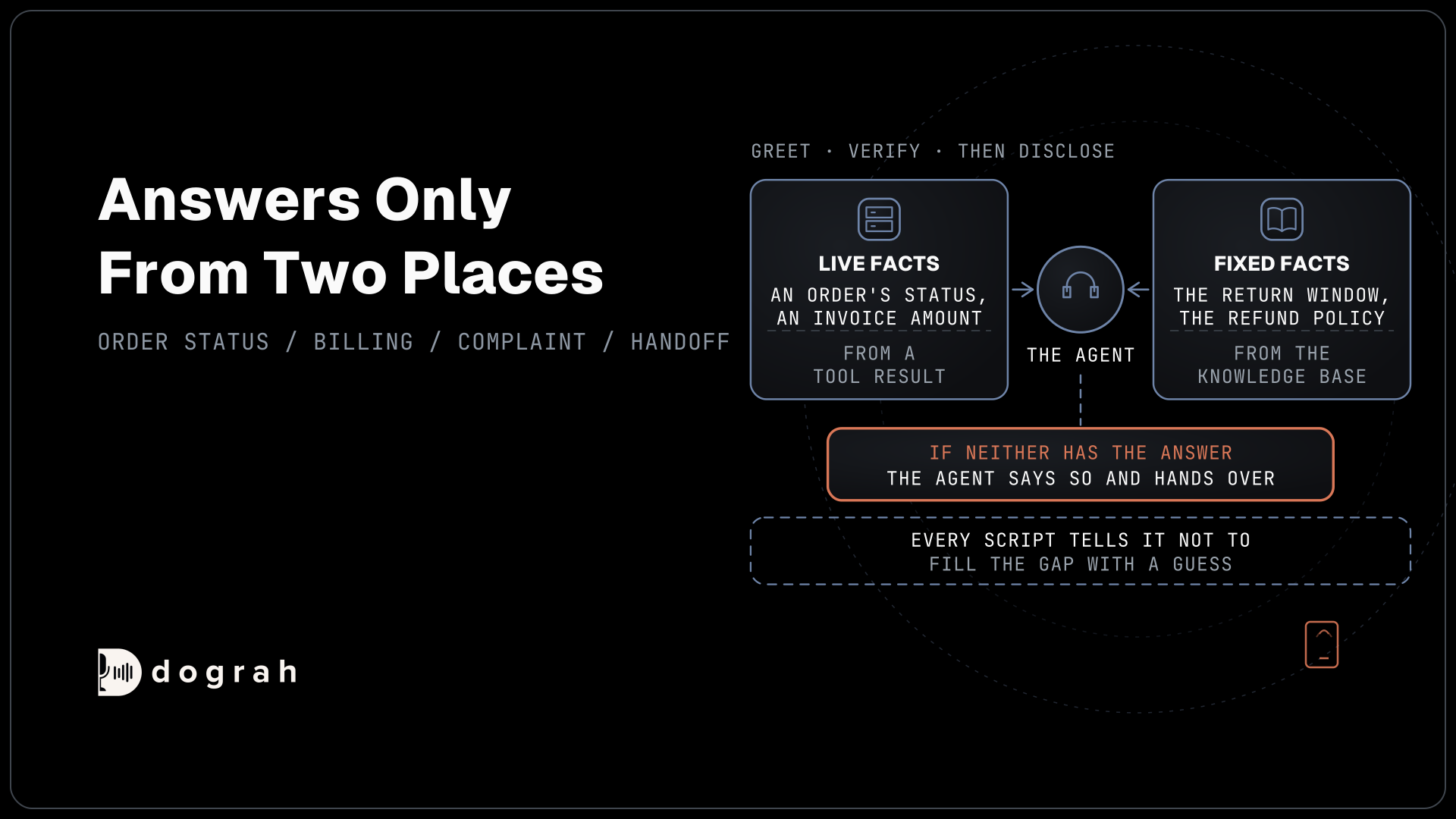
These scripts are examples we wrote for an online home goods store called Fernway Home. Each one follows the same order, greet, verify, then disclose. A phone number finds the account, but it does not prove who is calling, so the agent confirms an approved check, such as the order number plus the billing postcode, before it names anything.
The agent answers only from two places. Live facts, such as an order's status or an invoice amount, come from a tool result. Fixed facts, such as the return window or the refund policy, come from your own documents in the Knowledge Base. If neither has the answer, the agent says so and hands over, and every script tells it not to fill the gap with a guess.
Each script ends with one handoff rule, because callers still want a person within reach. In SurveyMonkey's study of 2,017 US adults in December 2025, 79% strongly preferred dealing with a human over an AI agent, and just 8% preferred AI. Our post on conversational AI for customer service covers which tasks suit an agent in the first place.
Looking up the customer before and during the call
The agent can know who is calling before it says hello. Pre-Call Data Fetch, at the bottom of the Start Call node, sends the caller's number to your endpoint when the call connects, and the fields it returns become variables. Set it to Inbound calls only for a support line. The greeting waits for the reply, so keep the endpoint fast. Our Pre-Call Data Fetch tutorial shows the setup.
During the call, an HTTP API tool asks your order system, helpdesk or billing system for the details once the caller is verified. While it waits, the tool's Messages can cover the pause with a short line, such as "Let me pull that up," and an update on a slow lookup. Its default timeout is 5 seconds, and an error goes back to the agent, so every script below has a line for a failed lookup.
If your systems already sit behind an MCP server, an MCP tool gives the agent the same lookups. Either way the script stays the same, and only the tool behind it changes.
The order status script
Order status is the most common support call, and the answer must come from the order system. The block below verifies the caller, reads the status from the tool and never guesses a date.
Task: tell a verified customer where their order is.
1. Ask for the order number, then the billing postcode.
2. Call get_order_status with both. If they don't match, ask once more,
   then offer a person.
3. Say the status and the delivery date exactly as the tool returns them.
Never guess or estimate a delivery date. If the tool has no date, say the
team will follow up.
If the tool fails: say you can't see the order right now and offer a person.
Handoff rule: transfer if the order is past its delivery date, marked lost,
or the customer asks for a refund or replacement.
What this does: Tells the agent to read only the status and date the tool returns. A late, lost or refund case is meant to go to a person instead of an improvised promise.
Our post on AI voice agents for order status in e-commerce covers what to say when an order is running late.

Open Source Alternative to Vapi / Retell
Self-hosted voice agent platform — no per-minute fees
dograh-hq/dograh
Star on GitHub
The billing question script
A billing call explains charges and never takes a payment. The agent verifies, reads the charge from the billing system and explains only what that record shows. Card numbers never go through the call, and the card data security standard, PCI DSS, is one more reason to keep them out of transcripts and recordings.
Task: answer a verified customer's question about a charge.
1. Ask for the email on the account and the billing postcode. Check them
   with get_account.
2. Call get_invoice and explain the charge using only the line items it returns.
3. If they want to pay, say Fernway will send a secure payment link by text
   or email, then call send_payment_link.
Never ask for or repeat a full card number. Never promise a credit or refund.
Handoff rule: transfer for a disputed charge, a refund request, a duplicate
charge, or when the invoice doesn't explain the amount.
What this does: Asks the agent to explain a charge line by line from the invoice and to hand money decisions to a person. Payment happens through a link from Fernway's own payment provider, outside the call.
Here send_payment_link is an HTTP API tool that asks Fernway's system or payment provider to send its secure link. The text and the payment both run through Fernway's own provider.
The complaint script
A complaint call needs the customer heard first and one real fix second. The agent acknowledges the problem, offers the one fix your policy allows and moves to a person when that is not enough.
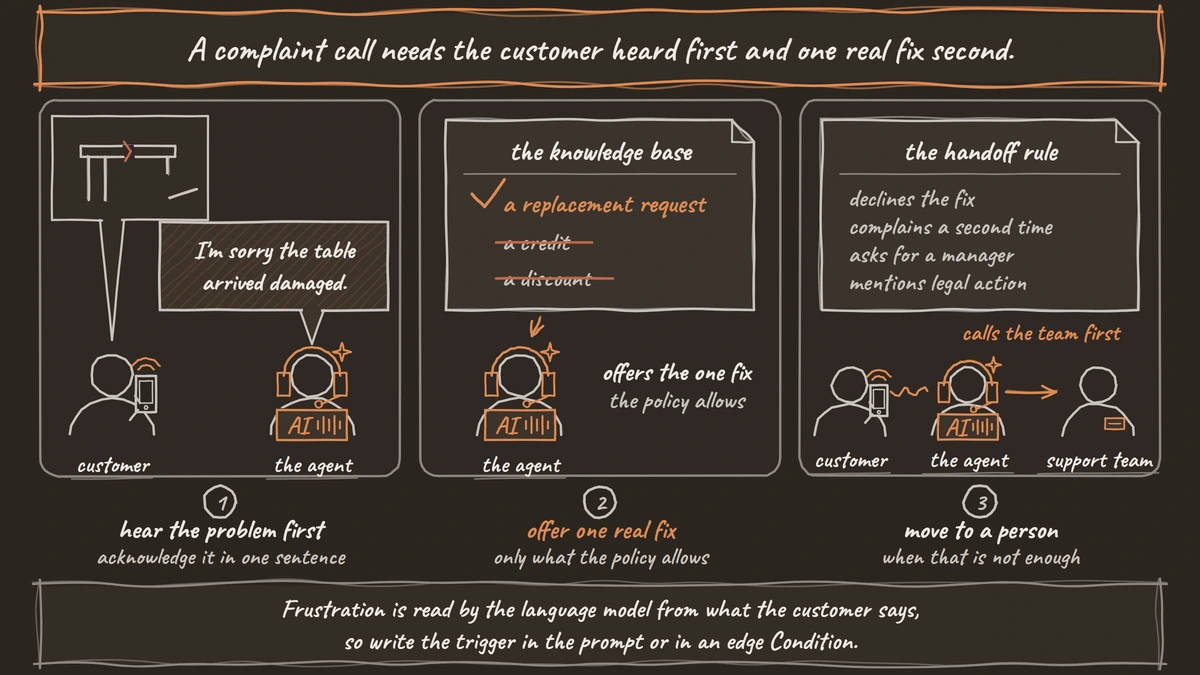
Task: handle a complaint about an order or service.
1. Let the customer explain. Acknowledge it in one sentence, for example
   "I'm sorry the table arrived damaged."
2. Verify the order as in the order status step.
3. Offer the one fix the knowledge base allows for this case, such as a
   replacement request. Never offer a credit, discount or exception it doesn't list.
4. If they accept, record it with create_case and say what happens next.
Handoff rule: transfer if they decline the fix, complain a second time on
this call, ask for a manager, or mention legal action.
What this does: Asks for an apology, a clear route to a person and a fix from policy, and tells the agent to offer only fixes the knowledge base lists.
Frustration is read by the language model from what the customer says, so write the trigger in the prompt or in an edge Condition, such as "the customer repeats the complaint or asks for a manager". After the call, a QA node on the agent can tag problem calls for review, such as USER_FRUSTRATED.
The escalation script
An escalation tells the customer why they are moving and makes sure the team has the case. The team member starts from what reaches your helpdesk, so the agent writes the case there with an HTTP API tool before it transfers.
Task: hand the call to the support team.
1. Say why in one sentence, for example "This needs our support team, so I'll
   put you through."
2. Call create_case with the order number, the issue and what was already tried.
3. Then call the transfer tool.
If nobody answers: say "Sorry, nobody's free right now. I've logged your case,
and the team will call you back today." Then close.
What this does: Asks the agent to log the case before it transfers, so the customer does not start from zero. If nobody picks up, the prompt still ends the call with a logged case and a callback line.
Transfer Call works on Twilio, Telnyx, Plivo, Cloudonix and Asterisk ARI. Dograh calls the destination first and connects the customer only when someone answers. A voicemail that picks up counts as an answer, so set the team line's voicemail to pick up later than the Transfer Timeout. Twilio numbers can also play a brief spoken introduction to both the customer and the team member. If nobody answers within the Transfer Timeout, 30 seconds by default, the agent is told and keeps the customer on the line. On Exotel, Vobiz or Vonage numbers, where Transfer Call is not available, set the prompt to log a callback request whenever the customer needs a person.
A billing specialist that is another Dograh agent can take the call through Transfer To Agent instead, with the conversation so far. Our post on escalation rules for helpdesk voice agents covers which cases belong on the always-escalate list.
Join the Dograh Community
Dograh is an OSS alternative to Vapi. Join our Slack community for queries, releases, best practices & community interactions.
The closing script
The closing repeats only what the call actually did. If the order status was read, the case logged or the link sent, the agent says so, based on the tool result, and nothing more.
"So your order arrives Thursday, and I've logged the damaged table for a replacement. Is there anything else I can help with today?"
If not, the agent thanks the customer by the store's name and ends the call. Write this as guidance in an End Call node's Prompt. For reporting, turn on call dispositions in the agent's Settings and add custom ones, such as resolved and escalated, with Add custom disposition. Our post on first call resolution explains how to use them to track calls solved without a second contact.
Where each script goes in Dograh
Each script maps to a step, and the data and handoff come from tools on those steps. Everything here is part of Dograh's open-source code, so the same agent runs on a self-hosted install or on Dograh Cloud.
| Script part | Dograh step |
|---|---|
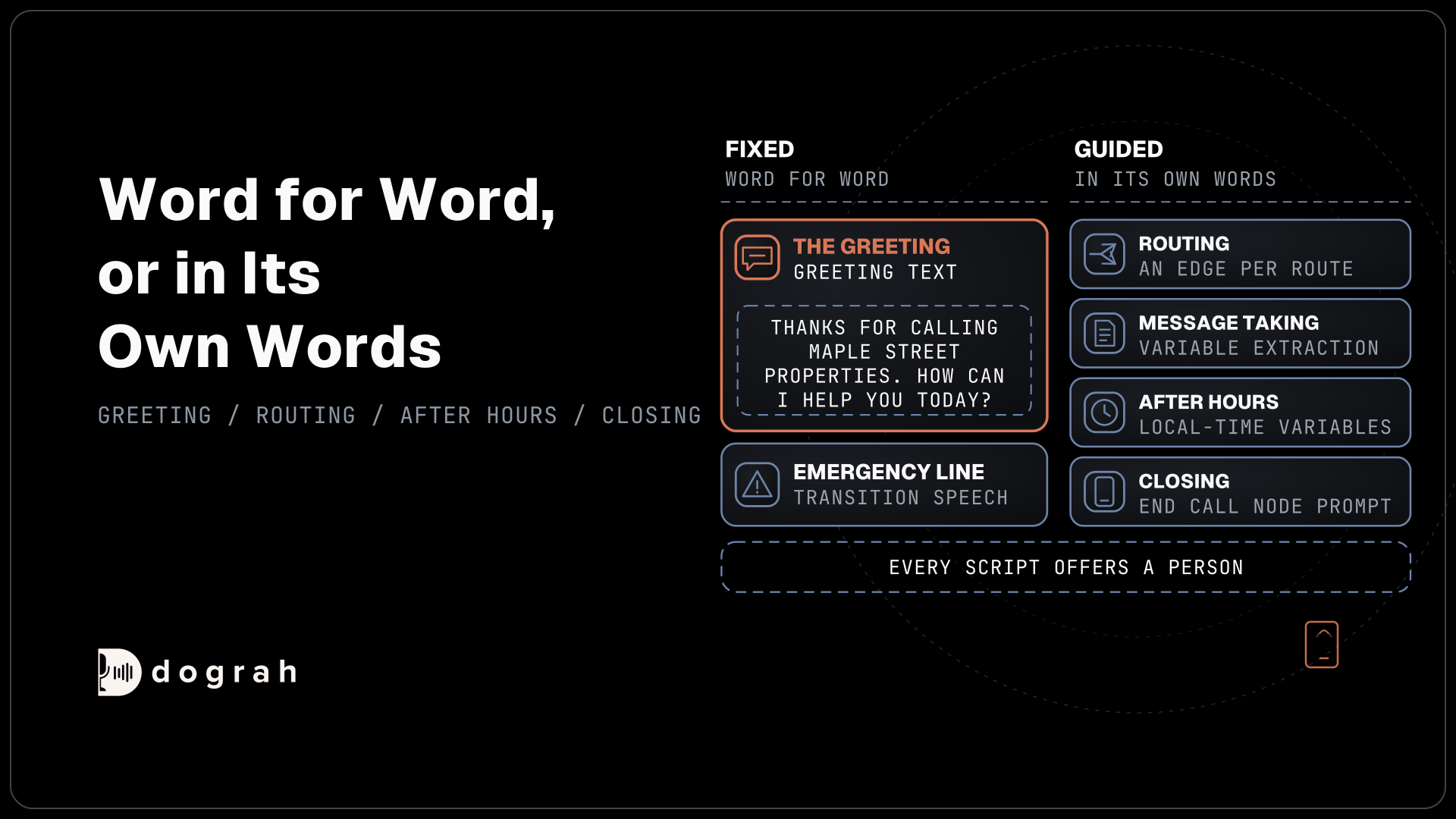
| Greeting and the customer's record | Start Call node, Greeting Text and Pre-Call Data Fetch |
| Shared rules (verify first, never invent policy) | Global Node, Global Prompt |
| Order status, billing, complaint | One Agent Node each, with HTTP API or MCP tools and Knowledge Base Documents |
| Handoff rules | Edge Conditions, or the transfer tool's description |
| Escalation | HTTP API tool to the helpdesk, then Transfer Call |
| Closing | End Call node Prompt, with call dispositions on |
Check: in a test call, give a wrong postcode and confirm the agent asks again and never reads the order.
Before you ship it
Test each script on its hard paths, not only the easy ones. In Test Agent, use Test Chat to try a wrong postcode, a missing delivery date, a disputed charge and a second complaint, then Test Audio to hear the lines spoken. Put a test caller's details in the Variables tab so Pre-Call Data Fetch values are in place.
Browser tests cannot run call transfer, so test escalation with Phone Call, once when the team answers and once when nobody does. Check that a case appears in your helpdesk before the phone rings. Publish a version once every path behaves, then review the first real calls.
Glossary
- Pre-Call Data Fetch
- A Dograh Start Call setting that sends the caller's number to your endpoint when the call connects. The fields it returns become variables before the greeting plays.
- Handoff rule
- The one condition in a support script that sends the call to a person, such as a disputed charge or a second complaint.
- PCI DSS
- The card industry's data security standard. Keeping card numbers off the call keeps transcripts and recordings out of its scope.
- Verify before disclose
- The rule that an agent confirms who is calling with an approved check before naming any order, amount or account detail.