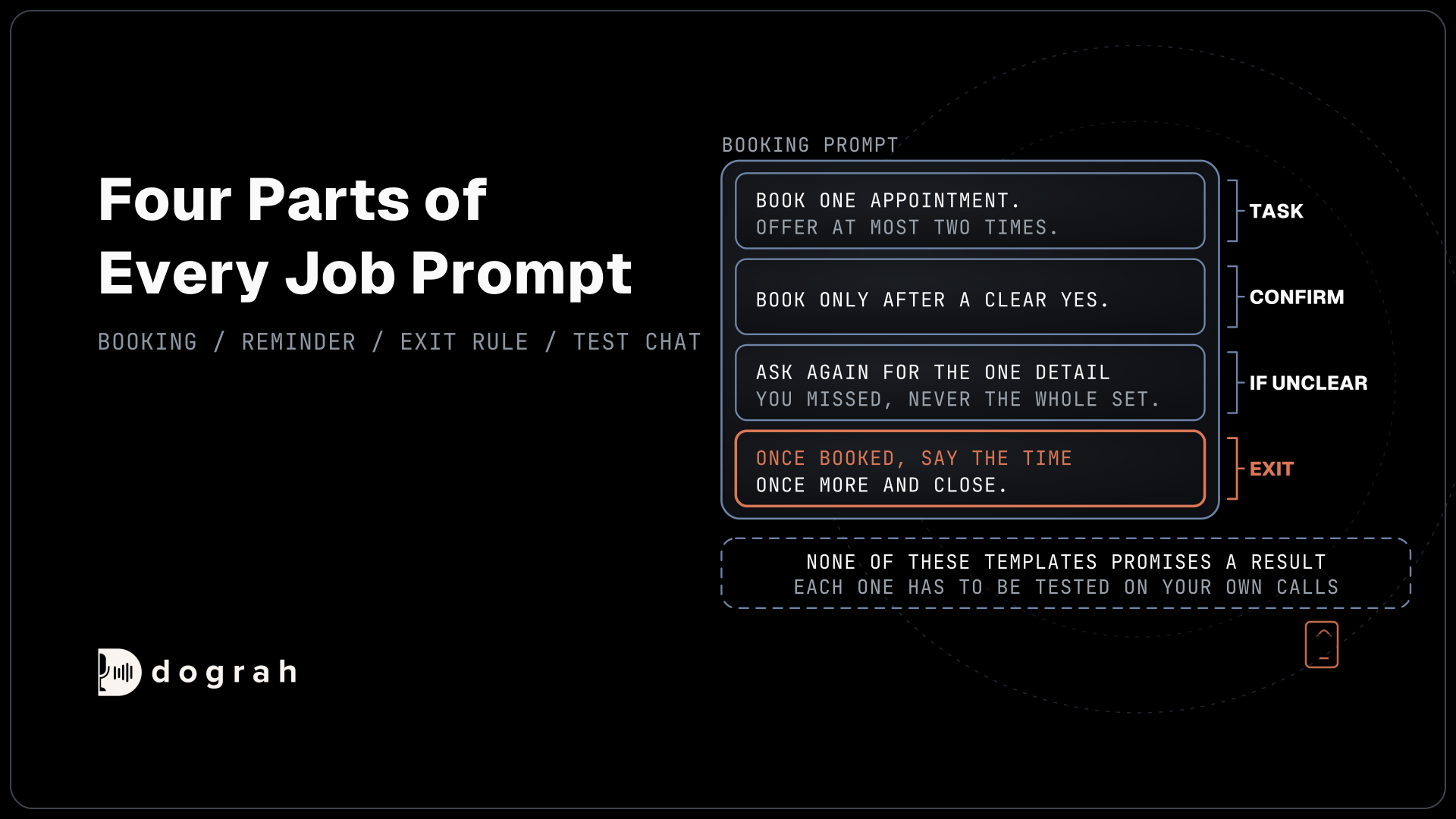

An AI lead qualification script has five blocks. A fixed opening names the business, then come an optional AI notice, three to five questions, short objection replies and a booking or handoff close. Outbound calls need the lead's consent first. Dograh, the open-source AI voice agent platform, runs each block as a step, on your servers or Dograh Cloud.
Key Takeaways
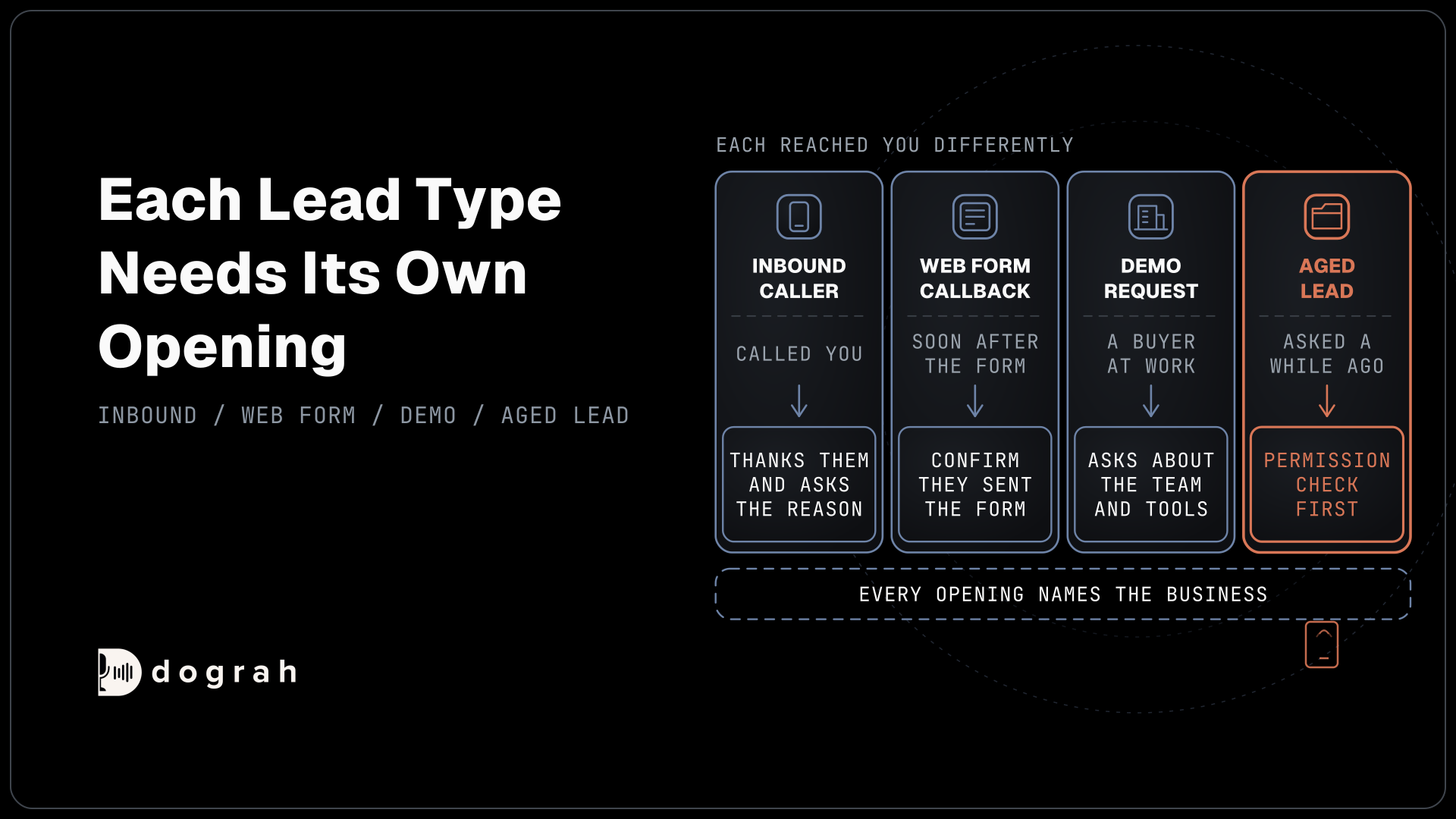
- Each lead type needs its own opening, because each reached you differently.
- Outbound lead calls with an AI voice need the lead's prior consent.
- Dograh saves each answer as a variable and dials the list through Campaigns.
A web form lead and a two-year-old lead should not hear the same opening. We start with consent, then give copyable scripts for four lead types, each with an opening, questions, objection replies and a close. Then we talk about how each block becomes a step in Dograh.
Consent comes before the first outbound dial
The list matters more than the script, so settle consent before you write a line. Under the Telephone Consumer Protection Act (TCPA), the FCC's ruling on AI-generated voices treats an AI voice as an artificial voice. A call that uses one needs the called person's prior express consent unless an exemption applies. Most lead qualification calls count as telemarketing, and for those calls to a mobile or home number the rules ask for prior express written consent. The web form template below assumes the form carried a consent line naming your business.
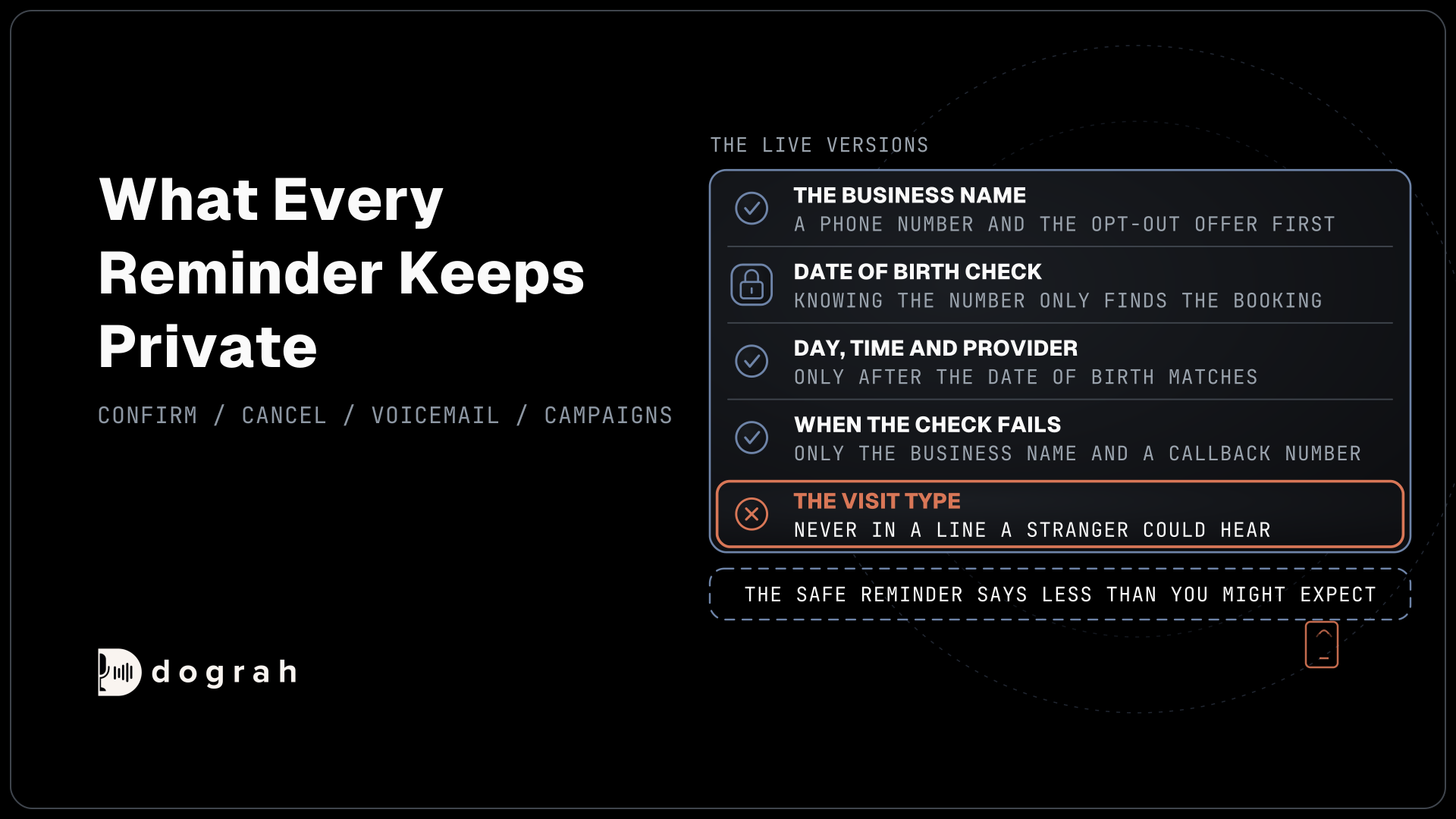
The same rules shape the opening. The FCC's calling rules expect an artificial-voice call to name the business at the start and give a phone number. A telemarketing call also offers an automated opt-out within two seconds of naming the business, which leads here use by voice, and an opt-out has to be recorded on your do-not-call list and end the call. A message left on voicemail gives a toll-free number that reaches the same opt-out, and campaigns do reach voicemail. Sales calls run only between 8 a.m. and 9 p.m. at the lead's location. A stop request has to be honored within ten business days, so no template promises a removal date.
Several states set tighter hours, and our post on outbound calling rules for voice agents lists them. Inbound calls work differently, because these consent rules cover calls you place and an inbound lead called you. Telling callers they are speaking with an AI is a choice unless a law you are under requires it, and our AI cold call script templates cover the state laws that do. A healthcare lead call follows the same rules, since the FCC's healthcare exemption leaves out telemarketing. Have counsel confirm your consent wording and these templates before launch.
Template 1: the inbound caller
An inbound lead already wants something, so the opening thanks them and asks for the reason straight away. The opening is fixed text, spoken word for word, and it names the business either way. Both versions below are examples we wrote for a roofing company called Harbor Roofing. Swap in your own business and services.
Without the AI notice, "Thanks for calling Harbor Roofing. I can answer a few questions and book a free inspection for you. What can I help you with today?"
With the AI notice, "Thanks for calling Harbor Roofing. I'm the automated assistant, and I can book a free inspection or put you through to the team. What can I help you with today?"
The rest of the call is guidance, because the agent has to react to each answer. The block below gives the agent its goal, four questions in order, an objection rule and a close.
Goal: learn what the caller needs and whether a free inspection fits.
Ask one question at a time, in this order:
1. What's going on with the roof, and at which address?
2. Do you own the property?
3. When would you like the work done?
4. Is anyone else part of the decision?
Rules:
- Never quote a price. Say the inspector gives prices after the visit.
- "Just looking": offer to have the team send details, record the request, then close.
- "Can I talk to someone?": transfer the call.
Close: if they own the property, offer two inspection times. Otherwise thank
them and say the team will follow up.
What this does: Asks the agent to collect the job, the address, ownership, timing and who decides, one at a time. It tells the agent to leave prices to the inspector and to transfer a caller who asks for a person, who stays with the agent if nobody picks up.
Template 2: the web form callback
A form lead remembers asking for only a short while, so the callback should go out soon after the form is sent. Hiya's State of the Call 2026 found that 86% of consumers don't answer calls from unknown numbers. Call from a number tied to your business, while the lead still remembers asking. In Dograh the form can start the call itself through an API Trigger, passing the form fields as variables.
The opening is fixed and outbound, so it carries the business name, the opt-out straight after it and a number. The variable has a fallback after the bar, so a missing name is never spoken as a gap.
"Hi {{first_name | there}}, this is the automated assistant for Harbor Roofing. If you'd rather not get these calls, just say so and we'll stop. I'm calling about the inspection you asked for on our website, and you can reach us at +1415555XXXX. Is now a good time for three quick questions?"
The block below opens by checking that the right person filled in the form, then asks three questions and books the visit.
Goal: confirm the request and book a free inspection.
First confirm they sent the form. If not, apologize, offer to remove the
number, and end the call.
Questions, one at a time:
1. Is the roof issue still the main thing you need help with?
2. Do you own the property?
3. Which works better for a visit, weekdays or Saturday?
Objections. Reply once, then follow their lead:
- "Just email me": say the team will email details, record it, close.
- "Bad time": ask when to call back and record the time.
- "Stop calling": confirm, then end the call.
Close: offer two times from the calendar tool and read the chosen one back.
What this does: Tells the agent to apologize and end the call before any question when the lead never filled in the form. For everyone else it asks for three answers and a visit time read back before the call ends.

Open Source Alternative to Vapi / Retell
Self-hosted voice agent platform — no per-minute fees
dograh-hq/dograh
Star on GitHub
Template 3: the demo or B2B request
A demo request comes from a buyer at work, so the questions cover the team and the tools it uses today. The opening names the business with the opt-out right after it, then the reason and a number, and it asks for a few minutes.
"Hi {{first_name | there}}, this is the automated assistant for Ledgerly. If you'd rather not get these calls, just say so and we'll stop. I'm following up on the demo you requested, and our number is +1415555XXXX. Do you have two minutes so we can match you with the right person?"
The block below covers team size, current setup and timing, and it books the demo with an account executive.
Goal: understand the team and book a demo with the right account executive.
Questions, one at a time:
1. How many people would use Ledgerly?
2. What do you use for this today?
3. What made you look now?
4. Who else would join a demo?
Objections. Reply once, then follow their lead:
- "Just send pricing": say the team will email pricing, record it, and offer
  a demo time anyway.
- "I'm not the right person": ask who is, record the name and role, and close.
- "Stop calling": confirm, then end the call.
Close: offer two demo times. If they want to talk now and the team is in,
transfer the call.
What this does: Asks for the team size, the current tool and the reason for buying, so the account executive has them before the demo starts. It tells the agent to turn a "not the right person" answer into a name for the sales team, not a new call to someone who gave no consent.
Template 4: the aged lead
An old lead needs a permission check before a script. Dial only leads whose consent still covers your business and this kind of call, and leave out anyone who asked you to stop. The opening then asks one question that makes saying no easy.
"Hi {{first_name | there}}, this is the automated assistant for Harbor Roofing. If you'd rather not get these calls, just say so and we'll stop. You asked us about a roof inspection a while ago. Our number is +1415555XXXX. Is that still on your list, or should we close your file? Either answer is fine."
The block below keeps the call short and treats a no as a good result.
Goal: find out whether the lead still wants an inspection, without pressure.
If yes:
1. Has anything changed since you first asked?
2. When would a visit suit you?
Then offer two inspection times.
If they already had the work done: thank them, record it, and close.
If they want no more calls: confirm, then end the call.
Never mention the earlier price or a discount.
What this does: Tells the agent to move a yes straight to two questions and a booking. A no or a "done already" asks for a polite close, and the lead's status changes only if a tool writes it to your CRM.
Booking the visit or handing the lead to sales
Each template ends in one of two places, a booked time or a person. Booking runs through an HTTP API tool that reads open times from your calendar or CRM and writes the booking. While it checks the calendar, its Messages can cover the pause with a short line and, on a slow lookup, an update. The agent reads the chosen time back before the call ends.
A handoff uses Transfer Call. Dograh calls the destination first and connects the lead only when someone answers. Transfer Call works on Twilio, Telnyx, Plivo, Cloudonix and Asterisk ARI. The rep hears no summary by default, so an HTTP API tool writes the answers to your CRM before the transfer, and on Twilio a short spoken introduction both people hear can be added.
If nobody picks up within the Transfer Timeout, 30 seconds by default, the agent is told and the lead stays on the call. A voicemail that picks up counts as answered, so turn voicemail off on the sales line or set it to pick up later than the Transfer Timeout. The prompt should then offer a callback and write the request through an HTTP API tool. On Exotel, Vobiz or Vonage numbers, set the agent to take that callback request whenever the lead wants a person. Our guide to AI voice agents for lead qualification walks through the full call flow these templates sit inside.
Join the Dograh Community
Dograh is an OSS alternative to Vapi. Join our Slack community for queries, releases, best practices & community interactions.
Where each block goes in Dograh
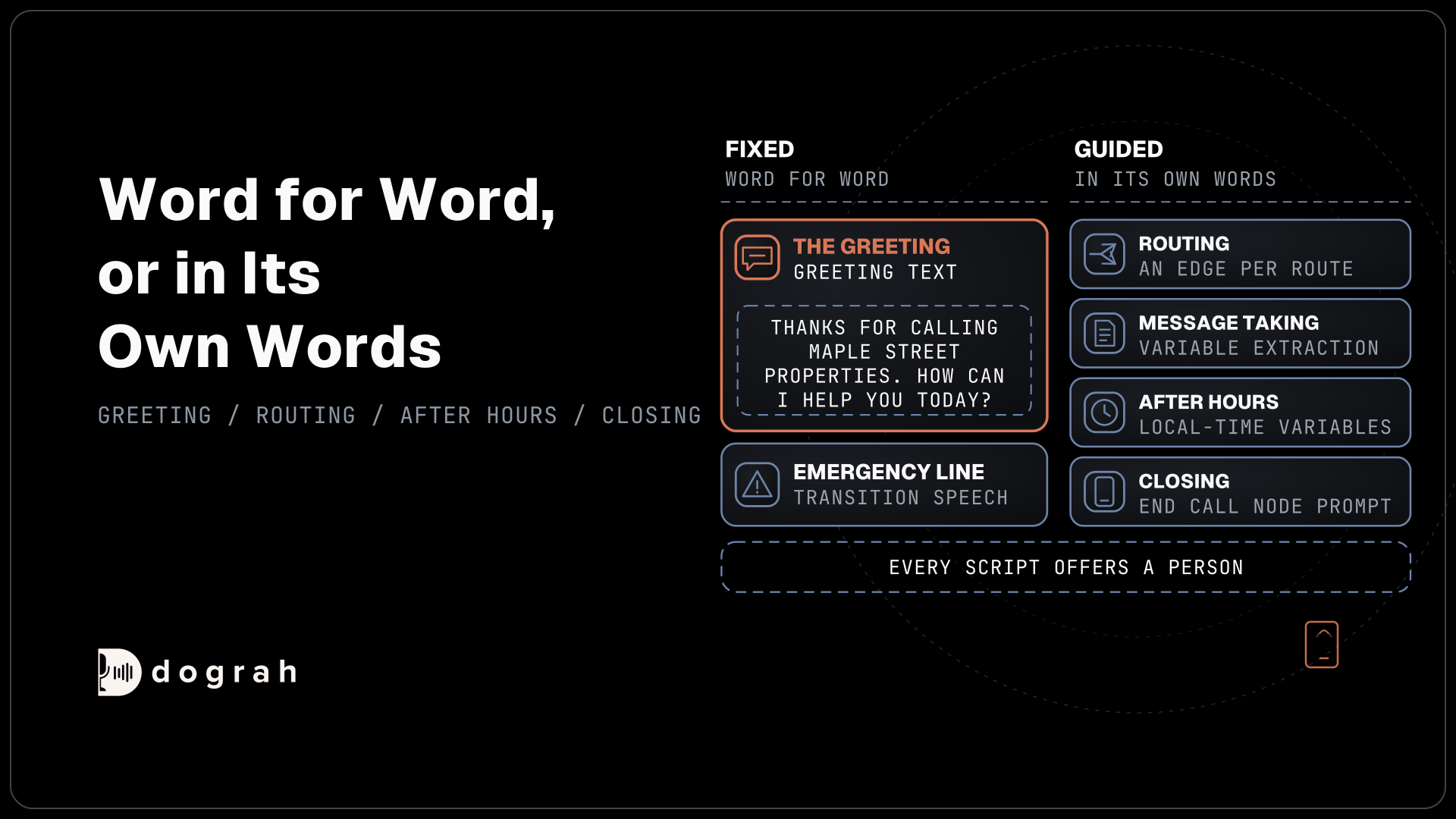
Every block above maps to one step in a Dograh agent. Fixed lines sit where Dograh speaks text exactly as written. Guidance sits in prompts, which the language model turns into its own words on each call.
| Script block | Dograh step | Fixed or guided |
|---|---|---|
| Opening and AI notice | Start Call node, Greeting Text | Fixed |
| Persona and shared rules (never quote a price) | Global Node, Global Prompt | Guided |
| Questions | Agent Node Prompt, with Enable Variable Extraction | Guided |
| Objections | The same Agent Node, or a second one reached by an edge Condition | Guided |
| Opt-out confirmation | Transition Speech on the edge to an End Call node | Fixed |
| Booking | HTTP API tool on the Agent Node | Tool |
| Handoff | Transfer Call tool | Tool |
| Close and goodbye | End Call node Prompt | Guided |
The answers become fields through variable extraction on the Agent Node. Each variable has a Variable Name, a Type and an Extraction Hint. Dograh's own example for this node is a lead qualifier, named "Qualify Budget", with the prompt "Ask about budget and timeline. Capture both before transitioning." and two variables, budget_usd as a number and timeline as a string. For Template 1 the variables would be job, owns_property, timeline and decision_makers.
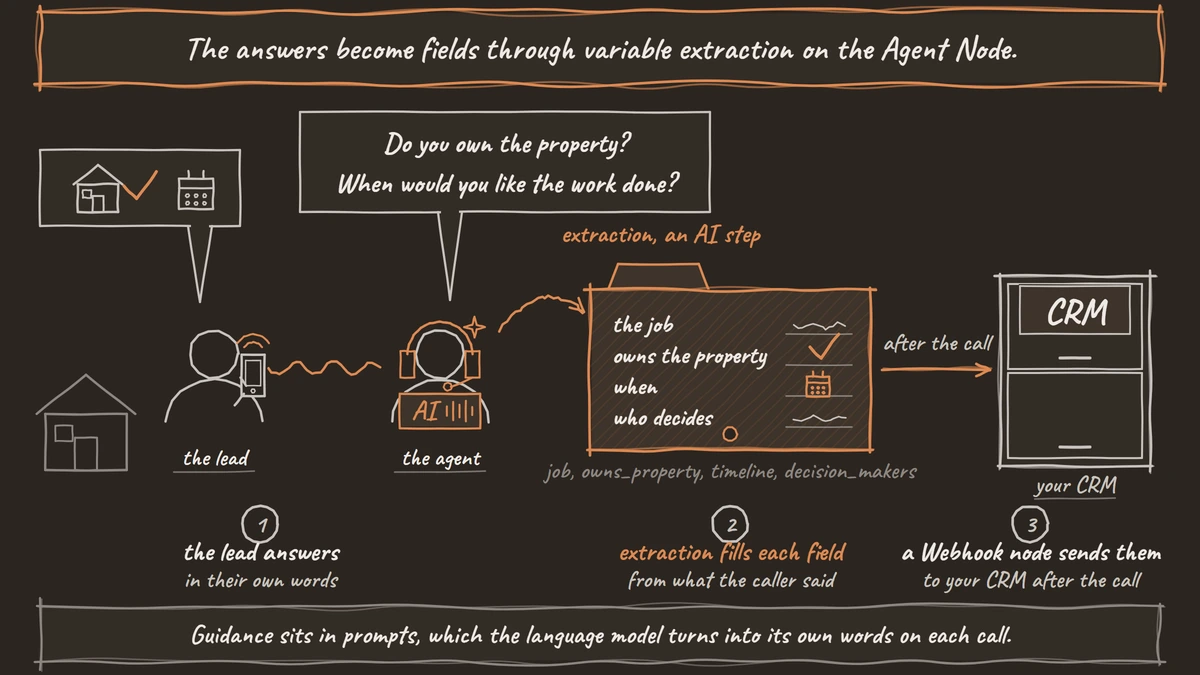
Extraction is an AI step that fills each field from what the caller said, and the Extraction Hint can ask it to keep the caller's own words. The recording stays the exact record. The values land in gathered_context, and a Webhook node can send them to your CRM after the call. Call dispositions are off until you turn them on in the agent's Settings, and then each finished call is tagged qualified, not_interested, callback_requested or do_not_call. A do_not_call tag does not stop a campaign from dialing that number, so the stop path also needs an HTTP API tool that writes the number to your do-not-call list, and every new list is checked against it.
Check: run a test chat, answer all four questions, and confirm every variable appears in the run's gathered context.
Dialing the list with Campaigns
The outbound templates run as a campaign once the list is ready. You upload a CSV with a phone_number column, and every other column becomes a variable, so {{first_name}} and the lead's form answers reach the greeting and the prompt. A row can also carry its own greeting, a greeting override, through the greeting_override_type column, set to text, and the greeting_override_text column. One agent can then open aged leads with Template 4 and fresh form leads with Template 2.
Campaigns set the Call Schedule with one Timezone and weekday Time Slots, so split a list by time zone to keep every lead inside the calling window. Enable Retries sets Max Retries, 2 by default, a Retry Delay and which outcomes to retry on, such as No Answer or Busy Signal. Campaigns are part of Dograh's open-source code, so they run the same way on a self-hosted install or on Dograh Cloud.
Check: start a campaign with your own number as the only row and confirm the greeting uses your first name.
Before you ship it
Test every template before a real lead hears it. Open Test Agent and use Test Chat to walk each path in text, then Test Audio to hear it. In the Variables tab at the top of the editor, set direction to outbound and fill in first_name to test the callback paths. Browser tests cannot run call transfer, so test the handoff with Phone Call from a real phone.
Try the hard paths on purpose, such as "I never filled in a form", "just email me" and "stop calling". Then publish a version and listen to the first real calls before you widen the list. For the prompt side of these blocks, our voice agent prompt templates give ready-made Global Prompt and step prompts.
Glossary
- Prior express written consent
- A signed agreement, which can be an online form, in which a person agrees to telemarketing calls from a named business. The FCC's rules require it for artificial-voice telemarketing calls to mobile and home numbers.
- Greeting Text
- The fixed opening line on Dograh's Start Call node, spoken word for word. It is the right place for the business name, a phone number, the opt-out offer and any AI notice.
- Variable extraction
- An Agent Node setting that has the model fill named fields, such as timeline or budget, from the caller's answers, so they can be sent to a CRM.
- Greeting override
- Columns in a Dograh campaign CSV that replace the agent's opening for one row, so different lead types on the same list hear different first lines.