
An AI receptionist script is a set of short lines for each front-desk moment. It covers the greeting, routing, message taking, after hours, emergencies, the path to a person and the goodbye. With Dograh, the open-source AI voice agent platform, each script maps to a step in the agent, whether you host it yourself or use Dograh Cloud.
Key Takeaways
- The business name goes in the greeting, with or without an AI notice.
- Every script offers a person, and the prompt offers a message when nobody answers.
- In Dograh, Transfer Call connects the caller only once the destination answers.
Most front-desk calls are one of a handful of moments. Below are short scripts for each, from the greeting and routing to message taking, after hours, emergencies, asking for a person and the goodbye. Then we talk about where each script goes in a Dograh agent.
What you need before you start
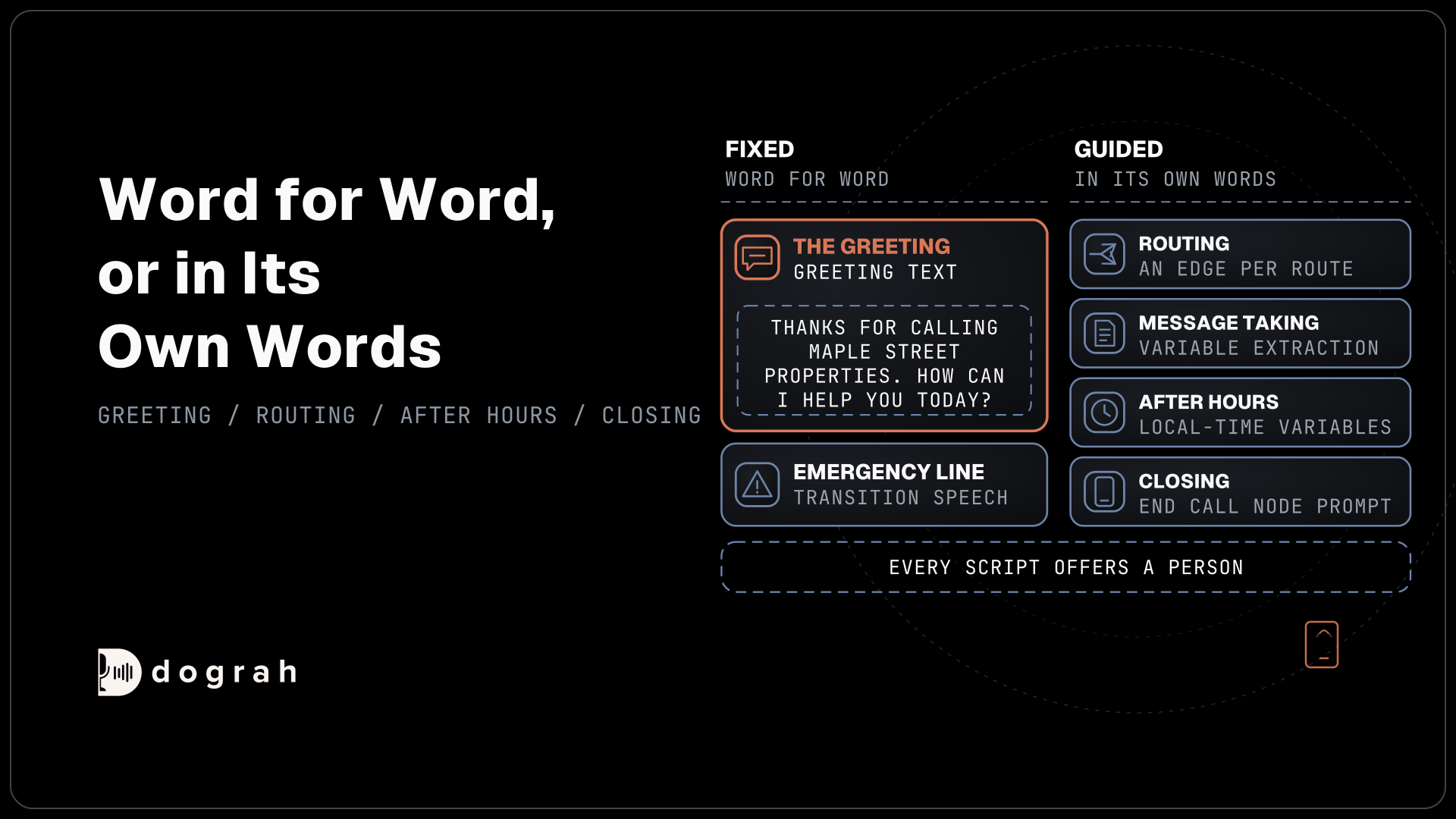
These scripts are examples we wrote for a property management office called Maple Street Properties. Change the names, hours and routes to match your business. Some lines are fixed, which means the agent says them word for word, and the rest are guidance the agent turns into its own words on each call. Our tutorial on how to build an AI receptionist covers the full build, so this post sticks to what the agent says.
Facts such as hours, the address and parking come from the business, never from the model. Upload them to the Knowledge Base and attach the file to the step that answers questions, so the agent reads them instead of guessing.
Offer a person early. In AnswerConnect's survey of 6,000 consumers in the US, UK and Canada, run by OnePoll, the share who would hang up if connected to AI rose from 29% to 31% between October 2025 and April 2026. AnswerConnect sells human answering, so read the figure as a reason to keep the path to a person short.
The greeting script
The greeting is fixed text, so it says exactly what you write. It names the business and asks one open question. The two versions below differ only in the AI notice.
Without the AI notice, "Thanks for calling Maple Street Properties. How can I help you today?"
With the AI notice, "Thanks for calling Maple Street Properties. I'm the automated assistant, and I can help or put you through to the team. How can I help you today?"
If you want to tell callers they're speaking with an automated assistant, or your location requires it by law, write it in the Greeting Text along with the business's name. If calls are recorded, add a short recording notice to the same line, such as "Calls are recorded for quality."
The greeting lives on the Start Call node. Allow Greeting Interruption is on by default, so a caller who starts talking cuts it short. Switch it off when the greeting carries a notice that must play in full. A two-language greeting needs both languages in the opening line, and our post on the bilingual answering service shows how to write it.
The routing script
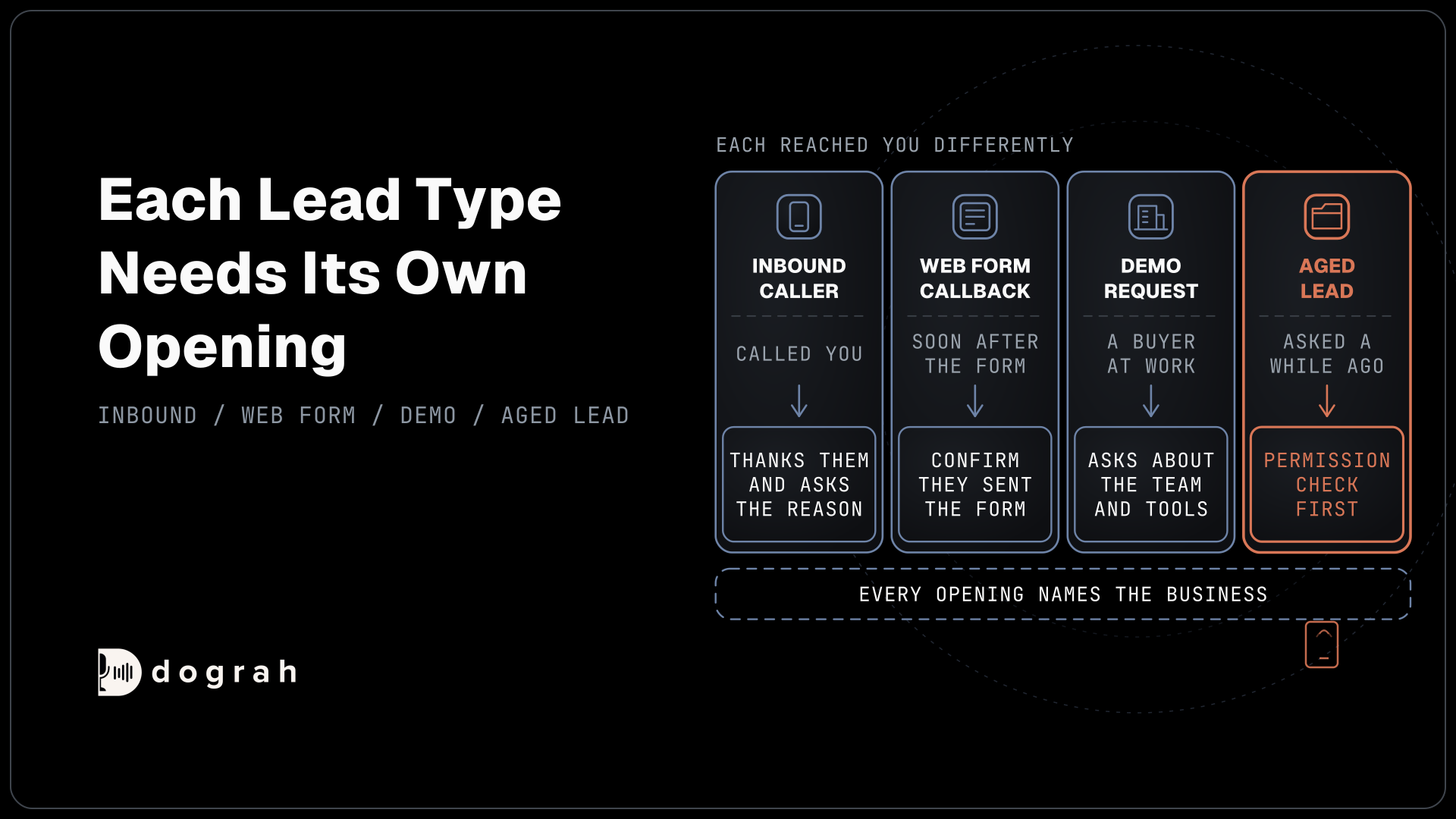
Routing finds the reason in one question and sends the call one way. The caller says what they need in their own words, which is the difference from an automated attendant that reads a menu of numbers. The guidance block below goes in the first Agent Node.
Task: find out why the person is calling, then route the call.
Ask what they need in one short question if the greeting didn't cover it.
Routes:
- Maintenance request: take the details in the message step.
- Viewing a unit: move to the booking step.
- Rent or billing: offer to transfer to the office.
- Leasing questions: answer from the knowledge base.
Say where you are sending them in one line before you move, for example
"Let me take the details for maintenance."
If you can't tell which route fits after two tries, offer to take a message.
What this does: Gives each kind of call one route and one short line that tells the caller what happens next. For a caller it cannot place, it asks the agent to end in a message instead of a loop.
Each route is an edge in Dograh, and its Condition says when to take it. A route to a person uses Transfer Call. A route to another Dograh agent, such as a Spanish line, uses Transfer To Agent, which hands over the live call with the conversation so far. Our post on AI call routing covers how to choose between them.
The message-taking script
A good message has three things the team needs, who called, how to reach them and why. The agent asks for them one at a time and reads the number back. The block below is guidance for a message step.
Task: take a message the team can act on.
Ask one at a time:
1. Your name, please?
2. The best number to reach you?
3. What is it about?
4. Is it urgent today, or can it wait until the office opens?
Read the phone number back in groups, for example "four one five, five five
five, ..." and wait for a yes.
Close: say the team will get the message and call back. Never promise a time.
What this does: Asks for a name, a confirmed number, a reason and an urgency flag on every message, and tells the agent not to promise a callback time the office might miss.
Turn on Enable Variable Extraction on this step, with caller_name, callback_number, reason and urgency as the variables. Extraction is an AI step that fills each field from the caller's answers, and the recording stays the exact record. A Webhook node sends the message to your team's system after the call, or an HTTP API tool sends it during the call.

Open Source Alternative to Vapi / Retell
Self-hosted voice agent platform — no per-minute fees
dograh-hq/dograh
Star on GitHub
The after-hours script
After hours, the agent says the office is closed, gives the hours and offers what it can still do. In Dograh the hours live in the prompt, with local-time variables that tell the agent the time where your office is. The block below goes in the Global Prompt or the first step.
It is now {{current_weekday_America/Chicago}}, {{current_time_America/Chicago}}.
Office hours are Monday to Friday, 9 a.m. to 5 p.m. Central.
If the office is closed:
- Say so in one sentence and give the hours.
- Offer to take a message, or book a viewing if they want one.
- For an urgent maintenance issue, such as a leak or no heat, offer the
  on-call line.
Never say the office is open outside these hours.
What this does: Tells the agent to check the local time on each call and use closed-office lines outside 9 to 5, while urgent repairs are still offered the on-call person.
The spoken version can be as short as "Our office is closed right now. We're open Monday to Friday, 9 to 5. I can take a message, or if it's an urgent repair I can reach our on-call technician." Our post on the AI after-hours answering service covers the full night flow.
The emergency script
The emergency line never asks the agent to judge how serious something is. When a caller describes danger to a person or a fire, the agent says one fixed line and moves to the on-call step.
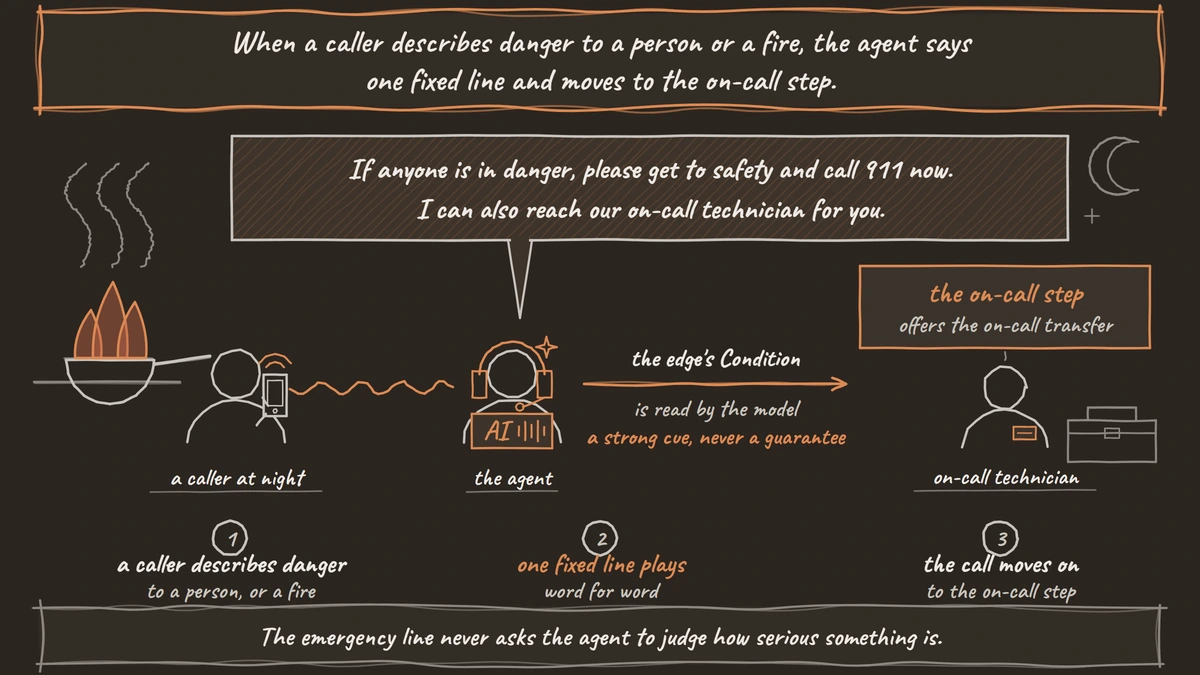
"If anyone is in danger, please get to safety and call 911 now. I can also reach our on-call technician for you."
Put that line in the Transition Speech of the edge that leads to the on-call step, so it plays word for word. The edge's Condition is read by the model, such as "the caller reports danger to a person, fire or smoke". That makes it a strong cue, never a guarantee, so test it with several phrasings. A gas smell gets its own edge and its own fixed line, "Leave the unit now without touching any light switches, then call 911 from well away from the leak." The next step offers the on-call transfer for urgent problems that are not a danger to anyone, such as a burst pipe.
When the caller asks for a person
Any caller who asks for a person should reach one, or know exactly what happens instead. Give the request its own route, and keep the agent's reply short.
"Sure, let me put you through to the office now."
The line can go in the Transfer Call tool's Pre-Transfer Message. Transfer Call works on Twilio, Telnyx, Plivo, Cloudonix and Asterisk ARI. Dograh calls the destination first and connects the caller only when someone answers. A voicemail that picks up counts as an answer, so set the team phone's voicemail to pick up later than the Transfer Timeout. On Twilio, a short spoken introduction both people hear can be added. Our post on how an AI receptionist call transfer works covers what the staff member hears.
If nobody answers within the Transfer Timeout, 30 seconds by default, the agent is told and the caller stays on the line. The prompt then decides the next line, such as "Sorry, nobody's free right now. I can take a message and have someone call you back." On Exotel, Vobiz or Vonage numbers, where Transfer Call is not available, set the prompt so the agent takes a callback request whenever the caller wants a person, and an HTTP API tool writes it to your system.
Join the Dograh Community
Dograh is an OSS alternative to Vapi. Join our Slack community for queries, releases, best practices & community interactions.
The closing script
The closing confirms what happened and lets the caller go. It should only repeat what the call actually did, so the agent says a viewing is booked only after the booking tool confirms it.
"You're all set. The team will get your message today. Thanks for calling Maple Street Properties, goodbye."
This line works as guidance in an End Call node's Prompt, or as the goodbye of the End Call tool. An agent can have several End Call nodes, one for each way a call ends, such as a booked viewing or a message taken.
Where each script goes in Dograh
Each script above lands in one place in the agent. The table maps them, and every step is part of Dograh's open-source code, so the same agent runs on a self-hosted install or on Dograh Cloud.
| Script | Dograh step | Fixed or guided |
|---|---|---|
| Greeting and AI notice | Start Call node, Greeting Text | Fixed |
| Routing | Agent Node Prompt, with an edge per route | Guided |
| Message taking | Agent Node with Enable Variable Extraction | Guided |
| After hours | Global Prompt with local-time variables | Guided |
| Emergency line | Transition Speech on the edge to the on-call step | Fixed |
| Asking for a person | Transfer Call tool, Pre-Transfer Message | Tool |
| Closing | End Call node Prompt or End Call tool | Guided |
Check: open each edge and confirm its Condition Label is a short, unique name for the route, and give each node a clear name, so the call log shows which step each call reached.
Before you ship it
Test every script on the paths callers actually take. Open Test Agent and use Test Chat to type each route, then Test Audio to hear the greeting and the emergency line spoken. Try asking for a person three different ways.
Browser tests cannot run call transfer, so test the person path with Phone Call from a real phone, once when someone answers and once when nobody does. Test after hours by calling outside your office hours, or by changing the hours in the prompt for the test. Publish a version once every path behaves, then listen to the first real calls.
Glossary
- Transfer Timeout
- How long Dograh's Transfer Call rings the destination before giving up, 30 seconds by default. If nobody answers, the caller stays with the agent.
- Transition Speech
- Fixed text or a recording on an edge between two Dograh steps. It plays word for word when the call takes that path, which suits a safety line.
- Transfer To Agent
- A Dograh tool that hands the live call to another Dograh agent, such as a Spanish line, along with the conversation so far.
- Automated attendant
- A phone menu that reads options and routes by keypress or a spoken number. A voice agent routes from the caller's own words instead.