
An AI after-hours answering service picks up your calls at night and on weekends. It books new customers into open slots and turns every other call into a message the morning team can act on. Urgent calls go to the on-call person, and if nobody answers in time, the caller stays with the agent, which takes a callback request.
Key Takeaways
- Most night callers are tomorrow's customers, so book them tonight.
- A good message says who, what, how urgent and the promised window.
- An unanswered transfer returns the caller to the agent for a callback request.
This post is part of our guide to AI receptionists, where a night call should end with an answer, a booking, a message or a person. Below, we cover the closed-hours flow and that message, and how to set each one up in Dograh, the open-source AI voice agent platform we build.
The 9 p.m. call is usually a new customer
Most calls after closing are not emergencies. They come from people who finally have time to deal with a quote, a booking or a question they have put off all week, and they are ringing the first few businesses they found. At 9 p.m., the caller is usually shopping.
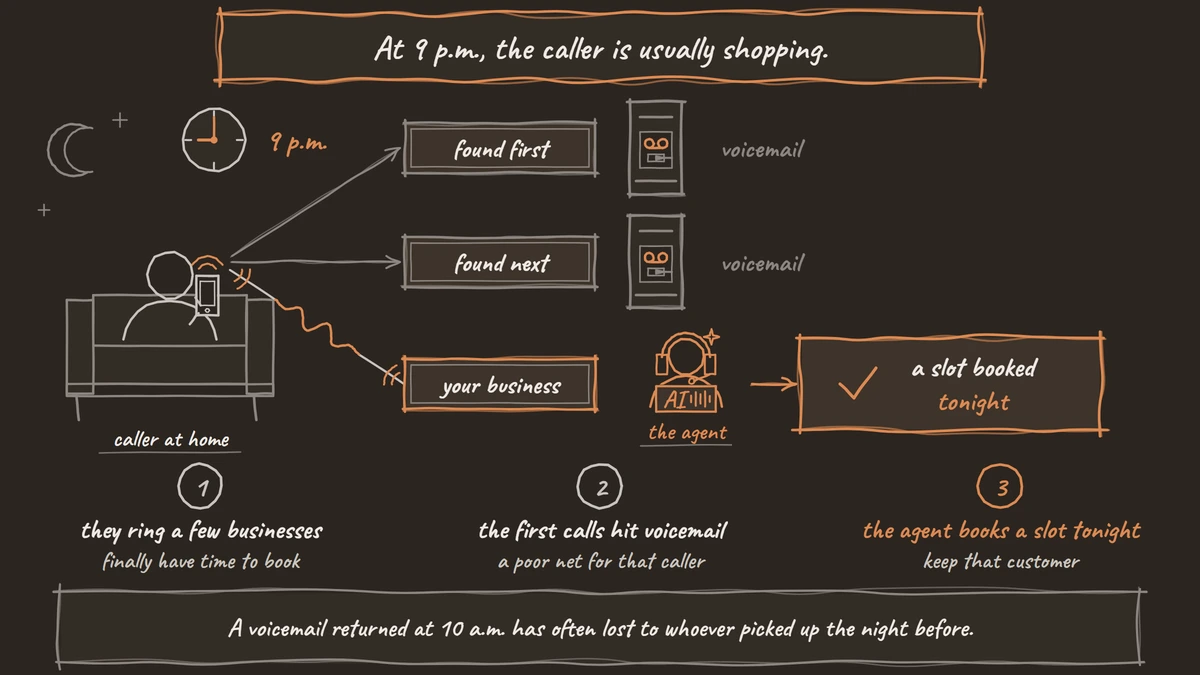
Voicemail is a poor net for that caller. In a CallRail survey of 1,000 US consumers, only 42% said they leave a voicemail when a business does not answer, and 21% said they immediately call another business. CallRail sells call tracking, so it has a reason to stress missed calls.
Patience is short as well. Home-service owners in Jobber's trends report described how fast their customers expect a reply, and adding up their answers, 71% put it at four hours or less. A voicemail returned at 10 a.m. has often lost to whoever picked up the night before.
So the agent's first job after hours is to keep that customer. If the caller wants a booking, it books one tonight. If the request needs a person, it says exactly when someone will call, and that promise goes into the morning queue.
The after-hours flow from greeting to goodbye
Your phone system decides when calls reach the agent, for example every call after 6 p.m. and all weekend. Set those hours there, and the agent only ever hears closed-hours calls.
The opening plays next. Put the business name, the fact that you are closed and what the caller can still do in the Greeting Text, which plays word for word, for example "Thanks for calling Northside Dental. We're closed for the night, but I can book you in or take a message." A pre-recorded clip in the owner's own voice works here too, with text-to-speech covering the rest of the call.
After the greeting, every call heads for one of four endings. The agent answers from your documents, books a slot through a tool that reads your calendar, takes a message, or routes the call to the on-call person if it matches your urgent list. Write the prompt around those endings. A caller who asks for a person goes to the on-call phone only if the list says so, and otherwise gets a callback with a stated time.
A message the morning team can act on
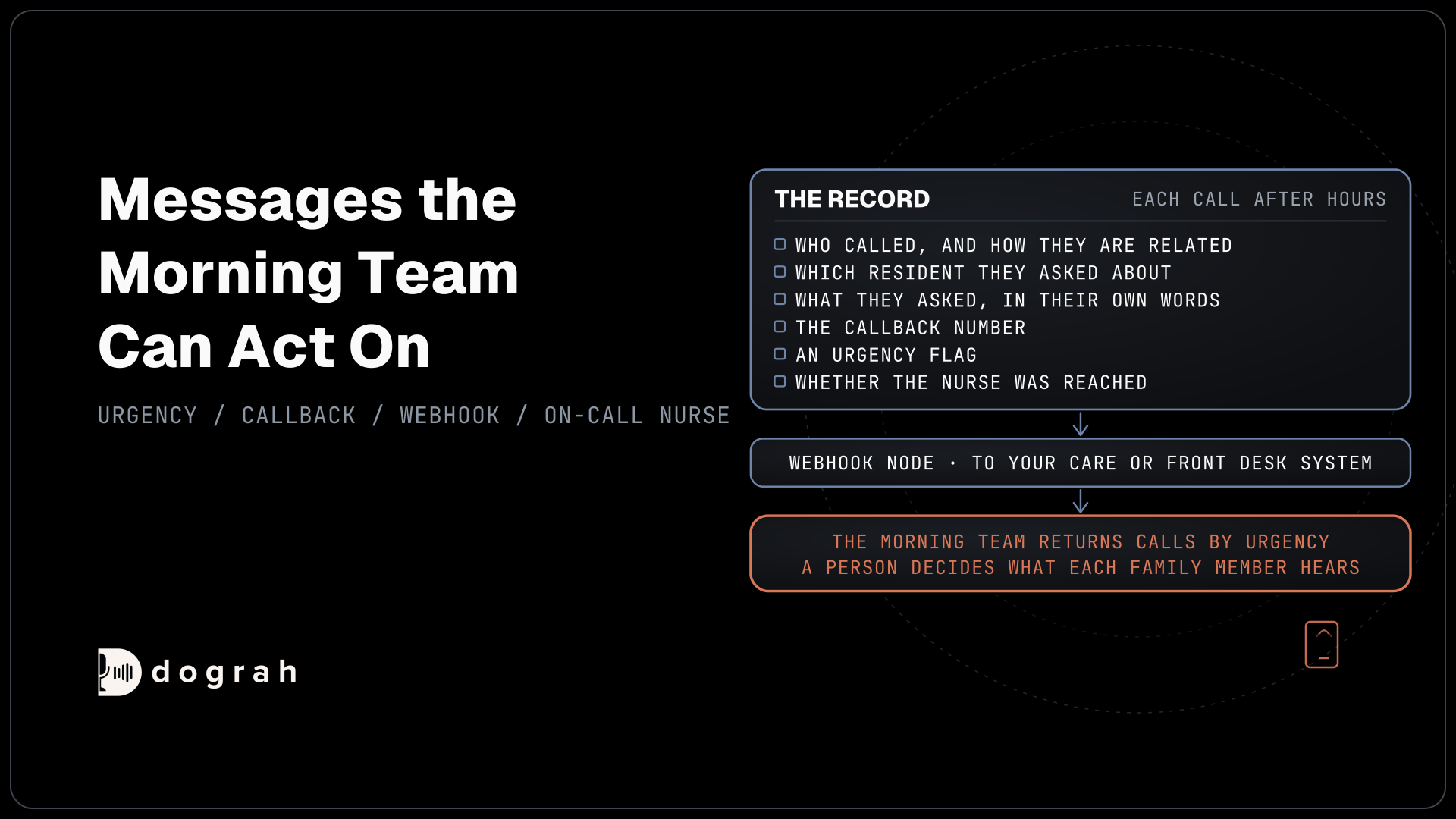
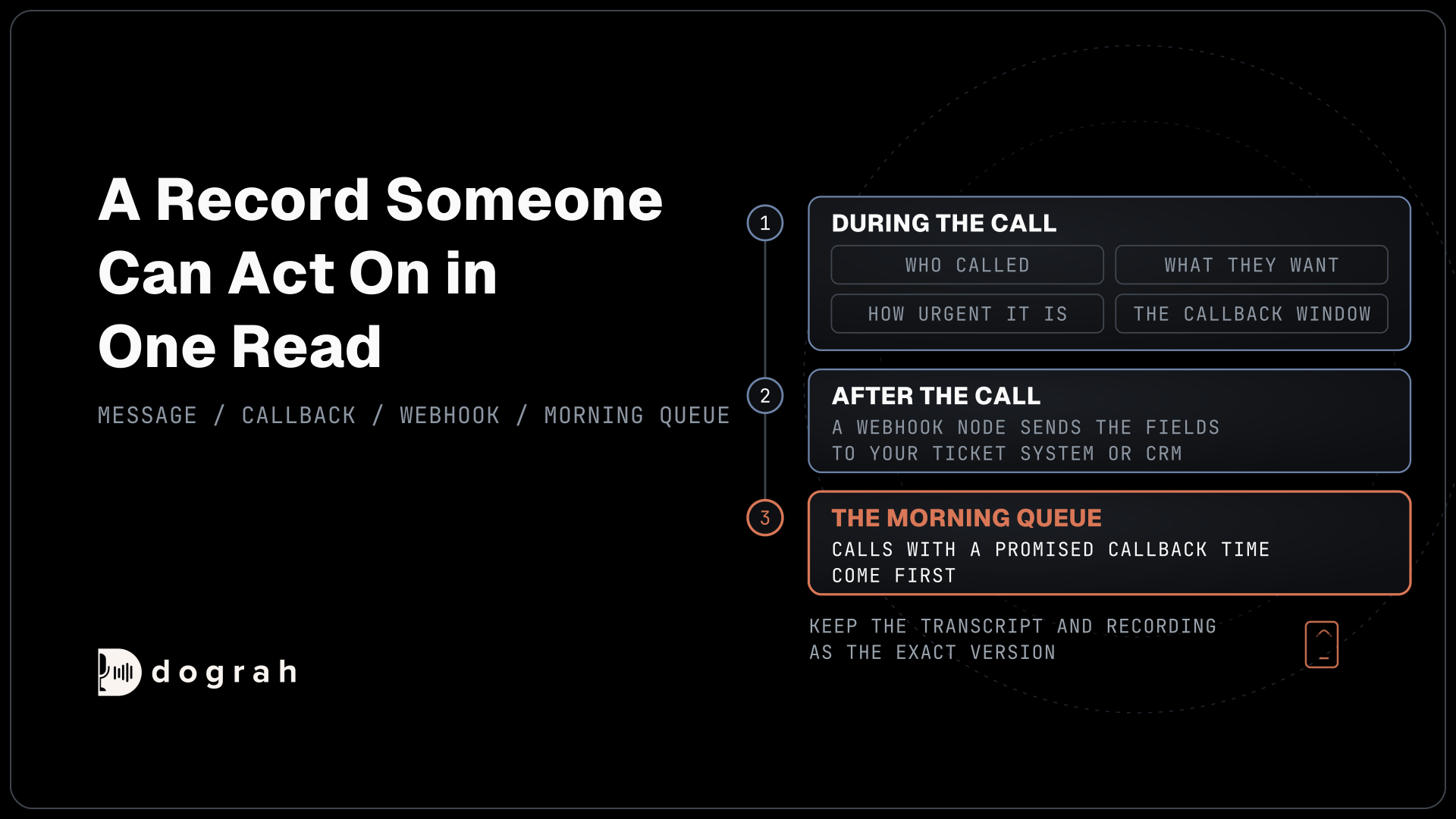
A night call should end as a record someone can act on in one read: who called, what they want, how urgent it is and the callback window the agent promised. If the morning team has to replay a recording to find the address, the message has failed.
The agent gathers those as fields during the call. Have it read the callback number back digit by digit, since a wrong digit is the costliest mistake a message can carry. Each field is the agent's record of what the caller said, so keep the transcript and recording as the exact version.
After the call, a Webhook node sends the fields, the outcome label and the recording link to your ticket system or CRM. It retries temporary failures by itself, up to 5 attempts, so a short outage at 2 a.m. does not lose a message. Our post on automating voice workflows with n8n and webhooks shows how to route those records once they arrive.
Then decide who reads the queue first. Calls with a promised callback time come first, and everything else follows in the order it arrived. Give each outcome label an owner, such as new_customer_callback for the front desk, so nobody assumes someone else took it.

Open Source Alternative to Vapi / Retell
Self-hosted voice agent platform — no per-minute fees
dograh-hq/dograh
Star on GitHub
Urgent calls go to the on-call person
The owner's written list decides which calls count as urgent, so the agent never judges that on its own. Anyone in danger hears a fixed line first, telling them to get to safety and call 911, played as Transition Speech so the words never drift.
For urgent calls that are not about safety, such as a burst pipe or a tenant with no heat, the agent writes the details to your system and starts Transfer Call. Dograh dials tonight's on-call number while the caller hears hold music and connects the two only when the on-call person answers. Transfers run on Twilio, Telnyx, Plivo, Cloudonix and Asterisk ARI.
Our post on AI voice agents for after-hours coverage covers the escalation list in depth, along with paging a backup and calling back from the business's own number.
When nobody answers within the transfer timeout
The on-call person will miss some transfers, so that moment needs a plan before launch. The transfer timeout is 30 seconds by default, and you can set it anywhere from 5 to 120 seconds. If the destination does not answer, is busy or the call fails, the transfer comes back to the agent as failed and the caller stays on the line with it.
Nothing is lost at that point, but nothing happens on its own either. Tell the agent in the prompt what to do next: apologise once, confirm the callback number and agree a window that suits the caller. The agent then writes that callback request to your system during the call through an HTTP API tool, so the team sees it before the call ends.
HTTP API tools do not retry if your system is down for a moment, so let the Webhook node carry the same request after the call as a backstop. The record then reaches the morning queue with an outcome such as callback_requested, at the top of the list.
Join the Dograh Community
Dograh is an OSS alternative to Vapi. Join our Slack community for queries, releases, best practices & community interactions.
Test the night shift before it goes live
Test from a real phone, at night, because browser test calls cannot transfer. Call as a new customer at 9 p.m. and book a slot. Call with an urgent problem, leave the on-call phone to ring out and check that the callback request reaches your system. Then read the morning queue the way your team will.
You can host the agent yourself or use the managed cloud. Self-hosted Dograh has no per-minute platform fee, but servers, model keys and phone minutes still cost money. Dograh Cloud charges a 1¢-a-minute platform fee.
After launch, each call's trace shows which pathway the agent took. Built-in QA can score a sample of night calls every week, so a missed booking or a wrong outcome label shows up before a customer complains.
Glossary
- Outcome label
- The tag a call ends with, such as new_customer_callback or callback_requested. Sent on with the message, it tells the morning team which calls to work first and who owns each one.
- Callback request
- A record of who to call back, on which number and inside which window. The agent writes it to your system during the call, and your team makes the call itself.
- Transfer timeout
- How long the agent rings the on-call person before the transfer counts as failed. It is 30 seconds by default and can be set from 5 to 120, after which the caller comes back to the agent.
- Greeting Text
- Fixed text on the Start Call node that plays word for word when the call connects. It carries the business name and the closed-hours message, because the language model cannot reword it.