
A voice agent prompt template is a set of instructions for one phone job. It pairs shared rules with a job prompt that says what to confirm, what to do when an answer is unclear and when to end. In Dograh, the open-source AI voice agent platform you host or use on Dograh Cloud, each block pastes into a field.
Key Takeaways
- Put shared rules in one place and keep each job prompt short.
- Every job prompt needs a confirmation line, an unclear-answer line and an exit.
- In Dograh, test each template in Test Chat and by phone before publishing.
A prompt that works in a chat window can go wrong on a phone call. Here are copyable prompts, starting with one shared set of rules, then receptionist, booking, qualification and reminder prompts. Then we talk about where each block goes in Dograh and how to test it.
What you need before you start
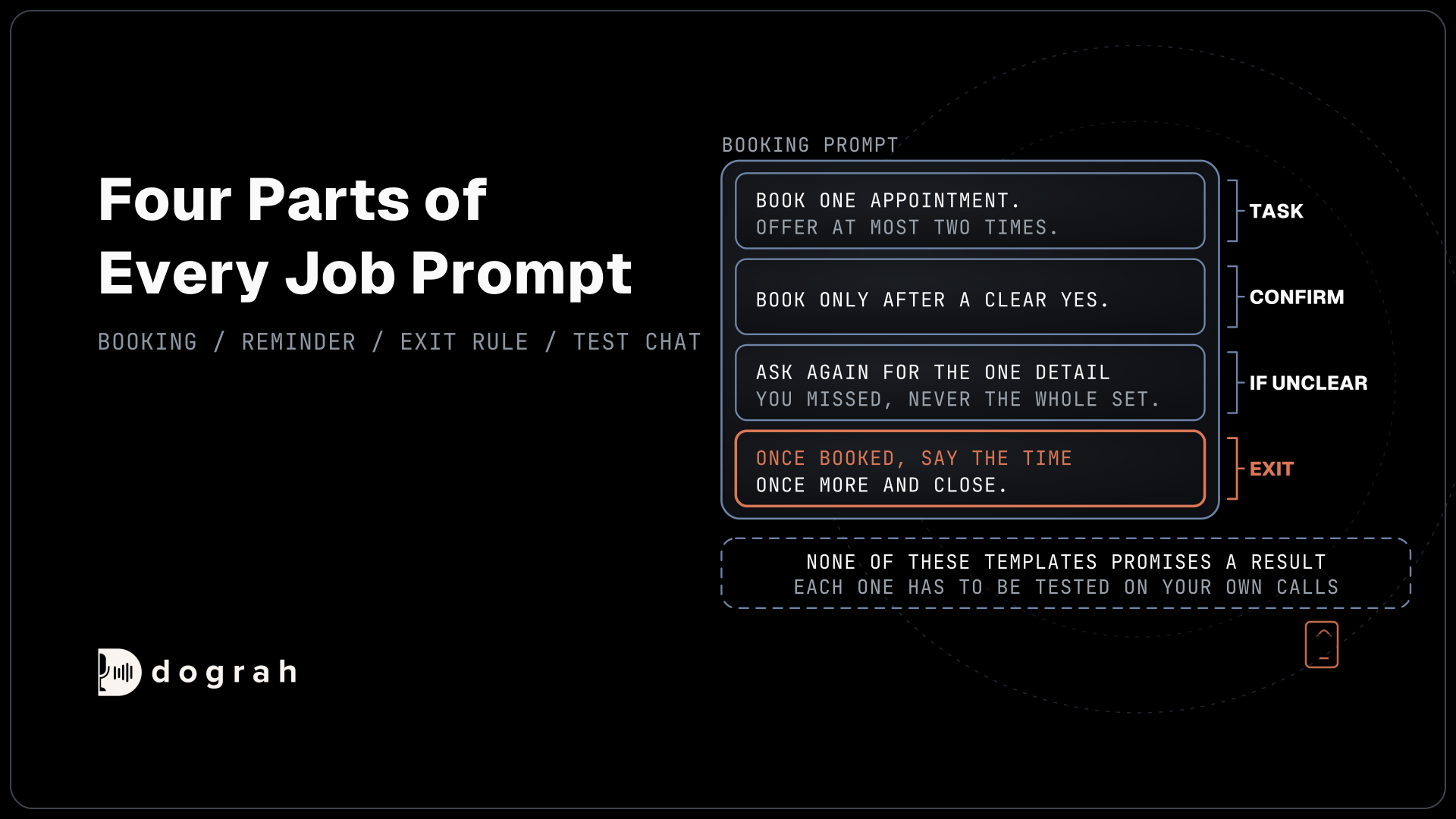
These templates are examples we wrote, so treat them as a starting point and fill in your own business details. Each job prompt has four parts, the task, a confirmation line, an if-unclear line and an exit rule. The shared rules sit in one block that every job prompt builds on. Our guide to voicebot prompt engineering explains why each rule works, so this post sticks to the text you paste.
Keep every reply short. LiveKit's prompting guide sets the default plainly, "Keep replies brief by default: one to three sentences. Ask one question at a time." The templates follow that rule and ask for plain spoken sentences, with no lists or symbols the voice would read out.
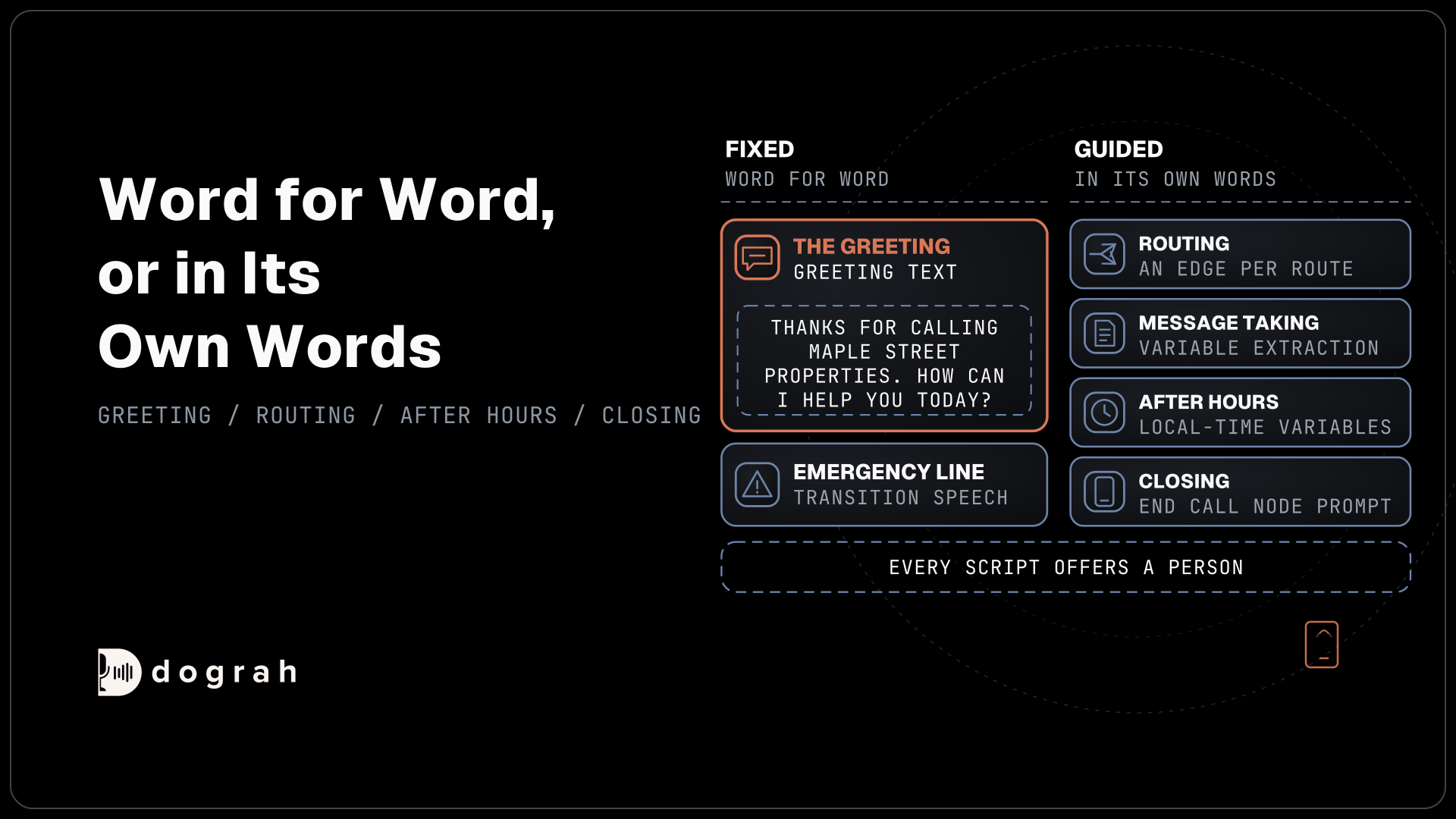
A prompt makes a behavior likely, and it never guarantees exact words. The model may paraphrase any line you give it. Anything that must be said word for word, such as the business name in the opening or a legal notice, belongs in fixed text, which in Dograh means the Greeting Text or an edge's Transition Speech. None of these templates promises a result, and each one has to be tested on your own calls.
The shared Global Prompt
The shared block holds the persona and the rules every step needs. Dograh's Global Node starts with its own default text, "You are a helpful assistant whose mode of interaction with the user is voice. So don't use any special characters which can not be pronounced. Use short sentences and simple language." The template below builds on that idea and adds the rules phone jobs share.
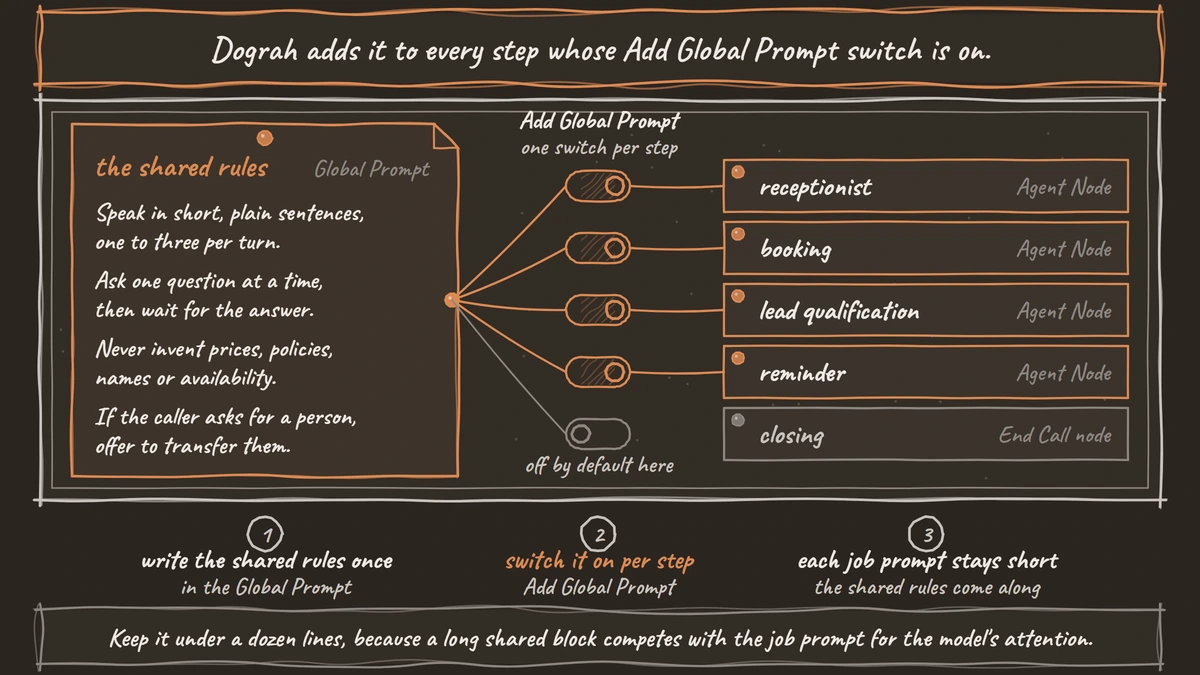
You are the phone assistant for {{business_name | our office}}.
This is a live phone call. Audio can be noisy and the transcript may be wrong.
Speak in short, plain sentences, one to three per turn.
Ask one question at a time, then wait for the answer.
Say numbers, times and dates the way a person says them aloud.
Use only facts from this prompt, the knowledge base or a tool result.
If you don't know something, say so and offer to take a message or transfer.
Never invent prices, policies, names or availability.
Never say an action worked until the tool result confirms it.
If the caller asks for a person, offer to transfer them.
If anyone is in danger, tell them to get to safety and call 911.
What this does: Every step that uses this block is asked to keep replies short, stay inside known facts and wait for a tool result before saying a booking or transfer worked. The
business_namevariable falls back to "our office" if it is missing.
Paste it into the Global Node as its Global Prompt. Dograh adds it to every step whose Add Global Prompt switch is on. Keep it under a dozen lines, because a long shared block competes with the job prompt for the model's attention.
Receptionist prompt
A receptionist prompt sorts the call first and solves it second. It should find the reason in one question, answer simple questions from the knowledge base, and route everything else. The template below is for the main answering step.
Task: find out why the person is calling and help or route them.
Ask what they need in one question.
- Hours, address, parking or services: answer from the knowledge base.
- New booking: move to the booking step.
- Billing or a complaint: offer to transfer to the office.
- Anything else: take a message with name, callback number and reason.
Confirm: read the callback number back in groups of three or four digits.
If unclear: say the line was unclear and ask again in a few words. After two
tries, offer to take a message.
Exit: when the caller has an answer, a booking step or a message taken, ask
if there is anything else, then close.
What this does: Asks the agent to sort each call into answer, book, transfer or message, and to end in a message instead of a loop. Two unclear answers in a row should turn into a message, not a third try.
The spoken lines that go with this prompt, such as the greeting and the after-hours message, live in our AI receptionist script templates.

Open Source Alternative to Vapi / Retell
Self-hosted voice agent platform — no per-minute fees
dograh-hq/dograh
Star on GitHub
Booking prompt
A booking prompt needs today's date, the available times and a read-back before anything is saved. Dograh fills the date from template variables. The plain {{current_time}} is in UTC, so use the local form shown below. The tool names are examples, so match them to your own HTTP API tools.
Today is {{current_weekday_America/New_York}}, {{current_time_America/New_York}}.
Task: book one appointment.
1. Ask which service they want.
2. Ask which day suits them.
3. Call check_availability and offer at most two times from the result.
4. When they pick one, read back the day, time and service.
Confirm: book only after a clear yes. Then call book_appointment.
If the tool fails: say you couldn't confirm the booking and offer a callback.
If unclear: ask again for the one detail you missed, never the whole set.
Exit: after book_appointment succeeds, say the time once more and close.
What this does: Gives the agent today's local date, asks it to offer two times instead of reading a list, and tells it to book only after a yes. A failed tool call should become a callback offer.
For the tools behind check_availability and book_appointment, see our tutorial on how to build an AI appointment scheduler.
Lead qualification prompt
A qualification prompt collects a few answers in order and decides the next step from them. Keep the questions to what the next step needs, and give a rule for each kind of answer.
Task: find out whether the lead fits and book the next step.
Ask one at a time, in order:
1. What do you need help with?
2. When are you hoping to start?
3. Who else is part of the decision?
Rules: never quote a price or a discount. If they ask, say the team covers
pricing on the next call.
Confirm: repeat their need and timeline in one sentence before booking.
If unclear: ask a short follow-up once, then move to the next question.
Exit: if they fit, offer two meeting times. If they don't, thank them and
close. If they ask to stop being called, confirm and end the call.
What this does: Asks the agent to ask three questions in order, confirm what it heard and end in a booking, a polite close or an opt-out. A vague answer gets one follow-up, so the call moves on instead of stalling.
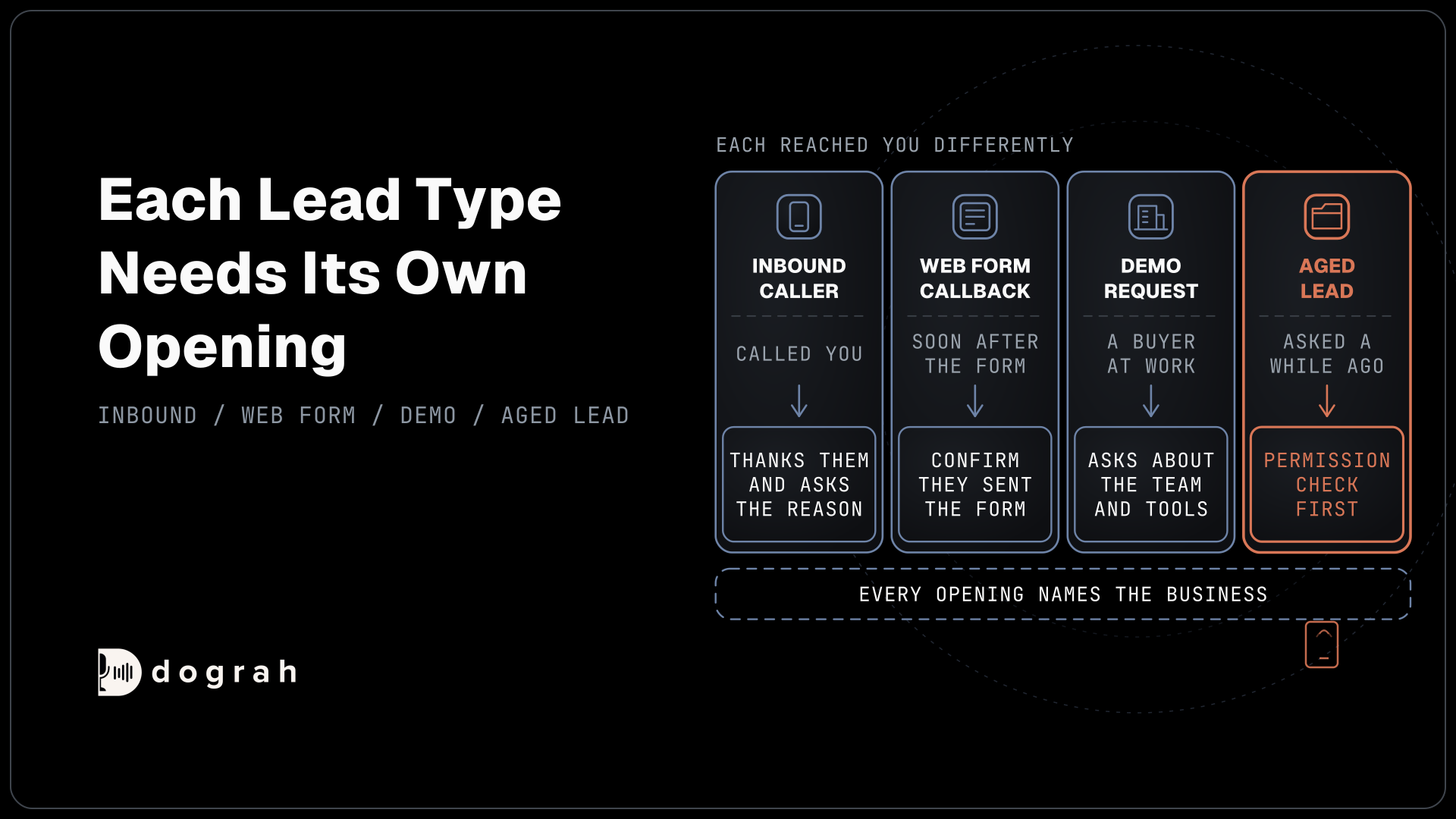
Our AI lead qualification script templates give the openings and objection lines for four lead types that pair with this prompt.
Reminder prompt
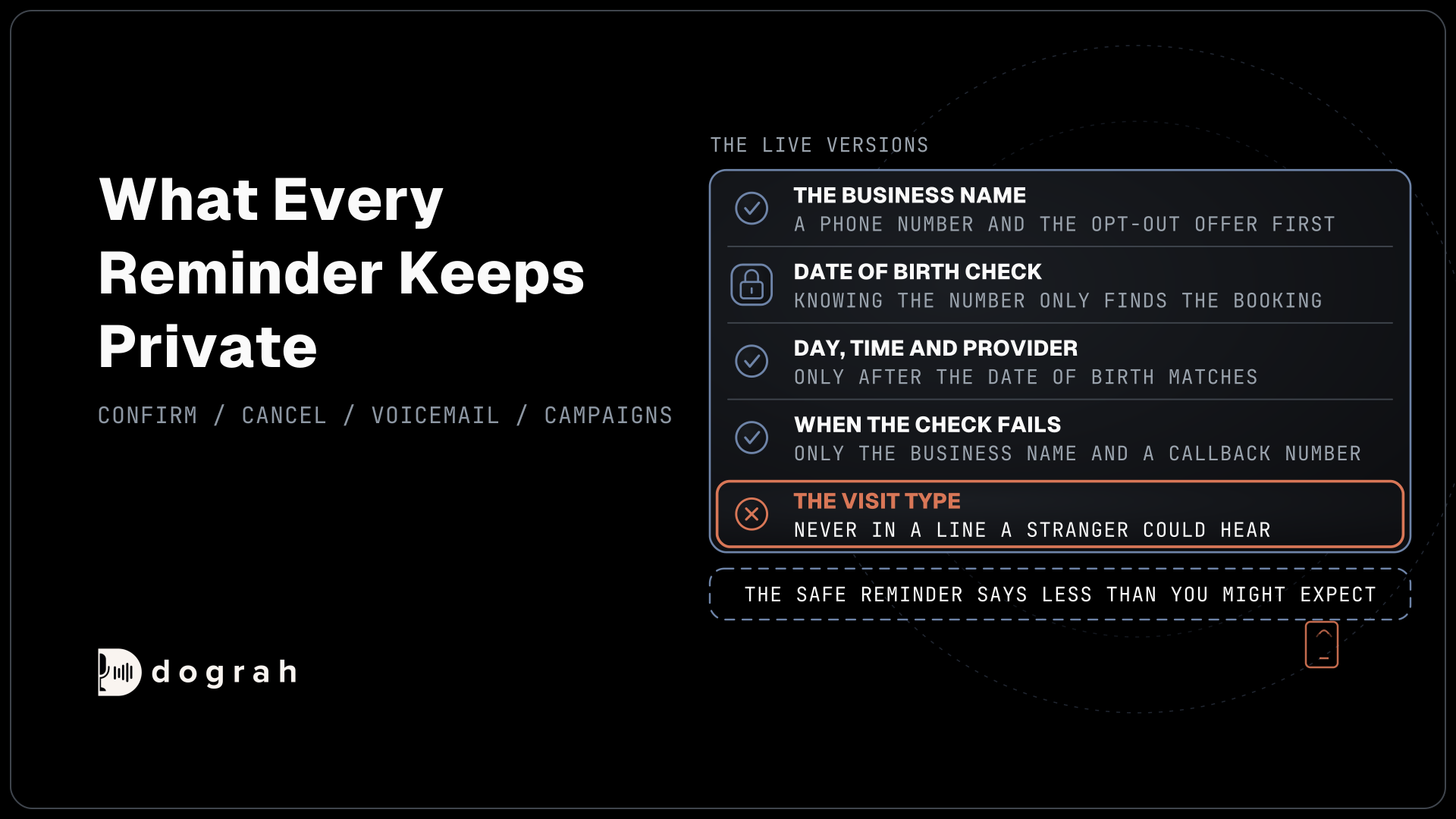
A reminder prompt has one job, but it must check who answered before it names anything. A phone number finds the booking, but it does not prove who picked up. The template below confirms identity, then the appointment.
Task: confirm, move or cancel one appointment.
The appointment is {{appointment_time | soon}} with {{business_name | our office}}.
First ask for the patient's date of birth and check it against
{{date_of_birth}}. Until it matches, do not mention the appointment details.
If it does not match after two tries, give the office number and close.
Then ask whether the time still works.
- Yes: say it is confirmed and close.
- Move it: call check_availability and offer two times, then read back the choice.
- Cancel: confirm they want to cancel, then call cancel_appointment.
If unclear: ask the yes-or-no question again in fewer words.
Exit: close after the confirmation, the new time or the cancellation.
What this does: Tells the agent not to mention the appointment until the date of birth matches the record. Each of the three answers is meant to end the call in one clear state.
The spoken versions, including voicemail and no-answer lines, are in our appointment reminder script templates.
Join the Dograh Community
Dograh is an OSS alternative to Vapi. Join our Slack community for queries, releases, best practices & community interactions.
Where each prompt goes in Dograh
Each block has one home in a Dograh agent, and putting it there is most of the setup. The table maps the parts above to the fields they paste into.
| Template part | Dograh field | Notes |
|---|---|---|
| Shared rules | Global Node, Global Prompt | Added to every step with Add Global Prompt on |
| Opening line | Start Call node, Greeting Text | Fixed, spoken word for word |
| Job prompt | Agent Node, Prompt | One step per job, such as booking |
| Routing rules | Edge Condition | The model reads the condition to pick a path |
| Exact line on a route | Edge Transition Speech | Fixed text or a recording |
| Closing | End Call node, Prompt | Add Global Prompt is off by default here |
Routing deserves care. A rule such as "billing goes to the office" works best as an edge Condition on the Agent Node or as the description of a Transfer Call tool, not only as a sentence in the prompt. The model still judges the condition, so test each route. The model itself is chosen per agent in the Model tab, so all four job prompts in one agent share it.
You can paste these by hand on the canvas, which works on a self-hosted install and on Dograh Cloud. On Dograh Cloud the Agent Builder can also draft first prompts from a plain description, and you can then replace or trim them with these templates.
Check: open each Agent Node and confirm Add Global Prompt is on where you want the shared rules.
Test every template before you publish
A template is only ready once it has run on your own calls. Open Test Agent and start with Test Chat, typing the easy path and then the hard ones, such as a mumbled date or a caller who asks for a person. Switch to Test Audio and press Run Test to hear the same paths spoken. Put test values, such as appointment_time, in the Variables tab at the top of the editor, and set direction to outbound for the reminder and qualification prompts.
Run each path more than once. Thinking Machines Lab sent one prompt to the same model 1,000 times at temperature 0 and got 80 different completions. One good test call proves very little.
Then call the agent from a real phone with Phone Call. Most phone calls still reach the agent as 8 kHz audio, while a browser test runs at 16 kHz, so a template that sounds clean in the browser can mishear more on a call. Transfers also run only on a phone call, never in the browser tester.
Your edits stay a draft while you test, and live calls keep the published version. When the template behaves on every path, click Publish version and add a short note for Version History, such as "booking prompt v2, two times offered". Then listen to the first real calls.
Glossary
- Global Prompt
- The shared instructions on Dograh's Global Node. They are added to every step that has Add Global Prompt switched on, so rules written once apply across the agent.
- Exit rule
- The line in a job prompt that says when the step is done and what happens next, so the agent knows when to move on instead of looping or ending the call too early.
- Read-back
- The agent repeating a detail, such as a time or phone number, and waiting for a yes before it acts on it.
- Edge Condition
- The written condition on a path between two Dograh steps. The model reads it to decide which path the call takes, so it should be tested like any prompt.