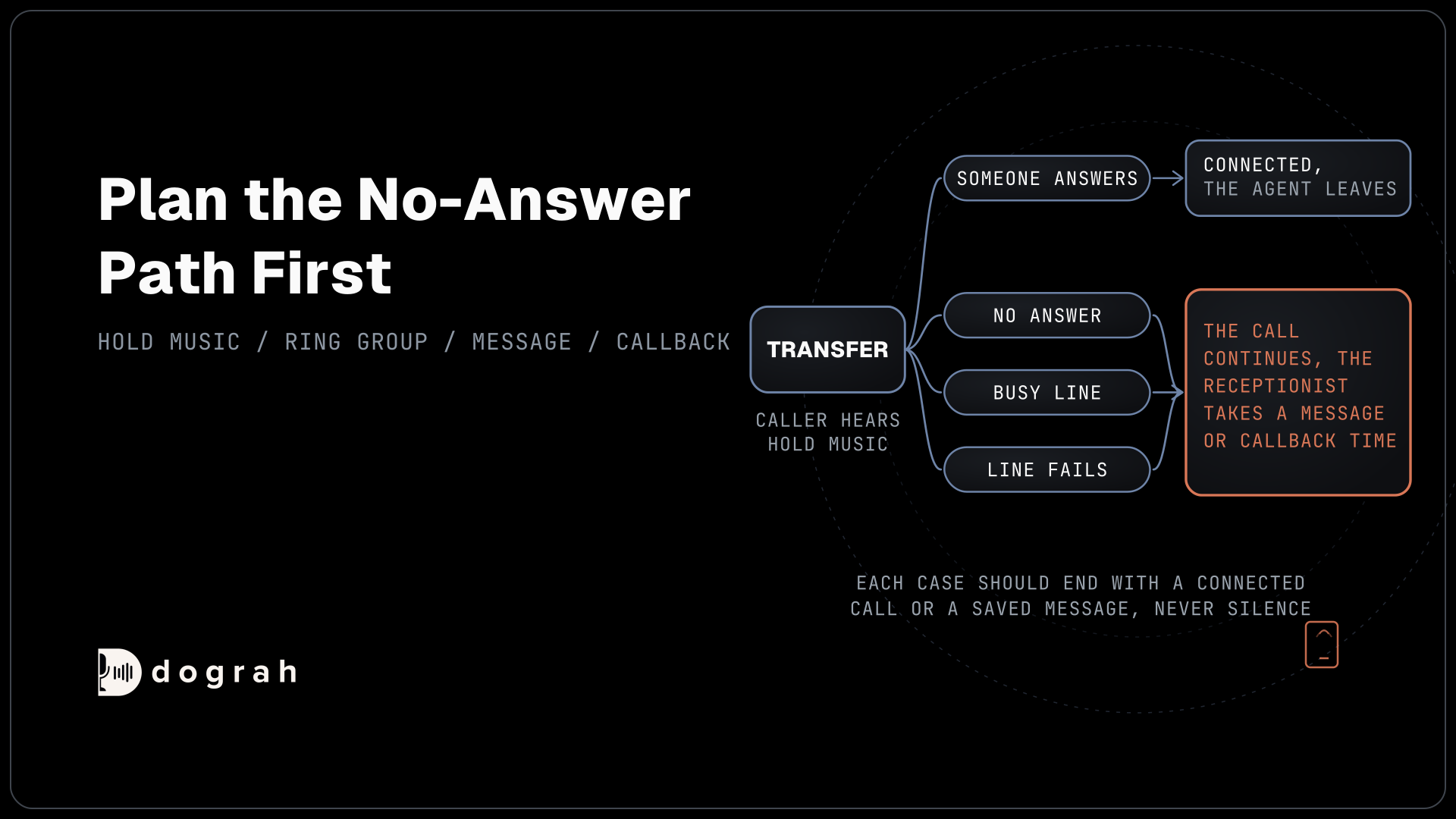

When an AI receptionist transfers a call, the agent decides a person is needed and Dograh, the open-source AI voice agent platform you can self-host or run on Dograh Cloud, dials the destination while the caller hears hold music. The two are connected once someone answers. If nobody picks up in time, the caller stays with the agent.
Key Takeaways
- Callers who ask for a person get one, at any point in the call.
- By default the person who answers hears only the caller, with no summary.
- Plan the no-answer path first, because a transfer will go unanswered.
This post is part of our guide to AI receptionists, which judges every receptionist by its handover. Below, we cover when to hand a caller over, each step of the transfer, what the person who answers hears and what happens when nobody does, all in Dograh.
When the receptionist should hand over
The safest rule is that anyone who asks for a person gets one, at any point in the call. Tell callers so in the Greeting Text, next to the business name, so they never have to argue with the agent.
Some calls should go to a person even when nobody asks. Questions that need medical or legal judgement, billing disputes, upset callers and large sales all belong with staff, and so does a caller who fails verification twice. Write each trigger into the node prompt and into the Transfer Call tool's description, because the model reads both when it decides.
Emergencies are the exception to every transfer rule. The agent never transfers an emergency. A fixed line, set as the Transition Speech on the emergency pathway, tells anyone in danger to get to safety and call 911 (000 in Australia, 999 in the UK), and it plays as written. For a gas or carbon monoxide smell, it tells callers to leave the building now and call 911 or the gas company from outside.
Transfer Call hands the caller to a person on a phone. A different tool, Transfer to Agent, passes the call to another Dograh agent, and this post is only about the first.
The transfer, step by step
Here is what happens in a Dograh call transfer, from the caller's side:
- The caller asks for a person, or a trigger in the prompt fires, and the agent calls the Transfer Call tool.
- If the prompt says so, an HTTP API tool first writes the caller's name, reason and verification result to your system.
- The tool works out the destination: a fixed number, a rule that matches a value from the call, or your own system's answer.
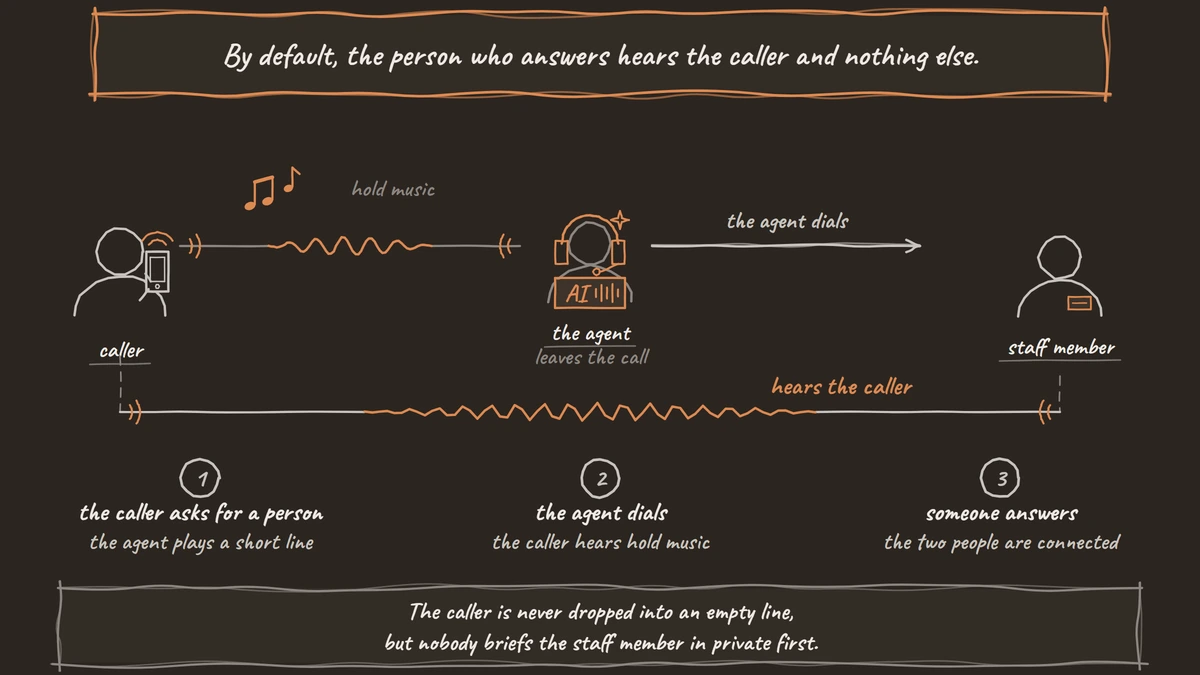
- The agent plays a short line before dialling, such as "Let me put you through to the front desk." It can be typed text or a recording.
- Dograh dials the destination while the caller hears hold music.
- The destination answers, the two people are connected, and the agent leaves the call.
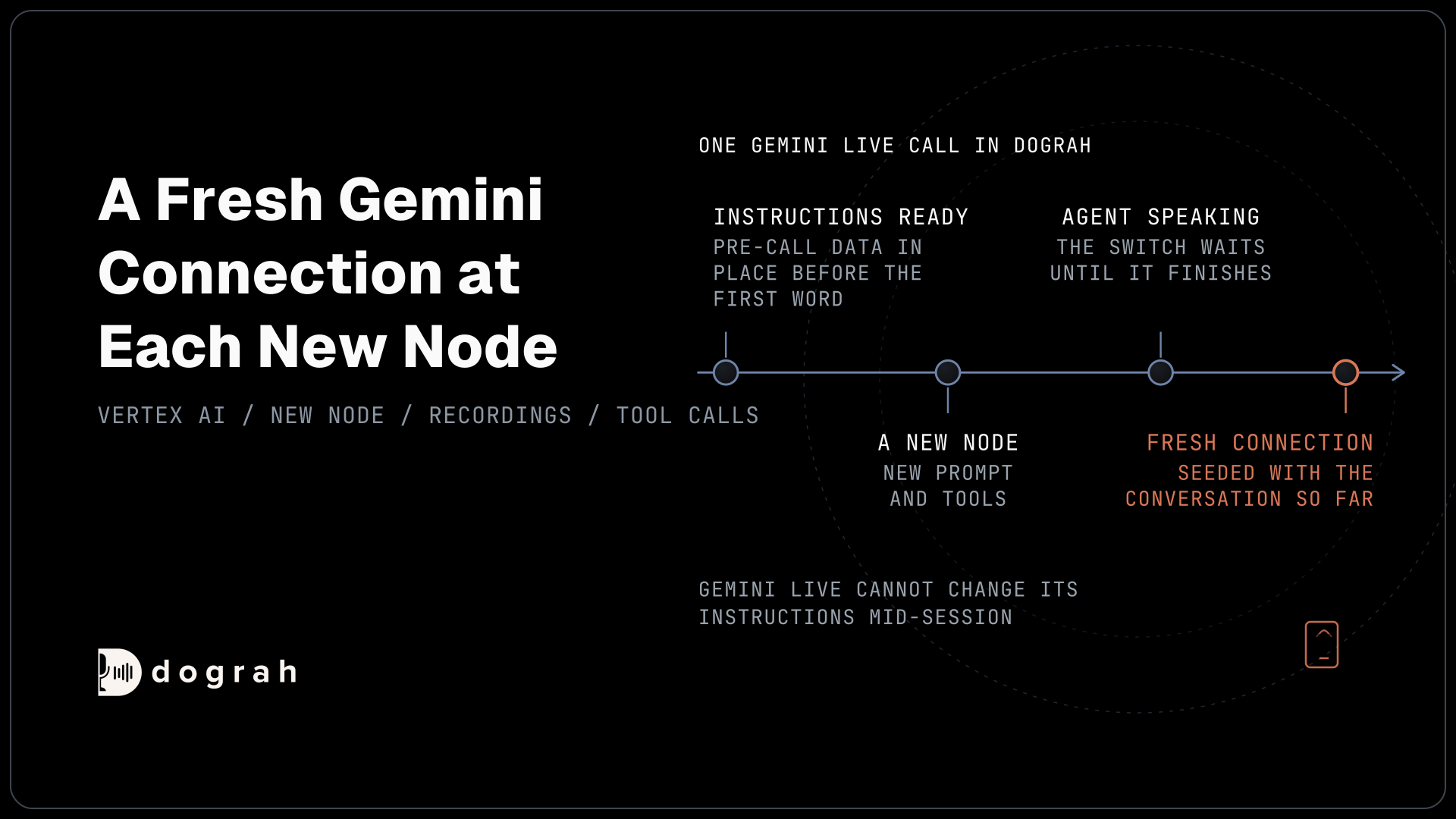
If no destination can be worked out at step 3, the transfer fails before anything rings and the agent keeps talking. On a speech-to-speech agent, use a recording for the line in step 4, because typed text does not play there.
In phone terms this sits between a blind and an announced transfer. The caller is never dropped into an empty line, but nobody briefs the staff member in private first. Choosing among destinations by department, language or caller is covered in our post on routing transfers to the right person, along with writing notes before the handover.
What the person who answers hears first
By default, the person who answers hears the caller and nothing else. There is no summary unless you add one. Anything they need to read, such as the reason for the call, should already be in your system, written by an HTTP API tool in step 2.
On Twilio, you can switch on "Play a transfer introduction to both parties". It is off by default. Once on, the agent's voice plays one short line of at most 25 words and 15 seconds, and the caller and the staff member both hear it. Dograh prepares it while the hold music plays, and if it isn't ready in time, the transfer goes ahead without it. Speech-to-speech agents and other phone providers skip it.
Everyone on a ring group who picks up hears that line, so edit its instructions to say the reason for the call and keep private details out. "Mrs. Patel, calling to move her Thursday cleaning" is enough.
Staff also see a number when the phone rings. On Twilio, a transfer to a phone number arrives from the business's own Dograh number, and a transfer to a SIP address shows the original caller's number. Tell the team that a call from the business's own number is a transfer from the receptionist, so they pick it up.

Open Source Alternative to Vapi / Retell
Self-hosted voice agent platform — no per-minute fees
dograh-hq/dograh
Star on GitHub
When nobody answers
Every receptionist will send a transfer to an empty desk, so the no-answer path matters as much as the transfer. The transfer timeout is 30 seconds by default, and you can set it from 5 to 120 seconds. Keep it short. In CallRail's survey of 1,000 US consumers, 41% said they end the call after holding for one to two minutes.
When the destination doesn't answer, is busy, fails or runs past the timeout, the agent gets the result back as transfer_failed and the call continues. The caller is back with the receptionist, not in a voicemail box. Write the next step into the prompt: take a message with a name, callback number and reason, or a callback time, and save it with an HTTP API tool so it lands in the team's inbox or helpdesk.
Say what happens next in plain words, such as "Nobody is free right now. I'll make sure the team calls you back this afternoon." The same care applies when a tool or line fails mid-call, covered in our post on what a voice agent says when something fails.
Join the Dograh Community
Dograh is an OSS alternative to Vapi. Join our Slack community for queries, releases, best practices & community interactions.
Test every transfer on a real phone line
Browser test calls cannot transfer a caller to a phone number, so every transfer test happens over a real phone call. Transfer Call works on Twilio, Telnyx, Plivo, Cloudonix and Asterisk ARI, where the destination can also be a desk extension on your own phone system. Our post on testing voice agents on real phone calls explains why the phone line changes results.
Run each case once before launch. Ask for a person in the first sentence and again mid-booking. Let the destination ring out, then make it busy. Pick up from a second phone on the ring group, check the number on its screen and listen to the introduction if it is on. Each case should end with a connected call or a saved message, never silence.
Then keep checking after launch. Add a QA check that flags any call where the caller asked for a person and no transfer followed, and open View Trace on those calls to see why. Self-hosted Dograh has no per-minute platform fee, but servers, model keys and phone minutes still cost money. Dograh Cloud charges a 1¢-a-minute platform fee. For the setup clicks, see our walkthrough on how to build an AI receptionist, and run this test list again after every change to the flow.
Glossary
- Transfer timeout
- How long Dograh rings the destination before giving up, 30 seconds by default and settable from 5 to 120. When it runs out, the agent gets transfer_failed and the call continues.
- Transfer introduction
- An optional line of at most 25 words that Dograh can play on Twilio to both the caller and the person who answers. It is off by default and skipped if not ready in time.
- Ring group
- Several phones that ring for one number, where the first person to pick up takes the call. Everyone who might answer hears any transfer introduction, so it should carry no private details.
- Pre-transfer message
- The short line the agent plays before Dograh dials, as typed text or a recording. On speech-to-speech agents only a recording plays.