
A helpdesk voice agent always hands the call to a person when the caller asks, a security incident is suspected, an outage hits many users, verification fails twice or someone is in danger. Access changes never happen on the call. Dograh, the open-source AI voice agent platform you can self-host or run on Dograh Cloud, routes each rule.
Key Takeaways
- Keep the always list short, or the agent finishes almost nothing.
- Password and MFA changes never happen on the call, even after verification.
- Count escalations and sample transcripts to find the ones the agent missed.
Escalation rules decide whether a helpdesk agent saves your technicians time or adds a step to every call. Below, we list what always goes to a person, what never happens on the call and what the agent finishes, then write, route and check each rule in Dograh.
Why a short list beats a long one
The escalation list is a design choice, and the most common mistake is making it too long. Escalate on every sign of doubt and nearly every call reaches a person, which brings back the queue the agent was meant to shorten. Escalate too rarely and a technician hears about an incident from the client's managing director.
So the rules split calls into three groups. A short list always goes to a person. A shorter list never happens on the call at all. Everything else is the agent's job to finish, with one clarifying question before it gives up on a request it does not understand.
Our guide to AI voice agents for IT helpdesks and MSPs covers the calls themselves, ticket intake, status reads and the reset rule. This post is the rule list underneath, and it assumes the agent already writes tickets into your PSA.
What always goes to a person
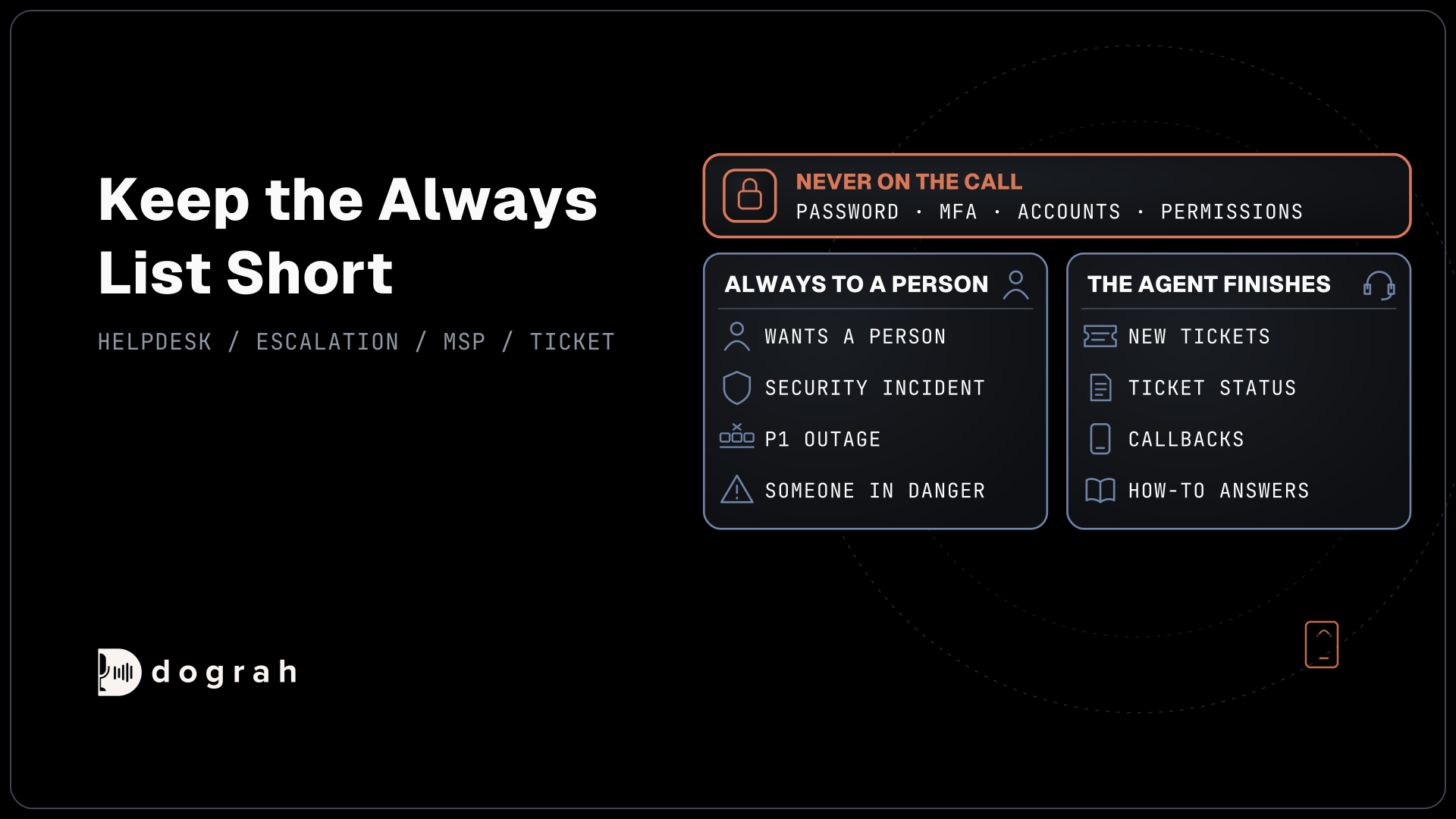
Six kinds of call always go to a person. Everything else stays with the agent. The whole list fits on one screen of the prompt:
- The caller asks for a person, in any words.
- A security incident may be under way, such as a ransom note, a clicked phishing link or an account acting on its own.
- An outage stops many people working, the P1 you defined.
- The caller fails verification twice.
- Someone is in danger, such as smoke in a server room.
- The caller rings again about the same open ticket.
A request for a person is honored at once, because arguing with it costs more than the transfer. A suspected incident goes fast because time matters. Verizon's 2026 Data Breach Investigations Report found ransomware in 48% of breaches, and a user's phone call can be the first sign a team gets. The agent takes the caller's name, the client and what they saw, writes it to an urgent ticket and transfers.
Two failed verifications end the self-service path. The caller may be a real employee who forgot a detail, or someone testing the line, and a technician can tell the difference better than a script. A repeat call on an open ticket goes to a person because the first answer did not settle it.
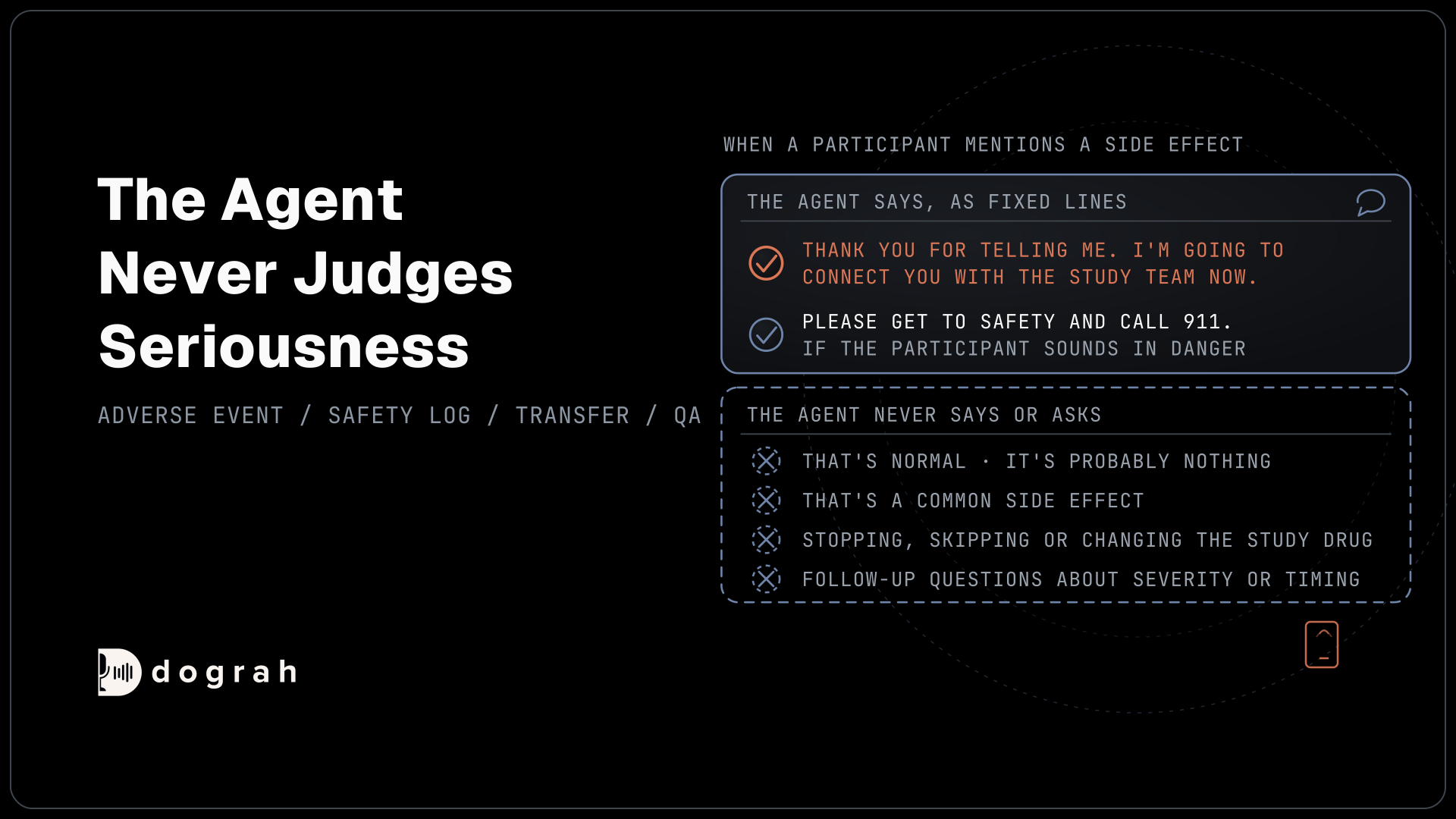
Danger is the one call the agent does not transfer first. It tells the caller to get to safety and call 911, or the local emergency number, then opens an urgent ticket for the site. A fire or an electrical fault is a matter for the emergency services before it is a P1.
What never happens on the call
Access changes never happen on the call, however the request is worded and whoever the caller says they are. That covers password resets, MFA changes, new accounts and permission changes. CISA's advisory on Scattered Spider, updated in July 2025, describes attackers posing as employees to convince helpdesk staff to reset passwords and hand over sensitive information.
The agent opens a ticket marked as an access request and routes it to your verified process, such as the client's self-service portal or a technician who checks the person. It never confirms whether a username exists. If the caller pushes, the agent repeats what will happen next and offers a transfer, and the transfer goes to that technician, never to a queue that resets on request.
This rule sits above every other one. Even a caller who passed verification and asked for a person still reaches a technician who follows the reset policy.

Open Source Alternative to Vapi / Retell
Self-hosted voice agent platform — no per-minute fees
dograh-hq/dograh
Star on GitHub
What the agent finishes on its own
The calls that stay with the agent are the ones a script can finish safely. It takes a new fault and writes the ticket while the caller is still talking. It reads ticket status to a caller who has passed verification. It books a callback with a technician for a non-urgent fault, and it answers routine how-to questions from your own documents.
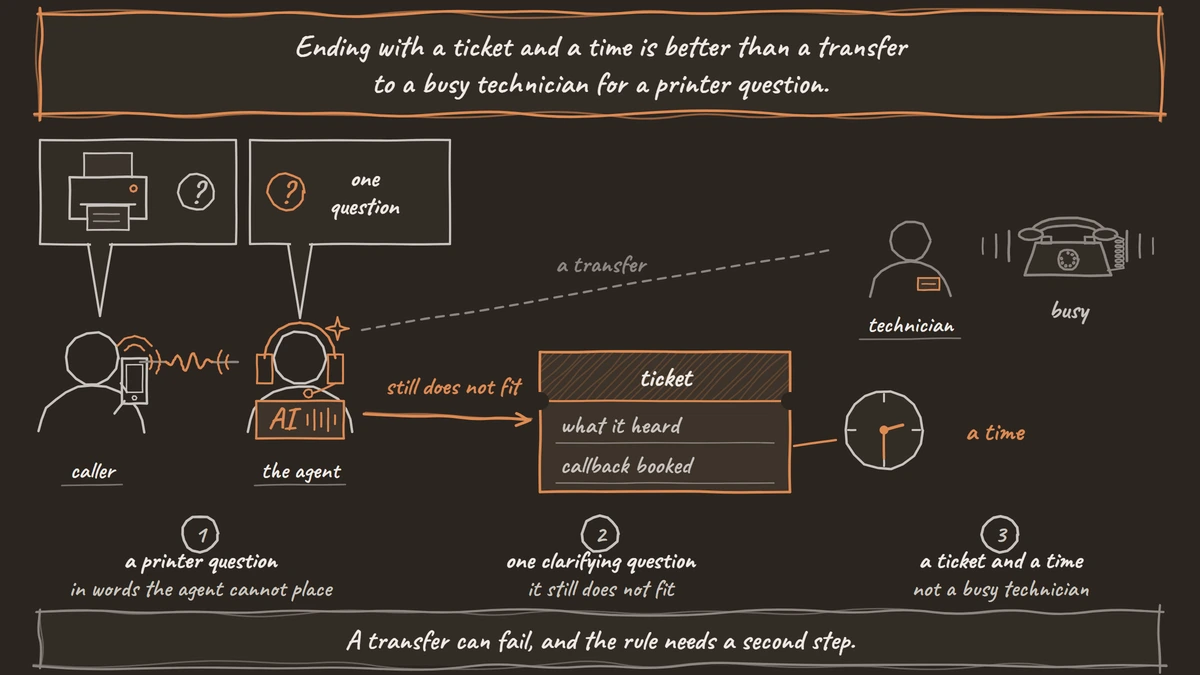
Each of these has a clear end the agent can reach without judgment. When a request falls outside them and one clarifying question does not place it, the agent writes what it heard to a ticket and books a callback. Ending with a ticket and a time is better than a transfer to a busy technician for a printer question.
VIP routing is a business choice that sits outside the security rules. If a client contract says its directors always reach a person, add that as a seventh line, matched on a value your Pre-Call Data Fetch returns, and leave the rest of the list alone.
Writing the rules where the agent always reads them
The always and never lists belong in the Global Node, whose prompt is added to every node that has Add Global Prompt switched on, the default. Write each rule as a condition and an action, with a short example of the words a caller might use. "If the caller mentions a ransom note, files they cannot open with strange names, or an email link they clicked, write an urgent security ticket and transfer to security" works better than "escalate security issues".
The Transfer Call tool's own Description tells the agent when to use it, so repeat the six triggers there in one line. Then choose how the destination is picked. Transfer Call offers Static / Template, Context Mapping, which picks a destination from a gathered value such as priority with an optional Fallback Destination, and a Dynamic HTTP Resolver that asks your on-call system who is on shift.
The PagerDuty on-calls API is one example of a system the resolver's endpoint can ask, with an escalation policy ID and the earliest on-call person. On your own Asterisk, the destination can be a SIP endpoint such as PJSIP/1001. Transfer Call works on Twilio, Telnyx, Plivo, Cloudonix and Asterisk ARI.
Dograh calls the technician first and connects the caller only when someone answers. Before the transfer, an HTTP API tool writes the ticket with the reason and priority, so the technician can open it the moment they pick up. On Twilio, a short spoken introduction both people hear can be added, and it is off by default.
When the technician does not answer
A transfer can fail, and the rule needs a second step. Transfer Call waits 30 seconds by default, settable from 5 to 120. No answer, a busy line or a failed call comes back to the agent, and the caller stays on the line with it.
Write the next step into the prompt. The agent can page the second person on the rota through an HTTP API tool, or mark the ticket urgent and tell the caller when to expect a call back. It should say plainly what happens next, because a caller with a P1 who hears nothing assumes nothing is happening. Our post on after-hours coverage when on-call doesn't answer covers the night version of this list.
Test transfers over a real phone call, since telephony tools such as Transfer Call run on phone calls only. Our guide to call transfer and human handoff covers transfer types and destination rules in general.
Join the Dograh Community
Dograh is an OSS alternative to Vapi. Join our Slack community for queries, releases, best practices & community interactions.
Checking the rules after launch
Rules drift from what callers actually say, so read the calls. Set a Call Disposition After Successful Transfer on Transfer Call, and each completed transfer is tagged with it. In Agent Runs, filter by Disposition to see how many calls reached a person, then use Download Filtered Results to share the list.
That count only shows the transfers that happened. To find the ones that should have happened, run QA on a sample of calls with a prompt that tags missed escalations and transfers with no clear reason. QA scores each step of a call separately, and Sample Rate (%) sets the share it reviews. Sample the flagged calls, fix the rule or the wording that let them through, and check the next week's sample.
When one call looks wrong, its trace shows the speech-to-text, AI and voice time for every turn, which tells you whether the agent misheard the caller or misread the rule. Writing the incident path down for the people side matters too, and NIST's incident response guide, SP 800-61 Rev. 3, is where many security teams start.
Running it for clients on your own servers
MSP clients often ask where their call recordings go, and running Dograh on your own servers gives a short answer. The recordings and transcripts stay on your infrastructure, and with open-weight models next to it the audio does not reach a model provider either.
On your own servers Dograh has no per-minute platform fee, but the servers, model keys and phone minutes still cost money. Dograh Cloud's platform fee is 1¢ per minute, billed as its own line. Hosting it yourself means the server, the database and the upgrades belong to your team. Help with the open-source version comes from the community on Slack and GitHub, and Enterprise plans add custom SLAs. Start with one client's status calls, then add intake and the full always list once the transfer counts look right.
Glossary
- Escalation rule
- A written condition that sends a call to a person, such as a caller failing verification twice. A helpdesk agent works best with a short list of these and a separate list of requests it never performs.
- Access change
- Any request that alters who can get into a system, such as a password reset, an MFA change, a new account or a new permission. Helpdesk agents never perform these on the call.
- Context Mapping
- A Transfer Call option in Dograh that picks the destination from a value gathered on the call, such as priority. Rules run in order, the first match wins, and an optional fallback catches the rest.
- Missed escalation
- A call that met an escalation rule but stayed with the agent. Transfer counts cannot show these, so teams find them by running QA on a sample of transcripts.