
To connect a voice agent to your CRM, use open mechanisms instead of a connector: look the caller up before the greeting, call the CRM through tools mid-call, and log the result by webhook. Dograh, the open-source AI voice agent platform, works this way with HubSpot and Salesforce, and you can self-host it or run it on Dograh Cloud.
Key Takeaways
- Each CRM job maps to one Dograh mechanism, at one moment of the call.
- HubSpot's static token works as a Bearer credential directly.
- Expiring tokens, like Salesforce's, live in a small bridge you run.
This post is part of our guide to how to build an AI voice agent, where tools are how an agent reaches the systems it works with. Here we connect Dograh to HubSpot and Salesforce, step by step, from the CRM token to a call logged on the right contact.
What you need before you start
You need an agent that works in a browser test call, admin access to your CRM, and somewhere to run a small endpoint of your own, which we call the bridge. Dograh connects to CRMs through four open mechanisms rather than a list of connectors, so any CRM with an API works the same way. Each CRM job happens at one moment of the call, and each moment has its own mechanism:
| CRM job | When | Dograh mechanism |
|---|---|---|
| Look up the caller | Before the greeting | Pre-Call Data Fetch, to your bridge |
| Check or update a record | During the call | External HTTP API tool, or an MCP Server tool |
| Log the call and its outcome | After the call | Webhook node, to your bridge |
A native connector is faster to switch on, which is a fair reason to pick one. The open route takes more setup, and in return you choose every field and keep the token where you want it. Our guide to integrating voice agents with your stack weighs the two in more depth.
Check: you can name the CRM fields the agent should read and the ones it should write.
Step 1: Get a CRM token Dograh can send
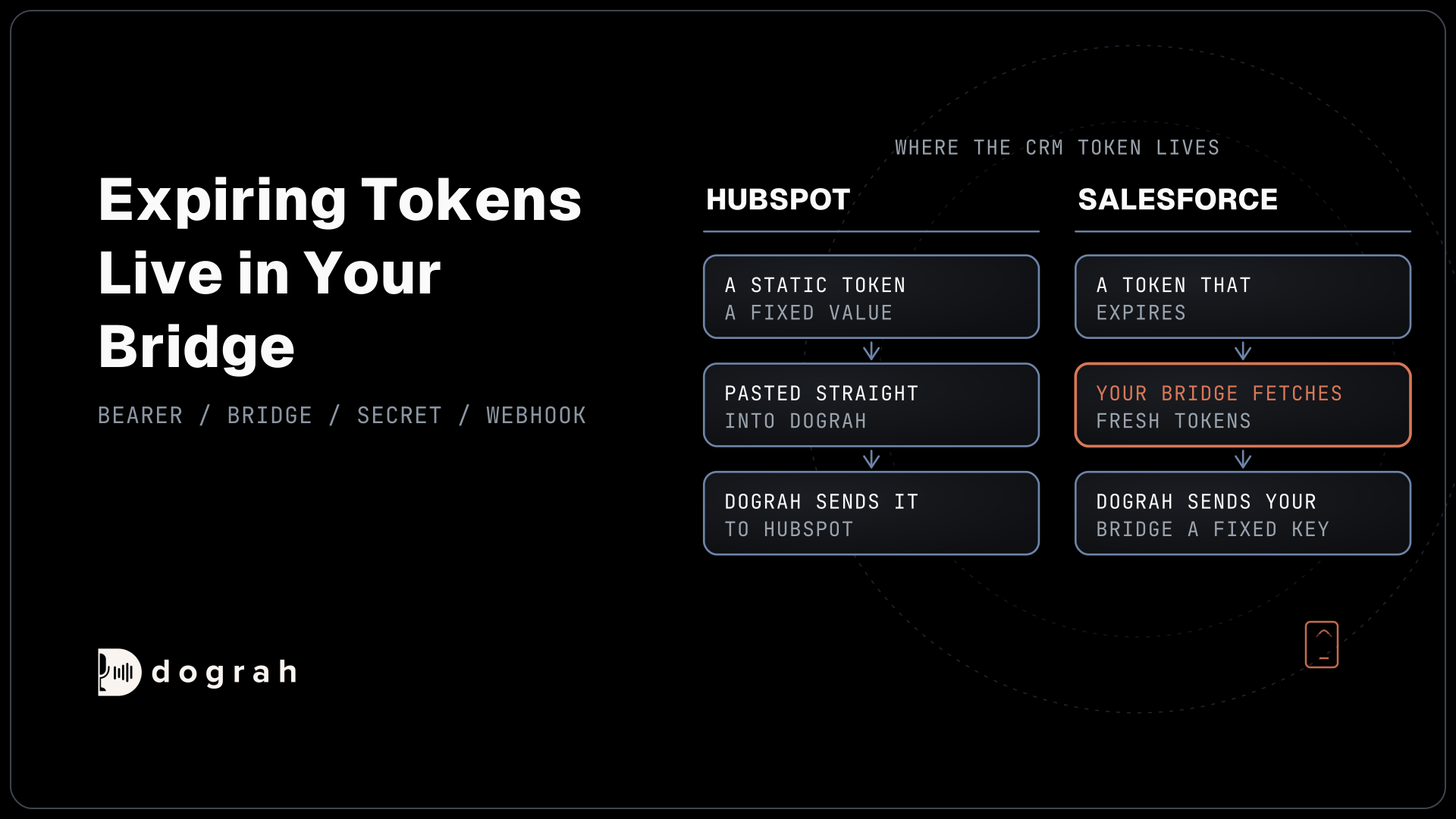
Dograh's tools, Webhook node and Pre-Call Data Fetch send one of four credential types: API Key, Bearer Token, Basic Auth or Custom Header. Each is a fixed value stored under Credentials, so the question for each CRM is whether it gives you a fixed token.
HubSpot does. Since 26 October 2026, HubSpot no longer lets you create legacy private apps, though existing ones keep working. A new app on HubSpot's developer platform, limited to your one account, gets a static auth access token instead. HubSpot sends both kinds as Bearer tokens, so either one goes straight into a Bearer Token credential in Dograh.
Salesforce works differently. Its client credentials flow for server-to-server access issues no refresh token. Your app asks for a new access token with its client ID and secret when the old one expires, and every call runs with the permissions of the run-as user you configure. So the bridge keeps the client secret and fetches fresh tokens whenever it talks to Salesforce, while Dograh sends the bridge a fixed key of your own.
HubSpot's remote MCP server needs the same treatment, because it signs in with OAuth and PKCE and expects the client to refresh tokens. Run that sign-in in your bridge too.
Check: a test request with your token or bridge key returns one contact record.
Step 2: Look up the caller before the greeting
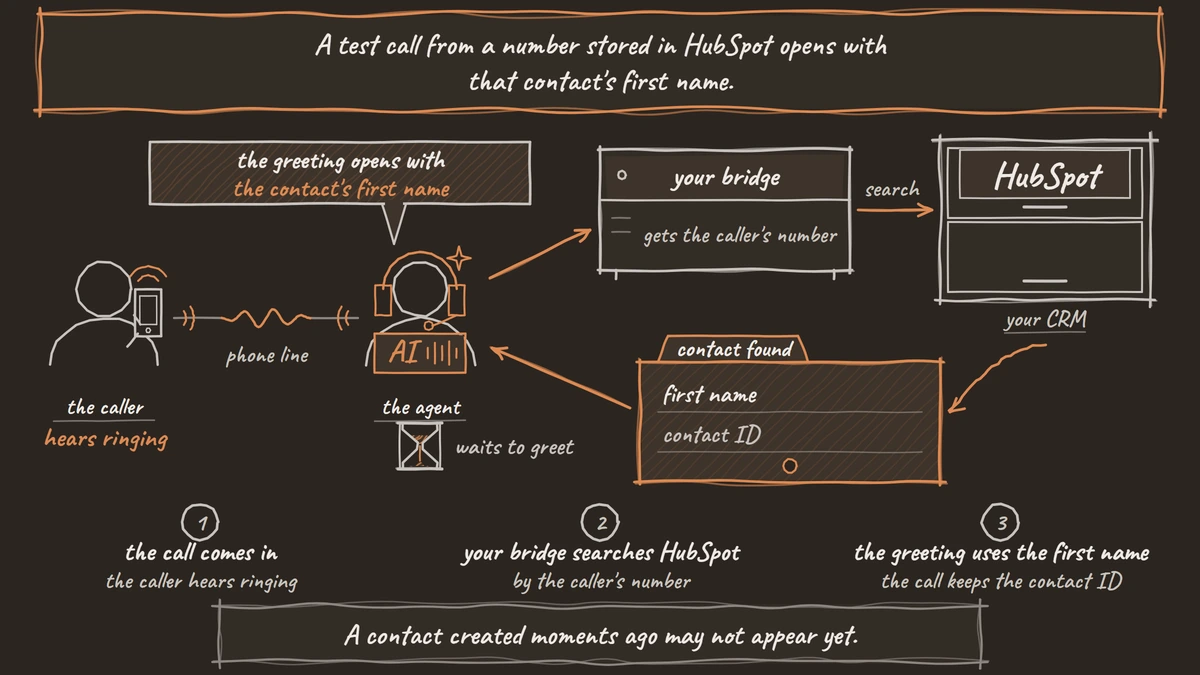
Pre-Call Data Fetch sits at the bottom of the Start Call node. Set it to Inbound calls only and point it at your bridge. Before the greeting, Dograh POSTs a fixed JSON body with the caller's number in call_inbound.from_number, and whatever the bridge returns under initial_context becomes variables for the greeting and prompts. Because the body is fixed, the bridge does the CRM search. This Python handler, using FastAPI and httpx, searches HubSpot's contacts by phone:
from fastapi import FastAPI, Request
import httpx, os

app = FastAPI()
SEARCH_URL = "https://api.hubapi.com/crm/objects/2026-09/contacts/search"

@app.post("/dograh/pre-call")
async def pre_call(request: Request):
    body = await request.json()
    caller = body["call_inbound"]["from_number"]   # e.g. +1415555XXXX
    search = {
        "filterGroups": [{"filters": [{
            "propertyName": "hs_searchable_calculated_phone_number",
            "operator": "EQ",
            "value": caller[-10:],   # US number without the country code
        }]}],
        "properties": ["firstname"],
        "limit": 1,
    }
    headers = {"Authorization": f"Bearer {os.environ['HUBSPOT_TOKEN']}"}
    async with httpx.AsyncClient(timeout=3) as client:
        reply = await client.post(SEARCH_URL, json=search, headers=headers)
    results = reply.json().get("results", [])
    if not results:
        return {"initial_context": {"known_caller": "no"}}
    contact = results[0]
    return {"initial_context": {
        "known_caller": "yes",
        "hubspot_contact_id": contact["id"],
        "first_name": contact["properties"].get("firstname") or "",
    }}
What this does: It takes the caller's number from Dograh's request, searches HubSpot for a matching contact and returns the contact ID and first name. The greeting can then use
{{first_name}}, and the call keeps{{initial_context.hubspot_contact_id}}for the log in Step 4.
HubSpot's search API asks for phone searches without the country code, which is why the handler strips it. Search allows five requests per second per account, and a contact created moments ago may not appear yet. The greeting waits for this lookup while the caller hears ringing, so keep the bridge quick.
Check: a test call from a number stored in HubSpot opens with that contact's first name.

Open Source Alternative to Vapi / Retell
Self-hosted voice agent platform — no per-minute fees
dograh-hq/dograh
Star on GitHub
Step 3: Read and write during the call
Mid-call jobs, such as checking an open ticket or booking a callback, run as tools the agent decides to call. Create an External HTTP API tool that calls your bridge, or HubSpot directly with the Bearer Token credential from Step 1. Our post on voice agent tool calls covers parameters and attaching the tool to a node.
A tool waits 5 seconds by default and does not retry, so keep the bridge's CRM call short and tell the agent what to say if it fails. For lookups that might run long, add a filler line in the tool's Messages so the caller never sits in silence.
If your bridge exposes its CRM actions as an MCP server, add it once as an MCP Server tool with a Bearer credential and filter it to the actions this agent needs.
Check: in a test call, ask for a callback and see the matching task or note appear in the CRM.
Step 4: Log the call when it ends
After the call, a Webhook node sends the result to your bridge, and the bridge writes it to the CRM. Our post on extracting call data into your CRM covers choosing fields and turning on extraction. In the node's Payload Template, send the values the bridge needs:
{
  "run_id": "{{workflow_run_id}}",
  "contact_id": "{{initial_context.hubspot_contact_id}}",
  "outcome": "{{gathered_context.call_disposition}}",
  "recording_url": "{{recording_url}}",
  "transcript_url": "{{transcript_url}}"
}
What this does: It posts the run ID, the HubSpot contact found in Step 2, the call's outcome and the recording and transcript links to your bridge once the call ends.
The bridge then creates a call record through HubSpot's calls API. Only hs_timestamp is required, hs_call_body holds the summary, and association type 194 links the call to the contact:
{
  "properties": {
    "hs_timestamp": "2026-11-11T10:30:00Z",
    "hs_call_body": "Voice agent call. Outcome: callback_booked",
    "hs_call_recording_url": "<recording_url from the webhook>"
  },
  "associations": [{
    "to": { "id": "1234567" },
    "types": [{ "associationCategory": "HUBSPOT_DEFINED", "associationTypeId": 194 }]
  }]
}
What this does: It logs one call on contact
1234567, timed at the call and carrying the outcome and the recording link, so it shows on that contact's timeline in HubSpot.
Treat HubSpot's success reply as the proof the write landed. If HubSpot answers with an error, the bridge returns an error too, and the Webhook node retries temporary failures up to 5 attempts. Store each run_id you have logged, so a retry never creates a second call record.
Check: a finished test call appears on the right contact in HubSpot, once.
Join the Dograh Community
Dograh is an OSS alternative to Vapi. Join our Slack community for queries, releases, best practices & community interactions.
Before you ship it
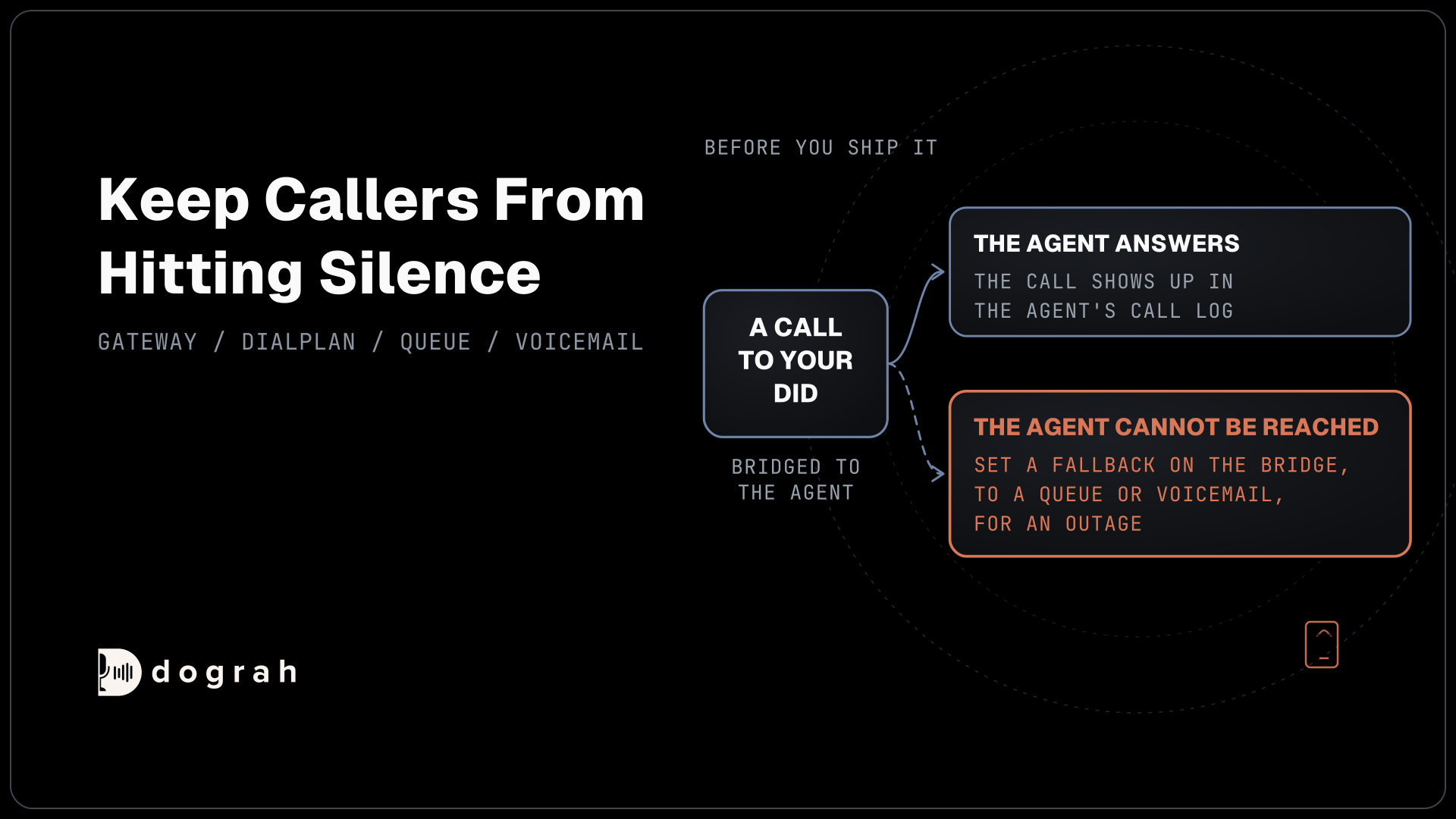
Field names drift, so test the whole loop again whenever someone renames a CRM property. If recordings and transcripts land in the CRM, make sure your call notice covers that use. Every tool call shows in the call’s View Trace, with what the agent sent and what came back, which is the first place to look when a write goes missing.
The bridge is yours to place. On a self-hosted install, CRM lookups and writes travel only between your own servers and the CRM, though call audio still reaches your model provider and carrier. Where you place it also sets the cost. Self-hosted Dograh has no per-minute platform fee, but servers, model keys and phone minutes still cost money. Dograh Cloud charges a 1¢-a-minute platform fee.
Start with the lookup and the call log, then add mid-call writes once those two run cleanly for a week. Each step then rests on records you have already checked.
Glossary
- Pre-Call Data Fetch
- A Dograh setting on the Start Call node that POSTs the caller's number to your endpoint before the greeting. Whatever comes back under initial_context becomes variables the greeting and prompts can use.
- Bridge
- A small endpoint you run between the voice agent and the CRM. It holds the CRM credentials, refreshes expiring tokens, shapes requests and decides when a write has really landed.
- Static auth access token
- A HubSpot access token for an app limited to one account, sent as a Bearer token. It replaces legacy private app tokens for new apps and fits a fixed credential in Dograh.
- Association type
- A HubSpot ID that says how two records relate. Type 194 links a call record to a contact, so the call shows on that contact's timeline.