
Pipecat is an open-source Python framework from Daily for voice and multimodal AI agents. It runs a pipeline of processors passing frames of audio and text, and transports carry the audio in and out. For a ready phone product, Dograh, the open-source AI voice agent platform, runs on a Pipecat fork, on your own servers or on Dograh Cloud.
Key Takeaways
- Pipecat is BSD-2-Clause Python code, maintained by Daily with its community.
- Its WebSocket phone routes have no built-in transfers, so you handle them through the carrier.
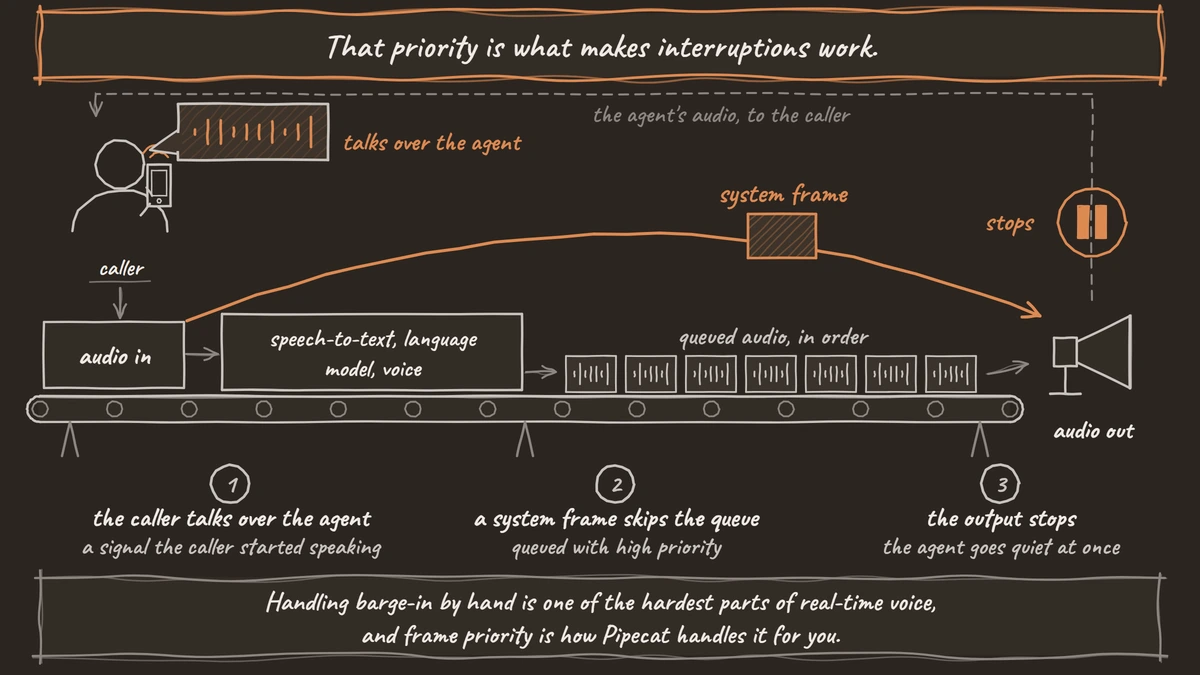
- System frames skip the queue, which is how Pipecat stops speech on barge-in.
Pipecat sits under many open-source voice agents, including ours. Below, we explain how its pipeline moves frames, which transports carry the audio, where Flows and services fit, and who maintains it. Then we look at hosting it and at what Dograh adds on top of the framework.
What Pipecat is
Pipecat is an open-source Python framework for building voice and multimodal AI agents. Pipecat carries the BSD-2-Clause license, with Daily as the copyright holder, and is maintained by Daily and the community. You install it from PyPI as pipecat-ai on Python 3.11 to 3.14, adding an extra for each service and transport you use.
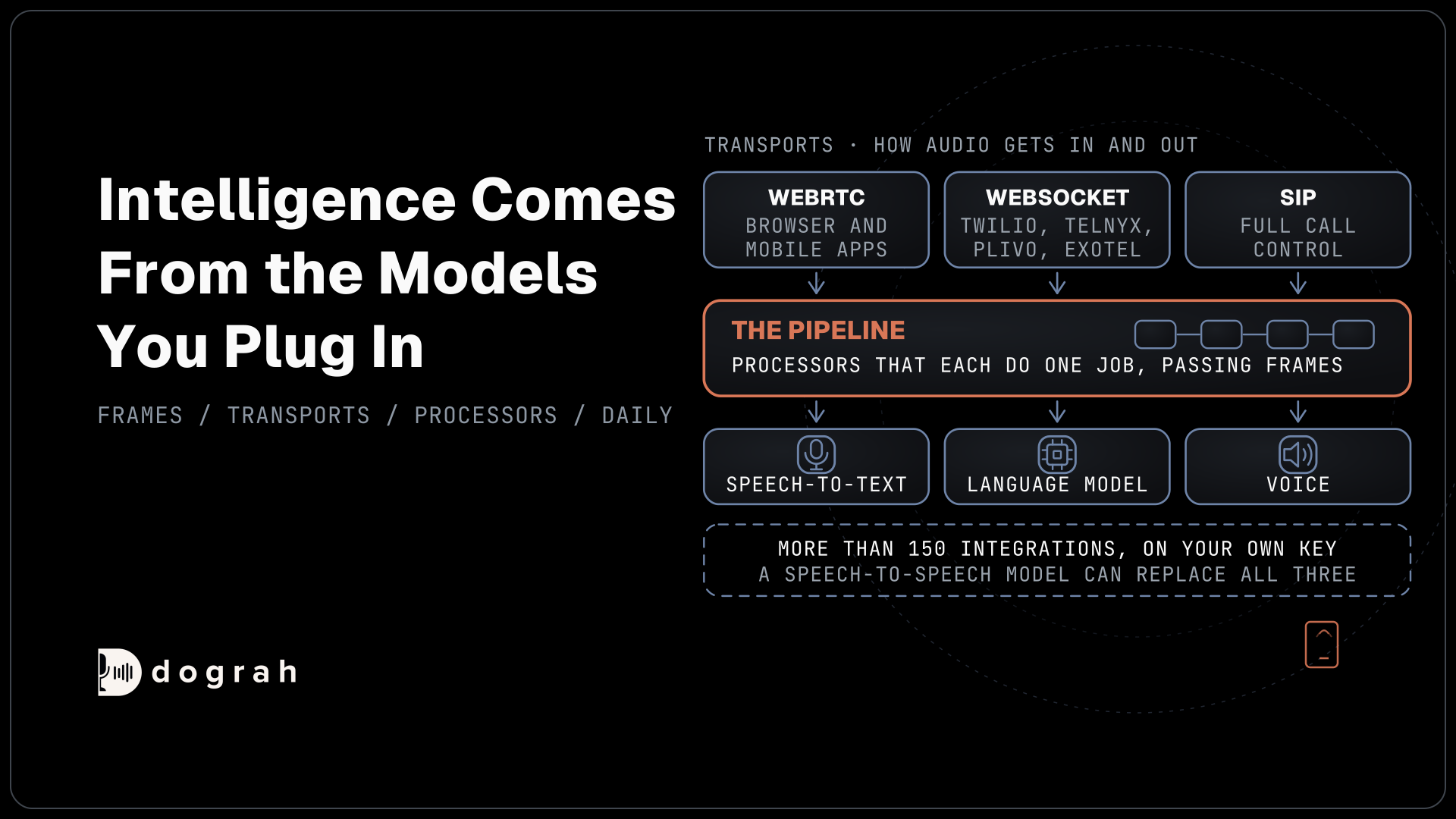
The framework does not choose your models for you. Pipecat lists more than 150 AI service integrations across speech-to-text, language models, voices and speech-to-speech, and you call each one on your own key. Pipecat is the orchestration framework that moves audio, text and events between those services fast enough for a conversation, while the intelligence comes from whichever models you plug in.
Voice is the main use, though not the only one. Pipecat also runs video and multimodal apps, and its client SDKs cover JavaScript, React, React Native, Swift, Kotlin, C++ and ESP32 devices. The same bot can answer a browser, a mobile app or a phone line.
How a Pipecat pipeline works
A Pipecat app is a pipeline, a chain of processors that each do one job. Pipecat calls it "the core orchestration component" that connects frame processors and gives data a structured path through the app. You declare the order once, and every stage keeps working at the same time as data streams through.
A typical voice turn passes five stages. The transport receives the caller's audio, speech-to-text turns it into words, the language model writes a reply, the voice model speaks it, and the transport streams the audio back. Pipecat says the whole round trip usually takes 500 to 800 ms, the range where a conversation feels natural to the person on the other end.
Each stage is a frame processor. Processors are "the workers in your pipeline", in Pipecat's words. Each one reads the frames it understands, acts on them and passes new frames on with push_frame(). Most frames travel downstream, from the caller's audio toward the reply, and others travel upstream, back toward the input.
The pipeline also carries the conversation's memory. Aggregators collect each caller turn and each reply into the context the language model reads, so a processor late in the chain still knows what the caller said three turns ago. That context is also where tool results land, which is how a model answers with an order status it fetched a moment earlier.
Frames, the data that moves through it
Everything that travels through Pipecat is a frame. Pipecat describes frames as "data containers that carry information through your pipeline", and a frame can hold a chunk of caller audio, a finished transcript, part of the model's reply or a signal that the user started speaking.
Pipecat sorts frames into kinds by how they are queued. Data frames and control frames are "queued and processed in order", so audio and text arrive in sequence, and a control frame such as the end of a reply lands after the content before it. System frames are "queued with high priority" and skip ahead of everything else.
That priority is what makes interruptions work. When a caller talks over the agent, a system frame races ahead of the queued audio and tells the output to stop, so the agent goes quiet at once instead of finishing a sentence nobody wants to hear. Handling barge-in by hand is one of the hardest parts of real-time voice, and frame priority is how Pipecat handles it for you.
Transports, how audio gets in and out
A transport is the edge of the pipeline, where the user's audio enters and the agent's audio leaves. Pipecat calls transports "the communication layer between users and your Pipecat bot", handling audio, video and data in both directions. Swapping one transport for another leaves the rest of the pipeline as it was.
The list is long. It covers Daily's WebRTC, a FastAPI WebSocket, LiveKit, SmallWebRTC for direct browser connections, a plain WebSocket server, WhatsApp, Vonage Video Connector, Media over QUIC and avatar transports for HeyGen, Tavus, LemonSlice and Beyond Presence. Pipecat recommends WebRTC for browser and mobile apps, where packet loss and echo matter most, and WebSocket for server-to-server links such as a phone carrier.
Phone calls are where the choice of transport matters most. Pipecat reaches Twilio, Telnyx, Plivo and Exotel over WebSocket, a route Pipecat rates best for "simple telephony workflows and quick prototypes", with "no advanced call center features like transfers or reconnects". On those routes basic call control is managed by the telephony provider, so a transfer is built against the carrier, as Dograh does further down. Daily PSTN supports transfers, and SIP gives full call control for enterprise telephony.
SIP itself got simpler in a recent release. Pipecat added SIPTransport, a native SIP transport built on baresip that answers dial-in calls, places dial-out calls and supports touch-tone digits in both directions, hold and SIP REFER to pass a call on.

Open Source Alternative to Vapi / Retell
Self-hosted voice agent platform — no per-minute fees
dograh-hq/dograh
Star on GitHub
Flows and the services Pipecat connects
Pipecat Flows adds structure on top of the pipeline. A flow splits a call into nodes, each with its own prompt and functions, and moves the caller from one node to the next when the model calls those functions. Flows now ships inside the core package under pipecat.flows, and the separate pipecat-flows repo is archived. Our post on Pipecat Flows walks through nodes and functions with a working example.
Services are the other half of the framework. Each speech-to-text, language model and voice provider is a processor with the same frame interface, so moving from one voice vendor to another is mostly a change of class and key. The integration list also includes speech-to-speech models, which replace the separate speech-to-text, language model and voice stages with a single service.
Who maintains Pipecat and under what license
Daily, the real-time audio and video company, created Pipecat and maintains it with a community of outside contributors. Pipecat describes itself as "maintained by Daily with the support of the Pipecat developer community", and enterprise support goes through Daily. On 29 October 2026, Daily announced that Deepgram is acquiring Daily and that it is setting up an independent Pipecat Foundation, saying Pipecat "will remain open source and vendor neutral".
For a team choosing a framework, the license is the part that does not move. BSD-2-Clause lets anyone fork the code, change it and run it commercially, which is how the companies building products on Pipecat keep their own copies and pull in upstream changes when they choose.
Running Pipecat on your servers or Pipecat Cloud
Pipecat is a library, so where it runs is up to you. A bot is a Python process that holds a live connection for each call. Self-hosting means servers reachable over the internet, room for many open connections at once and a way to start a fresh bot for every session.
Daily sells the hosted route. Pipecat Cloud is "the platform for running Pipecat agents in production", multi-tenant and fully managed in Daily regions in the US, Europe and India. Pipecat Enterprise is single-tenant and hybrid, with your agents in a Kubernetes cluster in your own VPC while Daily runs the control plane. Our breakdown of Pipecat Cloud pricing covers what each minute costs.
Building the bot is a separate job from hosting it. Our Pipecat tutorial covers the build, from the quickstart to inbound and outbound Twilio calls. It also shows what the WebSocket route leaves to you and when Daily PSTN or SIP fits better.
Join the Dograh Community
Dograh is an OSS alternative to Vapi. Join our Slack community for queries, releases, best practices & community interactions.
What Dograh adds on top of Pipecat
Pipecat is an excellent base, but a production phone agent needs a lot of plumbing around it. Dograh, an open-source AI voice agent platform, runs on a fork of Pipecat that sits in its repository as a git submodule, is installed from source and follows upstream releases. Every call it handles runs through a Pipecat pipeline.
What sits on top is the product a Pipecat team would otherwise write. Agents are built on a visual workflow builder, a canvas of nodes and pathways, instead of in flow code. Phone calls run through Dograh's own provider code for Twilio, Telnyx, Plivo, Vonage, Exotel, Vobiz, Cloudonix, Asterisk ARI and WhatsApp. Transfer Call works on Twilio, Telnyx, Plivo, Cloudonix and Asterisk ARI, and it calls the destination first and connects the caller only when someone answers.
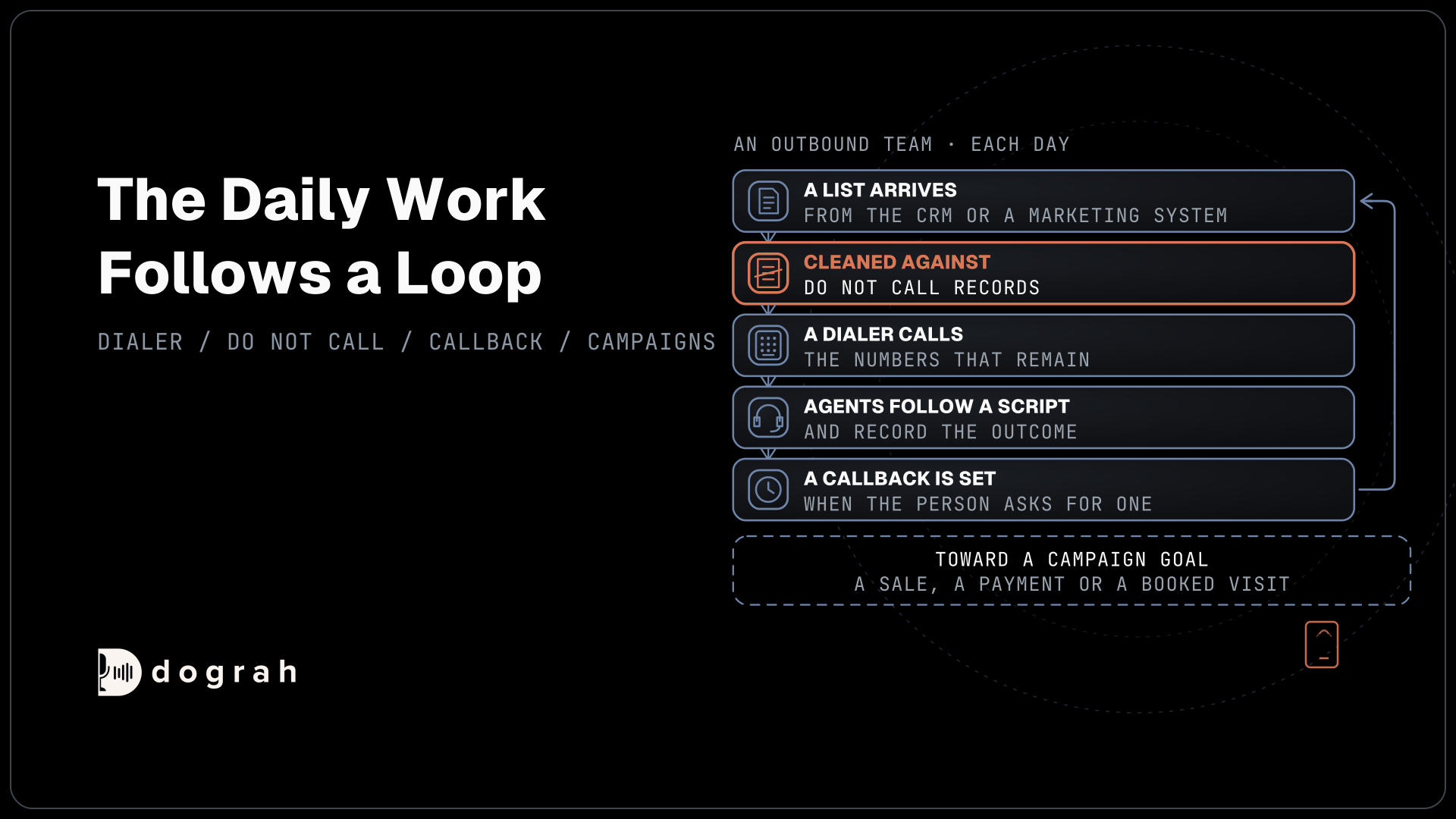
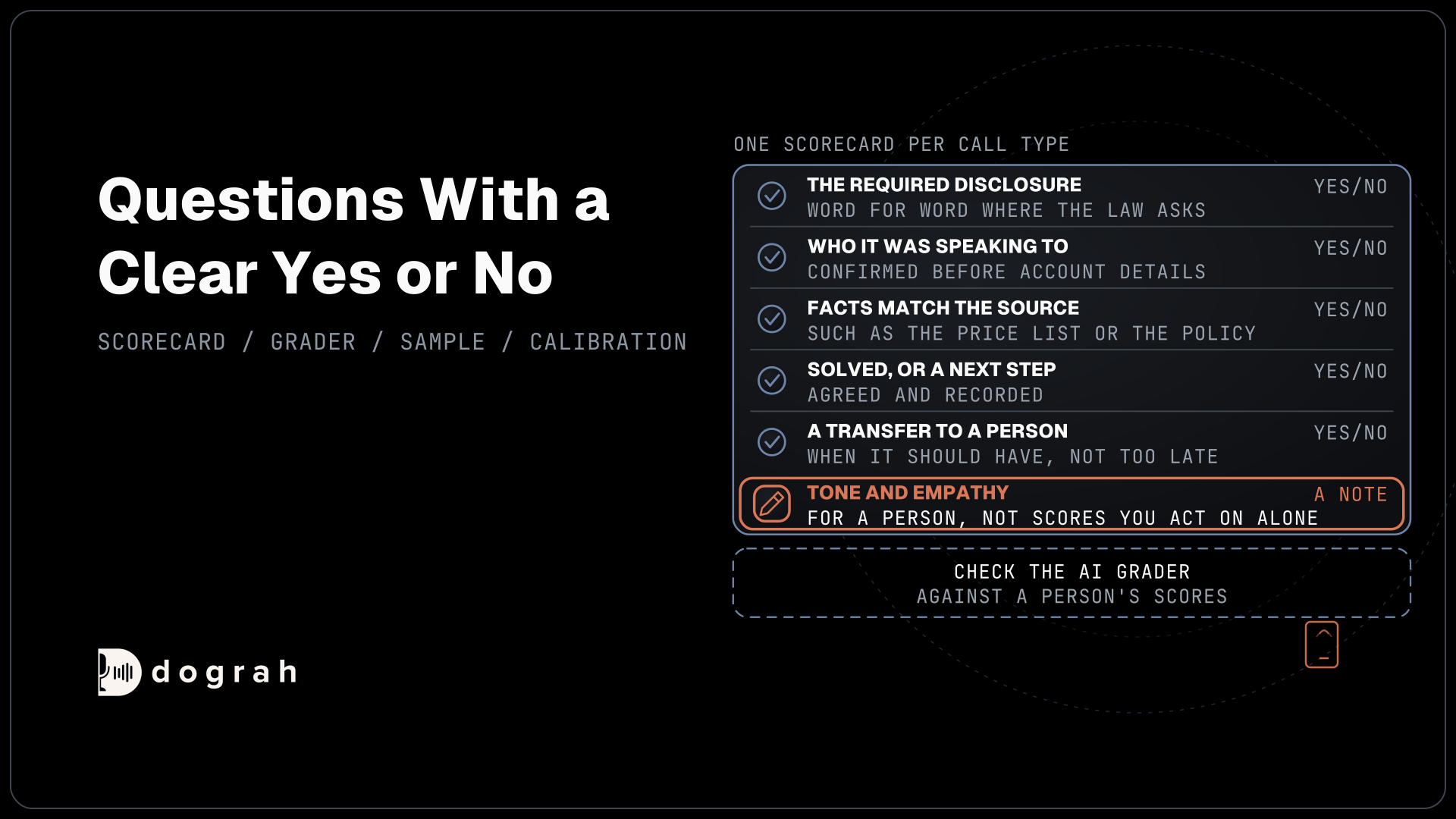
The work around each call comes with it too. Campaigns dial a list within calling hours and retry busy or unanswered numbers, and Agent Runs keeps each call's transcript and recording. A QA node reviews each call's transcript node by node after it ends. All of it ships under the BSD 2-Clause license in one repository.
Running Dograh yourself means paying for your own servers, model keys and phone minutes, and your team looks after the database and upgrades. Our comparison of Dograh vs Pipecat goes through the build list item by item.
Glossary
- Frame
- A data container that moves through a Pipecat pipeline, such as a chunk of caller audio, a transcript or a signal that the user started speaking.
- Frame processor
- One stage of a Pipecat pipeline. It reads the frames it understands, acts on them and pushes new frames on to the next stage.
- System frame
- A Pipecat frame queued with high priority, ahead of data and control frames. Interruptions use system frames so the agent stops speaking at once.
- Transport
- The layer that carries audio, video and data between the user and a Pipecat bot, such as WebRTC, a WebSocket from a phone carrier or SIP.