
Pipecat Flows structures a call as a graph of nodes. Each node gives the language model one task, a prompt and only the functions it needs. Node functions do work in place, and edge functions move the call to the next node. Dograh applies the same idea in a visual builder you can self-host or run on Dograh Cloud.
Key Takeaways
- Each Flows node gives the model one task and only the functions it needs.
- Edge functions change the node. Node functions do their work and stay put.
- Flows needs a text model with function calling, so no speech-to-speech.
This post is part of our guide to open-source voice AI platforms, where Pipecat is the Python framework with Flows in its core. We show how Flows splits a call into nodes and functions, then map it to the builder in Dograh, the open-source AI voice agent platform we build.
Why split a call into nodes
A voice agent with one long prompt and every tool attached tends to drift off its steps and call the wrong tool. Flows fixes that by breaking the call into nodes. Pipecat's Flows introduction describes the conversation as a graph, where each node limits the model to one task and the tools for that task.
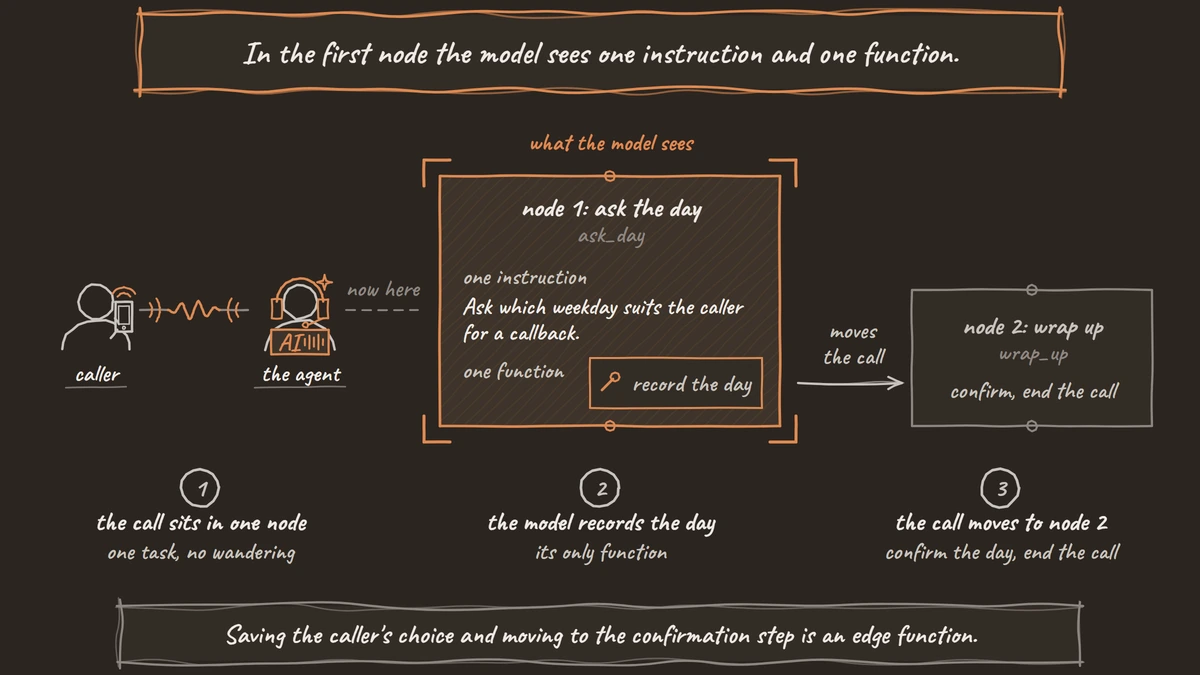
Think of a clinic's callback line. One node asks which day suits the caller, and another confirms the day and ends the call. In the first node the model sees one instruction and one function. It cannot wander into billing questions, because nothing in that node offers them.
Flows used to be a separate package. It now ships inside the core pipecat-ai package under the pipecat.flows namespace, and the old standalone package is frozen. If you started on the separate package, plan the move to the core import.
Node functions and edge functions
Functions are how a flow acts, and Flows has two kinds. Pipecat's page on Flows functions puts it simply. A node function does work inside the current node without moving, and an edge function moves the call to another node, optionally doing some work first.
A lookup that answers a question and keeps the caller in the same step is a node function. Saving the caller's choice and moving to the confirmation step is an edge function. The model decides when to call either one, from the function's name, description and parameters.
In Python, a direct function takes the flow manager as its first argument and returns two things. The first is a result the model sees in its next reply, and the second is the next node, or nothing if the call should stay put. By default a function keeps running if the caller interrupts, and a flows_tool_options decorator lets you cancel it instead.
A small Flows example
The example below is adapted from Pipecat's Flows quickstart and records the day a caller wants a callback. A flow like this has two files. The YAML file holds the nodes. Look for role_message, the standing instruction, task_messages, the job for that node, and transition_to, which turns a function into an edge.
initial_node: ask_day

nodes:
  ask_day:
    role_message: >
      You are a friendly assistant for a dental clinic. Keep replies short.
      Your replies will be spoken aloud.
    task_messages:
      - role: developer
        content: >-
          Ask which weekday suits the caller for a callback. Call
          record_callback_day only with the day they say.
    functions:
      - name: record_callback_day
        transition_to: wrap_up

  wrap_up:
    task_messages:
      - role: developer
        content: Confirm the day, thank the caller and end the call.
    post_actions:
      - type: end_conversation
What this does: It defines two nodes. In
ask_daythe model has a single function,record_callback_day, and calling it moves the call towrap_up, which confirms the day and then ends the conversation.
The Python handler does the work when the model calls the function. Note the day parameter, which the model fills from the caller's words, and TRANSITION_IN_YAML, which leaves the next node to the YAML file.
from pipecat.flows import TRANSITION_IN_YAML, FlowManager


async def record_callback_day(flow_manager: FlowManager, day: str):
    """Record the weekday the caller chose for a callback.

    Args:
        day: The weekday the caller asked for, such as "Tuesday".
    """
    print(f"Callback requested for: {day}")  # write it to your system here
    return day, TRANSITION_IN_YAML
What this does: It receives the day, for example "Tuesday", and returns it so the model can confirm it in its next reply. The print line is where a real flow would save the request to your scheduling system.
The bot file then creates a FlowManager with the language model, the context aggregator and the transport, and starts it on ask_day when the caller connects.

Open Source Alternative to Vapi / Retell
Self-hosted voice agent platform — no per-minute fees
dograh-hq/dograh
Star on GitHub
YAML config or Python code
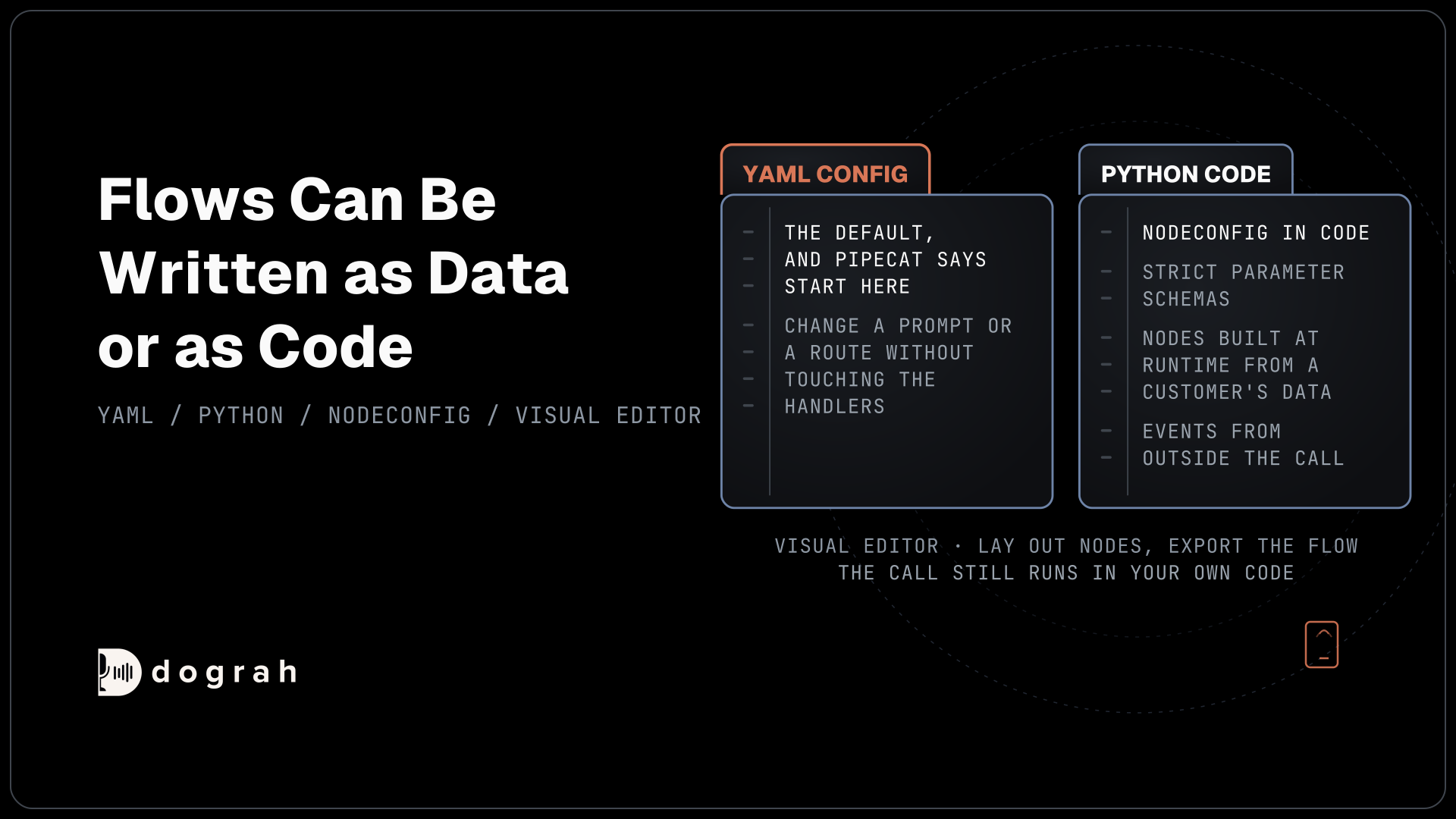
Flows can be written as data or as code. The YAML style above is the default, and Pipecat recommends starting there, since someone can change a prompt or a route in the config without touching the handlers.
Move to Python when the flow needs it. Building NodeConfig objects in code suits strict parameter schemas, nodes created at runtime from a customer's data, and flows that react to events from outside the call. For design, the Flows Visual Editor lets you lay out nodes on a canvas and export the flow into your project, while the call itself still runs in your own code. The archived pipecat-flows repo points to the core package for anyone landing on the old code.
How a visual builder maps to Flows
A visual workflow builder draws the same graph and runs it. Dograh is built on a fork of Pipecat that it pins inside its own repository, and its agents are built in a visual workflow builder. It does not run Pipecat Flows. Its own engine does the same job, with steps on a canvas joined by pathways.
Each pathway leaving a step carries a written condition, and the engine hands it to the model as a function to call. Calling it records any answers you asked it to extract, plays the line written on that pathway, then moves the call to the next step. That is an edge function, drawn as an arrow. An Agent Node holds the step's prompt, its tools and any knowledge base documents.
| Pipecat Flows | Dograh's visual builder |
|---|---|
Node with task_messages | Agent Node with its own prompt |
Edge function with transition_to | Pathway with a written condition the model picks |
| Node function | HTTP API or MCP tool attached to that step only |
role_message carried across nodes | Global Node prompt added to each step |
| Fixed words around a move | Transition speech on the pathway, as text or a recorded clip |
post_actions: end_conversation | End Call node |
The canvas tour, from node types to pathways, is in our post on designing conversation flows with a visual drag-and-drop builder.
What runs around the flow in production
Flows needs a cascade, meaning speech-to-text, a text language model with function calling, and text-to-speech. Pipecat's page says plainly that speech-to-speech models such as Gemini Live and OpenAI Realtime are not supported. In practice, complex tool calling is where speech-to-speech models struggle most, so a step-by-step flow is a good reason to stay on a cascade anyway.
Dograh runs speech-to-speech agents too, but text transition lines, handoffs between agents and the spoken transfer introduction need a cascade agent there as well. The bigger difference is the work around the flow. With Flows, your team still wires phone numbers, call history and quality checks into its own code. In Dograh those come with the builder, which includes telephony, a transcript and trace for every call, and a QA node that scores each step of the call separately, so a weak step shows up on its own.
Self-hosted Dograh has no per-minute platform fee, but servers, model keys and phone minutes still cost money. Dograh Cloud charges a 1¢-a-minute platform fee. You can run the whole platform yourself or let the cloud host it.
For the full trade-off, our comparison of Dograh vs Pipecat sets the platform against the framework it runs on, and LiveKit vs Pipecat compares the two frameworks.
Join the Dograh Community
Dograh is an OSS alternative to Vapi. Join our Slack community for queries, releases, best practices & community interactions.
Glossary
- Node function
- A Flows function that does work inside the current node without moving the call, such as looking up an answer. It returns a result for the model and no next node.
- Edge function
- A Flows function that moves the call to another node, optionally doing work first. In a YAML flow, a function with transition_to is an edge, and in Dograh a pathway plays the same part.
- YAML config
- A Flows setup written as YAML or JSON config read at runtime, with handlers in Python. Pipecat recommends starting this way, since prompts and routes can change without touching code.
- Transition speech
- A fixed line, typed text or a recorded clip, that Dograh plays when a pathway moves the call to the next step. It is spoken word for word, unlike the model's own replies.