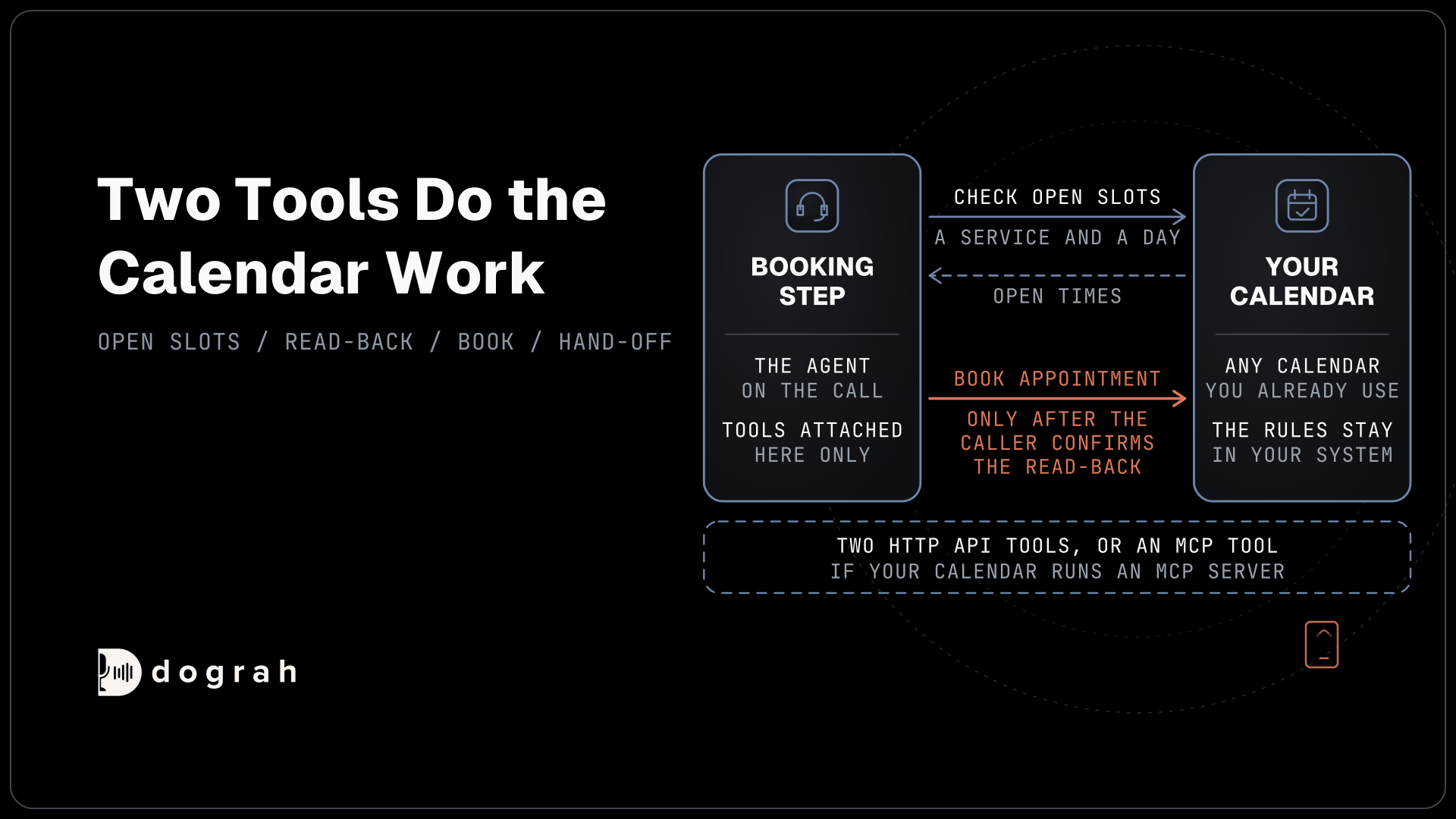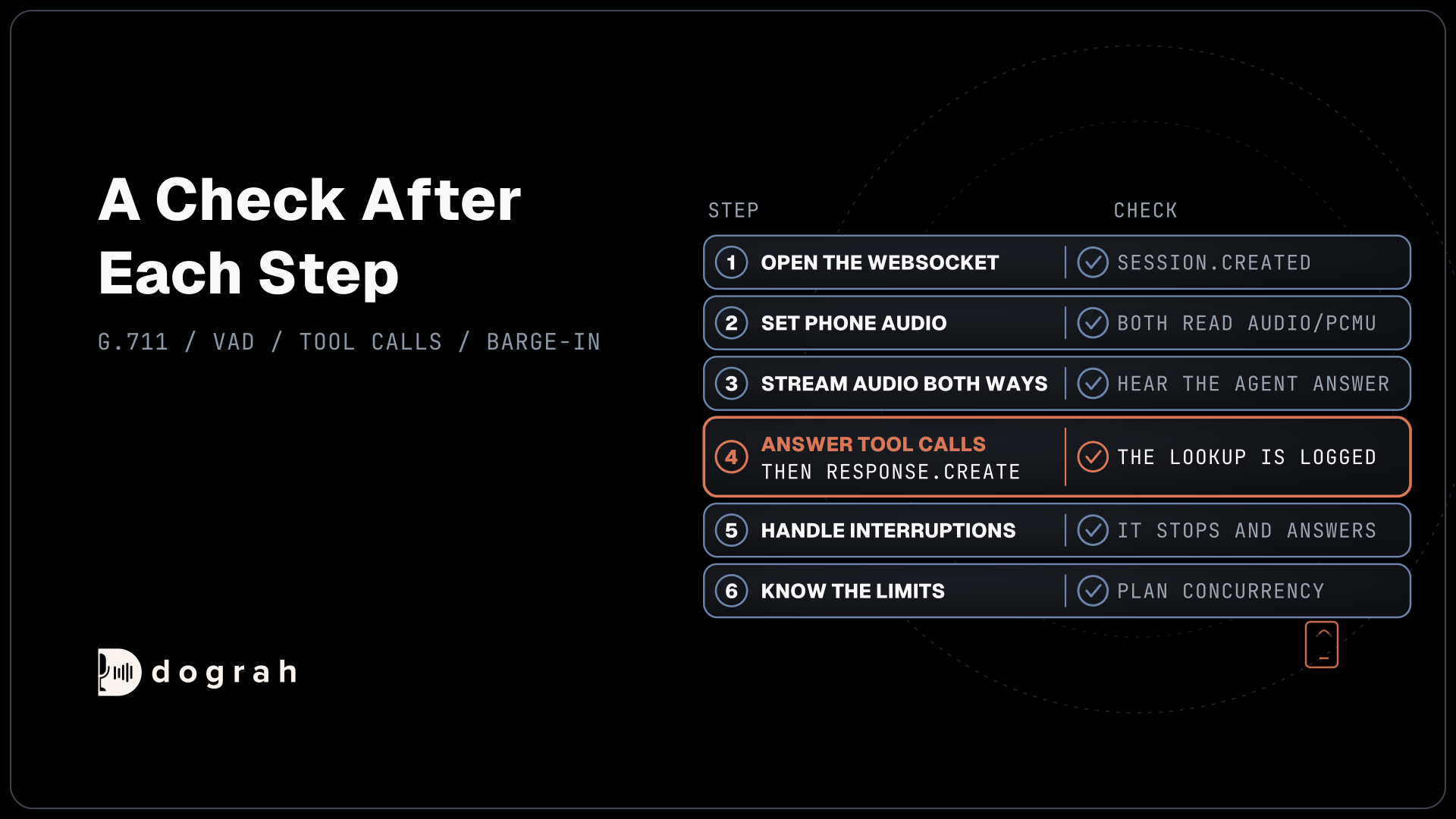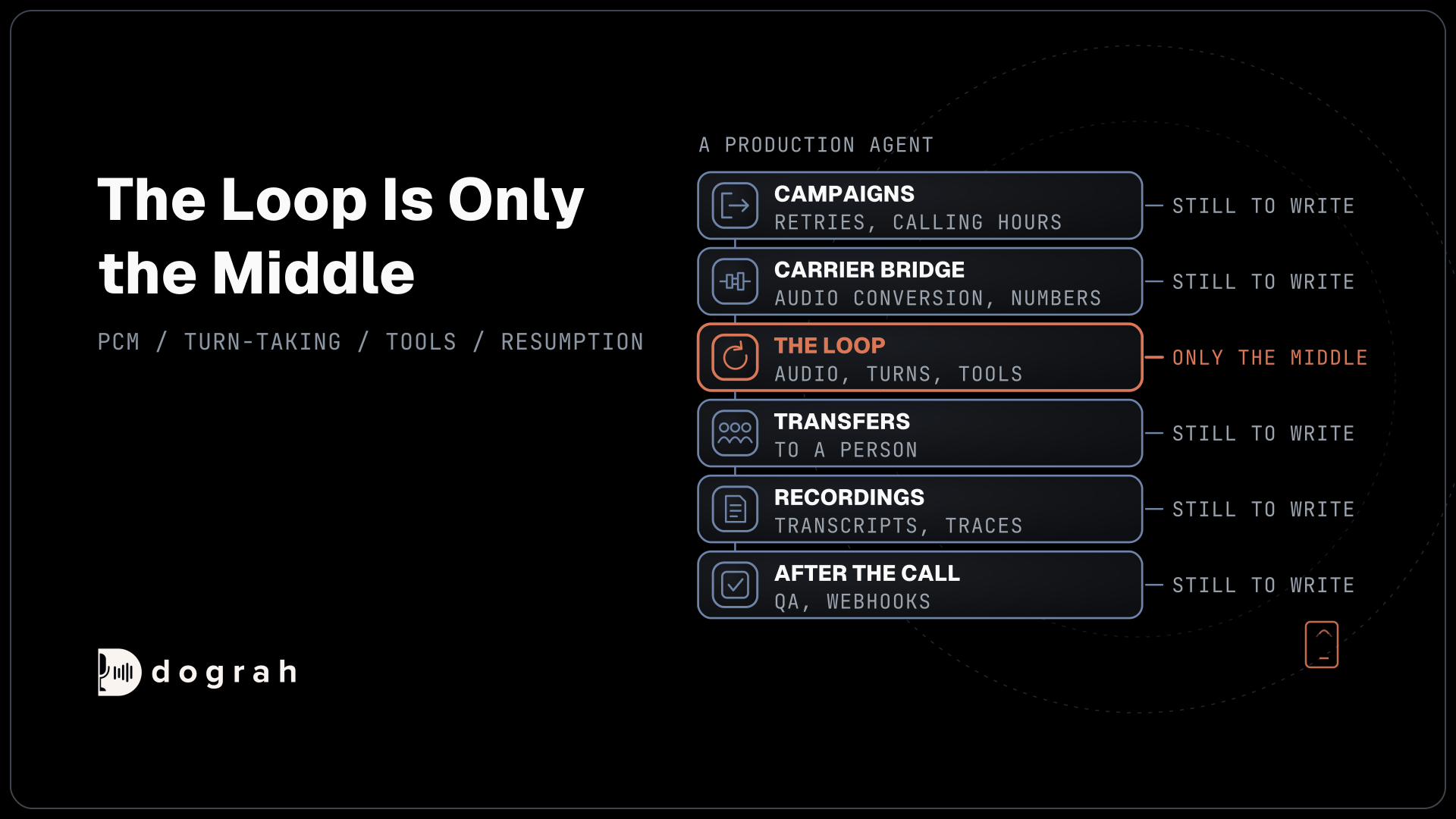

To send SMS from a voice agent, give it an HTTP API tool that calls your own texting endpoint or SMS provider. The agent asks first, confirms the number, sends, then says whether it worked. For teams that want the texting path in their own hands, Dograh, the open-source AI voice agent platform, runs it self-hosted or on Dograh Cloud.
Key Takeaways
- Ask the caller first, and send only the text they asked for.
- US business texts from 10-digit numbers need A2P 10DLC registration.
- In Dograh, an HTTP API tool sends the request to your texting provider.
A text during a call turns a spoken link or time into something the caller can tap later. We map the call flow, set up the texting tool with Dograh as the worked example, then we talk about texts after the call and the US consent rules for business texting.
When a text helps during a call
A text helps when the caller needs something they cannot remember by ear. A booking link, an address, a confirmation number or a time are hard to hold in your head on a call and easy to tap in a message. For anything sensitive, such as claim documents, the text carries a secure upload link and the caller never reads details aloud.
Payments follow the same pattern. The agent never takes card numbers on a call. Instead, a tool asks the business's own system or payment provider to send its secure payment link by text, and the caller pays in the page that opens.
Callers are used to this. In EZ Texting's 2026 consumer survey of 959 US adults, 46% named texting as their preferred way to contact a business against 43% for phone calls, and 65% preferred texts for appointment reminders.
Some hosted platforms build a texting step into their agents. On an open platform the caller gives a spoken yes, and the text itself leaves through your own SMS provider, which an HTTP API tool calls. That keeps the sending number, the message log and the opt-out list in the systems you already run.
The call flow for a text
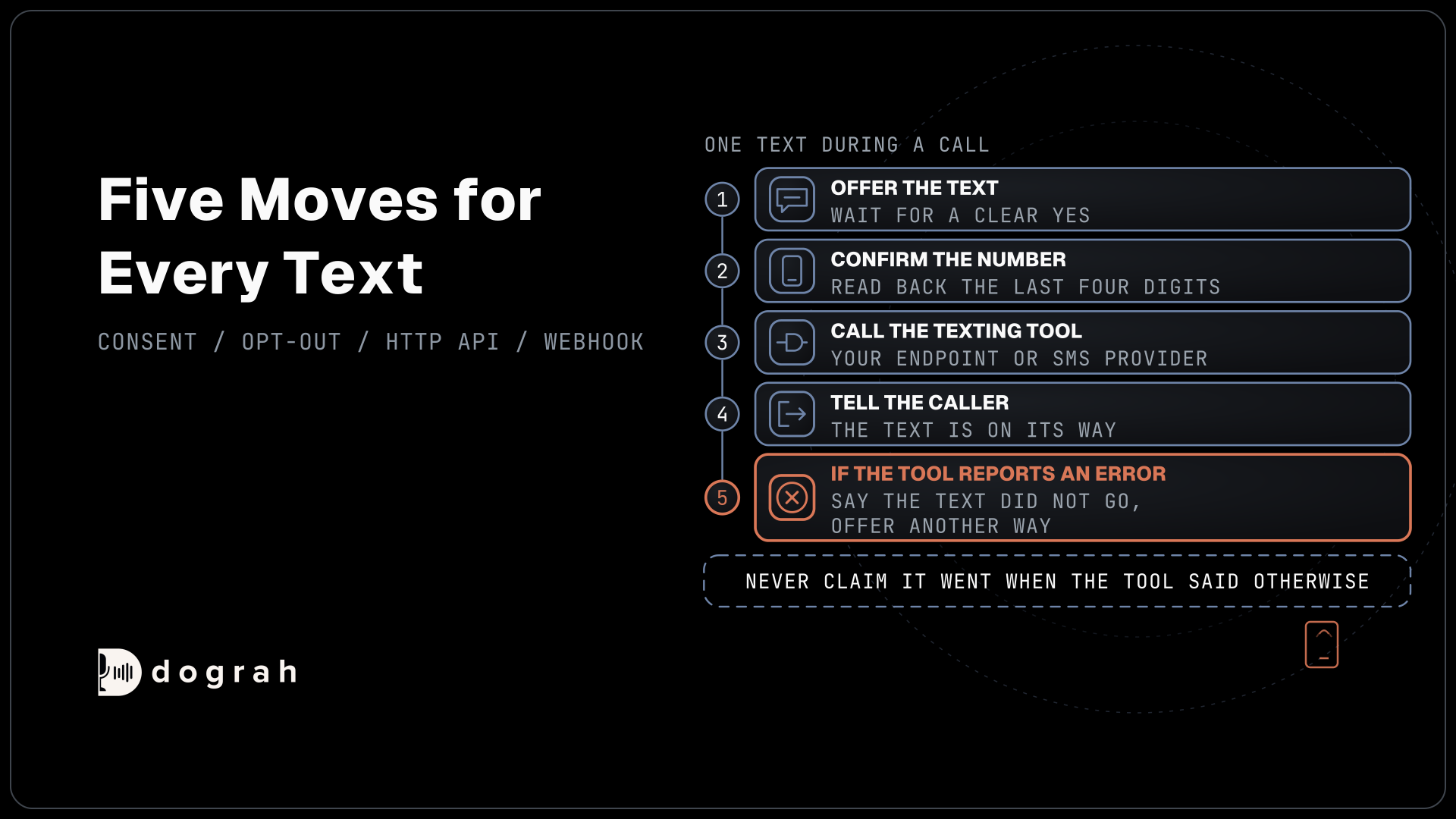
Every text in a call follows the same five moves, and the last one matters most. First, the agent offers the text and waits for a clear yes, such as "Can I text you the booking link?". A text the caller was never told about is the one most likely to be reported as spam.
Second, the agent confirms the number by voice. On an inbound call the caller's number is already known, so the agent can read back the last four digits and ask if that phone takes texts. On an outbound call, the number dialed is the customer's. If the text will carry personal details, the agent verifies the caller first with an approved check, such as date of birth, because a phone number finds a record without proving who is calling.
Third, the agent calls the texting tool. Fourth, it tells the caller the text is on its way. Fifth, if the tool reports an error, the agent says the text did not go and offers another way, such as reading the detail aloud or sending it by email. It never claims a text was sent when the tool said otherwise.
A common pairing is a booking confirmation. After the agent books a slot, as in booking a meeting mid-call, the text carries the time and a link to reschedule.
Step 1: Build the endpoint the tool calls
The main path sends the request to an endpoint your business owns, such as a small backend service or an n8n workflow. That endpoint checks the number against your opt-out list, picks the message template, sends the text through your provider and returns success or an error.
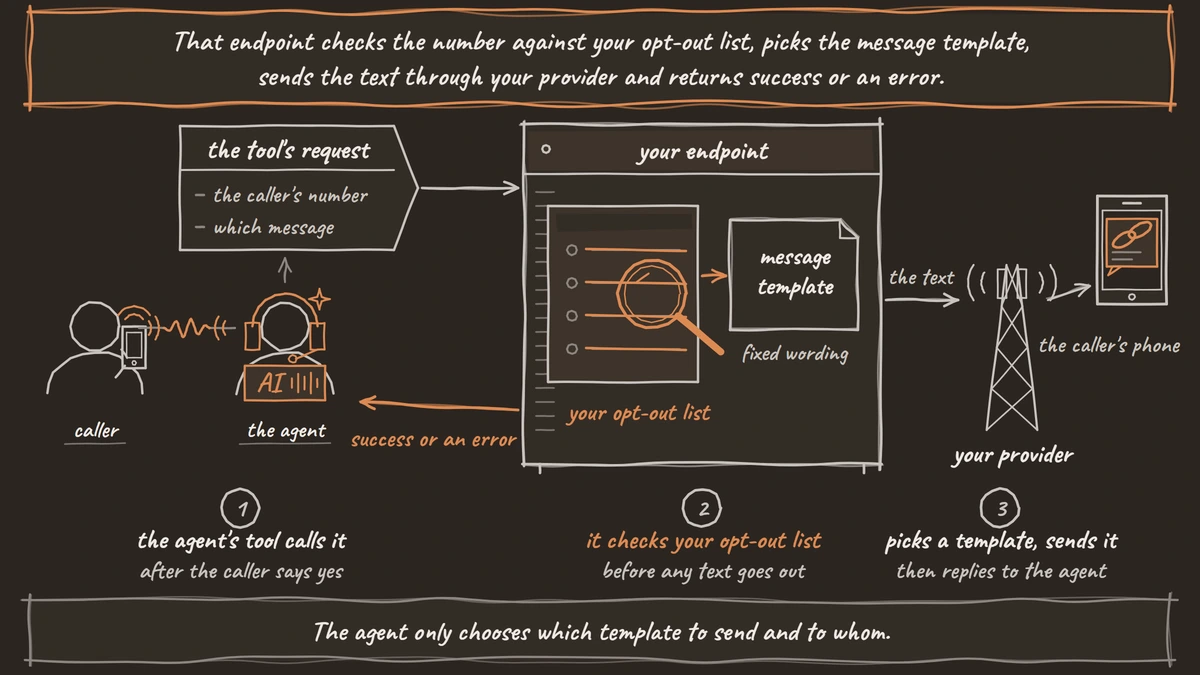
This path keeps control where your records already are. Consent records and STOP lists live in your systems, and the provider's keys stay out of the agent's configuration. The wording of each text is also fixed in a template the agent cannot rewrite. The agent only chooses which template to send and to whom.
The request below is what the agent's tool will send. The to field carries the caller's number, template names which message to send, and workflow_run_id ties the text to one call.
{
  "to": "+1415555XXXX",
  "template": "booking_link",
  "workflow_run_id": "7f3c2a91-0d4e-4b8a-9c11-52e6f0a8d3b4"
}
What this does: It asks your endpoint to send the booking-link text to the caller's number. Your endpoint can refuse if the number has opted out, and can ignore a second request with the same
workflow_run_idso the caller never gets the text twice.
This request and the endpoint behind it are an illustration we wrote. Shape yours around the templates and checks your business needs.
Step 2: Create the HTTP API tool in Dograh
The tool is set up once and attached to the agent's node. Open Tools in the sidebar, select Create Tool and choose External HTTP API. Give it a Tool Name such as send_booking_link and a Description that tells the model when to use it, for example "Send the booking link by text after the caller agrees."
Set HTTP Method to POST, paste your endpoint as the Endpoint URL, and keep Timeout (ms) at 5000 unless your endpoint is slow. Under the auth settings, pick a credential you created under Credentials in the sidebar, such as a Bearer Token for your own service. The HTTP API tool page covers each field.
Fixed values go in Preset Parameters, so the model never types them. Add to with the value {{initial_context.caller_number}} on inbound calls, or {{initial_context.called_number}} on outbound ones, and workflow_run_id with {{initial_context.workflow_run_id}}. Add template under LLM Parameters if the agent should choose between messages.
The tool's Messages play a short line as it starts, and an update if it runs long, so set "Sending that now" as the start line. Then attach the tool under Tools on the agent's node, and add a prompt line saying to send only after the caller says yes. Our guide to tool calling in voice agents covers tool design in more depth.
Check: The tool shows under Tools on the node, and a test call where you say yes produces one request at your endpoint.

Open Source Alternative to Vapi / Retell
Self-hosted voice agent platform — no per-minute fees
dograh-hq/dograh
Star on GitHub
Step 3: A direct Twilio request, as an illustration
For a simple confirmation with no opt-out check, the tool can call Twilio's Messages API directly. Set Body Format to Form-encoded, since Twilio expects form fields, and use a Basic Auth credential with your Account SID as the Username and Auth Token as the Password. The Endpoint URL is https://api.twilio.com/2010-04-01/Accounts/{AccountSid}/Messages.json with your own SID in place.
The body Twilio receives carries the recipient in To, your Twilio number in From and the message in Body.
To=%2B1415555XXXX&From=%2B1415555YYYY&Body=Your+booking+link%3A+https%3A%2F%2Fexample.com%2Fb%2Fx7k2
What this does: It asks Twilio to send one text from your number to the caller, with the booking link as the message. Put To in Preset Parameters from the caller's number and fix From and Body there too, so the model cannot change the wording.
This is an illustration we wrote, and it skips the opt-out check your own endpoint would run, so keep it for texts the caller just asked for. Telnyx works the same way with its JSON body and a Bearer Token.
Check: The text arrives on your test phone, and Twilio's message log shows it as delivered.
Texts after the call
Some texts belong after the call, such as a summary or a survey link. For those, a Webhook node posts the call's results to your system when the call ends, and your system decides whether to send a text.
The Webhook node sends a JSON Payload Template that can carry values the agent collected, such as {{gathered_context.appointment_time}}, along with the caller's number. Because the payload is JSON, it goes to your backend or an automation tool, which then calls the texting provider. Temporary failures, such as timeouts or 429 and 503 responses, are retried automatically, up to five attempts in all.
Retries make duplicates possible, so send the run's ID in the payload and have your system ignore a second request for the same call. The HTTP API tool used during a call does not retry on its own, which is why the agent reports an error to the caller instead. If you call Telnyx directly, send an idempotency key in its Idempotency-Key header, added under Custom Headers, for the same protection. Our post on webhook-driven voice agents covers payloads and retries in full.
Join the Dograh Community
Dograh is an OSS alternative to Vapi. Join our Slack community for queries, releases, best practices & community interactions.
US consent rules for business texts
In the US, texts fall under the same law as calls, the Telephone Consumer Protection Act (TCPA). The FCC's TCPA rules treat automated texts to a mobile number like automated calls. They need the person's prior express consent, and texts that advertise or sell need prior express written consent.
People can take that consent back by any reasonable means, such as replying STOP, and the sender must honor it within 10 business days. One plain confirmation text with no marketing is allowed after an opt-out. Under the FCC's 2026 order, from 25 November 2026 a sender may name one way to opt out, and an opt-out from informational texts can be treated as covering only that kind of text.
Carriers add their own layer. Business texting from a US 10-digit number needs A2P 10DLC registration, a Brand and a Campaign that describe how people opt in and out, and unregistered traffic pays extra carrier fees and is filtered more often. Toll-free numbers and short codes have their own registration.
Industry guidance points the same way. CTIA's Messaging Principles, which are guidance and not law, treat a person who asks for a specific text, such as a booking link, as consenting to informational texts for that purpose, while promotions need written agreement and every program should explain how to opt out with STOP. A caller's spoken yes to one link is generally close to that informational case, so keep the text to what was asked and record the yes in the call's transcript. These rules change, so confirm your own texting program with counsel. For calls rather than texts, see whether AI phone calls are legal.
Testing it and choosing where it runs
Where the texting path runs is your choice. Dograh is open source, so the tool configuration, the request it sends and the credentials sit on your own servers when you self-host, next to the endpoint and the provider account you already use. The texting provider bills its messages and 10DLC fees to your account either way.
If you host Dograh yourself, no per-minute platform fee applies to your calls, but the servers, model keys and phone minutes are still on your bill. Keeping the database healthy and applying upgrades is your team's work. Questions go to the open-source community, and Enterprise brings custom SLAs. Dograh Cloud handles all of the hosting for a 1¢-a-minute platform fee.
Before go-live, test the text on a real phone call. Place a call with the editor's Phone Call button, say yes to the text and check that it arrives. Then break your endpoint on purpose, for example by pointing the tool at a wrong path, and listen for the agent saying the text did not go.
Glossary
- Form-encoded
- A request body sent as plain name and value fields instead of JSON, which Twilio's Messages API expects. Dograh's HTTP API tool offers it under Body Format.
- A2P 10DLC
- US carrier registration for application texts sent from 10-digit long code numbers, made of a Brand and a Campaign. Unregistered traffic pays extra fees.
- Prior express written consent
- The signed or electronic agreement the TCPA requires before automated marketing calls or texts to a mobile number. Informational texts need lighter consent.
- Payload Template
- The JSON a Dograh Webhook node sends when a call ends. You write it, and variables such as the appointment time fill in from the call.