
To build a voice agent with Gemini Live, connect to gemini-3.8-live with google-genai, send 8 kHz phone audio with its rate declared, convert the 24 kHz reply, tune turn detection, answer tool calls and resume long sessions. Dograh, the open-source AI voice agent platform, runs the same agent on your phone lines, self-hosted or on Dograh Cloud.
Key Takeaways
- Declare 8 kHz phone audio in the MIME type and Gemini resamples it.
- Gemini always replies at 24 kHz, so convert it back for the phone line.
- Dograh runs this agent as a Realtime configuration on your own Google key.
Gemini Live hears and speaks in one model, and a phone call is the hardest place to run it. We build a working agent in Python, with phone audio, turn-taking, tool calls and long sessions, each followed by a check, then we run the same agent in Dograh.
What you need before you start
You need a Google AI Studio API key, Python and the google-genai package. The free tier is free of charge with lower rate limits, which is enough to build and test. You also need a carrier that streams call audio to your server over a WebSocket, since Gemini Live has no phone connection of its own.
Use gemini-3.8-live. Google lists it as the successor to Gemini 3.1 Flash Live, which makes 3.8 the starting point for a new agent. Our guide to the Gemini Live API on phone calls explains how the model behaves on a phone line.
The code below is our own example, built from the lines on Google's Live API pages. It runs on your server so the key never reaches the caller's side, and it leaves out logging and retries to stay short.
Step 1: Connect to Gemini Live
The SDK opens a WebSocket session for you. Set GEMINI_API_KEY in the environment, then connect with audio as the reply format.
import asyncio
from google import genai
from google.genai import types

client = genai.Client(http_options={"api_version": "v1beta"})
MODEL = "gemini-3.8-live"
config = {"response_modalities": ["AUDIO"]}

async def run_call(phone):
    async with client.aio.live.connect(model=MODEL, config=config) as session:
        await asyncio.gather(caller_to_gemini(phone, session), gemini_to_caller(session, phone))
What this does: It opens one Live session on gemini-3.8-live for each call and runs two loops side by side, one for each direction of audio.
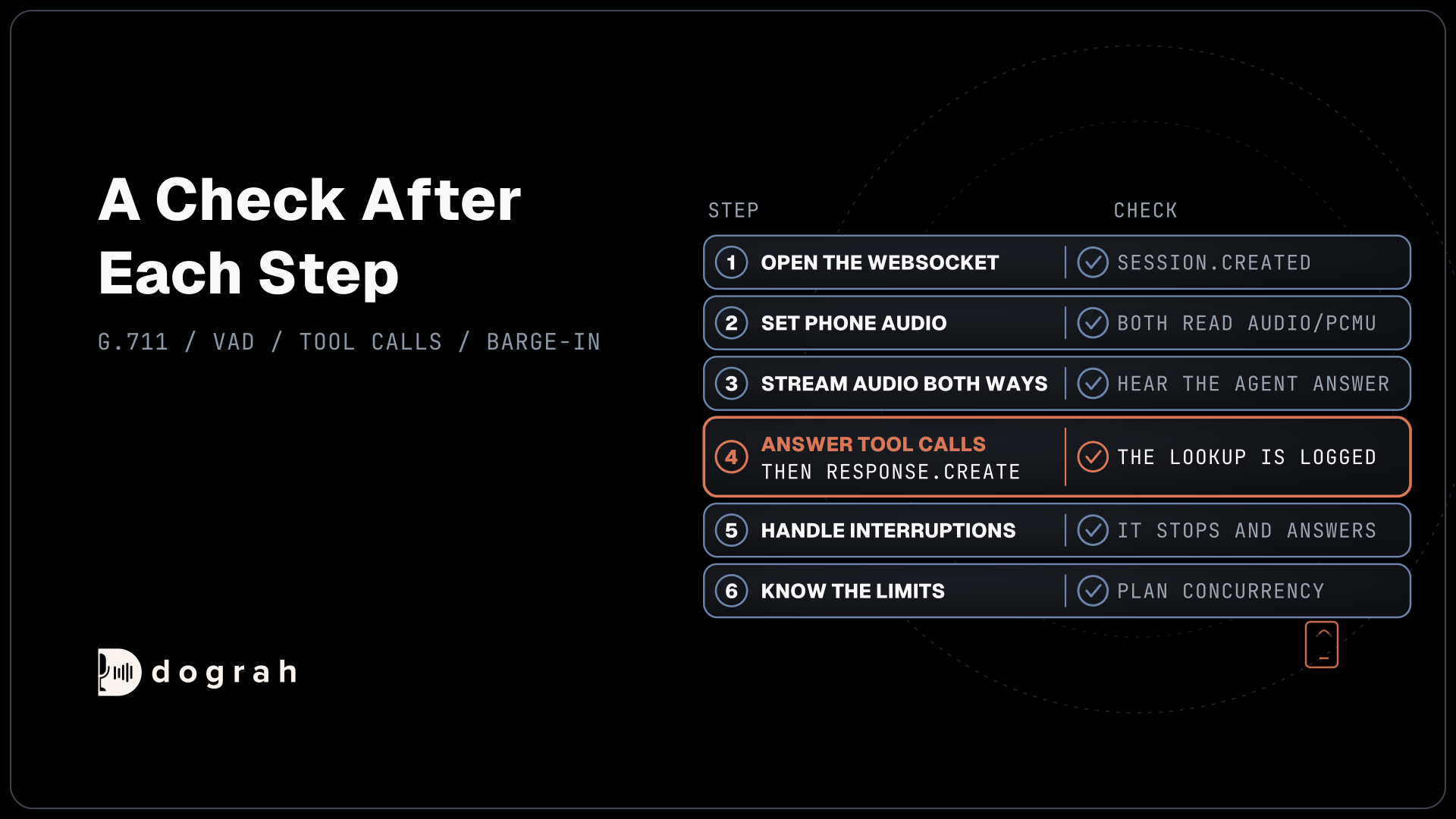
Check: the session opens without an error, and a log line inside the block prints once per call.
Step 2: Send the caller's audio
Gemini Live takes raw 16-bit little-endian PCM. Phone audio usually arrives as 8 kHz G.711 mu-law, so decode it to 16-bit PCM and declare the rate. Google's Live API capabilities page says input at other sample rates is resampled when you declare the rate in the MIME type.
async def caller_to_gemini(phone, session):
    async for chunk in phone.audio_chunks():      # 8 kHz mu-law from your carrier
        pcm = ulaw_to_pcm16(chunk)                 # your own decoder
        await session.send_realtime_input(
            audio=types.Blob(data=pcm, mime_type="audio/pcm;rate=8000")
        )
What this does: It turns each chunk of phone audio into 16-bit PCM and streams it to Gemini, marked as 8 kHz so Gemini resamples it to the 16 kHz it expects.
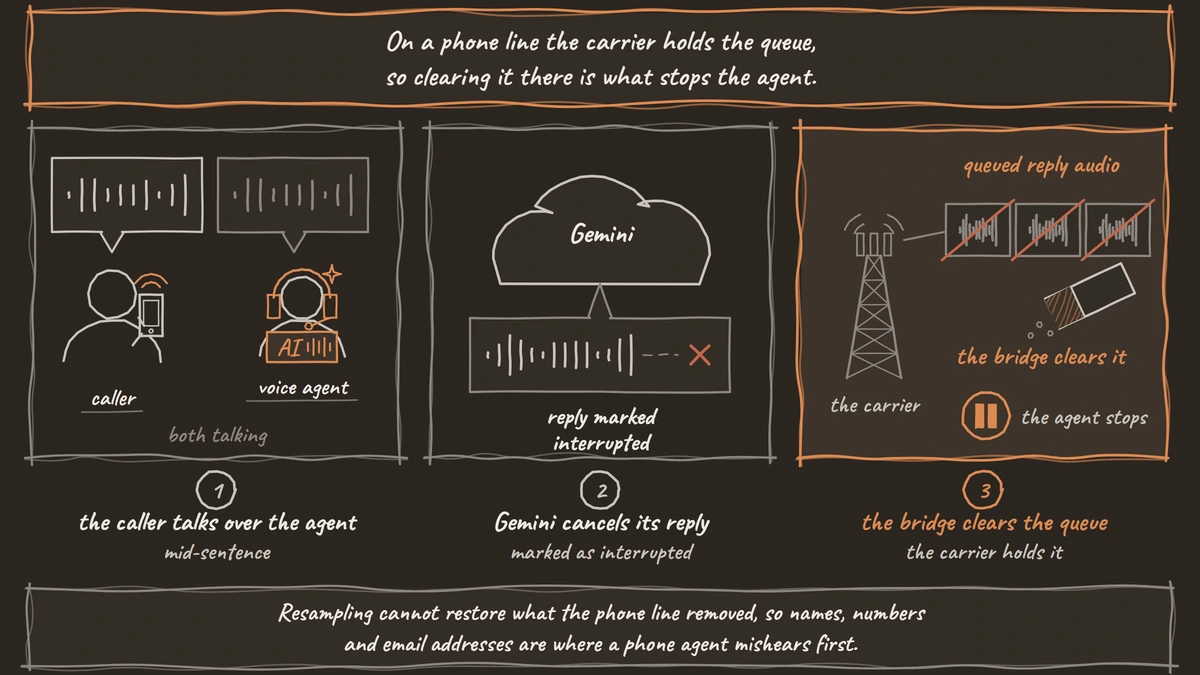
Resampling cannot restore what the phone line removed, so names, numbers and email addresses are where a phone agent mishears first. Test those on real calls, not only in a browser.
Check: say a few words on a test call, and Gemini starts a reply without an audio format error.
Step 3: Play the reply and handle interruptions
Gemini's audio output always uses 24 kHz, so the bridge converts each reply chunk back to 8 kHz mu-law for the phone line. When the caller talks over the agent, Gemini cancels its reply and marks the response as interrupted, and your code drops whatever audio it has queued.
async def gemini_to_caller(session, phone):
    while True:
        async for response in session.receive():
            content = response.server_content
            if content and content.model_turn:
                for part in content.model_turn.parts:
                    if part.inline_data:
                        audio_data = part.inline_data.data             # 24 kHz PCM
                        await phone.play(pcm24k_to_ulaw8k(audio_data)) # your own converter
            if content and content.interrupted is True:
                await phone.clear()                                     # drop queued audio
            if response.tool_call:
                asyncio.create_task(run_tools(session, response.tool_call))
What this does: It plays each chunk of Gemini's reply on the call, clears the carrier's queue the moment the caller interrupts and hands tool calls to Step 5 without blocking the loop.
DataCamp's Gemini 3.8 Live tutorial uses the same idea for a microphone, with four workers and two queues, and empties its playback queue on the interrupted flag. On a phone line the carrier holds the queue, so clearing it there is what stops the agent.
Check: talk over the agent mid-sentence, and it stops within a moment and answers what you said.
Step 4: Tune turn-taking
Automatic activity detection is on by default, and the server waits about 800 ms of silence before it treats the caller as finished. Google suggests 500 to 800 ms. Its own sample uses 100 ms, which suits a demo but cuts callers off mid-thought on a phone line.
config = {
    "response_modalities": ["AUDIO"],
    "realtime_input_config": {
        "automatic_activity_detection": {
            "disabled": False,
            "start_of_speech_sensitivity": types.StartSensitivity.START_SENSITIVITY_LOW,
            "end_of_speech_sensitivity": types.EndSensitivity.END_SENSITIVITY_LOW,
            "prefix_padding_ms": 20,
            "silence_duration_ms": 600,
        }
    },
}
What this does: It keeps Gemini's turn detection on, makes it less eager to start or end a turn on line noise and waits 600 ms of silence before replying.
Check: pause briefly mid-sentence on a test call, and the agent waits for you to finish.

Open Source Alternative to Vapi / Retell
Self-hosted voice agent platform — no per-minute fees
dograh-hq/dograh
Star on GitHub
Step 5: Answer tool calls
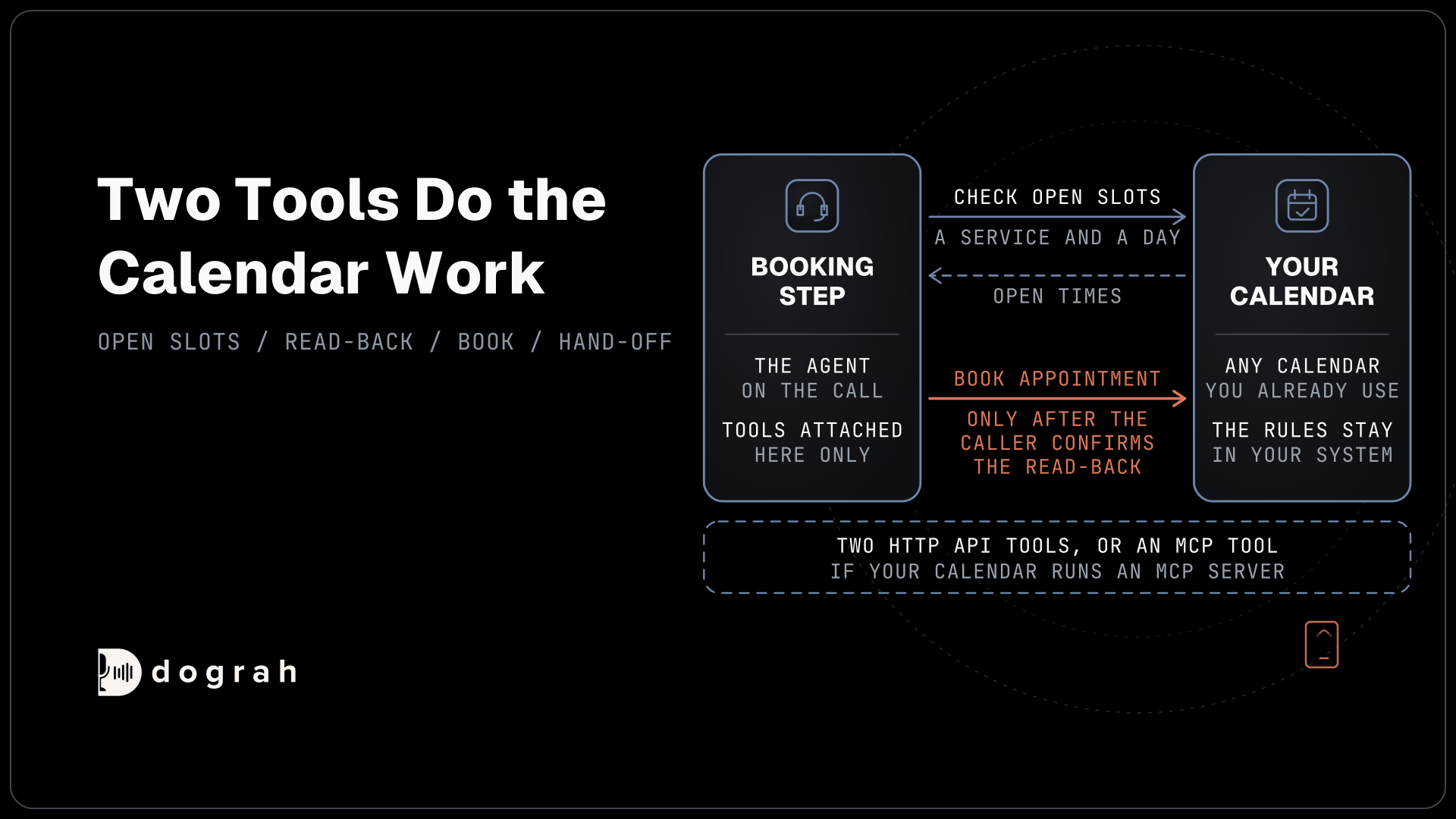
Declare tools in the session config. On gemini-3.8-live, function calls run asynchronously by default, so the model can keep talking while your code works, and marking a function NON_BLOCKING makes that explicit.
tools = [{"function_declarations": [{
    "name": "lookup_booking",
    "description": "Find a booking by the caller's phone number.",
    "parameters": {
        "type": "object",
        "properties": {"phone": {"type": "string"}},
        "required": ["phone"],
    },
    "behavior": "NON_BLOCKING",
}]}]
config = {"response_modalities": ["AUDIO"], "tools": tools}

async def run_tools(session, tool_call):
    function_responses = []
    for fc in tool_call.function_calls:
        result = await lookup_booking(**fc.args)   # your own code
        function_responses.append(
            types.FunctionResponse(id=fc.id, name=fc.name, response={"result": result})
        )
    await session.send_tool_response(function_responses=function_responses)
What this does: It declares one lookup tool, runs it when Gemini asks and sends the answer back with the call's id so Gemini can use it in the conversation.
If the caller interrupts while a call is pending, the server discards it and sends the canceled ids, so do not act on a stale result. On tool tasks, Gemini 3.8 Live passed 30.1% of tau-Voice 2.0 tasks and Extended Thinking (High) 68.6% on Artificial Analysis, as measured on 19 November 2026. Our post on speech-to-speech tool calling covers where these calls break.
Check: ask about your booking, and your server logs a lookup_booking call while the agent keeps talking.
Step 6: Keep long calls alive
Without compression, audio-only sessions stop at 15 minutes, and one connection lasts about 10 minutes. Turn on a sliding context window and session resumption, then reconnect with the latest handle when Gemini warns the connection is ending.
config = {
    "response_modalities": ["AUDIO"],
    "context_window_compression": types.ContextWindowCompressionConfig(
        sliding_window=types.SlidingWindow(),
    ),
    "session_resumption": types.SessionResumptionConfig(handle=previous_handle),
}

# inside the receive loop
if response.session_resumption_update:
    update = response.session_resumption_update
    if update.resumable and update.new_handle:
        previous_handle = update.new_handle
if response.go_away is not None:
    print(response.go_away.time_left)   # reconnect with previous_handle before it runs out
What this does: It keeps the context from filling up, saves the newest resumption handle as Gemini sends it and warns you when to reconnect.
Google's session management page says resumption tokens stay valid for 2 hours after a session ends, so a dropped call can pick up where it left off.
Check: keep a test call going past 10 minutes, and the agent carries on with the conversation intact.
Cost and what a platform adds
Gemini 3.8 Live audio costs about $0.005 a minute in and $0.018 out at list price. Each turn bills the session again, and our Gemini Live API pricing breakdown works a 5-minute call out at about $0.19. For a side-by-side with OpenAI, see OpenAI Realtime vs Gemini Live.
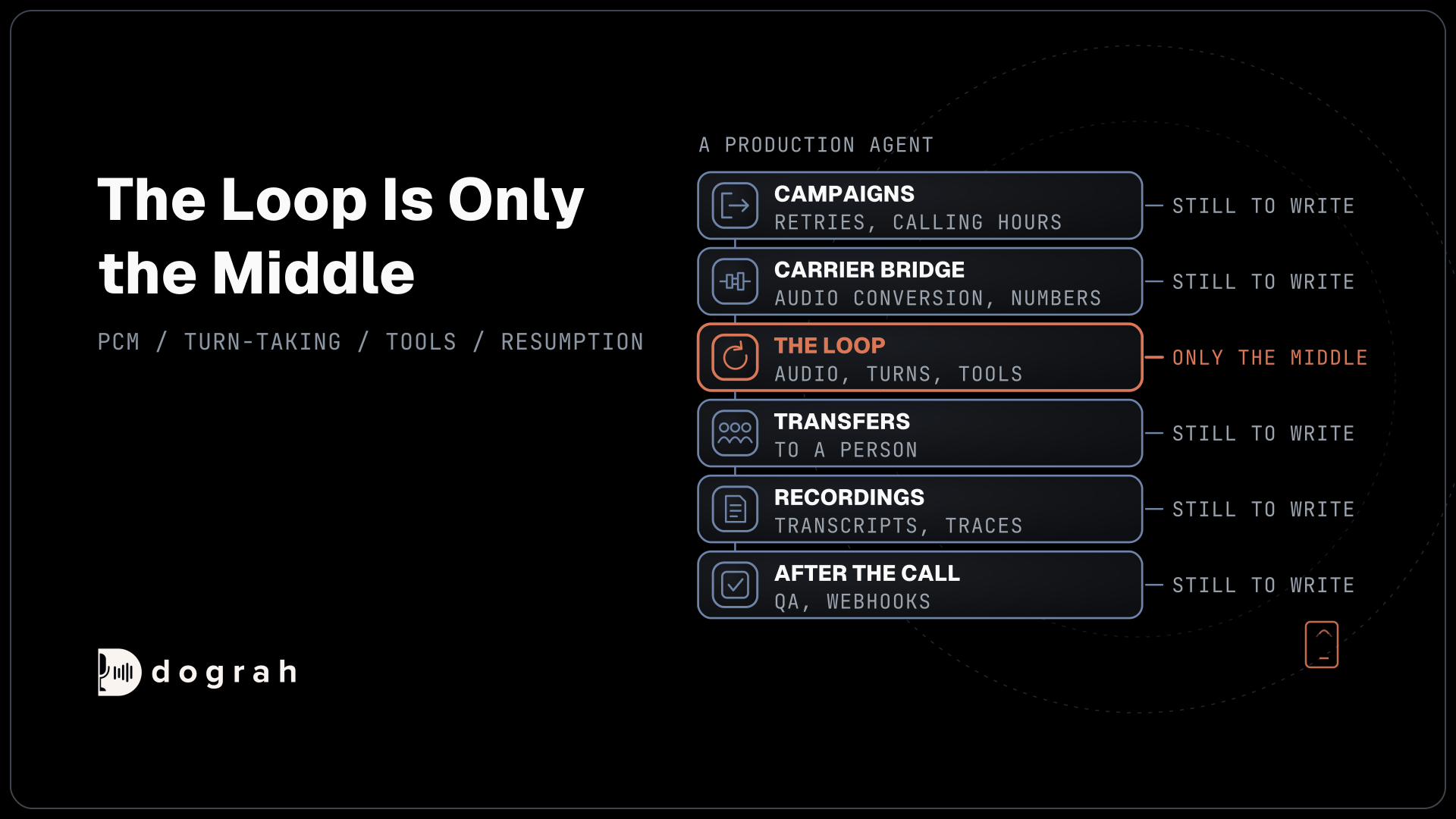
The loop above is only the middle of a production agent. Around it, a team still writes the carrier bridge and its audio conversion, number management, transfers to a person, campaigns with retries and calling hours, recordings, transcripts, traces, QA after the call and webhooks. Our build on the OpenAI Realtime API shows the same list from the OpenAI side.
Join the Dograh Community
Dograh is an OSS alternative to Vapi. Join our Slack community for queries, releases, best practices & community interactions.
Run it in Dograh
Dograh runs this same agent as a Realtime configuration in Models, selected in the agent's Model tab. Under Providers, click Add Provider and add your Google AI Studio key. Under Models, click Add Configuration, choose Realtime, then pick the Google connection, gemini-3.8-live and a voice such as Puck, Charon, Kore, Fenrir or Aoede on the Realtime tab.
On the LLM tab, pick a text model. The realtime model holds the conversation, and the text model handles variable extraction and other background tasks. Save, choose the configuration in the agent's Model tab and place a test call from the Phone Call dialog. For EU or US processing, Google Vertex Realtime is a separate provider that takes a service-account JSON and a location, and the model configuration docs cover both.
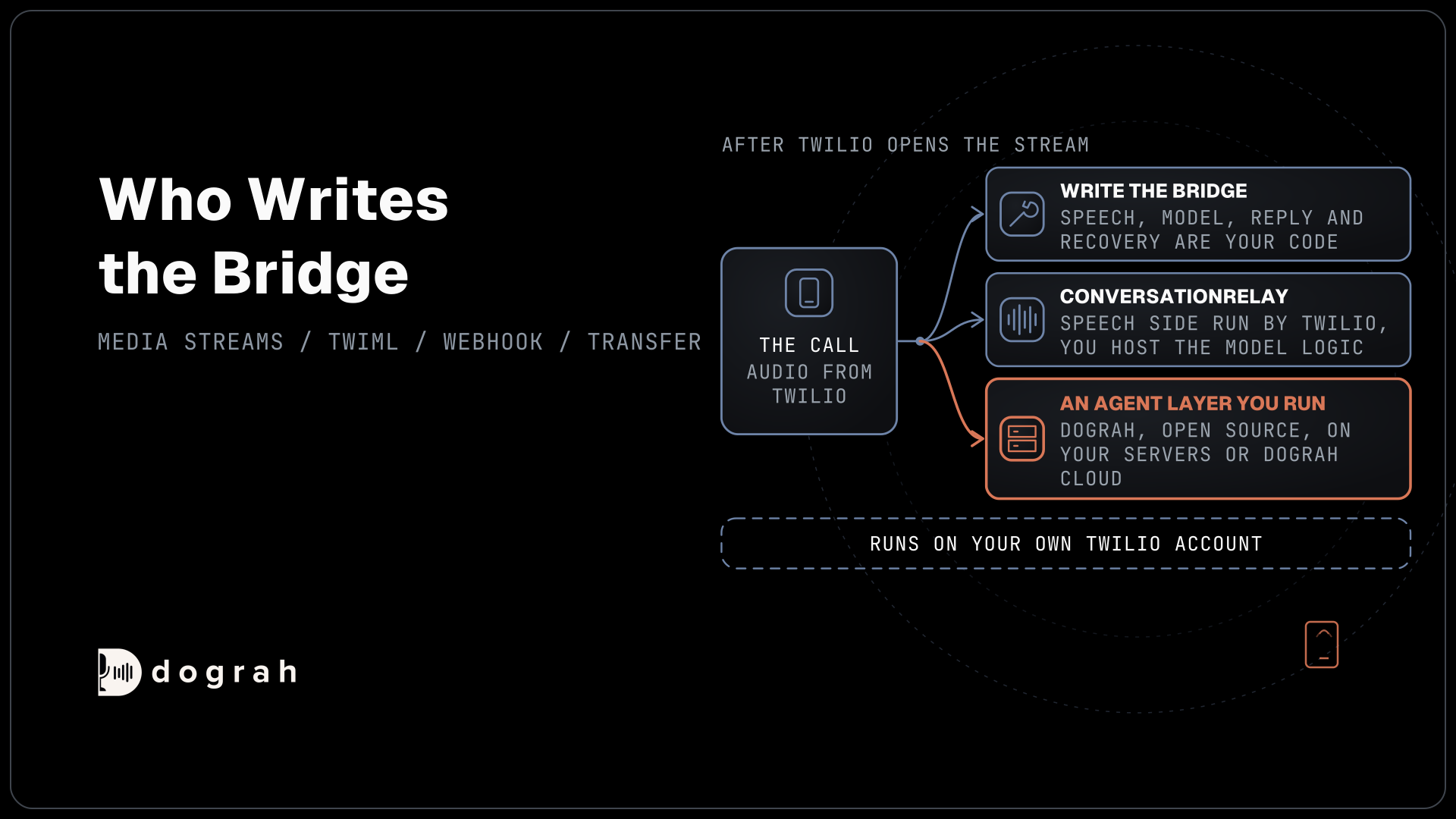
The bridge, audio conversion and reconnects are already built, including a reconnect with the conversation so far when the call moves to a node with a new prompt and tools. When a caller needs a person on a Twilio, Telnyx, Plivo, Cloudonix or Asterisk ARI number, Transfer Call takes over, and Dograh calls the destination first and connects the caller only when someone answers. On speech-to-speech, typed transition lines do not play, so use a recording.
Google bills its tokens to your key whichever way you host. When you run Dograh on your own machines there is no per-minute platform fee, and what you pay for is the servers, the model keys and the phone minutes. Looking after the database and rolling out upgrades falls to your team. Support comes through the open-source community, with custom SLAs available on Enterprise. To skip the hosting, Dograh Cloud runs everything for a 1¢-a-minute platform fee.
Glossary
- Live API session
- One WebSocket connection to a Gemini Live model, opened with client.aio.live.connect, that carries audio both ways for the length of a call.
- Automatic activity detection
- Gemini's built-in turn detection. It decides when the caller starts and stops speaking, tuned by sensitivity and silence settings.
- NON_BLOCKING function
- A tool declared so the model keeps talking while your code runs, instead of waiting in silence for the result.
- Session resumption handle
- A token Gemini sends during a session. Passing it on reconnect continues the same conversation, for up to 2 hours after a session ends.