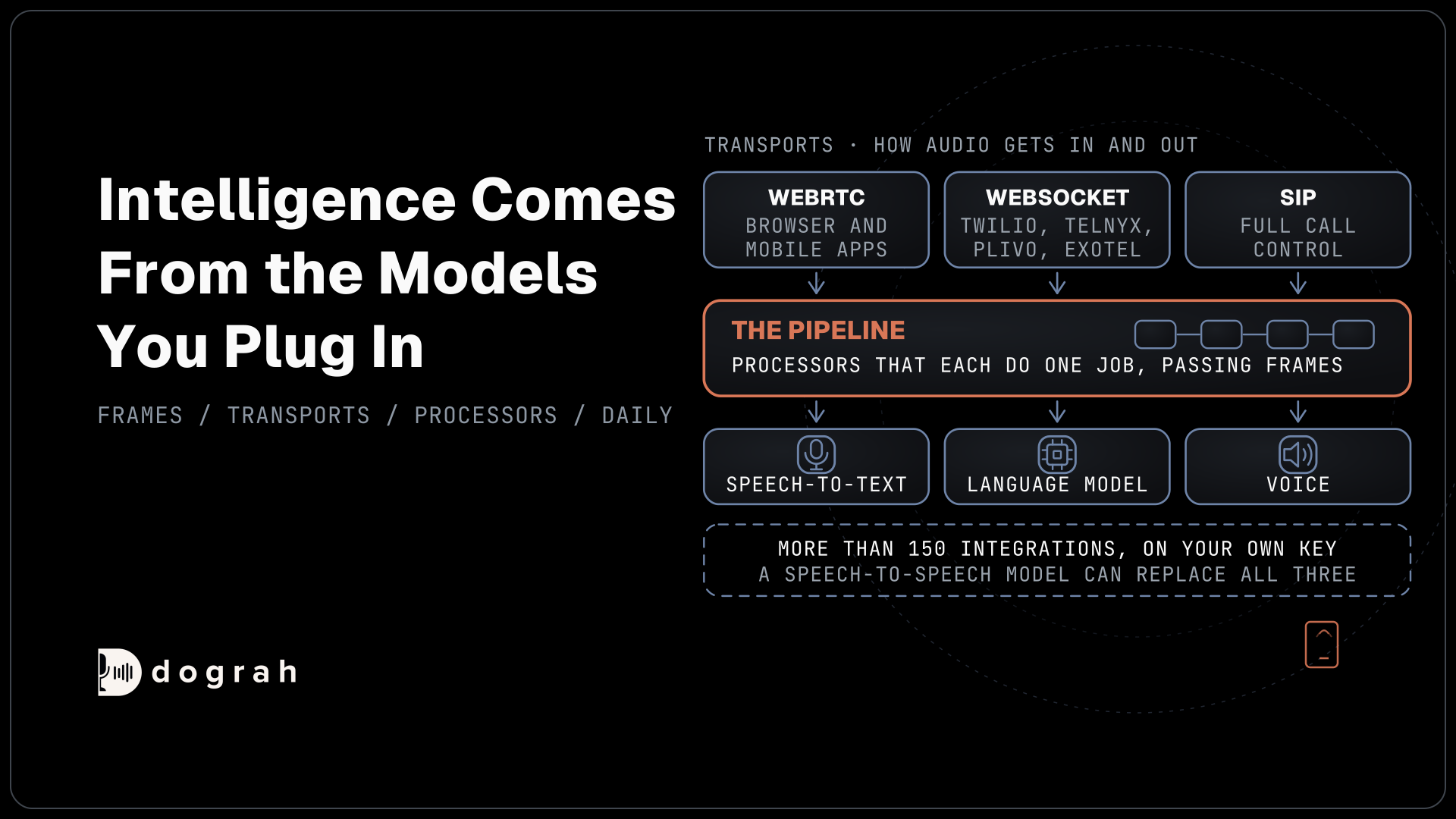

Japanese AI voice agents need a voice that streams Japanese on phone lines, such as Azure's ja-JP Neural voices or Google's Chirp 3 HD, plus speech-to-text that lists ja. Politeness comes from what the language model writes. For teams choosing Japanese models on their own keys, Dograh, the open-source AI voice agent platform, runs on their servers or Dograh Cloud.
Key Takeaways
- Keigo lives in the text the language model writes, so set it in the prompt.
- One kanji name can have several readings, so the agent asks for the reading.
- Score Japanese transcripts by character error rate, on real phone calls.
A Japanese caller hears a wrong politeness level or a misread name within seconds. We cover the voices and speech-to-text that list Japanese, then politeness, names, numbers and testing, and where support is still thin. The last section shows how those Japanese settings look in Dograh.
Voices that speak Japanese on a live call
Several voice providers list Japanese, and the test that matters for a phone agent is whether the voice streams. A voice that waits for a whole reply before it starts leaves a gap the caller hears as hesitation.
Azure Speech's language list names standard ja-JP Neural voices such as ja-JP-NanamiNeural and ja-JP-KeitaNeural, plus ja-JP-AoiNeural, ja-JP-DaichiNeural, ja-JP-MayuNeural, ja-JP-NaokiNeural and ja-JP-ShioriNeural. It also lists a multilingual voice and newer HD voices. For a live agent, start with the standard Neural voices.
Google's Chirp 3 HD lists ja-JP as generally available, with voice names in the form ja-JP-Chirp3-HD followed by the voice. It streams, and it can return MULAW (mu-law) audio, the format phone lines in Japan use. Google notes that streaming requests take plain text, with no SSML markup.
ElevenLabs lists Japanese on Flash v2.5 and Multilingual v2, as well as its newer v3 and v4 models. Cartesia lists Japanese, as ja, for Sonic 3.6. Our posts on Azure Speech for voice agents and Google Cloud text-to-speech on a phone line cover setup and cost for the first two.
Whichever you shortlist, judge it over a real phone line. Most phone calls still reach the agent as 8 kHz audio, while a browser demo runs at 16 kHz. A Japanese voice that sounds warm in the browser can sound flat and fast on a handset, and pitch accent suffers first.
Speech-to-text that lists Japanese
Japanese is listed by most of the speech-to-text providers a voice agent uses. The table below follows the language lists in Dograh's own provider settings, and each provider lists the same code itself.
| Speech-to-text | Japanese code | Notes |
|---|---|---|
| Deepgram Nova-3 (also Dograh's own STT) | ja | Japanese also in Nova-3 multilingual |
| Deepgram Flux multilingual | Japanese in flux-general-multi | Works with Multilingual (Auto-detect) |
| Azure Speech | ja-JP | Real-time and batch |
| Google Speech-to-Text | ja-JP | On your own key |
| Soniox, Speechmatics, ElevenLabs Scribe, Gladia, Cartesia ink-whisper | ja | On your own keys |
| OpenAI Realtime and Google Realtime | ja | Speech-to-speech, one model for the call |
Deepgram's language list is the one to check for Flux, since its multilingual model covers a set of ten languages and Japanese is one of them. That matters for a line that takes Japanese and English on the same number.
Measure Japanese transcripts by character error rate, the share of characters that come out wrong. Japanese is written without spaces between words, so a word error rate depends on how a tool splits the text, and two vendors' figures rarely compare. Score your own recordings the same way for each provider on the shortlist.
Politeness levels are a prompt decision
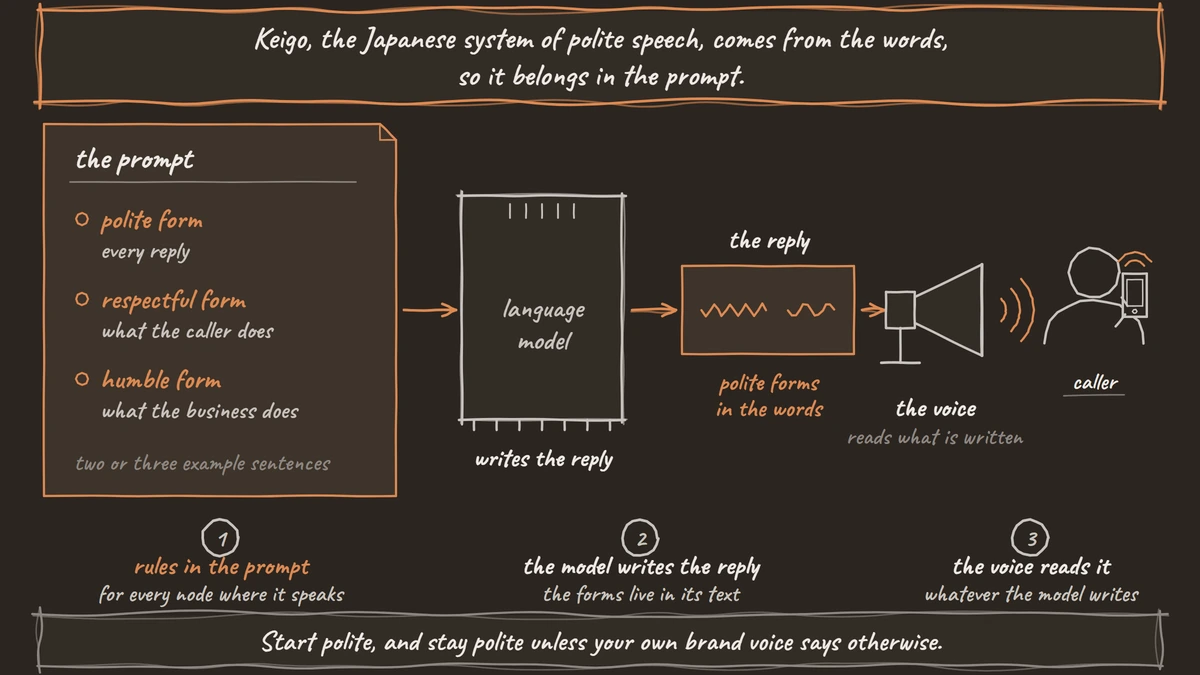
Keigo, the Japanese system of polite speech, comes from the words, so it belongs in the prompt. The voice reads whatever the language model writes, and a voice has no setting that turns plain speech into polite speech.
A business line needs three rules. Teineigo, the polite desu and masu forms, is the default for every reply. Sonkeigo, the respectful form, goes on what the caller does, as in asking whether the caller will come in (いらっしゃいますか). Kenjougo, the humble form, goes on what the business does, as in saying the agent will check (確認いたします). Write those rules in the prompt for every node where the agent speaks, with two or three example sentences, so the model has the pattern in front of it.
Politeness can also shift with the caller. In a 2025 study on politeness in Japanese spoken dialogue, a dialogue manager changed its verbal politeness to match each user's preference, and 70% of 20 observers correctly identified the intended difference in social distance. It was a small first study with two simulated users, but it supports a simple rule. Start polite, and stay polite unless your own brand voice says otherwise.
Watch for drift on long calls. A model can slip into plain forms after a few turns, most often in short replies such as "OK" or "got it". Test calls of ten turns or more show it, and a line in the prompt that names the forms to avoid usually fixes it.

Open Source Alternative to Vapi / Retell
Self-hosted voice agent platform — no per-minute fees
dograh-hq/dograh
Star on GitHub
Names, numbers and dates
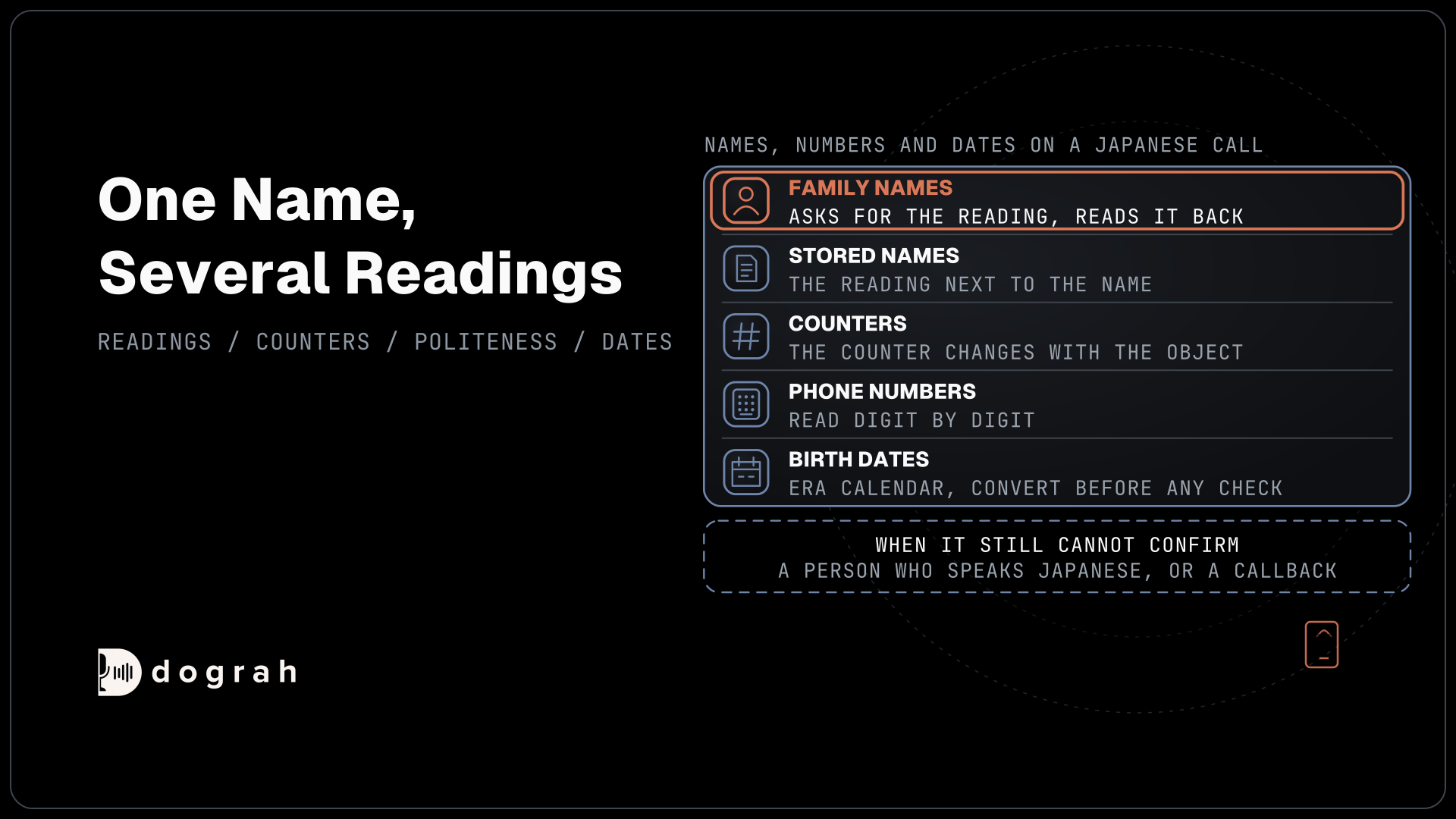
Names are the hardest part of a Japanese call. The same kanji can be read several ways, so 中田 can be Nakata or Nakada, and only the caller knows which kanji reading (yomi) is theirs. The agent asks for the reading (お名前の読み方を教えていただけますか) and reads it back in full before it books anything.
Speech-to-text has the same problem in reverse. A model hears a sound and has to pick kanji for it, so a family name can come back in the wrong characters even when the sound was right. Store the reading in kana next to the name, and match on the reading when the agent looks a customer up. Speechmatics, for example, takes hint words with a sounds-like field written only in full-width hiragana or katakana. Our post on custom vocabulary for voice agents covers word lists across providers.
Numbers follow counters. Three pens is sanbon (三本) and three sheets is sanmai (三枚), so the counter changes with the object, and the voice has to read the right one. Four and seven also have two readings, yon or shi and nana or shichi, and callers expect yon and nana on phone numbers. Phone numbers are read digit by digit with "no" between the groups.
Dates add the era calendar. A caller may give a birth year as Showa 60 instead of 1985, so the prompt tells the agent to accept both and convert before any date check. The simplest fix for the speaking side is to have the language model write numbers, dates and hard readings out in kana or words, because text sent to the voice as plain text is read exactly as written.
Where Japanese support is still thin
Japanese is well listed, but listing a language and handling it well on calls are different things. Researchers at Nagoya University built J-Moshi, the first public Japanese full-duplex dialogue model, from about 67,000 hours of Japanese audio. Its own team says adapting it to specialized fields or industries is challenging because Japanese speech data is scarce, and that it still needs human backup for most practical uses.
That matches what a phone agent meets. Industry terms, product names and regional speech outside Tokyo standard Japanese are where a model has seen the least data. Kansai callers, for example, use different word endings and intonation, and a model tuned on podcasts may struggle with them on an 8 kHz line.
Plan for the calls the agent cannot handle. When the agent is unsure of what it heard, it asks a short question in polite Japanese and confirms before acting. When it still cannot confirm, the safest step is a person who speaks Japanese, or a callback in Japanese. Our post on serving callers in their own language covers that fallback in more depth.
Join the Dograh Community
Dograh is an OSS alternative to Vapi. Join our Slack community for queries, releases, best practices & community interactions.
Testing a Japanese agent before launch
A short test on real calls finds most Japanese problems before customers do, and the plan below is one we wrote for it. Write 30 to 40 lines that cover family names with more than one reading, phone and order numbers, prices with counters, dates in both calendars and your product names, and have native speakers read them over the same carrier and number the agent will use.
Run the recordings through each speech-to-text option on your shortlist and score names and numbers first, since a wrong reading or digit sends the wrong data to your systems. Then place full test calls of ten turns or more and listen to the agent's side, from keigo that holds to the end of the call to the counter it uses for each number.
After launch, keep a Japanese speaker reading a sample of calls each week. Dograh's default QA prompt is written in English, so its QA summaries usually come back in English, and a reviewer who reads Japanese still has to check the transcripts and recordings for politeness slips and misread names.
Setting up a Japanese agent in Dograh
In Dograh, models are chosen per agent, in the editor's Model tab, through a model configuration with LLM, STT and TTS tabs, each on your own provider key. For Azure Speech voices, set Language to ja-JP and type the voice name into Voice with Enter Custom Value, such as ja-JP-NanamiNeural, since the preset list holds English voices. Dograh's Azure setting is built for Neural voices, so pick one of the standard ja-JP Neural voices named above.
For Google, the model is Chirp 3 HD. Set Language to ja-JP and type a Japanese Chirp 3 HD voice name in the same way. For ElevenLabs, paste the voice ID from your ElevenLabs Voice Library and use Flash v2.5 or Multilingual v2, and for Cartesia, set Language to ja with a Japanese voice.
On the speech-to-text side, Deepgram and the built-in speech-to-text list Japanese in the Language dropdown. For a Japanese-only line, pick Japanese rather than auto-detect. For a line that takes Japanese and English, set Language to "Multilingual (Auto-detect)" and tick both under Language hints, which work with Dograh's models and Deepgram Flux. Greeting Text plays before Dograh can hear the caller's language, so write it in both, for example "Hello, お電話ありがとうございます".
Product names and family names the speech-to-text keeps missing go in Dictionary in the agent's Settings, as one comma-separated list. Dograh passes those words to its own speech-to-text, Deepgram, AssemblyAI, Soniox and Speechmatics, and whether they help with Japanese depends on the provider, so test before and after on the same recordings.
Glossary
- Keigo
- The Japanese system of polite speech, with polite, respectful and humble forms. In a voice agent it comes from the text the language model writes, not from the voice.
- Character error rate (CER)
- The share of characters a speech-to-text model gets wrong. Japanese has no spaces between words, so CER compares providers more fairly than word error rate.
- Kanji reading (yomi)
- How a written kanji is pronounced. One name in kanji can have several readings, so an agent asks the caller and stores the reading in kana.
- Mu-law (G.711)
- The audio format phone networks in Japan and North America use on 8 kHz lines. A voice that can output mu-law fits the phone path directly.