
Voice agents get names, numbers and emails wrong because phone audio blurs letters that sound alike, and one wrong character fails the field. The fix is a capture loop: ask the caller to spell it, read it back in short groups, take one correction, check it against your system, and hand over to a person after two failed tries.
Key Takeaways
- One public test: voice setups captured spelled details reliably on 14% to 41% of tasks.
- A full spell-and-confirm scaffold added 14 to 31 points, and 21 to 28 seconds.
- Check each field against your system, and hand over after two failed tries.
This post is part of our guide to testing, monitoring and scaling AI voice agents. Below, we cover why spelled details fail, what public tests measured and the capture loop that fixes them, set up in Dograh, the open-source AI voice agent platform we build, self-hosted or in the cloud.
Why spelled details break on a phone line
Spelled details fail first because a phone line removes the sounds that tell letters apart. B, D, P, T and V share the same vowel, and the short burst at the start that separates them is the high-frequency part that 8 kHz audio cuts. M and N blur the same way, and so do F and S. A caller who says "D" on a mobile in a car can easily become "B" in the transcript.
Emails add their own traps. Callers say "at", "dot", "underscore" and "dash" in the middle of a string, and speech-to-text may write them as words or drop them. Numbers come in groups the caller chooses, so "four one five" can come out as "415" or "four fifteen".
One wrong character ruins the whole field, and nobody notices until a booking can't be found or an email bounces. Worse, the step that turns the conversation into data can tidy an unusual spelling into a common one, so a caller who spelled "Anayeli" correctly can end up stored under a more familiar spelling.
What the public voice tests measured
The best measured view comes from the tau-Elicitation paper by Sierra's research team. It ran 200 voice tasks across 10 kinds of detail, such as names, codes, dates and addresses. A matched text agent passed every task. Four voice setups got the detail exactly right on every repeat in only 14% to 41% of tasks, and they repaired just 24% to 37% of the errors they made.
Sierra's tau-Entity results show how fields add up. Calls that needed three fields succeeded 53% of the time, although each field on its own was right 75% of the time. Checking each field and letting the agent try again raised multi-field success from 64% to 82%. Those runs use realtime speech-to-speech models, and the code is in the open tau2-bench repository, so you can run the same intake tasks yourself.
Language matters as much as the model. GPT Live 1, the strongest model there, scored 47.5% in English on Pass^3, which counts a detail only if it is right on all three repeats. In Korean, every model scored between 3.5% and 8.5%. Test each language your callers spell in.
The capture loop, line by line
The loop that helps most is spelling, read-back, one correction and a clear confirmation. In the tau-Elicitation paper, a scaffold that prescribed those four steps raised the all-repeats score by 14 to 31 points. It also added 21 to 28 seconds to each call, so use it for fields the agent acts on, such as an email for a confirmation or an account number for a lookup, and skip it for small talk.
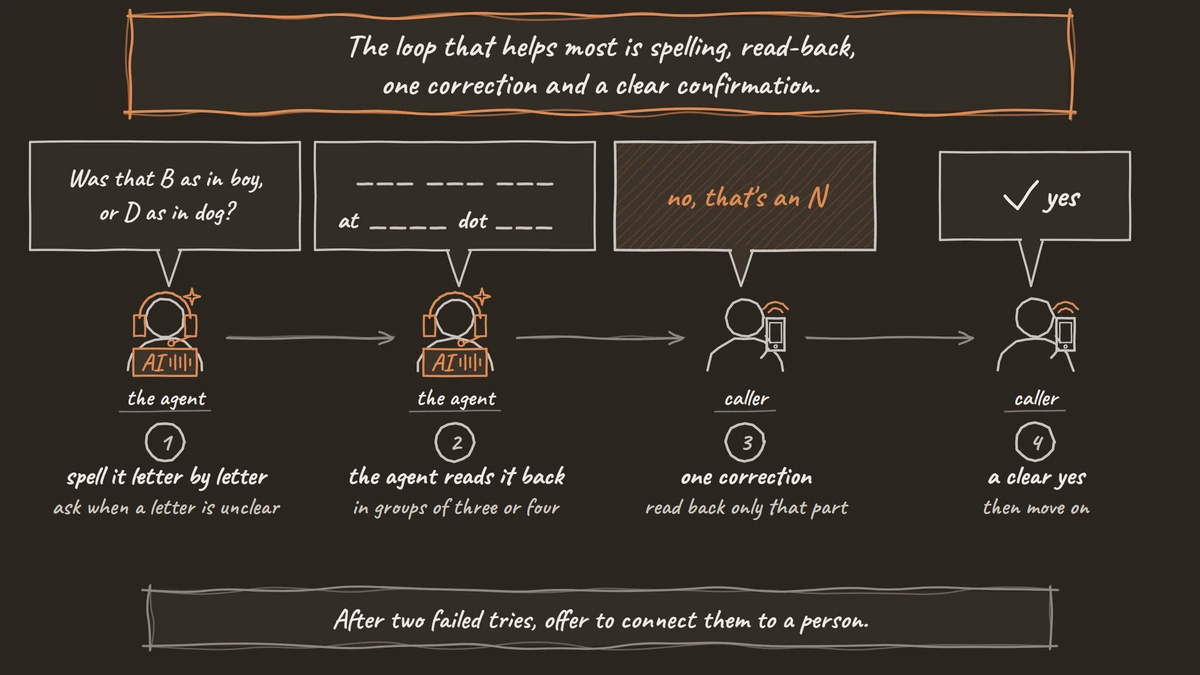
The prompt below tells the agent how to ask, in letter by letter, how to read back, in groups of three or four, and when to stop trying, in After two failed tries:
When you need the caller's email address:
1. Ask them to spell the part before the @ letter by letter.
   If a letter is unclear, ask "Was that B as in boy, or D as in dog?"
2. Read it back in groups of three or four letters, then say "at",
   then the domain, with "dot" for every period.
3. Ask "Is that right?" and wait for a clear yes before moving on.
4. If they correct you, read back only the corrected part, then the whole address once.
5. After two failed tries, offer to connect them to a person.
In your replies, write every digit and symbol as a word: "four one five", "at", "dot".
What this does: It turns one open question into a short, checked exchange. The groups give the caller a natural place to say "no, that's an N", and the two-try limit stops the agent from guessing forever.
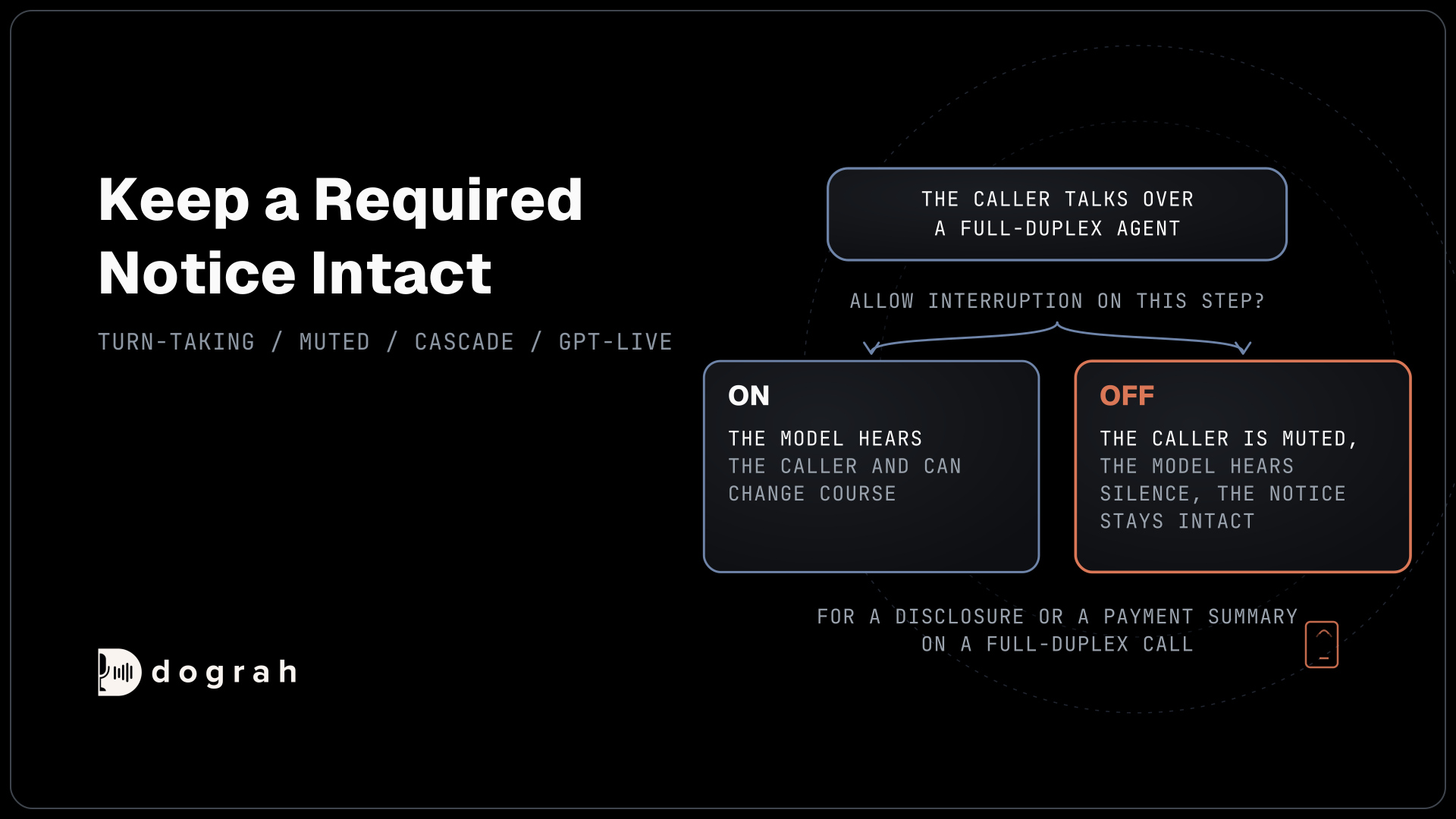
Put the read-back on its own Agent step and switch Allow Interruption off on that step. It is on by default for agent steps, so a caller's "mm-hm" halfway through can cut the read-back short and the agent never hears the real yes. Callers also pause between letters, which can end their turn early, and our post on turn detection for slow speakers and read-out numbers covers that setting. The general prompt rules for misheard words are in handling accents and background noise.

Open Source Alternative to Vapi / Retell
Self-hosted voice agent platform — no per-minute fees
dograh-hq/dograh
Star on GitHub
Help speech-to-text before the caller spells
The model that writes down the caller's words decides how much the loop has to fix. Dograh lets you bring your own speech-to-text provider, so test a few on recordings of your real callers reading out digits and spelling names, and keep the one that gets them right on phone audio. See the speech-to-text options.
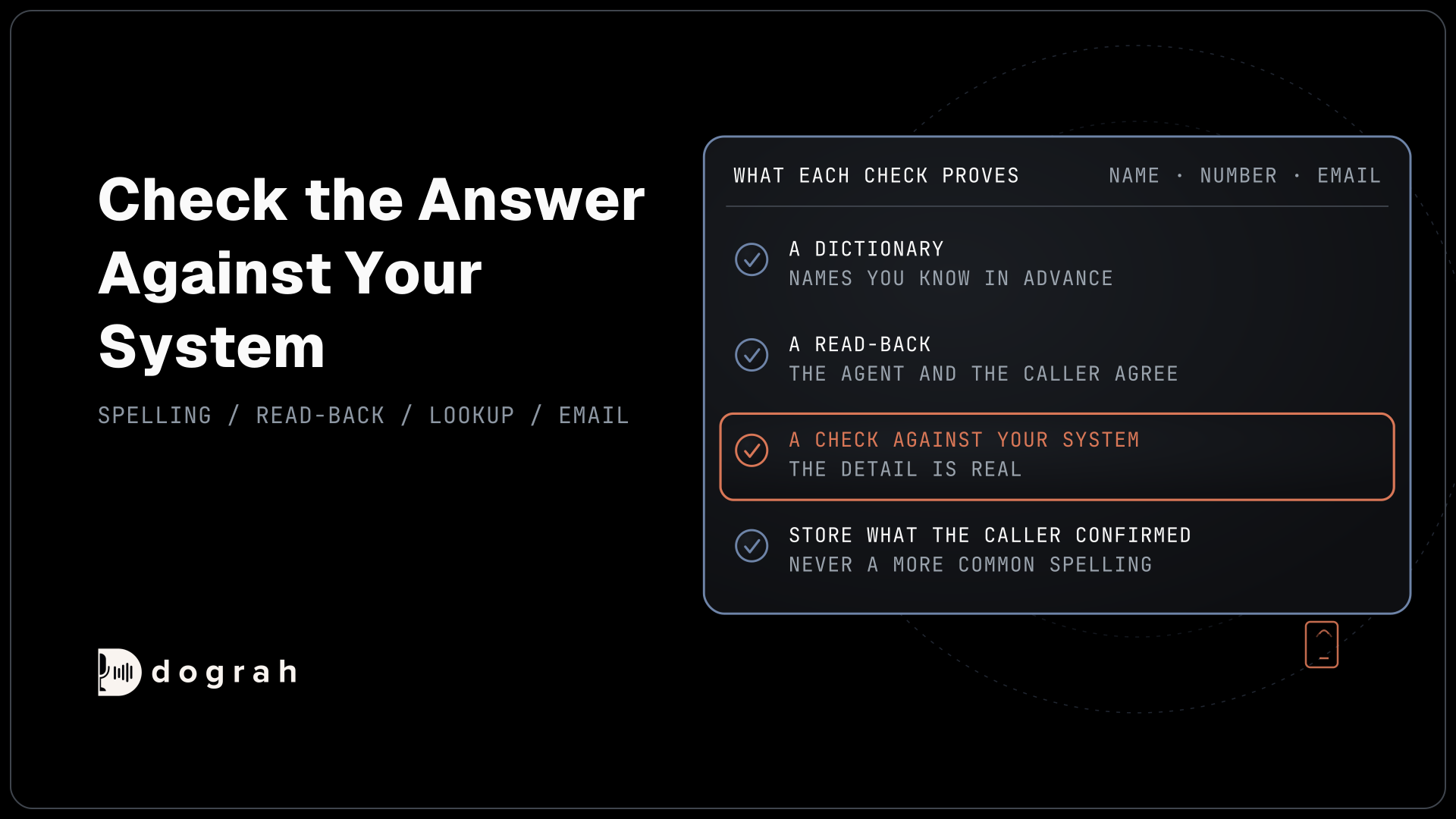
For names you know in advance, such as staff, products and street names, add them to the Dictionary in the agent's Settings. It is one comma-separated box, saved with Save Dictionary, and Dograh passes the words to providers that accept them, including Deepgram, AssemblyAI, Soniox, Speechmatics and Dograh's own speech-to-text. Our post on the custom dictionary covers what to put in it. A Dictionary helps with known words only. It can't help with a stranger's surname or an email, which is why the loop still runs.
Check the answer against your system
A read-back confirmation proves the agent and the caller agree, but it can't prove the detail is real. Where you can, check it against your own system while the call is still live. An HTTP API tool can send the member number or email to your system, and a 4xx reply comes back to the agent as an error, so it can say "I can't find that number, could you read it again?" The tool waits 5 seconds by default and does not retry on its own, so keep the check fast.
Then store what the caller confirmed. Variable extraction is an AI step that reads the conversation, so give each variable a prompt such as "the email exactly as the caller confirmed it, letter by letter, never corrected to a more common spelling". The context and variables page shows how those values reach your system after the call. The transcript and recording stay as the exact record of what was said.
When two tries fail, hand over. Transfer Call dials a person while the caller hears hold music and connects once they answer, on Twilio, Telnyx, Plivo, Cloudonix or Asterisk ARI. If the destination does not pick up, is busy, or the dial fails or times out, the agent gets transfer_failed and the call goes on, so the prompt can offer a callback instead. For an email, an HTTP API tool can ask your own messaging provider to text a secure form link. Never take card numbers by voice, and send a payment link from your own system instead.
Join the Dograh Community
Dograh is an OSS alternative to Vapi. Join our Slack community for queries, releases, best practices & community interactions.
Make the read-back clear, then audit it
The read-back only works if the voice says the detail clearly. In Dograh's own TTS verbalization benchmark of seven open text-to-speech models, the best score for saying a written email or web address was 0.50, and the best for a written phone number was 0.60. Given "1-503-339-5748", some models dropped the zero. That is why the prompt above asks the agent to write digits and symbols as words, so the voice model never has to guess how to say them.
Then watch the live calls. Built-in QA scores each step of a sample of calls, and the transcripts show where a caller had to correct a read-back. A field that often needs a second try points to the speech-to-text choice or a missing Dictionary word. Our post on automated QA for voice agents covers setting the sample.
Glossary
- Read-back confirmation
- The agent repeats a captured detail to the caller in short groups and waits for a clear yes before acting on it. It catches errors the caller can hear, but it can't prove the detail exists, which is what a check against your own system adds.
- Pass^3
- A strict score that counts a task as passed only if the agent gets it right on all three repeats. It shows how reliable a capture is, where a single run can pass by luck.
- Verbalization
- Turning written text such as 1-503-339-5748 or name@site.com into the words a voice should say. Open text-to-speech models often get it wrong, so the agent's reply should already spell digits and symbols out as words.
- Variable extraction
- An AI step that reads the conversation and fills named fields, such as an email or account number, after a step or the call. It records what the caller stated, and its prompt should ask for the confirmed spelling so it never tidies an unusual name.