
Voice agents handle accents and background noise best when you choose the speech-to-text model by testing it on your own callers' phone audio, and set the agent so noise cannot interrupt it. Then add prompt rules that read back key details, and test everything on real phone calls.
Key Takeaways
- No voice agent is solved for accents and noise, so test yours.
- Pick speech-to-text on recordings of your own callers, not a benchmark.
- Read back numbers and names before the agent acts on them.
This post is part of our guide to testing, monitoring and scaling AI voice agents, whose phone-call section shows what narrowband audio does to speech recognition. Here we cover the fixes for noisy and accented callers, set up in Dograh, the open-source AI voice agent platform we build.
Why accents and noise still break agents
Speech recognition is far better than it was, but accents and noise still cause most of the mistakes callers notice. The independent evidence says no system has solved it.
EVA-Bench, accepted to EMNLP 2026 Findings, ran 12 voice agent systems through 213 scenarios. None scored above 0.5 on both task accuracy and caller experience. Adding accents and background noise to the same scenarios changed the scores by up to 0.314 on average.
Tuning a model for accents does not close the gap on its own. A study at LREC 2026 found that fine-tuning a model on African-accented English lowered its average error rate, but the gap between accents often grew. A better average can hide callers who are still misheard.
Phone lines make it harder. Most calls reach the agent as 8 kHz audio, which can raise speech-to-text errors up to three times over a web call, depending on the model and the phone path. Test it on your own calls, never only in the browser.
Pick speech-to-text on your callers' audio
The model that hears the caller decides most of what goes wrong. Dograh is the orchestration layer that runs the call flow, tools and telephony, and the speech and language models are a separate layer you choose. So you can test several speech-to-text models on the same agent and keep the one that hears your callers best.
Choose by your own audio, not a public score. Record a set of real calls, with the accents and places your callers call from, and compare two or three models from the speech-to-text options in Dograh. Read the transcripts for names and numbers, not only the overall word error rate (WER).
That matters because details fail first. In AssemblyAI's tests of its own model in noisy environments, names were wrong 16.92% of the time against a 6.99% overall error rate. A short list of the names and terms your flow needs helps here. Using a custom dictionary for industry jargon and names covers what to put in it.

Open Source Alternative to Vapi / Retell
Self-hosted voice agent platform — no per-minute fees
dograh-hq/dograh
Star on GitHub
Stop noise from cutting the agent off
Background noise does two kinds of damage. It garbles what the caller says, and it can make the agent stop talking because it thinks the caller started. Dograh does not filter noise on the caller's side, so the fix is in how the agent decides someone is speaking. Its "Use Ambient Noise" setting adds office sound to the agent's own voice and does nothing to the caller's audio.
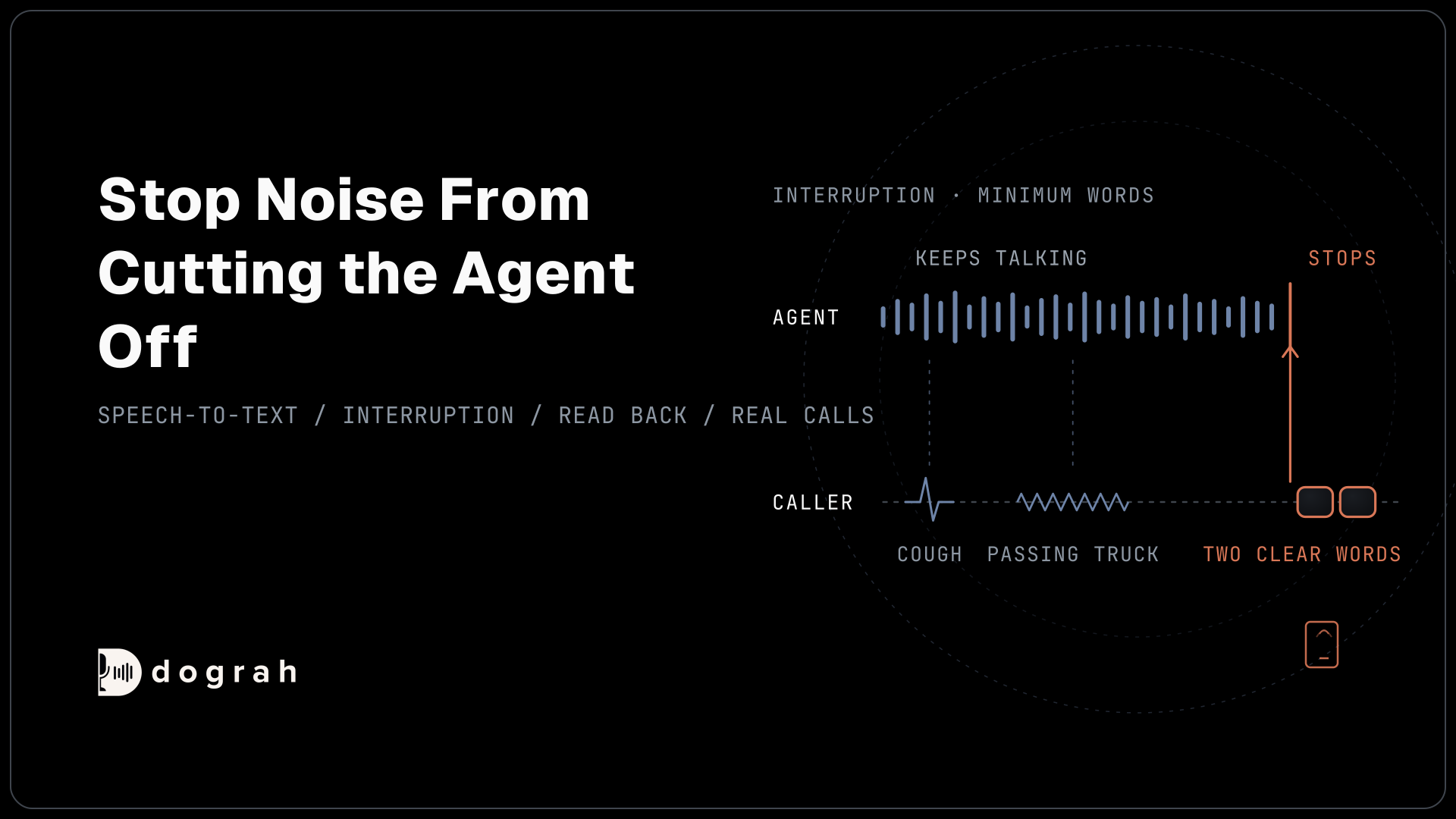
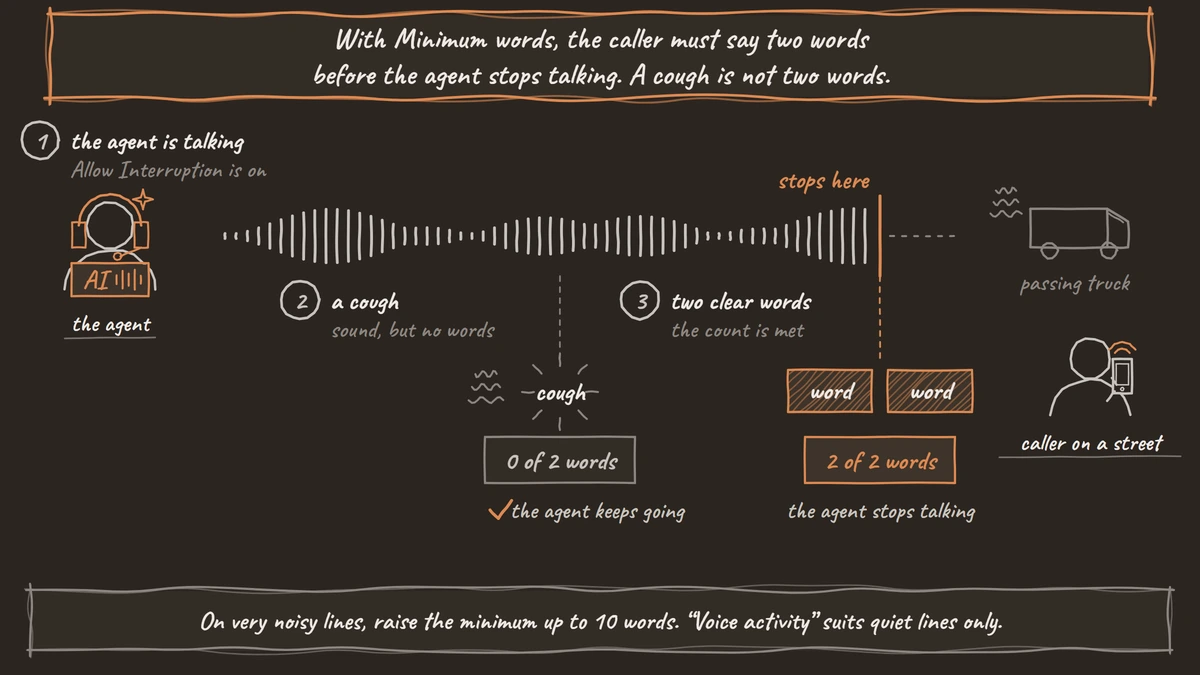
The main setting is the Interruption Strategy in the agent's settings, and it applies on steps where Allow Interruption is switched on. "Minimum words" is the default, and the caller has to say at least two words before the agent stops talking. You can raise that number up to 10 for very noisy lines. "Voice activity" stops the agent on any sound that looks like speech, which suits quiet lines only.
A cough or a passing truck rarely makes two clear words, so the agent keeps going. Barge-in, endpointing, and turn-taking explains how interruption and end-of-turn settings work together. If callers get cut off mid-sentence in noisy places, the Smart Turn Analyzer option judges when a turn has really ended from the audio instead of the transcript.
Prompt rules for misheard words
Some words will still be misheard, so the agent needs rules for what to do next. These live in the prompt. The Global Node holds instructions that apply at every step, which makes it the right place.
Tell the agent to read back every number, name, date and address before acting on it, and to ask the caller to confirm. Tell it to ask the caller to say a word again once when it is unsure, and to spell names letter by letter if needed. After two failed tries, the agent offers a transfer to a person or a callback instead of guessing.
These rules cost a few seconds on each detail and save a wrong booking or lookup. They also make accented callers feel heard, because the agent checks instead of pressing on.
Join the Dograh Community
Dograh is an OSS alternative to Vapi. Join our Slack community for queries, releases, best practices & community interactions.
Test on real calls, then sample live ones
Dograh has no feature to replay an uploaded recording into an agent, so testing runs on real phone calls. Call the agent from the places your callers call from, such as a car, a busy shop, a kitchen or a warehouse, with colleagues who have the accents you serve. Tuner can place simulated calls over SIP when you need more volume.
After launch, review recordings of live calls. Automated QA can score a sample of 5 to 10% of calls, and View Trace on any call shows what speech-to-text heard on each turn.
Testing Voice Agents Before You Go Live puts these tests in order. If your callers switch language as well as accent, multilingual voice agents covers that setup.
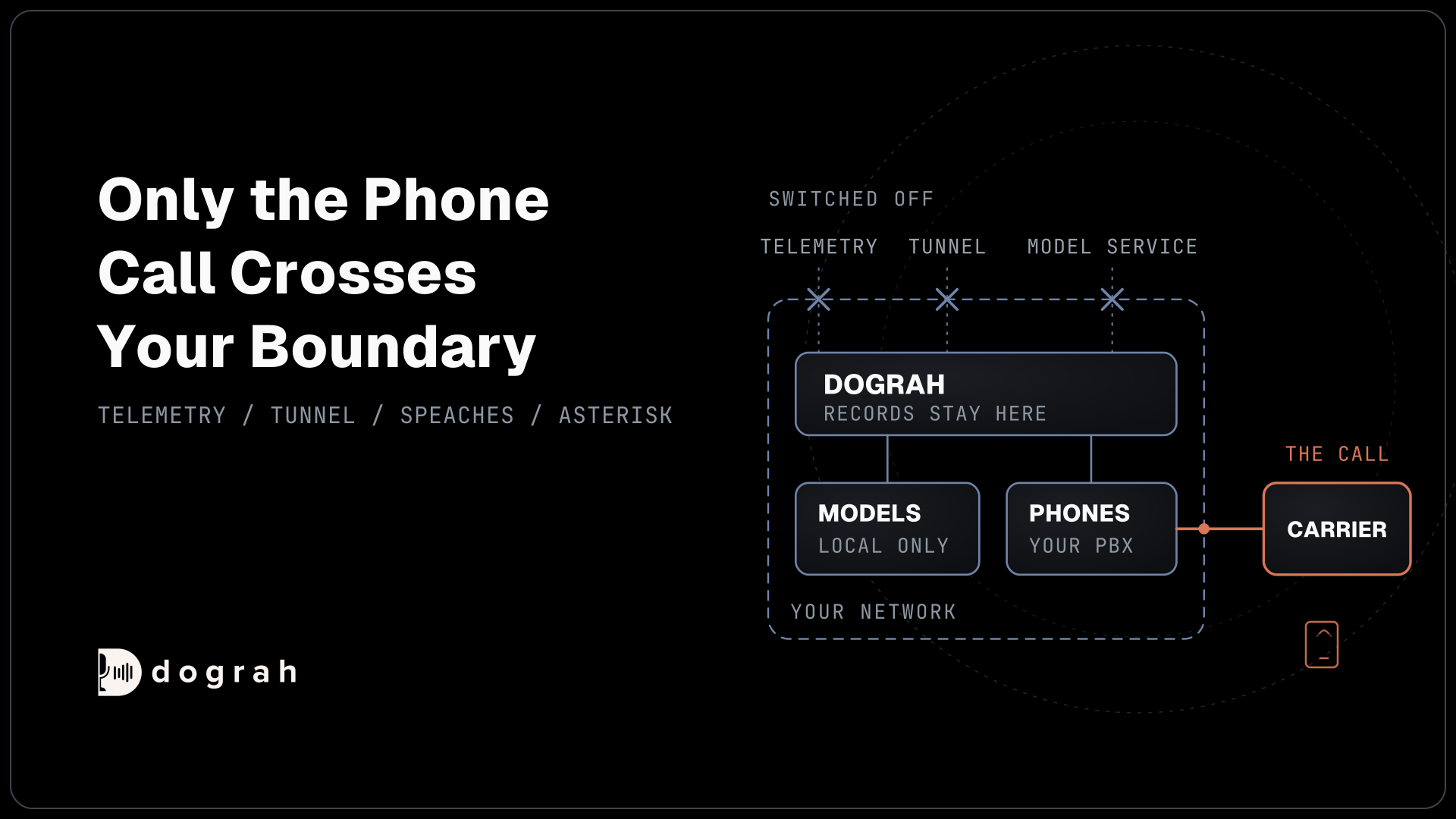
Dograh is self-hostable, so recordings of your callers can stay on your own servers while you test. Self-hosted Dograh has no per-minute platform fee (servers, model keys and phone minutes still cost). Dograh Cloud has a 1¢-a-minute platform fee.
Start with the speech-to-text test and the read-back rule. They fix the most calls for the least work.
Glossary
- Word error rate (WER)
- The share of words a speech-to-text model gets wrong in a transcript. It can look low while names and numbers, the words a flow depends on, are wrong far more often.
- Narrowband audio
- Phone audio sampled at 8 kHz, which drops many of the sounds that tell similar words apart. Most phone calls reach a voice agent this way, while browser calls use 16 kHz.
- Barge-in
- When a caller starts talking while the agent is speaking, and the agent stops to listen. Noise can trigger it falsely, which is why Dograh can require a minimum number of words first.