
To migrate from Retell AI to open-source voice AI, read each agent and its prompt or flow out of Retell's API, then rebuild it in Dograh by hand or through its MCP server. Re-create the tools and webhooks, test on a spare number, then move each Twilio number by taking it off Retell's SIP (Session Initiation Protocol) trunk.
Key Takeaways
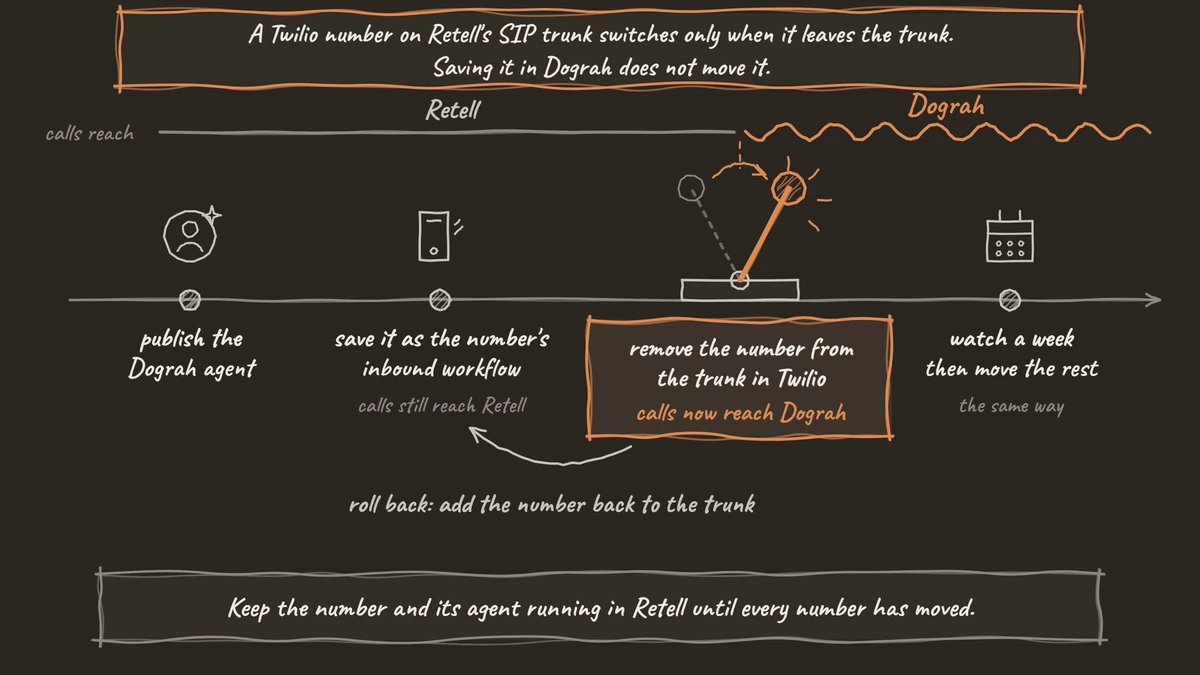
- A Twilio number on Retell's SIP trunk switches only when it leaves the trunk.
- Dograh is open source, so you can test each rebuilt agent before any number moves.
- Numbers bought from Retell have no documented way out, so plan replacements.
This post is part of our guide to Retell AI alternatives, and moves your agents onto Dograh, an open-source, self-hostable voice agent platform.
Retell documents no way to export an agent, and Dograh has no Retell importer, so the move is a guided rebuild, then a phone-number switch you can undo.
What you need before you start
You need a read-only Retell API key for agents and phone numbers, so nothing in Retell changes by accident, plus a Dograh account and keys for your model providers.
Dograh runs as managed Dograh Cloud, with a 1¢/min platform fee, or self-hosted with no per-minute platform fee. Servers, models and phone lines cost money either way; our post on the open-source alternative to Retell AI covers that choice.
Buy one spare Twilio number for testing; a US local number costs $1.15 a month.
In a 2026 Zapier survey of 542 US executives, 58% of attempted AI vendor switches failed or took far more effort than expected, so this guide moves one number at a time, with a way back.
Dograh already ships telephony, turn-taking, call transfer, QA and call traces, so you rebuild only the agent.
Step 1: Read every agent, flow and number out of Retell
Pull your Retell setup out through its API and keep the files as the rebuild spec.
Each Retell agent keeps its logic in a "response engine": a Retell LLM (single- or multi-prompt), a Conversation Flow, or a custom LLM on your own server. The script below lists your voice agents with POST /v2/list-agents and fetches the prompt or flow behind each one, using your read-only key:
export RETELL_API_KEY="your-read-only-retell-key"
API="https://api.retellai.com"
AUTH="Authorization: Bearer $RETELL_API_KEY"

curl -s -X POST "$API/v2/list-agents?limit=1000" -H "$AUTH" \
  -H "Content-Type: application/json" \
  -d '{"filter_criteria":{"channel":{"type":"string","op":"eq","value":"voice"}}}' \
  -o retell-agents.json

for id in $(jq -r '.items[].agent_id' retell-agents.json); do
  curl -s "$API/get-agent/$id" -H "$AUTH" -o "agent-$id.json"
  type=$(jq -r '.response_engine.type' "agent-$id.json")
  if [ "$type" = "retell-llm" ]; then
    llm=$(jq -r '.response_engine.llm_id' "agent-$id.json")
    curl -s "$API/get-retell-llm/$llm" -H "$AUTH" -o "llm-$id.json"
  elif [ "$type" = "conversation-flow" ]; then
    flow=$(jq -r '.response_engine.conversation_flow_id' "agent-$id.json")
    curl -s "$API/get-conversation-flow/$flow" -H "$AUTH" -o "flow-$id.json"
  fi
done

curl -s "$API/v2/list-phone-numbers?limit=1000" -H "$AUTH" -o retell-numbers.json
What this does: It writes one
agent-<id>.jsonper agent, plus anllm-<id>.jsonorflow-<id>.jsonholding its prompts, tools and steps, and oneretell-numbers.json. It needsjq, and it reads up to 1,000 agents in a single page.
In the numbers file:
retell-twilioorretell-telnyxinphone_number_typemeans Retell sold the number.custominphone_number_typemeans you imported it.inbound_agentsshows which agent answers it.
Check: you have a file per agent, a prompt or flow file behind each one, and a list of numbers with their type and agent.
Step 2: Rebuild the call flow in Dograh
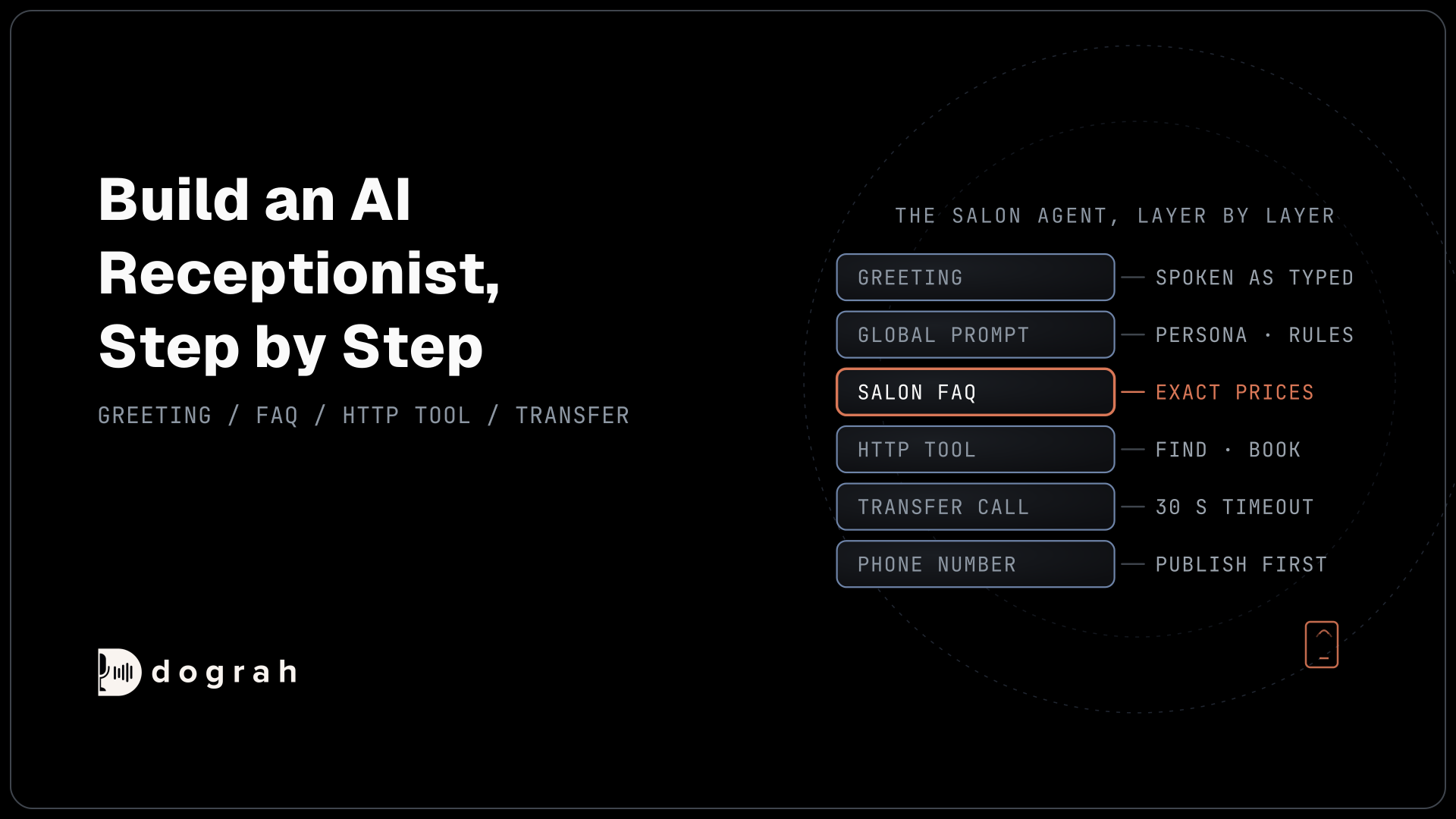
Turn each Retell agent's prompts into Dograh nodes and its edges into pathways.
What maps to what
| Retell | Dograh |
|---|---|
Persona, tone and house rules in general_prompt or global_prompt | Global Prompt, which Dograh adds to every node |
| Each task step, multi-prompt state, or conversation or subagent node | One Agent node per job |
starting_state | The first Agent node after Start Call |
| Prompt-condition edge | A pathway with a written condition the AI checks |
begin_message | The Start Call greeting, as text or pre-recorded audio |
| Per-call dynamic variables | Template variables, passed in initial_context through Dograh's API trigger |
| Agent swap | The Transfer to Agent tool, which hands the live call and its history to another Dograh agent |
A Conversation Flow maps almost node for node, and a single-prompt agent splits into the Global Prompt plus one Agent node per job.
Four things that work differently
- Fixed-rule branches. Retell's equation conditions and Logic Split nodes follow a fixed rule, such as an amount over 100. In Dograh the AI picks the pathway, so write the rule into the condition in plain words and test values near the limit.
- Global Node. Retell's Global Node is a step reachable from anywhere; Dograh's is only the shared prompt. To let a caller stop at any point, put an End Call tool on each step plus a Global Prompt rule such as "if the caller wants to stop, end the call politely". To reach a step from anywhere, add a pathway to it from each step.
- Empty greeting. An empty
begin_messagemakes Retell wait for the caller, but an empty Dograh greeting makes the AI speak its own opening line. Put any word-for-word line, such as a legal disclosure, in the greeting. - Reusing captured values. Values extracted mid-call feed webhooks, transfer routing and HTTP tool parameters, never a later prompt as a
{{variable}}. The AI still hears the whole conversation, but redesign any Retell step that reads a value back in a prompt.
Shortcut: let an AI assistant do the rebuild
For a faster route, Retell and Dograh both run MCP (Model Context Protocol) servers, so an AI coding assistant such as Claude Code can read your Retell agent and build the Dograh version. Register both:
claude mcp add --transport http retell https://mcp.retellai.com \
  --header "Authorization: Bearer YOUR_READ_ONLY_RETELL_KEY"

claude mcp add --transport http dograh https://app.dograh.com/api/v1/mcp/ \
  --header "X-API-Key: YOUR_DOGRAH_API_KEY"
What this does: It connects Claude Code to both accounts, with Retell limited to reading. On a self-hosted Dograh install, use your own backend address followed by
/api/v1/mcp/.
Then ask: "Read my Retell agent and plan a Dograh agent that does the same job." It shows a plan before building. Edits save as drafts, but a brand-new agent publishes as version 1 at once, so test it before attaching a number.

Open Source Alternative to Vapi / Retell
Self-hosted voice agent platform — no per-minute fees
dograh-hq/dograh
Star on GitHub
Check: the canvas shows a Start Call node with your old opening line and one Agent node for each Retell state, node or task.
Step 3: Re-enter your models and voices
Keep the model family and voice you ran on Retell, so prompts behave as before and the platform is the main change.
Retell stores the model in model or, on a flow, model_choice. In Dograh's Model Configurations, pick Dograh's own models, your own provider keys, or open-weight models you host.
Retell's voice_id values, such as 11labs-Adrian, are Retell's own IDs, so find the voice by name in the provider's library. Voices from Retell's own platform exist only there, so pick a new one and hear it on a test call.
Dograh also runs speech-to-speech models like Retell's s2s_model, though agent handoffs and spoken transfer introductions need a cascade agent (separate speech-to-text, language model and voice).
If you ran your own AI server with Retell, it needs a small change to work with Dograh. A custom LLM agent talks to your server in Retell's WebSocket format. Dograh's OpenAI provider has a base URL field for any OpenAI-compatible server, plus a Local Models provider, so adapt that server to the OpenAI format.
With your own keys, audio still goes to each provider. Call data stays on your servers only when you self-host both Dograh and the models.
Check: a test call speaks in the voice you chose and answers with the model you picked.
Step 4: Recreate tools, transfers and knowledge
Rebuild each Retell function as a Dograh tool on every step that needs it.
Functions
A custom function becomes an External HTTP API tool with the same name, description, URL, method, headers and parameters. Keep the name and description clear, since the agent picks tools by them.
Retell wraps a request as {name, call, args} unless "Payload: args only" is on, and signs it with X-Retell-Signature. With args only on, Dograh's plain JSON parameters already match. Otherwise, use the HTTP tool's body template, with {{order_id}} filled from the tool's parameter:
{
  "args": {
    "order_id": "{{order_id}}"
  }
}
What this does: It sends
{"args": {"order_id": "..."}}, the shape your Retell function received. A server that also reads Retell'scallobject ornameneeds a small change, and its signature check must switch to the auth header you set in Dograh.
Code tool
Retell's Code tool runs JavaScript inside Retell. Dograh has no code tool, so host that code behind a small HTTP endpoint and call it with an HTTP API tool. Built-in integrations become HTTP API tools or n8n workflows, as in our post on booking meetings mid-call with Calendly.
Transfers
A Retell transfer becomes the Call Transfer tool: a number such as +1415555XXXX or a SIP address, plus a short message the caller hears first. It waits 30 seconds for an answer by default, and transfers to a person work on Twilio only. Where Retell's warm transfer privately briefs the person answering, or has an AI screen them, Dograh offers an optional spoken introduction on Twilio, off by default, that both sides hear.
Knowledge base
For knowledge bases, download the originals through file_url and content_url in Retell's API, upload them to Dograh, and attach them to the nodes that answer questions. Dograh takes files only (PDF, Word, TXT and JSON, up to 5 MB each), so save web pages and Notion sources as files first.
What Dograh doesn't have yet: a tool for pressing keypad digits in another company's phone menu, or for sending SMS. For SMS, call your carrier's messaging API from an HTTP API tool or n8n.
Check: each tool is attached to the right node, and a web call that needs it shows the tool call as completed in the transcript.
Step 5: Re-point your webhooks
Move post-call events to a Webhook node and the inbound call webhook to Pre-Call Data Fetch.
| Retell event | In Dograh |
|---|---|
call_ended, call_analyzed | Webhook node, sent after the call |
call_inbound | Pre-Call Data Fetch |
transcript_updated and other live events | No match, since Dograh sends no updates during the call. Move dashboards fed by them to the post-call webhook |
Retell posts call_ended and call_analyzed to your webhook URL. Dograh's Webhook node sends a JSON payload you design after the call, with fields such as workflow_run_id, gathered_context, recording_url and transcript_url. Match the keys your old receiver reads, and test against webhook.site first.
- Retries: Retell retries a failed delivery up to 3 times; Dograh retries only if you turn retries on, so make your receiver safe to call twice.
- Signatures: switch any
x-retell-signaturecheck to the auth set on the node.
Our post on webhook-driven voice agents covers both.
Pre-Call Data Fetch, under Advanced Settings on the Start Call node, sends the same call_inbound request with both phone numbers and accepts dynamic_variables back, so your caller-lookup server needs little change. override_agent_id, agent_override and reject do not carry over, since each number has one inbound agent. A phone number finds a record but does not prove who is calling, so keep your identity check before the agent shares personal details.
For outbound calls, Dograh's API trigger replaces Retell's create-phone-call request: its Test URL runs the latest draft, and its Production URL only the published agent.
Check: webhook.site shows one POST after a test call, with every field your receiver reads.
Step 6: Test on a web call, then a spare phone number
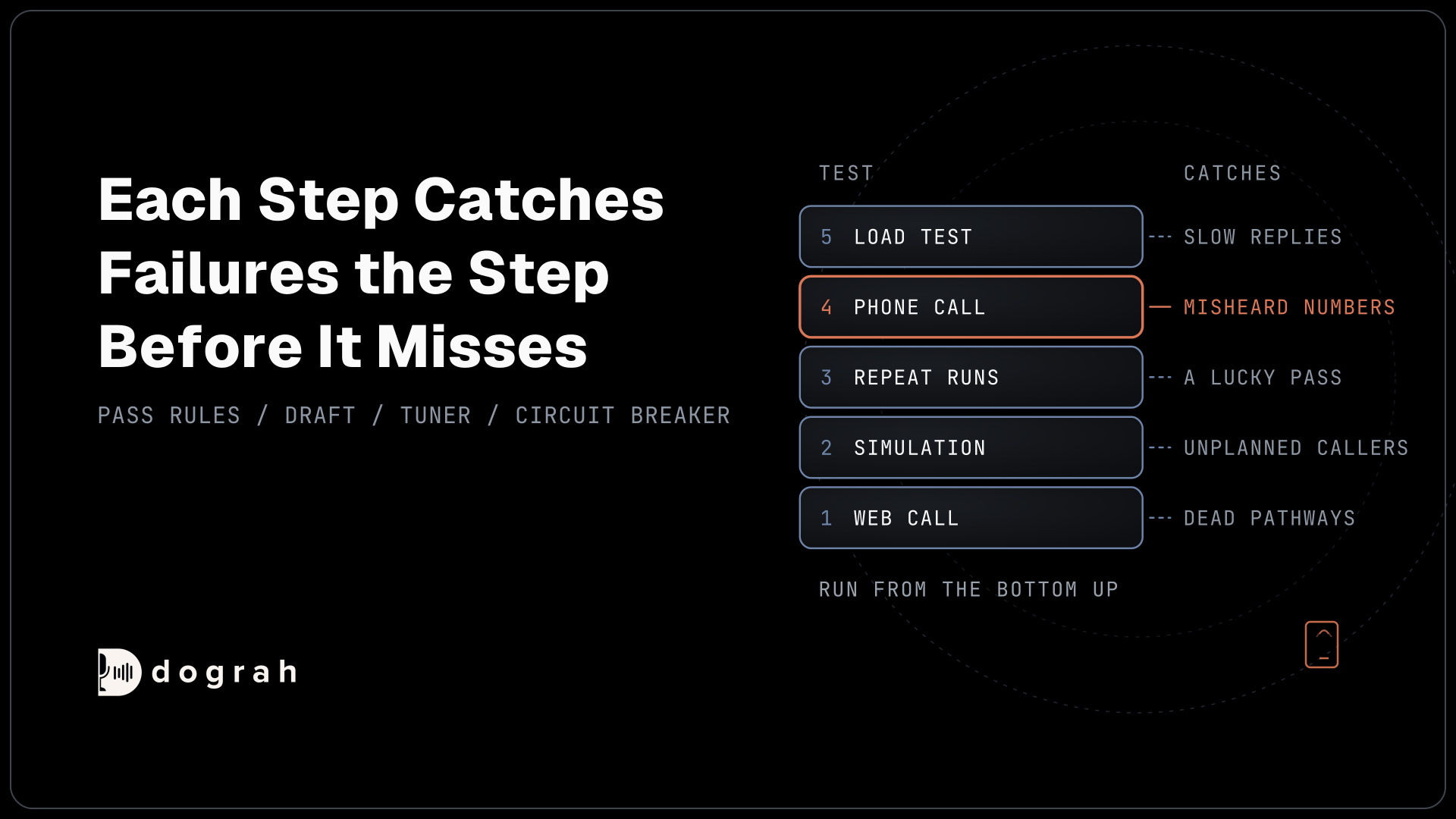
Prove the agent in the browser, then on a real phone line, before any customer reaches it.
Click Test Agent in the editor, choose Test Audio, and rerun your Retell test scripts; the transcript shows each node change and tool call.
Then publish, connect your spare Twilio number in Dograh's telephony settings with this agent as its inbound workflow, and call it from a real phone. The spare number is on no trunk, so the save switches it at once. Test every transfer twice, answered and unanswered.
Web calls run at 16 kHz, the most Dograh's pipeline uses, but many phone calls arrive at 8 kHz (phone lines carry lower-quality audio than browsers), which can hurt recognition depending on the speech model, so listen for misheard names and numbers.
If you used Retell's AI QA, add a QA node. It scores each step separately, test calls included, on the AI model you choose, billed as normal model usage with no per-minute QA fee, and scoring a sample of calls keeps costs down. Our guide to testing voice agents before you go live has the full checklist.
Join the Dograh Community
Dograh is an OSS alternative to Vapi. Join our Slack community for queries, releases, best practices & community interactions.
Check: the phone test shows up as a run in Dograh, with the transfer in its transcript and the webhook delivered.
Step 7: Move one phone number at a time
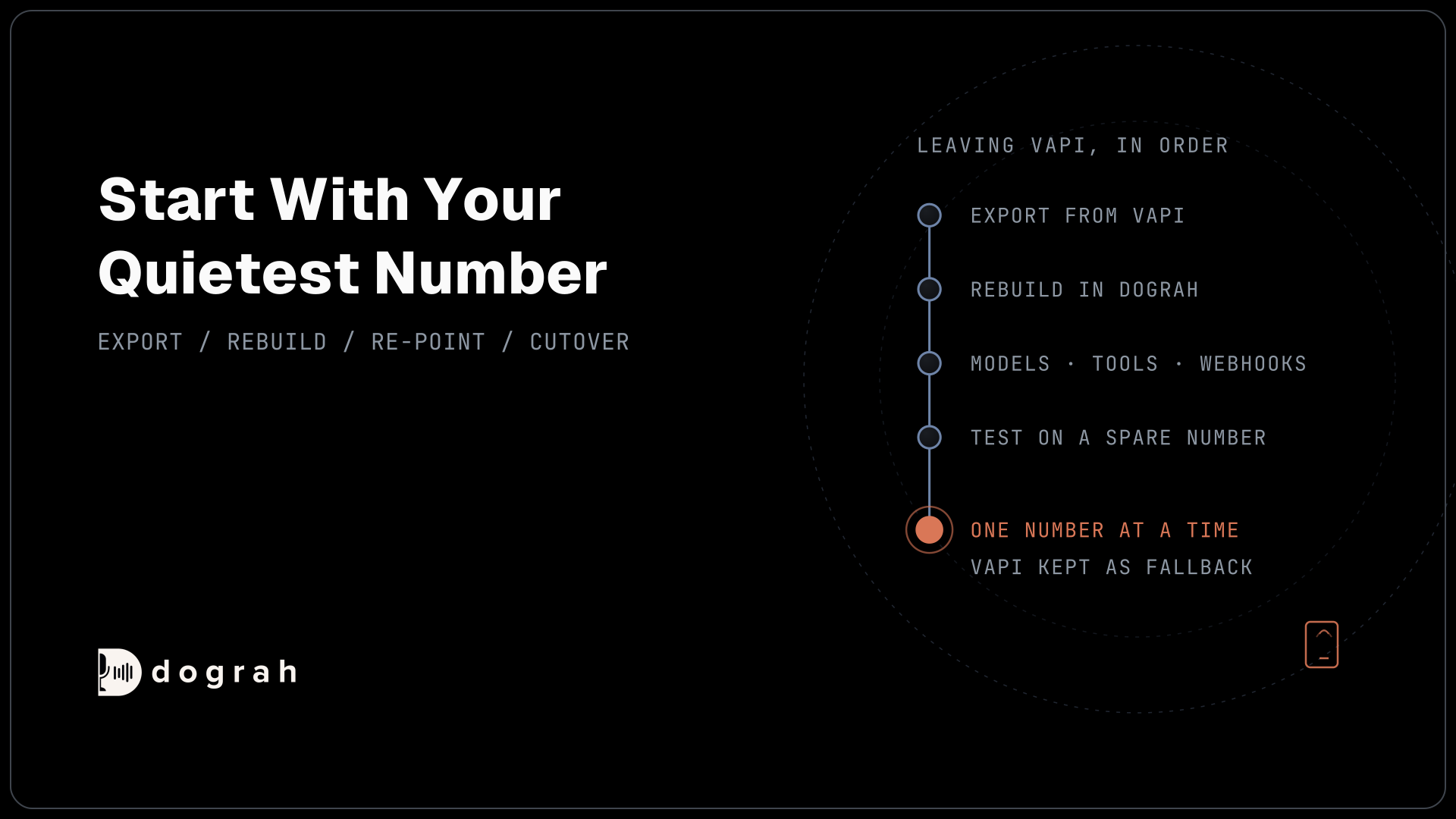
Switch your quietest number first, knowing which action switches it and which undoes it.
Each number moves whole, because Retell can split a number's calls between agents by weight, while Dograh splits traffic only for outbound campaigns.
Twilio number on a Retell trunk
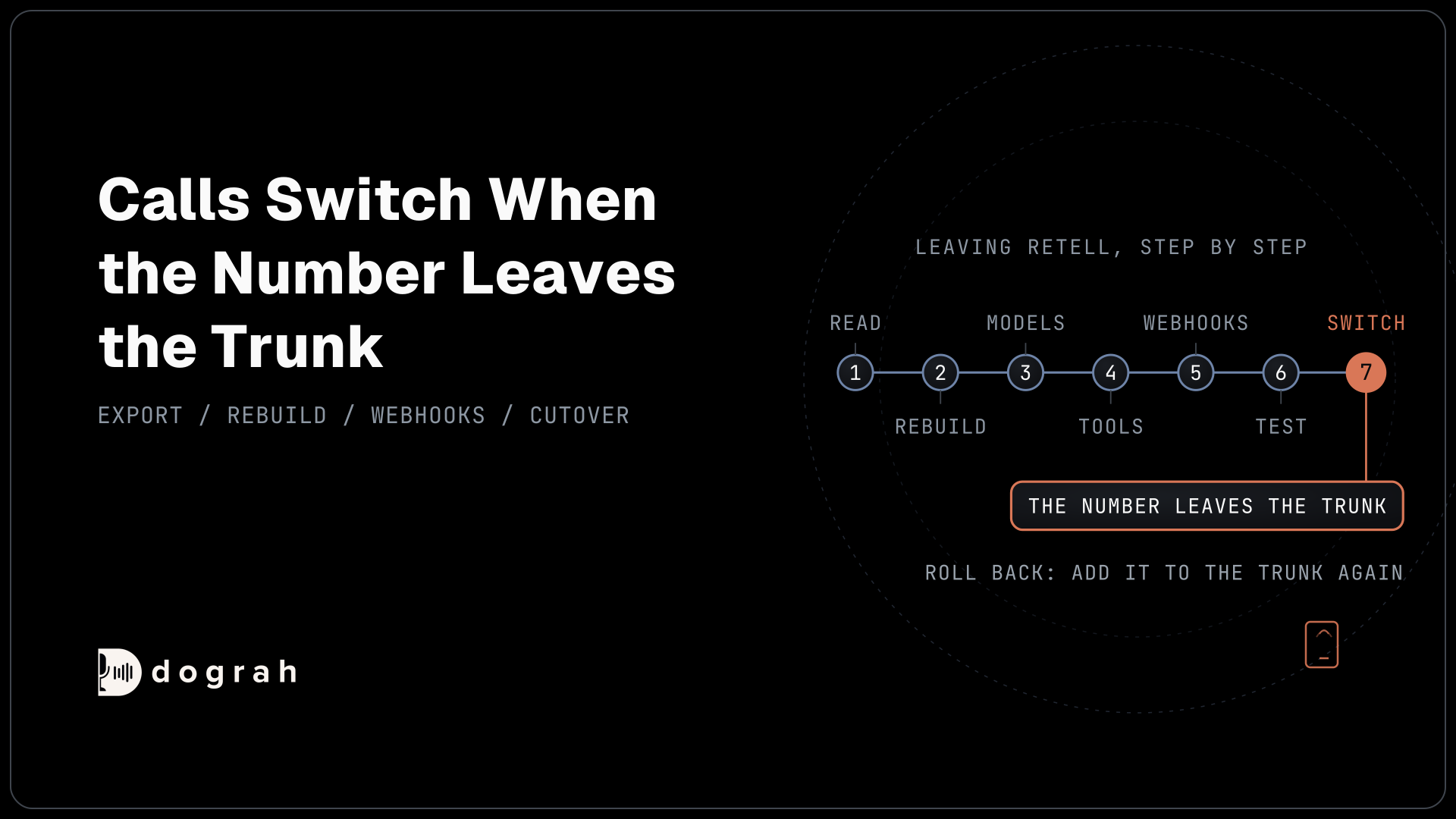
Retell connects an imported Twilio number through a Twilio Elastic SIP trunk that sends its calls to Retell. While a number is on a trunk, Twilio ignores the number's own voice URL. Dograh connects a Twilio number by setting that voice URL, so saving it in Dograh does not move it.
- Publish the Dograh agent.
- Set it as the number's inbound workflow in Dograh, and save. Calls still reach Retell.
- Remove the number from the Retell trunk in the Twilio console. This is the moment calls switch to Dograh. Twilio now follows the voice URL Dograh set.
- To roll back, add the number back to the trunk.
Keep the number and its agent running in Retell until every number has moved.
Twilio number pointing at your own server
If a Twilio number points at your own server, which registers each call with Retell, the Dograh save is the switch. Copy your server's URL first, and paste it back to roll back.
Number Retell sold you
Retell has no documented way to move a number it sold you to another carrier, so plan a replacement and ask Retell support before counting on keeping it. Buy the new number on Twilio, where Dograh's transfers to a person run. Meanwhile, a small Retell agent can answer the old number and transfer callers to the new one, with Retell billing those minutes.
Telnyx number
A Telnyx number imported into Retell sits on a SIP connection pointed at Retell. Assign it to Dograh's own Call Control Application in Telnyx to move it, and back to the Retell connection to undo.
Check: a call to the moved number appears as a new run in Dograh, and Retell's call history shows no new calls on it.
Before you ship it
Run this list for each number before calling its move finished.
| Item | Where | Done when |
|---|---|---|
| Number's setup written down | Your runbook | Its type, trunk and Retell agent are noted next to it |
| Trunk step rehearsed | Spare number on a test trunk | Removing it sent calls to Dograh, and adding it back sent them to Retell |
| Agent published | Dograh agent editor | The phone test ran the published version |
| Tools tested | Web call and phone call | Success, timeout and auth failure each behave sensibly |
| Webhook checked | Your receiver | A real payload parsed, and a repeat delivery created no duplicate |
| Transfer tested | Real phone call | Answered and unanswered transfers both end well |
| QA on | QA node | A sample of live calls is scored after cutover |
| Retell kept active | Retell dashboard | Every number has moved and a week of calls look right |
Once your quietest number runs cleanly on Dograh for a week, move the rest the same way.
Glossary
- Elastic SIP trunk
- Twilio's way of sending a number's calls to another platform over SIP. While a number is on a trunk, Twilio ignores that number's own voice URL.
- Voice URL
- The address Twilio calls when someone rings a number that is not on a trunk. Whichever platform it points at answers the call.
- Pathway
- A link between two Dograh nodes, with a label and a written condition the AI checks before moving the call to the next node.
- Cutover
- The moment a live number starts reaching the new agent. For a Twilio number on Retell's trunk, it happens when you remove the number from the trunk.