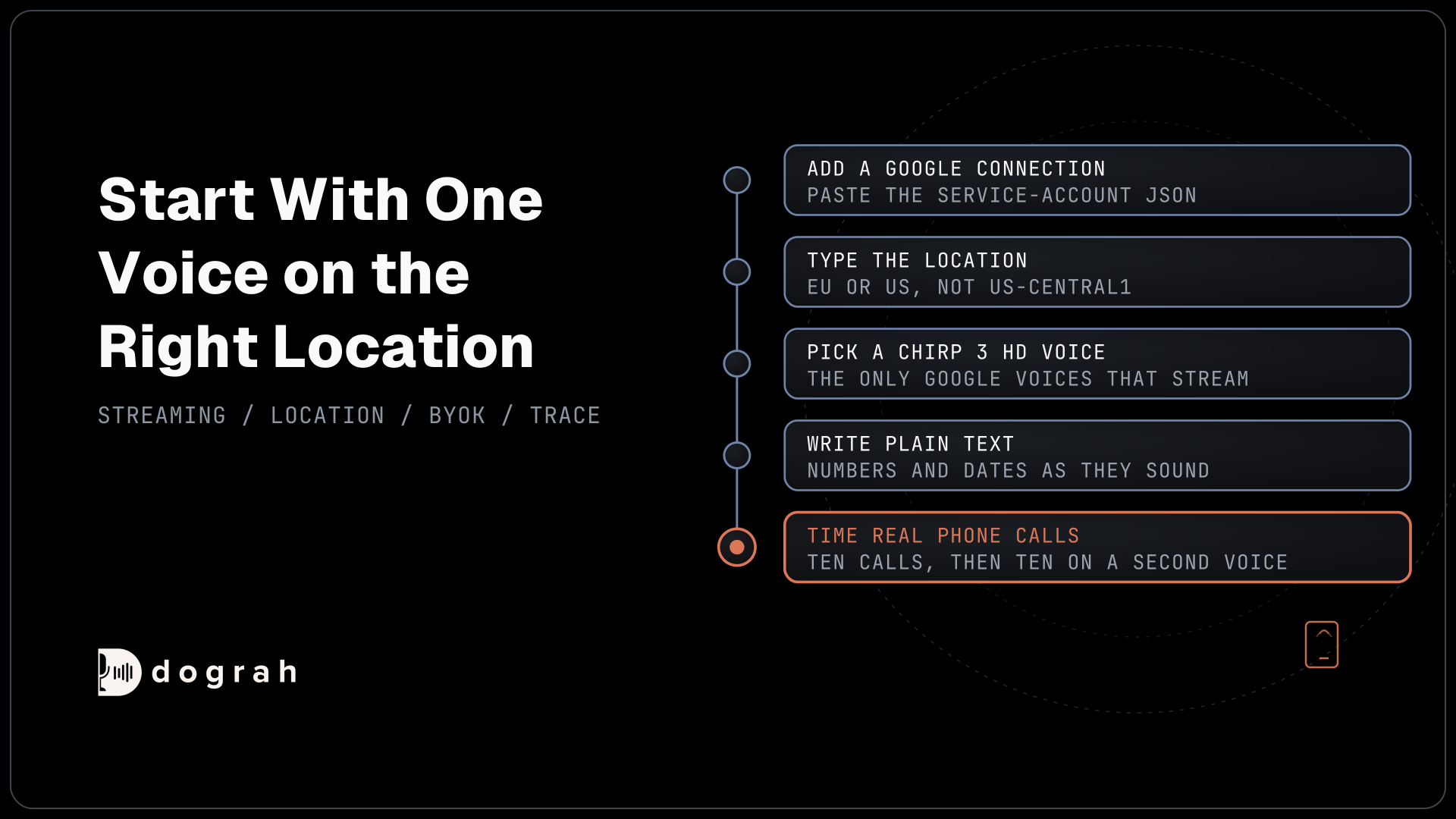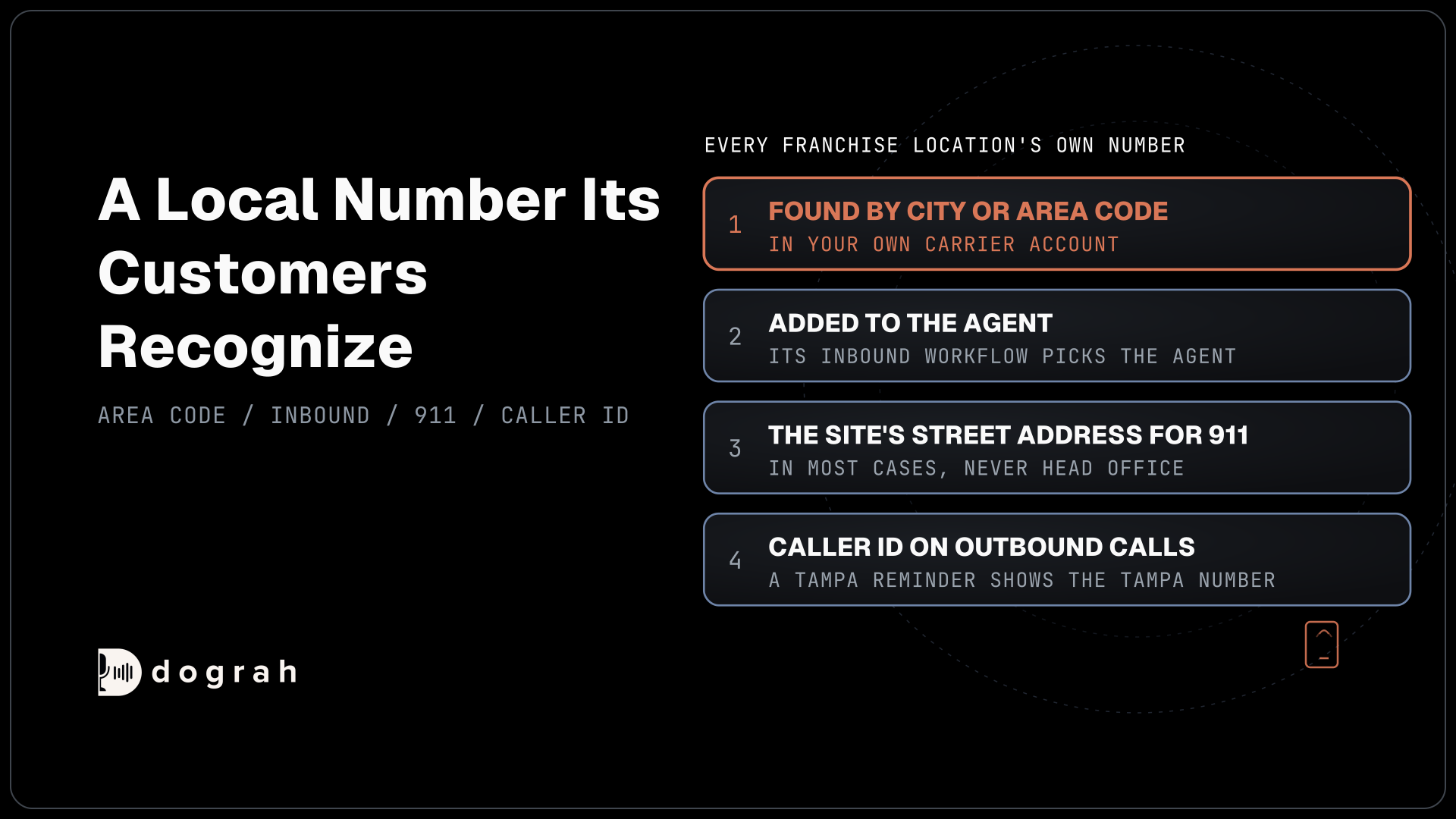

Give every franchise location its own local number from a carrier such as Twilio, Telnyx or Plivo, found by city or area code. Point each number at your agent, forward any existing line to its own new number, and register each site's street address for 911. Dograh, an open-source AI voice agent platform, can answer all of them.
Key Takeaways
- Search carrier numbers by city or area code, one per location.
- Each forwarded line needs its own agent number, or locations blur together.
- Register every number's street address with the carrier for 911 calls.
This post is part of our guide to AI voice agents for franchises and multi-location businesses, where one shared agent answers every site. Here we pick a local number per site, add it to Dograh, forward existing lines and set caller ID and the 911 address.
Why each location keeps its own number
A local number per site keeps search listings honest and tells the agent which site a caller wants. Google's Business Profile guidelines want "a phone number that connects to your individual business location" and tell you to use a local number "instead of a central call center helpline number whenever possible". The same page wants the number "under the direct control of the business".
That last line decides who opens the carrier account. A number stays with whoever holds the account, so a franchisor that buys every site's number keeps them if a franchisee leaves. Settle that in writing first, as our post on who owns the voice agent and call data explains.
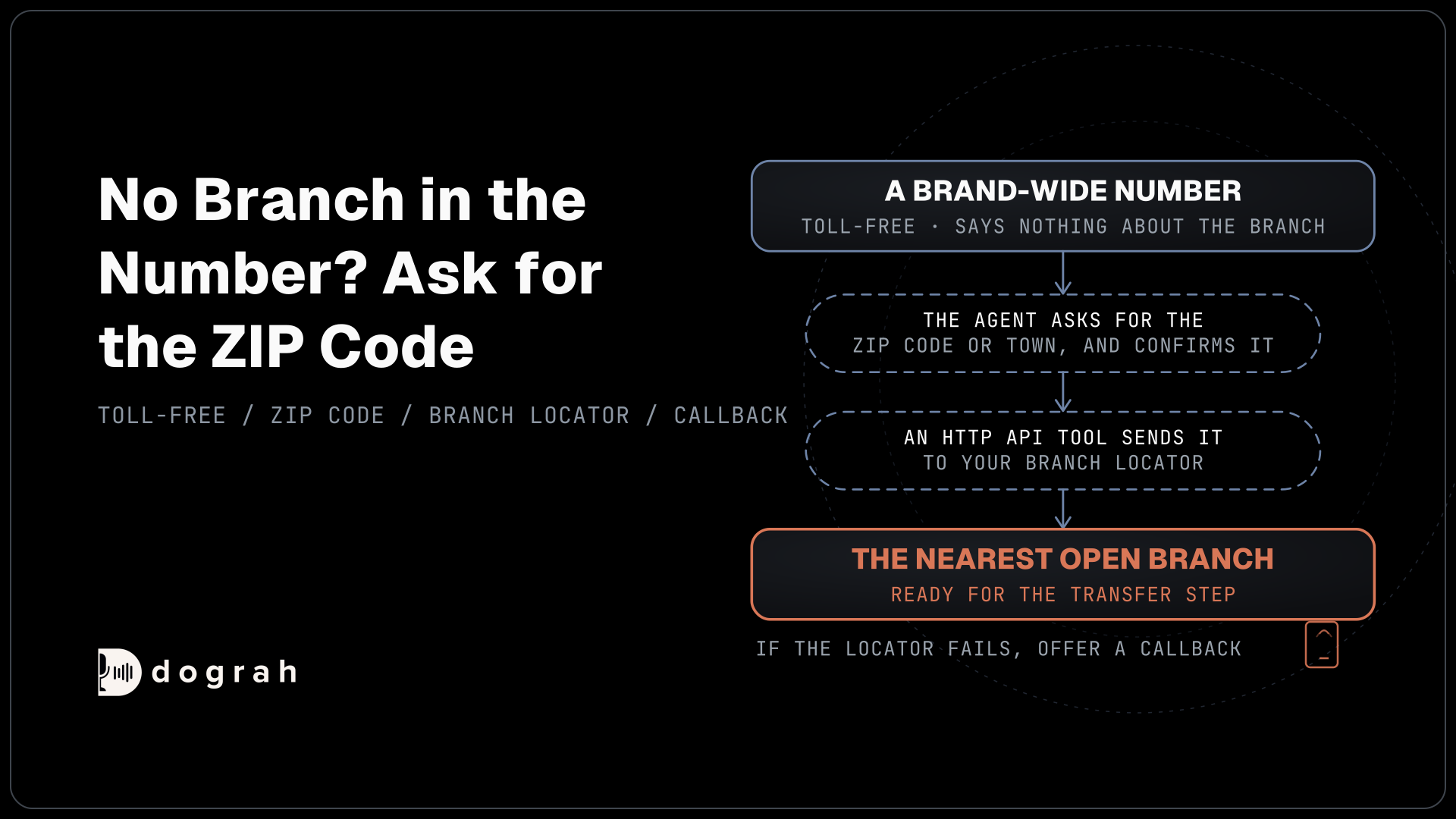
A toll-free number still has a place on the website or in national ads, as a brand-wide line the agent routes by ZIP code. The rent and per-minute difference between the two types is worked through in Twilio phone number pricing.
Finding a local number by city or area code
Carriers let you search their stock of numbers by place, so each site can get a number its customers recognize. Twilio's number search takes AreaCode, InLocality for a city, InPostalCode for a ZIP code and NearNumber, which finds numbers near an existing one within 25 miles by default. Telnyx filters by filter[locality] and filter[national_destination_code], and Plivo by city and npanxx. Each also searches by rate center, the local calling area a number belongs to.
The request below asks Twilio for local numbers in Denver, using InLocality and InRegion, and returns up to five:
curl -G "https://api.twilio.com/2010-04-01/Accounts/ACXXXXXXXX/AvailablePhoneNumbers/US/Local.json" \
  --data-urlencode "InLocality=Denver" \
  --data-urlencode "InRegion=CO" \
  --data-urlencode "PageSize=5" \
  -u "ACXXXXXXXX:your_auth_token"
What this does: It lists five Denver numbers you could buy, without buying any. Pick one, buy it in the Twilio console or with a second request, and it becomes the Denver site's number.
Rent is small next to minutes, but it adds up across a network. As an example, 40 sites on Twilio local numbers at $1.15 a month come to 40 x $1.15 = $46 a month, and the same 40 on Plivo's US local numbers at $0.50 come to $20. Telnyx lists US local numbers from $1 a month. No number is bought through the agent platform, so this rent stays on your own carrier invoice. Self-hosted Dograh has no per-minute platform fee, but servers, model keys and phone minutes still cost money. Dograh Cloud charges a 1¢-a-minute platform fee.

Open Source Alternative to Vapi / Retell
Self-hosted voice agent platform — no per-minute fees
dograh-hq/dograh
Star on GitHub
Adding each location number to Dograh
Once a number is in your carrier account, connecting it to the agent takes one dialog per number. Open Telephony in the sidebar, choose the carrier's configuration, click Add phone number and set the number's Inbound workflow to the agent that answers for your sites. The inbound calling setup shows the screens.
Dograh checks with the carrier that your account owns the number before it accepts it, so a typo or a number from someone else's account fails at this step. On Twilio, saving the Inbound workflow switches the number to Dograh straight away, so add a site's number only when that site is ready to go live.
Sites that already sit on a carrier trunk can stay there. Point the trunk's numbers at a Managed SIP domain and add them the same way, or connect an Asterisk phone system through Asterisk ARI. One organization can hold several of these configurations, so a network with mixed carriers still runs one agent.
Existing lines: one forward per location
A site that keeps its old number forwards it at its carrier to the new number you added. On many mobile lines a star code such as *72 turns forwarding on, while business lines and office phone systems have their own settings, so ask the carrier which forwarding options the line has.
The rule is one forward per location. Dograh picks the site from the number that rang it, and any forwarded-from details a carrier attaches go unread. If two sites forward to the same number, the agent cannot tell them apart, so each existing line needs its own new number. To check, call the old number from a mobile phone and open the call in Dograh. The number shown as dialed should be that site's agent number.
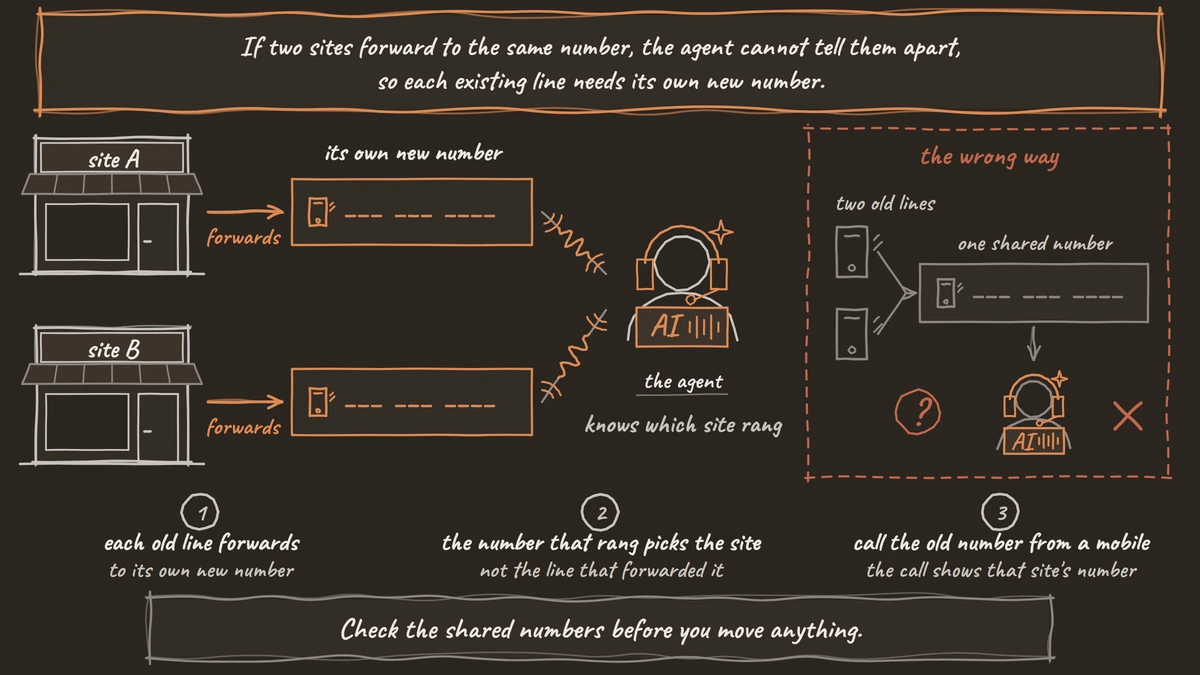
Check the shared numbers before you move anything. A toll-free line printed on every van may be held in the franchisor's account, and porting timelines differ by carrier. Forwarding first and porting later keeps calls flowing, and porting a business number without downtime covers the order of steps and the two call legs each forwarded call uses.
Join the Dograh Community
Dograh is an OSS alternative to Vapi. Join our Slack community for queries, releases, best practices & community interactions.
Caller ID and the 911 address per site
Outbound calls should show the number of the site they are about. The Truth in Caller ID rule bars anyone from knowingly sending misleading or inaccurate caller ID with intent to defraud, cause harm or wrongfully obtain anything of value. A reminder for the Tampa shop that shows the Tampa number, from your own carrier account, is the plain way to stay clear of it.
In Dograh, each telephony configuration has one Default caller ID for one-off calls, and the API Trigger can name the exact number to call from. Campaigns rotate across every active number on a configuration, so give each site's outbound numbers their own configuration if you run campaigns per site. Spam labels and attestation are covered in STIR/SHAKEN and caller ID.
Every number also needs a street address for 911. Under the FCC's 911 rules for internet phone service, the provider must send a dispatchable location with each 911 call from a fixed line, or get a registered location from the customer before service starts on a line that can move. In most cases, that means registering each location's street address on that location's number with the carrier on the day it goes live, never the head office address for all of them. Confirm with counsel how the rules apply to your network.
If a caller to any site is in danger, the agent's instruction is the same everywhere, to get to safety and call 911 (999 in the UK, 000 in Australia, 112 in the EU).
Glossary
- Rate center
- The local calling area a US phone number belongs to. Searching by rate center finds numbers that callers in that area dial as local calls.
- Inbound workflow
- The setting on each phone number in Dograh that picks which agent answers it. Many location numbers can point at the same agent.
- Default caller ID
- The number a Dograh telephony configuration shows on one-off outbound calls that name no number. Campaigns rotate across all active numbers instead.
- Registered location
- The street address a customer gives the provider for a phone line that can move, so 911 calls from it carry the right location.