
To build a voice agent for e-commerce in Dograh, create an inbound agent, load the caller's recent orders with Pre-Call Data Fetch, verify the caller, and attach HTTP API tools that ask your store's eligibility check and create a return request in Shopify. Add a handover and a webhook, then test on a real phone call.
Key Takeaways
- Build returns, not order status: the store's rules decide, the agent reads back.
- Verify with order number and postcode before any order detail is spoken.
- Send workflow_run_id with the create request so a retry makes one return.
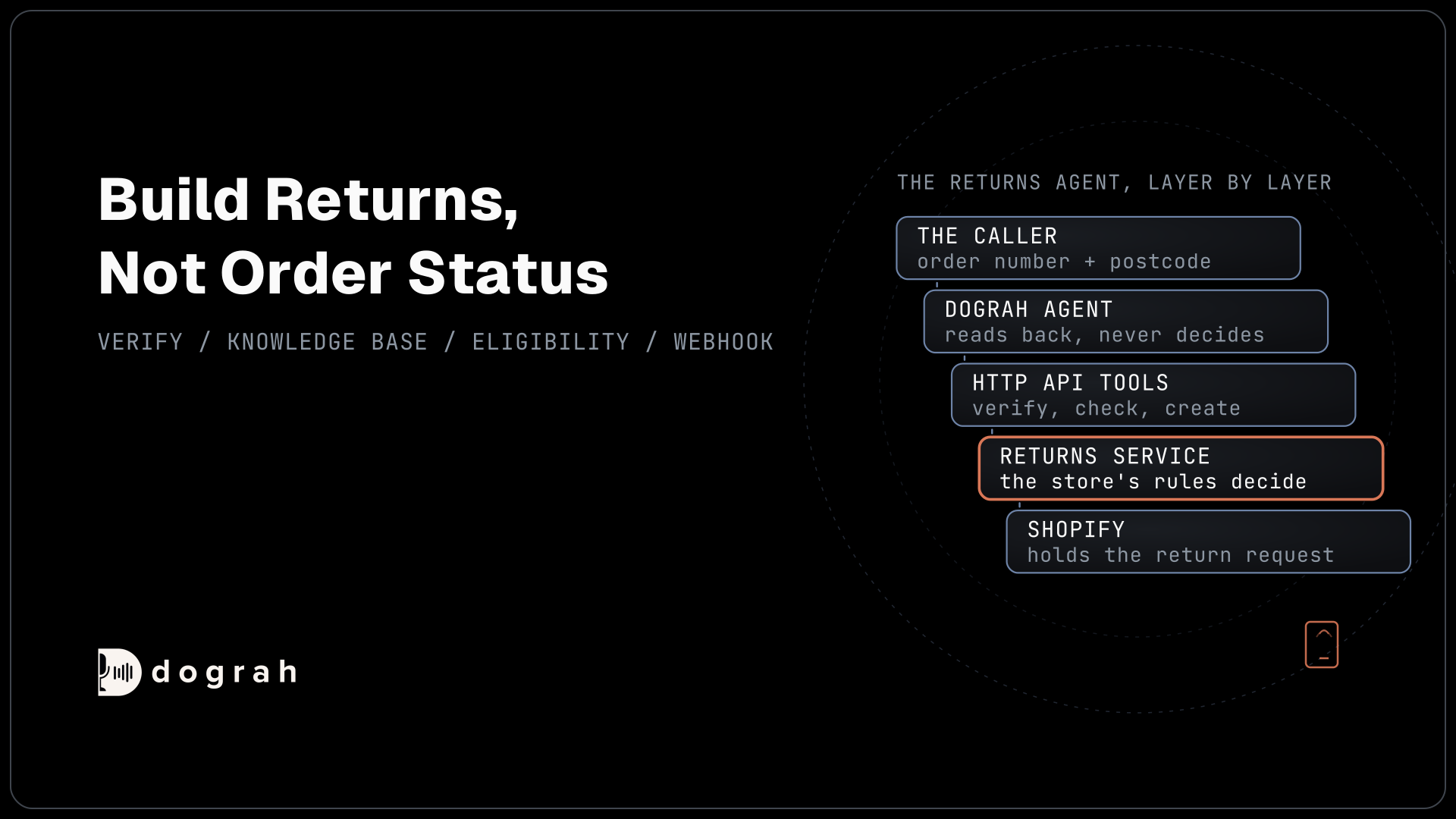
This post is part of our guide to AI voice agents for e-commerce and retail. The guide's section on building the agent sums up this build: the returns agent, step by step. Here we build it in Dograh, an open-source, self-hostable voice agent platform, for a Shopify store, with every return decision left to the store.
What you need before you start
You need a Dograh account (Dograh Cloud, or Dograh self-hosted on your own server), a phone number on Twilio connected to Dograh, and a Shopify store where you can install an app created in Shopify's Dev Dashboard (since 1 January 2026, new custom apps can no longer be created in the Shopify admin).
The store's rules live in a small returns service that you or your developer run, in front of Shopify. It can be a few endpoints in your existing backend, or an n8n workflow; our post on automating voice workflows with n8n and webhooks shows that route. Dograh has no built-in Shopify connector; its HTTP API tools call this service, and the service calls Shopify's GraphQL Admin API.
Select the read_orders, read_customers and write_returns scopes on the app's version in the Dev Dashboard. read_orders covers orders from the last 60 days, which suits most return windows; older orders need read_all_orders, which Shopify asks you to request. The service holds the app's client ID and secret and uses Shopify's client credentials grant to get an Admin API access token, which lasts 24 hours, so it requests a new one before it expires. This works when the app and the store belong to the same Shopify organization. Dograh never sees the credentials or the token.
This build handles returns because a return needs a decision, and there are many of them: the National Retail Federation and Happy Returns estimated in their 2025 returns report that 19.3% of online sales would be returned in 2025. An order-status agent is already built step by step in our logistics tutorial, so this one does not repeat it.
Step 1: Create the agent and write the Greeting Text
Create an inbound voice agent and give it a greeting that names the store. In Dograh, open Voice Agents and create a new agent. On the Create Voice Agent page, set Call Type to Inbound (Users call AI), enter a Use Case such as "Returns", write an Activity Description such as "Takes return requests for an online clothing store", and click Create Agent. Dograh drafts a starting prompt and a canvas with a Start Call node.
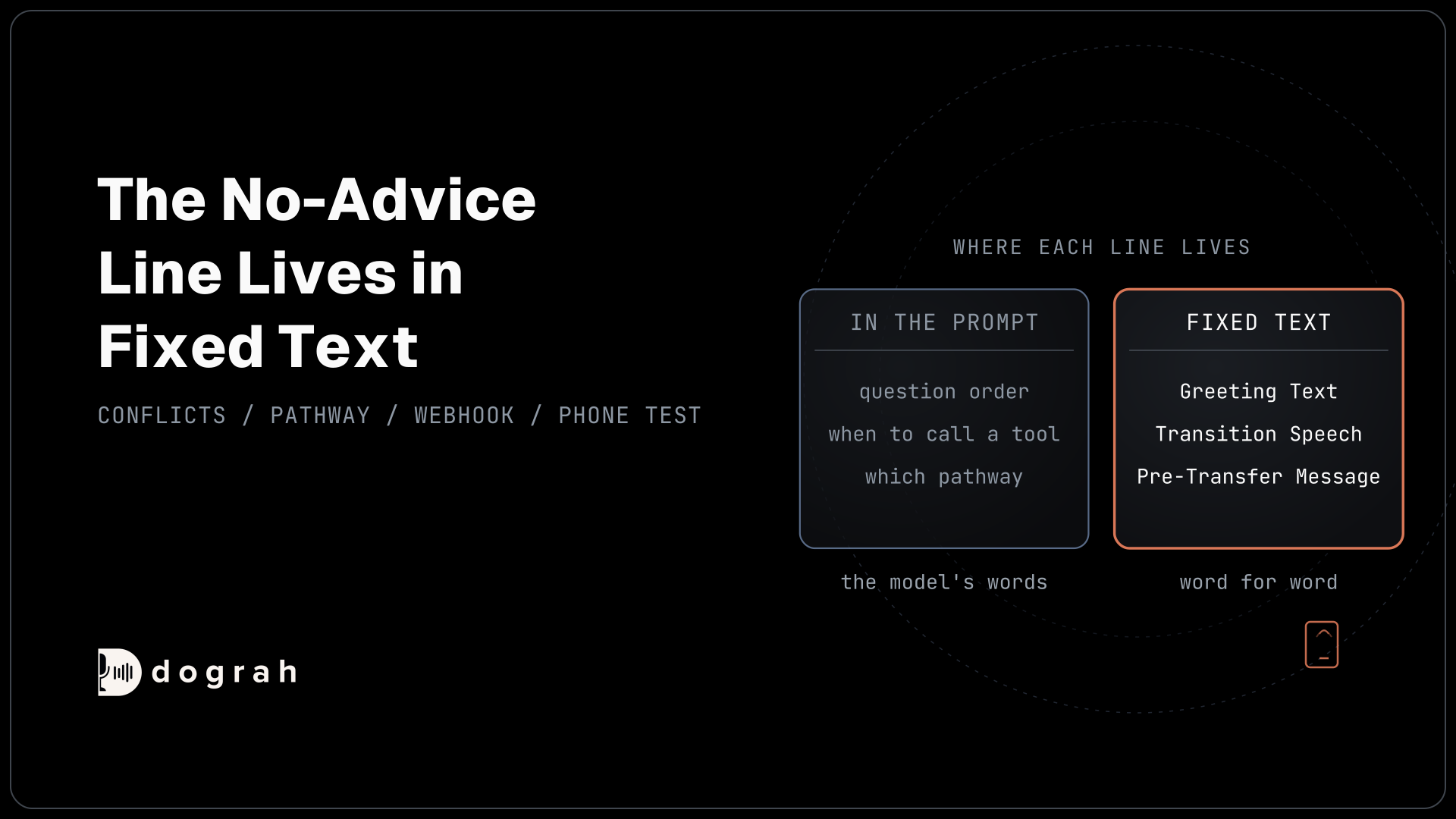
Open the Start Call node and write the Greeting Text: "Thanks for calling Northwind Clothing. I can help you start a return. This call is recorded." Greeting Text is played word for word as the call connects. If you want to tell callers they're speaking with an automated assistant, or your location requires it by law, say that here too. Leave out the caller's name, because nothing is verified yet.
In the agent's Settings, open Dictionary, type your product names and size terms into the box, comma-separated, and click Save Dictionary, so speech-to-text hears them correctly.
Check: a web call opens with your exact greeting text and the store's name.
Step 2: Load the caller's recent orders with Pre-Call Data Fetch
Pre-Call Data Fetch looks up the caller's number as the call connects, so the agent knows whether this caller has recent orders. It sits at the bottom of the Start Call node. Set it to Inbound calls only, paste your returns service's Endpoint URL, and pick an Authentication credential if the service needs one.
Dograh sends a POST that carries the caller's number as from_number and the number they dialled as to_number. Shopify's orders query cannot filter by phone, so your service searches customers by phone first, then fetches that customer's orders. It answers with an initial_context object holding only two short fields, customer_found and orders_summary:
{
  "initial_context": {
    "customer_found": "yes",
    "orders_summary": "2 orders in the last 60 days"
  }
}
What this does: It tells the agent that this number belongs to a known customer with two recent orders, without any item, address or amount. The caller hears ringing until it returns, so keep the lookup fast; it times out after 10 seconds.
Keep the response flat and short. A list of orders would arrive in the prompt as raw JSON, and single items cannot be picked out of it.
Check: in the Variables tab at the top of the editor, add the Key caller_number with a test number such as +1415555XXXX as its Value, click Save Variables, and switch the Pre-Call Data Fetch mode to Always for the test, since a web call has no inbound or outbound direction; a web call shows your fields in the run's context. Switch back to Inbound calls only afterwards.
Step 3: Verify the caller before naming an order
A phone number finds a customer but does not prove who is calling, so the agent verifies before it says anything about an order. Each HTTP API tool in this build points its Endpoint URL at the matching endpoint of your returns service. Create an HTTP API tool named verify_caller under Tools, with the External HTTP API type. Set the HTTP Method to POST, set the Endpoint URL to your returns service's verify endpoint, and on the Parameters tab add two LLM Parameters: order_number and postcode, both strings, with descriptions such as "The order number the caller reads out".
Your service checks the pair against Shopify and answers with verified and, only when it is true, the order's order_id and an items line:
{
  "verified": true,
  "order_id": "gid://shopify/Order/625362839",
  "items": "Linen shirt, size M; Canvas tote"
}
What this does: It confirms the caller knows two facts about the order before any detail is shared. The service never sends back the postcode on file, so the agent cannot read it out by mistake.
In the agent node's Prompt, write the rule plainly: "Ask for the order number and the postcode it was delivered to. Call verify_caller. Do not mention any order, item, address or amount until verify_caller returns verified: true. After two failed attempts, offer to transfer the caller." Attach the tool to the node under Tools.
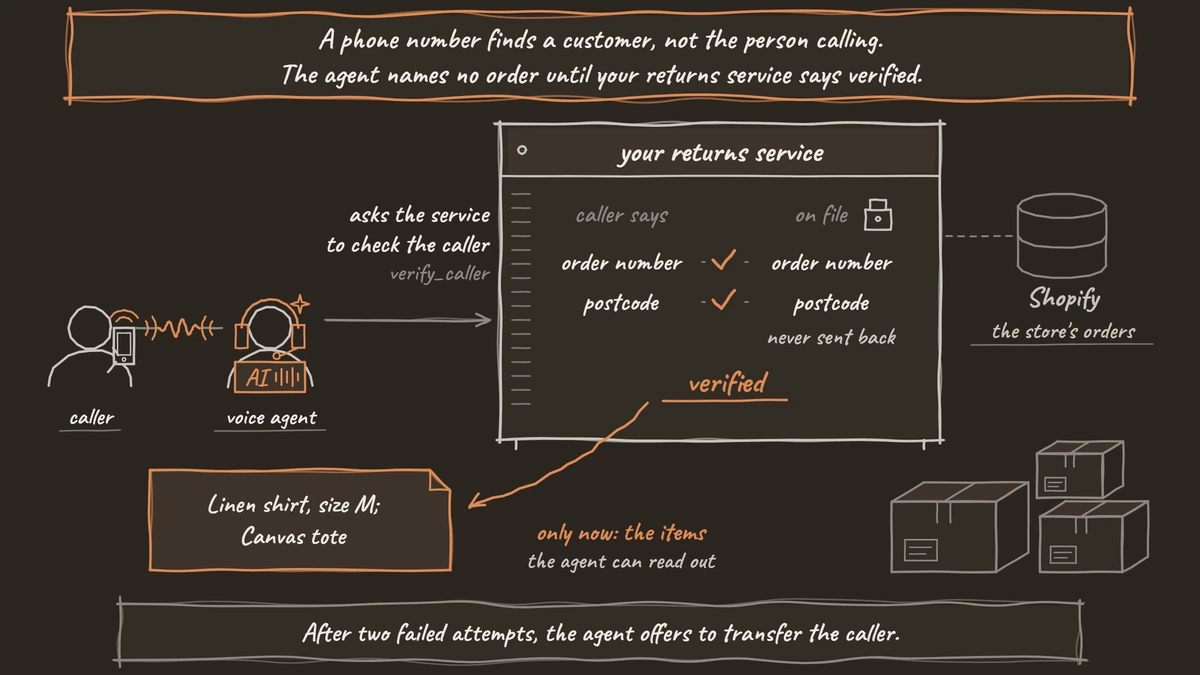
Check: a web call with a wrong postcode gets no order details, and a correct one hears the items.
Step 4: Put the return policy in the Knowledge Base
Policy questions are answered from the store's own document, not from the model's memory. Upload your return policy under Files in the sidebar (the page is headed Knowledge Base Files). It accepts PDF, DOCX, DOC, TXT and JSON, up to 5 MB per file. Then select it on the agent node under Knowledge Base Documents.
Add one line to the prompt: "Answer questions about the return policy only from the Knowledge Base. If the answer is not there, say you will pass the question to the team."
Check: ask "Can I return a sale item?" on a web call and hear the answer your policy gives.

Open Source Alternative to Vapi / Retell
Self-hosted voice agent platform — no per-minute fees
dograh-hq/dograh
Star on GitHub
Step 5: Ask the store's eligibility check with an HTTP API tool
The return decision belongs to the store's rules, so the agent asks the returns service and reads back its answer. Create a second HTTP API tool, check_return_eligibility, with POST and three LLM Parameters: order_id, item and reason.
The service runs the store's rules, such as the return window, final-sale items and the customer's country, and can use Shopify's returnableFulfillments query to see which items can go back. It answers with a decision, one sentence for the agent to say, and the line_item_id it will need next:
{
  "decision": "exchange",
  "say": "This shirt can be exchanged for another size, or returned for store credit.",
  "line_item_id": "gid://shopify/FulfillmentLineItem/820022594"
}
What this does: It gives the agent a ready answer the store wrote, so every caller with the same facts hears the same result. Other decisions are approved, store_credit, declined and needs_person.
The agent's prompt says to read the say field and nothing else, and never to promise a refund amount or date the service did not return. On the tool's Settings tab, add a Custom Message such as "Let me check that for you" to cover the pause. HTTP API tools wait 5 seconds by default and do not retry, so add a prompt line: if the tool returns an error, say you cannot check right now and offer a callback.
Check: a web call with an in-window item hears the decision from the service's say sentence, and an out-of-window item hears the decline reason.
Step 6: Create the return request without duplicates
Once the caller accepts, a third tool files the return in Shopify, exactly once. Create create_return_request with POST and LLM Parameters order_id, line_item_id and reason. Then, under Parameters, add a Preset Parameter named workflow_run_id, type Number, with the value {{initial_context.workflow_run_id}}, and switch Required on.
Your service then sends Shopify's returnRequest mutation. It sets the orderId and, inside returnLineItems, the item's fulfillmentLineItemId, its quantity and a customerNote (up to 300 characters) with the caller's reason:
mutation ReturnRequest($input: ReturnRequestInput!) {
  returnRequest(input: $input) {
    return { id name status }
    userErrors { field message }
  }
}
What this does: It creates a return request in Shopify that waits for the merchant to approve or decline it, with the status REQUESTED. The agent files the request; the store still makes the final call in Shopify.
Dograh adds no idempotency header of its own, so the service keeps the workflow_run_id it has seen. If a second request arrives with the same ID, it returns the first return instead of creating another. The service answers the agent with the return's name, which the agent reads out as the reference. The label and confirmation go to the customer from your own system by email or text; Dograh sends no texts itself.
Check: run the same web call twice through to the end and see one return request per call in Shopify admin, never two.
Step 7: Hand over the calls that need a person
Disputes, damage in transit, high-value items and every needs_person answer go to your team, with the details written down first. Create one more HTTP API tool, log_handover_note, that writes the order, item and reason to your helpdesk.
Then create a Transfer Call tool, set Destination Source to Static / Template, and enter your team's number in E.164 format, such as +1415555XXXX. Transfer Call works on Twilio only, passes no summary by default and waits 30 seconds by default (you can set 5 to 120). Add a Pre-Transfer Message such as "I'm connecting you to our returns team now." In the prompt: call log_handover_note first, then transfer. If nobody answers, the caller stays with the agent, so add a prompt line: if the transfer fails, offer a callback and write it to the helpdesk with log_handover_note.
Check: on a real phone call (a web call cannot transfer), a needs_person case writes a helpdesk note and rings your team.
Step 8: Send the outcome with a Webhook node
After the call, the store's system needs the result even when no return was created. On the agent node, turn on Enable Variable Extraction and add String variables such as return_decision and return_reference, each with an Extraction Hint. Then add a Webhook node, set its HTTP Method and Endpoint URL to your system, and fill its Payload Template with the run ID, those variables, the call's outcome and the transcript link:
{
  "run_id": "{{workflow_run_id}}",
  "decision": "{{gathered_context.return_decision}}",
  "reference": "{{gathered_context.return_reference}}",
  "outcome": "{{gathered_context.call_disposition}}",
  "transcript_url": "{{transcript_url}}"
}
What this does: It posts one record per call to your system, so declined and handed-over calls are logged as well as completed returns. A temporary failure, such as a timeout or a 5xx, is retried automatically. By default,
call_dispositionholds how the call ended, such as the caller hanging up. To record a business outcome instead, turn on Extract call disposition at the end of the call under Settings, General.
Extraction is an AI step, so return_decision is recorded as stated on the call; the service's own log of what it returned is the exact record.
Check: a finished web call posts the payload to your endpoint with the decision filled in.
Join the Dograh Community
Dograh is an OSS alternative to Vapi. Join our Slack community for queries, releases, best practices & community interactions.
Step 9: Test in the browser, then on a phone
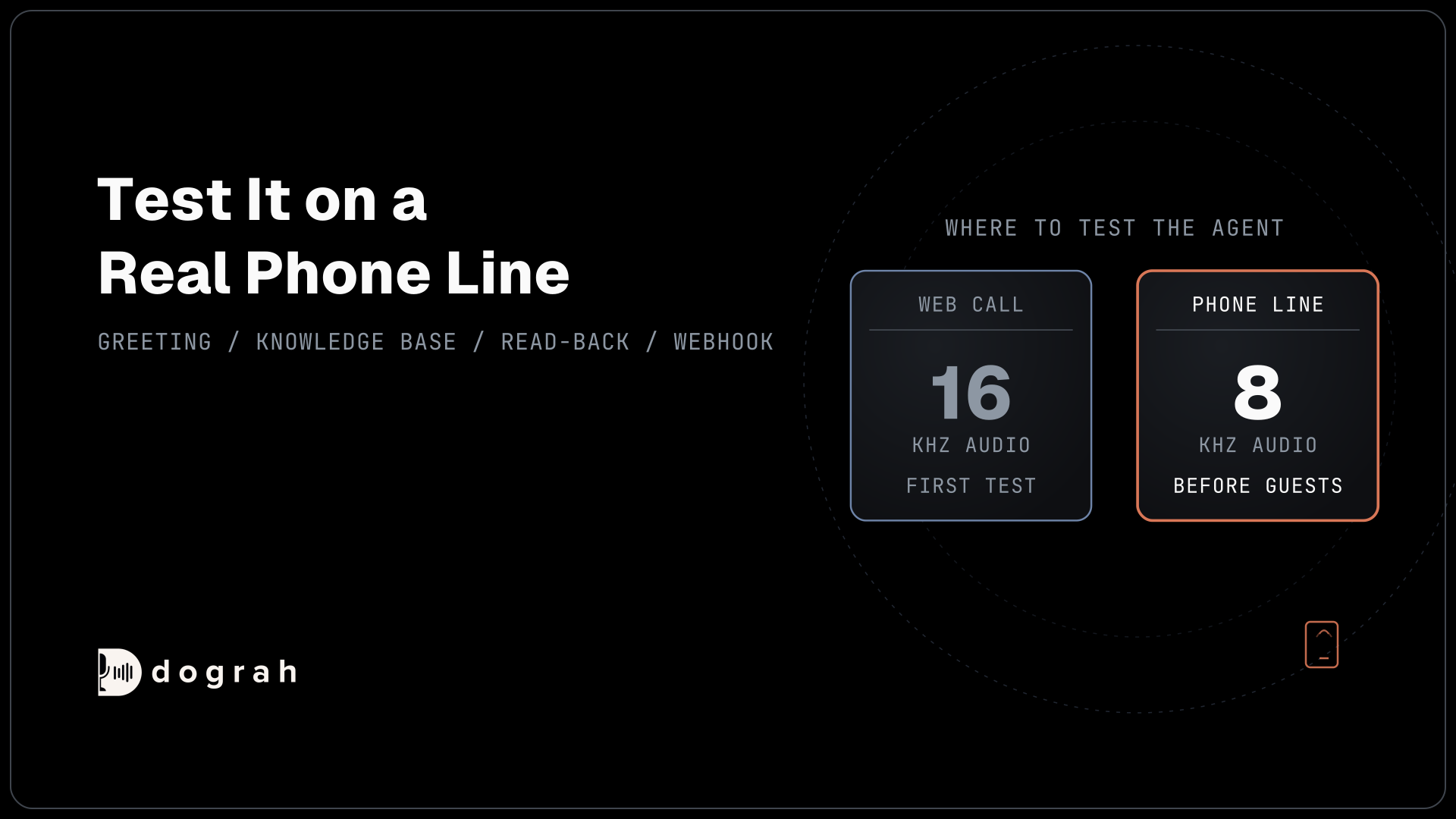
Run every case on a web call first, then repeat them on a real phone call before any customer hears the agent. Before the phone tests, publish the agent, because edits reach test calls straight away but live calls only after publishing, and set your Twilio number's inbound workflow to this agent. Most phone calls still reach the agent as 8 kHz audio, while a browser demo runs at 16 kHz, so product names and postcodes that work in the browser can be misheard on a phone.
Test a verified caller, a wrong postcode, a sale item, an out-of-window item, a needs_person case, a dropped call in the middle of Step 6, and a caller who asks for a person straight away. Read each transcript and, where tracing is set up, the trace: View Trace on the run page shows what speech-to-text heard, each prompt sent to the AI, and every tool call with its request and response. Our post on testing voice agents before you go live gives the full order.
Check: every case ends with the right Shopify state and one webhook record.
Before you ship it
Confirm that no order detail is spoken before verify_caller passes, that the agent never promises a refund the service did not return, and that a retried create request makes one return. Put the number live on overflow and after-hours calls first, and read a week of transcripts before widening it. For why the store's rules decide each return, and where consumer law sets the floor, see AI voice agents for returns and RMA.
Self-hosted Dograh has no per-minute platform fee (servers, model keys and phone minutes still cost); Dograh Cloud has a 1¢-a-minute platform fee.
Glossary
- Returns service
- The small service in front of Shopify that holds the store's return rules and the Shopify app's credentials. Dograh's HTTP API tools call it; it calls Shopify's GraphQL Admin API and answers with a decision the agent reads back.
- returnRequest
- Shopify's GraphQL Admin API mutation that creates a return request with the status REQUESTED, which the merchant then approves or declines. It needs the write_returns scope.
- Preset Parameter
- A value a Dograh HTTP API tool always sends, set by the builder rather than the AI. Here it carries workflow_run_id so the returns service can ignore a duplicate request.
- Pre-Call Data Fetch
- The Start Call node setting that POSTs the caller's number to your endpoint as the call connects and merges the returned initial_context into the call before the greeting.