
For an AI voice agent, Asterisk suits teams that want calls handed over by extension through ARI, with transfers to PJSIP extensions and queues. FreeSWITCH suits developer teams and reaches the agent as a SIP trunk. Dograh, the open-source AI voice agent platform, connects to both, and you can self-host it or run it on Dograh Cloud.
Key Takeaways
- Asterisk hands each call over ARI with its extension known.
- FreeSWITCH reaches the agent as a SIP trunk to Managed SIP.
- Unsourced speed benchmarks should not decide it. Your team should.
This post is part of our guide to open-source IVR and AI phone systems, where Asterisk connects through ARI and FreeSWITCH over a SIP trunk. Here we compare the audio path, SIP details, transfers and team fit of each, using Dograh as the worked example.
FreeSWITCH vs Asterisk at a glance
Both switches are mature, free to run and able to carry an AI agent on a business phone line. The table shows where they differ once an agent sits behind them.
| Row | Asterisk (and FreePBX) | FreeSWITCH (and FusionPBX) |
|---|---|---|
| License | GPL-2.0, FreePBX framework GPL-3.0 | MPL-1.1, FusionPBX MPL 1.1 |
| Lines to build on | 22 or 24 LTS, 20 gets security fixes only | 1.11 |
| Path into Dograh | Asterisk ARI configuration | SIP trunk to Dograh Managed SIP |
| How the agent is chosen | By extension, each with its own agent | By DID, each with its own agent |
| Audio to the agent | G.711 u-law over the WebSocket channel driver, from 22.6.0 | An ordinary SIP call with RTP audio |
| Transfers back | Straight to PJSIP extensions and queues | Back over the trunk, routed by FreeSWITCH |
| Agent's outbound calls | Dial String Template, PJSIP or Local channel | Outbound trunk to FreeSWITCH, then its carrier |
| Who usually runs it | Office or IT admins on FreePBX, dialplan developers | Developer teams, multi-tenant and product builds |
How Asterisk hands a call to the agent
Asterisk gives an outside program control of a call through ARI. The dialplan sends the call into a Stasis application, the program answers it, and the audio leaves Asterisk as external media. Dograh uses the WebSocket form of external media, which needs the WebSocket channel driver. Asterisk's WebSocket channel driver page lists it from 22.6.0, 23.0.0, 21.11.0 and 20.16.0, so an older 22 release fails before the first call.
Asterisk also ships AudioSocket, a TCP protocol that streams 16-bit, 8 kHz audio and carries keypad digits. Some open-source agent projects use it. It works, but you then run the bridge between AudioSocket and your models yourself.
On the Dograh side, the Asterisk ARI configuration asks for the ARI Endpoint URL, ARI Username, App Password and WebSocket Client Name, plus optional From Extensions and a Dial String Template. Saving it generates the Stasis application name for your dialplan. Call audio runs as G.711 u-law, so every PJSIP endpoint or trunk on these calls must allow ulaw.
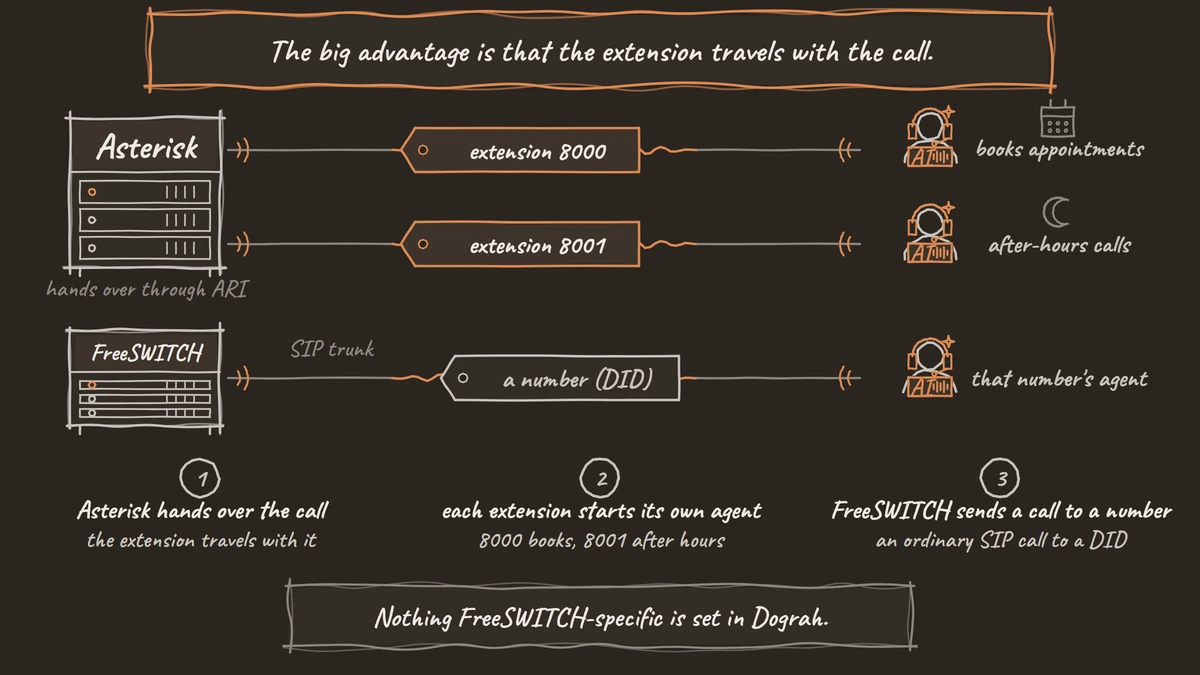
The big advantage is that the extension travels with the call. Each extension you register gets its own agent, so 8000 can book appointments while 8001 takes after-hours calls on the same server, with Dograh Cloud or a self-hosted install. Our FreePBX and AI voice agent tutorial shows the same setup through FreePBX's screens.

Open Source Alternative to Vapi / Retell
Self-hosted voice agent platform — no per-minute fees
dograh-hq/dograh
Star on GitHub
How FreeSWITCH hands a call to the agent
FreeSWITCH reaches an AI agent over SIP, by bridging the call to an outside SIP address. Its SIP stack, Sofia, runs two profiles by default. FreeSWITCH's SIP profile reference has the internal profile on port 5060 for registered phones and the external profile on 5080 for trunks, and the external profile does not enforce authentication on inbound requests.
A trunk to another system is a gateway. For a trunk that trusts IP addresses instead of a password, the gateway has register set to false and a proxy pointing at the far end, and the dialplan bridges calls to it with sofia/gateway/<name>/<number>.
In this setup, that far end is Dograh Managed SIP, the SIP domain that is normally set up at signup. You pick a region (Global, India or UAE), and the panel shows an inbound hostname, its ports and an outbound origin IP. Calls from Dograh are unauthenticated and identified by that IP. The external profile also receives your carrier's inbound calls, so its access list should hold that IP plus your carrier's IP addresses, or else Dograh's trunk goes on its own profile.
The call arrives as an ordinary SIP call to a DID, so you add each DID in E.164 form with the agent that answers it. Nothing FreeSWITCH-specific is set in Dograh. The step-by-step version, with the gateway file and the test calls, is in our guide on how to connect FreeSWITCH to an AI voice agent.
Transfers and outbound calls on each
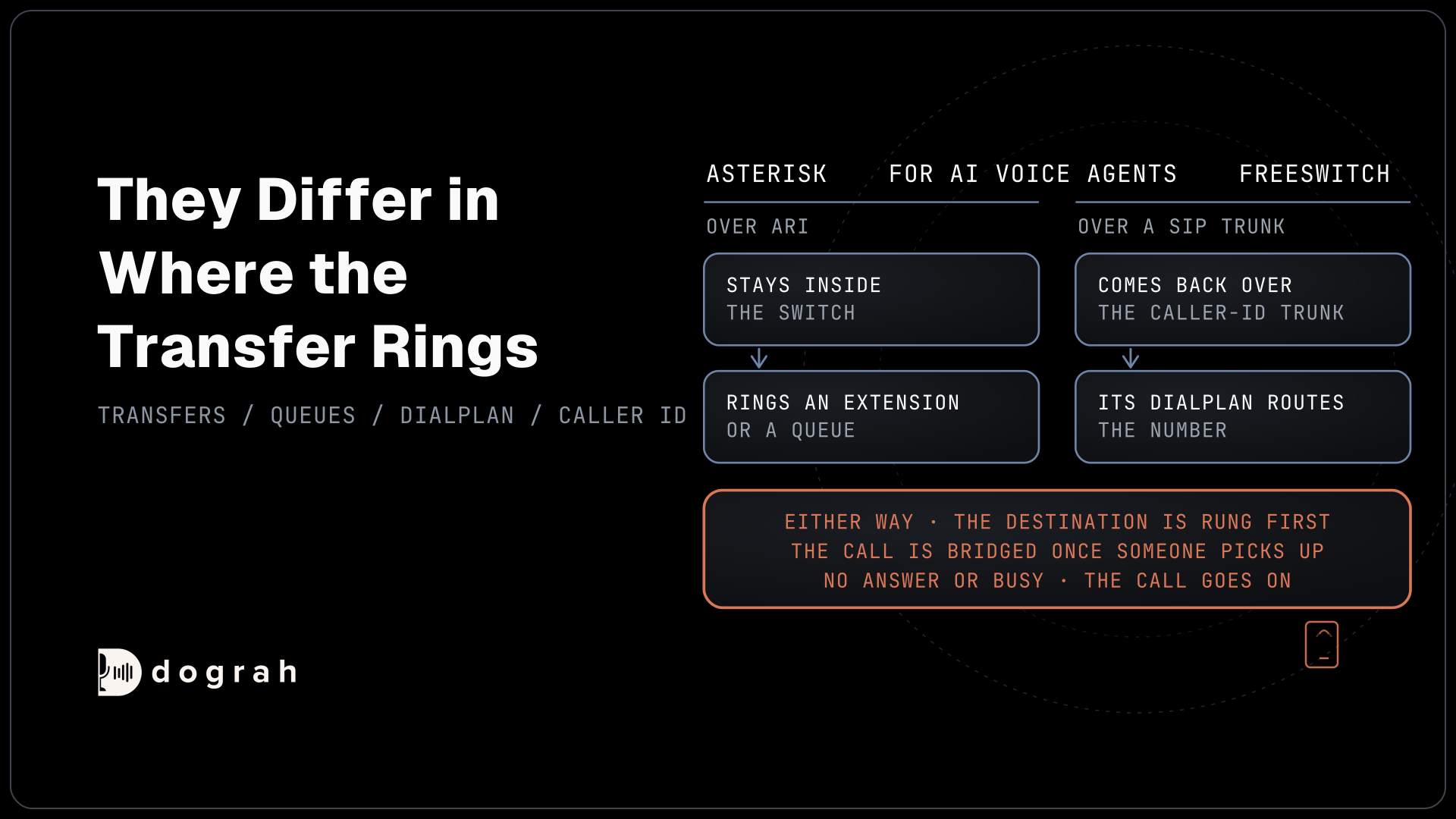
Both paths can hand a caller to a person, and they differ in where the transfer rings. Transfer Call is supported on Twilio, Telnyx, Plivo, Cloudonix and Asterisk ARI, which covers both paths here, since Managed SIP is built on Cloudonix. Either way, the destination is rung first, hold music plays to the caller meanwhile, and the call is bridged once someone picks up. A destination that does not answer, is busy, fails or times out sends a failed-transfer result back to the agent, and the call goes on.
On Asterisk, the destination is a PBX endpoint such as PJSIP/1001 or PJSIP/sales-queue, so the transfer stays inside the switch. On FreeSWITCH, the transfer comes back over the caller-ID trunk, and FreeSWITCH's dialplan routes the number it receives. Test both kinds on a real phone call.
Outbound calls follow the same split. On Asterisk, the Dial String Template turns a number into a dial string, such as PJSIP/{number}@my-trunk or Local/{number}@from-internal for FreePBX's outbound routes. On FreeSWITCH, you add an outbound trunk in Dograh pointing at FreeSWITCH's hostname, and every number needs a default caller ID, since Cloudonix rejects outbound calls without one.
Speed claims and what to test instead
Comparisons online often claim FreeSWITCH carries several times the calls of Asterisk on the same hardware. The ones we read name no hardware, codec or test method, so treat them as opinions. At the scale of a business phone line, both switches carry an agent's calls comfortably.
The limit you hit first is usually elsewhere in the chain. By default a self-hosted install handles 10 simultaneous calls, one environment setting lifts that, and your servers and models set the real ceiling. Dograh Cloud's pay as you go includes 10. Codec changes cost CPU too, so a switch that converts every call between codecs will hit its limit sooner than one that passes G.711 through.
So run your own load test. Place the number of calls you expect at your busiest hour, with the codec your carrier sends, and watch the switch and the agent together. Then listen to a few of those calls on a handset, because most phone calls reach the agent as 8 kHz audio and a browser demo runs at 16 kHz.
Join the Dograh Community
Dograh is an OSS alternative to Vapi. Join our Slack community for queries, releases, best practices & community interactions.
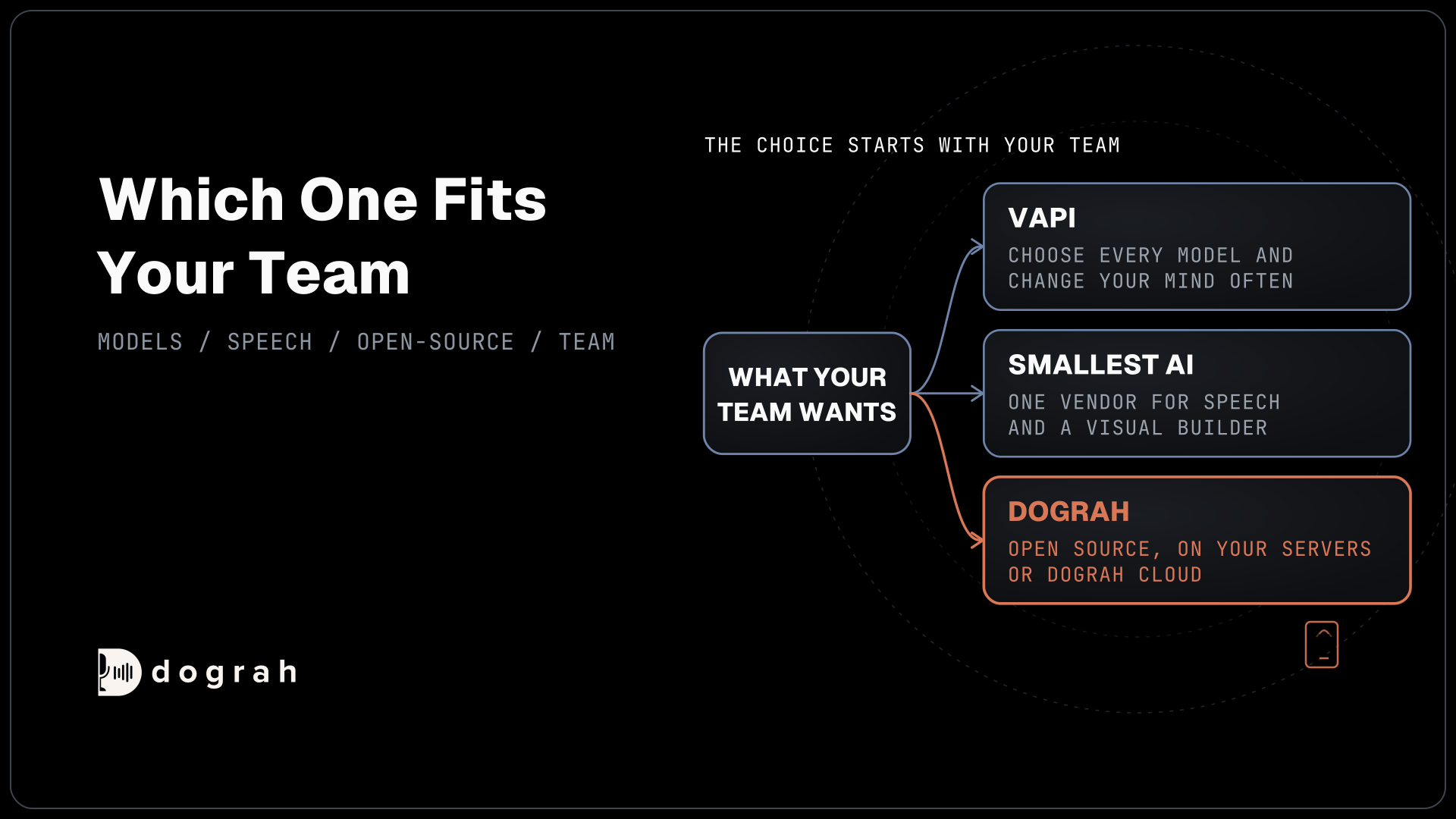
Which one fits your team
If you already run one of them, keep it. Migrating a working PBX just to skip one setup step rarely pays off, and both reach the same agent.
Asterisk fits when an office or IT admin runs the phones through FreePBX, when you want a separate agent per extension, or when transfers should ring queues inside the PBX. It also has the larger community, so answers to odd SIP problems are easier to find. FreeSWITCH fits a developer team that already knows it, a product that builds telephony in, or a multi-tenant setup on FusionPBX. Licenses and setup effort for each are in our list of the best open-source IVR software.
Either way the agent is the same. Its models, whether on your own keys or open models on your own servers, stay as they are when the switch changes, and so do its call traces and per-step QA scores. Self-hosted Dograh has no per-minute platform fee, but servers, model keys and phone minutes still cost money. Dograh Cloud charges a 1¢-a-minute platform fee. The PBX keeps its trunk and its carrier bill.
Whichever switch you pick, start with one extension or one DID, test it over a real phone line, and move more calls to the agent once the first one is working.
Glossary
- External media
- Asterisk's way of streaming a call's audio to an outside program. Dograh uses the WebSocket form, which needs chan_websocket from Asterisk 22.6.0, 23.0.0, 21.11.0 or 20.16.0, with G.711 u-law audio.
- External profile
- The FreeSWITCH SIP profile on port 5080 that faces trunks and carriers. It does not enforce authentication on inbound requests, so its access list should hold the AI platform's origin IP plus the carrier's IP addresses.
- IP-authenticated trunk
- A SIP trunk that trusts calls by source IP address instead of a username and password. In FreeSWITCH it is a gateway with register set to false, and Dograh Managed SIP identifies its own outbound calls the same way.
- Stasis application
- The name Asterisk gives a program that controls a call through ARI. Calls enter it from the dialplan line Stasis(<name>), and Dograh creates the name when you save the configuration.