
To deploy a voice agent on-prem, install the platform on a server, then connect it to speech and language models you host and to your own PBX. The install and each upgrade need internet to download images. For teams that keep call audio in their data center, Dograh is the open-source AI voice agent platform that runs there.
Key Takeaways
- Dograh installs on a private IP with one script and a self-signed certificate.
- Hosted carriers and Tuner simulations need a backend the internet can reach.
- Size the GPU box apart from the platform server, which needs 8 GB RAM.
An on-prem voice agent keeps call audio on servers you control, but it takes more work than a hosted plan. Here we build one, step by step, in Dograh, our open-source AI voice agent platform, then we talk about what to check before it goes live.
When on-prem is worth the work
Most teams that go on-prem do it for where the audio goes, not for speed of setup. In a Cloudian survey of 203 IT decision-makers, 75% said some AI workloads need or would benefit from on-premises infrastructure for acceptable latency, and 58% said data residency concerns had delayed or scaled back AI projects. Cloudian sells on-premises storage, so read the numbers as a signal of demand.
The case against is real. Softcery argues that hosted services win for most teams below about a million minutes a month, models one B200 GPU at roughly $52,000 to $58,600 a year and a GPU team at $300,000 to $500,000 a year. It also names a "theater trap", where the models run locally but the call audio still crosses a hosted carrier, so the data never really stays in.
On-prem pays when a rule or a contract says call audio may not leave your network, or when you already run a PBX and a server room. Some healthcare and finance teams are barred by their own policies or contracts from sending call data to a third-party service, which makes on-prem a requirement for them rather than a preference.
Running Dograh on your own hardware carries no per-minute platform fee. The bill moves to the platform and GPU servers, any hosted model keys and the phone minutes on your trunk, and your team keeps the database backed up and applies each upgrade. Help comes from the open-source community, with custom SLAs on Enterprise. If on-prem turns out not to be a requirement, Dograh Cloud runs the same platform for a 1¢-a-minute platform fee.
What you need before you start
Gather these before the install, since the script asks for some of them and the firewall changes often need another team.
- A Linux server with Docker and Docker Compose, at least 8 GB RAM and 4 vCPUs, and root access.
- A private IP on that server that the browsers of your team can reach.
- Internet access from the server during install and upgrades, to download the images.
- TCP ports 80, 443, 3478 and 5349 and UDP ports 3478, 5349 and 49152 to 49200 open between the server and those browsers.
- A GPU server for local models, sized with our guide to GPU sizing for self-hosted voice agents.
- An Asterisk PBX at 22.8 or later with the
chan_websocketandres_websocket_clientmodules.

Open Source Alternative to Vapi / Retell
Self-hosted voice agent platform — no per-minute fees
dograh-hq/dograh
Star on GitHub
Step 1: Draw what runs where
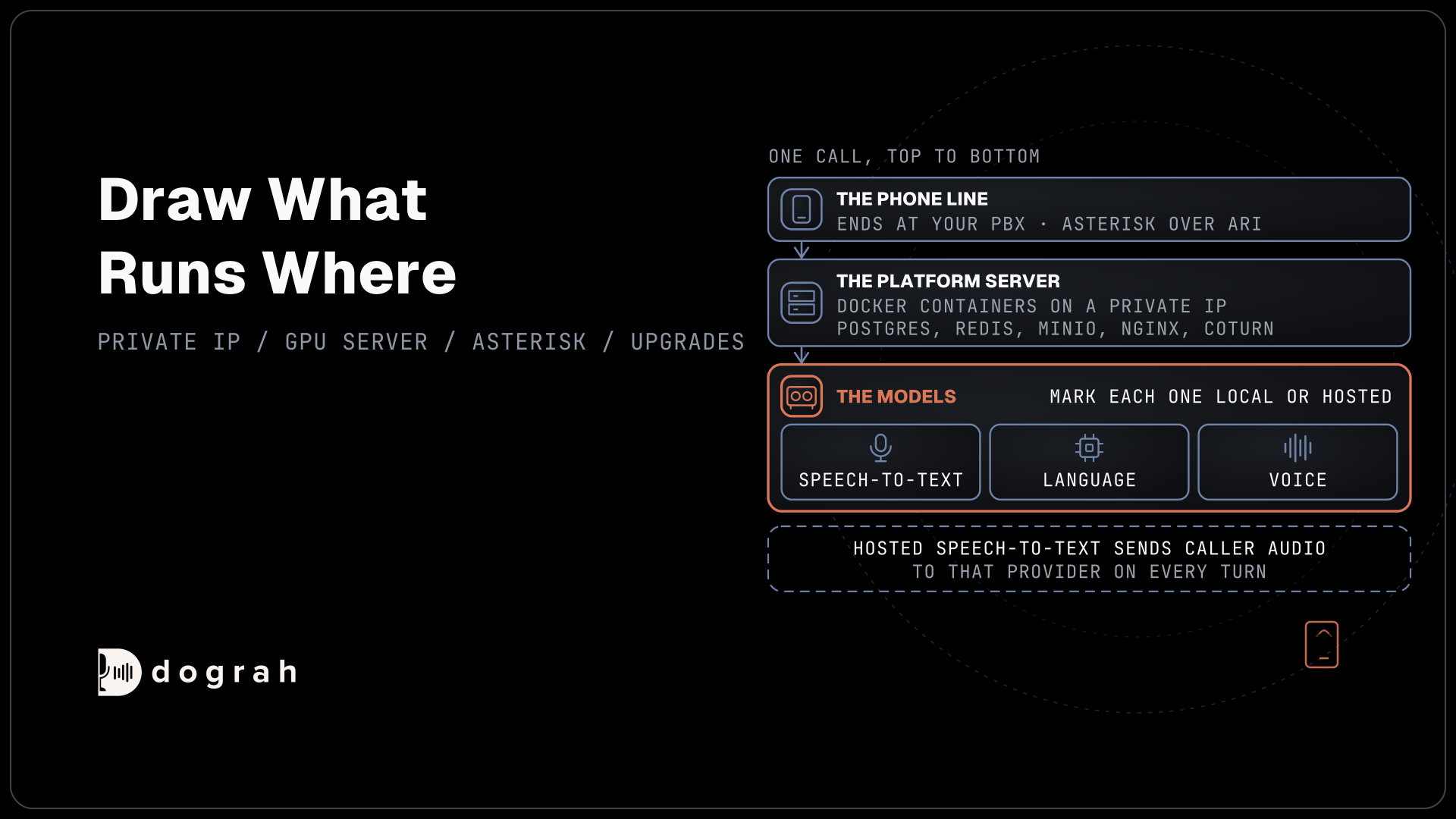
Before you install anything, draw the three parts and where each one sits. The platform runs on one server as Docker containers, with the API, the dashboard, Postgres, Redis, MinIO for files, nginx for HTTPS and coturn as the TURN server for browser audio. The models run on a GPU server or stay with a hosted provider. The phone line ends at your PBX.
Dograh is the orchestration layer that runs the call flow, tools and telephony, and the speech and language models are a separate layer you choose. That split decides what leaves the building. If speech-to-text stays hosted, caller audio goes to that provider on every turn, so mark each model on the drawing as local or hosted.
For the model box, NVIDIA says one H100 80GB can run its speech recognition, language and speech models together for development and low-concurrency production, and that higher concurrency moves speech onto A100 or L40S cards with the language model on its own H100. Treat that as a starting point and size from your own call volume.
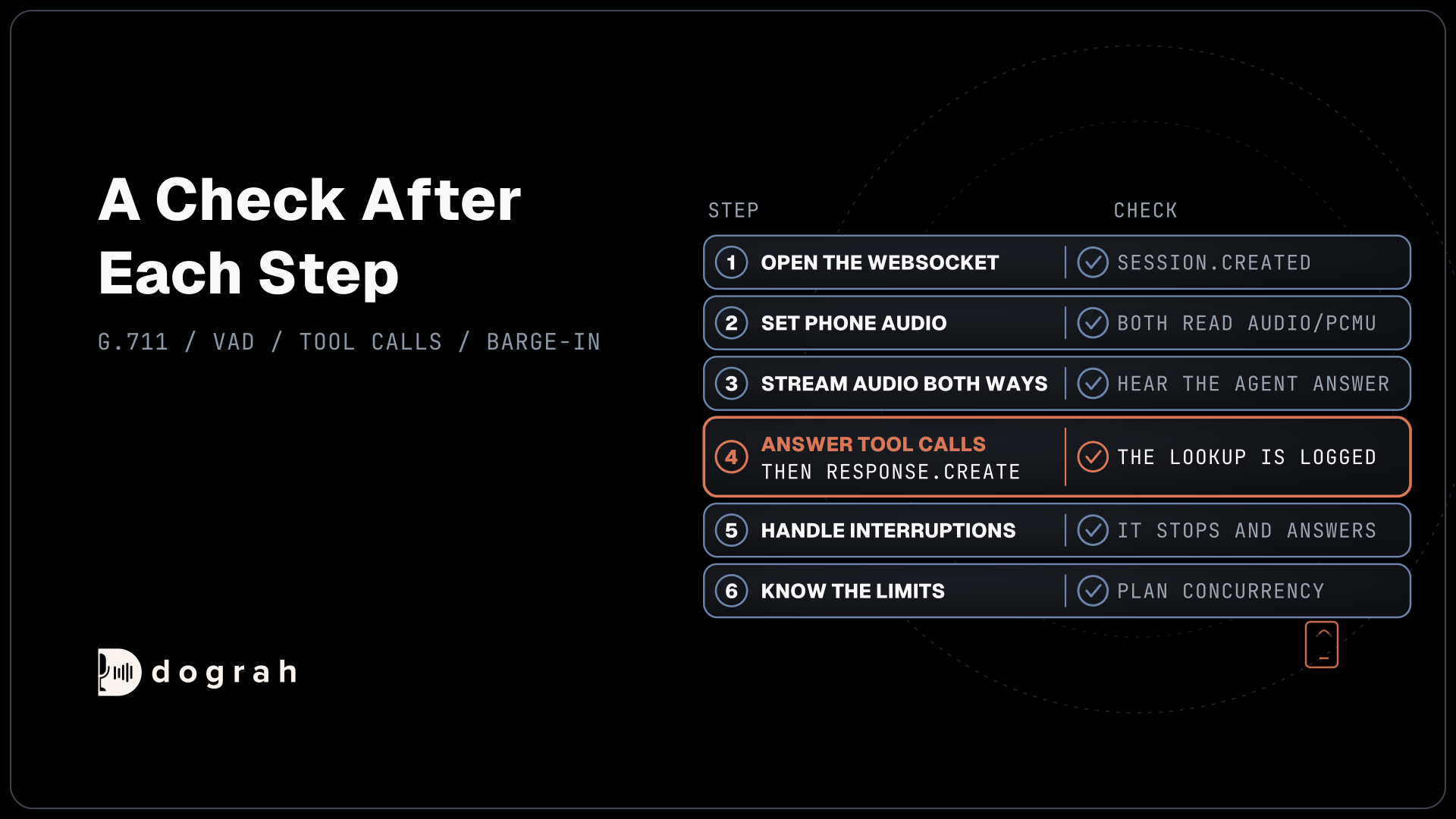
Check: you have a drawing that shows each server, each model as local or hosted, and the path a call takes from the PBX to the agent.
Step 2: Install Dograh on a private IP
Dograh installs with Docker Compose through one setup script, and on a private IP it makes its own certificate. Our self-hosting guide for a laptop or test server covers the local install. This step is the remote server install on a machine in your network.
The command below downloads setup_remote.sh and runs it with sudo, because the script binds ports 80 and 443 and exits early without root.
curl -o setup_remote.sh https://raw.githubusercontent.com/dograh-hq/dograh/main/scripts/setup_remote.sh && chmod +x setup_remote.sh && sudo ./setup_remote.sh
What this does: It fetches
docker-compose.yamland the helper bundle, writes a.envfile with the TURN settings and, because the IP is private, generates a self-signed certificate.
The script asks for the server's IP, a TURN password, the deployment mode and the number of FastAPI workers. Enter the private IP, press Enter for prebuilt mode unless you run your own fork, and keep the default of 4 workers on a 4 vCPU server. Each worker takes roughly 300 to 500 MB of RAM, and one per vCPU up to 8 is a safe start.
On a private IP the script does not start the stack for you, so start it from the new dograh folder.
cd dograh
./remote_up.sh
What this does:
remote_up.shvalidates the rendered config and starts the containers from the prebuilt images. Add--buildonly when you compile your own images.
Browsers will show a warning for the self-signed certificate, which is safe to accept for a first test. HTTPS is required because browsers only allow the microphone on secure pages, so for wider use give the server a hostname and a certificate your company trusts. A Helm chart for Kubernetes exists but is still alpha, and our Kubernetes guide covers it for testing only.
Check: curl -k https://YOUR_SERVER_IP/api/v1/health returns a healthy response, and the dashboard opens at https://YOUR_SERVER_IP after you accept the warning.
Step 3: Point the agent at models on your own servers
Next, connect the speech and language models running on your GPU server. In the sidebar, open Providers, click Add Provider and pick Local Models (Speaches). The language model takes any OpenAI-compatible endpoint, such as Ollama or vLLM, with http://localhost:11434/v1 and llama3 as the defaults. Speech-to-text uses faster-whisper models and text-to-speech uses Kokoro-82M, served by Speaches at http://localhost:8000/v1 by default.
Change every localhost to the GPU server's network address. Dograh runs inside Docker, where localhost means the container itself, so the defaults only work if the models run in the same container. Click Save Connection when the addresses are set.
Then open Models, click Add Configuration, choose BYOK and pick the Speaches connection for the language, speech-to-text and text-to-speech roles, then click Save Configuration. Open your agent, go to its Model tab and select that configuration. Models are chosen per agent, so one agent can run fully local while another uses a hosted model for a test. Speech-to-speech models in Dograh's list are hosted services, so a fully local agent runs as a cascade of separate speech-to-text, language and text-to-speech models.
Check: a browser test call on the agent answers, and the GPU server's logs show requests from the Dograh server's address.
Join the Dograh Community
Dograh is an OSS alternative to Vapi. Join our Slack community for queries, releases, best practices & community interactions.
Step 4: Connect your Asterisk PBX over ARI
Calls reach the agent through your own PBX over the Asterisk REST Interface (ARI), so the phone line never needs a hosted carrier. The Asterisk ARI guide sets the order, because the two systems hand values back and forth. You need Asterisk 22.8 or later, and it is worth checking the options table on Asterisk's WebSocket page for your version.
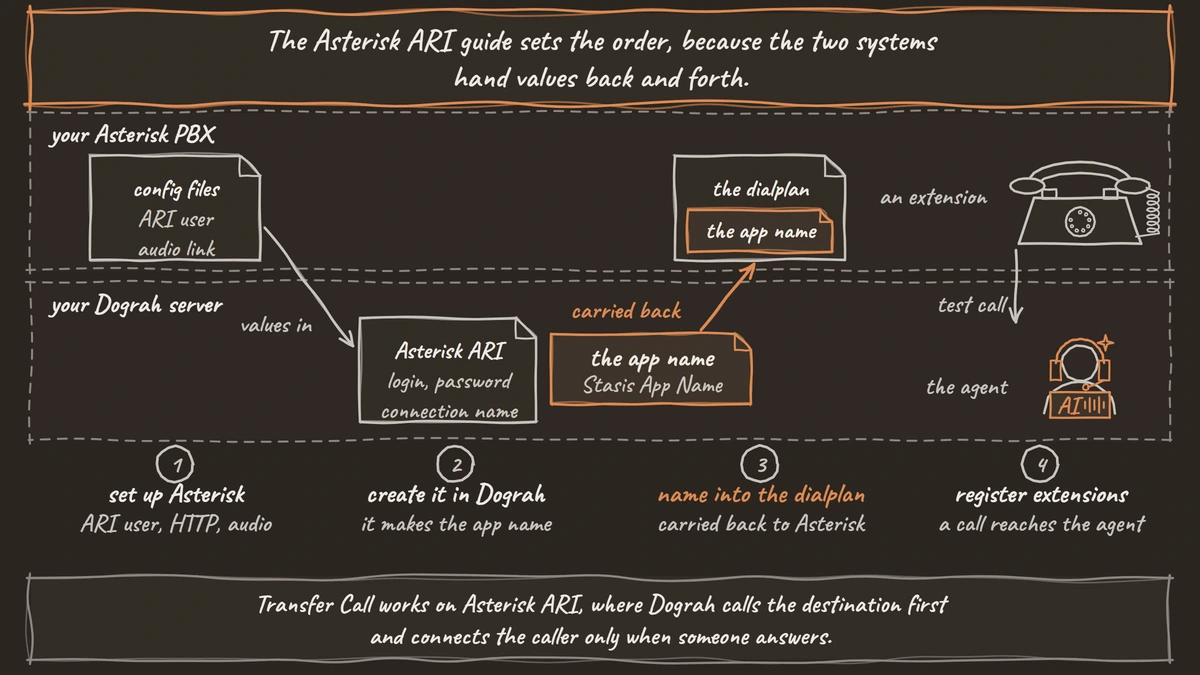
First, on Asterisk, create an ARI user in ari.conf, enable the HTTP server in http.conf and add a WebSocket client for call audio. In websocket_client.conf, the section name dograh is the name Dograh asks for, and uri points at your Dograh server.
[dograh]
type = websocket_client
uri = ws://<server-private-ip>:8000/api/v1/telephony/ws/ari
protocols = media
What this does: It tells Asterisk where to stream call audio. Dograh opens a media channel per call and Asterisk adds the routing values, so
uristays a base URL with no query string. Port 8000 is the API port the install opens on the server, which suits a private network. To go through nginx on 443 instead, usewss://, addtls_enabled = yesand pointca_list_fileat the self-signed certificate so Asterisk trusts it.
Second, in Dograh, open Telephony, click Add configuration and pick Asterisk ARI. Fill in ARI Endpoint, ARI Username, ARI Password and the websocket_client.conf Name, plus a Dial String Template for outbound calls, then click Create. Dograh generates a Stasis App Name and shows it on the configuration. Third, add Stasis(<that name>) to your dialplan in extensions.conf and run dialplan reload. Fourth, register the extensions that should reach the agent.
Call audio uses G.711 μ-law, so allow ulaw on the endpoints and trunks involved. Transfer Call works on Asterisk ARI, where Dograh calls the destination first and connects the caller only when someone answers.
Check: a call to a registered extension reaches the agent, and a test transfer rings the destination before the caller is connected.
Step 5: Decide what may reach the internet
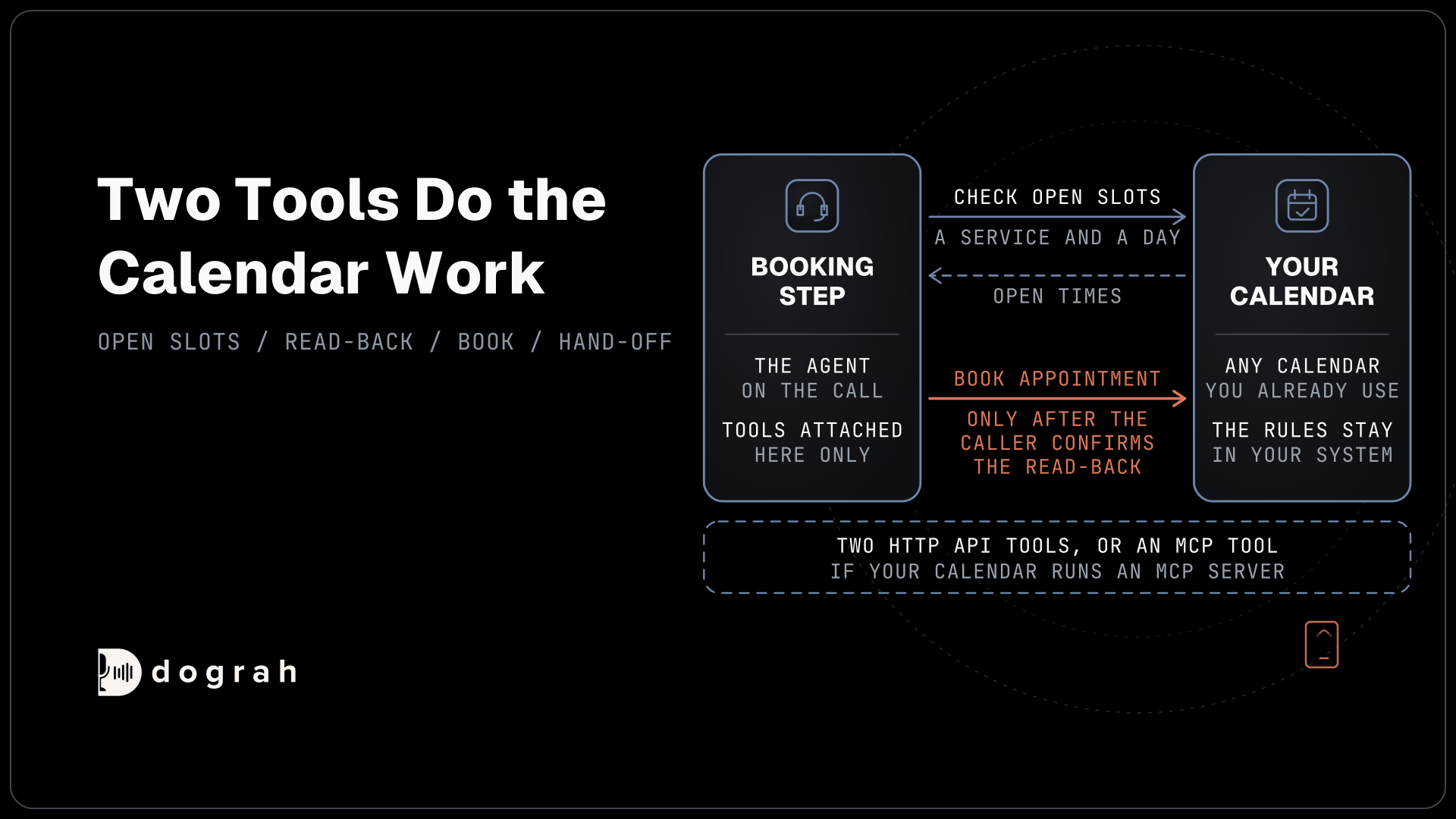
Some features need the internet to reach your server, so decide them on purpose. Hosted carriers such as Twilio send webhooks and media to Dograh, so they need the backend reachable from the internet. That suits a DMZ setup, and it brings back the theater trap, since the audio then crosses the carrier. Tuner simulations call the agent over SIP from outside, so they also need a public backend, and on a closed network you test by calling through your PBX instead.
The Agent Builder needs a Dograh Service Key on a self-hosted install, so on a closed network you build agents on the canvas. Set ENABLE_SIGNUP=false so only invited people can join, and telemetry can be switched off with ENABLE_TELEMETRY=false. ENABLE_CALL_RECORDING_UPLOAD turns recording uploads off for the whole server. Our post on air-gapped voice agents lists every outside connection to close.
Check: with the firewall rules in place, a call through the PBX still completes and nothing in the server's outbound log points at a host you did not approve.
Step 6: Test over the phone path and plan upgrades
Test the way callers will reach the agent. Place calls through the PBX, not only from the browser, since phone audio arrives at 8 kHz and changes what speech-to-text hears. Then run a load test over the phone line to find how many calls one server and one GPU box carry, since there is no fixed number per server. DEFAULT_ORG_CONCURRENCY_LIMIT caps concurrent calls per organization and starts at 10.
Upgrades use a second script. The commands below fetch update_remote.sh into the dograh folder and run it.
cd dograh
curl -o update_remote.sh https://raw.githubusercontent.com/dograh-hq/dograh/main/scripts/update_remote.sh
bash update_remote.sh
What this does: It asks for a target version, pins
dograh-apianddograh-uito the same tag and backs up every changed file with a.bak.<timestamp>suffix. SettingTARGET_VERSIONandDOGRAH_UPDATE_YES=1runs it without prompts.
The update guide covers rollbacks. Since the server pulls images from GitHub Container Registry or Docker Hub, open that route for the upgrade window and close it again.
Check: after the upgrade the health check passes, both images show the same tag, and a call through the PBX still reaches the agent.
Before you ship it
Run through the list once more before real callers arrive. The certificate is one your company trusts, sign-up is off, and every model on the drawing is marked local or hosted on purpose. Calls through the PBX answer, transfers ring the destination first, and the load test shows the call count your servers can carry.
Put a named owner on the server, the Postgres backups and the upgrade schedule, since on-prem those are your team's. With that in place, the agent runs inside your network and its audio stays where your rules say it must.
Glossary
- Self-signed certificate
- An HTTPS certificate the server signs for itself. It encrypts traffic, but browsers warn until your company trusts it or you replace it.
- TURN server
- A relay that carries browser call audio when a direct connection fails. Dograh ships coturn for it, which is why UDP ports must be open.
- WebSocket client (Asterisk)
- The Asterisk setting in websocket_client.conf that streams call audio to an outside server. Dograh asks for its section name, and its uri points at the Dograh server.
- OpenAI-compatible endpoint
- A model server that accepts the same requests as OpenAI's API, such as Ollama or vLLM, so the platform can call a local model the same way.