
A HIPAA-compliant voice agent starts with a map of where calls leave copies. Every vendor that stores or processes those copies signs a business associate agreement (BAA), and the agent asks only for what the task needs. For teams that want fewer vendors on that list, Dograh, the open-source AI voice agent platform, runs on your own servers.
Key Takeaways
- A cloud provider storing encrypted call data is a business associate, key or not.
- Self-hosting Dograh removes one BAA, but model providers that hear audio still need theirs.
- Ask callers only for what the task needs, and verify them before sharing anything.
HIPAA has no certificate for voice software, so a compliant agent is a set of decisions you can show. We start with what HIPAA asks of a voice agent, then we talk about how each build step carries one of those decisions, using Dograh as the worked example.
What HIPAA asks of a voice agent
HIPAA reaches a voice agent through two rules. Under the Health Insurance Portability and Accountability Act (HIPAA), the Privacy Rule decides what patient information the agent may use and share, and the Security Rule decides how the systems holding it are protected. Any company that creates, receives, maintains or transmits protected health information (PHI) for you is a business associate, and it signs a business associate agreement (BAA) with you.
Two lines in HHS guidance on cloud providers shape a voice stack more than any other. A cloud provider that stores only encrypted health data is still a business associate, even when it does not hold the decryption key. And the conduit exception is narrow. It covers services that only carry data and touch it in passing, so a provider that also stores or processes the data is a business associate.
A BAA shares out the duties, and it never moves your liability. The covered entity still has to act if it learns a business associate is breaking the agreement, and business associates are directly liable as well. Our post on the HIPAA-compliant AI receptionist covers what to ask a receptionist vendor, so this post stays on the build. These are our readings of the rules for a typical agent, so confirm your own position with counsel before the first patient calls in.
What you need before you start
A few things need settling before any screen is opened. Write down the one job the agent does, such as booking appointments or answering refill questions, and list every system it will read from or write to. Name the person who signs BAAs for your organization, because several steps below end with a contract.
On the software side, this post uses Dograh as the worked example. A self-hosted install runs with Docker Compose on a server you control. The screens for a booking flow are covered in our walkthrough on how to build a voice agent for healthcare, so here we stay on the compliance choice behind each one.
Step 1: Draw the data map for one call
Trace one call from the first ring to the end and note every place it leaves a copy. A typical cascaded agent touches the phone carrier, the platform's database, object storage for the recording, speech-to-text, the language model, the voice provider, traces and any webhook that receives the results. Each of those can hold PHI, even for a few seconds.
Our post on what counts as PHI on a voice agent call lists the copies in detail, from caller ID to the transcript. For the map, one line per system is enough, saying what it receives, whether it keeps it and for how long. A system that keeps nothing still belongs on the map if it hears the audio.
Check: every system the call touches has one written line, and each line says whether that system stores data or only passes it on.
Step 2: Choose where the platform runs
Where the platform runs decides how many BAAs you collect. One route is self-hosting, on a server in your own data center or in a cloud account. The other is a hosted platform with its own BAA chain behind it. Both can work under HIPAA, and self-hosting is a choice that shortens the vendor list, since HIPAA does not require it.
Self-hosted Dograh needs no BAA with Dograh. In your own data center no cloud BAA is involved, while in an AWS, Google Cloud or Azure account that cloud provider needs one, because it stores the data even if it never holds the key. Call records sit in the install's Postgres database, and recordings land in MinIO, bundled with the install by default, or in your own AWS S3 bucket once you switch it on.
Running the platform on your own servers carries no per-minute platform fee, and the bills you do get are for servers, model keys and phone minutes. Your team owns the database, the backups and each upgrade. For support you lean on the open-source community, or on custom SLAs under Enterprise. Dograh Cloud runs the platform for you for a 1¢-a-minute platform fee. For HIPAA work, self-host, or ask Dograh about its Enterprise compliance support.
Check: you have picked one setup and written down the BAAs it needs at the hosting level.
Step 3: List who signs a BAA, layer by layer
Go down the data map and mark every system that stores or processes the call. The phone carrier may need a BAA, depending on what it stores. A carrier that only carries the call can fall under the conduit exception, while one that records or transcribes needs a BAA, and many carriers, such as Twilio, offer one.
Self-hosting removes the platform from the list, and it does not remove the models. Speech-to-text, the language model and the voice provider all hear or read the call, so each needs a BAA when it handles PHI. Using your own API keys moves the contract to you, while the audio still reaches the provider. Some providers offer regional endpoints, and Dograh's settings include a data-residency base URL for ElevenLabs, a base URL for Deepgram and a location for Google Vertex. Those change where the data goes, and each provider's own HIPAA terms decide the rest.
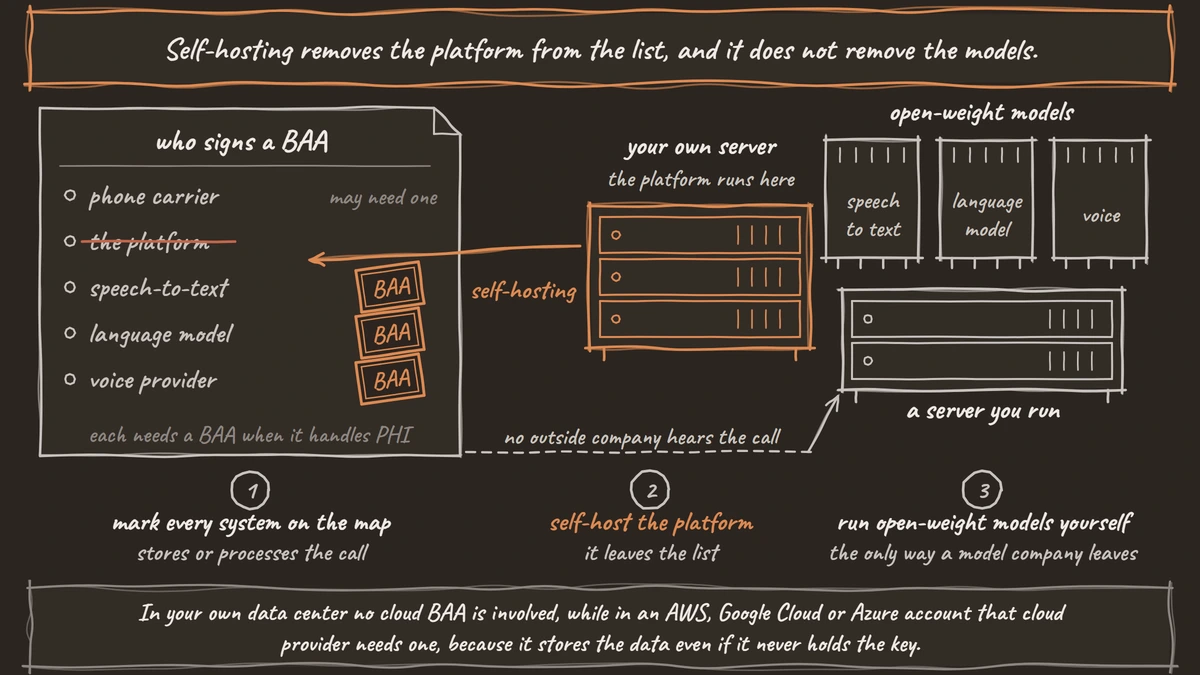
The only way to take a model company off the list is to run open-weight models yourself. Dograh can point each model at an OpenAI-compatible server you run, such as Speaches, so no outside company hears the call. Our post on which parts of a voice AI stack need a BAA walks through each layer in a table.
Check: every system on the data map has a signed BAA or a written reason it needs none.

Open Source Alternative to Vapi / Retell
Self-hosted voice agent platform — no per-minute fees
dograh-hq/dograh
Star on GitHub
Step 4: Ask callers for less
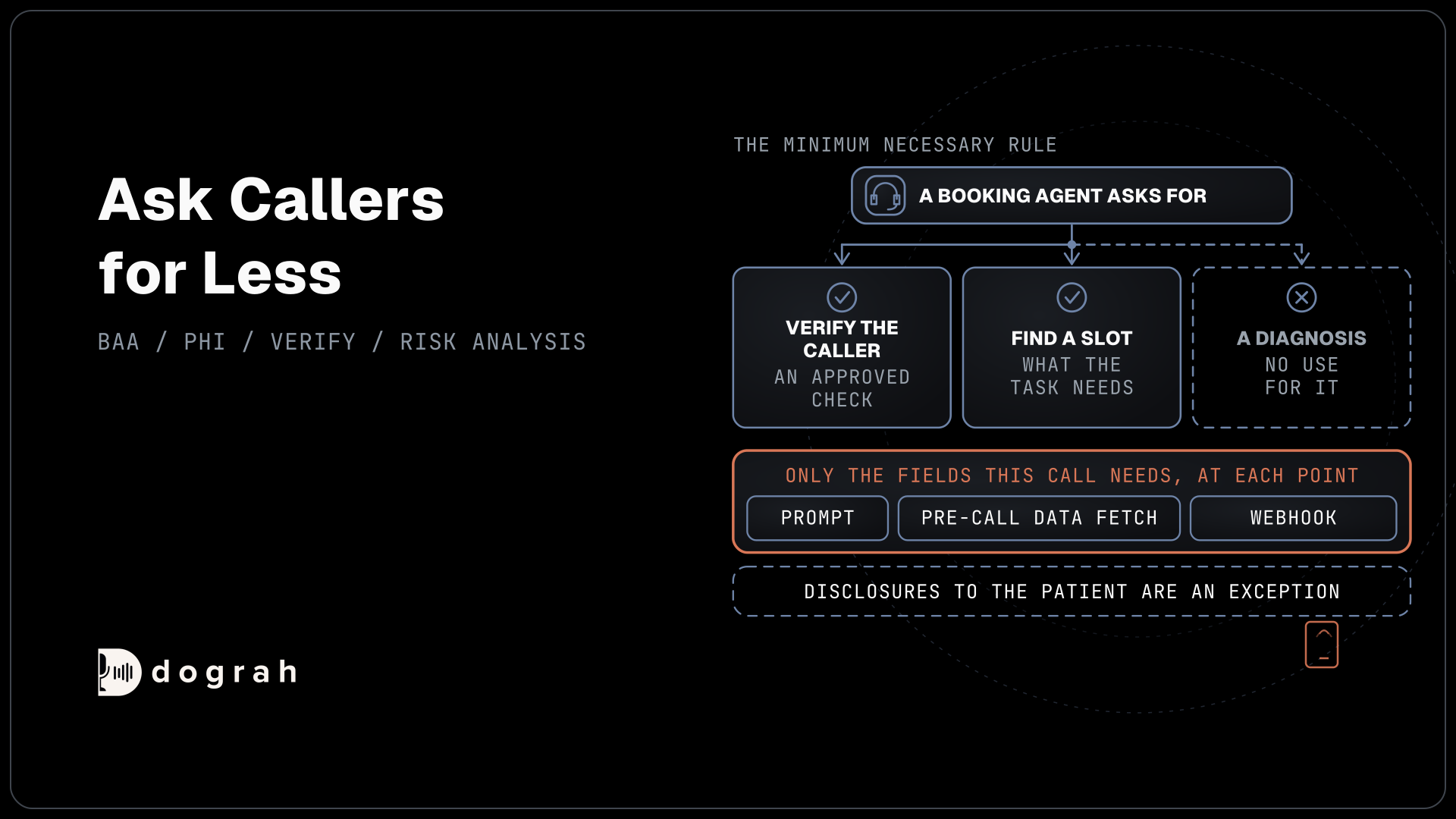
HIPAA's minimum necessary rule applies to an agent's design as much as to your staff. HHS's minimum necessary guidance asks you to limit how PHI is used, shared and requested to what the purpose needs. A booking agent needs enough to verify the caller and find a slot, and it has no use for a diagnosis.
Apply that at each point where data enters or leaves the agent. The prompt should not ask for history the agent never uses. Pre-Call Data Fetch should return only the fields this call needs, since anything the agent receives can reach the language model. The Webhook node's Payload Template should send back only what the receiving system stores.
The rule has exceptions. It does not apply to disclosures to the patient or to a provider for treatment, so a reminder that tells a verified patient their appointment time is fine. The target is the extra field nobody needed.
Check: for every field in the prompt, the fetched data and the webhook payload, someone can name the task that needs it.
Step 5: Verify before the agent shares anything
A phone number finds a record, and it does not prove who is calling. The call flow runs greet, verify, disclose, so the agent says nothing about appointments, results or bills until the caller passes an approved check, such as a date of birth with the last digits of an account number. Asking for the patient by name only finds the right person.
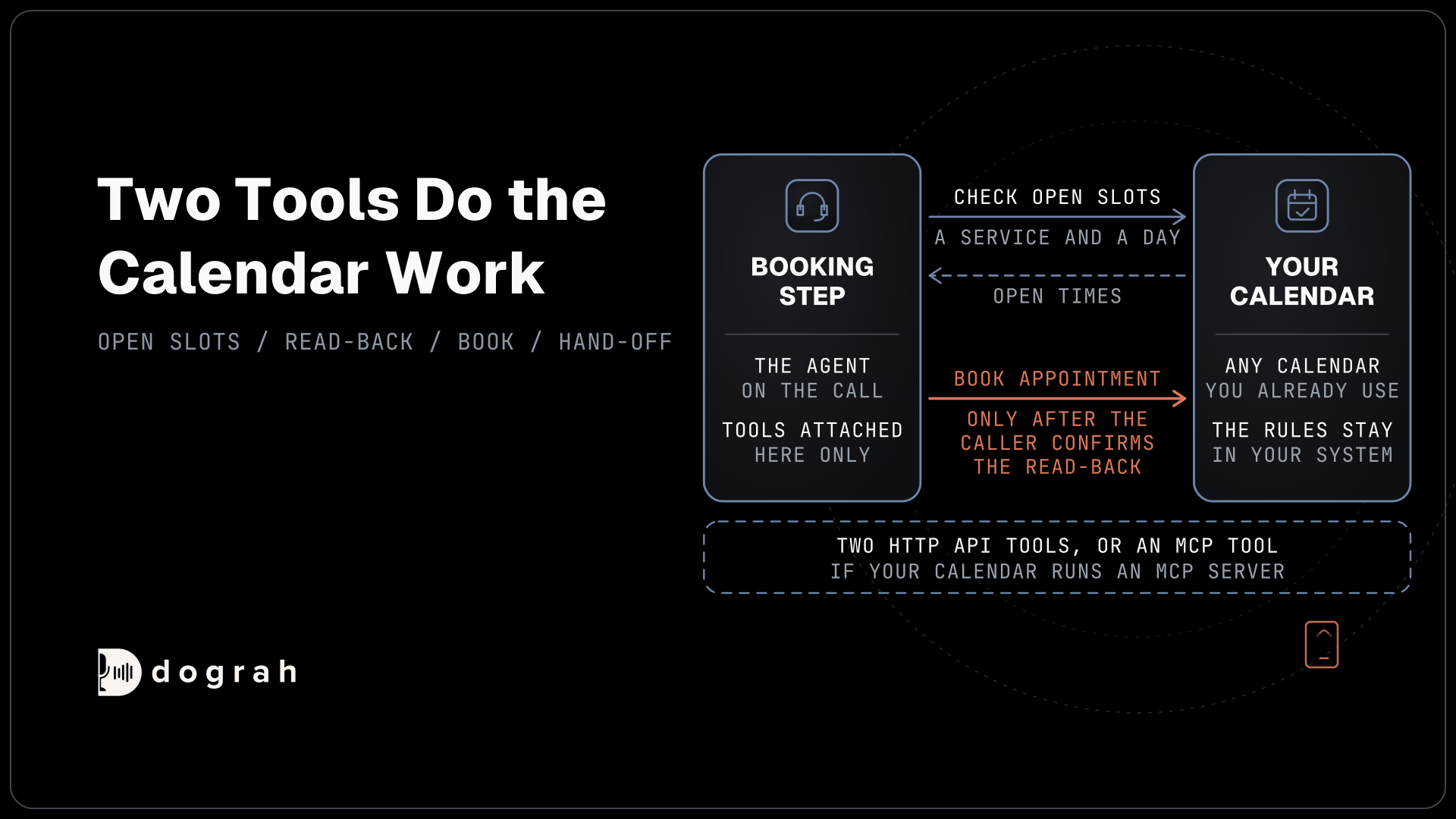
In Dograh, the check can sit in the first node's prompt with an HTTP API tool that asks your system whether the answers match, so the agent never needs the full record to verify someone. Our post on verifying patient identity before a voice agent shares PHI covers the check options and what to do after a failed attempt.
Check: a test call with a wrong date of birth hears nothing about the appointment.
Step 6: Decide where recordings and transcripts go
Recordings and transcripts are the largest copies a voice agent makes. On a self-hosted install, recording upload is switched off server-wide with ENABLE_CALL_RECORDING_UPLOAD, and transcripts are still saved. The switch covers the whole install, so your team sets the retention schedule and deletes old calls from its own storage.
Traces are another copy. On a self-hosted install, tracing starts only once you give it Langfuse credentials, and View Trace then opens each call in Langfuse with the turn-by-turn text. Langfuse's hosted service is a vendor on your map, and a Langfuse you run yourself is not. Telemetry can also be switched off with ENABLE_TELEMETRY=false.
Check: you know where each recording, transcript and trace lives, who can open it and when it gets deleted.
Join the Dograh Community
Dograh is an OSS alternative to Vapi. Join our Slack community for queries, releases, best practices & community interactions.
Step 7: Run the risk analysis and set access controls
The Security Rule asks for a risk analysis of every system holding electronic PHI, an accurate and thorough look at risks to its confidentiality, integrity and availability. It applies to covered entities and business associates alike, and the data map from Step 1 is the starting list.
The technical safeguards then cover access control, audit controls, integrity, person or entity authentication and transmission security. For a self-hosted agent that means limiting dashboard access to the people who need it, API keys held only by them, encrypted connections to every provider and a way to see who opened which call.
Check: the risk analysis names every system on the data map, with an owner and a fix date for each risk it finds.
Step 8: Test with made-up patients, then a phone line
Test with invented patients first, so no real PHI reaches a system before its BAA is signed. Put test values in the Variables tab of the agent editor and run browser test calls to check the verify step and the wording. Browser calls cannot run a transfer, so place real phone calls before launch.
Transfer Call works on Twilio, Telnyx, Plivo, Cloudonix and Asterisk ARI. Dograh calls the destination first and connects the caller only when someone answers, and if nobody does, the call comes back to the agent. A QA node scores each step of a finished call, and it sends the transcript to a reviewer model, so that model belongs on your data map with its own BAA unless it is the same model the agent uses. A person should still read the calls where the agent verified someone.
Check: a test caller who fails verification hears no details, and a caller who asks for a person reaches one on a real line.
Before you ship it
A HIPAA-ready agent is the paperwork and the build agreeing with each other. Before real patients call, the data map should match the signed BAAs, the prompt and payloads should carry only the fields each task needs, and the risk analysis should name every system on the map.
Keep the map current after launch. Every new provider, model or webhook adds a line, and each new line means checking its BAA before the change goes live.
Glossary
- Business associate agreement (BAA)
- A contract between a covered entity and a company that handles PHI for it. It shares out duties and never moves the covered entity's liability.
- Conduit exception
- HHS's carve-out for services that only carry data and touch it in passing. A carrier that also records or transcribes calls falls outside it.
- Minimum necessary standard
- The HIPAA rule to limit how PHI is used, shared and requested to what the purpose needs. Treatment and disclosures to the patient are exceptions.
- Risk analysis
- The Security Rule's required review of risks to every system holding electronic PHI. Covered entities and business associates both run one.