
The best voice cloning tools for phone agents are ElevenLabs, Cartesia and Inworld, which clone from a short sample behind a consent step. Azure, MiniMax and Rime follow with gated or Enterprise-only cloning. For teams that want to own the platform, Dograh, the open-source AI voice agent platform, runs these voices by ID, self-hosted or on Dograh Cloud.
Key Takeaways
- ElevenLabs professional clones accept only your own voice, even with consent.
- Cartesia clones from 10 seconds of audio and trains pro clones free.
- Chatterbox still runs under MIT but is unmaintained since August 2026.
A cloned voice on a phone agent has to clear the vendor's consent check and sound right on an 8 kHz line. We set the criteria, rank six cloning vendors and the open models against them, then talk about pairing recordings with a clone and how Dograh runs each voice.
What to check before you clone a voice
A cloning tool earns a place on a phone agent only if it passes five checks, and voice quality is just one of them. The first is the clone type and how much audio it needs, from a few seconds for an instant clone to half an hour or more for a professional one. The second is the consent rule the vendor enforces before it builds anything.
The third is the plan that includes cloning, since several vendors keep it behind a paid tier or an Enterprise contract. The fourth is speed on a live call. No public board times cloned voices on calls, so you measure first audio in your own call traces, and our guide to choosing a TTS model for voice agents shows how. The fifth is whether your voice agent platform accepts the cloned voice ID at all.
Whether to clone in the first place is a separate decision. Our guide to voice cloning for AI voice agents covers when a clone helps a phone agent and when it backfires, so this list starts from the point where you have decided to clone.
Voice cloning tools compared
The table puts every tool against the same questions, in our ranking order for a live phone agent. The last column says whether the clone runs in Dograh by pasting its voice ID.
| Tool | Clone types and minimum audio | Rules the vendor sets | Plan or price for cloning | Runs in Dograh by voice ID |
|---|---|---|---|---|
| ElevenLabs | Instant from 1 to 2 minutes. Professional from 30 minutes | Rights and consent box for Instant. Professional clones only your own voice, after verification | Instant from Starter ($6/mo). Professional from Creator ($22/mo) | Yes |
| Cartesia | Instant from 10 seconds, up to 60 on Sonic 3.6. Pro from 30 minutes | Each clone is built from one language | Instant from Pro ($5/mo). Pro clones on Startup ($49, 2 slots) and Scale ($299, 4 slots) | Yes |
| Inworld | Instant from 3 seconds, trimmed at 30. Professional in beta | Confirm you have the rights to clone the voice | Instant cloning. Professional slots from 2 on On-Demand | Yes |
| Azure custom neural voice | Trained on your voice talent's recordings | Limited Access, written permission and a recorded statement from the talent | By application to Microsoft | Stock Azure Speech voices by name |
| MiniMax | Rapid Voice Cloning from a short clip | Billed the first time the clone speaks | $1.5 per voice | Yes |
| Rime | Custom voices built with Rime | Enterprise contract | Enterprise only | Yes |
| Chatterbox (open) | Short reference clip | MIT, Perth watermark on every file, unmaintained since August 2026 | Free on your own GPU | Through Local Models (Speaches) |
ElevenLabs, Cartesia and Inworld lead because a team can clone and ship from a self-serve account, with a consent step built into the flow. Azure, MiniMax and Rime follow, since access is gated, priced per voice or tied to an Enterprise contract.
ElevenLabs, Cartesia and Inworld: self-serve clones
ElevenLabs has the strictest rule of the three. Its Instant Voice Clone works best with one to two minutes of clean audio, and before saving you confirm that you have the right and consent to clone the voice. A Professional Voice Clone needs at least 30 minutes of audio, ideally closer to three hours, and fine-tuning takes roughly three to six hours, sometimes longer.
The professional route also works only on your own voice, confirmed by a verification step, and another person's consent does not change that. Instant cloning starts on the Starter plan at $6 a month and Professional on Creator at $22 a month.
Cartesia, a Dograh partner, needs the least audio. Its instant clone works from 10 seconds of a speaker and takes up to 60 seconds on Sonic 3.6 and newer to keep more of the accent. A Pro clone trains on 30 minutes or more. Each clone is built from one language, so for a bilingual agent you clone the voice in the speaker's own language first and add accents after.
On price, instant cloning comes with Cartesia's Pro plan at $5 a month. Pro clones come with 2 slots on Startup at $49 and 4 on Scale at $299, training them is free, and speech from a clone costs 1 credit per character like any other Sonic voice.
Inworld clones from as little as 3 seconds of audio and trims anything past 30 seconds. Before it continues, you confirm that you have the rights to clone the voice. A Professional Voice Cloning beta trains on more audio for a closer match, and every plan carries professional clone slots, from 2 on the pay-as-you-go On-Demand plan to more than 100 on Enterprise. Speech costs $25 per million characters on TTS-2 and $15 on TTS-2 Flash at On-Demand rates.

Open Source Alternative to Vapi / Retell
Self-hosted voice agent platform — no per-minute fees
dograh-hq/dograh
Star on GitHub
Azure, MiniMax and Rime: gated or priced per voice
Microsoft runs the heaviest gate. Azure's custom neural voice is a Limited Access feature, so you apply before you can train one, and you need explicit written permission from the voice talent. The talent also records a set statement acknowledging the synthetic voice, which Microsoft may check against the training audio with speaker recognition.
Microsoft's terms also make customers who process biometric data give notice, get consent and delete that data as the law requires. In Dograh, the Azure Speech provider runs Microsoft's stock neural voices by name and region, which suits a team that wants Azure's terms without training a custom voice.
MiniMax prices cloning by the voice. Rapid Voice Cloning works from a short clip and costs $1.5 per voice, charged the first time the clone speaks rather than at creation.
Rime keeps custom voice cloning for Enterprise customers. Its stock voices are self-serve on the Flex plan, at $0.030 a minute for Mist v3 and $0.050 for Coda v2, so a team can judge Rime's sound before a contract. In Dograh, Rime runs in English, German, French, Spanish and Hindi.
Open models that clone, and where Chatterbox stands
Open models let a clone run on your own GPU, so the audio stays on servers you run. Chatterbox, the MIT-licensed model from Resemble AI, clones from a short reference clip, and every file it makes carries Resemble's Perth watermark. Its README now calls it retired research, no longer maintained since August 2026.
The MIT code stays public and still runs, so Chatterbox remains usable, but plan for no fixes or updates and test it on real calls first. The other open options carry licence limits. XTTS-v2 uses the Coqui Public Model License, F5-TTS is CC BY-NC 4.0 and so non-commercial, and Kokoro cannot clone from a reference clip. Our comparison of Kokoro vs Chatterbox vs Coqui XTTS covers their quality and licences in full.
Join the Dograh Community
Dograh is an OSS alternative to Vapi. Join our Slack community for queries, releases, best practices & community interactions.
Consent before you clone a real voice
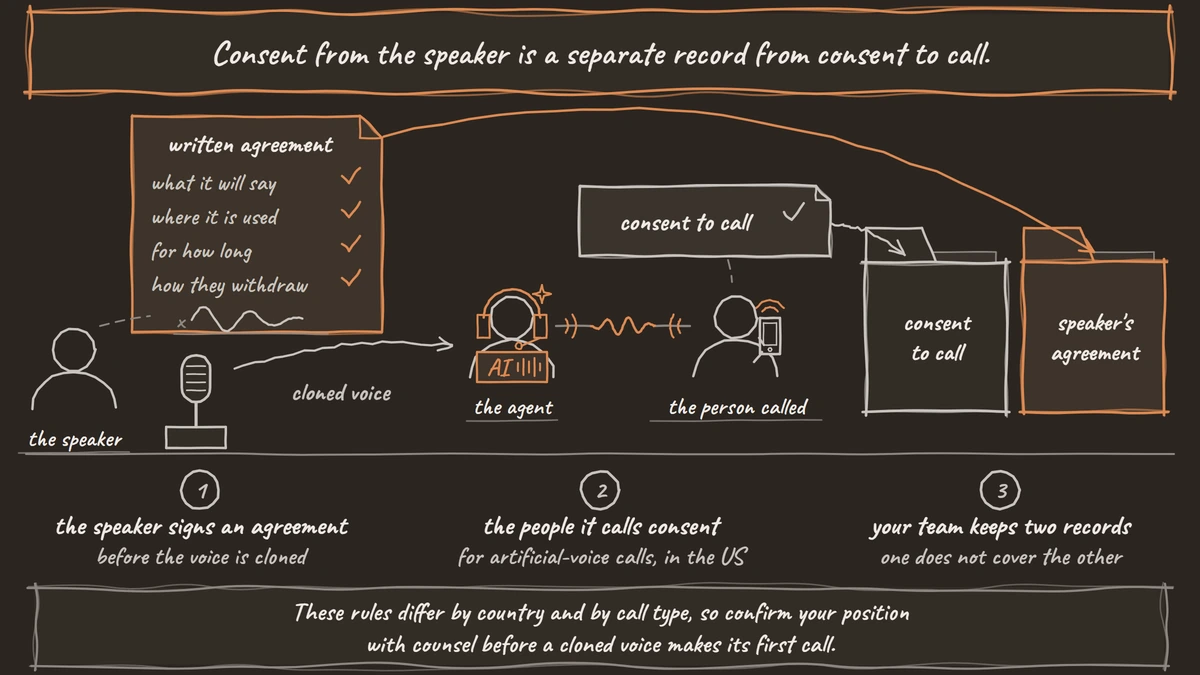
Every vendor above checks consent in its own way, and none of those checks replaces your own written record. In the US, the FCC's declaratory ruling treats a voice made by AI, cloned voices included, as an artificial voice under the Telephone Consumer Protection Act (TCPA). Outbound calls in a cloned voice therefore need the consent that law requires for artificial-voice calls.
In the EU, Article 50 of the EU AI Act requires that people be told when they are talking to an AI system, unless it is obvious, and that synthetic audio be marked as machine-made. These rules differ by country and by call type, so confirm your position with counsel before a cloned voice makes its first call.
Consent from the speaker is a separate record from consent to call. Our guide to one voice for pre-recorded clips and TTS sets out what the speaker's written agreement should cover, including what the voice will say, where it is used, for how long and how they withdraw.
Recordings plus a clone, and running it in Dograh
The pattern we recommend pairs real recordings with a clone of the same voice. Lines that never change, such as the greeting, a disclosure or the closing, play as recordings of the real speaker, and the cloned voice reads everything the language model writes. The agent picks a recording when one fits the moment and falls back to the clone for the rest, so callers hear one person throughout.
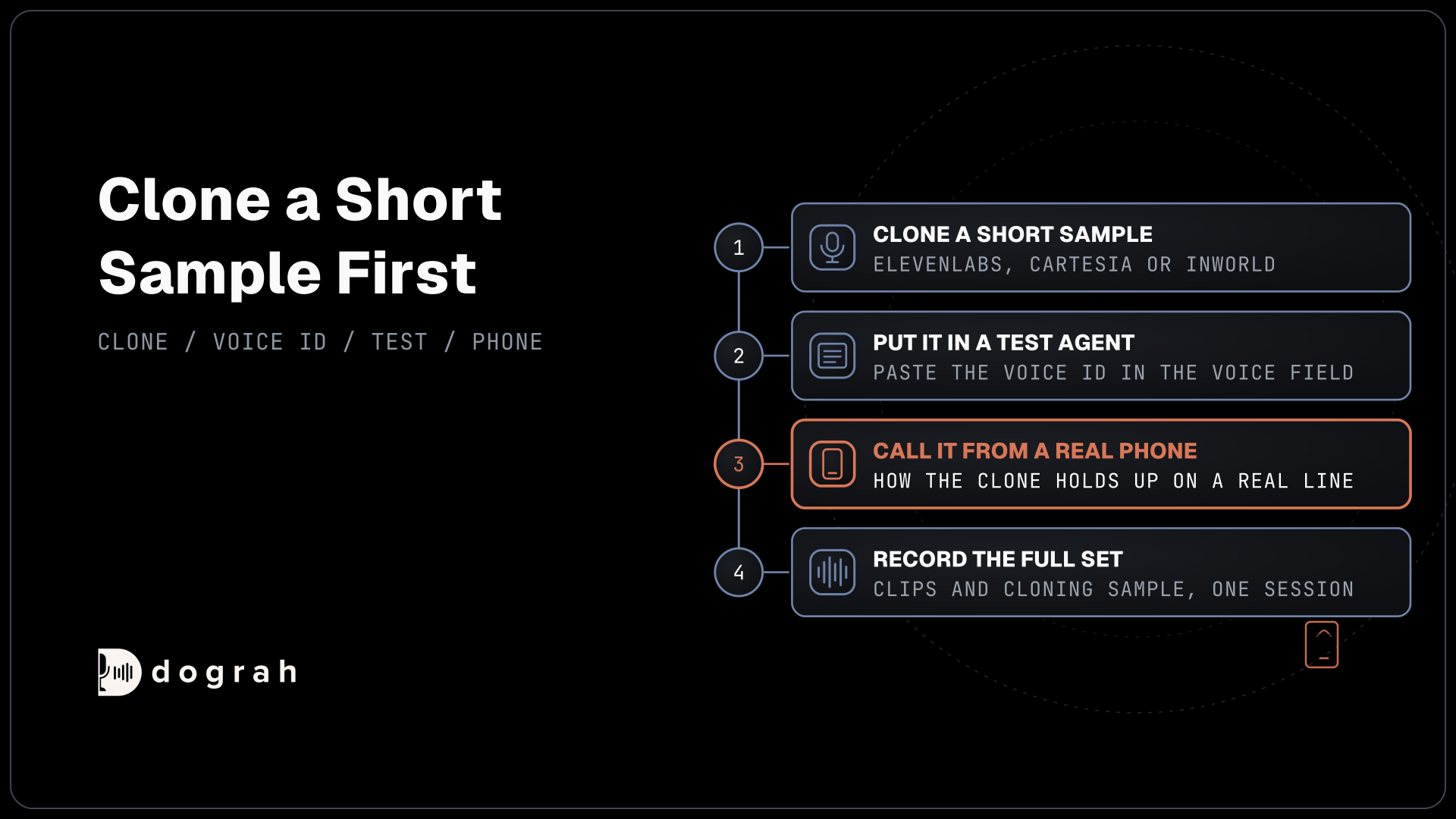
In Dograh, you upload clips under Recordings in the sidebar, type "@" in a prompt to insert one, and set Greeting Type to Pre-recorded Audio to open the call with a recording. Record the clips and the cloning sample in the same session, since a clone made from another day's audio drifts from the recordings. The consent guide linked above walks through the full setup.
Dograh itself is the orchestration layer that runs the call flow, tools and telephony, and the speech and language models are a separate layer you choose. A cloned voice is one of those choices, set per agent, so it plugs in like any stock voice and the vendor keeps billing you for its speech.
On the Models page, add a configuration in BYOK mode and open its TTS tab, or pick Custom on an agent's Model tab. Choose the provider you cloned with, open the Voice field, pick Enter Custom Value and paste the voice ID. The voice settings list every built-in provider, and this works for ElevenLabs, Cartesia, Inworld, MiniMax, Rime, Azure Speech and others, while Camb.ai takes its voice ID as typed text. Changes save to the draft and reach test calls at once, and publishing applies them to live calls.
An open clone such as Chatterbox runs through Local Models (Speaches), which points at an OpenAI-compatible speech server on your own machine. That server has to return raw 24 kHz audio, and a test from the Phone Call button tells you how the clone holds up on a real line.
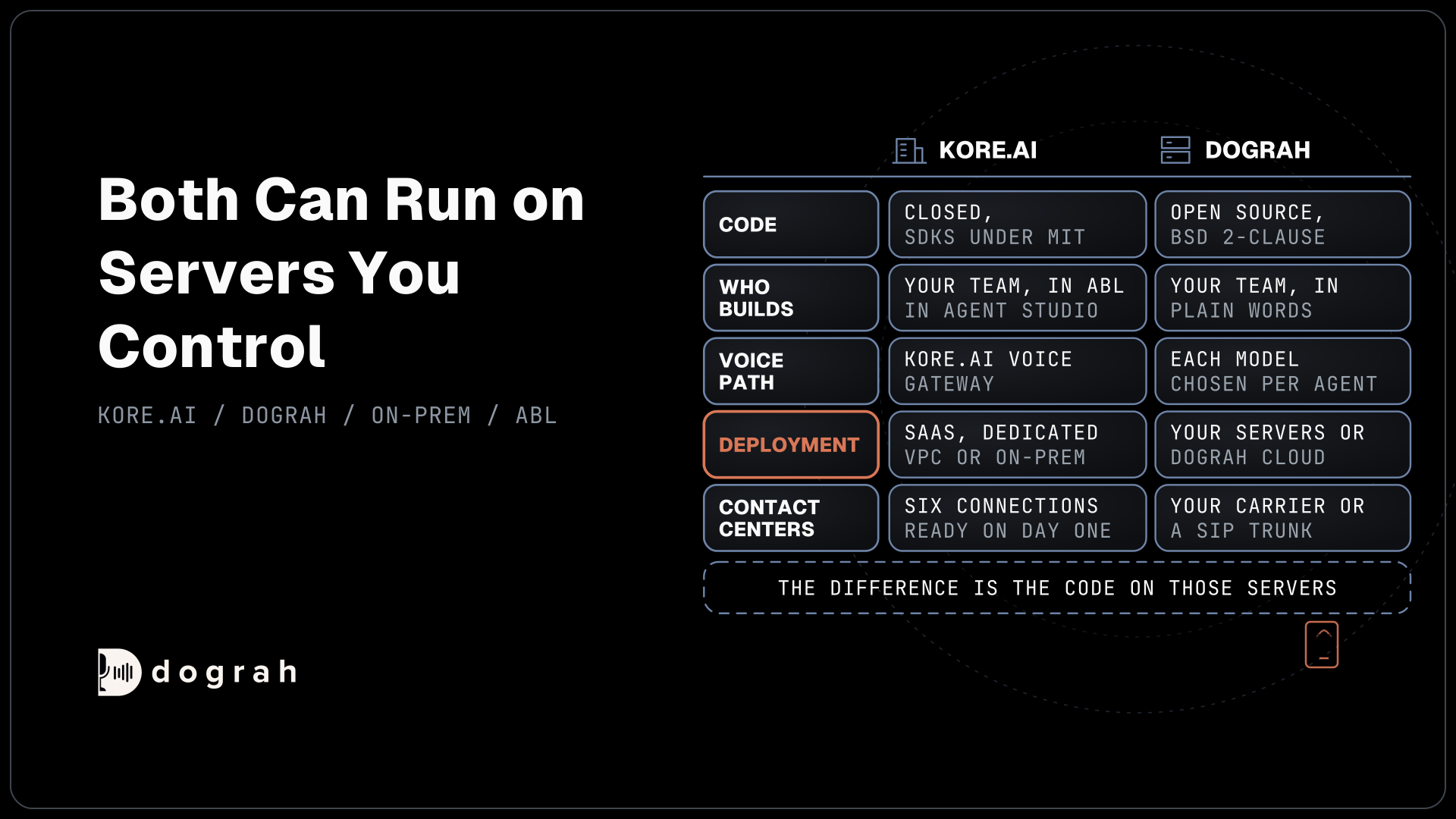
Where the agent runs decides what else you pay for. Running Dograh yourself means no per-minute platform fee. You still pay for servers, model keys and phone minutes, and your team looks after the database and upgrades. Support comes from the open-source community, and Enterprise adds custom SLAs. If you would rather not host it, Dograh Cloud runs it for a 1 cent a minute platform fee.
Picking a cloning tool for your agent
Start from whose voice you are cloning. If it is your own voice, ElevenLabs' professional clone is built for exactly that case. If it is a hired speaker with written consent, Cartesia and Inworld clone from seconds of audio on self-serve plans, and an ElevenLabs instant clone works too.
If your security team wants a heavier gate, Azure's Limited Access process adds one, and Rime suits teams already headed for an Enterprise contract. If the audio has to stay on your own servers, Chatterbox still runs, with the maintenance caveat above. Whichever you pick, clone a short sample first, put it into a test agent and call it from a real phone before you record the full set.
Glossary
- Instant voice clone
- A clone built in seconds from a short sample, with no training step. Inworld starts at 3 seconds and Cartesia at 10, while ElevenLabs asks for one to two minutes.
- Professional voice clone
- A clone trained on 30 minutes or more of one speaker's audio for a closer match. ElevenLabs allows it only for your own voice, and Cartesia trains it free on Startup and Scale.
- Voice ID
- The identifier a TTS vendor gives a cloned or stock voice. A voice agent platform sends it with each request, so the clone runs wherever the ID is accepted.
- Limited Access
- Microsoft's gate for sensitive Azure features such as custom neural voice. You apply first, and the voice talent's written permission and recorded statement are part of the process.