
An AI voice agent for a manufacturer or distributor answers the order desk. It verifies the account, reads PO and order status from your ERP, writes reorders as pending orders and answers part, stock and lead-time questions. Credit holds and pricing exceptions go to a person. Dograh, an open-source AI voice agent platform, can run this desk.
Key Takeaways
- Verify the account before reading any order, PO or contract price.
- Reorders go into the ERP as pending orders, read back line by line.
- Credit holds and pricing exceptions always go to a person.
Order desks spend their mornings answering the same question about different trucks. Below, we cover verifying the account, PO and order status, reorders, parts questions and handoffs to inside sales. Then we show how each call runs in Dograh, connected to the ERP you already have.
Why buyers still phone the order desk
Buyers order online more every year, and they pick up the phone when the portal cannot answer. In a survey of 345 industrial buyers and contractors by Channel Marketing Group and BigCommerce, reported by Digital Commerce 360, 65% made at least one online purchase in 2025. Websites were the most used ordering channel at 62.3%. When e-commerce tools fall short, the same buyers fall back on phone calls, texts or visits.
They also have somewhere else to go. The same survey found 58% of purchases now happen outside traditional distributor relationships. A buyer who waits twenty minutes for an order status may place the next order elsewhere.
The calls that reach the desk are mostly short reads and simple writes, such as "where is my order" or "send the same as last month". The hard calls, such as a credit hold or a price the buyer disputes, still need your people.
The callers differ too. A dealer may phone about one part for one customer, while a store buyer or a contractor's purchasing manager orders across dozens of lines and several delivery sites. The agent's script has to handle both without slowing either down.
Verify the account before any order detail
An order line gives out contract prices and delivery addresses, so the agent checks who is calling before it reads anything. Pre-Call Data Fetch, set to Inbound calls only, sends the caller's number to your endpoint as the call connects, and the endpoint returns the likely account.
That number is only a starting point. One branch number can belong to many buyers, and one buyer can order for several ship-to accounts. So the agent asks for the account number and one more detail on file, such as the ship-to ZIP code, before it names an order, a price or an address.
If the buyer cannot give the second detail, the agent does not read anything back. It offers to pass a message to the account's rep, writes the request through an HTTP API tool, and the rep calls back on the number held in the ERP. That small rule closes the easiest way to learn another customer's prices.
Order and PO status across many lines
A PO status call only reads. An HTTP API tool asks your ERP or order system for the PO by number, and the agent reads back the status, ship date, carrier and tracking number it returns.
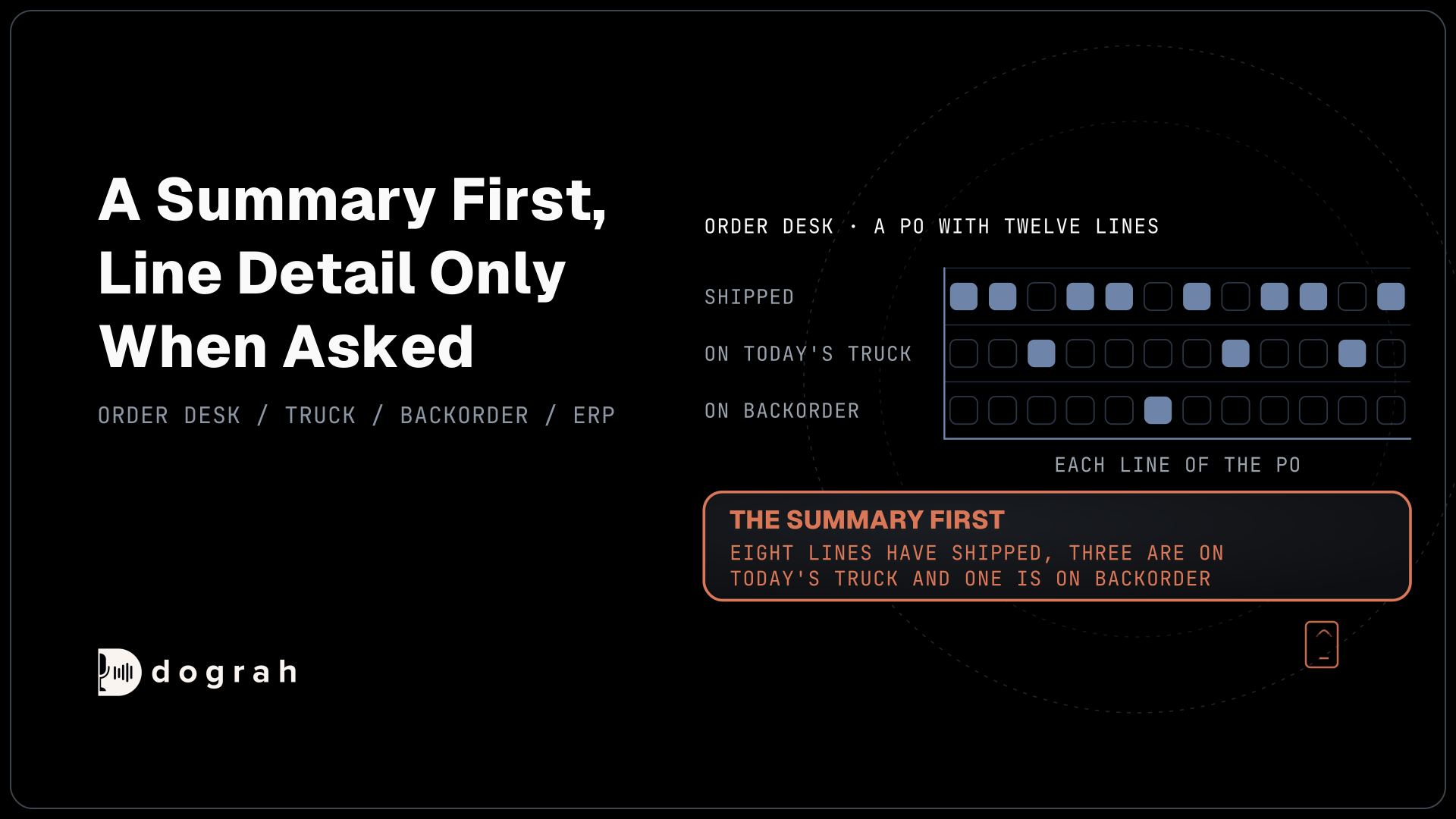
A PO with twelve lines needs a summary first. "Eight lines have shipped, three are on today's truck and one is on backorder" answers most callers, and the agent gives line detail only when asked. It never estimates an arrival date the ERP does not hold. Backordered lines bring their own choice, and our post on backorder and delivery-date updates covers the wait, change or cancel conversation.
While the ERP answers, the tool's Messages setting plays a line such as "Let me pull up that PO." HTTP API tools wait 5 seconds by default. If your ERP is slower than that, put a fast read endpoint in front of it rather than leaving the caller in silence.

Open Source Alternative to Vapi / Retell
Self-hosted voice agent platform — no per-minute fees
dograh-hq/dograh
Star on GitHub
Reorders written as pending orders
A reorder is a write, so every line is confirmed before it reaches the ERP. The agent reads the account's last order or standing list and confirms each line and quantity with the buyer. It watches for unit mix-ups, since "ten" can mean ten cases or ten each, and does a full read-back of the order before writing it.
A POST through an HTTP API tool then creates a pending sales order in the ERP. Add a Preset Parameter named workflow_run_id with the value from the call, so if the request is sent twice, your system can ignore the second copy. The order counts only when the ERP confirms it and returns an order number, which the agent reads to the buyer.
Some reorders cannot be finished by the agent. An account on credit hold, a request for a price outside the contract, or a substitution for a discontinued part goes to a person with the order details already written.
Some distributors also take standing orders by calling each store on a schedule. The ERP or a small script can start each call through the API Trigger with last week's lines in the context, and the agent walks the buyer through each line before taking any changes. Schedule those calls outside the morning rush, so the inbound line keeps its capacity for buyers who call in.
Parts, stock and lead-time questions
Specs change slowly and stock changes by the hour, so they come from different places. Spec sheets, catalogs and fitment tables go into the Knowledge Base, which takes PDF, DOCX, DOC, TXT and JSON files of up to 5 MB each. Live stock and lead times always come from the ERP through an HTTP API tool, never from a file. When a dealer asks whether a part fits, the agent answers only from the fitment table, and if the table has no row for that model, it says so and offers a specialist.
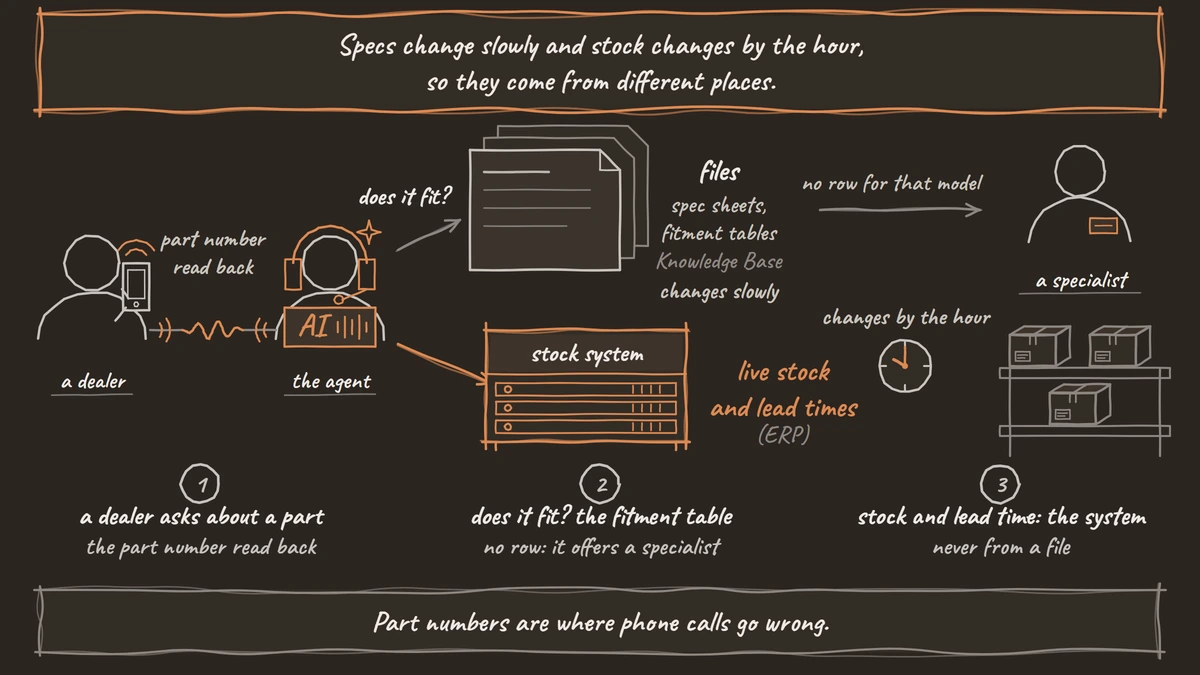
Part numbers are where phone calls go wrong. The agent reads every part number back character by character before it looks it up. Product family names and abbreviations that speech-to-text tends to mishear go in the agent's Dictionary in Settings.
Two kinds of parts calls belong elsewhere. A request for a price on new business is a quote, and our post on B2B quote requests by phone covers the questions that make one possible. A warranty or serial-number question follows our dealer support line setup.
Handing over to inside sales
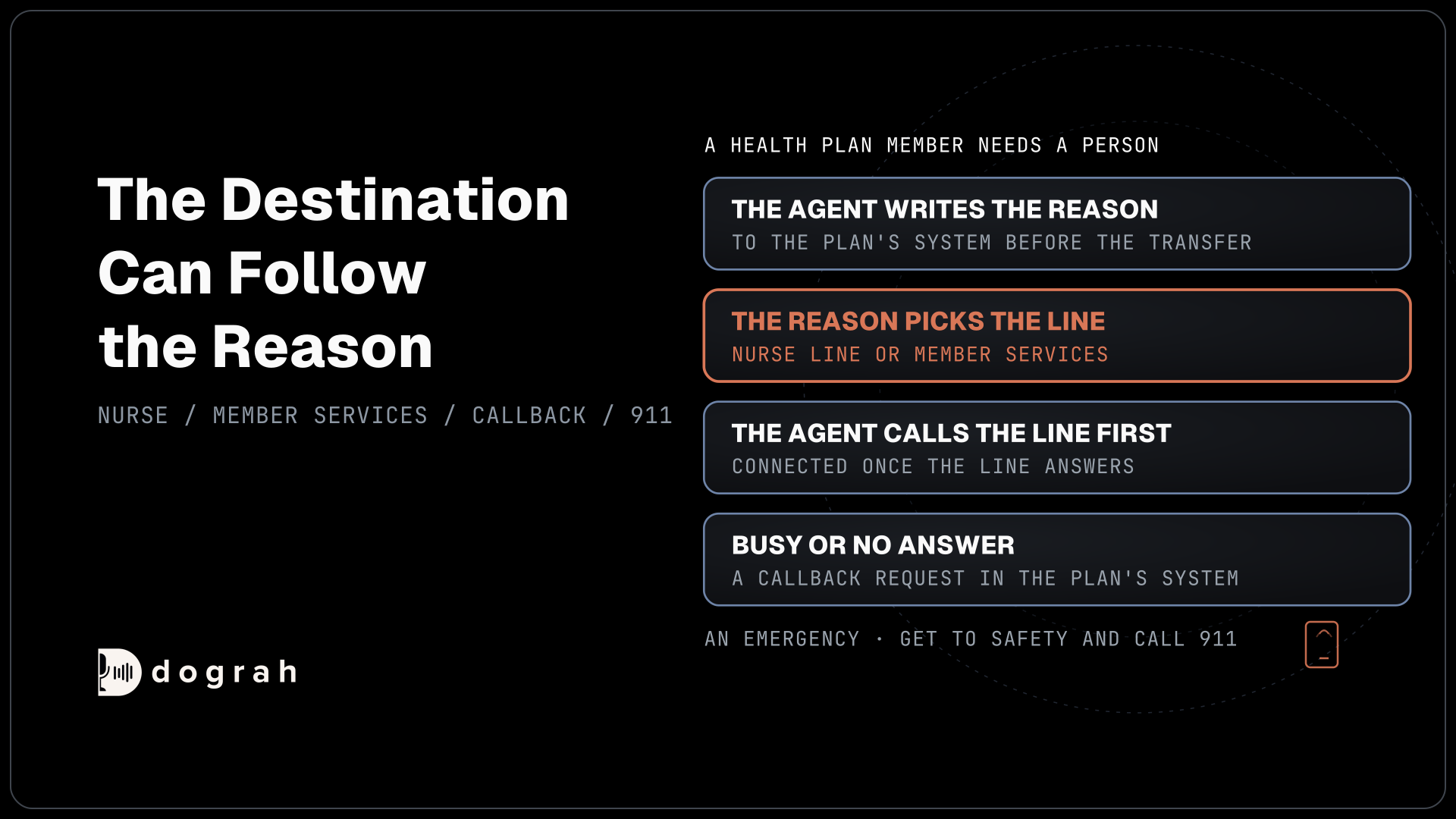
Each account usually has a rep who knows it, and the handoff should reach that rep. Transfer Call works on Twilio, Telnyx, Plivo, Cloudonix and Asterisk ARI. Its Context Mapping option picks the destination from the account or region the agent gathered, with a fallback to the main desk.
Dograh dials the rep while the buyer hears hold music, and connects them once the rep answers. If the rep does not pick up, the agent is told the transfer failed and the call carries on. It then writes a callback request to your CRM or ERP so the rep sees it first. No summary goes across by default, so the agent writes the note before every transfer.
Many order desks take calls in English and Spanish. Set the speech-to-text language to Multilingual (Auto-detect) in the agent's Model tab, and write the Greeting Text in both languages, because it plays before Dograh can hear which one the caller speaks.
After hours, the same agent takes status calls and reorders as usual. Anything that needs a person becomes a callback request for the morning.
Join the Dograh Community
Dograh is an OSS alternative to Vapi. Join our Slack community for queries, releases, best practices & community interactions.
Connecting the ERP and keeping price lists in-house
Dograh reaches your ERP through open routes rather than a fixed list of connectors. HTTP API tools and MCP tools work during the call, Pre-Call Data Fetch runs before it, and a Webhook node writes the results after. The API Trigger lets the ERP start an outbound call, such as a back-in-stock call, though outbound calls bring consent questions of their own, even to business buyers. Our guide to connecting a voice agent to your CRM walks through each route, and the same patterns fit an ERP.
Price lists and customer terms are commercially sensitive. Self-hosting keeps them, and the call recordings, on your own servers, and open-weight models keep the audio there too. Self-hosted Dograh has no per-minute platform fee, but servers, model keys and phone minutes still cost money. Dograh Cloud charges a 1¢-a-minute platform fee.
The morning spike decides capacity. Self-hosted, Dograh runs 10 calls at once by default, raised with one environment setting, and Cloud's pay as you go includes 10 with more on request. Built-in QA scores each step of a sample of calls, and the call trace shows which turn waited on the ERP.
Start with PO status, where the agent only reads, on one branch's number. Add reorders once a week of status calls reads cleanly.
Glossary
- Pending sales order
- An order written into the ERP but not yet released for picking. The agent writes reorders this way, and the order counts only once the ERP confirms it and returns an order number.
- Credit hold
- A block an ERP puts on an account when it is over its credit limit or past due. Orders on a held account go to a person, because releasing them is a credit decision.
- Ship-to account
- One delivery location under a customer's account. A single buyer can order for several, so the agent confirms which ship-to an order is for before it reads or writes it.
- Read-back
- Repeating each part number, quantity and unit to the caller before acting on it. On a phone line, a misheard character or a case read as an each is the most common order error.