
Most robotic-sounding voice agents are reading text written for a screen. Fix the words first by having the language model write numbers and dates as spoken words, in short sentences. Then spell hard names the way they sound, keep the speed near normal and pick the voice by testing it on a real phone call, not in a browser.
Key Takeaways
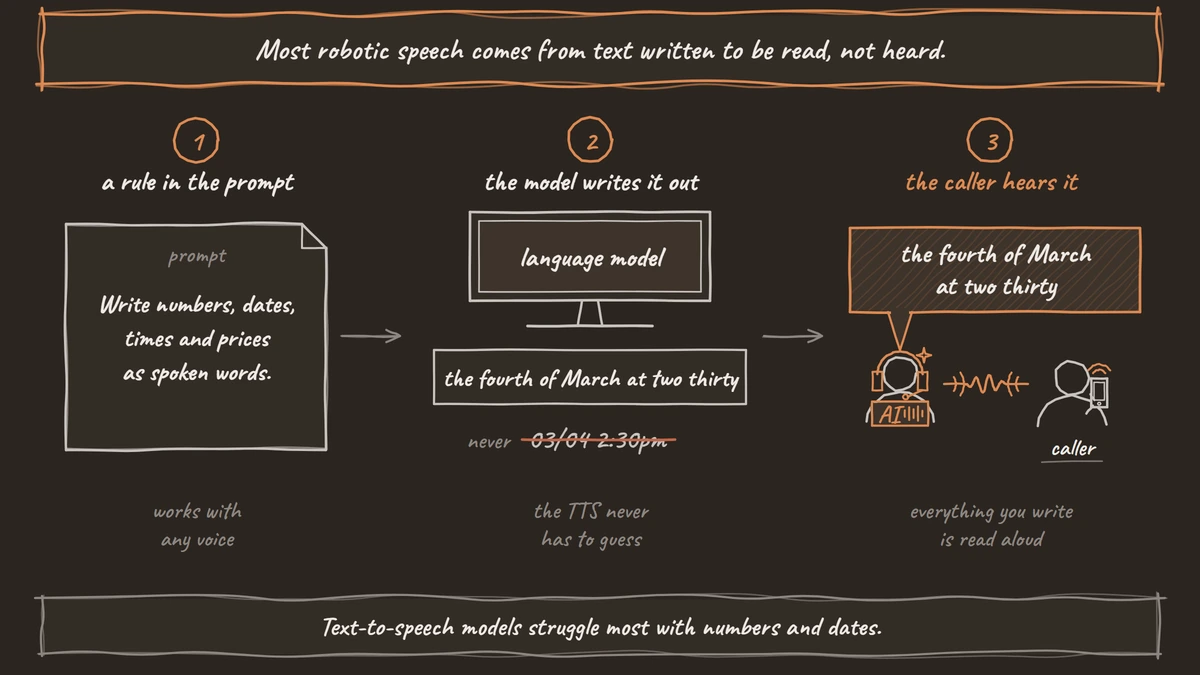
- Most robotic speech comes from text written to be read, not heard.
- Spell hard names in the prompt the way they sound.
- Choose and tune voices on a real phone call, not a browser.
A good voice can still sound like a machine when it reads text written for a screen. We fix the words first, then spell hard names as they sound, set the speed and test the voice over a phone line, with each fix shown in Dograh. It sits within our guide to voice AI.
Why voice agents sound robotic
When callers say an agent sounds robotic, they rarely mean the voice itself. Modern text-to-speech voices are good. What they hear is a voice reading text that was never meant to be spoken.
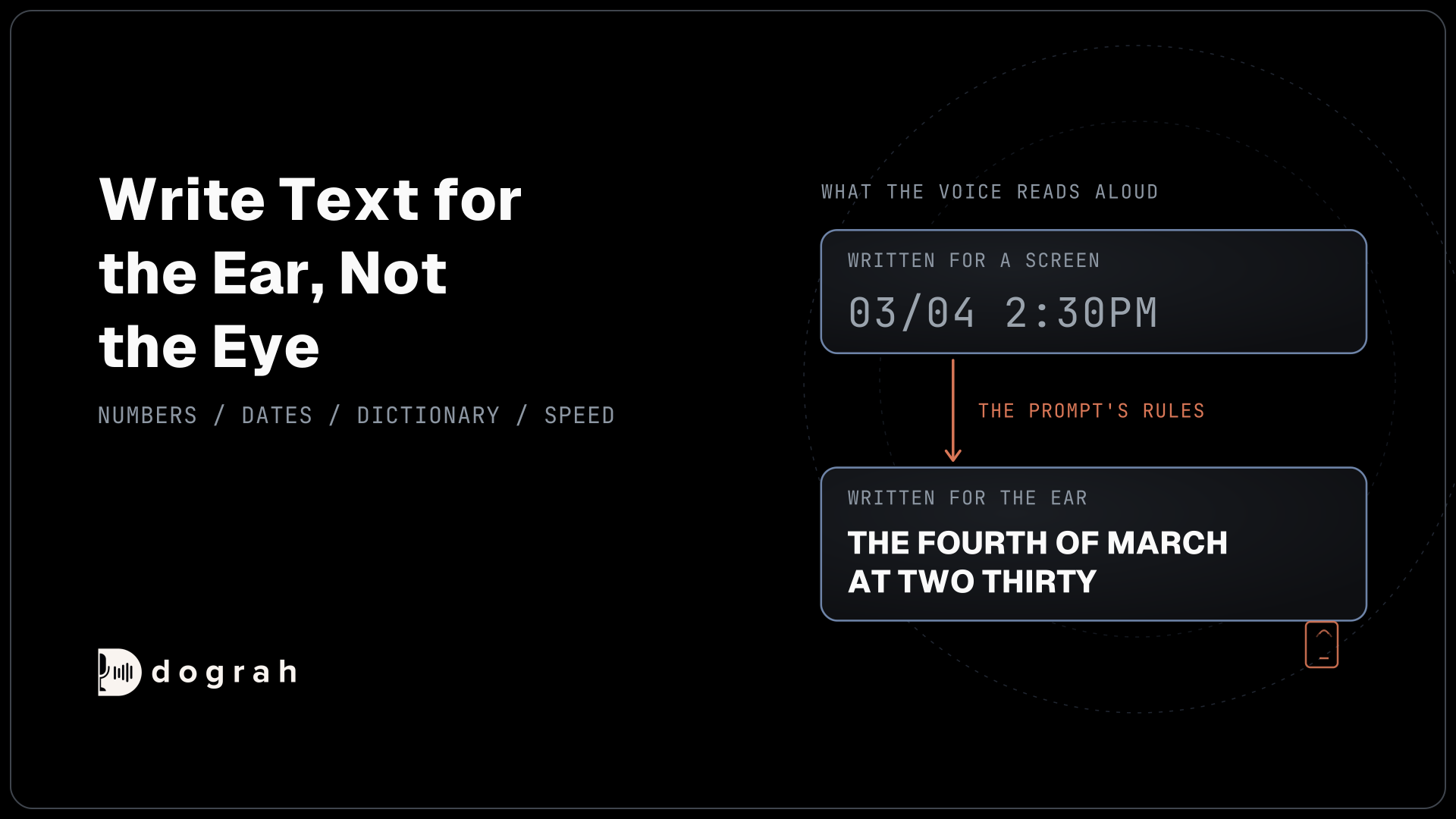
A language model writes like a chat reply. It uses abbreviations, digits, slashes and bullet points, and it writes long sentences with several clauses. A person reading that on a screen is fine. A voice reading it aloud stumbles over "03/04", reads "#A7" letter by letter and runs out of breath halfway through a list.
The rest comes from settings and one habit. Names come out wrong when nobody spelled them out, and a voice picked in a browser can sound thin on a phone line. Each has a fix, and the text fix does the most.
Write text for the ear, not the eye
Text-to-speech models struggle most with numbers and dates. In Dograh's TTS verbalization benchmark, we ran seven open TTS models on 1,080 sentences. The best model scored 0.23 on dates, so roughly three dates in four came out wrong, and no model said a hashtag correctly.
Hosted voices have the same problem. ElevenLabs' normalization docs note that its fast Flash v2.5 model can read "$1,000,000" as "one thousand thousand dollars". They suggest asking the language model to write spoken forms. Research points the same way: the PolyNorm paper found that letting a language model normalize text before speech lowered word error rates across eight languages.
So put the rules in the prompt, where they work with any voice. Dograh runs the call, from the flow and tools to the phone line, and leaves the choice of speech and language models to you. You can self-host it or run it on Dograh Cloud.
Add rules like these to the agent's prompt, and repeat the number rule in any node that reads back dates, prices or reference numbers:
You are speaking on a phone call. Everything you write is read aloud.
- Write numbers, dates, times and prices as spoken words.
  Say "the fourth of March at two thirty", never "03/04 2:30pm".
- Read reference numbers in small groups: "A 7, 2 2".
- Never use bullet points, symbols, emojis or abbreviations.
- Keep sentences under 20 words. Ask one question at a time.
What this does: the language model writes what the voice should say, so the TTS never has to guess how to read a date, a price or a symbol.
Dograh also filters model control text out of spoken replies, so internal output doesn't reach the caller. Number and date wording is still the prompt's job.

Open Source Alternative to Vapi / Retell
Self-hosted voice agent platform — no per-minute fees
dograh-hq/dograh
Star on GitHub
Spell hard names the way they sound
Names are the other common giveaway. A voice that says your company name wrong sounds like a machine reading a list, however good the voice is.
The fix in Dograh lives in the text itself. Write each hard name the way it sounds, in both the prompt and the Greeting Text, then list the real spelling in the Dictionary so the agent also hears it right. "Nguyen" might become "Win" in the prompt, while the Dictionary keeps the real spelling for listening.
For a line that must sound exactly right every time, such as a greeting with a brand name, use a recorded clip. Pre-recorded audio plays your own recording for fixed lines, and our post on pre-recorded audio with TTS covers when that mix works.
Set the speed and pick the voice
Speed is easy to get wrong in both directions. Too fast and the agent sounds rushed, too slow and every reply feels like a lecture.
For most voice providers, you'll find Speed in the voice tab of the agent's model settings, where 1.0 means a normal pace. On Cartesia, for example, the range is 0.6 to 1.5. Change it in small steps, such as 0.1 at a time, and listen on a call after each change. The voice settings docs list the providers and their options.
Then choose the voice by how it reads your real lines. Some providers clean text up on their own. Cartesia's text normalization turns times and phone numbers into words but leaves hyphenated ranges alone. Your prompt rules still matter. If you want open voices on your own servers, our comparison of Kokoro, Chatterbox and XTTS covers how they differ.
Some guides suggest adding "um" and "uh" for realism. Treat fillers as a test for each voice, not a default. On many voices they sound pasted in, and they add time to every turn.
Test the voice over a phone line
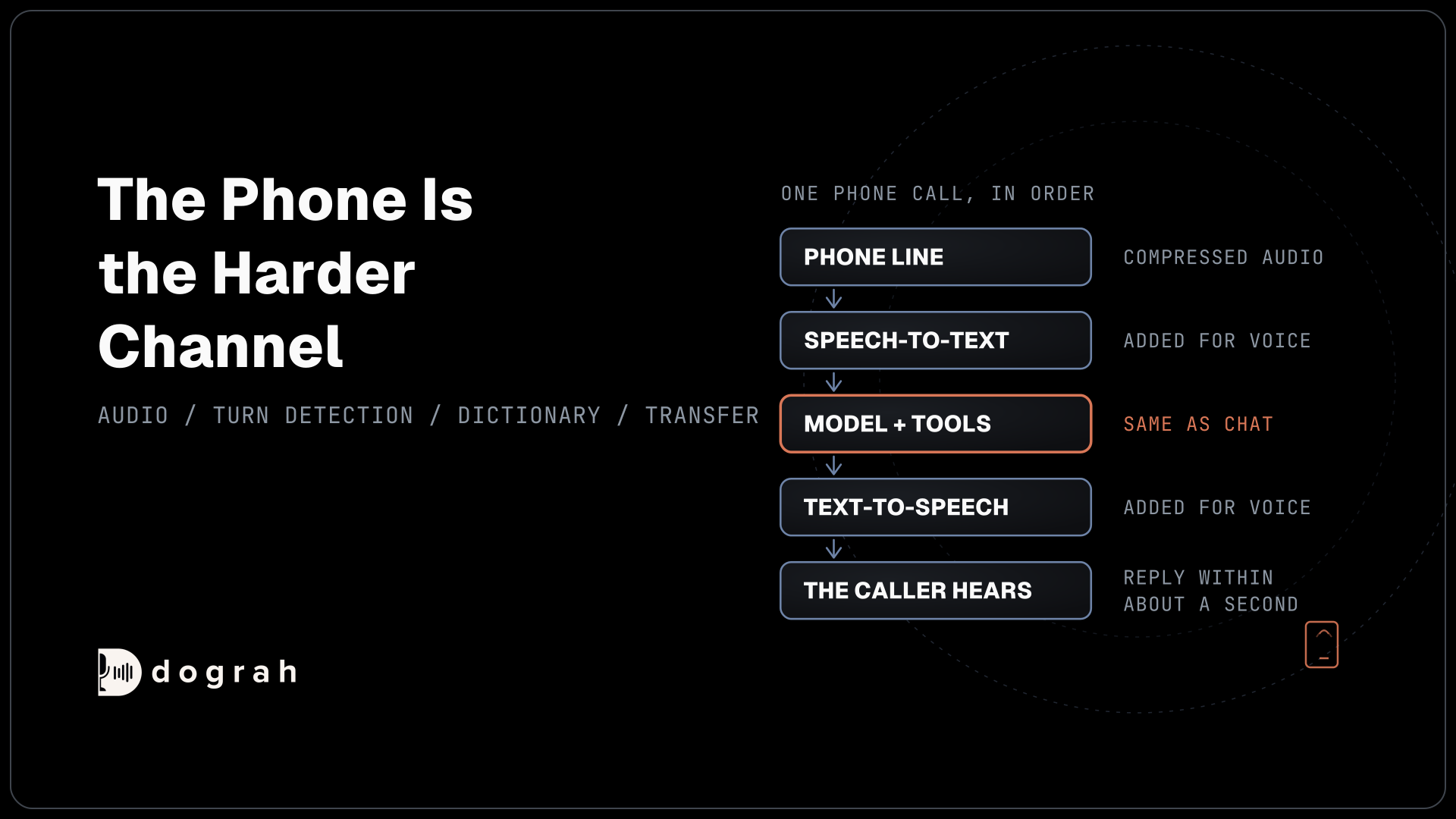
A voice that sounds natural in a browser can sound flat on a call. A browser demo plays at 16 kHz, but most phone calls still run at 8 kHz, and that narrow line is also how the agent's voice reaches the caller.
The loss is measurable. In Caller Digital's phone-line test, run by a voice AI vendor, a premium neural voice's listener rating in Hindi fell from 4.4 to 3.6, on a five-point scale, over a G.711 line.
So test on the phone you expect callers to use. Call the agent from a mobile, ask it for a date and a reference number, and say your hardest name. Listen for what a caller would notice, such as a misread number or a pace that feels off. Then fix the text first, and only change the voice if the text fixes don't help.
Join the Dograh Community
Dograh is an OSS alternative to Vapi. Join our Slack community for queries, releases, best practices & community interactions.
Glossary
- Text normalization
- Turning written forms such as "$1,000,000" or "03/04" into the words a voice should say. A voice agent can do it in the prompt, so the language model writes spoken forms before the TTS reads them.
- Verbalization
- How a TTS model reads numbers and dates aloud. Dograh's benchmark found that even the best open model read only about one date in four correctly.
- Speaking rate
- How fast the voice talks, set by the Speed option on most providers, where 1.0 is normal. Small changes are easy to hear on a call, so adjust in small steps.
- Narrowband audio
- Audio taken at 8,000 samples a second, the rate most phone calls still use. It thins out the agent's voice on the way to the caller, so a voice chosen in a browser can sound flat on a call.