The tools to fix this exist. No-code workflow builders, open-source automation platforms, and voice AI agents can handle the repetitive, rule-based tasks that consume clinical staff time — without months of IT procurement or six-figure development contracts.
This guide walks healthcare leaders, administrators, and IT decision-makers through the highest-ROI automation opportunities, why no-code and open-source approaches are uniquely suited to healthcare's compliance demands, and how to choose the right platform for your operational reality.
Key Takeaways
- Healthcare automation replaces manual admin tasks — scheduling, intake, billing, and follow-ups — so clinical staff can focus on patients
- No-code platforms let non-technical staff build and deploy workflows in days, with no code required
- Self-hostable open-source platforms keep PHI inside your own infrastructure, removing most vendor compliance overhead
- Voice AI handles inbound and outbound patient calls at scale, 24/7 — and remains the most underutilized automation layer in healthcare
What Is Healthcare Automation?
Healthcare automation uses software to replace manual, rule-based tasks across clinical and administrative workflows. Unlike general IT automation, healthcare-specific use cases include intake form processing, insurance eligibility checks, lab result routing, appointment reminders, and back-office revenue cycle coordination.
Why Healthcare Has Lagged
Administrative expenses consume between 15% and 25% of total U.S. healthcare spending — roughly $600 billion to $1 trillion annually. CAQH estimates that $89 billion is spent on the administrative transactions it tracks alone, with $18.3 billion in potential annual savings from moving to fully electronic workflows.
Despite this, healthcare automation adoption has trailed other industries. The barriers have been real: legacy EHR systems with limited APIs, strict data privacy requirements, and the assumption that meaningful automation required large IT teams or expensive custom development. Modern no-code platforms and self-hosted open-source tools have changed that calculus — three approaches in particular are worth understanding.
Three Approaches Worth Understanding
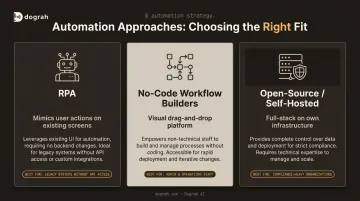
| Approach | How It Works | Best For |
|---|---|---|
| RPA (Robotic Process Automation) | Software bots mimic user actions on existing screens | Legacy systems with no API access |
| No-Code Workflow Builders | Visual drag-and-drop platforms connect systems and trigger actions | Administrative staff building workflows without developer support |
| Open-Source / Self-Hosted Platforms | Full-stack tools deployed on your own infrastructure | Organizations with data sovereignty or compliance requirements |
Healthcare Workflows Most Worth Automating
Appointment Scheduling and Reminders
No-show rates in outpatient settings range from 12% to 42%, and missed appointments cost the U.S. healthcare system more than $150 billion annually — roughly $200 per unused slot per physician.
Automated multi-channel reminders (SMS, voice, email) sent at 48- and 24-hour intervals move these numbers directly. A Kaiser Permanente randomized study of 125,076 primary care visits found that adding a second targeted text reminder reduced no-shows by 7% for primary care and 11% for mental health visits.
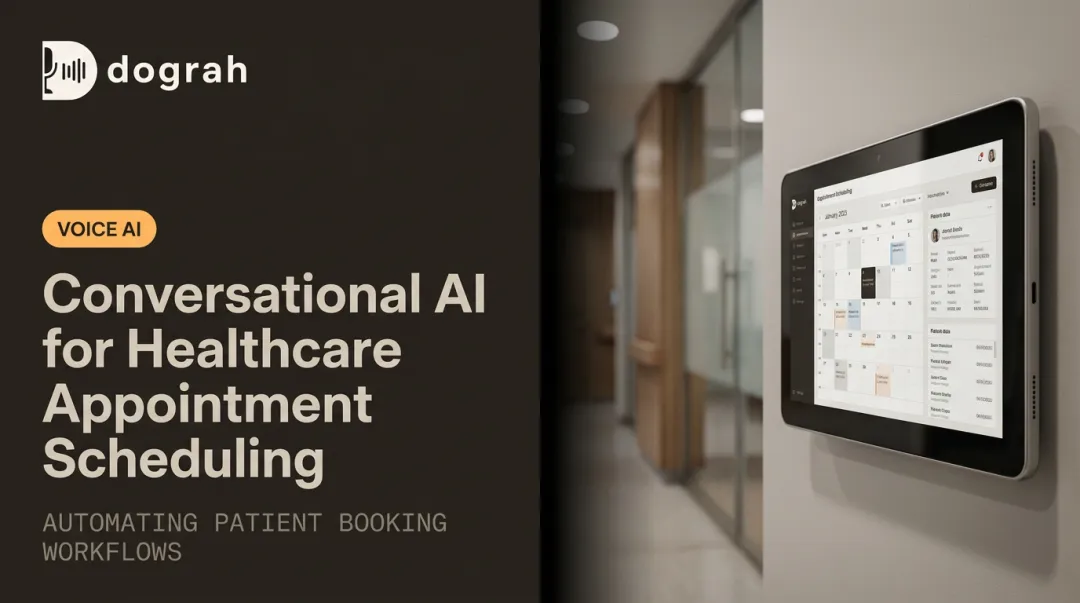
Beyond reminders, self-service rescheduling links eliminate front-desk phone calls entirely. Platforms like Dograh AI handle the full inbound scheduling workflow by checking availability, booking across multiple providers, and syncing directly to EHR and practice management systems. That matters when the average hold time sits at 4.4 minutes against an industry target of under 50 seconds.
Patient Intake and Digital Forms
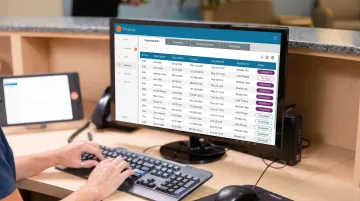
Paper intake forms get re-entered into EHRs manually, which consumes nursing staff time, introduces transcription errors, and slows patient throughput. No-code tools let organizations build HIPAA-compliant mobile intake forms that push structured data directly into existing clinical systems on submission.
Key capabilities these tools typically cover:
- Capture patient demographics, insurance, and consent before arrival
- Push structured responses directly into EHR fields on submission
- Flag incomplete or high-risk entries for staff review
- Reduce per-patient data entry time by eliminating duplicate manual input
Dograh AI's pre-visit intake workflow takes this further: voice agents confirm identity, capture reason for visit in structured fields, collect symptoms and basic history, flag urgent cases for immediate escalation, and write clean summaries into downstream systems. Dograh AI reports 5x–10x ROI on pre-visit intake workflows, depending on call volume.
Insurance Eligibility Verification and Billing
The cost difference between manual and electronic processing is stark:
- Eligibility verification: $12.56 manual vs. $2.22 electronic — saving 16 minutes per transaction
- Claim status inquiry: $15.96 manual vs. $4.33 electronic — saving time and reducing revenue cycle delays
Automation tools connect to clearinghouse APIs to verify coverage in seconds, route denied claims to the correct resolution team automatically, and reduce the manual labor that causes billing backlogs.
Lab Result Routing and Post-Visit Follow-Up
Automated conditional logic flags abnormal or critical lab values and alerts the ordering clinician immediately. Routine results route securely to patient portals or SMS without staff intervention. That same automation extends naturally into what happens after a patient leaves.
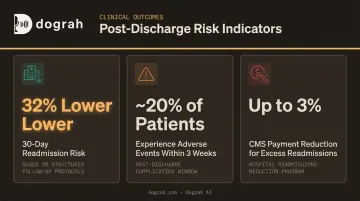
Post-discharge, structured follow-up carries measurable clinical stakes:
- Outpatient follow-up within 30 days of discharge is associated with a 32% lower 30-day readmission risk
- Nearly 20% of patients experience an adverse event within three weeks of discharge
- CMS can reduce hospital payments by up to 3% for excess readmissions under the Hospital Readmissions Reduction Program
Automated outreach — medication reminders, post-discharge check-ins, prescription refill prompts — captures these interventions without requiring additional staff time.
Why No-Code Platforms Work for Healthcare Teams
Accessibility and Speed
No-code platforms let administrators, clinical coordinators, and frontline staff build and modify workflows themselves — without waiting on IT queues or developer sprints.
This matters most when regulatory requirements shift. Payer policy changes, HIPAA guidance updates, reporting requirement revisions — these no longer require a ticket and a two-week wait. The person who manages the process can make the update in hours.
Cost Structure
No-code platforms operate on predictable subscription pricing rather than per-project development costs. This makes ROI measurable from the start.
For high-volume, rule-based workflows, ROI often appears quickly — appointment reminders and eligibility verification tend to be the fastest wins because they're repetitive, time-sensitive, and easy to measure.
Key Limitations to Check Before Committing
Not all "no-code" platforms are equal in healthcare contexts. Before evaluating features, verify:
- BAA availability — does the vendor offer a signed Business Associate Agreement?
- HIPAA-compliant data handling — where does patient data go, and who can access it?
- EHR/billing stack integration — can it actually connect to your existing systems?
- Actual skill requirement — some "no-code" platforms still require technical knowledge to deploy at production scale
Adoption Best Practices
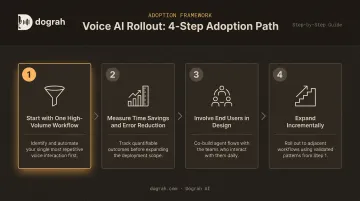
- Start with one high-volume, rule-based workflow — intake digitization or prior authorization tracking are reliable starting points
- Measure time savings and error reduction before expanding
- Involve the staff who will use the tool in the design process — adoption fails when workflows are built without user input
- Expand incrementally — each successful workflow builds organizational confidence
Open-Source and Voice AI: The Data-Sovereign Automation Stack
The Compliance Paradox with Closed Platforms
Most SaaS automation vendors require organizations to sign BAAs, submit to vendor SOC 2 and HIPAA audits, and trust that third-party infrastructure is secure. HHS confirms that a cloud service provider is considered a business associate even when it cannot view encrypted ePHI — meaning the BAA requirement follows data to every vendor that processes it.
This creates procurement friction, legal overhead, and real supply-chain risk. For telemedicine providers, multi-country health systems, or organizations subject to both HIPAA and GDPR, this complexity compounds.
How Self-Hosted, Open-Source Automation Solves This
When the automation platform runs entirely within your own infrastructure, the compliance picture changes entirely. HHS guidance notes that a software vendor that has no access to PHI does not create a business associate relationship — which is precisely the case when software is self-hosted.
This model means:
- Patient data never leaves internal systems
- Engineering teams can audit every line of code
- Procurement timelines shorten significantly — no vendor security reviews required
- Data residency requirements are met automatically
Voice AI: The Missing Automation Layer
Most healthcare automation guides focus on forms, data routing, and billing. The same data sovereignty principles that apply to workflow automation apply even more acutely to voice — where patient conversations are captured in real time. And the highest-friction patient touchpoint is still the phone.
The global AI voice agents in healthcare market was valued at $468 million in 2024 and is projected to reach $3.2 billion by 2030 — reflecting rapid adoption across scheduling, triage, and patient communication. Yet most healthcare operations still rely on front desk staff to handle call volumes that consistently exceed capacity.
Voice AI agents change the math. They handle inbound patient calls 24/7 — scheduling, FAQs, prescription refills — conduct outbound reminder and follow-up campaigns, and escalate to human staff only when needed. Hundreds of simultaneous calls. No missed calls, no overstaffing.
Dograh AI: Open-Source Voice AI for Healthcare
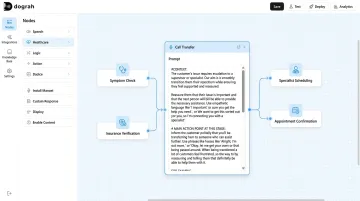
Dograh AI is an open-source, self-hostable voice AI platform — built like n8n, but for voice agents and AI calling. Healthcare organizations deploy voice agents for patient communication with PHI remaining entirely within their own infrastructure.
Key details relevant to healthcare deployment:
- Free to audit, modify, and deploy — BSD 2-Clause license, no platform fees
- Working voice agent live in under 2 minutes via the visual no-code builder
- Connects to Epic, Cerner, Athenahealth, and practice management systems via webhook and API for real-time booking and data sync
- 70+ languages with mid-call switching — critical for diverse patient populations
- Structured handoffs to human staff with full conversation context when agents reach their limits
- Runs entirely on your infrastructure with locally hosted models — Whisper, Llama, Kokoro, and others — for air-gapped deployments
One documented deployment example: AI-conducted outbound calls in Spanish achieved an 18.2% FIT test opt-in rate compared to 7.1% for standard outreach — more than double — with significantly longer call durations indicating stronger patient engagement.
Dograh also offers fully managed private cloud deployments for organizations without dedicated DevOps capacity, where the entire voice agent infrastructure runs within the customer's own cloud environment.
Self-Hosted vs. Managed Cloud: A Simple Decision Framework
| Factor | Self-Hosted OSS | Managed Private Cloud |
|---|---|---|
| Data sovereignty | Maximum control — data never leaves your environment | Strong control — vendor operates within your cloud |
| DevOps capacity | Requires internal infrastructure capability | No DevOps team needed |
| BAA requirement | Typically eliminated (no vendor PHI access) | BAA available with Dograh |
| Time to go live | Faster for teams with existing infrastructure | Faster for teams without |
How to Choose the Right Healthcare Automation Platform
Start with Compliance and Deployment Constraints
Before evaluating features, answer three questions:
- Does your organization require full data residency — self-hosted or private cloud only?
- Which EHR integrations are non-negotiable?
- Does your legal team require a signed vendor BAA?
These constraints eliminate platforms before feature comparisons begin. Organizations subject to both HIPAA and GDPR, or those in multi-jurisdiction health systems, should prioritize self-hosted or private cloud options.
Evaluate Integration Depth, Not Connector Count
Many platforms advertise hundreds of integrations but lack the HL7/FHIR support or field-level mapping required to connect with clinical systems. Epic, Cerner, and Athenahealth all publish FHIR R4 APIs — but connecting to them in a clinically useful way requires more than a generic REST connector. Always verify integration documentation against your specific EHR version and required data fields before committing to any platform.
Match Platform Complexity to Team Capability
Not all "no-code" platforms are the same — the label covers a wide range of actual skill requirements:
- Visual drag-and-drop builders — designed for administrative or clinical staff with no technical background
- Low-code environments — require IT-capable builders comfortable with logic, APIs, and data mapping
- Developer-first platforms — marketed as no-code but assume familiarity with JSON, webhooks, or scripting
Matching the platform to your team's real capability prevents stalled implementations. Pilot with the staff who will actually build and maintain workflows — not just the IT lead who evaluated the demo.
Frequently Asked Questions
What is no-code healthcare workflow automation?
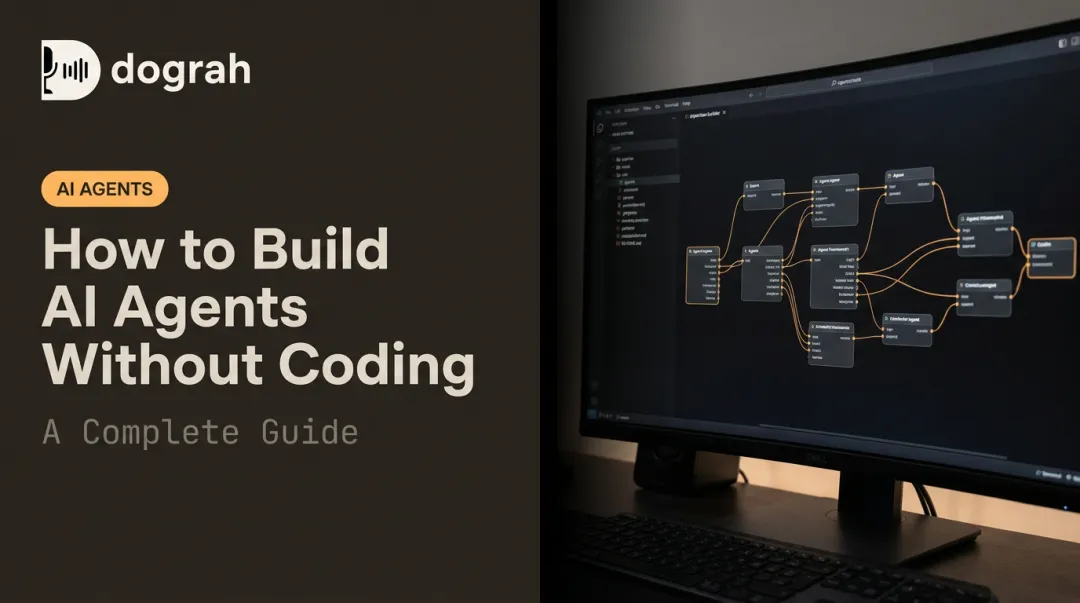
No-code healthcare workflow automation uses visual, drag-and-drop platforms to build and run automated processes — like appointment reminders or intake form routing — without writing any code. This makes workflow building accessible to clinical coordinators and administrative staff, not just developers.
How is RPA used in healthcare workflow automation?
RPA uses software bots to mimic human actions on existing systems — logging into a payer portal to verify eligibility, or copying data between legacy applications. It's particularly useful when no API integration is available and direct system access is the only option.
Is healthcare automation HIPAA compliant?
Compliance depends entirely on platform selection and configuration. Any tool handling PHI must offer a Business Associate Agreement and encryption. Open-source, self-hosted platforms can eliminate the need for vendor BAAs altogether by keeping all data on the organization's own infrastructure.
Which healthcare workflows should be automated first?
Prioritize high-volume, repetitive workflows tied directly to revenue or patient experience. Appointment scheduling reminders, insurance eligibility verification, and patient intake digitization consistently deliver the highest ROI and fastest time to measurable results.
What is the difference between no-code and open-source healthcare automation?
No-code describes the interface — visual builders requiring no programming. Open-source describes the licensing model — publicly auditable code that organizations can self-host. The combination is particularly valuable in healthcare: data control without technical complexity.
Can voice AI automate patient communication in healthcare?
Yes. Voice AI agents handle inbound scheduling calls, outbound appointment reminders, prescription refill requests, and post-discharge follow-ups. Self-hostable platforms like Dograh AI make this possible without routing patient conversations through third-party cloud infrastructure — keeping PHI within your own environment.