
To run voice AI on your own GPUs, serve the language model with vLLM and speech with Speaches, size each card from model memory, and load test calls per card. Dograh, the open-source AI voice agent platform, connects to both as Local Models on your own servers. A rented card left on all month costs $430 to $2,900.
Key Takeaways
- A 4-bit 27B model at 64K context leaves about 4.2 GiB of 24 GB.
- Measure calls per GPU with your own load test before you buy cards.
- Staff usually costs more than the GPUs, so price both before you move.
A self-hosted voice stack starts with one question, which card and how many. This post works through model memory, serving the language model with vLLM and speech with Speaches, calls per card and the monthly bill, then shows where Dograh connects and when owning the GPUs is worth it.
What runs on the GPU during a call
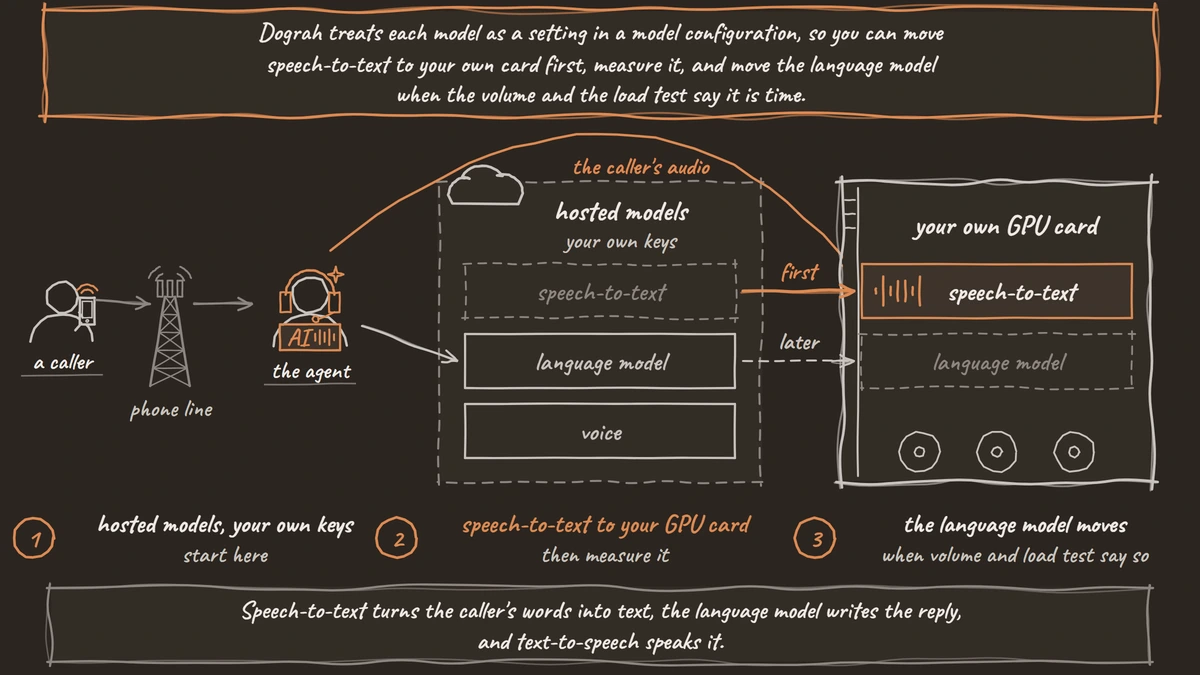
Every turn of a self-hosted call runs three models in a row. Speech-to-text turns the caller's words into text, the language model writes the reply, and text-to-speech speaks it. All three want a GPU, and all three sit inside one turn budget. A reply that starts within about 800 ms sounds natural, and in our experience speech-to-text is usually the slowest stage, not the language model.
Think of Dograh as the layer that runs the call itself (flow, tools, phone line), with the speech and language models as a separate layer you choose. That layer can be Dograh's own models, any provider through your own keys, or open-weight models on your own machines. Only the last keeps every word of the call inside your network. Bringing your own keys moves the contract, but the audio still travels to the provider. Our guide to running voice AI on local, self-hosted models covers why teams make that choice and which models suit it.
How much GPU memory each model needs
A model needs memory for its weights plus a cache for the conversation, the KV cache, which grows with the context you allow. Qwen3.8-27B, the language model we recommend, is a 27-billion-parameter model, so at 16-bit precision its weights alone take about 54 GB, more than two 24 GB cards.
With 4-bit quantization, it fits one card. In our one-card build, a 4-bit build at a 64K context peaked at 20,266 MiB and left about 4.2 GiB of a 24 GB card for everything else. That leftover is your whole speech budget.
| Model | Job | Memory | License |
|---|---|---|---|
| Qwen3.8-27B, 4-bit | Language model | About 20 GB at a 64K context | Apache-2.0 |
| Qwen3.8-27B, 16-bit | Language model | About 54 GB for weights alone | Apache-2.0 |
| Parakeet TDT 0.6B v2 | Speech-to-text, English | About 2 GB | CC-BY-4.0 |
| Voxtral Mini 3B | Speech-to-text, multilingual | About 9.5 GB in bf16 under vLLM | Apache-2.0 |
| Kokoro-82M | Voice | 82 million parameters | Apache-2.0 |
Parakeet fits in the leftover. Voxtral Mini does not, so it needs a larger card or a card of its own. Parakeet is English only and averages a 6.05% word error rate on the Open ASR Leaderboard, and our comparison of Whisper vs Parakeet vs Voxtral weighs the three by language and size. Phone calls rarely come near 64K tokens, so a 32K limit frees more room for speech.
Serving the language model with vLLM
For one test box, a simple runtime is fine. For many calls at once, vLLM is the usual choice, because it batches requests from several calls on the same card. Three of its settings matter on a voice card.
--max-model-len caps the context. Left unset, vLLM takes it from the model's config, and Qwen3.8-27B supports 262,144 tokens, far more than any call needs. --gpu-memory-utilization sets how much of the card vLLM claims, about 92% by default, which leaves nothing for speech models on the same card. Tool calling needs two flags, --enable-auto-tool-choice and --tool-call-parser, and the parser has to match the model's tool format. vLLM's tool calling page lists the parser for each model family, so check it for your build.
The command below serves a 4-bit build from a local folder on a 48 GB card that Speaches shares. Look at --gpu-memory-utilization, which leaves room for speech, and --tool-call-parser, which you fill in from vLLM's list.
vllm serve /models/qwen3.8-27b-4bit \
  --served-model-name qwen3.8-27b \
  --max-model-len 32768 \
  --gpu-memory-utilization 0.80 \
  --enable-auto-tool-choice \
  --tool-call-parser YOUR_PARSER \
  --port 8000
What this does: It starts an OpenAI-compatible server on port 8000 that answers to the name
qwen3.8-27b. It holds each conversation to 32K tokens and takes 80% of the card, leaving about 9.6 GB for Speaches, and the two tool flags let the agent call your tools.
In Dograh, open Providers in the sidebar, add a Local Models (Speaches) provider and set its base URL to the vLLM server, such as http://vllm:8000/v1 when vLLM runs as a service named vllm in the same compose file. Then pick that connection on the LLM tab of a model configuration under Models and type qwen3.8-27b as the model name, as the LLM settings describe. Self-hosted Dograh accepts private addresses like this one, so the model never needs a public URL.

Open Source Alternative to Vapi / Retell
Self-hosted voice agent platform — no per-minute fees
dograh-hq/dograh
Star on GitHub
Speech-to-text and voice with Speaches
Speaches is an MIT-licensed, OpenAI-compatible server that runs speech-to-text with faster-whisper and text-to-speech with Kokoro or Piper, on a GPU or a CPU. Dograh reaches it through the same Local Models (Speaches) provider. The speech-to-text settings start at Systran/faster-distil-whisper-small.en, with Systran/faster-whisper-large-v3 as the larger option, and the voice settings start at Kokoro with the af_heart voice.
Our tutorial on how to run faster-whisper locally with Speaches walks through the compose file, the model download and the test call. The sizing choice is yours. On a shared card, keep the distilled Whisper model and cap vLLM as above. When the language model fills its card, give speech a second, smaller card, since a bigger Whisper model adds its wait to every turn.
Recorded clips take load off the voice model. With pre-recorded audio, the lines the agent says most play as recordings, and Kokoro only speaks the rest, so fewer requests reach the GPU at busy hours.
How many calls one GPU carries
No vendor table answers this for your stack, because model size, quantization, context and call length all change it. The figures that exist are models from GPU vendors. Spheron's sizing model puts about 6 sessions on an RTX 5090 and about 14 on an H100 PCIe, both running Llama 3.1 8B at 4-bit with Kokoro, and advises running production at 50 to 70% of that. Softcery's cost model calls its own H100 figure of 40 to 75 sessions a planning number pending a load test. Neither covers a 27B model.
So test your own load. Start a handful of test calls at once through the API Trigger, then raise the count step by step. Open View Trace on calls at each level, which shows the speech-to-text, AI and voice time for every turn, and stop when a turn's time crosses your budget. Time to first token from the language model is usually the first number to climb. Plan production well below that ceiling.
Run part of the test over real phone calls. Most phone calls reach the agent as 8 kHz audio, while a browser test runs at 16 kHz, so speech-to-text can behave differently on the line. Self-hosted Dograh runs 10 concurrent calls by default, and you can raise it with DEFAULT_ORG_CONCURRENCY_LIMIT in the environment variables once your test shows the cards can carry more.
Join the Dograh Community
Dograh is an OSS alternative to Vapi. Join our Slack community for queries, releases, best practices & community interactions.
The monthly bill for an always-on GPU
A voice agent has to answer at any hour, so its cards stay on. RunPod's GPU prices are billed by the second, and multiplying the hourly Secure Cloud rate by 730 hours gives an always-on month. These are examples, not a quote.
| GPU | Memory | Secure Cloud per hour | 730-hour month |
|---|---|---|---|
| L4 | 24 GB | $0.59 | $430.70 |
| RTX 4090 | 24 GB | $0.89 | $649.70 |
| RTX 6000 Ada | 48 GB | $0.99 | $722.70 |
| L40S | 48 GB | $1.09 | $795.70 |
| H100 PCIe | 80 GB | $2.89 | $2,109.70 |
| H100 SXM | 80 GB | $3.99 | $2,912.70 |
Take two example setups. One L40S running vLLM and Speaches together, as in the command above, costs $795.70 a month. Splitting the work, with an RTX 4090 for the language model and an L4 for speech, costs $649.70 plus $430.70, or $1,080.40. Either one carries only as many calls as your load test proves.
The GPUs are one line of the bill. Self-hosted Dograh has no per-minute platform fee, but servers, model keys and phone minutes still cost money. Dograh Cloud charges a 1¢-a-minute platform fee. Phone minutes come from your carrier at its own rates. Then there are people. Softcery's cost model puts staffing at $25,000 to $40,000 a month and a total of about $28,000 to $46,000 a month at 50,000 minutes, so for a small team the GPUs are the smaller number. To weigh the same calls on hosted models, see LLM API pricing for voice agents.
When your own GPUs are worth it
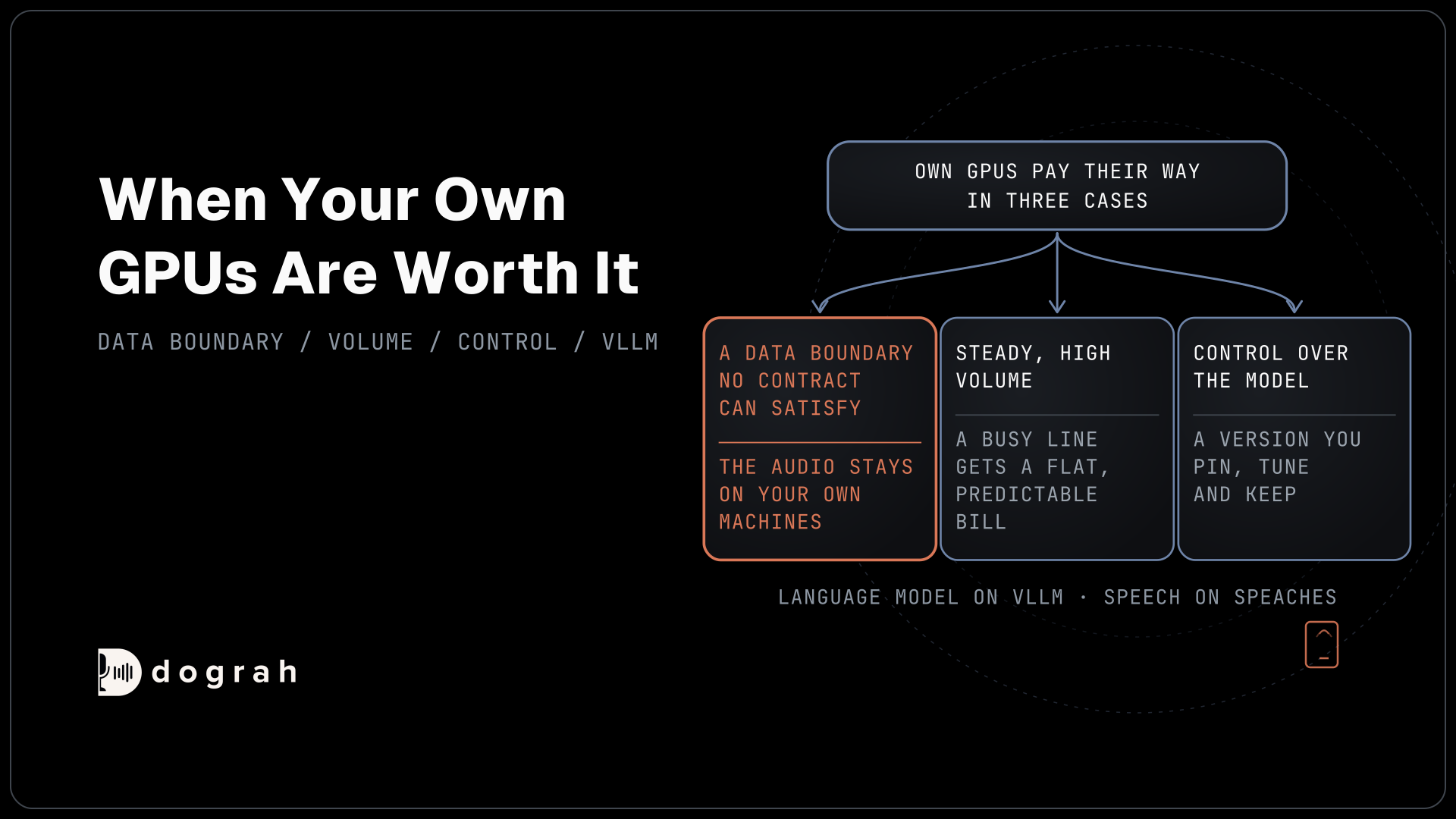
Own GPUs pay their way in three cases. The first is a data boundary that no contract can satisfy. Teams in healthcare and finance often cannot send call audio to an outside provider, and only models on your own machines keep it in. The second is steady, high volume. A card costs the same at 200 calls a day or 20,000, so a busy line gets a flat, predictable bill. The third is control over the model, with a version you pin, tune and keep.
If none of these apply yet, start with hosted models on your own keys and keep the door open. Dograh treats each model as a setting in a model configuration, so you can move speech-to-text to your own card first, measure it, and move the language model when the volume and the load test say it is time.
Glossary
- KV cache
- The memory a language model keeps for the conversation so far. It grows with the context length you allow, which is why capping --max-model-len frees room on a shared voice card.
- 4-bit quantization
- Storing a model's weights at 4 bits instead of 16. It brings a 27B model from about 54 GB of weights to a build that fits a single 24 GB card, with some loss of quality you should test.
- Time to first token
- How long the language model takes to start its reply. In a voice call it is the part of the turn the caller hears as a pause, so it is the number to watch as you add calls to a card.
- OpenAI-compatible server
- A server that accepts the same requests as OpenAI's API. vLLM and Speaches both offer one, which is how Dograh's Local Models (Speaches) provider reaches them by base URL.