
To choose a speech-to-text model for a voice agent, narrow by the languages your callers speak, test accuracy on your own 8 kHz call recordings, check how the model ends a caller's turn, then price it per hour of open stream. In Dograh, the open-source AI voice agent platform, you set the model per agent and compare traces.
Key Takeaways
- Narrow by language and code-switching before you compare any accuracy figures.
- Phone audio barely moved most tested models, but one collapsed.
- Dograh sets the speech-to-text model per agent, from providers including Deepgram, Soniox and Speechmatics.
A speech-to-text model that tops a leaderboard can still mishear your callers on an 8 kHz phone line. We set out the order that decides the choice, from language to cost per hour, then talk about how Dograh lets you test each provider on real calls.
Start with the languages your callers speak
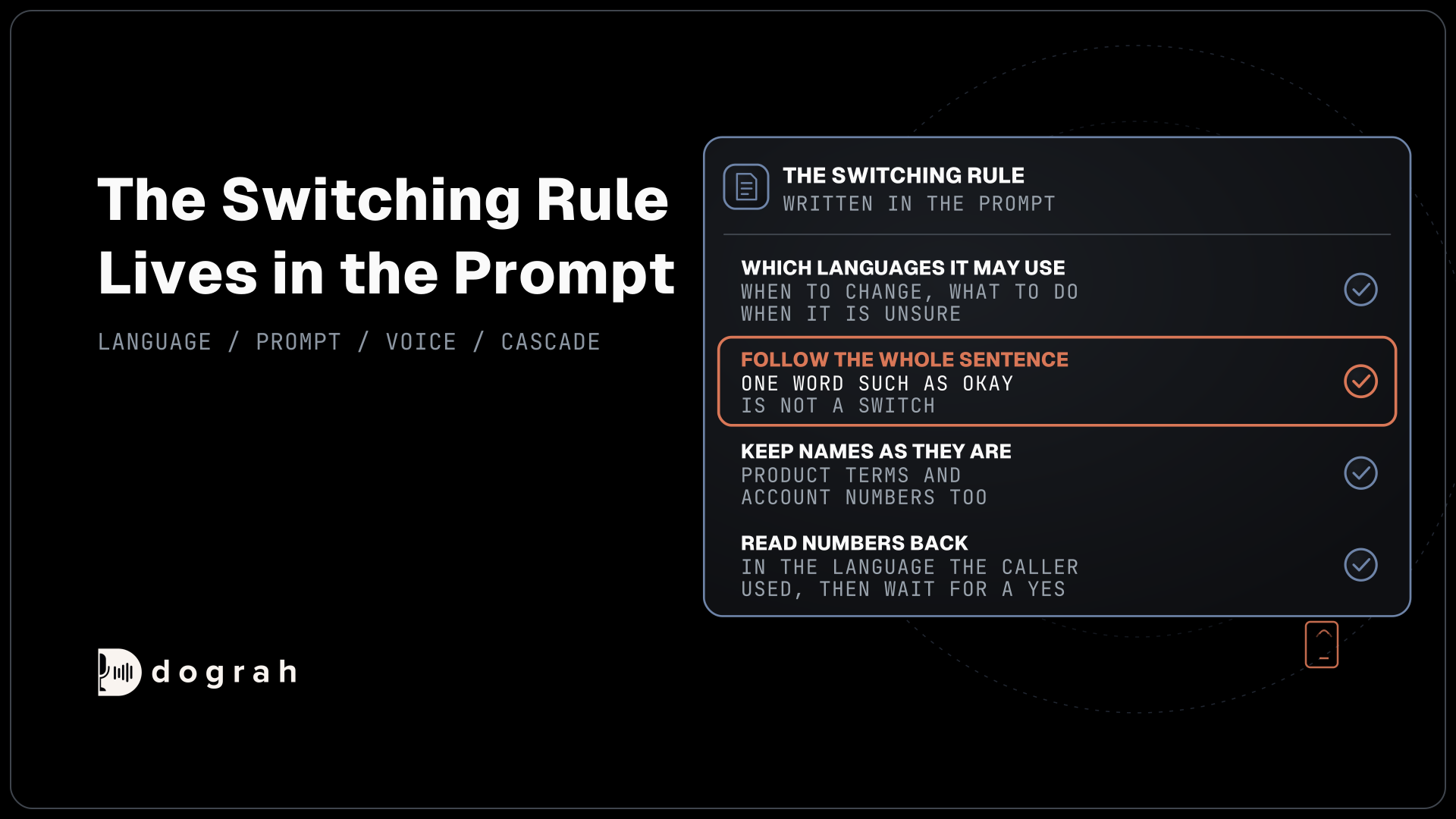
Language narrows the list faster than any benchmark. Some models detect the language as the caller speaks, some need one language code set before the call, and only some follow a caller who switches language mid-sentence. If your callers mix Hindi and English or Spanish and English in one breath, that alone rules out most of the field.
For each candidate, check that it covers every language your callers use, whether it detects the language by itself or needs it set per call, and whether it follows code-switching inside one sentence. Our list of speech-to-text APIs for voice agents shows the languages and prices per provider, so this guide sticks to the order of the decision.
An agent that serves two language groups does not always need one model for both. Some teams run one agent per language, each on the model that suits it, and our guide to language switching in voice agents covers when that beats one multilingual model.
Test accuracy on your own 8 kHz recordings
Public accuracy figures give you a starting shortlist and little more. On Artificial Analysis's word error rate index, ElevenLabs Scribe v3 scores 1.9% and Microsoft MAI-Transcribe-2 2.0%, but the index scores recorded files, not live streams. Artificial Analysis keeps a separate streaming board that times the final transcript after the caller stops speaking, which is closer to what an agent feels.
Phone audio is the other gap. Most phone calls still reach the agent as 8 kHz audio, while a browser demo runs at 16 kHz. The WildASR study ran seven systems through the G.711 phone codec, and most barely moved, with Whisper Large V3 going from 4.2% to 4.8% and GPT-4o Transcribe from 2.8% to 2.9%. Qwen2-Audio jumped from 5.8% to 48.3%.
So the codec effect depends on the model, and the only safe test is your own calls. Collect 50 to 100 recorded calls from your real line, with the names, numbers, addresses and product words your callers actually say. Transcribe them with each candidate and count the errors on the words that matter to the call, not only the overall rate. Include the hard cases on purpose, such as callers on speakerphone in a car, a kitchen with the radio on, and strong regional accents, because those are the calls an agent fails in public.
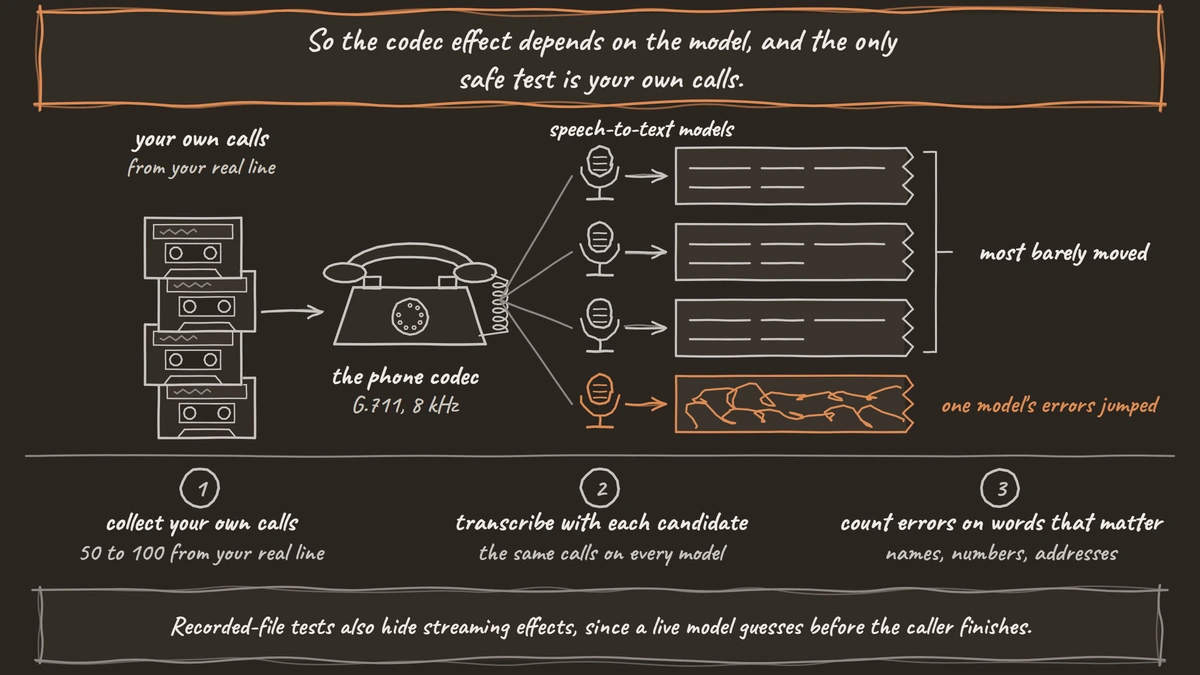
Recorded-file tests also hide streaming effects, since a live model guesses before the caller finishes. Our guide to live and recorded speech-to-text explains why the same model can score differently on each, so run your final check on live calls.
Check how the model ends the caller's turn
A voice agent has to decide when the caller has finished speaking, and that decision shapes how the agent feels more than a point of accuracy. End it too early and the agent talks over a caller who paused to think. End it too late and every reply feels slow.
Some speech-to-text models make that call themselves. Deepgram's Flux ends a turn with its own model, using an end-of-turn confidence threshold that defaults to 0.7 and a timeout that defaults to 5,000 milliseconds, and Deepgram quotes end-of-turn detection at around 260 ms. Other models only transcribe, and the voice agent platform decides the end of turn with its own detection.
Neither approach wins everywhere. A model that ends turns itself is one less moving part, while platform detection lets you tune silence and interruption settings in one place for every model. Test both styles on callers who pause mid-sentence, such as someone reading out a card number or looking up an order.
Price by the hour of open stream
A live call keeps one speech-to-text stream open from the first ring to the hang-up, so price by the hour of call, not by the word. Billing units also differ, which makes per-minute figures harder to compare than they look.
Three published rates show the spread. Soniox charges $0.12 an hour for real-time speech-to-text. Deepgram's Nova-3 lists at a promotional $0.0048 a minute for one language, about $0.29 an hour, and Flux English at $0.0065 a minute. AssemblyAI bills streaming by session time, idle time included, at $0.30 an hour for STT-3.7-Realtime and $0.45 for its Agent variant.
Session billing matters on calls with long silences, such as a caller on a support line waiting for a lookup. Multiply each rate by your real call minutes, including the quiet ones, and weigh the result against the accuracy you measured on your own calls, since a model that mishears addresses costs more in repeat calls than it saves per hour.

Open Source Alternative to Vapi / Retell
Self-hosted voice agent platform — no per-minute fees
dograh-hq/dograh
Star on GitHub
Concurrency and region
Every live call holds one stream, so the provider's stream limit caps how many calls run at once. Deepgram allows 150 concurrent streams on pay as you go and 225 on Growth, while AssemblyAI limits how many new streams open each minute, at 100 on pay as you go. A launch day or an outbound campaign can hit those limits long before the monthly bill looks large.
Our guide to STT and TTS concurrency limits covers when several API keys help and when you need a plan change. Region comes next. If call audio must stay in the EU or Australia, check whether the provider runs a regional endpoint for live streams, not only for batch jobs, and whether your data agreement covers it.
Open models or a hosted API
An open model such as Whisper runs on your own GPU, so call audio never goes to a speech vendor, and there is no per-hour bill, only the hardware. In WildASR, Whisper Large V3 held up well on phone audio, moving from 4.2% to 4.8% word error rate. The trade is work, since most open models transcribe recorded files, and a live agent needs streaming output and fast partial results that you build or buy around them.
A hosted API gives you streaming, turn detection and language detection ready to use, at a per-hour price and with your audio on the vendor's servers. Teams with strict data rules or very high volume tend to test an open model first, and our guide to open-source speech-to-text models covers the shortlist, licences and GPU sizes.
A one-week test on your own calls
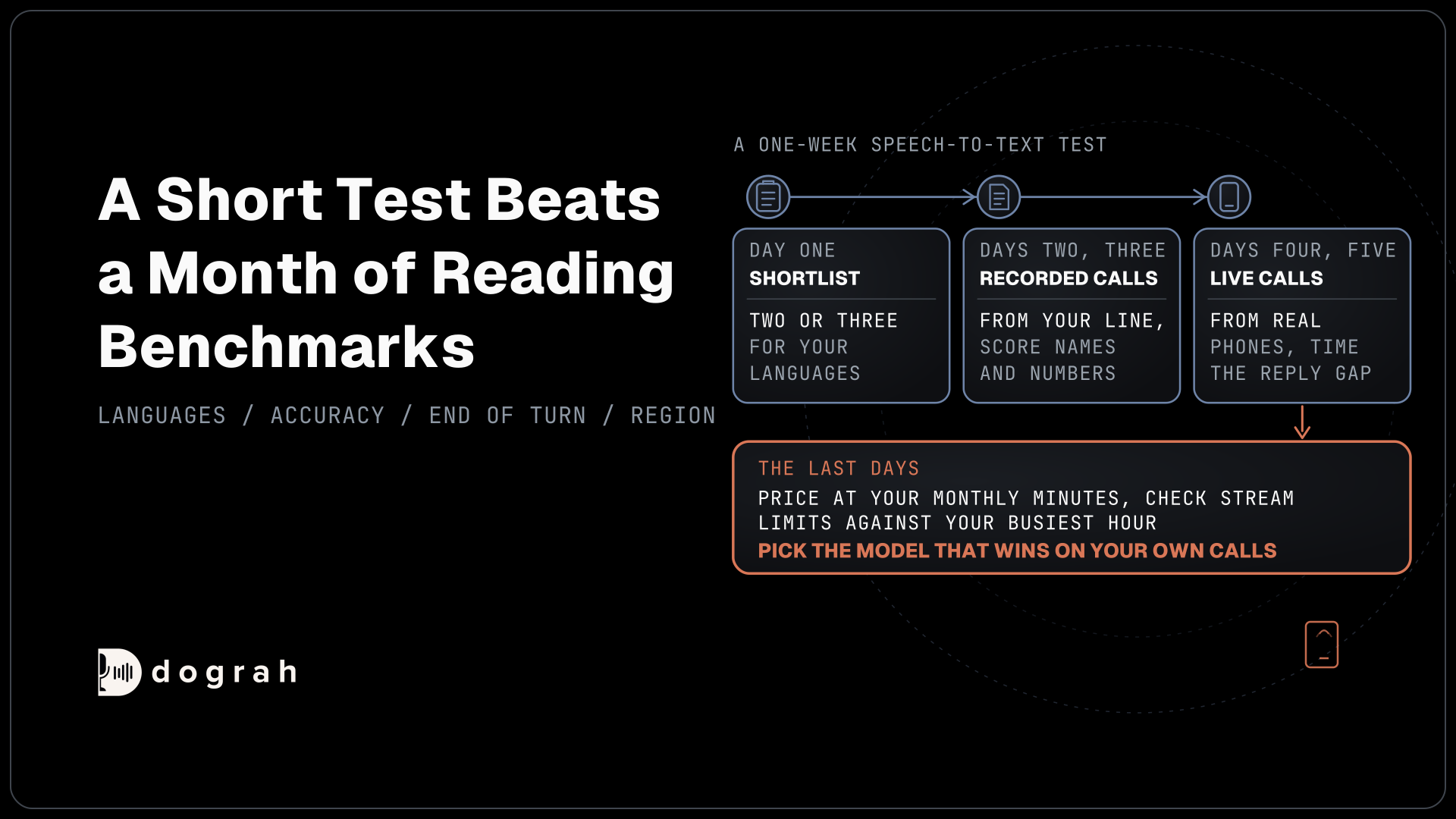
A short, structured test beats a month of reading benchmarks. On day one, shortlist two or three models that cover your languages and region. On days two and three, run your 50 to 100 recorded calls through each and score the words that matter, such as names, numbers and order IDs.
On days four and five, put each model on a test agent and make live calls from real phones, with a few callers who pause, interrupt and switch language. Time the gap from the end of the caller's speech to the agent's reply in your call traces. On the last days, price the winners at your monthly minutes and check their stream limits against your busiest hour, then pick the model that wins on your own calls, whatever the leaderboard says.
Choosing speech-to-text in Dograh, a worked example
In Dograh, each agent picks its speech-to-text model, so you can run the same agent on two providers and compare. On the Models page you add a configuration and open its STT tab, or you pick Custom on an agent's Model tab, then choose the provider, model and language. The transcriber settings cover providers including Deepgram, Soniox, Speechmatics, Sarvam, ElevenLabs, Google, Azure Speech and Cartesia, plus Local Models (Speaches) and Hugging Face for open models on your own servers.
The Language field accepts "Multilingual (Auto-detect)" where a provider supports it. Words you add to the Dictionary in the agent's Settings are sent to Deepgram, AssemblyAI, Soniox, Speechmatics and the platform's own model to help with names and product terms. With Deepgram Flux, the platform's own model on a Flux language or Cartesia ink-2, the speech-to-text service ends the caller's turn, and other providers use Dograh's own turn detection. For Sarvam, pick saaras:v3 in the Model field, and Deepgram's Base url setting can point at its EU or Australian endpoint with the same key.
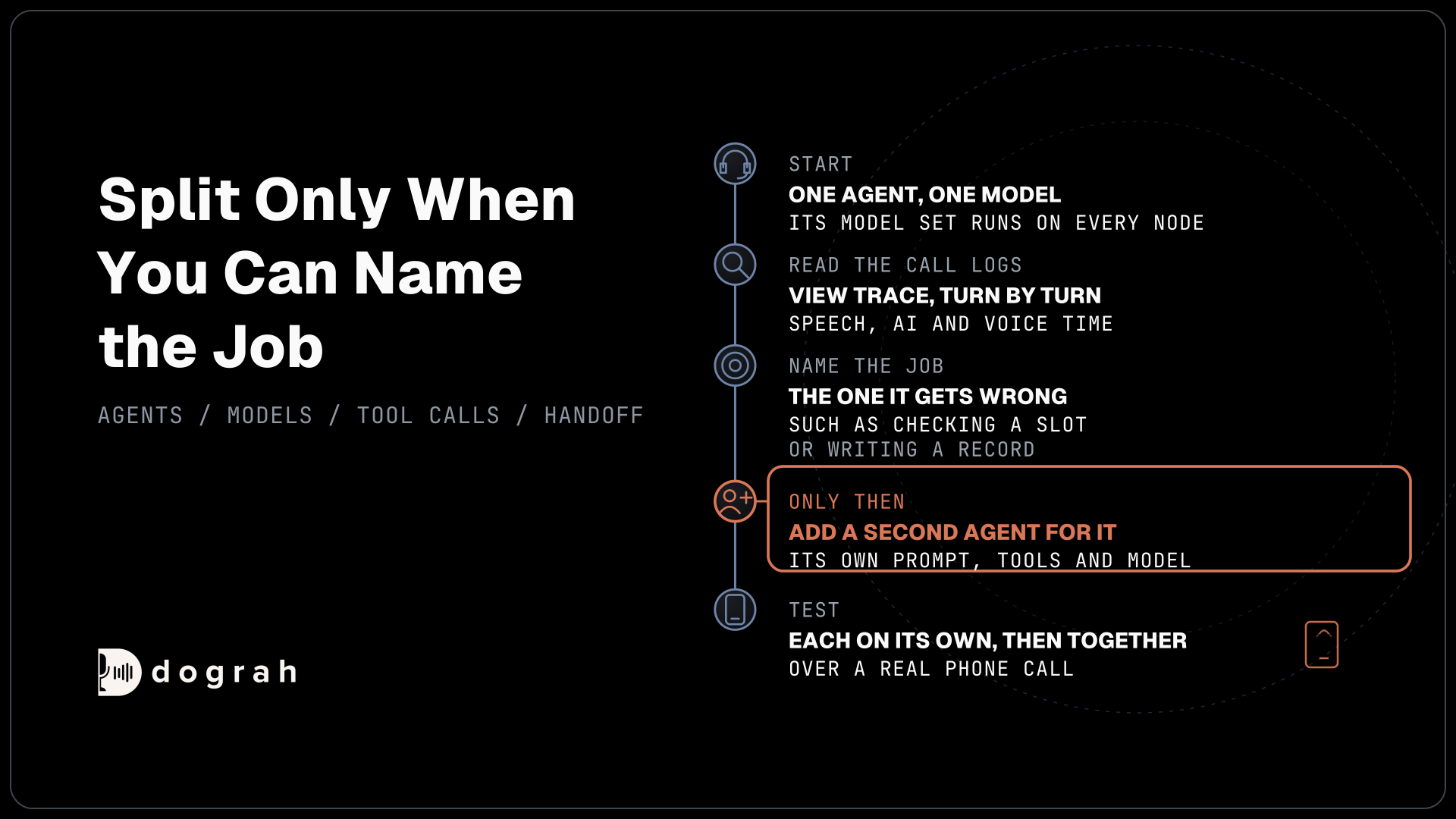
To compare, call the agent with the Phone Call button and open View Trace on the run, which shows the speech-to-text, AI and voice time for each turn. Changes save to the draft and apply to test calls at once, and publishing applies them to live calls. An API trigger can also override the speech-to-text model for a single call.
Running Dograh yourself means no per-minute platform fee. It also lets an open model run on hardware you control. You still pay for servers, model keys and phone minutes, and your team looks after the database and upgrades. Support comes from the open-source community, and Enterprise adds custom SLAs. If you would rather not host it, Dograh Cloud runs it for a 1 cent a minute platform fee.
Join the Dograh Community
Dograh is an OSS alternative to Vapi. Join our Slack community for queries, releases, best practices & community interactions.
Glossary
- Word error rate (WER)
- The share of words a model gets wrong, counting swaps, missing and extra words. A low overall rate can still hide errors on the names and numbers that matter.
- End of turn
- The moment the agent decides the caller has finished speaking. Some speech-to-text models decide it themselves, others leave it to the voice agent platform.
- G.711
- The standard phone codec that carries most calls as 8 kHz audio. The WildASR study used it to measure how phone audio changes each model's accuracy.
- Code-switching
- A caller moving between two languages inside one conversation or sentence. Only some speech-to-text models follow it without a language set in advance.