
To manage multiple clients on one voice AI platform, give each its own agent, numbers, files, model keys and reports. In Dograh, the open-source AI voice agent platform we build, each client gets its own team on Dograh Cloud. A team is a separate space in your account, not a group of people. Self-hosted, each client gets its own setup.
Key Takeaways
- One Dograh Cloud team per client keeps agents, numbers, keys and billing apart.
- Clients sharing one organization also share its concurrency limit and its logins.
- Give each client its own model keys so one leak stays with one client.
This post is part of our guide to starting an AI voice agent agency, where keeping clients apart gets one section beside the stack and pricing. Below, we take ten clients through numbers, prompts, knowledge files, model keys, reports and billing, on Dograh Cloud and on a self-hosted install.
One organization per client, or one for all
The first decision is whether each client gets its own organization or all clients share one, because that decides what they share. In Dograh an organization is the container for agents, phone setup, model keys, files, campaigns and billing. Everything in this post sits inside one.
On Dograh Cloud, each client becomes its own team. A team is a separate space in your Dograh Cloud account with its own agents, numbers, keys and billing, and you switch between teams from the sidebar. Switching reloads the app inside the chosen team, so you only ever see one client's agents and calls at a time. Each team has its own concurrency limit. Everyone in a team has full access to it, so add only the people who should see every setting and every call.
Self-hosted, you can get the same split with a separate login per client, since each sign-up creates its own organization. To get the team switcher on your own install, switch sign-in to Stack Auth, a runtime setting with no rebuild. Or keep every client in one organization, with agents grouped in a folder per client. That is simpler for a small agency, but every client then shares one concurrency limit, 10 calls at once by default, and anyone who logs in sees every client.
Use separate organizations when clients must not share capacity or data, or when a client will log in. Use one organization when a small agency runs everything and clients only get reports.
Each client's numbers and phone setup
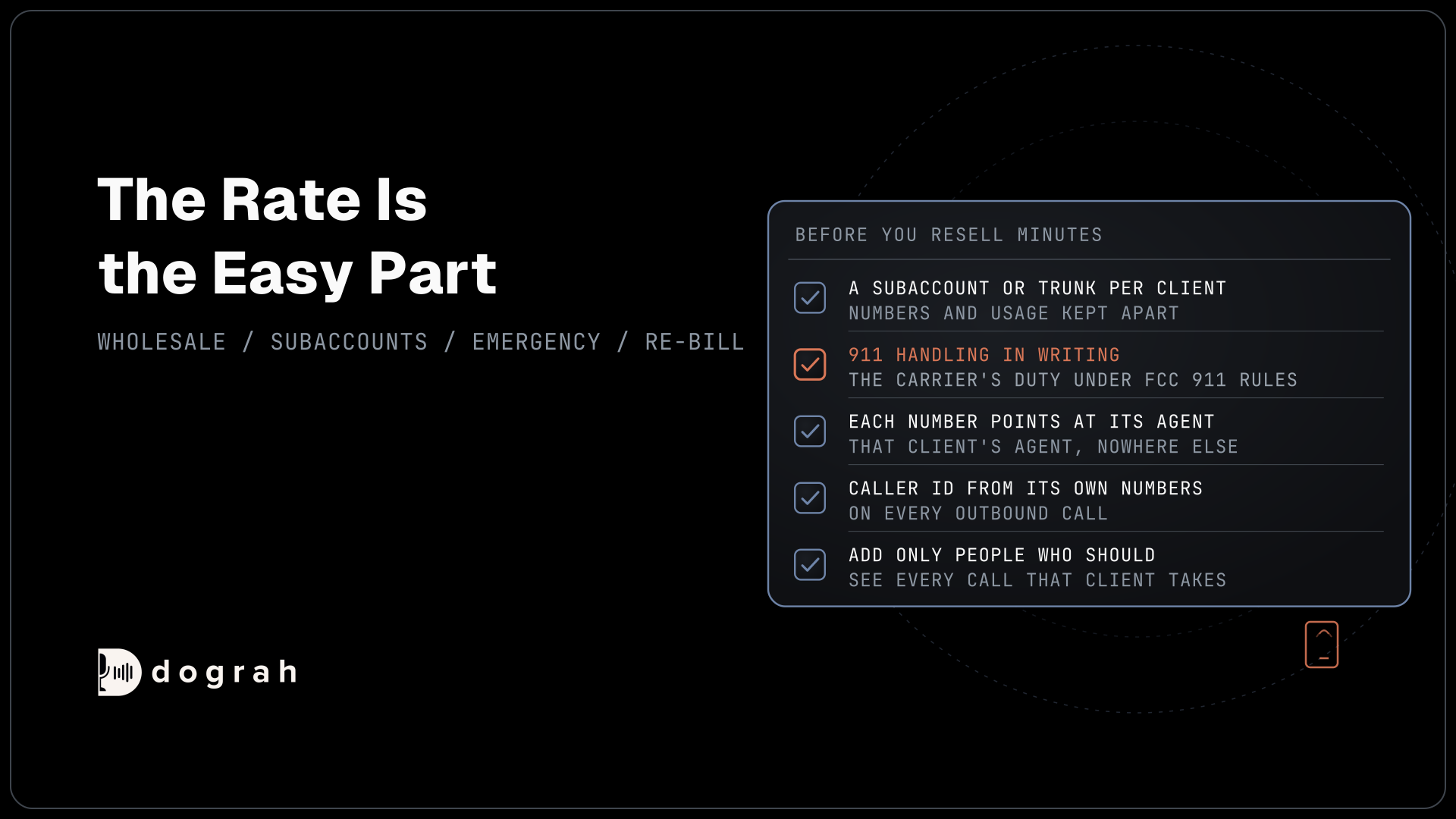
Each client should have its own carrier account and numbers, and Dograh holds them as separate telephony configurations. One organization can hold several telephony configurations, each with its own provider credentials and its own numbers, and one of them is the default for outbound calls. A campaign or an API-triggered call can name the configuration and the caller ID, so a reminder campaign for client A always rings out from client A's number.
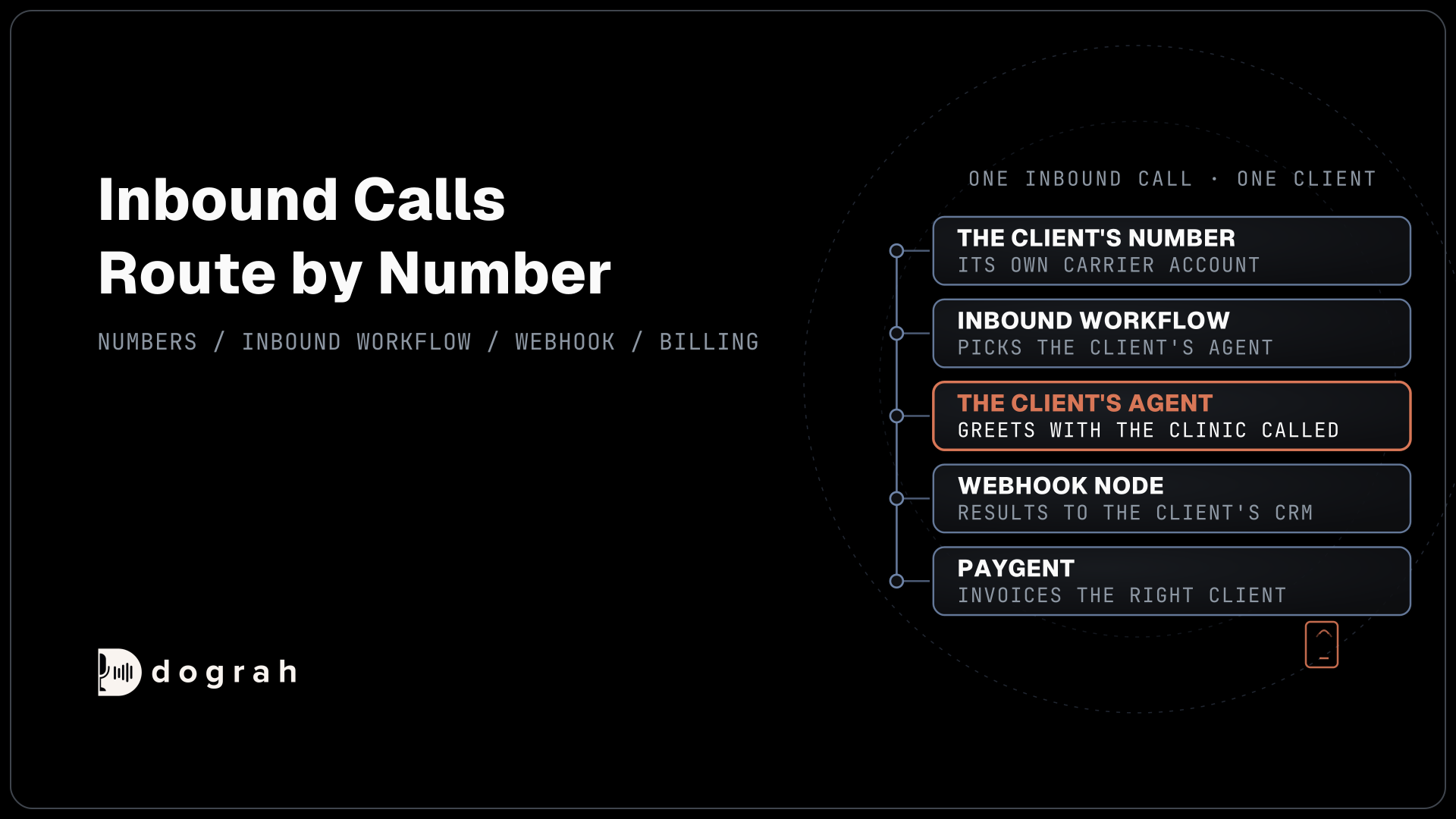
Inbound calls route by number. Each number's Inbound workflow setting picks the agent that answers it, and several numbers can point at the same agent. The dialled number reaches Pre-Call Data Fetch as to_number, so one agent serving a client's two clinics can look up which clinic was called and greet the caller with the right name.

Open Source Alternative to Vapi / Retell
Self-hosted voice agent platform — no per-minute fees
dograh-hq/dograh
Star on GitHub
Prompts and knowledge files per client
Give each client its own agent, so prompts, tools and settings never mix. Group a client's agents in its own folder when it has more than one, such as a receptionist and an appointment reminder. A change you make for one client then touches only that client's agents.
Knowledge files need more care. You upload files under Files, where the page heading reads Knowledge Base Files, and attach them to a node under Knowledge Base Documents. PDF, DOCX, DOC, TXT and JSON files up to 5 MB each are accepted. Inside one organization every agent can attach any uploaded file, so the separation is only as good as what you select. Name every file with the client's name first, and check the attached documents before you publish an agent. In separate organizations, one client's files never appear in another's list.
Model keys per client
Run each client on its own model keys, so its bill, its rate limits and any leak stay with that client. Dograh lets you add several connections for the same provider and give each agent its own named model configuration. Client A's agent can use client A's speech-to-text and language model keys while client B's uses its own.
Leaked keys stay live for a long time. GitGuardian's 2026 secrets report found that 64% of valid secrets found in 2022 were still active four years later. With one key per client, a leak exposes one client's account, and you rotate one key. When a client's call volume hits a provider's limit on calls at once, add more keys to that client's connection, as our post on STT and TTS concurrency limits explains.
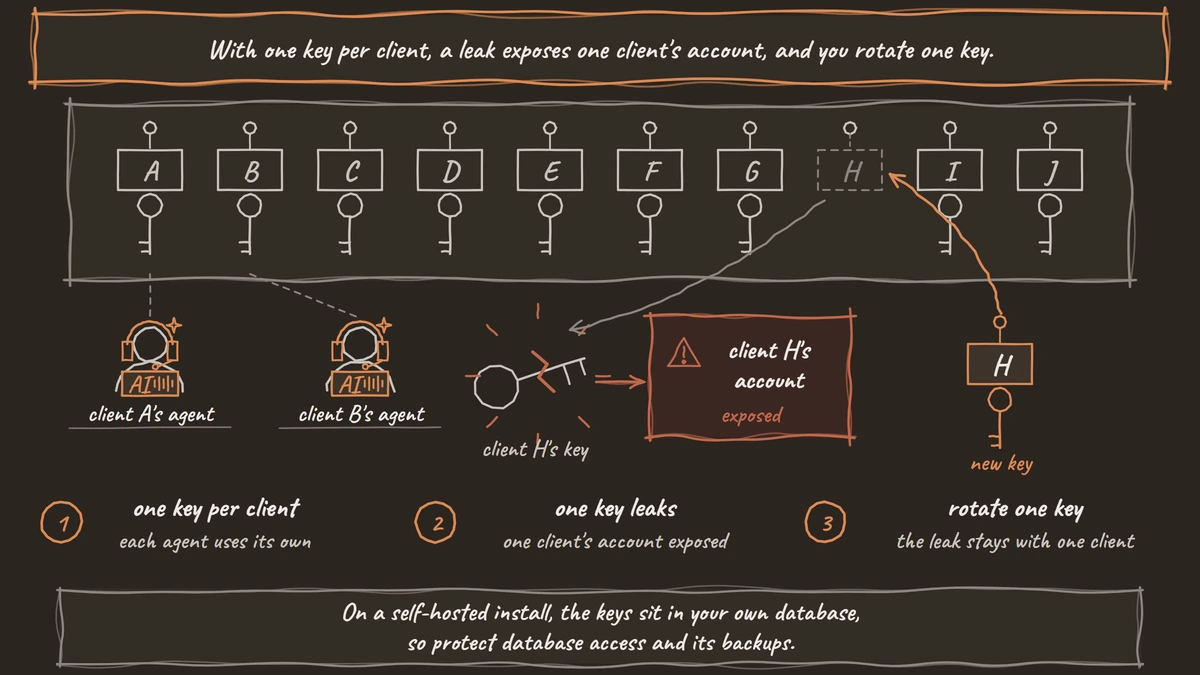
Shared accounts carry a legal point for EU clients. Under the General Data Protection Regulation (GDPR), an agency handling a client's caller data is usually a processor, and it may not bring in another processor, such as a hosted model provider, without the client's written authorisation. Ten EU clients on one shared model account means ten sign-offs, so confirm the setup with counsel. On a self-hosted install, the keys sit in your own database, so protect database access and its backups.
Join the Dograh Community
Dograh is an OSS alternative to Vapi. Join our Slack community for queries, releases, best practices & community interactions.
Reports and billing per client
Each client needs its own report and its own invoice, and both start from per-agent data. The Reports page gives a daily report you can filter by agent, and Agent Runs lists every call with its transcript and recording. On Dograh Cloud, each team also has its own Billing page, so the platform fee for client A never lands on client B's account.
For clients that want calls in their own tools, a Webhook node at the end of the flow pushes each call's results, such as the extracted answers, the duration and the recording link, to the client's CRM or sheet. Quality reports come from the QA node, which you set per agent with a Sample Rate that picks a share of calls at random. Our post on automated QA for voice agents explains how much of each client's traffic to sample once an agent is live.
For billing, add a Paygent node to each client's agent with that client's own Customer ID. Dograh then sends each call's usage to Paygent, which applies your rate cards for speech-to-text seconds, model tokens, voice characters and call minutes and invoices the right client.
Glossary
- Organization
- Dograh's container for agents, phone setup, model keys, files, campaigns and billing. Each Dograh Cloud team is its own organization, and clients in separate organizations share nothing.
- Telephony configuration
- A saved connection to one carrier account, with its credentials and its phone numbers. One organization can hold several, so each client can keep its own carrier account and numbers.
- Inbound workflow
- The setting on each phone number that picks which agent answers calls to it. Several numbers can point at one agent, and the dialled number is passed on so the agent knows which line was called.
- Model configuration
- A named set of speech-to-text, language model and voice choices, tied to provider connections. Each agent can use its own, so each client's calls run on that client's keys.