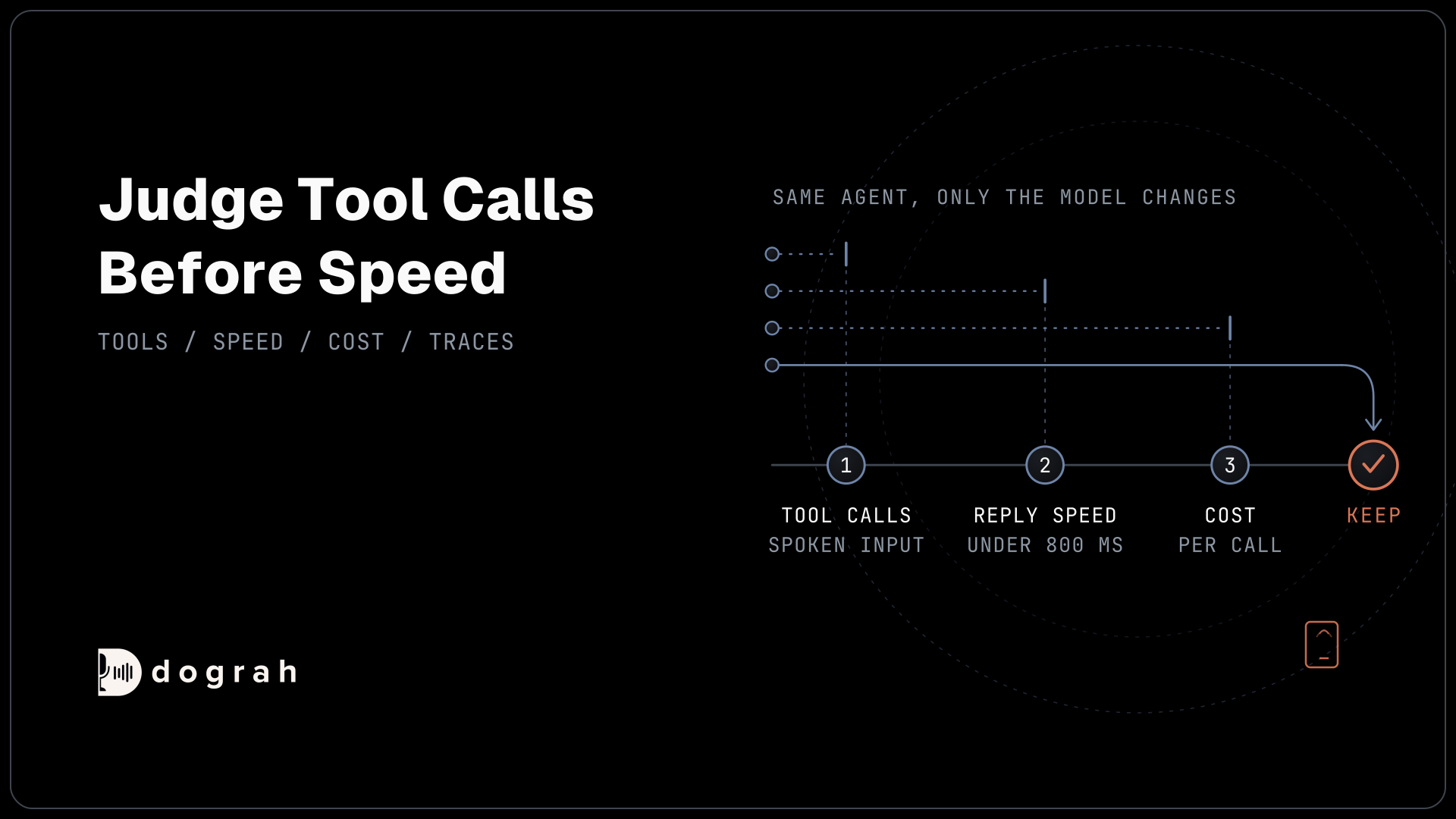

Choose an LLM for a voice agent by testing it on your own call flow. First check that it calls your tools with the right values from spoken input, then that it replies fast enough over a real phone call, then what it costs per call. Pick an open-weight model when call audio must stay in-house.
Key Takeaways
- Judge tool calls on spoken numbers and names before you judge speed.
- Keep the whole reply under about 800 ms on a real phone call.
- Qwen3.8 27B is an open-weight model to test, not a proven pick.
This post is part of our guide to running voice AI on local, self-hosted models, whose language model section sizes a 27B open-weight model for one GPU. Here we test hosted and open-weight models on tool calls and reply speed in Dograh, the open-source AI voice agent platform we build.
Start with tool calls on spoken input
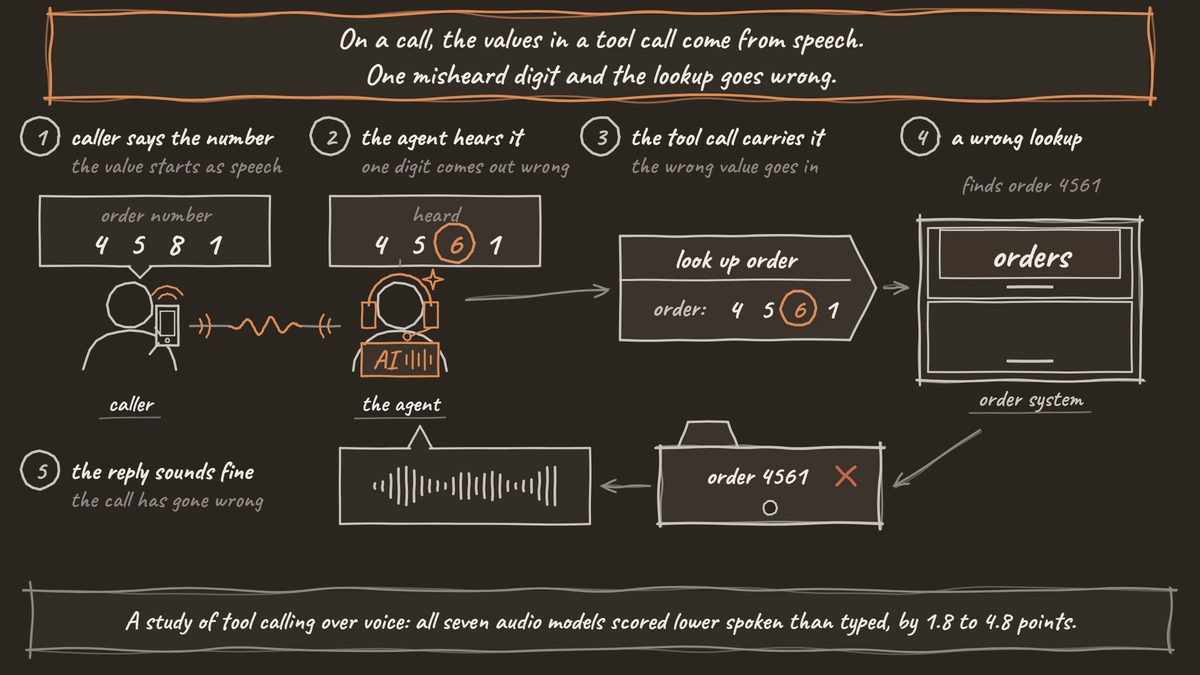
The test that rules out the most models is whether they call your tools correctly from what a caller said. A voice agent that books or looks up something does it through a tool call, and the values in that call come from speech. If the model passes a wrong date or account number, the call goes wrong even when the reply sounds fine.
Speech makes this harder than text. A 2026 study of tool calling over voice, accepted to TMLR, tested seven models that take audio directly. Each scored lower when the same tasks were spoken instead of typed, by 1.8 points for Qwen3-Omni up to 4.8 points for GPT-Realtime-1.5. Most failures came from wrong argument values: the model heard a number or a name wrong and passed it to the tool.
Sierra's tau-voice benchmark shows the gap at the level of whole tasks. Voice agents completed 30% of its tasks with gpt-realtime-1.0 in August 2025 and 67% with grok-voice-think-fast-1.0 in April 2026, against about 85% for the best text models. That is fast progress, and still a gap.
Our view is that a cascade, with speech-to-text in front of a text model, suits agents that call several tools. Cascade vs speech-to-speech explains the trade. Whatever you pick, test it with spoken numbers, names and dates, and run each tool call several times, because the same prompt can give a different answer on the next run. For a local model, Step 4 of our local build guide shows how to prove tool calls before anything else.
Check reply speed on a phone call
Speed decides whether the agent feels like a person or a slow machine. In our experience, a reply feels natural when the whole round trip stays under about 800 milliseconds. Speech-to-text, more often than the language model, is the slowest stage, but a slow model can still use up the budget.
What matters for the model is its time to first token, how fast the first words come out, because the voice starts speaking before the reply is finished. Hardware matters here as much as the model. On Groq's model list, openai/gpt-oss-120b runs at 500 tokens a second and llama-3.3-70b-versatile at 280. Both are in Dograh's Groq list.
Measure on your own calls. In Dograh, View Trace on a call shows the speech-to-text, AI and voice time for each turn, so you can see which stage ate the budget. If you use your own keys, you can also set an LLM fallback. A backup model takes over when the main one returns an error or stays silent past your time limit, 1.5 seconds by default. It is off until you turn it on and only steps in before the reply or a tool call begins. Dograh's managed models handle their own fallbacks, so the setting is not available there.

Open Source Alternative to Vapi / Retell
Self-hosted voice agent platform — no per-minute fees
dograh-hq/dograh
Star on GitHub
Compare cost per call, not only per token
Model prices are listed per million tokens, but a voice agent pays per call, and calls resend a lot of text. Each turn sends the prompt and the conversation so far, so input tokens grow as the call goes on.
List prices give a starting point. OpenAI's API pricing puts gpt-4.1 at $2.00 per million input tokens and $8.00 per million output tokens, gpt-4.1-mini at $0.40 and $1.60, gpt-4.1-nano at $0.10 and $0.40, and gpt-5-mini at $0.25 and $2.00. On Groq, openai/gpt-oss-120b is $0.15 and $0.60.
A smaller model is worth testing first if your flow is short and structured, since voice work is mostly a narrow task. Move up only when the tool-call test shows it needs more. Our breakdown of what an AI voice agent costs per minute turns these into per-minute numbers, and BYOK vs managed models covers who bills you for them.
Hosted models or open weights
The second choice is where the model runs. Dograh is the orchestration layer that runs the call flow, tools and telephony, and the speech and language models are a separate layer you choose. You can fill that layer with Dograh's managed models, a provider you bring your own key for, or an open-weight model you host.
Dograh's managed models come as tiers named default, accurate, fast, lite and zen. With your own keys, the model configurations list OpenAI, Google, Groq, OpenRouter, Azure OpenAI, AWS Bedrock, Hugging Face and others, and every provider except Dograh accepts a model ID you type in. Local Models connects any OpenAI-compatible server, such as Ollama or vLLM, so any open-weight model it serves will work.
Open weights are the only way to keep call audio and transcripts on your own servers. Bringing your own key changes whose contract covers the model, while the conversation still goes to that provider. Among open-weight models, Qwen3.8 27B is one to test, and Gemma 4 31B is a strong second that Dograh also lists through Hopper. Check the reply speed of either on a real call first, because your GPU and its settings decide it.
Dograh itself is self-hostable. Self-hosted Dograh has no per-minute platform fee (servers, model keys and phone minutes still cost). Dograh Cloud has a 1¢-a-minute platform fee.
Join the Dograh Community
Dograh is an OSS alternative to Vapi. Join our Slack community for queries, releases, best practices & community interactions.
A short test before you commit
Pick two or more candidates and run the same agent on each, changing only the model. Place real phone calls that hit every tool, with numbers and names spoken the way your callers say them. Run each call several times.
Then read the traces. Note which model got every tool argument right and how long its turns took. Then check how many tokens a typical call used. Dograh sets a low temperature by default, 0.1 for most providers, which keeps replies steady.
If one provider rate-limits you under load, add more API keys to the same connection, and Dograh picks one at random each time. Keep the model that passes the tool test at the speed your calls need, at the lowest cost per call that still passes.
Glossary
- Tool calling
- When a language model asks the platform to run a function, such as looking up an order, with values it fills in from the conversation. On a voice call those values come from speech, so a misheard digit becomes a wrong lookup.
- Time to first token
- How long a model takes to produce the first piece of its reply. A voice agent can start speaking as soon as it arrives, so this matters more than total reply time.
- Open-weight model
- A model whose weights are published so you can run it on your own hardware, such as Qwen3.8 27B or Gemma 4 31B. It is the only way to keep call audio and transcripts in-house.